
The support landscape has changed. Service professionals report that customer expectations are at an all-time high, with 86% backing this trend. Businesses need help desk software now more than ever, as 77% of customers want instant responses when they reach out for help.
Help desk software works like a digital toolbox. It lets organizations manage, organize and solve customer support issues from one place. Teams can handle ticket management, automation and talk to customers across different channels. Today's help desk solutions pack features that make support operations smooth while keeping service quality high. Support teams can skip hours of repetitive work thanks to automation. But many businesses face a challenge - finding help desk ticketing software that gives them what they need without breaking the bank. Small businesses often can't afford a full paid help desk.
In this article, we will walk you through everything about help desk software. You'll learn about core features, benefits, how to pick the right one, and ways to put it to work.
What Is Help Desk Software Solutions
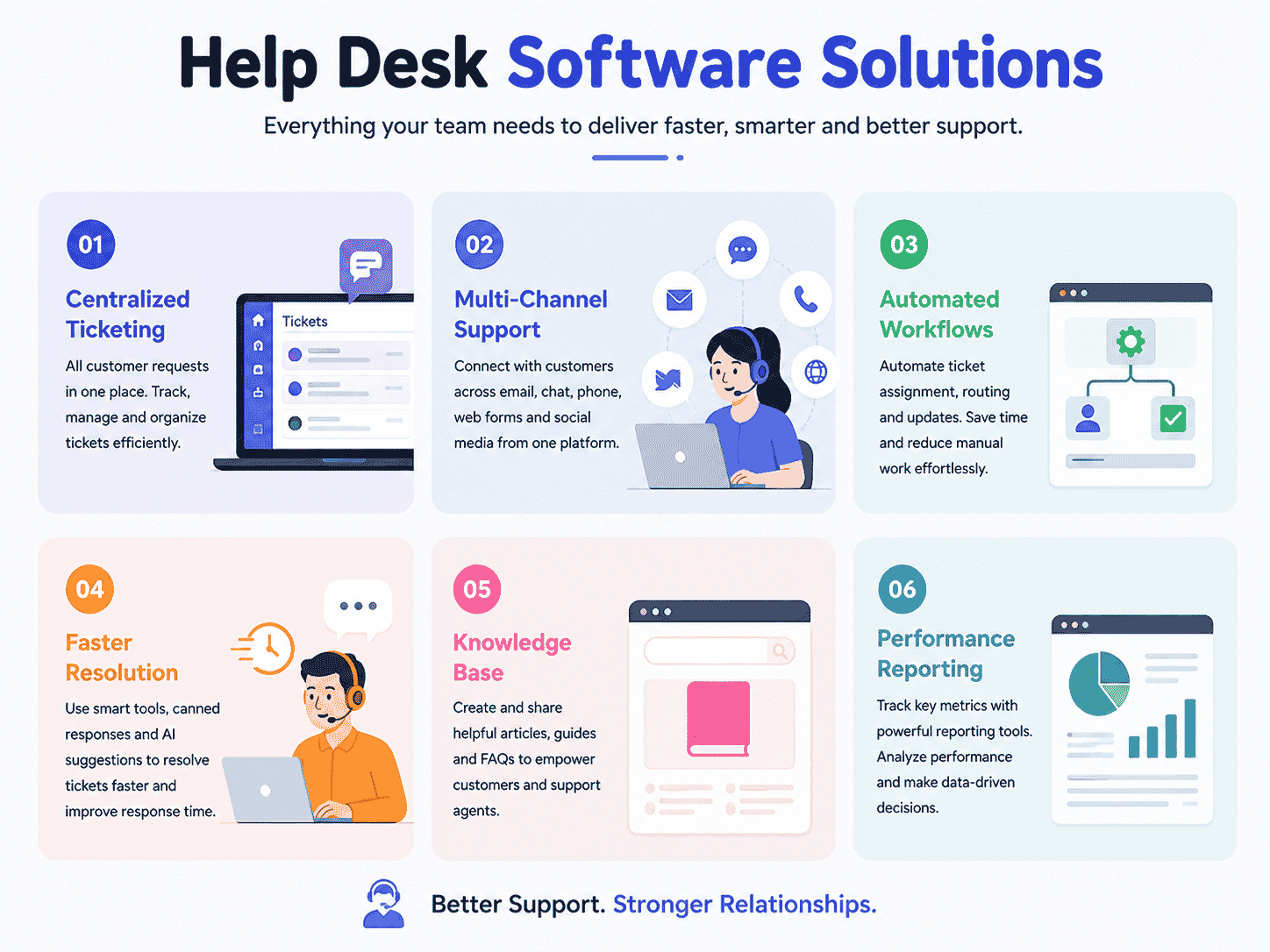
Help desk software helps businesses manage customer support in a structured and efficient way. A modern help desk system or desk system centralizes customer requests, service requests, and customer queries into one organized ticketing system. Instead of scattered emails and chat messages, support teams can track tickets, manage tickets, and monitor ticket details from multiple channels. Desk solutions reduce manual effort and improve visibility across support operations.
The right help desk software includes essential features like ticket creation, ticket assignment, automation rules, reporting tools, and a built-in knowledge base. Support agents use canned responses, knowledge base articles, and AI tools to speed up ticket resolution and reduce response times. Advanced features such as AI agents, automation tools, and integrations with Microsoft Teams or Jira Service Management improve service quality and simplify ticket management.
A reliable help desk solution supports small businesses and growing teams with free plan options and scalable paid plans. An intuitive interface helps users manage incoming tickets and status changes with minimal technical expertise. Review sites, cost comparisons, and feature analysis help businesses make informed decisions when choosing the best help desk software like EasyDesk. Strong security, automation, and customer interaction tracking ensure better customer support and long term business success.
Key Features Of Help Desk Software
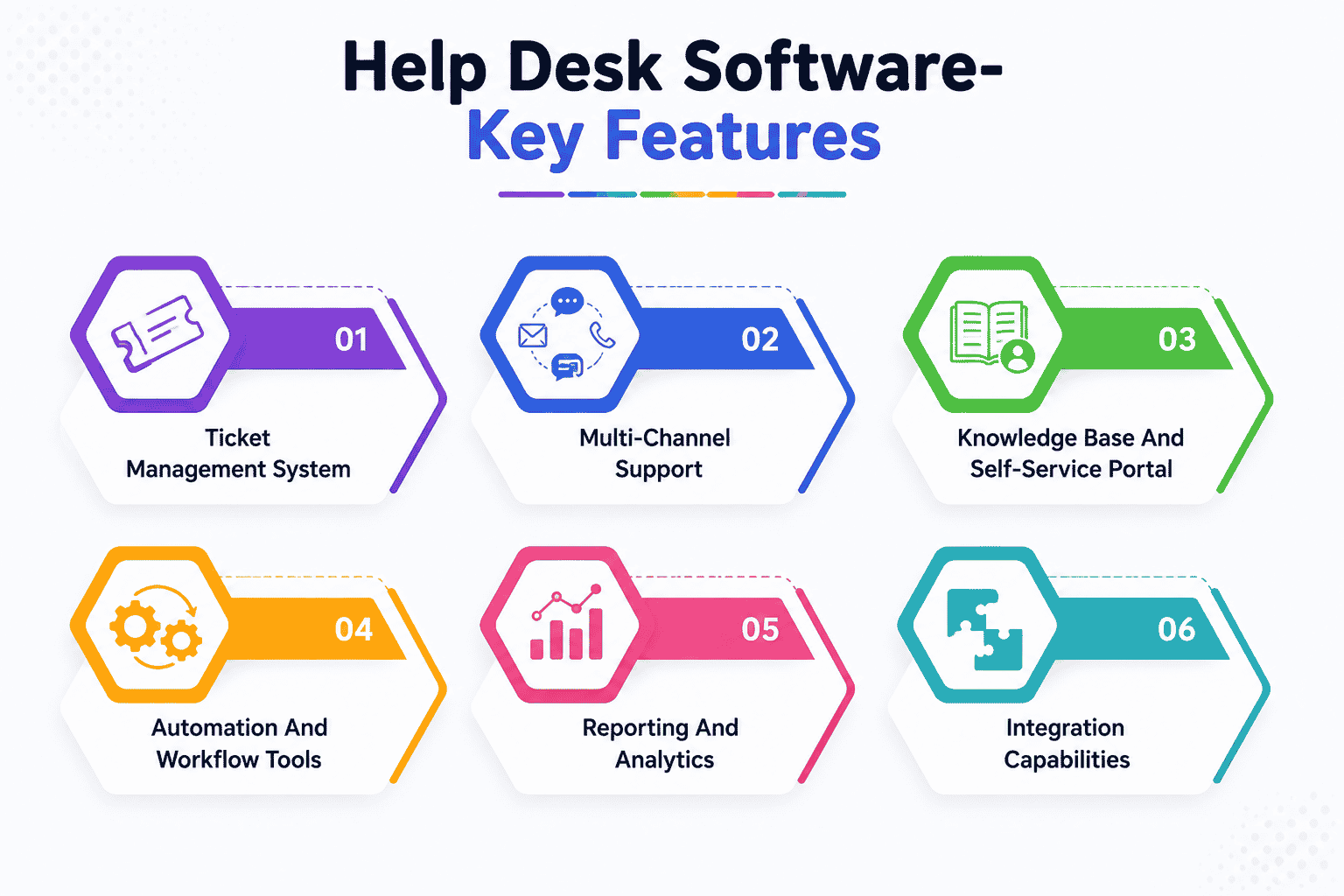
Modern help desk software packs powerful features that reshape how businesses handle customer support. These solutions have several vital components that give support teams the ability to deliver outstanding service.
Ticket Management System
The foundation of help desk software lies in its ticket management system. This key feature turns customer questions from email, chat, phone, or social media into trackable tickets. Each ticket gets priority levels, ownership, and resolution timelines. Smart routing sends incoming tickets to the right agent or department based on category, customer type, or issue severity.
Support teams dealing with many daily requests benefit from escalation rules that ensure urgent cases get attention. The system also prevents multiple agents from working on the same ticket at once, which eliminates duplicate work and customer confusion. These features create efficient workflows that keep support operations running smoothly.
Multi-Channel Support
Customers now reach out through many channels - they send emails, post on social media, or make direct calls. Good help desk software brings all these interactions into one central interface. This approach gives customers a consistent experience whatever channel they choose.
The software typically includes email and chat features that create trackable tickets, tools to handle social media responses, and phone support that records call details with other ticket information. Support teams can see the customer's complete history without making users repeat themselves on different platforms.
Knowledge Base And Self-Service Portal
A well-laid-out self-service portal with knowledge base software lets users solve problems on their own and reduces ticket numbers. Research shows 91% of customers would use an online knowledge base if it met their needs.
Good knowledge bases contain searchable FAQs, step-by-step guides, and sometimes community forums for user discussions. Organizations using Knowledge-Centered Service (KCS) make their knowledge base even more useful as teams create and update documentation during their regular work. This keeps content accurate and helpful for users looking for self-service options.
Automation And Workflow Tools
Automation tools let support teams focus on complex issues by handling routine tasks. The software can send automatic responses when tickets arrive, remind agents about SLA deadlines, and combine duplicate tickets about the same problem.
AI-powered automation goes further by analyzing tickets, suggesting solutions, and solving common issues without human help. These tools can cut average ticket resolution time from three days to just hours. This makes automation a standout feature in modern help desk solutions.
Reporting And Analytics
Measuring performance leads to improvement. Reports and analytics show important data about support operations, including response times, resolution rates, agent productivity, and customer satisfaction. Teams can see key metrics on custom dashboards, track SLA compliance, and spot training needs through agent performance data.
Advanced analytics reveal patterns in how customers behave and what they want. AI algorithms process large amounts of customer data to show trends and ways to improve service. These insights help organizations make smart decisions that improve overall support quality.
Integration Capabilities
Help desk software needs to work with other business tools to be effective. Integration features allow data to flow between CRM systems, project management tools, Slack, and e-commerce platforms.
The best help desk solutions offer built-in connections to popular business apps. Some platforms give access to marketplaces with hundreds or thousands of ready-made integrations - HubSpot's help desk connects to Jira, Slack, and 1,700+ other tools. API access also lets companies build custom integrations that fit their specific needs, making the help desk system work perfectly with existing processes.
Benefits Of Using Help Desk Software Solutions
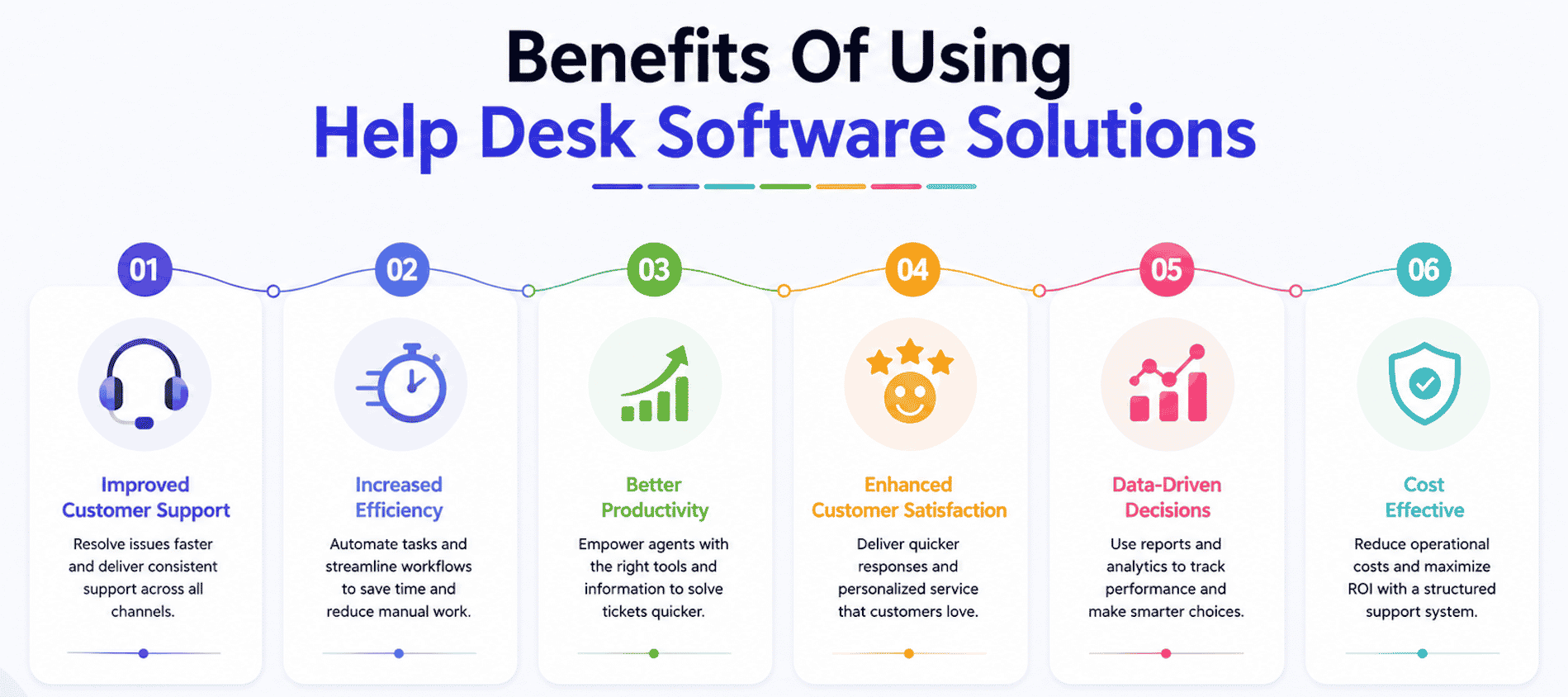
Help desk software brings clear benefits to businesses of all sizes. Research shows organizations using help desk ticketing systems have higher customer retention rates. Customer loyalty increases up to 10% with these systems.
Improved Customer Satisfaction
First impressions make a huge difference in customer support. Forbes reports 96% of customers would switch brands after poor customer service. Help desk solutions fix this risk by creating consistent and efficient support experiences.
The ticket management system makes sure every customer query gets attention. Modern help desk software gives agents complete customer context and allows them to provide tailored service. This personal touch is significant since 80% of consumers will pay more for a better customer experience.
Support teams using help desk systems can:
- Acknowledge receipt of customer queries automatically
- Set accurate expectations for resolution times
- Deliver on promises consistently
- Communicate even when there's no update
About 81% of customers will buy again after positive customer service. So investing in quality help desk software leads to better revenue through satisfied customers.
Faster Response Times
Customer support needs speed. Studies reveal 77% of consumers believe valuing their time is the most important aspect of good service. Help desk ticketing software makes responses much faster in several ways.
Automated ticket routing sends incoming tickets to the best-qualified agent based on expertise, workload, or issue type. Customers get to the right support agent faster without manual sorting. Plus, automation tools handle routine tasks so agents can focus on complex customer issues.
The results are impressive. Help desk software can cut average ticket resolution time from three days to just hours. Teams using well-configured solutions save up to 35% of time they used to spend looking for information. This ended up increasing efficiency by 25%.
Better Team Collaboration
Help desk systems work as communication centers for support teams. They show clearly who owns which ticket, making responsibilities easy to track. The team knows exactly who handles what, so nothing gets missed during handoffs.
Cloud-based help desk software lets remote teams work together smoothly. Support agents can check customer information from anywhere while keeping service quality consistent.
These systems help different departments work better together. Modern help desk solutions merge with other tools like CRM systems. Sales, marketing, and support teams get a complete view of customer interactions. Business statistics show increased sales after improving customer service operations.
Centralized Information Management
Help desk software puts all customer data in one place. Organizations can understand customer behavior, priorities, and needs better. This approach eliminates duplicate records, cuts down manual data entry, and reduces errors.
Support agents waste time when customer details spread across multiple systems. A single help desk system lets agents spend more time fixing customer problems instead of searching for information. Research proves better data quality comes from centralized information. This matters for making smart decisions and running effective communication strategies.
Live analytics from help desk software turn this information into useful business insights. Teams can track important metrics like first-response time, resolution rates, ticket backlog, and customer satisfaction scores. These insights help organizations spot problems and keep improving their customer support.
IT Help Desk Software Vs Service Help Desk Software
The difference between IT help desk software and service help desk software can be tricky to grasp. Yet, it's crucial to know this when planning your support strategy. Many organizations use these terms as if they mean the same thing, missing subtle differences that affect their support operations.
IT Help Desk Software Features
IT help desk software works as a tactical solution that deals with break-fix processes. This software acts as the first point of contact when users face technical problems. Its main job is to keep an organization's IT infrastructure running through ticket management, fixing incidents, and handling service requests.
Key features of IT help desk software has:
- Single point of contact (SPOC) for IT support
- Automated ticket tracking and routing systems
- Simple incident and service request management
- Limited integration with other IT service management practices
- Simple self-service options for end-users
Support teams use this help desk solution to respond to technical issues as they come up. The software excels at tracking hardware problems, fixing software issues, and solving network connectivity problems. Small businesses that don't rely heavily on complex IT systems will find these solutions give them everything they need without extra complexity.
Service Help Desk Software Features
Service help desk software takes a more strategic approach with wider capabilities. Unlike IT help desk software solutions' reactive nature, service desk solutions look at an organization's bigger picture and offer proactive support alongside incident management.
Service help desk features usually has:
- Detailed incident lifecycle management
- Advanced ticket categorization based on effect and urgency
- Multiple ITSM practices (incident, service request, problem management)
- Strategic IT service improvement
- AI-powered insights for faster resolution
- Strong knowledge base and self-service resources
Service desk software always looks for ways to improve IT processes. The system has workflow automations to set alerts, route tickets smartly, and manage SLA policies. It also offers reporting tools that help learn about knowledge management, service quality, and team performance.
How To Choose The Right Type For Your Business
Your choice between IT help desk and service desk software depends on several factors. Your organization's size and complexity matter most. Small businesses with simple IT needs might find IT help desk software works well enough. Larger organizations with complex systems usually need service desk solutions' strategic capabilities.
Your IT maturity level matters too. Help desk needs often grow from simple ticket management to sophisticated service delivery as your business expands. Teams usually start with simple help desk software and move to service desk solutions as they grow.
Support goals play a big role, too. IT help desk software works great if you just want to fix technical issues quickly. Service desk software lines up better with your goals if you want to improve overall service quality and stop problems before they happen.
Money matters in this decision, too. IT help desk software needs less investment in both money and technical know-how. Many options have free plans with core features for small support teams. Service desk solutions can get pricey, but give you more value over time through automation, better efficiency, and strategic insights.
These differences will help you pick the desk software that fits your organization now and supports your future growth.
Essential Help Desk Ticketing Software Capabilities
Support operations succeed when they have powerful ticketing capabilities. The right help desk software gives support teams the ability to manage customer requests quickly without missing anything. Here's a look at the core ticketing features that make this possible.
Ticket Creation And Assignment
Help desk ticketing systems start with ticket creation. The system automatically generates a support ticket when someone submits a question or reports an issue through any channel. This process captures all the details like contact information, issue description, and timestamps needed for tracking.
Modern desk solutions accept tickets from email, chat, phone, web forms, and social media platforms. Support agents can manage all customer queries from a single interface whatever their source. This approach brings everything together and prevents customers from being overlooked.
Tickets need proper assignment after creation. Top help desk software has automated ticket routing that sends issues to specific individuals or teams based on their expertise, workload, and availability. The system first sorts tickets by parameters like creation method and timing. Then ticket routing matches requests with staff members who have the right knowledge. This removes manual sorting and speeds up resolution.
Priority Management
Customer support tickets need different levels of attention. Priority management features help support teams know which issues need immediate handling and which can wait. Help desk ticketing software has four main priority levels:
- Urgent: Critical issues requiring immediate attention
- High: Important problems that substantially affect users
- Medium: Standard issues affecting limited functionality
- Low: Minor concerns with minimal effect
The right priority level makes ticket handling work smoothly. Support operations become chaotic without good prioritization - customer service suffers when agents spend time figuring out which tickets to handle first. Priority levels set the urgency for customer service teams and link to SLA commitments.
Automated prioritization rules save time for many businesses. The best help desk software can set priority automatically using criteria like customer value, issue type, or business effect. Support teams handle tickets consistently with this approach.
SLA Tracking
Service Level Agreements (SLAs) set promised response and resolution times for different customer requests. Good SLA tracking helps your support team meet these commitments every time.
Complete help desk solutions have strong SLA management features that watch compliance automatically. Teams can create multiple SLA policies based on ticket priority, customer tier, or issue category. These policies set deadlines for agents to respond to customers and fix their issues.
The system sends alerts about approaching deadlines with automated SLA tracking. The system can remind agents when a ticket nears its SLA limit. Managers get notifications when SLAs might be missed through escalation paths. The best help desk systems let you pause SLA timers while waiting for customer responses to avoid unnecessary escalations.
Ticket Status Updates
Ticket status tracking shows where each customer's issue stands in getting fixed. Support tickets move through several status stages that show their current state.
New tickets start with "Open" or "New" status showing they've arrived but haven't been addressed. The status changes to "In Progress" once an agent starts working. Tickets may become "Pending" while waiting for customer response or "On Hold" if paused temporarily.
The ticket gets "Resolved" status after the agent fixes the issue. It moves to "Closed" status once the customer confirms the solution. Status changes trigger notifications automatically to keep customers informed about their request's progress.
Each ticket's status change history creates a complete audit trail. This record is a great way to get quality assurance insights and training material while keeping the support process transparent.
How To Choose The Right Help Desk Software
Businesses often find it challenging to pick the right help desk software because there are so many options out there. You need to think about several important factors to make the right choice. Let's get into the key aspects that will help you choose the best help desk software for your organization.
Assess Your Current Support Needs
You should identify what features you absolutely need and what would be nice extras for your support operations before you start looking at different solutions. Your staff and end-users can help you create a detailed list of essential capabilities that will make your service delivery better. Keep your focus on the actual tasks your support teams handle every day instead of getting caught up in fancy features. The right solution should naturally fit into your process.
As you compare vendors, look at what they can actually measure rather than long lists of features. Ask yourself:
- Which metrics come built-in?
- How much can you customize reports and dashboards?
- Will the system work with your other tools?
Consider Team Size And Scalability
The number of people who will use the tool matters a lot. Small businesses might do fine with simple ticketing features, while bigger organizations usually need more powerful solutions. Your help desk software should work for your current team and leave room for predicted growth.
Choosing cloud solutions will let you quickly adjust to changing support needs. You can scale up or down based on what you need without spending too much upfront. The best solutions grow along with your support capabilities.
Evaluate Integration Requirements
One of the top things to look for in help desk software is how well it works with your existing tools. The right solution should merge with your CRM, email platform, chat software, and social media accounts. This will give you a single place for all customer interactions and data, which makes ticket management and customer history tracking much easier.
Review Pricing And Budget
The cost of help desk software can vary substantially based on service level, business size, and support hours. Simple IT help desk support typically costs between USD 25.00–USD 50.00 per user/month. Fully managed support might run USD 100.00+ per user/month. You can often save money by paying annually instead of monthly.
Check Customer Reviews And Ratings
Read what current users have to say before you make your final choice. Try demos of your top 2-3 picks and see how user-friendly they are for both end users and admins. The interface should be easy to use and understand. Pay attention to how quickly the sales team responds and how much they know during demos.
During your demo evaluation, focus on:
- How employees can submit requests through the self-service portal
- What the knowledge base offers, including FAQs and tutorials
- How much you can customize fields, workflows, and branding
How To Implement Help Desk Software
A structured rollout ensures your help desk software delivers measurable gains in service quality and response times. Clear planning reduces risk, lowers manual effort, and helps support teams adapt quickly to new workflows, automation tools, and ticket management processes.
Define Goals And Success Metrics
Every help desk implementation must start with defined objectives. Clarify what your business expects from the help desk system. Goals may include faster ticket resolution, reduced ticket volume, or improved customer satisfaction scores. Research shows companies that track KPIs see up to 20 percent higher service performance.
Set measurable targets for response times, ticket assignment accuracy, and service requests handled per agent. Reporting tools within your desk software help track progress. Clear metrics guide informed decisions and ensure the help desk solution aligns with business outcomes.
Configure Roles And Permissions
Role structure controls system access and security. Assign administrators, support agents, and supervisors inside the help desk software. Each user should have permission levels based on responsibilities. Proper configuration protects sensitive customer data and improves internal accountability.
Define ticket management rights clearly. Decide who can manage tickets, edit ticket details, or change status changes. IT teams should review security settings before launch. A well-structured desk system reduces confusion and prevents operational errors.
Set Up Support Channels
Customers expect support across multiple channels. Connect email, chat, web forms, and Microsoft Teams to your ticketing system. Integration centralizes incoming tickets into one dashboard. Studies show 70 percent of customers prefer omnichannel customer support.
Enable ticket creation from every channel. Each customer query should convert into a trackable ticket. Social media, live chat, and service desk emails must sync with your helpdesk software. Unified communication improves customer interactions and reduces missed support requests.
Test Automation And Workflows
Automation tools reduce manual effort and speed up ticket resolution. Configure automation rules for ticket routing and ticket assignment. Categorize support tickets under Sales, Technical Support, or Billing. Automatic routing ensures the right support agent receives each ticket.
Test workflows before launch. Create sample service requests and verify automation works properly. Review status changes and canned responses. AI tools and AI agents can assist with first responses. Proper testing improves service quality and prevents workflow errors.
Train Support Teams Effectively
Well-trained support teams improve response times and customer satisfaction. Begin with essential features such as ticket management, knowledge base use, and ticket details review. A structured program reduces dependency on extensive training later.
Educate agents on built in knowledge base articles and self service resources. Encourage proper use of canned responses to ensure consistency. Technical expertise matters, but communication skills matter more. Strong team performance directly impacts customer support quality.
Migrate Data Securely
Data migration requires a clear process. Review existing support tickets and customer requests. Decide which records to archive and which to transfer into the new help desk solution. API and CSV tools simplify data transfer.
Run a small test batch first. Check field mapping and ticket details accuracy. Secure handling protects customer data and ensures compliance. Accurate migration supports reporting tools and preserves historical ticket volume insights.
Evaluate Performance And Optimize
Performance tracking does not stop after launch. Monitor ticket volume, resolution time, and customer interactions weekly. Reporting tools provide all the information needed to refine workflows.
Compare performance against industry benchmarks. Platforms like Jira Service Management and Zoho Desk offer advanced features for growing teams. Review sites and cost analysis help evaluate paid plans versus free plan options. The best help desk software adapts as business needs evolve, ensuring long-term efficiency and scalability.
Best Practices For Efficient Customer Support
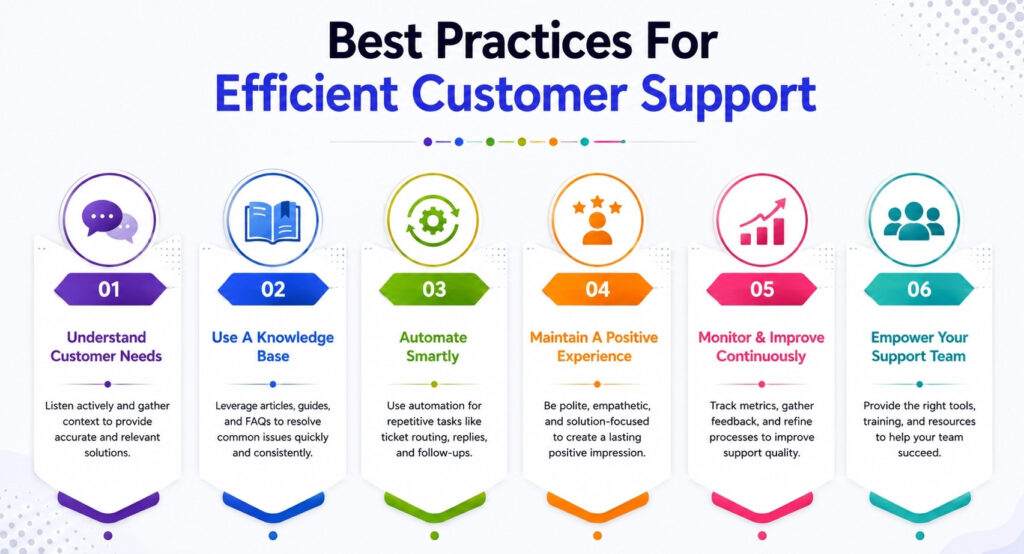
Help desk software shows its true value with the right support practices. Your customer service approach matters more than the tools you choose. The impact on satisfaction levels can be dramatic.
Creating A Detailed Knowledge Base
A well-built knowledge base helps support teams work better. Customers can find answers to simple questions and help themselves. Your team receives fewer tickets because customers solve problems on their own.
The knowledge base works best with searchable titles that include relevant keywords. Product-specific help centers let customers find what they need without extra information. Your knowledge base should include FAQs, how-to guides, troubleshooting tips, and product details.
Setting Clear SLA Targets
Service level agreements outline your customer support commitments. They specify maximum response times and give customers confidence. Your SLAs should define response and resolution times based on ticket priority.
To cite an instance, see these SLA targets by priority:
- Critical: 15 minutes response, 2 hours resolution
- High: 30 minutes response, 4 hours resolution
- Medium: 1 hour response, 8 hours resolution
- Low: 4 hours response, 24 hours resolution
The SLAs need clear communication to the core team and end-users alike.
Using Automation Effectively
Automation in tickets helps you handle repetitive tasks smoothly. Smart ticket routing connects customers with qualified agents. Customers get help from the same representative each time, which builds relationships and speeds up solutions.
Chatbots and AI tools can handle common questions fast, so human agents focus on complex issues. Smart routing assigns tickets based on skills and availability, which cuts down manual sorting time.
Monitoring Performance Metrics
Support analytics reveal your help desk team's performance. Essential metrics to watch include:
- First Contact Resolution (FCR) rate
- Average Response Time
- Customer Satisfaction Score (CSAT)
- SLA Compliance Percentage
These numbers show where bottlenecks exist and what needs improvement. Analytical insights help optimize processes, guide decisions, and drive success consistently.
How Help Desk Software Helps Teams Manage High Ticket Volumes
High ticket volumes can quickly overwhelm customer support teams when requests arrive from multiple channels throughout the day. Modern help desk software helps businesses organize customer inquiries, improve response times, and maintain overall service quality without creating unnecessary pressure for customer service agents. With automation, reporting tools, and collaboration features, businesses can manage support requests more efficiently while keeping teams aligned across different departments.
Centralized Ticket Management Improves Daily Support
Help desk platforms centralize customer inquiries, user requests, and support requests into one organized dashboard. Customer support teams no longer need to switch between emails, spreadsheets, or separate desk tools to track conversations. Ticketing tools also allow businesses to manage unlimited tickets more efficiently while reducing delays caused by scattered communication channels.
Automated Workflows Reduce Manual Support Tasks
Automated workflows help customer service agents assign tickets, prioritize urgent issues, and route cases to the correct teams automatically. Businesses handling internal IT requests or customer-facing support can streamline operations with rule-based automation. Online form submissions and ticket creation systems also reduce repetitive work while improving response consistency across multiple departments.
Collaboration Features Support Faster Problem Resolution
Collaboration tools help support agents communicate internally without losing ticket history or customer context. Teams can share updates, vendor support details, and troubleshooting notes directly inside the platform. Businesses following information technology infrastructure library practices often use help desk software to improve coordination between internal IT teams and external service providers.
Reporting Tools Improve Visibility Across Support Operations
Advanced reporting features help managers monitor ticket volume, response times, and service performance trends. Reporting tools with Power BI integration allow businesses to track customer satisfaction, identify recurring problems, and analyze operational efficiency using real-time dashboards. Sales, support, and management teams can use data insights to improve overall service quality more effectively.
Scalable Features Support Growing Business Needs
Modern help desk software supports businesses of all sizes, from startups with up to five users to enterprises managing unlimited users across global teams. Basic ticketing features handle simple support operations, while additional features such as AI automation, knowledge bases, and advanced reporting help businesses scale support without increasing operational complexity.
How To Implement EasyDesk Help Desk Software
EasyDesk help desk software requires a structured rollout to maximize service quality and reduce manual effort. Start by defining goals for ticket management, response times, and customer satisfaction. Configure your help desk system with clear user roles for support agents and administrators. Connect email, chat, and web forms to centralize support tickets from multiple channels. A well-configured desk system ensures accurate ticket creation, ticket assignment, and status changes across your support operations.
Next, activate automation tools and automation rules to route incoming tickets instantly. Use the built-in knowledge base, canned responses, and AI features to improve ticket resolution speed. Train support teams on essential features, reporting tools, and customer interaction tracking. Monitor ticket volume and customer queries regularly to make informed decisions. EasyDesk offers scalable desk solutions for small businesses and growing teams through flexible free plan and paid plans options.
FAQs
Is Help Desk Software Suitable For Remote Support Teams?
Yes, help desk software works perfectly for remote support teams. A cloud-based help desk system centralizes customer interactions, ticket management, and support requests so agents can manage tickets from anywhere without losing service quality.
Can Help Desk Software Reduce Operational Costs?
Yes, the right help desk solution lowers cost by reducing manual effort and repetitive tasks. Automation tools, AI features, and self-service resources decrease ticket volume and improve response times without expanding your team.
Does Help Desk Software Improve Customer Retention?
Yes, faster ticket resolution and consistent customer support directly impact retention. When support agents use reporting tools and automation rules effectively, customers receive timely responses that build trust and loyalty.
Is Technical Expertise Required To Use Helpdesk Software?
No, most modern desk software offers an intuitive interface that does not require advanced technical expertise. Built-in knowledge base features, web forms, and guided ticket creation simplify daily support operations for users.
How Secure Is A Cloud Based Help Desk System?
A professional help desk system includes strong security protocols such as data encryption and controlled access levels. Secure desk solutions protect customer requests and sensitive ticket details across multiple channels.
Can Help Desk Software Support Business Growth?
Yes, scalable paid plans and even a free plan option allow small business owners to start small and expand later. Growing teams can upgrade features, automation tools, and AI agents as support needs increase.
What Makes The Best Help Desk Software Stand Out?
The best help desk software combines essential features, advanced features, automation, AI tools, and strong reporting tools. A balanced help desk solution helps businesses manage support requests efficiently while maintaining high service quality.



