Teams lose almost 20% of their work hours each week just looking for internal information. A centralized knowledge base has become crucial because of this startling inefficiency. Companies that use centralized knowledge systems cut down search time by up to 35%. This allows team members to concentrate on their core tasks.
An internal knowledge base serves as a central hub where teams store and organize the company's information, processes, and resources. Unlike customer-facing knowledge bases, internal knowledge management helps employees access institutional knowledge quickly. Research shows that 74% of organizations consider knowledge management crucial to business growth. Additionally, 85% of employees report that knowledge sharing and preservation boost productivity by a lot.
In this guide, you will go through creating an internal knowledge base that suits your growing team. You'll learn about different content types through real-life examples and get practical steps to build a system that reshapes the scene of knowledge sharing in your organization.
What Is An Internal Knowledge Base
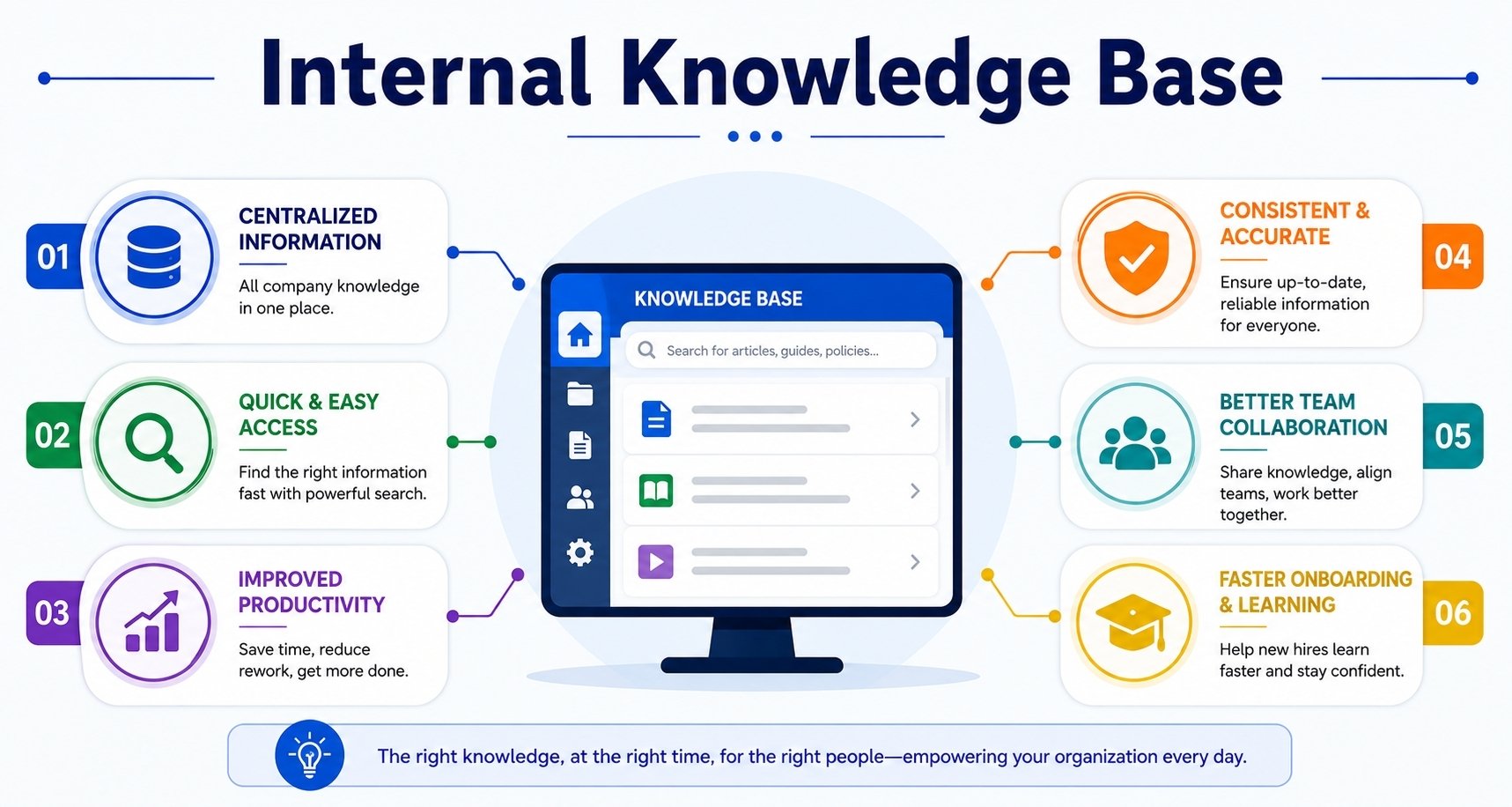
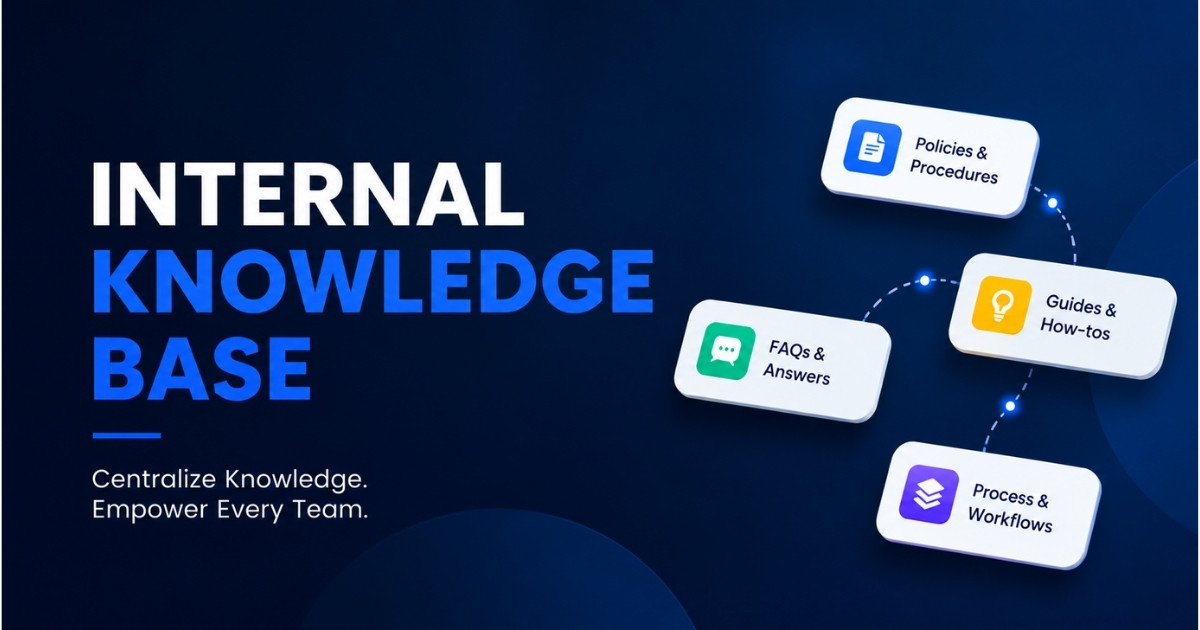
An internal knowledge base works as a centralized repository that stores internal knowledge, critical information, and valuable resources for internal teams. This knowledge base gives employees quick access to company policies, employee handbooks, standard operating procedures, project documentation, and training and onboarding materials.
Teams can find answers on their own, reduce knowledge gaps, and support smoother knowledge transfer across the entire organization. Strong search functionality, clear content structure, and up-to-date information turn it into a valuable resource for daily business operations and employee productivity.
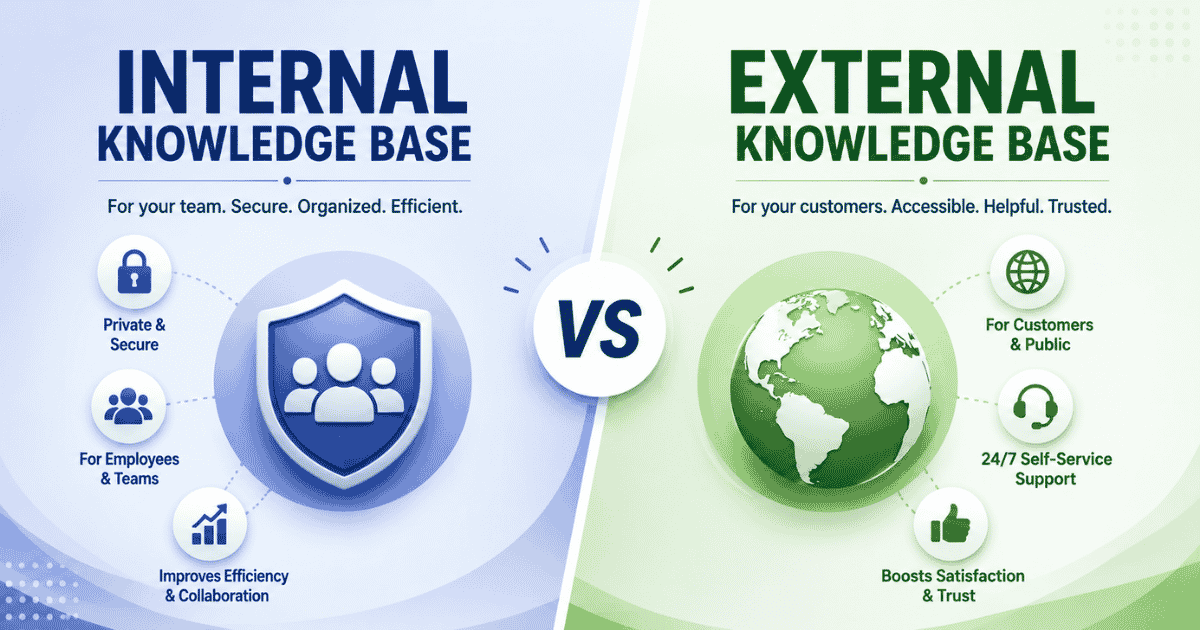
An internal knowledge base differs from an external knowledge base by focus and access. Internal knowledge management provides relevant information to internal stakeholders, while external systems assist customers. Customer support teams, support agents, and sales teams use internal knowledge base software to deliver consistent answers, accurate responses, and better customer satisfaction. Internal knowledge base tools also support continuous learning, collaboration tools, and faster onboarding for new hires through training materials, troubleshooting guides, and how-to guides, especially when paired with robust knowledge base software features and best practices.
Why An Internal Knowledge Base Is Important In Daily Operations
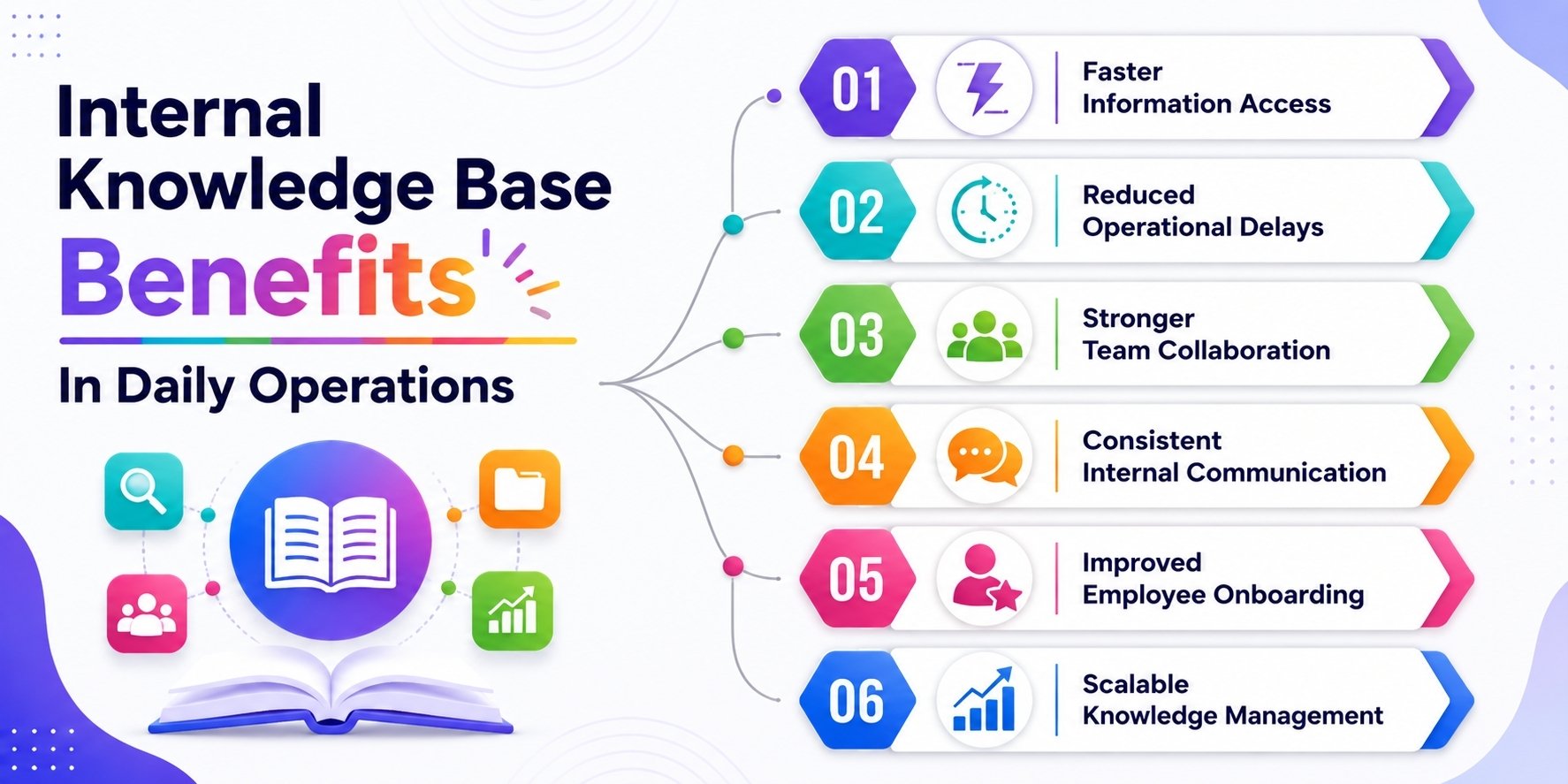
An internal knowledge base brings structure to scattered internal information and supports smooth daily business operations. Teams gain quick access to critical resources, reduce delays, and maintain consistent communication across internal processes, internal stakeholders, and the entire organization.
Faster Access To Critical Information
An internal knowledge base acts as a centralized repository where internal teams can find answers without delays. Employees no longer search through emails, shared drives, or chat threads to locate critical information. Clear search functionality and organized content help teams reach relevant information within seconds. This quick access improves employee productivity and reduces frustration across departments.
Customer support teams and support agents benefit from instant access to troubleshooting guides, standard operating procedures, and internal knowledge. Sales teams locate sales collateral, pricing, and project documentation without interruptions. Faster access to valuable insights helps teams stay focused on core tasks and assist customers effectively with accurate responses.
Reduced Time Waste And Operational Delays
Knowledge workers lose hours each week while searching for internal information or waiting for replies. An internal knowledge base solution removes these delays by placing valuable knowledge in one centralized hub. Employees rely less on colleagues for answers and move forward with tasks at their own pace.
Internal knowledge base software helps teams recover lost productivity and close knowledge gaps. Teams complete project plans faster and manage tasks with fewer interruptions. Over time, reduced time waste supports smoother workflows and stronger daily operations without additional staffing.
Stronger Team Collaboration Across Departments
Collaboration improves when internal knowledge flows freely between teams. A shared knowledge base supports information sharing across departments and keeps everyone on the same page. Internal teams can access department-specific information, collaboration tools, and how-to guides without barriers.
Remote and hybrid teams gain equal access to up-to-date information, regardless of location. Experts document internal processes and valuable knowledge, which supports continuous learning and better knowledge transfer. This shared approach strengthens collaboration and encourages teams to share knowledge openly.
Consistent Answers And Clear Communication
An internal knowledge base creates a single source of truth for company policies, internal processes, and communication standards. Teams rely on verified content instead of personal interpretations. Consistent answers help customer support teams, sales teams, and internal stakeholders communicate clearly.
Clear documentation supports onboarding materials, training videos, and standard operating procedures. New hires follow established guidelines from day one. Consistent communication improves trust, reduces errors, and supports stronger customer satisfaction across daily interactions.
Improved Employee Onboarding And Skill Development
New hires often struggle when internal knowledge stays scattered. An internal knowledge base organizes training and onboarding materials, employee handbooks, and development programs in one place. Employees learn internal processes at their own pace and gain confidence faster.
Training materials, project plans, and step-by-step instructions support continuous learning and skill development. Internal knowledge management helps teams preserve institutional knowledge while supporting long-term employee experience and growth.
Better Support For Customer-Facing Teams
Support teams rely on accurate and up-to-date information to assist customers effectively. An internal knowledge base provides troubleshooting tips, technical support guides, and approved responses for consistent service, and combining it with knowledge base and canned responses for faster support further reduces handle times. Support agents deliver correct answers without delays.
Sales teams access market research, pricing details, and sales collateral from the same system. Built-in analytics and feedback forms help teams refine content and improve response quality, working alongside the many benefits of using a ticketing system for organized customer inquiries. Strong internal knowledge directly supports better customer satisfaction.
Scalable Knowledge Management For Growth
Growing organizations face rising complexity across business operations. An internal knowledge base software scales internal knowledge management without chaos, especially when integrated with a smarter help desk platform to streamline support. Teams organize content, update information, and maintain accuracy as the company expands.
AI-powered search, built-in analytics, and structured content help teams manage valuable information efficiently. A scalable internal knowledge base tool protects institutional knowledge and supports long-term operational success across the entire organization.
Key Benefits Of An Internal Knowledge Base For Employees
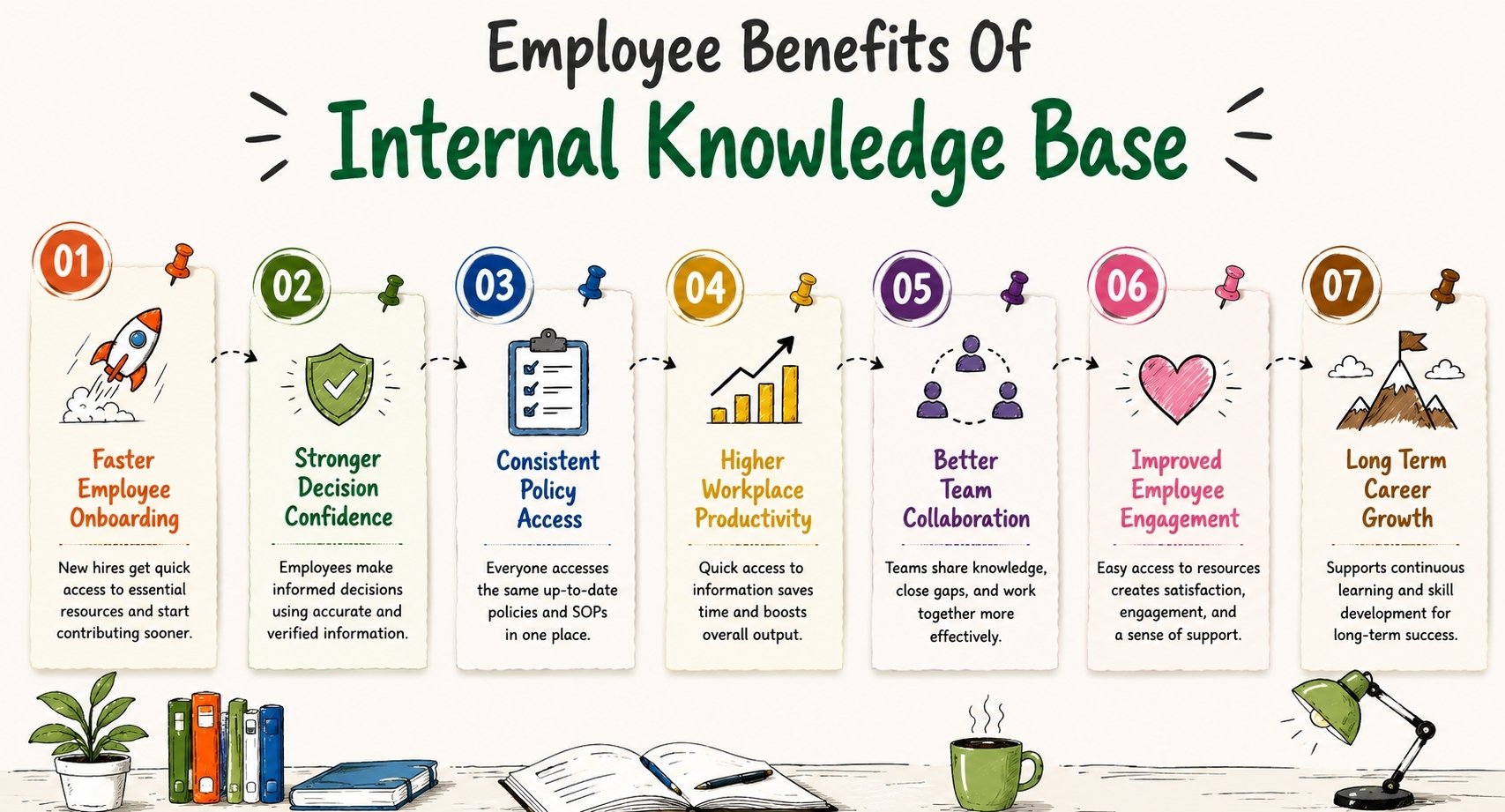
An internal knowledge base directly improves how employees work, learn, and grow within the organization. Clear access to internal knowledge, critical resources, and up-to-date information helps teams stay confident, productive, and aligned with daily business operations.
Faster Onboarding Experience
An internal knowledge base gives new hires quick access to onboarding materials, training and onboarding materials, and employee handbooks from day one. New employees explore internal information at their own pace instead of relying only on managers or colleagues. This approach supports faster learning and reduces early confusion.
Clear how-to guides, training videos, and step-by-step instructions help new hires understand internal processes and expectations. Managers spend less time repeating basic explanations and more time on development programs. This structured knowledge transfer helps new hires become productive contributors sooner.
Stronger Confidence In Daily Decisions
Easy access to verified internal knowledge helps employees make confident decisions. A centralized knowledge base provides relevant information, standard operating procedures, and critical resources that support accurate choices. Employees rely less on guesswork and avoid delays caused by uncertainty.
Internal knowledge management gives teams access to institutional knowledge and valuable insights. Employees trust the information they use and align decisions with tested internal processes. This confidence improves decision speed and encourages independence across internal teams.
Consistent Access To Policies And SOPs
An internal knowledge base software keeps company policies and standard operating procedures in one centralized hub. Employees always refer to the same up-to-date information instead of outdated documents or assumptions. This consistency removes confusion and supports uniform practices across departments.
Internal teams access employee handbooks, compliance guidelines, and department-specific information without barriers. Clear documentation supports internal stakeholders and strengthens daily business operations, especially for remote and distributed teams.
Higher Employee Productivity Levels
Quick access to critical information reduces time wasted and interruptions. Employees find answers through search functionality instead of waiting for responses from colleagues. This efficiency supports better focus and smoother task completion.
Internal knowledge base tools help employees manage tasks, reference project documentation, and locate troubleshooting guides without delays. Reduced friction in information sharing leads to measurable improvements in employee productivity and output, especially when combined with ticket automation software for modern support teams.
Better Collaboration And Knowledge Sharing
A shared knowledge base supports collaboration tools and open information sharing across internal teams. Employees share knowledge, document best practices, and close knowledge gaps through structured content. This environment promotes teamwork and stronger connections between departments.
Internal knowledge base solutions encourage continuous learning and protect valuable knowledge. Teams stay on the same page and support each other through clear documentation and shared insights, particularly when the organization has the right helpdesk setup, boosting customer support.
Improved Job Satisfaction And Engagement
Access to valuable resources improves the employee experience. Employees feel supported when they can find correct answers, training materials, and development resources without friction. This support creates a sense of achievement and control over daily work, especially when employees can also see how efficiently they manage support tickets using EasyDesk.
Knowledge management practices also support skill development and long-term growth. Employees who feel informed and empowered show higher engagement, stronger loyalty, and greater satisfaction within the entire organization.
Support For Long-Term Career Growth
An internal knowledge base supports continuous learning through training materials, market research, and development programs. Employees expand skills, explore new roles, and stay current with internal updates. This access strengthens internal knowledge and supports long-term career paths.
Organizations that invest in internal knowledge base software demonstrate a commitment to employee growth. This focus builds trust, encourages retention, and supports sustainable success across internal teams.
Best Practices For Structuring An Internal Knowledge Base
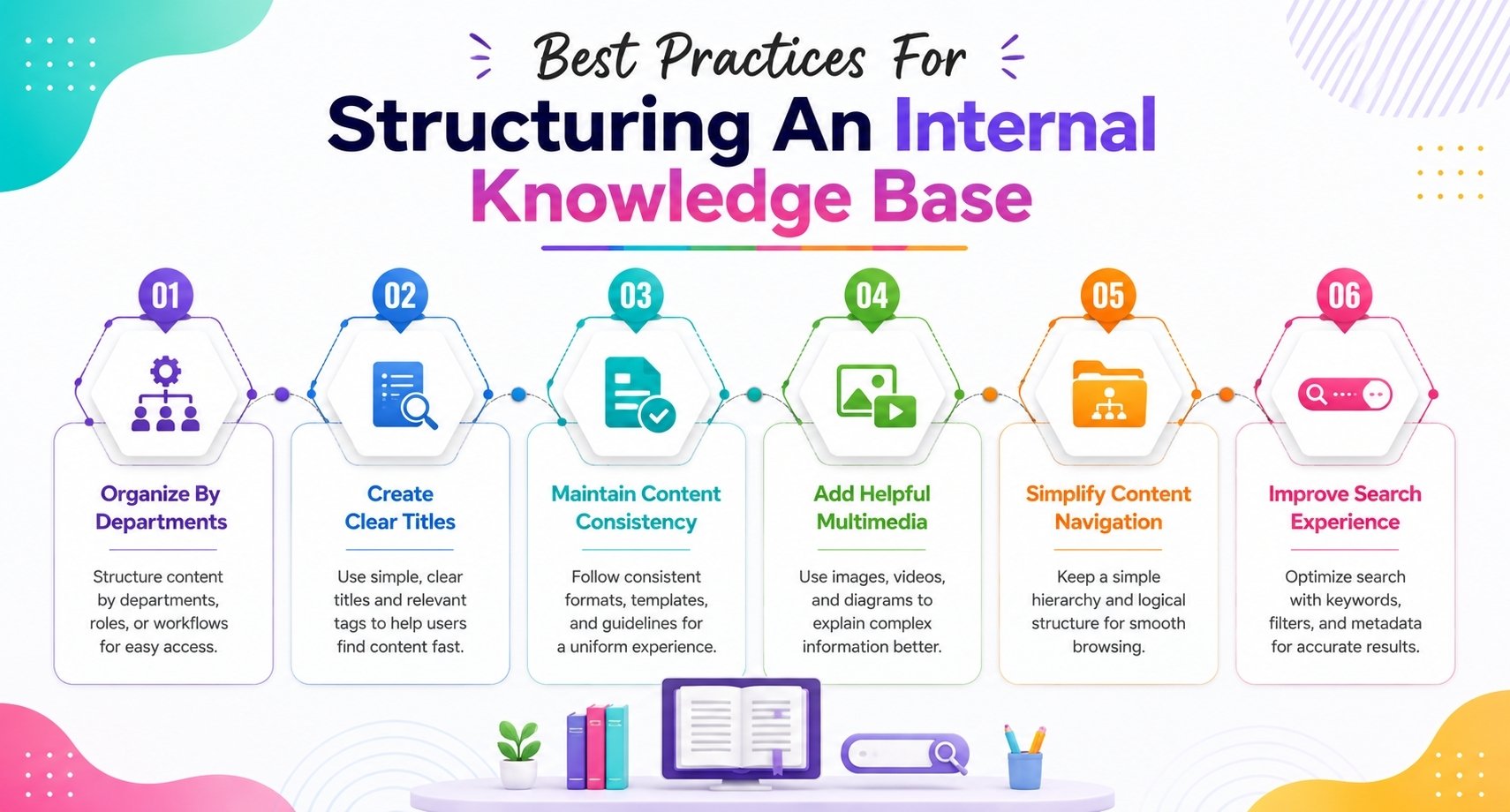
Your scattered information becomes a powerful resource with a well-laid-out internal knowledge base. The way you organize and present content shapes how your employees find and use critical information. Here are some proven ways to build a knowledge base your team will love using.
Organize Content By Department Or Role
The first step should focus on understanding how your employees look for information. Most internal knowledge bases fail because they copy organizational charts instead of matching how people work and search. You can organize your content in several effective ways:
- By department: Create sections for HR (policies, onboarding), IT (troubleshooting, installation guides), Sales (product sheets, pricing), and Support (FAQs, ticket responses)
- By role or user type: Build sections for specific users like new hires, developers, or managers with content that fits their unique needs
- By workflow or function: Build around common tasks, whatever the department, such as onboarding, insights, or customer support
Your structure should stay simple with no more than three folder levels to avoid confusion. Start with broad task areas that match your employees' thinking about their work, not just your company's internal organization.
Use Clear Titles And Tags
A knowledge base becomes more useful with clear naming rules. Your titles should match the actual questions employees ask. "How to Reset Your Password" works better than "Authentication Services Documentation" if that's what people search for.
Tags and metadata help users find content as your knowledge base grows. A messy tagging system turns even the best structure into chaos over time. Each content piece needs tags for:
- Topic and audience
- Department or product
- Content type (SOP, guide, FAQ)
- Freshness or review date
This method boosts search results, helping employees spot what they need without digging through folders. Categories organize your content, but tags make it easy to find.
Maintain A Consistent Format
Users navigate content better when it follows standard patterns. Readers become familiar with your content structure when every contributor follows the same format, making information easier to spot and understand. You can easily do this by using a helpdesk software
Start with content guidelines that spell out tone of voice, formatting rules, and article structures. Then create templates for common items like how-to guides, policies, troubleshooting aids, and onboarding materials. These templates should have:
- A summary at the top
- Consistent headings and subheadings
- Step-by-step instructions were needed
- Owner name and review date
This consistency helps users find information quickly, no matter who created it. A uniform format becomes crucial as your knowledge base expands to prevent content chaos.
Include Multimedia Where Helpful
Complex processes or concepts need more than just text. Smart use of multimedia elements makes your internal knowledge base more effective.
Tasks that need visual demonstration work well with videos, like software walkthroughs or equipment setup. Content with videos and photos gets 77% more views and spreads 3.5 times more than text-only materials.
Smart multimedia use means:
- Brief, focused videos
- Professional sound quality
- Transcription or captions included
- Screenshots with clear markups
Visuals should clarify information, not just decorate pages. Complex information becomes instantly clear with well-placed diagrams, screenshots, and short video tutorials, reducing support tickets
These structural best practices will turn your internal knowledge base into a user-friendly tool instead of another forgotten document dump. The key lies in creating a system that matches your employees' thinking patterns, making knowledge sharing natural in your company culture.
Common Challenges Teams Face Without An Internal Knowledge Base
Teams without an internal knowledge base often struggle to manage internal knowledge as they scale. Scattered internal information, weak knowledge sharing, and missing documentation create daily friction that slows business operations, lowers employee productivity, and increases avoidable risks across the entire organization.
Knowledge Silos Between Teams
Departments often store internal knowledge inside isolated tools, shared drives, or private documents. This separation creates knowledge silos where valuable information stays locked within specific internal teams. Other teams lack access to critical resources and repeat work that already exists elsewhere.
These silos slow project delivery and weaken collaboration tools. Teams lose valuable insights when information fails to move across departments. Internal knowledge management suffers, and organizations miss opportunities to align efforts, share expertise, and support consistent decision-making that robust customer support team operations depend on.
Inconsistent And Outdated Information
Without an internal knowledge base solution, teams rely on emails, chat messages, and personal files to share internal information. Version control breaks down, and outdated content spreads quickly. Employees use conflicting documents and receive different answers to the same questions.
Inconsistent information hurts customer support teams and sales teams the most. Support agents and sales reps struggle to provide accurate responses and to distinguish between day-to-day customer support tasks and the broader customer support vs customer experience strategy. Errors increase, customer satisfaction drops, and teams spend time fixing mistakes instead of focusing on growth and performance.
Overdependence On Key Experts
Organizations without internal knowledge base tools depend heavily on a few experienced employees. These subject matter experts become the main source of answers for internal stakeholders. Repetitive questions consume their time and create workflow bottlenecks.
When experts remain unavailable, tasks stall and decisions wait. Valuable knowledge stays trapped in individual minds instead of flowing through the organization. This overdependence limits scalability and exposes teams to operational risks, especially in complex customer support team structures.
Loss Of Institutional Knowledge
Institutional knowledge often exists as unwritten experience, habits, and insights gained over time. Without documentation, this valuable knowledge disappears when employees leave. High turnover accelerates this loss and weakens internal processes.
New hires struggle without access to past project documentation, troubleshooting guides, or standard operating procedures. Knowledge gaps widen, mistakes increase, and onboarding costs rise. Capturing internal knowledge and following a structured helpdesk implementation guide for support teams protects continuity and long-term stability.
Slower Onboarding And Skill Development
New hires face confusion without a centralized repository for onboarding materials and training materials, particularly in distributed or remote support teams. Learning depends on shadowing, informal guidance, or trial and error. This approach delays productivity and frustrates employees.
Clear training and onboarding materials support skill development and continuous learning. Without structured internal knowledge management, employees take longer to build confidence and contribute effectively to daily business operations.
Lower Employee Productivity And Morale
Employees waste time searching for relevant information or waiting for responses from colleagues. This delay reduces employee productivity and creates frustration across internal teams. Simple tasks take longer due to missing or unclear guidance.
A lack of quick access to critical information affects the employee experience. Teams feel unsupported and disconnected, which leads to lower engagement and reduced motivation.
Poor Knowledge Sharing Culture
Technology alone does not solve knowledge challenges. Without an internal knowledge base software and clear practices, teams fail to share knowledge consistently. Valuable insights remain undocumented and unavailable to others.
A weak knowledge-sharing culture limits collaboration and growth. Organizations struggle to align teams, maintain up-to-date information, and build trust across departments, even when they use tools like live chat support software for fast communication. Strong internal knowledge management starts with accessible systems and shared responsibility.
How EasyDesk Supports A Scalable Internal Knowledge Base
EasyDesk provides a practical internal knowledge base solution that helps growing teams organize internal knowledge without complexity, backed by EasyDesk features for smarter, secure customer support. AI-powered search delivers quick access to relevant information through context-aware results, natural language queries, and smart suggestions. Employees find answers faster, even with vague search terms, which improves employee productivity and daily business operations.
Role-based access controls protect critical information while supporting secure knowledge sharing across internal teams. Content owners manage permissions, updates, and approvals with ease. Real-time updates, version history, and feedback tools keep knowledge accurate and up-to-date information reliable.
EasyDesk also connects smoothly with existing tools like Slack, Microsoft Teams, and support platforms, acting alongside a modern helpdesk system for support teams. This integration keeps internal teams on the same page and supports scalable internal knowledge management across the entire organization.
FAQs
How Much Time Does It Take To Set Up An Internal Knowledge Base?
Setup time depends on company size, internal documentation quality, and available internal tools. A well-organized knowledge base with consistent naming conventions, consistent templates, and valuable content may take several weeks. Multiple teams often contribute knowledge base articles, while ongoing maintenance and user feedback help suggest improvements and flag outdated content regularly.
Who Should Own And Manage The Internal Knowledge Base?
An effective internal knowledge base usually requires ownership from cross-functional teams, operations leaders, or support teams. The primary audience, internal communication needs, and internal knowledge base examples often shape management structure. Success teams commonly manage relevant articles, protect sensitive content, maintain consistent templates, and ensure valuable content stays accurate and accessible.
How Often Should Internal Knowledge Base Content Be Updated?
Knowledge base articles should receive regular reviews to maintain accurate responses and valuable content. Companies often flag outdated content monthly or quarterly, depending on operational changes. Ongoing maintenance, user feedback, and internal communication help suggest improvements. Relevant articles, troubleshooting guides, and internal documentation require updates whenever processes, compliance rules, or internal tools change.
Can An Internal Knowledge Base Support Compliance Requirements?
An effective internal knowledge base can support compliance by organizing internal documentation, standard operating procedures, and sensitive content securely. Advanced search, search function settings, and the right tools help employees find critical information quickly. Multiple teams also use consistent naming conventions and consistent templates to protect sensitive content across departments and maintain accountability, even when handling social inquiries through EasyDesk social media integration support or real-time conversations via live chat for a better customer experience.
What Features Matter Most In Internal Knowledge Base Software?
Key features include advanced search, search function accuracy, version control, and easy access to relevant articles, similar to those found in robust knowledge base software. The right tools also support internal communication, multiple teams, and cross-functional teams efficiently, especially when paired with the right cloud helpdesk tool for your team. An effective internal knowledge base should include consistent templates, internal knowledge base examples, and capabilities to flag outdated content while improving employee productivity.
How Does An Internal Knowledge Base Help Remote Teams?
Remote organizations rely on a well-organized knowledge base to centralize valuable content, training materials, and project documentation, often alongside multichannel helpdesk software for faster support. Internal communication improves when multiple teams access knowledge base articles through advanced search and search function tools. An effective internal knowledge base also supports cross-functional teams, accurate responses, and quick access to critical information remotely.
How Do Teams Measure Internal Knowledge Base Success?
Teams evaluate success through user feedback, employee productivity, and reduced time searching for relevant information. Metrics often include search function usage, advanced search performance, and how quickly employees find answers, similar to how a help desk improves support behind the scenes using analytics. The key difference between average and successful teams usually depends on ongoing maintenance, valuable content quality, and efforts to suggest improvements consistently.