Businesses across industries now rely on fast, real time communication to meet rising customer expectations. In 2026, choosing the best live chat software plays a major role in how brands connect, respond, and build trust with users.
The right live chat software helps businesses deliver a smooth customer experience by enabling instant conversations at key touchpoints. Companies aim to create a unified customer service experience where support feels consistent across websites, apps, and digital channels.
With growing demand for speed and personalization, modern messaging software continues to evolve as a core tool for customer engagement, support efficiency, and long-term relationship-building.
What Is Live Chat Support Software
Live chat support software allows businesses to communicate with customers instantly through a chat widget placed on a website. Live chat support helps brands respond to questions in real time, which reduces wait times and builds trust. A website chat window enables visitors to ask questions, seek guidance, or resolve issues without leaving the page.
Chat software creates direct and efficient conversations that feel natural and personal compared to traditional channels. Support teams use this approach to provide customer support during important moments such as product exploration or checkout. Live chat also helps businesses understand customer needs faster while offering a convenient communication option that aligns with modern online behavior and expectations.
How Live Chat Software Works
Live chat software connects businesses with customers through real time conversations, starting from the moment users arrive online. The process feels simple on the surface, yet several systems work together to deliver fast, reliable, and meaningful communication.
Visitor Entry And Chat Activation
Website visitors land on a page and notice a chat option placed strategically for visibility and ease of access. The system detects activity patterns such as time spent or pages viewed, then prepares the chat interface for interaction. A visitor can start a conversation manually or receive a prompt at the right moment. This early connection helps businesses respond at high intent stages and reduce friction during browsing. A smooth start sets the tone for productive conversations and encourages users to engage without hesitation.
Chat Interface And Message Flow
Once a conversation begins, the chat interface becomes the primary space for communication. Customers type chat messages while agents reply in real time from a centralized dashboard. The interface displays context such as page location and previous actions, which helps agents deliver relevant responses. Messages move instantly between both sides, creating a natural flow similar to everyday messaging apps. Clear design and responsive layouts play a key role in keeping conversations focused and easy to manage.
Session Handling And Instant Responses
Each interaction runs within structured chat sessions that track the full conversation from start to finish. These sessions allow agents to follow discussions without confusion, even during longer interactions. Businesses use this structure to deliver instant support while maintaining clarity in conversations. Quick replies reduce frustration and keep customers engaged, especially during urgent moments. Well-managed sessions also help teams review interactions later for training and quality improvement.
Agent Assignment And Availability Control
Behind the scenes, the system manages agent availability to ensure balanced workloads. Chats route automatically based on rules such as skill level, department, or current capacity. This routing logic helps match customers with the right expert quickly. Choosing the right live chat software ensures that no conversation goes unanswered during peak hours. Reliable routing improves response quality and prevents agent burnout across support teams.
Platform Coverage And Software Selection
Modern tools operate across multiple platforms, allowing teams to manage conversations from websites, dashboards, and mobile environments. Businesses evaluate live chat software providers based on flexibility, scalability, and ease of use. Many teams compare best live chat apps to find solutions that align with their workflow and growth goals. Live chat apps that support cross channel access give businesses more control and consistency in customer communication.
7 Best Live Chat Software
Choosing the right live chat solution plays a major role in how businesses connect with customers in real time. Each platform in this list offers unique strengths, from ease of use to advanced automation and scalability. The following live chat software options stand out based on performance, usability, and value for modern support teams.
| Software | Best For | Key Strength | Live Chat + Ticketing | Automation / AI | Free Plan | Starting Price |
| LiveChat | Mid To Large Businesses | High-volume real time chat | No | Limited | No | $19 / user / month |
| Tidio | Small To Mid Businesses | AI driven automation | Partial | Yes | Yes | $24.17 / month |
| EasyDesk | Growing Support Teams | Unified chat and helpdesk | Yes | Planned / Partial | Yes | $29 / month |
| Zendesk | Large Enterprises | Advanced analytics and scale | Yes | Yes | No | $19 / agent / month |
| Freshchat | Digital First Businesses | Omnichannel messaging | Partial | Limited | Yes | $19 / agent / month |
| LiveAgent | Support Heavy Teams | Strong ticket workflows | Yes | Limited | No | $15 / agent / month |
| Olark | Small Teams | Simple live chat setup | No | Limited | Trial Only | $29 / seat / month |
1. LiveChat
LiveChat is a reliable and widely used live chat platform that enables businesses to talk with visitors in real time, streamline support interactions, and boost engagement. It gives teams a centralized place to manage conversations and helps turn customer questions into faster resolutions.
Core Live Chat Features
- Real time live chat for website visitors
- Organized customer conversations with clear chat history
- Multi agent support handling multiple chats simultaneously
- Customizable chat interface to match branding
- Analytics and reporting to track performance
- Integration with popular tools for seamless workflow
Pricing
LiveChat pricing starts at $19 per month for the Starter plan, then moves up to $49 per month for Team, $79 per month for Business, and custom pricing for Enterprise with advanced options. Plans are billed annually and include different levels of visitor limits, customization, and reporting capabilities.
Best Fit For
LiveChat is ideal for medium and large businesses that need robust live chat functionality with scalable features, structured customer interactions, and reliable support tools.
2. Tidio
Built for businesses that value speed and automation, this live chat platform helps teams handle customer conversations with less effort and more accuracy. The system blends automation with human support, which allows teams to stay responsive during busy periods while maintaining conversation quality. Its interface supports quick onboarding and smooth daily operations, even for non-technical users.
Core Live Chat Features
- AI features that assist agents with reply suggestions and workflow automation
- Automated messages that resolve common questions without agent involvement
- Proactive chat invitations triggered by visitor behavior and page activity
- Message sneak peek that shows typed responses before customers send them
- Tools designed to engage customers during high intent moments
Pricing
Access starts with a free plan that covers essential chat functionality for basic needs. Paid plans begin at around $24.17 per month, with higher tiers offering expanded automation, AI driven tools, and higher conversation limits based on business growth.
Best Fit For
Small to mid-sized businesses benefit most from this solution, especially teams that want to scale support efficiently while keeping response times fast and conversations personalized.
3. EasyDesk
Built with growing businesses in mind, EasyDesk focuses on clarity, speed, and control across customer communication. The platform brings conversations, issues, and follow ups into one organized workspace, which helps teams stay aligned without switching tools. As a modern live chat solution, EasyDesk balances simplicity with depth, making it easy for teams to manage conversations while maintaining a consistent service standard. The interface supports fast onboarding and daily use without technical complexity, which makes it suitable for both new and experienced support teams.
Core Live Chat Features
- Tools designed to provide live chat support directly from websites and apps
- Integrated desk software that keeps conversations and tasks organized
- Seamless conversion of chats into support tickets for structured follow ups
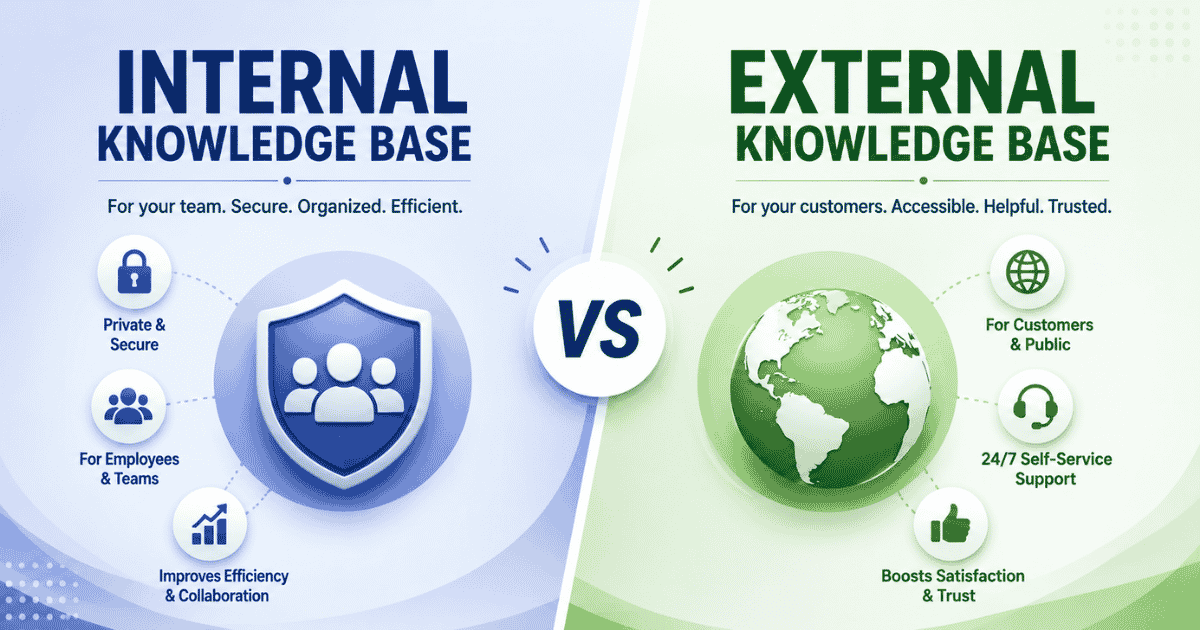
- Centralized knowledge base that helps agents respond faster and more accurately
- Unified dashboard that connects conversations, tickets, and internal workflows
Pricing
Flexible pricing options allow businesses to start without risk and scale as support needs grow. EasyDesk offers a free plan for early-stage teams, while paid plans begin at $29 per month and extend to advanced tiers at $49 and $99 per month. Each plan unlocks higher limits, collaboration features, and deeper control over support operations.
Best Fit For
Teams that value structure and efficiency gain the most from EasyDesk, especially businesses that want to centralize chat, ticket handling, and self service resources in one platform without sacrificing usability.
4. Zendesk
Enterprise focused environments often require depth, scalability, and control, and this platform addresses those needs through a unified support ecosystem. It brings conversations, automation, and insights together so large organizations can manage complex service operations with confidence. Many global brands rely on it to coordinate support teams across regions while maintaining consistent service quality and visibility.
Core Live Chat Features
- Tools built for large customer support teams handling high conversation volumes
- Live chat integrated with omnichannel messaging and ticket workflows
- AI powered assistance that improves agent performance through smarter replies
- Advanced dashboards supported by predictive analytics for forecasting demand
- Centralized access to customer data that adds context to every interaction
Pricing
Plans start at $19 per agent per month for basic support capabilities, while more advanced suites begin around $55 per agent per month. Higher tier plans range from $115 to $169 per agent monthly and unlock AI agents, customization, analytics, and enterprise-grade controls. Pricing scales based on features and organizational requirements.
Best Fit For
Large organizations and distributed support teams benefit the most, especially businesses that manage complex customer journeys and require deep reporting, automation, and operational insight across multiple service channels.
5. Freshchat
Focused on conversational support at scale, this solution helps businesses manage real time conversations across digital touchpoints without complexity. It centralizes chats into a single workspace so teams can respond faster while keeping context intact. The experience feels intuitive for agents and consistent for customers across devices.
Core Live Chat Features
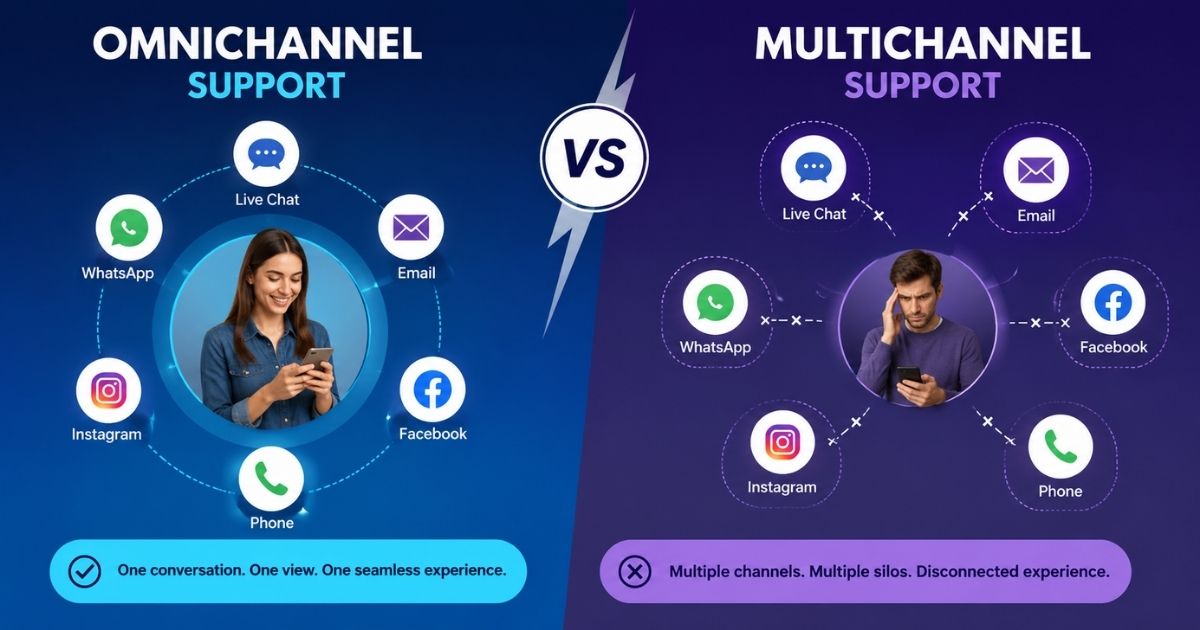
- Unified inbox that connects multiple messaging channels in one view
- Flexible communication channels that support web, email, and in app chat
- Native social media messaging support for seamless customer outreach
- Direct integrations with facebook messenger for real time conversations
- Coverage across major social media platforms to keep interactions centralized
Pricing
Freshchat offers a free plan that supports up to 10 agents with core chat functionality. Paid plans start at $19 per agent per month for the Growth tier. The Pro plan costs $49 per agent per month and adds advanced dashboards and routing. Enterprise pricing begins at $79 per agent per month with security, SLA, and customization features. All plans are billed annually.
Best Fit For
Digital first businesses benefit most from this platform, especially teams that handle conversations across multiple channels and want structured messaging without heavy setup or operational friction.
6. LiveAgent
Designed for businesses that manage high conversation volumes, this platform focuses on structure and control across support operations. It brings chat, ticketing, and customer communication into one workspace, which helps teams stay organized under pressure. The system suits environments where speed, visibility, and accountability matter during daily support activities.
Core Live Chat Features
- Interface that allows agents to handle multiple chats without losing focus
- Centralized chat history that preserves full conversation context
- Tools for managing incoming customer requests efficiently
- Structured workflows to address customer queries in real time
- Clear routing that helps resolve customer inquiries without delays
Pricing
LiveAgent offers flexible pricing based on team size and feature requirements. Plans start at $15 per agent per month for small teams, increase to $29 per agent per month for medium scale operations, and reach $49 per agent per month for large businesses. Enterprise plans begin at $69 per agent per month and include advanced support and dedicated services.
Best Fit For
Support driven organizations gain the most value, especially teams that need strong conversation control, detailed tracking, and scalable tools to manage growing volumes without operational complexity.
7. Olark
Known for simplicity and ease of setup, this platform focuses on helping businesses start real time conversations without technical overhead. The experience stays lightweight and accessible, which makes daily chat management straightforward for teams that prefer minimal configuration. Its design supports quick deployment while keeping conversations clear and organized.
Core Live Chat Features
- Free live chat access that allows teams to test core functionality
- Free plan availability that supports entry level usage
- Basic features such as chat routing, transcripts, and customization
- Simple tools designed for fast responses and visibility
- Streamlined setup that avoids complex workflows
Pricing
Olark pricing begins at $29 per month per seat for the Standard plan, which includes reporting, integrations, and customization options. Higher tier plans add AI automation, advanced chat routing, and dedicated support services. A free trial is available, though long term use requires a paid subscription.
Best Fit For
Small teams gain the most value from this solution, especially businesses that want a straightforward chat tool with limited customer support needs and no requirement for advanced automation or complex integrations.
Comparison Criteria For Live Chat Software
Choosing the right tool requires clear evaluation beyond surface level features. A structured comparison helps businesses understand how each solution performs across functionality, flexibility, usability, and long term scalability.
Essential Features
Every reliable live chat platform starts with a strong foundation. Essential features include real time messaging, conversation routing, basic reporting, and chat transcripts. These elements ensure teams can respond quickly while maintaining visibility into ongoing conversations. Without this baseline, even powerful tools fail to support daily operations effectively. Businesses should confirm that core chat functionality works smoothly before considering upgrades or add ons.
Advanced Features
As support needs grow, advanced features become critical for efficiency and scale. These may include automation, AI driven responses, analytics, and workflow optimization. Advanced tools help teams reduce manual effort and manage higher volumes without sacrificing quality. For growing organizations, these capabilities often separate short term solutions from long term platforms.
Customization Options
Brand consistency and workflow alignment depend heavily on customization options. Businesses often need control over chat appearance, routing rules, operating hours, and automated responses. Flexible customization allows teams to adapt the system to internal processes rather than forcing process changes around the tool. This flexibility supports smoother adoption across departments.
Integration Capabilities
Modern support rarely operates in isolation, which makes integration capabilities a key evaluation point. Live chat software should connect easily with CRM systems, email platforms, ticketing tools, and other business applications. Strong integrations reduce context switching and ensure data flows seamlessly across teams. This connectivity improves response quality and operational efficiency.
User Interface
Daily usability depends on a clean and intuitive user interface. Agents rely on clear layouts, fast navigation, and minimal friction during busy shifts. A well designed interface reduces training time and errors while improving response speed. For long term success, teams benefit from tools that feel natural and easy to use under pressure.
Benefits Of Live Chat Software For Businesses
Live chat has become a core communication channel for modern businesses that want faster conversations and stronger customer relationships. When used correctly, it supports both service quality and business growth without adding complexity.
Improve Customer Service
Live chat helps teams respond instantly when customers need help. Quick replies reduce frustration and prevent issues from escalating. Support agents can resolve questions in real time, which keeps conversations short and effective. This direct interaction allows businesses to improve customer service by meeting expectations for speed and clarity. Faster problem resolution also reduces repeat inquiries and lowers overall support workload.
Enhance Customer Experience
Real time conversations create smoother and more personal interactions. Customers do not need to wait for email replies or navigate long forms. Live chat fits naturally into browsing behavior, which helps enhance customer experience across the entire journey. Consistent messaging and helpful responses make interactions feel effortless and convenient.
Increase Customer Satisfaction
When customers receive timely and accurate support, satisfaction levels rise. Live chat allows businesses to solve problems during key moments, such as product evaluation or checkout. Positive experiences build trust and confidence, which leads to stronger customer satisfaction over time. Happy customers are also more likely to return and recommend the brand.
Strengthen Customer Engagement
Live chat encourages two way conversations rather than one sided communication. Businesses can answer questions, offer guidance, and suggest next steps during active sessions. This approach helps boost customer engagement by keeping users involved and informed. Live chat also supports proactive communication that drives deeper interaction.
Support Growth And Lead Generation
Live chat plays an important role in lead generation by capturing interest at high intent moments. Sales and support teams can guide visitors, qualify prospects, and convert conversations into opportunities. This direct connection turns casual visitors into potential customers while supporting long term business growth.
Live Chat Software For Different Business Types
Different businesses require different live chat capabilities based on size, audience, and support complexity. Choosing the right approach ensures chat remains effective rather than overwhelming.
Small Businesses
Small businesses benefit from live chat tools that focus on simplicity and quick setup. Limited resources make ease of use a top priority, so lightweight platforms with essential features work best. Live chat helps small teams respond faster without hiring additional staff. Simple automation and basic reporting often provide enough insight to manage daily conversations while keeping costs under control.
Growing And Mid Size Teams
As businesses expand, support volume increases across channels and devices. At this stage, live chat software that supports multiple platforms becomes essential. Teams often manage conversations from websites, dashboards, and a mobile app, which allows agents to stay responsive even when away from their desks. Centralized inboxes and workflow controls help growing teams maintain consistency while scaling operations.
Large Organizations And Enterprise Use
Large organizations require advanced controls, security, and customization. An enterprise plan usually includes automation, analytics, and compliance features that support high volume communication. Live chat plays a key role in coordinating large support teams across departments and regions. Strong reporting and role management help maintain performance and accountability at scale.
Customer Retention And Ongoing Support
Live chat supports long term relationships with existing customers by offering fast assistance whenever questions arise. Continuous availability across channels builds trust and loyalty. Businesses can use chat history and context to deliver consistent support, which strengthens retention and encourages repeat engagement over time.
How To Choose The Best Live Chat Software
Selecting the right solution requires more than comparing feature lists. Businesses must align tools with customer expectations, team capacity, and long term goals to achieve real value from live chat.
Define Business Goals And Use Cases
Every decision should start with clear objectives. Some teams focus on faster support, while others prioritize sales conversations or onboarding assistance. Identifying how live chat tools will support these goals helps narrow options early. When the purpose is clear, it becomes easier to avoid unnecessary features and focus on what truly matters for daily operations.
Evaluate Ease Of Use And Setup
A good chat app should feel intuitive from day one. Teams benefit from platforms that require minimal training and allow agents to respond quickly without confusion. Simple onboarding reduces resistance to adoption and helps teams stay productive during busy periods. Usability directly affects response speed and conversation quality.
Understand Customer Behavior
Choosing software that aligns with user behavior improves engagement and satisfaction. Businesses should analyze when customers ask questions, which pages trigger chats, and how visitors prefer to communicate. Live chat works best when it matches natural browsing patterns and supports conversations at the right moments.
Assess Personalization And Routing
The ability to direct customers to the right agent improves resolution speed. Smart routing, tagging, and context sharing help teams respond accurately. Tools that support personalization also allow businesses to create personalized experiences that feel relevant rather than generic. Personalization builds trust and reduces repetitive interactions.
Review Scalability And Long Term Fit
Growth brings higher volumes, new channels, and evolving workflows. The chosen solution should support expansion without disruption. Platforms that scale with teams, integrate with other systems, and adapt to changing needs deliver lasting value. A future ready choice ensures live chat remains effective as the business evolves.
Why EasyDesk Stands Out As A Live Chat Solution
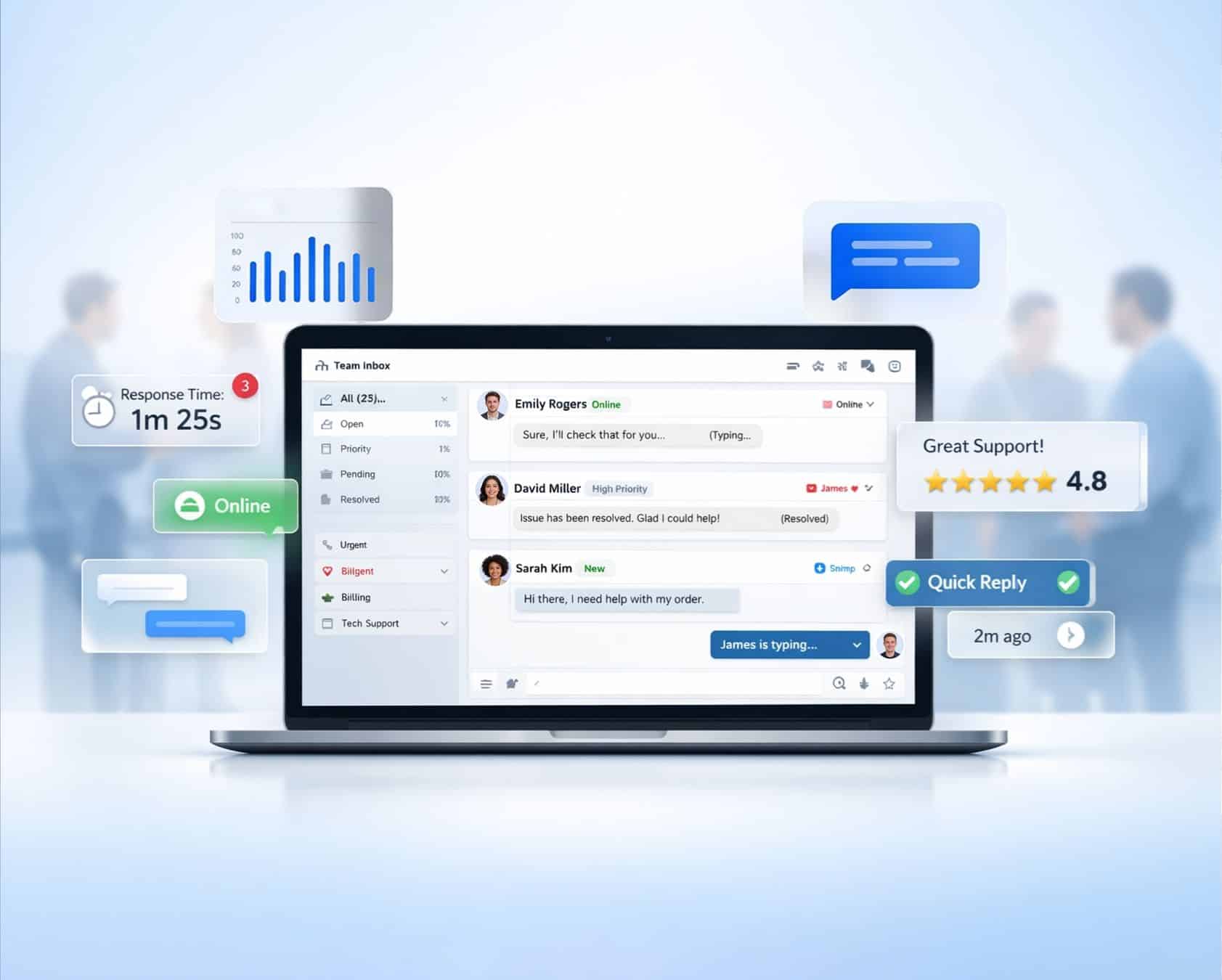
EasyDesk brings clarity and structure to customer communication by unifying conversations into one organized workspace. Teams use the platform to provide customer support efficiently without switching between disconnected tools. The system helps support agents manage chats, tickets, and follow ups from a single dashboard, which improves response consistency and reduces workload pressure.
Beyond chat, EasyDesk supports voice calls and multiple messaging channels, allowing businesses to handle conversations across different touchpoints while keeping full context. This flexibility helps teams respond faster and maintain continuity in service delivery. Built in tools also make it easier to collect and analyze customer feedback, which supports continuous improvement and smarter decision making. For growing businesses that value simplicity, control, and scalable communication, EasyDesk offers a balanced live chat experience that supports both daily operations and long term service goals.
Frequently Asked Questions
Does Live Chat Software Help Improve Business Response Time
Yes, live chat software helps businesses respond instantly when customers ask questions. Faster replies reduce waiting time and prevent customers from leaving the website. Real time communication also helps teams resolve issues in a single interaction rather than through back and forth emails.
Can Live Chat Software Work Without Advanced Technical Setup
Yes, many live chat tools focus on easy setup and simple configuration. Businesses can add chat to their website with minimal effort and start conversations quickly. This approach works well for teams that want fast deployment without technical complexity.
Is Live Chat Suitable For Businesses With Limited Support Resources
No, live chat does not automatically solve staffing limitations. While it improves efficiency, teams still need proper coverage to manage conversations. Without enough agents, response quality may drop during peak hours.
What Type Of Reporting Should Businesses Expect From Live Chat Software
Most platforms offer basic reporting that tracks chat volume, response time, and agent activity. These insights help teams understand performance trends and identify areas for improvement without overwhelming users with complex data.
How Do Businesses Measure Chat Quality And Agent Performance
Many tools include chat ratings that allow customers to rate conversations after they end. These ratings help managers evaluate service quality, identify training needs, and maintain consistent support standards over time.
Does Live Chat Replace Other Customer Support Channels
No, live chat works best as part of a broader support strategy. Businesses often combine it with email, tickets, or phone support to cover different customer preferences and service scenarios effectively.