Modern customer expectations demand fast, organized, and consistent support across every touchpoint. A live chat ticketing system gives businesses a structured way to handle real-time conversations without losing context or accountability. Instead of scattered chats and missed follow-ups, teams can convert conversations into trackable workflows that scale with demand.
For any growing customer support function, this approach creates clarity. Agents know what to answer, when to respond, and how to prioritize issues based on urgency and impact. Managers gain visibility into workloads, performance, and bottlenecks without manual oversight.
Well-designed support teams rely on live chat ticketing to balance speed with quality. It connects real-time engagement with long-term case management, helping businesses deliver reliable service while maintaining efficiency as ticket volume increases.
What Is A Live Chat Ticketing System
A live chat ticketing system combines live chat software with a structured ticketing system to keep every customer conversation organized and traceable. When visitors start a chat through a chat widget, agents can reply in real time while the system captures messages as tickets inside a help desk environment. This setup prevents important chat conversations from disappearing once a session ends.
Each chat turns into a recorded thread of messages that agents can review, update, and resolve later if needed. Teams can assign tickets, add internal notes, and maintain full context across chats. This approach ensures customer conversation history stays accessible, even when support moves from live chat to follow-up handling. By connecting chat and tickets, support teams manage communication efficiently without losing visibility or control.
Key Benefits Of Live Chat Ticketing For Support Teams
Live chat ticketing delivers structured, real-time assistance while keeping long-term support organized. It helps teams balance speed, clarity, and accountability, ensuring modern support operations stay effective as demand and expectations continue to rise.
Faster Responses Without Losing Context
Live chat ticketing enables teams to respond faster by connecting live conversations directly with structured workflows. Instead of treating chats as temporary interactions, every request becomes trackable and actionable. Agents avoid switching tools or searching for details, which directly improves canned response time. Customers receive timely replies while teams maintain full visibility into ongoing cases, even during busy support periods.
Consistent Experiences That Build Trust
Consistency plays a major role in customer satisfaction. Live chat ticketing ensures that every inquiry follows the same resolution process, regardless of which agent handles it. Clear ownership, status updates, and resolution tracking reduce confusion. Customers feel confident knowing their concerns will not disappear or require repeated explanations, leading to stronger trust in the support experience.
Better Understanding Of The Customer Journey
By connecting live interactions with historical records, teams gain a complete view of the customer journey. Agents can see previous conversations, outcomes, and patterns before replying. This insight allows more relevant responses and avoids repetitive questioning. Customers feel understood, not processed, which improves engagement and long-term loyalty.
Improved Efficiency For Support Teams
Live chat ticketing simplifies daily operations for support teams. Agents manage conversations, follow-ups, and closures from one place. Clear prioritization helps teams focus on urgent issues without overlooking ongoing cases. This structure helps save time otherwise spent on manual tracking, internal coordination, or searching through scattered chat histories.
Stronger Business And Service Performance
A structured live chat approach supports sustainable business growth. Organized workflows reduce errors, improve accountability, and enhance reporting accuracy. Support leaders gain better visibility into performance and demand trends, allowing smarter decisions. As support volume increases, teams continue to deliver reliable service without operational chaos, ensuring scalability without sacrificing quality.
By aligning real-time communication with structured case management, live chat ticketing creates a balanced support model. Customers receive dependable assistance, teams work with clarity, and organizations build a scalable foundation for long-term success.
How Live Chat Ticketing Manages Customer Conversations
Live chat ticketing creates order inside fast-paced support environments by turning real-time conversations into controlled workflows, giving teams visibility, continuity, and accountability across every stage of customer interaction.
Turn Conversations Into Actionable Records
Live chat ticketing helps teams manage tickets by automatically transforming incoming chats into structured records. Every conversation receives ownership, priority, and status, which removes uncertainty during busy periods. Agents work with clear expectations instead of informal notes or memory. This structure reduces missed requests and enables smoother handoffs between shifts. As volume increases, teams retain control without sacrificing speed or accuracy, creating a reliable foundation for scalable customer support operations. Consistency improves decision-making and reduces stress for growing teams during daily service operations.
Centralize Support Requests In One System
Centralization plays a key role in conversation control. Live chat ticketing stores support tickets and helpdesk tickets inside one shared workspace, eliminating scattered inboxes. Teams track progress, assign responsibility, and monitor workload from a single view. Clear organization prevents duplicate replies and conflicting updates. Managers gain confidence in coverage and capacity, while agents focus on resolution instead of searching across tools or threads. This clarity strengthens planning and improves daily execution in demanding support environments, delivering predictable outcomes and smoother coordination for teams.
Maintain Continuity After A Chat Ends
When a chat ends, live chat ticketing protects context by keeping issues active as open tickets. Agents pause, resume, or escalate work without asking customers to repeat details. This continuity supports complex problem-solving that cannot be finished instantly. Teams maintain momentum across time zones and shifts, ensuring unresolved matters remain visible until closure, not forgotten in short-lived chat sessions. This structure improves accountability and reduces frustration during long resolution cycles for customers and internal teams, helping them handle sensitive cases efficiently every single day.
Enable Collaboration Across Agents
Live chat ticketing strengthens internal collaboration by allowing other agents to access shared context instantly. Transparent communication ensures smooth transfers during absences or escalations. Team members contribute notes, updates, or solutions without disrupting progress. Customers experience continuity, while teams reduce duplication and misalignment. Shared visibility promotes trust, faster coordination, and consistent outcomes across collaborative support environments. This approach supports quality control and builds confidence within distributed service teams operating across regions with complex workflows and shifting responsibilities daily at scale, sustainably achieving long-term success.
Ensure Timely Follow-Up and Resolution
Live chat ticketing ensures proper follow-up by tracking conversations through every resolution stage. Teams know which cases need updates, clarification, or closure. Visibility reduces delays and prevents silence. Customers receive timely progress information, strengthening trust. Structured tracking aligns expectations on both sides and keeps service commitments clear throughout the entire support lifecycle. This discipline helps organizations maintain consistency, accountability, and predictable outcomes even as demand grows steadily across evolving customer needs and expanding support operations worldwide without compromise or confusion ever again today.
Key Features Of A Live Chat Ticketing System
Live chat ticketing systems rely on a set of practical capabilities that keep conversations organized, accessible, and scalable. These features support fast responses while maintaining control across growing support operations.
Centralized Workspace For All Conversations
A single dashboard acts as the control center for support teams. Agents view chats, tickets, and updates from one place without jumping between tools. This setup reduces confusion, improves focus, and ensures nothing slips through the cracks. With everything visible in real time, small teams maintain clarity even during peak demand. Managers gain oversight, agents gain speed, and collaboration becomes smoother across daily workflows.
Seamless Multichannel Communication Support
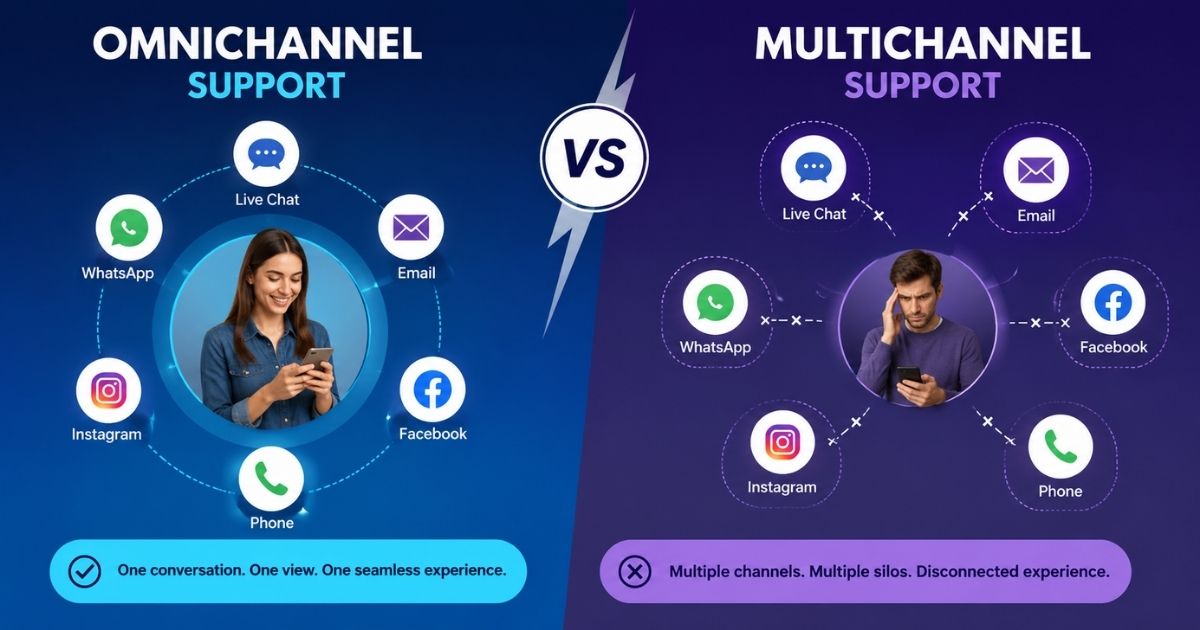
Modern support requires coverage across multiple channels. A live chat ticketing system connects website chat with communication channels like email, social platforms, and messaging apps. Teams respond consistently regardless of where customers reach out. Support continues across other channels without breaking context, allowing customers to switch platforms freely while agents retain conversation history and intent.
Built In Automation And Smart Workflows
Advanced features help teams reduce manual effort while improving accuracy. Automated rules assign conversations, update status, and trigger alerts based on priority. This structure prevents overload and keeps workflows predictable. Automation ensures faster handling during high volume periods while maintaining service quality. Teams spend less time on repetitive coordination and more time solving real customer issues.
Flexible Integration With Business Tools
Strong integration capabilities allow live chat ticketing to connect with CRMs, analytics tools, and internal systems. This flexibility ensures customer data flows smoothly across platforms. Agents access relevant context without leaving the interface. Integrations also support popular platforms like facebook messenger, helping teams manage social conversations alongside traditional support channels in one unified process.
Scalable Channel Management For Growth
As businesses grow, support expands across multiple channels and teams. A live chat ticketing system supports this growth by managing volume across other channels without loss of control. Conversations remain organized, searchable, and trackable. Teams scale operations confidently while maintaining consistent service standards across evolving customer expectations.
Together, these key features form the foundation of a reliable live chat ticketing system. They balance speed with structure, enabling teams to deliver responsive, consistent, and scalable support across every customer interaction.
Why Automation And Routing Matter In Live Chat Support
Automation and routing play a critical role in keeping live chat support efficient and scalable. As support demand grows, teams often face more tickets than human capacity can handle consistently. Without structure, agents waste time on routine tasks and repetitive tasks that add little value but consume energy and focus. Automation reduces this burden by handling classification, prioritization, and assignment without manual effort.
Smart routing ensures conversations reach the right person at the right time. Instead of overwhelming general queues, chats move based on skill, availability, or urgency. This approach protects teams with limited resources and prevents delays that frustrate customers. Clear routing also strengthens internal processes by reducing back-and-forth communication between agents.
AI agent support further enhances efficiency by handling common questions instantly. AI chatbots manage basic inquiries, gather context, and route complex cases to human agents with full details attached. This balance allows teams to focus on meaningful problem solving rather than simple requests.
By reducing manual work and improving flow, automation helps teams maintain consistency even during peak demand. Support operations scale smoothly, response quality improves, and customers receive faster, more reliable service without overwhelming the team.
Performance Metrics And SLA Tracking
Performance metrics and SLA tracking give support teams clear visibility into how well live chat ticketing operates in real situations. Accurate data helps teams understand workload, efficiency, and service quality without relying on assumptions. With proper tracking, managers gain access to real time insights that reveal patterns, gaps, and opportunities for improvement across daily operations.
Key metrics such as first response time, resolution time, and backlog volume show how effectively teams handle more cases as demand grows. These measurements highlight where delays occur and which processes need adjustment. Clear tracking prevents issues from staying hidden until customer complaints surface.
SLA tracking adds accountability by defining expectations for response and resolution. When teams monitor compliance, they can prioritize urgent cases and allocate resources more effectively. For example, high priority conversations receive faster attention while less urgent issues follow standard timelines. This balance protects service quality without overwhelming agents.
Consistent metric review supports continuous improvement. Teams adjust staffing, workflows, and routing based on evidence rather than guesswork. Customers benefit from predictable service, while organizations maintain control over performance standards. With reliable metrics and SLA tracking, support teams scale confidently while maintaining transparency, efficiency, and trust across every customer interaction.
How To Set Up Live Chat Ticketing For Teams
Setting up live chat ticketing requires clear planning, the right configuration, and practical workflows. A structured setup helps teams handle conversations efficiently while supporting growth across different business sizes.
Choose The Right Platform And Setup
Start by selecting desk software that aligns with your support goals and scale. The right app should feel intuitive for daily use while offering flexibility for growth. Many desk solutions provide essential tools to handle conversations without heavy configuration. Look for a system that allows fast deployment so teams can start supporting customers without technical friction.
Configure Core Features For Daily Use
After setup, activate the features that support real workflows. This includes ticket creation rules, assignment logic, and status tracking. Proper configuration ensures agents understand what actions to take at each stage. Clear structure helps the team avoid confusion and keeps conversations moving toward resolution instead of stalling mid-process.
Organize Teams And Assign Roles
Define responsibilities clearly for each team member. Assign agents based on skill, availability, or workload to maintain balance. This structure works especially well for small teams that need flexibility without losing accountability. Clear ownership helps managers track progress and ensures no request remains unassigned or unresolved.
Customize Workflows For Business Needs
Every business handles support differently, so customization matters. Adjust workflows to match internal processes, response expectations, and escalation paths. This approach supports small businesses that require efficiency without complexity. Simple adjustments allow teams to manage conversations smoothly while maintaining consistent service standards across growing demand.
Test, Train, And Optimize Continuously
Before going live, test the setup with real scenarios. Use a single-click process to create sample tickets and review flows. Training ensures agents feel confident using the desk. Ongoing review helps teams manage changes, improve performance, and adapt as volume increases. A thoughtful setup ensures live chat ticketing supports teams effectively from day one while remaining scalable for future growth.
Common Challenges In Live Chat Ticketing
Live chat ticketing improves support speed, but teams often face operational challenges as volume and expectations grow. Understanding these issues helps organizations design better workflows and deliver consistent support experiences.
Handling Complex Support Requests
Live chat works well for quick questions, but complex support cases require deeper investigation and multiple touchpoints. Agents may struggle to resolve issues within a single session. Without clear escalation paths, conversations risk becoming fragmented, leading to delays and customer frustration. Teams must balance real-time speed with structured follow-through to avoid rushed or incomplete resolutions.
Overreliance On Contact Forms
Many businesses still depend heavily on contact forms alongside live chat. This creates disconnected workflows where information arrives in different formats and queues. Agents spend extra time switching contexts and matching details. When chat and forms lack alignment, customers experience slower responses and inconsistent communication, reducing overall efficiency and trust.
Keeping Knowledge Accurate And Accessible
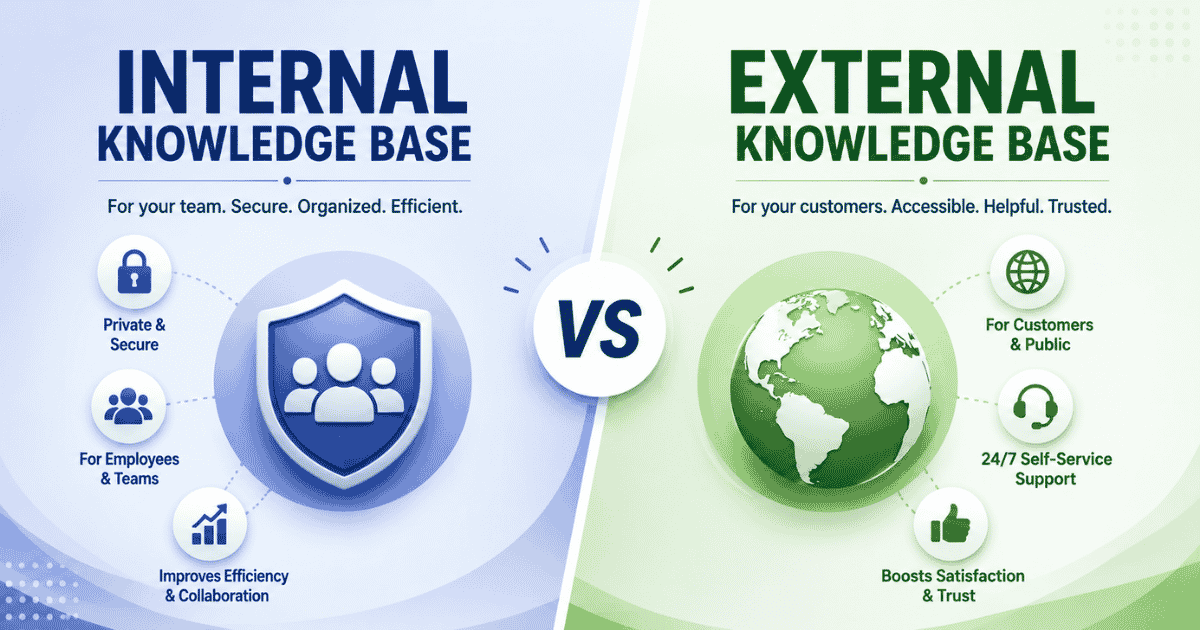
A weak knowledge base creates unnecessary pressure on live chat. When agents lack reliable documentation, they rely on memory or repeated explanations. Outdated or incomplete knowledge base articles increase handling time and error risk. Maintaining accurate knowledge resources requires ongoing review, ownership, and alignment with real customer questions.
Managing Multiple Communication Channels
Supporting customers across multiple channels introduces coordination challenges. Without proper alignment, conversations scatter across systems, making tracking difficult. Agents may miss updates or duplicate responses. Clear channel management ensures that chat, email, and other touchpoints remain synchronized and visible within a unified workflow.
Maintaining Clear Customer Contact Context
Losing customer contact history disrupts continuity. When agents lack access to previous interactions or supporting knowledge, customers must repeat details. This repetition damages trust and satisfaction. Teams need structured records that preserve context across interactions to maintain a smooth and professional experience. By recognizing these challenges early, teams can design live chat ticketing workflows that scale effectively while preserving clarity, consistency, and customer confidence.
How EasyDesk Help With Live Chat Ticketing System
EasyDesk focuses on practical, scalable live chat ticketing that helps teams deliver fast, organized, and reliable support. It removes complexity while giving businesses everything needed to manage conversations professionally.
All In One Live Chat Ticketing Experience
EasyDesk positions itself as the best live chat software for teams that want simplicity without compromise. Live chat, tickets, and ongoing service workflows stay connected in one system. Conversations never disappear after chat ends, and support teams always retain full context. This unified approach helps teams manage growing demand without fragmented tools or confusing handoffs.
Purpose Built Desk Solutions For Real Support Work
EasyDesk provides desk solutions designed around daily support needs. Agents handle conversations, updates, and follow-ups from a single workspace built for speed and clarity. Unlike bloated systems, EasyDesk keeps support focused on resolution and customer experience. Teams deliver consistent service without unnecessary setup or operational friction.
Scalable Support Without Enterprise Complexity
EasyDesk delivers the power teams expect from platforms like HubSpot Service Hub while keeping workflows lightweight and accessible. It supports growing service operations without overwhelming agents. Teams switching from Zoho Desk or experienced Zoho users gain even more value with EasyDesk. The platform offers faster onboarding, clearer workflows, and significantly reduced training time, while removing the complexity and clutter common in traditional desk tools.
Easy Access With Clear Next Steps
EasyDesk removes barriers to adoption by offering a completely free entry point for teams exploring structured support. Businesses can test live chat ticketing, organize support flows, and validate processes without risk. This approach allows teams to define next steps confidently and scale support as demand increases.
EasyDesk helps businesses transform live conversations into reliable service workflows. It empowers support teams to stay organized, responsive, and customer-focused while building a strong foundation for long-term service growth.
FAQs
Does A Live Chat Ticketing System Work For High Volume Support?
Yes. A live chat ticketing system handles high volumes by converting conversations into structured tickets. This setup prevents missed requests and keeps workflows organized during peak support periods.
How Secure Is A Live Chat Ticketing System?
Most modern live chat ticketing systems include role-based access, data controls, and secure storage. These measures protect customer information while allowing teams controlled access to support data.
Can A Live Chat Ticketing System Support Remote Teams?
A live chat ticketing system supports distributed teams by centralizing conversations and tickets in one workspace. Agents collaborate, update cases, and respond efficiently from different locations.
How A Live Chat Ticketing System Reduces Manual Work?
Automation inside a live chat ticketing system manual sorting, assignment, and tracking. Teams spend less time on administration and more time resolving customer issues.
When Should A Business Adopt A Live Chat Ticketing System?
Businesses should adopt a live chat ticketing system when chat volume increases or conversations become difficult to track. Early adoption helps maintain service quality as customer demand grows.