Remote and hybrid work have made cloud based support the default in 2026. Customer support teams now need a help desk that works from any browser, keeps support tickets organized, and gives agents context without relying on on-premises infrastructure. Between 2020 and 2026, SaaS delivery, automation, and AI features moved from optional extras to core features of modern help desk software. The most effective help desk solutions are now defined by AI-native automation, omnichannel consolidation, and context-aware support.
This guide compares ThriveDesk, EasyDesk, Zendesk, Freshdesk, and Help Scout with a practical lens: setup speed, pricing clarity, scalability, integrations, data security, and service quality. The goal is simple: help growing businesses choose the best help desk solution without marketing noise.
What Is A Cloud Based Help Desk Solution
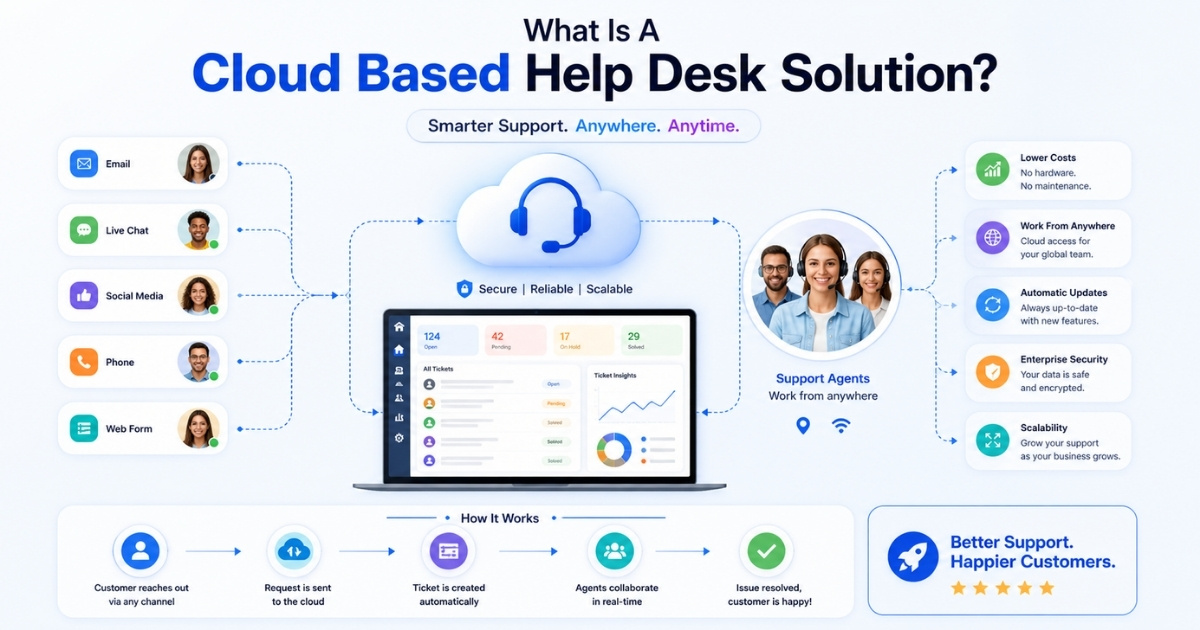
A cloud-based help desk solution is a web-hosted desk platform that manages customer inquiries, customer requests, internal requests, support requests, and support interactions through a central ticketing system. Agents access the desk system through a browser or mobile app to log, route tickets, collaborate, and resolve issues without local servers.
There are different types of help desk solutions, including IT support help desks, customer service help desks, cloud-based vs on-premise help desks. An IT support help desk is designed to assist internal staff with technical issues, such as those addressed by modern IT help desk software, while a customer service help desk focuses on external customers and their inquiries. Cloud-based help desks are hosted online, allowing access from anywhere and reducing the need for local server management, while on-premise help desks are installed on company servers for greater control and security.
5 Best Cloud Based Help Desk Solutions In 2026
We evaluated these desk solutions by usability, automation depth, scalability, integrations, vendor support, pricing clarity, and value for money. Rankings are not based only on market size. Each helpdesk software option fits a different team size, workflow, and budget.
Help Desk Comparison
| Criteria | ThriveDesk | EasyDesk | Zendesk | Freshdesk | Help Scout |
|---|---|---|---|---|---|
| Core Focus | SaaS simplicity | Structured automation and workflows | Enterprise-grade support | Omnichannel automation | Human-first support |
| Automation Depth | Basic AI replies | Smart routing and workflow automation | Advanced AI and triggers | Freddy AI with automation | Limited automation |
| Ticket Management | Standard assignment | Advanced routing, tagging, SLA tracking | Highly customizable workflows | SLA-based ticketing | Conversation-based system |
| Omnichannel Support | Email and chat | Email, chat, social | Email, chat, social, voice | Email, chat, social, phone | Email, chat, messaging |
| Workflow Control | Limited | Strong structured workflows | Highly flexible but complex | Moderate flexibility | Minimal workflow control |
| Collaboration | Shared inbox | Shared inbox with structured context | Role-based collaboration | Team collaboration features | Strong inbox collaboration |
| Ease Of Use | Very simple | Clean and structured | Moderate complexity | Balanced usability | Very intuitive |
| Scalability | Small teams | Small to mid growing teams | Large enterprise scale | SMB to enterprise | Small to mid teams |
| Pricing Flexibility | Fixed tiers | Free + flexible tiers | Expensive scaling | Mid-range tiers | Mid-range tiers |
| Setup Complexity | Low | Low with structured setup | High | Moderate | Very low |
| Strength | Affordable SaaS tool | Balanced automation and control | Enterprise power | Omnichannel capability | Human experience |
| Best Fit | Early SaaS | Process-driven teams | Global enterprises | Scaling support teams | Customer-focused teams |
1. ThriveDesk – Best For Bootstrapped SaaS Teams
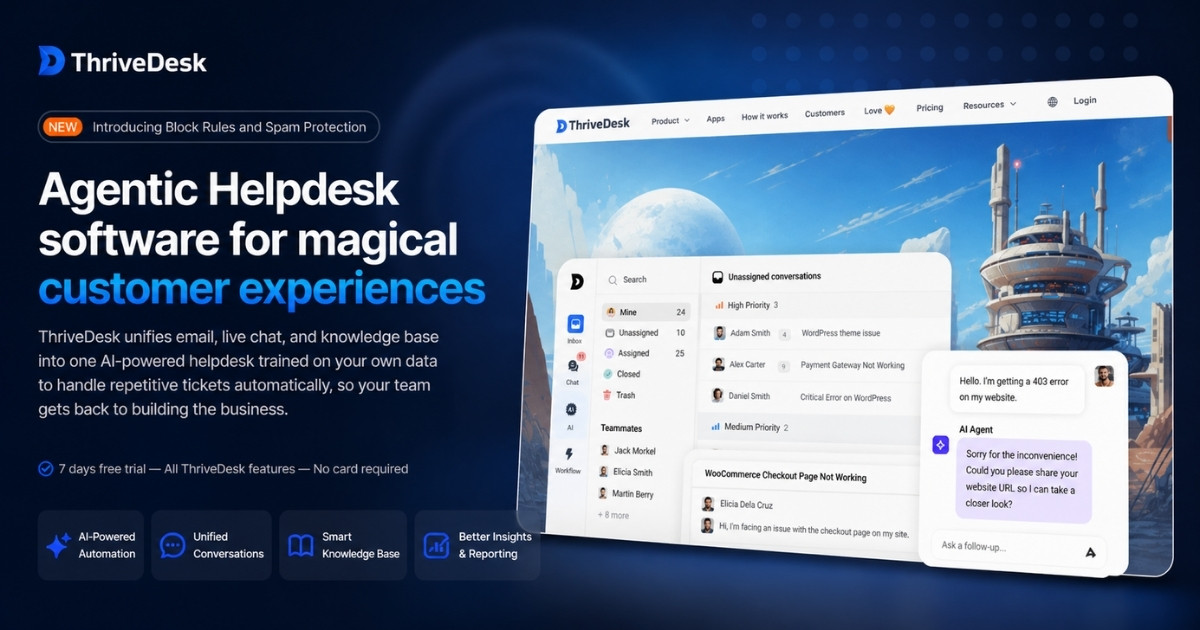
Built with SaaS teams in mind, ThriveDesk brings essential support tools into one place. Shared inbox, live chat, AI assistance, and knowledge base features work together to simplify communication and reduce repetitive workload.
Cloud-Based Help Desk Features
- Shared inbox in ThriveDesk that keeps conversations organized across channels
- Real-time live chat for faster, direct customer interaction
- AI agent that handles repetitive queries and reduces manual replies
- Knowledge base for self-service support and structured documentation
- Ticketing system with prioritization and team assignment controls
Ease Of Use
Everything feels lightweight and easy to navigate. ThriveDesk avoids unnecessary complexity, allowing teams to manage conversations, assign tickets, and collaborate without friction, making it especially suitable for fast-moving SaaS environments.
Pricing
Plans stay simple and predictable. ThriveDesk offers Basic at $29/month, Standard at $69, and Unlimited at $129. Pricing scales based on team size and inbox limits, with a free trial available for testing before commitment.
Best For
Early-stage and bootstrapped SaaS teams will get the most value. ThriveDesk fits teams that need a clean, affordable system to manage support, automate routine queries, and grow without investing in complex enterprise tools.
2. EasyDesk – Best For Automated & Structured Support
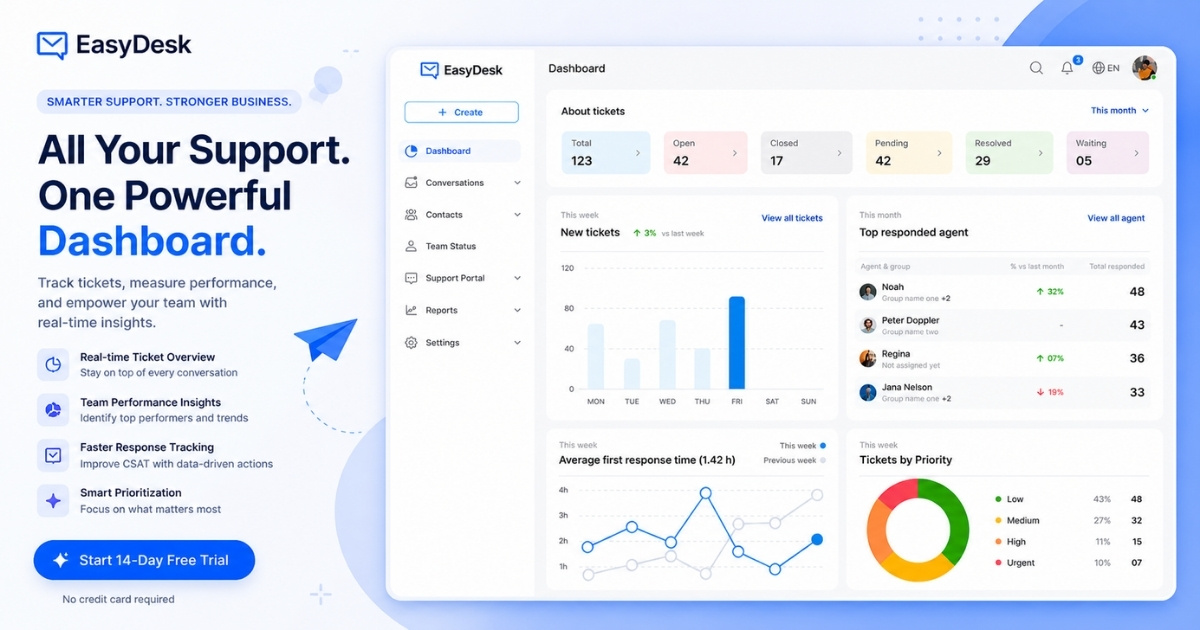
Structured support becomes easier with EasyDesk at the core. The platform brings automation, smart routing, and centralized communication together, helping teams stay organized while improving response time and maintaining consistency across every interaction.
Cloud-Based Help Desk Features
- Smart automation in EasyDesk that assigns and prioritizes tickets efficiently
- Centralized workspace with tags, filters, and shared inbox visibility
- Multi-channel support across email, live chat, and social platforms
- Knowledge base with canned responses to handle repetitive queries faster
- SLA tracking and monitoring tools to maintain service standards
Ease Of Use
From the first login, the experience feels organized and predictable. EasyDesk keeps workflows simple, automation easy to configure, and collaboration smooth, so teams can manage support without dealing with unnecessary complexity.
Pricing
A tiered structure keeps pricing flexible. EasyDesk includes a free plan for basic email ticketing, making it a strong contender among the best free helpdesk ticket systems in 2026. Starter at $29/month supports small teams. Pro at $49 adds automation and integrations, while Enterprise at $99 expands users, control, and advanced features.
Best For
Teams that rely on structured workflows will find strong value here. EasyDesk works well for SaaS, IT services, and growing support teams that need automation, visibility, and consistent processes to scale operations efficiently, aligning with its role as EasyDesk helpdesk ticketing software.
3. Zendesk – Best For Global Enterprise Support
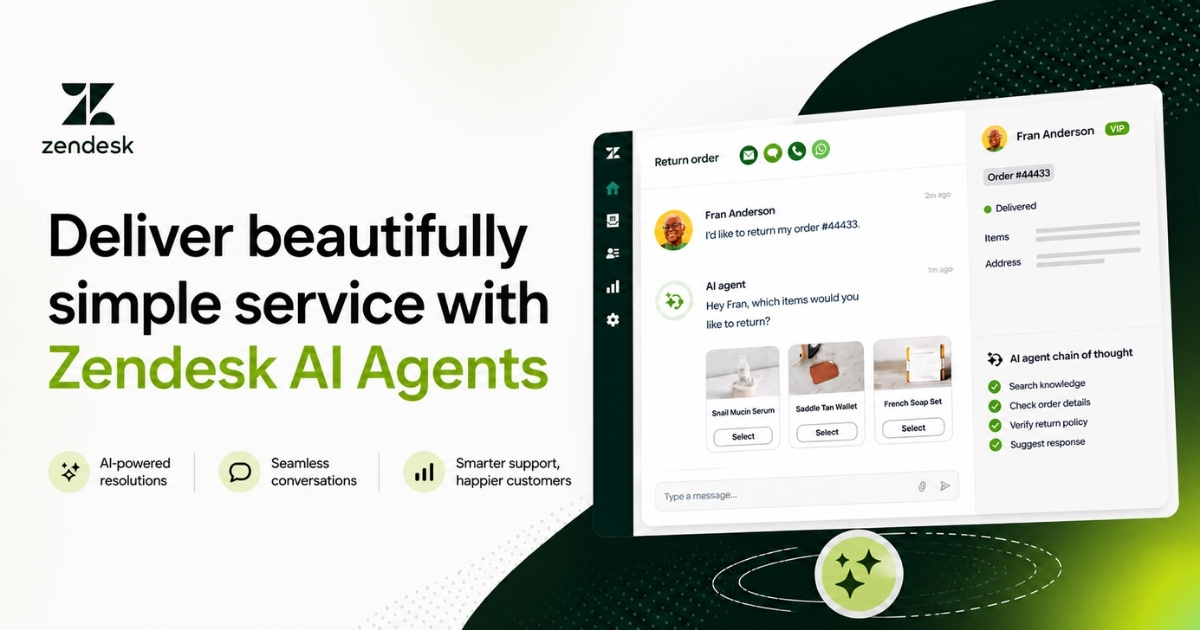
For large-scale support environments, Zendesk brings structure, automation, and AI into a single platform. It connects conversations across channels while helping teams maintain speed, consistency, and control in complex, high-volume operations.
Cloud-Based Help Desk Features
- AI agents within Zendesk that automate replies and improve over time with data
- Unified workspace that brings email, chat, social, and voice together
- Analytics and reporting tools for tracking performance and identifying gaps
- Workflow automation using triggers, macros, and custom rules
- Security, compliance, and scalability designed for enterprise environments
Ease Of Use
Despite its depth, the interface remains organized and predictable. Zendesk keeps navigation structured, dashboards readable, and workflows manageable, so even large teams can operate efficiently without constant friction or confusion.
Pricing
Plans follow a per-agent annual model. Zendesk starts at $19/month for basic support. Suite Team at $55 introduces AI and omnichannel tools. Suite Professional at $115 adds automation and analytics, while Enterprise at $169 unlocks advanced customization and governance.
Best For
Enterprises with complex support needs will get the most value here. Zendesk works well for global SaaS, eCommerce, and large organizations that require scalability, automation, and centralized oversight across distributed support teams.
4. Freshdesk – Best For Automated Omnichannel Support
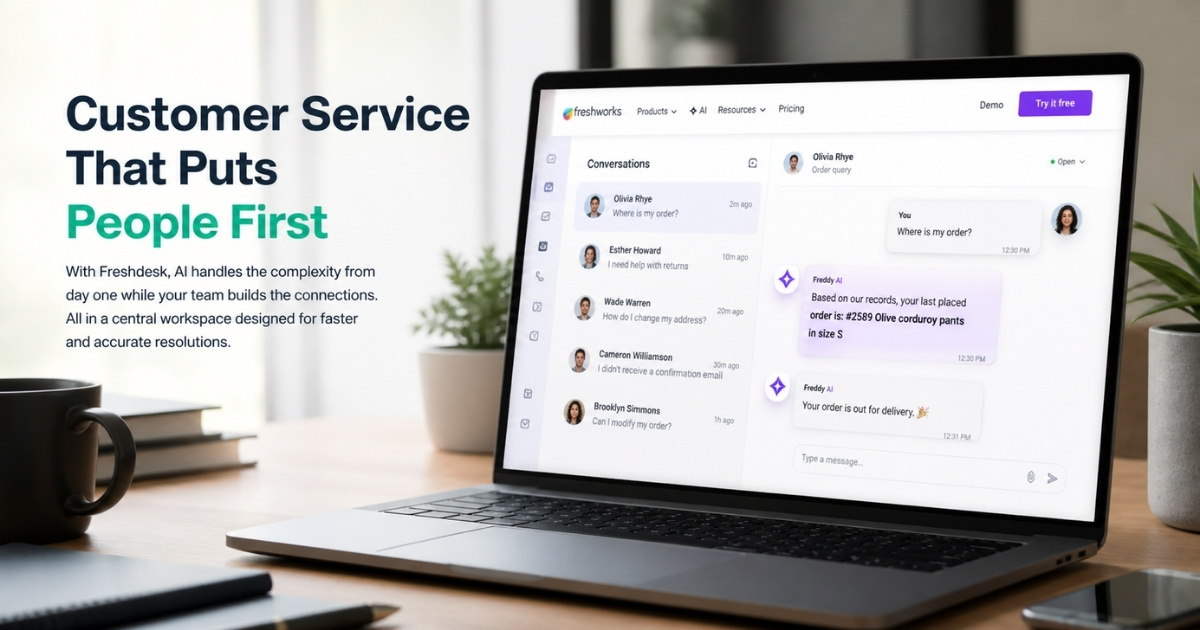
Built for modern support teams, Freshdesk unifies conversations across channels while layering in automation and AI. The platform keeps everything centralized, helping teams respond faster without losing context or consistency across interactions.
Cloud-Based Help Desk Features
- Omnichannel inbox that connects email, chat, social, and phone conversations
- Freddy AI inside Freshdesk for automated replies, suggestions, and faster resolution
- Ticketing system with SLA policies, prioritization, and workflow automation
- Self-service portal with knowledge base to reduce repetitive queries
- Reporting and analytics tools that track performance and team efficiency
Ease Of Use
Navigation stays straightforward, even with advanced features in place. Freshdesk balances simplicity with capability, so teams can manage tickets, automate tasks, and collaborate without dealing with a cluttered or overwhelming interface.
Pricing
Pricing follows a per-agent structure with clear tiers. Freshdesk starts at $19/month for Growth with core features. Pro at $55 adds automation and customization. Enterprise at $89 includes advanced security, audit logs, and expanded control.
Best For
Teams that need omnichannel support without operational complexity will find strong value here. Freshdesk fits SaaS, eCommerce, and scaling businesses that rely on automation and centralized communication to manage growing support demand.
5. Help Scout – Best For Human First Support
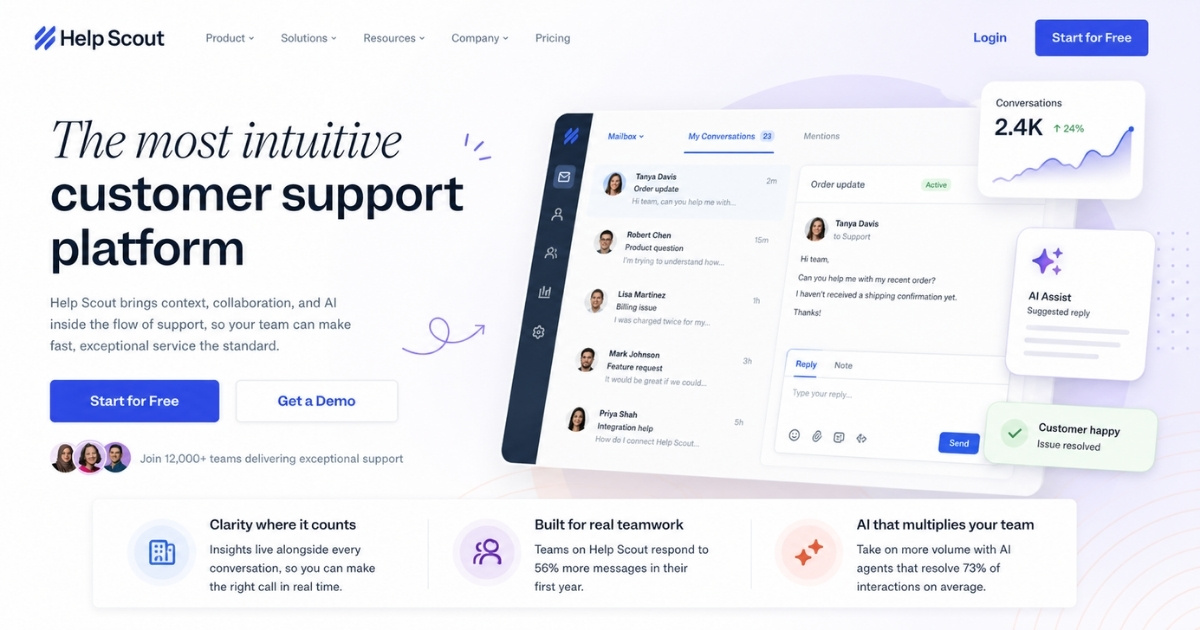
Customer conversations stay at the center with Help Scout. Instead of overloading teams with complexity, the platform blends collaboration, AI assistance, and shared inboxes to keep support structured while still feeling genuinely human.
Cloud-Based Help Desk Features
- Shared inbox in Help Scout that keeps team replies organized and contextual
- Omnichannel communication across email, live chat, and messaging tools
- Beacon widget that lets customers find answers or reach support instantly
- Knowledge base system for scalable self-service support
- Automation rules that streamline routing, tagging, and follow-ups
Ease Of Use
With Help Scout, teams don’t face a steep learning curve. Interface feels clean, conversations stay easy to track, and collaboration flows naturally. Everything is built to reduce clutter and keep agents focused on meaningful replies.
Pricing
Help Scout offers straightforward per-user pricing. Standard plan starts at $25/month with inbox and chat features. Plus at $45 includes automation and integrations. Pro at $75 adds advanced workflows, security, and scalability. AI Answers costs $0.75 per resolution.
Best For
Growing teams that value thoughtful, human support will benefit most from Help Scout. Ideal for SaaS and customer-focused businesses where maintaining personal communication matters as much as speed and efficiency.
Help Desk Pricing Comparison
| Pricing Criteria | ThriveDesk | EasyDesk | Zendesk | Freshdesk | Help Scout |
|---|---|---|---|---|---|
| Pricing Model | Flat monthly tiers | Team-based tiers (multi-user) | Per agent (annual billing) | Per agent (monthly/annual) | Per user (monthly) |
| Free Plan | No (trial only) | Yes | No (trial only) | Yes (limited) | No (trial only) |
| Entry Price | $29/month | $29/month (for ~3 users) | $19/agent/month | $19/agent/month | $25/user/month |
| Mid Tier Price | $69/month | $49/month (team-based) | $55/agent/month | $55/agent/month | $45/user/month |
| Top Tier Price | $129/month | $99/month (team-based) | $169/agent/month | $89/agent/month | $75/user/month |
| Billing Scalability | Team-based | Team-based (not per seat) | Per seat scaling | Per seat scaling | Per seat scaling |
| Cost Growth Trend | Predictable | Controlled growth | High at scale | Moderate at scale | Moderate at scale |
| AI / Add-on Cost | Included | Included | Paid add-ons | Higher tiers | Paid per resolution |
| Best Pricing Fit | Budget SaaS teams | Small to mid structured teams | Enterprise budgets | Scaling SMB teams | Small to mid teams |
How We Evaluated These Cloud Help Desk Solutions
In Q1 2026, we reviewed public customer feedback, vendor documentation, pricing pages where available, and practical workflows such as creating inboxes, importing sample tickets, building automation rules, and checking reporting clarity. We looked at how each desk handles open tickets, customer data, integrations, collaboration, and support quality.
- Tested real workflows by setting up inboxes, importing tickets, and configuring automation rules
- Evaluated ticket routing, prioritization, and handling of open tickets across different scenarios
- Reviewed collaboration features including shared inbox, private notes, and team coordination
- Assessed integration capabilities with CRM, communication tools, and external platforms
- Compared pricing transparency, scalability, and long-term cost implications
- Analyzed reporting dashboards, key metrics tracking, and data clarity
- Reviewed customer feedback, vendor documentation, and overall support quality
Key Features To Look For In A Cloud Based Help Desk
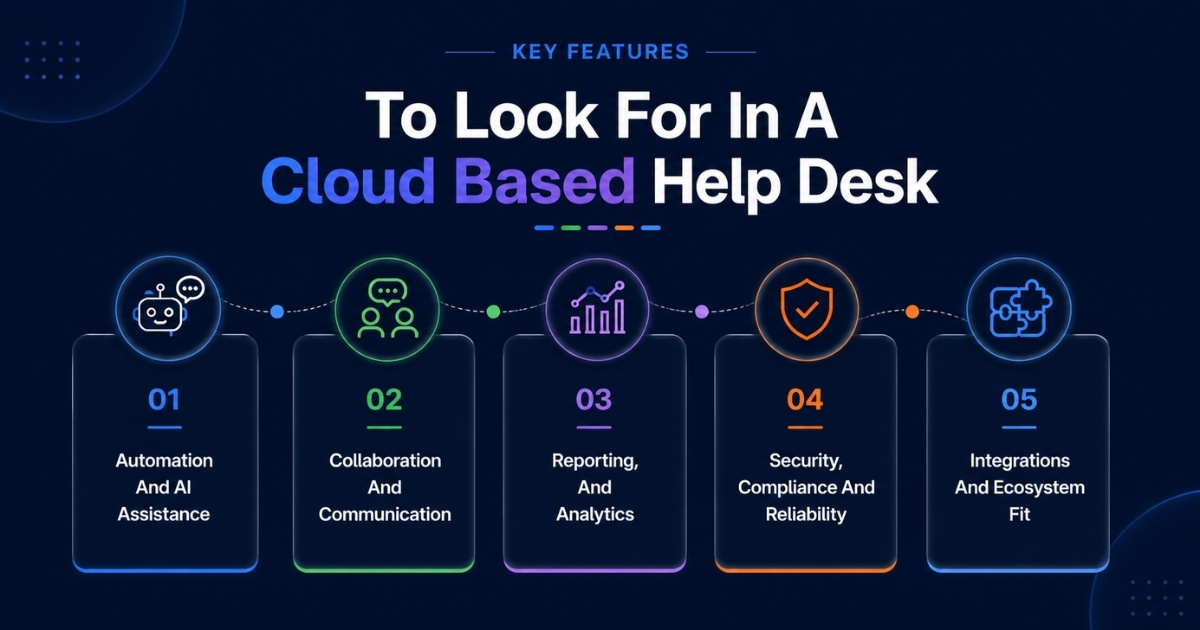
Features should match real workflows, not checklists. Key features of modern help desk solutions include AI automation, omnichannel support, and detailed analytics for reporting.
A modern service desk should align with real operational needs, not feature overload. The best help desk software supports team collaboration, integrates with Microsoft Teams, and uses AI Assist to reduce manual effort without requiring extensive training, especially when you compare leading cloud-based help desk solutions and their features.
Automation And AI Assistance
Support tools have moved beyond simple ticket handling. Modern systems understand intent, sort requests, and route them automatically based on priority and context.
AI now plays a direct role in resolving issues. It suggests replies, handles repetitive queries, and helps teams reduce manual effort so agents can focus on more complex problems.
When connected with jira service management, automation becomes more consistent across workflows. AI assist supports agents in real time without disrupting how teams already work.
Collaboration And Internal Communication
Internal communication often determines how efficient support really is. Without proper structure, conversations get scattered and ownership becomes unclear.
A reliable service desk keeps everything aligned. Shared visibility, internal notes, and clear assignment help teams stay coordinated even when multiple departments are involved.
Integration with microsoft teams allows conversations to stay in sync with ongoing work. This makes team collaboration more natural and reduces the need to switch between tools.
Reporting, Analytics And Service Level Tracking
As support volume increases, visibility becomes essential. Teams need clear insights into response time, resolution speed, and workload distribution.
Basic dashboards work in early stages, but growing teams need deeper reporting for planning and performance tracking. Data should help teams improve, not just monitor.
The best help desk software supports decision making with actionable insights, a key theme in many support desk software reviews for 2026. When reporting connects across systems, it gives a more complete view of how the service desk is performing.
Security, Compliance And Reliability
Handling customer data requires strong safeguards. Security includes encryption, access control, audit logs, and reliable system performance.
Buyers should verify compliance standards instead of assuming them. Clear policies around data storage and backups are equally important.
A well-designed service desk protects data without slowing teams down, mirroring the principles behind secure, transparent customer support. Systems should remain easy to manage without requiring extensive training for everyday use.
Integrations And Ecosystem Fit
No support tool works in isolation. Efficiency depends on how well it connects with other systems like CRM, billing, and communication platforms.
For example, combining ecommerce tools with support platforms gives agents full context during conversations. This reduces delays and improves response quality.
Strong integrations help teams work in one connected environment, enabling them to streamline support with a smarter help desk platform. When tools align properly, workflows stay smooth without adding unnecessary complexity.
Benefits Of Moving To A Cloud Based Help Desk In 2026
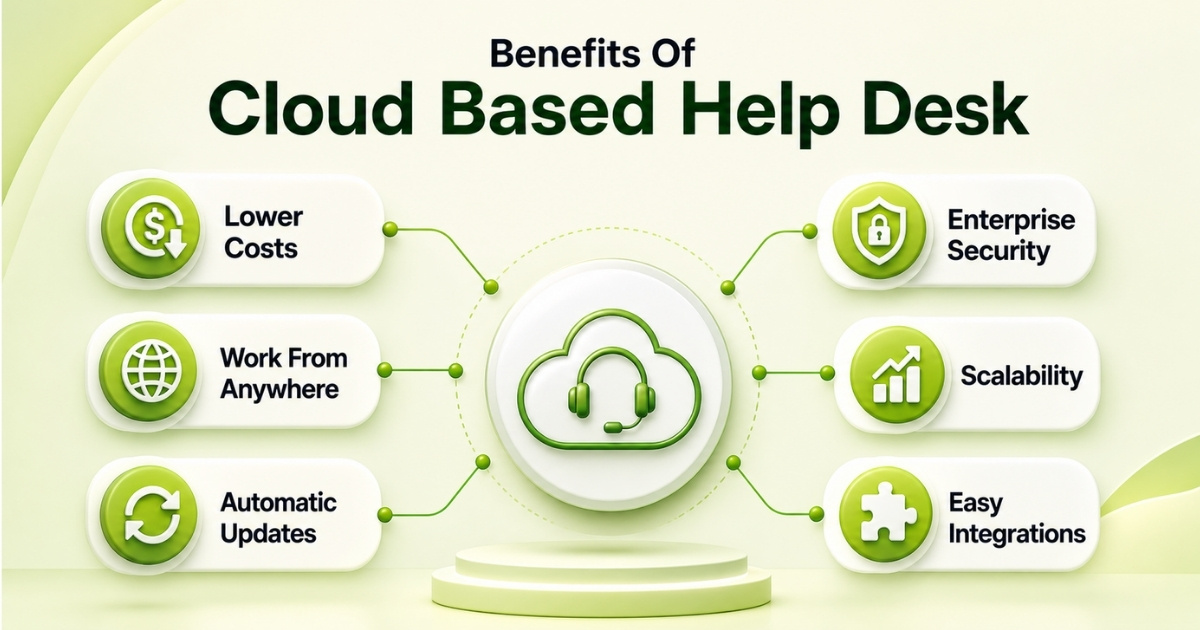
Cloud adoption gives support teams flexibility, resilience, and lower operational overhead, helping them maximize efficiency with top cloud help desk software. Cloud-based help desk solutions offer scalability, flexibility, and cost-effectiveness, allowing organizations to manage increasing volumes of support requests without the need for on-premises infrastructure.
Cost Efficiency And Predictable Spending
Cloud tools replace server purchases, maintenance, and upgrade projects with subscription pricing, often billed annually or monthly. A 20-agent on-premise setup may require hardware, licenses, and IT time that easily exceeds a modern subscription over three years. EasyDesk helps finance teams plan costs clearly and avoid surprise add-ons for basic reporting or integrations, thanks to its transparent customer support plans.
Shifting to cloud support also reduces initial setup complexity and avoids long procurement cycles. Most teams benefit from predictable billing without hidden costs, while tracking key metrics becomes easier as reporting is built in rather than layered separately.
Scalability For Seasonal And Long Term Growth
Modern help desk solutions are designed to handle high volumes of requests efficiently, ensuring that as ticket volume grows, the system can adapt without losing performance or increasing complexity, especially when supported by automated ticket management software. Scalable help desk solutions can automatically adjust to growing customer message volumes, ensuring that support teams can maintain service quality even as demand increases. A retailer can add seasonal agents before the 2026 holiday rush, then reduce seats when demand returns to normal.
Growth becomes easier when systems support advanced capabilities without extra infrastructure. Teams can scale across social channels and manage increasing workloads from a single interface, which helps avoid losing context as support operations expand over time.
Supporting Remote And Hybrid Teams
Agents in North America, Europe, and Asia can work from the same cloud help workspace using laptops or phones. Browser access, secure login, and shared queues make remote onboarding easier. If one office has an outage, support can continue from other locations.
Distributed teams rely less on desk work and more on shared visibility, often using a live chat ticketing system to keep conversations organized across channels. Tools like zoho desk and similar platforms help teams stay aligned while tracking issues across regions, ensuring work continues smoothly without depending on physical office setups.
Improved Customer Experience And Faster Resolution
Unified histories, context-rich tickets, and integrated knowledge articles help agents provide faster answers, especially when teams manage support tickets efficiently using EasyDesk. Before migration, an agent may search email, chat, and spreadsheets for context. After migration, EasyDesk can show the full conversation, suggest a reply, and route the issue to the right person.
Reducing manual effort plays a major role in improving response times. Features like ai summarize and sentiment analysis help agents understand conversations quickly, making answering questions more efficient while maintaining accuracy and consistency across interactions, particularly when powered by automated workflow software for smarter support.
Faster Innovation Through Continuous Updates
SaaS vendors ship fixes, new connectors, and AI improvements continuously. This pace is difficult for self-hosted tools to match. Ask vendors about recent releases, product direction, community forums, and how they communicate roadmap changes.
Continuous updates also improve how teams handle tracking issues and evolving workflows. Instead of waiting for major upgrades, improvements roll out gradually, allowing teams to adapt faster without disrupting operations or retraining processes frequently.
How To Choose The Right Cloud Help Desk For Your Business
Choosing the right help desk solution depends on specific business requirements, team size, budget, and existing technology stack. The best choice is the one your agents will actually use well.
A practical service desk should simplify daily desk work instead of adding friction. Most teams succeed when the system helps reduce manual effort, improves response times, and supports quick answers without disrupting collaboration across different departments.
Clarify Support Goals And Use Cases
Decide whether your priority is faster response times, better self service, 24/7 coverage, fewer open tickets, or improved reporting. Separate customer service workflows from internal IT needs such as asset management and service catalog requests.
Clear goals help define how ticket routing should work and what success looks like, including whether a team should prioritize manual vs automated ticketing approaches. Teams can avoid losing context by using private notes and structured workflows, which also reduce repetitive tasks and prevent duplicate responses across different departments.
Match Features And Pricing To Team Size
Small teams usually need simplicity and low cost. Growing teams need automation, analytics, and collaboration. Enterprise teams need advanced roles, compliance, and multi-brand control. Compare paid plans by total annual cost, not headline price.
As teams grow, feature needs shift quickly, so it becomes more important to find the right cloud helpdesk tool for your team. Automation helps reduce manual effort, while better ticket routing improves response times. Without proper structure, teams risk losing context, leading to repetitive tasks and duplicate responses that slow down operations.
Run A Time Boxed Pilot
Run a 14 to 30 day pilot with real customer queries and real agents. Measure setup time, handling time, agent satisfaction, and missed-ticket risk. EasyDesk is well suited to low-friction pilots because teams can test core workflows quickly.
A pilot highlights real gaps in workflows and gives teams a benchmark when comparing the top 10 best help desk software in 2026. Teams can evaluate how well the system handles ticket routing, supports quick answers, and reduces manual effort. It also reveals risks like losing context or duplicate responses during collaboration across different departments.
Plan Migration, Training And Change Management
Plan exports, field mapping, old ticket history, and sandbox testing. For 10,000 or more records, migration may take several weeks. Strong change management, short training, and clear documentation help agents adopt the new desk confidently.
Migration often exposes workflow inefficiencies. Without structured processes, teams may struggle with tracking issues, losing context, or managing repetitive tasks. Clear guidelines, private notes, and defined ticket routing help reduce manual effort and improve response times after transition.
Review Long Term Vendor Partnership Fit
Evaluate roadmap clarity, uptime history, vendor support, pricing terms, and data portability. Ask about AI ethics, data residency, renewal caps, and integration deprecations before signing.
Long-term success depends on consistency and adaptability, which are central themes in modern help desk solutions guides for 2026. A strong vendor should support evolving workflows, improve response times, and help reduce manual effort. Reliable systems also prevent losing context and ensure smooth collaboration across different departments without recurring duplicate responses.
Why EasyDesk Is A Strong Choice For Cloud Based Help Desk Support
EasyDesk stands out because it balances simplicity with useful depth as a secure and efficient customer support platform. It gives growing teams the core features they need, including multichannel support, automation, reporting, knowledge base content, collaboration tools, and practical ai features, without forcing enterprise-level complexity, reflecting the broader set of EasyDesk features for smarter, secure support.
It is a strong fit for SaaS, ecommerce, professional services, and internal support teams with 10 to 150 agents. Teams can evaluate inbox setup, automation, reporting, and integrations during the first 14 days, then expand workflows as support grows. If your goal is reliable support with less confusion, EasyDesk is built to keep your team focused and your customers satisfied.
FAQs
How Long Does It Take To Implement A Cloud Based Help Desk Like EasyDesk
Small teams can often go live in a few days. Larger teams may need 4 to 8 weeks for configuration, integrations, automation tuning, data migration, and training. EasyDesk is designed for fast rollout, so many teams can run a functional pilot within the first week.
Can I Keep Some Support Functions On Premise While Moving To A Cloud Help Desk
Yes. Hybrid models are common in 2026. Core ticketing can move to the cloud while legacy CRM, billing, or security-sensitive systems remain on company servers. Secure APIs and connectors can link those tools to EasyDesk, but IT and security teams should be involved early.
How Do Cloud Help Desks Handle Data Ownership And Portability
Reputable vendors state in contracts that customers own their data. Look for export options such as CSV, JSON, and API-based extraction for tickets, contacts, attachments, and knowledge base content. Confirm retention, backup, and deletion policies before signing.
What Are The Main Risks Of Relying On A Single Cloud Help Desk Vendor
Main risks include downtime, pricing changes, feature deprecation, acquisition, and vendor strategy shifts. Reduce risk with SLAs, regular data exports, standard workflows, and clear renewal terms. EasyDesk supports transparent communication so teams can plan around incidents with fewer surprises.
How Should I Budget For AI Features In Cloud Help Desk Tools In 2026
AI pricing may use bundled quotas, per-resolution fees, or per-seat add-ons. Estimate monthly ticket volume, how many issues AI can handle, and how often agents must review answers. EasyDesk focuses on clear AI pricing with predictable ceilings, helping teams avoid unexpected overage bills.



