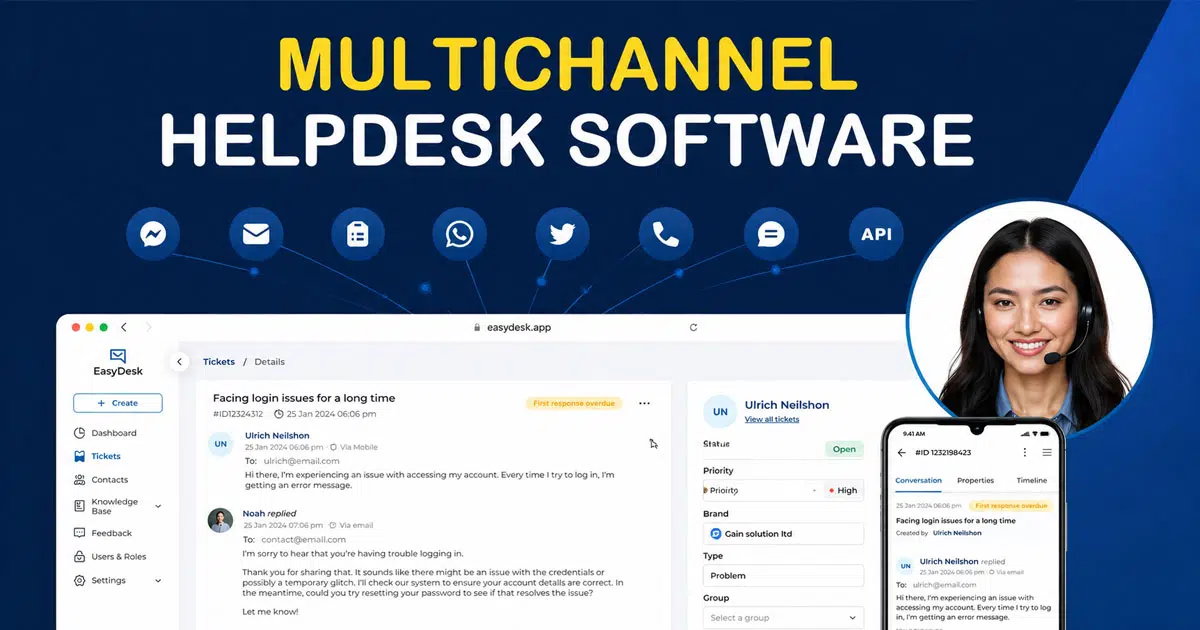
Helpdesk software combines customer requests from all types into one place. Your support team can then provide quicker and better assistance. Many businesses find it challenging to track customer messages that come through email, social media, web forms, and other platforms. The market offers over 200 different help desk software options today. This abundance of choices can make finding the right solution feel daunting.
Self-hosted or on-premise help desk software gives organizations the flexibility they need. It offers customization options and security controls that combine smoothly with existing business processes. Direct access to source code allows deeper integration with your customer relations processes. You retain control over privacy settings and stay compliant with regulations like GDPR.
What Is Multichannel Helpdesk Software
Multichannel helpdesk software works as a single interface that lets a support team manage customer messages from multiple channels like email, live chat software, web forms, and other support channels. This desk platform combines ticket creation, ticket management, and smart ticket routing inside one help desk software, which helps support agents handle customer inquiries faster and with better accuracy. A unified inbox, automated routing, and strong automation tools ensure customer requests reach the right desk teams without delays.
This type of customer support software improves customer satisfaction by keeping customer conversations organized across various channels. Features like an integrated knowledge base, internal notes, SLA management, and advanced analytics support consistent ticket resolution. Modern helpdesk software also supports asset management, service requests, and service portals, which makes it a feature-rich desk solution for growing teams and small businesses that want a better support experience.
Key Capabilities Of A Multichannel Helpdesk Software
Multichannel helpdesk software brings structure, speed, and consistency to modern customer support. The right desk solution connects multiple channels, automates workflows, and equips support teams with tools that improve ticket resolution, customer satisfaction, and overall support experience.
Support Across Multiple Channels
Multichannel helpdesk software connects email, live chat software, voice, social platforms, and web forms inside a single interface. This unified inbox allows support agents to manage customer messages from various channels without switching desk tools or desk systems. Full conversation history stays visible, which prevents customers from repeating issues and improves response accuracy.
Support teams can handle customer inquiries from preferred channels while maintaining context. Voice, chat, and email support work together within the same help desk software, which helps deliver real-time support. This approach strengthens customer experience, especially for small businesses and growing teams that manage support requests across different platforms.
Unified Ticket Management System
A strong ticketing system forms the core of any helpdesk software. Every customer request turns into a support ticket with clear ownership, status, and priority. Ticket management tools track service requests from creation to resolution and keep customer conversations organized.
Support agents can view message threads, add internal notes, and access order data or asset tracking details when needed. Automated ticket creation from email, live chat, and service portals reduces manual work. This structure improves SLA management, supports change management, and ensures consistent service delivery across desk teams.
Smart Routing And Automation
Smart ticket routing helps route tickets to the right help desk software users based on skills, availability, or service level agreement rules. Automated routing prevents delays and ensures faster ticket resolution without adding extra staff. Automation rules also manage follow-ups, status updates, and priority changes.
Strong automation tools reduce repetitive tasks for desk teams and improve accuracy. Support requests receive instant acknowledgment, which builds trust. Advanced workflows keep service desk operations smooth and allow support agents to focus on complex customer issues that require attention.
Custom Workflows And SLA Controls
Customizable workflows allow teams to adapt the desk platform to real support processes. Support managers can define ticket flows, approval steps, and escalation paths that match business needs. These customization options improve consistency across desk systems and service desks.
SLA management tools track response times, resolution targets, and service quality. Breaches trigger alerts for desk teams, which helps protect customer satisfaction. Clear SLAs also support transparency and accountability, especially for teams managing multiple support channels and high ticket volume.
Integrated Knowledge Base And Self Service
An integrated knowledge base helps customers solve issues without submitting support tickets. FAQs, guides, and tutorials inside a service portal reduce ticket volume and improve the support experience. Customers get answers even with a limited internet connection or outside business hours.
Support teams also benefit from shared knowledge. Agents can reference articles during conversations and guide users faster. This feature-rich approach improves first contact resolution and positions the help desk software as a complete customer support tool.
Analytics, Integrations, And Scalability
Advanced analytics provide insights into ticket resolution time, support agent performance, and customer satisfaction trends. These reports help desk teams optimize workflows and plan resources effectively. Visibility into hidden costs and workload supports better pricing plans and team plan decisions.
Modern desk solutions integrate with tools like Google Workspace, Microsoft Teams, project management, and asset management software. This flexibility supports release management, asset management, and service desk growth. The right help desk software scales smoothly with growing teams and evolving customer needs.
Unified Inbox As The Backbone Of Multichannel Helpdesk Software
A unified inbox is the lifeblood of any multichannel helpdesk software that works. This powerful central hub revolutionizes how support teams handle customer communication. Your team can deliver outstanding support through this central system, whatever channel your customers prefer to use.
What A Unified Inbox Does
A unified inbox combines all communication channels into one central interface. Support agents can view, manage, and respond to every customer message from this single location. Your team can handle emails, live chat conversations, social media messages, and voicemails all in one place.
The unified inbox removes the hassle of switching between multiple tools and platforms. The system keeps a complete thread when customers start with email and switch to chat. This seamless connection means no messages get lost, and your team always has the full picture.
This system treats every communication channel equally. Customers can pick their favorite way to reach out without sacrificing service quality. Research shows 71% of customers want consistency across online channels, but only 29% get it. Your support team can close this gap with unified inbox technology.
A robust unified inbox does more than just collect messages. It links customer conversations with vital information - showing purchase history, past interactions, and account details right next to each message. Your team won't waste time digging through different systems and databases.
Benefits For Agents And Managers
Support agents get more than just convenience from a unified inbox. The original studies show agents complete communication tasks 60% faster with everything in one place. They work more efficiently because all information is right at their fingertips.
Support teams gain these advantages:
- Improved focus and productivity – Less system navigation means more time solving customer issues
- Enhanced context awareness – Full customer history leads to more personalized support
- Efficient collaboration – Teams can see who handles which conversations to avoid duplicate work
- Reduced stress – One central system helps agents handle more tickets accurately
Managers get unprecedented visibility into their team's work through the unified inbox. They can track response patterns, spot bottlenecks, and keep service quality consistent across channels. This oversight helps maintain standards and find ways to improve.
The system also provides rich analytics about customer trends, common issues, and team performance. These insights help managers make smart decisions about staffing, training, and process improvements.
How It Reduces Response Time
Quick responses keep customers happy, and unified inboxes excel here. Teams respond by a lot faster when they don't hunt for customer information across platforms.
Companies using unified inbox solutions typically respond 30% faster thanks to efficient workflows. Hotels that switched to this technology cut their response times from 3-4 hours to under 30 minutes.
Several key features drive these speed improvements:
Staff get instant alerts when new messages arrive, whatever the channel. This immediate notification prevents delays from manually checking multiple platforms throughout the day.
Template libraries and quick responses help agents handle common questions quickly. Support teams can use pre-written answers and personalize them instead of typing the same responses repeatedly.
Smart prioritization puts urgent messages first. The system automatically flags high-priority tickets based on content, customer status, or time sensitivity, helping teams tackle critical issues first.
The unified inbox has changed multichannel support from a scattered, slow process into an efficient system that serves both customers and support teams better.
How Multichannel Helpdesk Software Improves Response Speed And Accuracy
Multichannel helpdesk software helps support teams reply faster and with better accuracy by centralizing customer conversations, automating ticket handling, and applying smart logic. A unified desk solution removes delays, reduces errors, and improves customer satisfaction across multiple channels.
Unified Inbox With Real-Time Visibility
A unified inbox allows support agents to view customer messages from various channels inside a single interface. Email, live chat software, web forms, and voice requests appear in one message thread, which removes the need to switch desk tools. This visibility helps desk teams act quickly and avoid missed support requests.
Real-time dashboards show ticket queues, agent availability, and workload distribution. Managers can spot bottlenecks early and rebalance resources across support channels. This clarity improves response speed and keeps service desk operations efficient, even during high ticket volume periods.
Automated Ticket Creation And Updates
Multichannel helpdesk software automatically converts customer inquiries into support tickets. Each ticket includes channel source, priority, customer history, and order data when available. Automated ticket creation removes manual effort and ensures accurate ticket management from the first interaction.
Ticket updates sync across desk systems instantly. A reply on one channel reflects everywhere, which prevents duplicate responses or outdated information. Support agents stay aligned, customers receive consistent updates, and ticket resolution moves faster without unnecessary follow-ups.
Smart Routing For Faster Assignment
Smart ticket routing assigns customer requests to the right help desk software users based on skills, workload, language, or service level agreement rules. This automated routing ensures tickets reach qualified support agents without delays.
Desk teams avoid manual sorting and reduce response time for urgent service requests. Priority customers receive faster attention, while complex issues go directly to experienced agents. This accuracy improves first response quality and builds trust across customer support interactions.
Automation Rules For Routine Actions
Automation rules handle repetitive desk system tasks like status changes, follow-up messages, and internal notifications. Support teams no longer spend time on repetitive updates and can focus on customer conversations that need human judgment.
Strong automation tools also trigger alerts when SLA management thresholds approach risk. These rules protect response commitments and maintain consistent service quality. Automation improves speed while reducing errors, which directly supports customer satisfaction goals.
AI-Assisted Replies And Suggestions
AI-powered features help support agents respond with accuracy and confidence. Multichannel helpdesk software analyzes customer messages and suggests replies based on context, past interactions, and knowledge base content.
Auto replies handle common questions and share relevant articles through an integrated knowledge base. This approach supports real-time support while keeping tone consistent. AI tools also flag sensitive tickets, which helps desk teams prioritize critical customer experience moments.
Priority Management And Escalation Control
Priority handling ensures urgent support tickets receive immediate action. The desk platform assigns priority based on issue impact, customer tier, and ticket complexity. Escalation rules move tickets when response or resolution targets face risk.
Clear escalation paths reduce confusion and improve accountability across desk teams. Managers gain visibility into SLA breaches and workload stress. This structured process improves response accuracy and ensures important customer requests never fall through the gaps.
How Team Productivity Grows With Multichannel Helpdesk Software
The right multichannel helpdesk software changes support teams' workflow and boosts productivity beyond smooth customer interactions. My experience shows how proper tools can transform scattered support operations into efficient workflows that help everyone.
Centralized Dashboard For All Agents
A single command center where everyone works efficiently forms the foundation of team productivity. A well-laid-out agent dashboard combines everything in one place. Support agents no longer waste time jumping between different systems and platforms. They spend more time solving problems instead of navigating complex software.
Modern helpdesk dashboards give complete visibility into key operational metrics including:
- Active tickets requiring attention
- Current queue status across all channels
- Team member availability and workloads
- Customer interaction history and context
Support agents feel less stressed with this centralized approach, which leads to better job satisfaction and steady performance. Teams handle more tickets when they don't switch between different tools and interfaces.
The best multichannel helpdesk dashboards show top performers based on metrics like active user count and response quality. Managers can spot team members who create the most positive effect. This visibility motivates everyone and provides clear examples for new team members to follow.
Internal Notes And Collaboration Tools
Teamwork makes a difference when solving complex customer issues. Multichannel helpdesk software helps teams cooperate through specialized tools. These tools keep internal discussions organized while protecting customer privacy.
Private notes let agents share context and insights about specific tickets without showing these comments to customers. Multiple departments use this feature to coordinate on technical problems or billing issues. Support agents tag colleagues using @mentions, share draft responses to review, or cooperate on responses in real-time.
These collaboration tools create smooth internal communication while keeping all information within the same ticket. Everything stays linked to customer interactions, unlike traditional email chains or separate chat platforms. Teams keep complete context and no vital information gets lost between departments.
Support teams using integrated collaboration tools solve issues faster because they can:
- Consult specialists without transferring the whole ticket
- Keep a permanent record of internal problem-solving discussions
- Share knowledge naturally during everyday work
- Retain control throughout the resolution process
Teams stay aligned whether they work on tickets alone or coordinate across customer service, product teams, and sales.
Performance Tracking And Analytics
Support teams need measurements to improve. Complete analytics tools in multichannel helpdesk software provide insights that drive continuous performance improvement. These systems track detailed metrics on ticket volume, agent productivity, customer satisfaction, response times, and resolution rates.
Analytics dashboards help support leaders spot patterns and make data-driven decisions. To cite an instance, an unexpected spike in specific issue types might signal a product problem needing urgent attention. Long handle times for certain agents could indicate training needs.
Key performance indicators that modern helpdesk analytics track include:
- First response time (how quickly agents initially respond to customers)
- Customer satisfaction scores (direct customer feedback on resolution quality)
- Agent occupancy (percentage of time spent actively assisting customers)
- Cost per resolution (total support costs divided by issues resolved)
- Knowledge base engagement (how effectively self-service content performs)
The best analytics tools let you customize reports to match specific business goals. Support managers create tailored views showing what matters most to their operation, from improving first-contact resolution rates to reducing average handling time.
These complete tools work together, so multichannel helpdesk software doesn't just manage customer interactions better, it changes how support teams cooperate, communicate, and improve their performance.
Common Challenges Teams Face With Multichannel Customer Support
Multichannel customer support introduces speed and reach, but it also brings operational complexity. Without the right help desk software, teams struggle with fragmented tools, slow response times, and inconsistent service quality across support channels and customer touchpoints.
Scattered Customer Conversations
Customer messages often arrive from email, live chat software, web forms, and social platforms at the same time. Without a unified inbox, support agents jump between desk tools and lose conversation context. This fragmentation leads to missed customer inquiries and duplicated responses.
Support tickets remain disconnected across desk systems, which hurts accuracy and ticket resolution speed. A single interface becomes essential to centralize customer conversations, preserve message thread history, and help desk teams deliver a consistent customer experience across multiple channels.
Slow Ticket Assignment
Manual ticket assignment delays first response time and creates uneven workloads. Support requests may sit unassigned while agents stay overloaded or underutilized. This gap impacts service level agreement targets and customer satisfaction.
Smart ticket routing and automated routing help route tickets based on skills, priority, or availability. Without these features, desk teams waste time on sorting instead of solving issues. A strong ticketing system improves response speed and keeps service desk operations balanced.
Limited Visibility Into Performance
Many teams lack real time insights into ticket management and support performance. Without advanced analytics, managers struggle to track response times, SLA management, and agent productivity across support channels.
Poor visibility makes it hard to identify bottlenecks or hidden costs. A feature-rich desk platform should provide dashboards, reports, and customer support metrics that support data-driven decisions. Clear visibility helps desk teams improve customer satisfaction and maintain consistent service quality.
Inconsistent Support Quality
Different channels often deliver different experiences. Email responses feel detailed, while live chat replies feel rushed. This inconsistency damages trust and weakens the overall support experience.
Helpdesk software with customizable workflows, internal notes, and an integrated knowledge base helps standardize responses. Shared resources guide support agents with accurate information, which improves response accuracy and ensures customers receive reliable service across various channels.
High Manual Workload
Repetitive tasks slow down support teams and increase error rates. Manual ticket creation, follow-ups, and status updates drain time that agents could spend on complex service requests.
Strong automation tools reduce this burden. Automation rules handle routine actions, auto replies, and SLA alerts. These desk solutions improve efficiency, protect response commitments, and allow desk teams to focus on meaningful customer support interactions.
Difficulty Scaling Support Operations
Growing teams often outgrow basic desk systems quickly. More customer inquiries, more channels, and more agents create complexity without the right help desk software foundation.
Scalable desk platforms support growing teams with flexible pricing plans, additional tools, and integration options like Google Workspace or Microsoft Teams. The right help desk software adapts to business growth while preserving service quality and customer experience.
How EasyDesk Simplifies Multichannel Support For Growing Teams
EasyDesk simplifies multichannel support by bringing customer messages from email, live chat software, web forms, and other support channels into a single interface. This unified inbox turns customer inquiries into support tickets with full context, which helps support agents manage conversations without switching desk tools. Smart ticket routing, automation rules, and SLA management improve response speed and accuracy.
Growing teams benefit from a feature-rich helpdesk software that supports ticket management, internal notes, and an integrated knowledge base. Automated routing and customizable workflows reduce manual effort, while real-time visibility helps desk teams balance workloads and improve customer satisfaction across multiple channels.
EasyDesk offers flexible pricing plans that scale with growing teams. Small businesses gain strong automation tools, advanced analytics, and a user-friendly desk platform without hidden costs. This desk solution supports a consistent customer experience while keeping customer support operations simple and efficient.
FAQs
What Makes Multichannel Helpdesk Software Different From Traditional Help Desk Tools?
Multichannel helpdesk software supports customer messages from multiple channels in one system. Traditional help desk software often focuses on email only and lacks a unified inbox, automation rules, and cross-channel visibility.
Which Businesses Benefit Most From Multichannel Helpdesk Software?
Small businesses, startups, and growing teams benefit the most. Companies with high customer inquiries across email, chat, social media, and web forms gain faster response and better ticket management.
Does Multichannel Helpdesk Software Support Remote Support Teams?
Yes, multichannel support works well for remote desk teams. A cloud-based desk platform gives support agents access to tickets, internal notes, and customer conversations from any location with an internet connection.
How Does Multichannel Helpdesk Software Improve Customer Experience?
The software keeps a full conversation history across support channels. Customers receive consistent replies, faster resolution, and no repeated questions, which improves overall customer satisfaction.
Can Multichannel Helpdesk Software Integrate With Other Business Tools?
Most modern helpdesk software integrates with Google Workspace, Microsoft Teams, project management tools, and asset management software. These integrations improve workflow efficiency and data visibility.
Is Multichannel Helpdesk Software Hard To Set Up And Use?
Most desk solutions focus on a user-friendly interface. Support teams can start quickly without technical expertise, especially when automation rules and prebuilt workflows are available.
What Should Teams Check Before Choosing The Right Helpdesk Software?
Teams should review key features like unified inbox, smart ticket routing, SLA management, pricing plans, and scalability. The right help desk software should support growth without hidden costs.



