Faster Answers With Knowledge Base And Canned Responses
Resolve customer questions faster with organized replies and searchable knowledge articles in one centralized support system.
- Save common replies for faster responses
- Share help articles for customer self-service
- Organize guides inside a searchable knowledge base
- Build an internal knowledge base for support teams
- Maintain consistent answers across support conversations
Unorganized Knowledge Slows Support Teams
Support slows down when helpful answers live across chats, emails, and documents. Without a structured customer support knowledge base, teams waste time searching for information.

Manual Response Writing
Agents repeatedly type similar answers for common customer questions. Writing responses manually for every ticket consumes valuable time and reduces overall productivity across the support team.

Hidden Important Knowledge
Helpful solutions often remain buried inside previous conversations or old tickets. Without organized documentation, agents struggle to find reliable answers when customers need quick support.

Repeated Customer Questions
Customers contact support with the same questions when no clear help articles exist. Lack of a proper knowledge base increases ticket volume and slows response time.

Inconsistent Support Replies
Different agents may provide different answers to identical questions. Without shared knowledge resources, customer responses become inconsistent and sometimes confusing for users seeking clear solutions.

Difficult Knowledge Access
Support teams struggle to locate documentation during conversations when knowledge stays scattered. Lack of proper knowledge management software makes information retrieval slower and inefficient.

Limited Workflow Visibility
Managers often lack visibility into knowledge gaps and documentation quality. Without centralized knowledge tracking, it becomes harder to improve support efficiency and maintain accurate resources.
Faster Support Powered By EasyDesk Knowledge Base
EasyDesk centralizes support knowledge into a structured system. Teams save replies, organize help articles, and access reliable answers instantly during conversations.

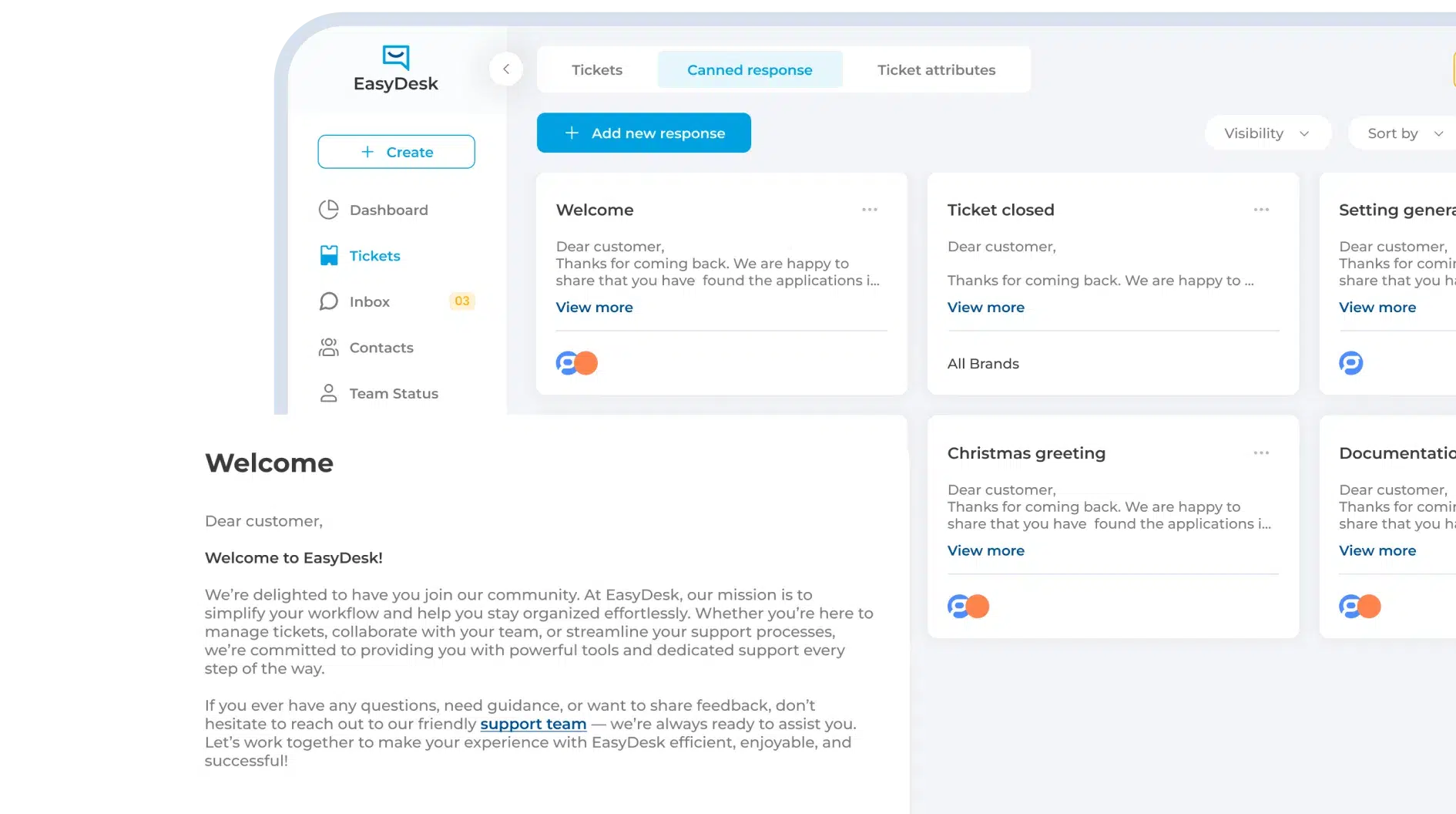
Saved Canned Responses
Agents store ready-made replies for common customer questions. One click inserts the response into conversations, saving time and keeping answers consistent across the support team.

Organized Knowledge Articles
EasyDesk provides a structured customer support knowledge base where teams publish guides, FAQs, and tutorials that help customers solve problems independently.

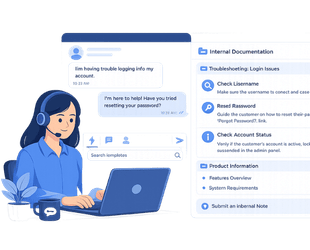
Internal Knowledge Base
Support teams maintain internal documentation inside EasyDesk. Agents quickly search troubleshooting steps, product details, and internal processes during live customer conversations.

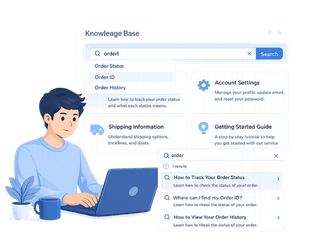
Quick Knowledge Search
Agents find answers instantly using powerful search. Relevant help articles and saved responses appear quickly, allowing teams to respond without leaving the support dashboard.

Centralized Knowledge Management
EasyDesk works as knowledge management software where teams organize documentation, update articles easily, and maintain accurate information for both customers and support agents.

Self-Service Customer Help
Customers access help articles through the knowledge base before contacting support. Self-service options reduce incoming tickets and allow agents to focus on complex issues.
Faster Support With Organized Knowledge And Saved Replies
Support teams move faster when answers stay organized and easy to access. EasyDesk combines knowledge base software and canned responses to simplify support operations.
60%
Faster Responses

Faster Customer Reply Time
Saved responses and knowledge articles help agents answer questions quickly. Teams avoid rewriting the same explanations and deliver faster, more consistent support replies.
100%
CLEAR OWNERSHIP

Defined Ticket Responsibility
Agents clearly understand who handles each issue. Shared knowledge resources and saved replies help teams respond confidently without confusion during customer conversations.
24/7
Knowledge Access

Reliable Customer Self-Service
Customers access helpful guides anytime through the customer support knowledge base. Clear documentation helps users solve problems without waiting for agent assistance.
50%
Less Repetitive Work

Reduced Response Rewriting
Canned responses eliminate repetitive typing. Agents reuse prepared replies for common issues, allowing support teams to focus more on solving complex customer problems.
Real-Time
Knowledge Access

Instant Information Search
Agents quickly find help articles and internal documentation during conversations. Fast search keeps customer support smooth without switching between multiple tools or documents.
Scalable
SUPPORT OPERATIONS
Consistent Support At Scale
As ticket volume grows, structured knowledge and saved responses keep answers consistent. Teams maintain quality support without increasing workload or operational complexity.
Intelligent Workflow Features That Reduce Support Delays
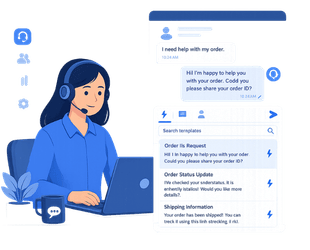
Saved Responses
Support agents often handle repeated questions about product features, billing, or account setup. Canned responses allow teams to send prepared replies instantly instead of typing the same message repeatedly.
Customer Knowledge Base Articles
A structured customer support knowledge base allows businesses to publish guides, tutorials, and FAQs. Customers can quickly find answers and solve common issues without waiting for support agents.
Internal Knowledge Documentation
EasyDesk also supports internal knowledge base software for teams. Agents access troubleshooting steps, product details, and internal processes during conversations to provide accurate customer solutions.
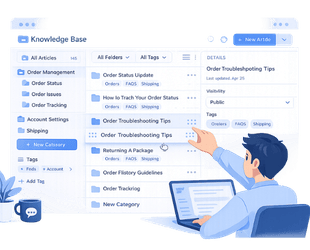
Organized Knowledge Management
All documentation stays organized inside one knowledge management software system. Teams update articles, structure categories, and maintain reliable information for both customers and internal support teams.
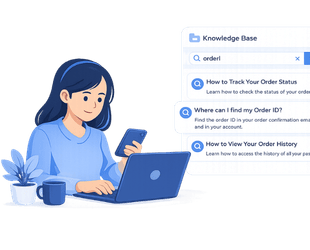
Self-Service Customer Help
Many customers prefer solving problems on their own. Clear help articles inside the knowledge base reduce ticket volume and allow agents to focus on complex support requests.
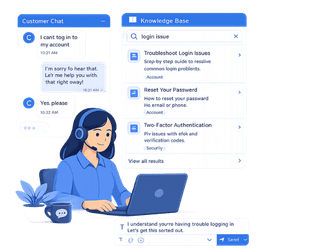
Real-Time Knowledge Access
Agents quickly search help articles and saved replies during conversations. Fast knowledge access keeps support efficient and ensures customers receive helpful responses without delays.
Simple Support Workflow From Question To Solution
Question Answered Instantly
Customers find answers through the knowledge base before contacting support. Clear articles and guides help users resolve common issues quickly without waiting for an agent.
Agents Use Saved Responses
When a ticket arrives, agents insert canned responses for common questions. Ready-made replies help teams answer faster while keeping every response consistent.
Knowledge Search During Conversations
Agents quickly search the internal knowledge base during customer conversations. Helpful documentation and troubleshooting steps appear instantly when support teams need accurate information.
Knowledge Updated And Stored
After solving issues, teams update knowledge articles and responses. Organized documentation ensures future customers and agents can access the same helpful solutions easily.

Impact Of Knowledge Automation For Support Teams
Support Teams
Knowledge base software and canned responses remove repetitive reply writing. Agents answer questions faster, maintain consistent responses, and focus more on resolving complex customer issues.
Support Managers
Centralized knowledge management software gives managers clear visibility into documentation and support patterns. Teams identify knowledge gaps faster and maintain accurate help resources.
Customer Success Teams
A strong customer support knowledge base helps teams guide customers with helpful documentation. Clear resources improve onboarding experiences and reduce repeated product questions.
Operations Leaders
Structured knowledge systems improve support efficiency and scalability. Organized documentation and reusable responses help teams maintain consistent service quality as customer demand grows.
Reliable Knowledge System For Support Teams
- Support teams access knowledge through organized article categories
- Agents use saved responses with consistent message templates
- Knowledge articles stay updated and are easy to maintain
- Support documentation remains searchable across the platform
- Managers review knowledge gaps without manual analysis

Transform Support Operations With EasyDesk
Bring clarity and speed to your support operations with EasyDesk. Knowledge base software and canned responses help teams answer questions faster while keeping information organized. EasyDesk allows agents to reuse replies, access helpful documentation, and maintain consistent responses across every customer conversation.
Frequently Asked Questions
What Is Knowledge Base Software?
Knowledge base software stores help articles, guides, and FAQs in one searchable place. EasyDesk allows teams to create a structured customer support knowledge base where users quickly find answers without contacting support.
How Do Canned Responses Help Support Teams?
Canned responses allow agents to send prepared replies for common questions. EasyDesk lets teams insert saved responses instantly, helping agents respond faster while keeping customer communication consistent.
Why Do Businesses Use Internal Knowledge Base Software?
Internal knowledge base software helps teams store documentation, troubleshooting steps, and product information. EasyDesk gives agents quick access to internal resources so they can resolve customer issues more efficiently.
What Makes A Good Knowledge Management System?
A strong knowledge management system organizes information clearly and keeps it searchable. EasyDesk helps teams manage articles, update documentation easily, and maintain accurate support knowledge.
How Does A Customer Support Knowledge Base Reduce Tickets?
Customers often prefer solving problems themselves. EasyDesk provides a customer support knowledge base where users can read guides and FAQs, reducing repetitive questions and lowering ticket volume.