Since 2023, support and operations teams have moved beyond static FAQs and disconnected help centers. Modern AI systems can now connect documentation, policies, support tickets, product data, and internal documentation into one searchable layer that helps customers, employees, and partners get faster answers. An AI-powered knowledge base is especially useful for companies with 20 to 500 employees, where repetitive questions, slow onboarding, and scattered company knowledge start to create real costs.
Instead of asking senior teammates, searching old emails, or waiting for a human agent, users can ask questions in plain language and receive accurate responses with source references. This guide explains what an AI knowledge base is, which features matter, how to implement one in 60 to 90 days, and how to manage data security, governance, feedback, and long-term improvement.
What Is An AI Knowledge Base
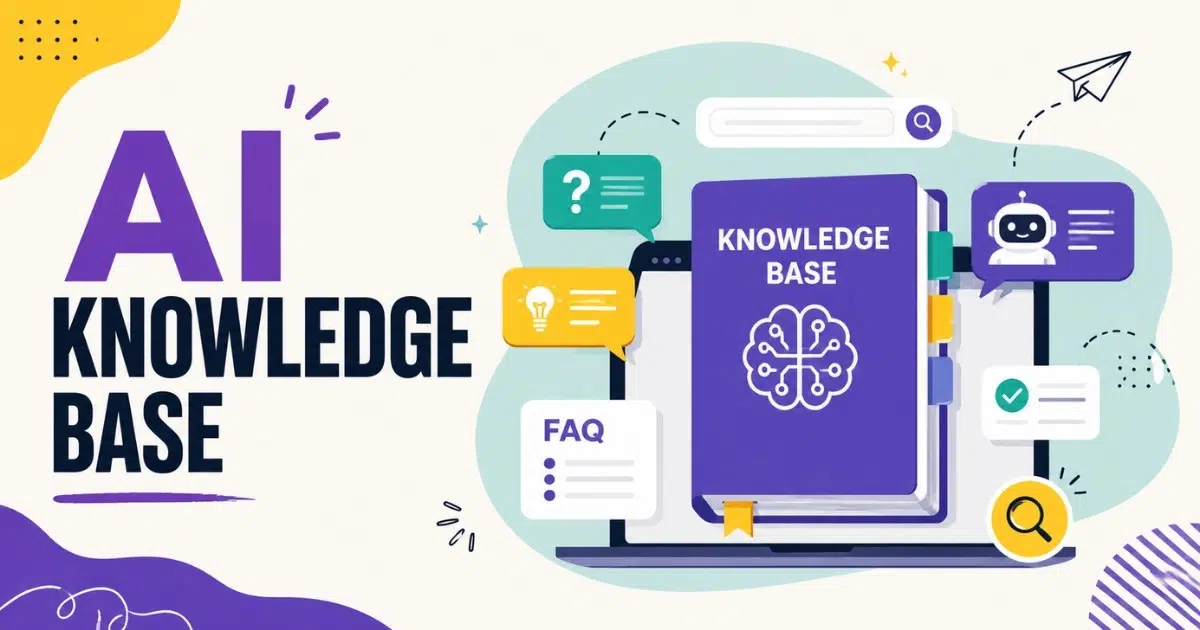
An AI knowledge base is a centralized, machine-readable repository of information that AI agents and humans can query in natural language for fast, accurate responses. It acts as an intelligent brain that retrieves information in real-time from approved knowledge sources, then turns that information into conversational answers users can understand.
Unlike a traditional knowledge base, which often depends on manual browsing and keyword matching, an AI knowledge base uses natural language processing and machine learning to understand what a user means. Semantic search and contextual search help the system find a relevant answer even when the user does not use the same words as the article title. AI can retrieve data based on conceptual similarity using vector databases, which is why a question like “Why did my bill go up?” can match content about “plan changes,” “overage fees,” or “billing adjustments.”
AI knowledge bases can process structured and unstructured content. Structured knowledge bases contain predefined formats like FAQs and manuals. Unstructured knowledge bases include raw data like support tickets and emails. Automated knowledge bases generate content using AI algorithms, while semantic knowledge bases use context to improve search accuracy. Predictive knowledge bases analyze trends to anticipate customer needs.
Features Of An AI-Powered Knowledge Base
Successful AI knowledge bases share a common structure: a clean content foundation, an AI search and reasoning layer, and governance controls around access and accuracy. The best systems do not simply add generative AI on top of messy files. They turn existing documentation into a structured repository that AI models can understand, and users can trust.
Content Foundation And Structure
A strong AI powered knowledge base starts with high-quality structured content. Building an effective AI knowledge base requires a structured and up-to-date repository, because poor source material leads to poor answers. Content should be grouped into clear collections such as product documentation, internal operations manuals, HR policies, customer FAQs, internal knowledge base articles, and troubleshooting guides.
Use tagging, chunking, and metadata to organize knowledge effectively. Tags can include product line, region, language, customer lifecycle stage, and article owner. Chunking breaks lengthy documents into smaller sections so AI search can find the most relevant answer instead of pulling a whole policy PDF.
A simple SaaS taxonomy may include:
Category | Typical Content |
|---|---|
Account And Billing | Invoices, plan changes, refunds, payment failures |
Security And Compliance | Access rules, audits, data requests, vendor reviews |
Product How To | Setup guides, feature instructions, integrations |
Troubleshooting | Known issues, fixes, escalation paths |
AI Search And Retrieval Layer
Modern AI search uses embeddings, semantic ranking, and retrieval augmented generation to match natural language questions with the right content. Intelligent retrieval uses NLP to understand the context of a question, not just the words inside it. For example, a customer asking “Why was my invoice higher in May 2026?” may need content about usage limits, subscription changes, tax rules, or billing cycles.
Keyword search still matters because it is precise when users know exact terms. Vector search is stronger when users describe a problem in their own words. A strong AI knowledge base solution combines both methods so search results are accurate, complete, and fast.
The retrieval layer should show citations or source links wherever possible. If an employee asks, “Show me the refund policy for EU customers,” the AI assistant should summarize the policy, link to the source document, and show the version or date used. This improves trust and helps with compliance because users can verify the relevant information.
Automation And Intelligent AI Features
AI features can streamline content management and creation processes. An AI writing agent can summarize long policy PDFs, draft new articles from chat transcripts, suggest related topics, and flag outdated articles based on usage patterns. AI knowledge bases can generate automated content based on user interactions, but drafts should still be reviewed before publication.
AI concierges and chatbots can instantly pull from product details and FAQs. An AI agent can also perform actions when connected to existing systems, such as opening a support ticket, updating CRM systems, or generating a step-by-step troubleshooting checklist for support agents.
A practical 2025 example is a new integration launch. Engineering uploads a technical spec, and the system creates a draft “New Integration Setup” guide with prerequisites, steps, screenshots, common errors, and escalation notes. A product or support owner then reviews it for accuracy and brand voice before it becomes available to customers or employees.
Analytics, Feedback, And Continuous Improvement
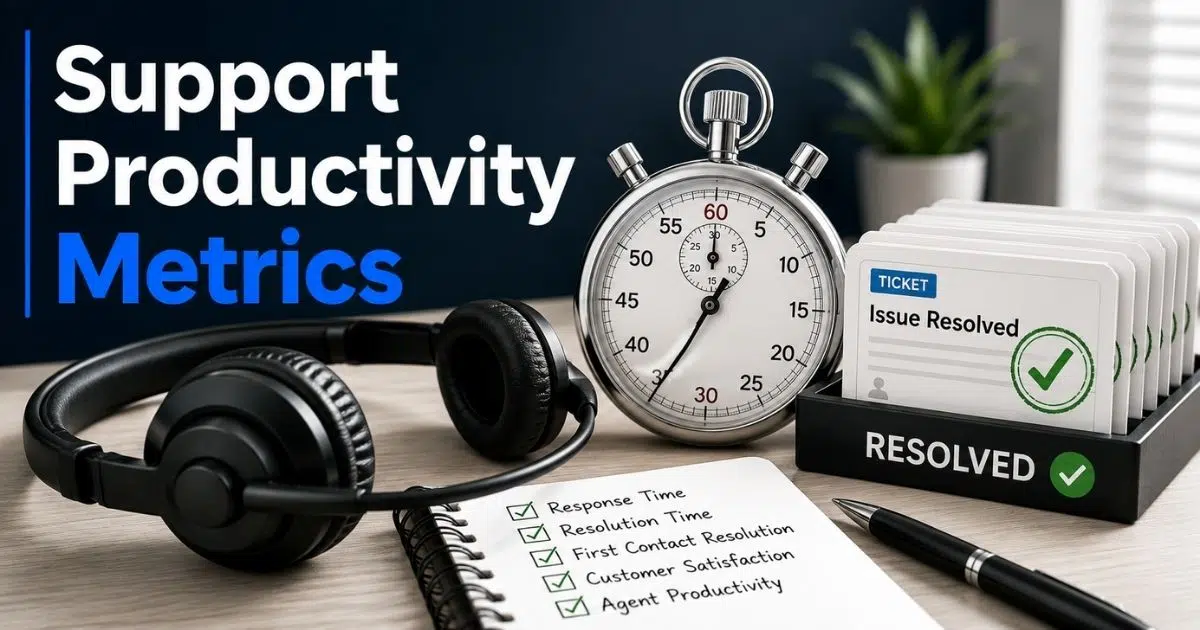
An AI knowledge base should track more than page views. Useful metrics include searches with no results, article views, self service resolution rate, escalation rate, average handle time, user satisfaction, and answer confidence. AI feedback loops capture user interactions to refine content and identify improvements.
Use simple prompts such as “Was this helpful?”, ratings, and comments to gather feedback inside articles and conversational interfaces. Analyzing bot chat logs helps to monitor AI interactions and identify content gaps. This is how teams identify gaps in pricing pages, onboarding flows, and product instructions before those gaps become larger support problems.
For example, if many searches in Q1 2026 mention a new pricing plan name but no dedicated article exists, the team has found a clear knowledge gap. The fix may be a new article, a better title, improved metadata, or updated prompts.
Integrations With Existing Systems
An AI knowledge base becomes more useful when it connects with existing systems. These may include ticketing platforms, CRM systems, project management tools, code repositories, cloud drives, and team collaboration apps. AI knowledge bases integrate with existing tools for seamless access, and integration enhances AI knowledge base performance and user experience.
AI knowledge bases can pull data from various sources dynamically. Slack connects documents from Google Drive, Asana, and GitHub, while Zendesk offers out-of-the-box connectors for multi-tool integrations. These examples show why connected apps matter: users get instant answers without manually opening five systems.
Secure integration is just as important as convenience. Using secure data integration mitigates the risk of hallucinations in AI systems because the AI assistant retrieves approved, current content instead of guessing. Role-based access controls must ensure finance, HR, legal, and private customer records are not exposed to public portals or unauthorized custom AI agents.
Business Benefits Of AI Knowledge Bases For Growing Teams
AI knowledge bases turn scattered information into measurable business outcomes. They help support teams respond faster, reduce operational costs by enabling self-service, and give leaders accurate, real-time data for better decisions. The impact grows when the system is connected to daily workflows and kept up to date.
Customer Experience And Accurate Responses
AI knowledge bases enable 24/7 customer self-service support through searchable help centers, chatbots, and self-service portals. Self-service portals enable customers to find answers without human agents, which lowers wait times and reduces repetitive support tickets.
For common questions like password resets, order status, or basic billing, first response times can drop from several hours to under one minute. Modern customer support software can improve response time by 3X in these scenarios. AI knowledge bases improve customer satisfaction through faster responses, and AI knowledge bases improve response accuracy by providing consistent information across email, chat, and in-app widgets.
Because the system pulls from one approved knowledge base, customers receive consistent answers instead of different replies from different support agents. Localized content and language detection can also help international customers receive personalized answers in their own language.
Employee Productivity And Onboarding
AI tools layered on top of an internal knowledge base help employees find answers without interrupting senior teammates. AI knowledge bases help staff locate internal HR policies or IT support guides, and internal AI assistants can draft email replies, talk tracks, or troubleshooting steps based on approved company knowledge.
Research from workplace AI deployments suggests that teams using AI knowledge bases save 100 minutes weekly on tasks. For a support agent hired in early 2026, internal AI search and guided flows could reduce onboarding time from eight weeks to four weeks by making policies, product details, and escalation paths easier to find.
This reduces context switching. Employees can ask questions inside workflow tools, receive a relevant answer, and open the underlying source without leaving their current task.
Leadership Insight And Decision Support
AI knowledge bases enhance decision-making with accurate, real-time data. They also enhance decision-making by providing real-time data access across customer interactions, support tickets, article usage, and user feedback.
Leaders can see which features, products, or policies create confusion. If repeated questions about one checkout step appear during Q4 2025, leadership can decide whether to redesign the flow, update onboarding, change help content, or adjust product messaging.
AI-driven summarization can also turn thousands of customer interactions into short weekly digests. These summaries help executives spot trends, risks, and recurring friction without relying only on anecdotal feedback.
Scalability, Cost Control, And Continuous Improvement
AI knowledge bases reduce operational costs by deflecting support tickets, and AI knowledge bases can reduce operational costs by minimizing support tickets as customer volume grows. A company that sees a 50 percent increase in ticket volume from 2024 to 2025 may avoid hiring at the same rate if self service deflection improves.
AI knowledge bases streamline content management by identifying knowledge gaps, and continuous improvement loops keep the system from decaying. The loop is simple: track user interactions, gather feedback, update content, review search results, and improve AI agent behavior.
These benefits compound over time. As more relevant information is added and refined, AI agents become more reliable each quarter.
Step By Step Process To Implement An AI Knowledge Base
Most growing businesses can launch a first production-ready AI knowledge base in about 60 to 90 days. The timeline depends on content quality, integration complexity, and internal approvals, but a structured process keeps the project manageable.
Discovery And Goal Setting
Start with clear goals. AI knowledge bases require clear goals and high-quality documentation, so define whether the first use case is customer support self service, internal IT help, HR support, or sales enablement.
Set measurable targets such as 25 percent deflection of tier-one tickets within six months, a 30 percent reduction in average handle time, or a shorter onboarding path for new support agents. Include stakeholders from support, product, HR, IT, security, and operations.
Choose a narrow first scope, such as one product line, one region, or one high-volume category like billing. Document success criteria, risks, dependencies, owners, and the executive sponsor in a shared project brief.
Content Audit And Preparation
Gather and preprocess data from existing documents and interactions. Pull content from Google Drive, SharePoint, spreadsheets, help centers, legacy wikis, support tickets, customer emails, and internal notes.
Then clean the material. Remove duplicates, combine overlapping articles, and mark old documents as deprecated with explicit dates such as “retired as of March 2025.” Add clear titles, owner names, last-updated fields, and version control so both humans and AI models know what is current.
Prioritize the top 100 to 300 articles or procedures that match the most common customer and employee questions. The long tail can wait until the core knowledge base software is trusted.
Platform Selection And Technical Architecture
Evaluate each AI knowledge base platform based on natural language processing quality, semantic search, analytics, integrations, access controls, data security, and pricing. Also review software features such as workflow automation, feedback capture, article management, and a user friendly interface.
Involve IT and security early. They should assess data residency, encryption, audit logs, access controls, and compliance needs such as SOC 2 or GDPR. The GDPR guidance from the European Commission is a helpful starting point for companies handling EU data.
You can choose a managed SaaS platform or assemble separate components such as a vector database, LLM API, and custom UI. A managed option is usually easier for 20 to 500 employee companies because it reduces engineering overhead and speeds up launch.
Implementation, Integration, And Training Of AI Agents
Implementation includes importing cleaned content, configuring categories, setting metadata, building search indexes, and enabling document-level permissions. AI knowledge bases use natural language processing for understanding queries, but they still need well-organized source content to perform well.
Connect the knowledge base with help desks, CRM systems, cloud drives, and collaboration tools. This allows AI agents to read approved context from past user interactions and support history when permitted by privacy rules.
Define agent behavior clearly. Prompts should cover tone, escalation rules, and boundaries. The AI assistant should not fabricate policy details, promise refunds beyond policy, or make billing changes without confirmation. Low-confidence or high-risk queries should route to a human agent.
Launch, Training, And Ongoing Optimization
Launch in phases. Start with internal users, then expand to website chat, in-app widgets, and customer-facing self service once quality is stable. Explain what the AI assistant can and cannot do on day one.
Train employees with short, task-focused sessions. Show support teams how to ask better questions, rate answers, flag issues, and request new content. During the first eight weeks, review unresolved queries, negative feedback, and escalations weekly. After that, move to a monthly review cycle.
AI knowledge bases should be continuously updated for accuracy. Best practices for AI knowledge bases include continuous updates and logical data structure, not a one-time content migration.
Best Practices, Data Security, And Governance For AI Knowledge Bases
As AI knowledge becomes central to operations, governance and data security must be built in from the start. Without clear ownership, privacy rules, and review habits, even a powerful AI knowledge base solution can produce unreliable outputs.
Content Governance And Ownership
Assign owners for each major content area, such as Finance, HR, Product, Support, and Security. Each owner should review assigned articles on a defined schedule. High-risk content like refunds, SLAs, and security procedures may need quarterly review, while lower-risk content may be reviewed twice a year.
Document editorial standards for tone, formatting, screenshots, article length, and change logs. Version control matters because a new version of a policy may create confusion if old guidance remains searchable.
Keep content up to date with automatic reminders and clear ownership. The system should always prefer approved current content over outdated copies.
Access Control, Privacy, And Data Security
Role-based access control protects sensitive content such as salaries, legal documents, private customer data, and internal security procedures. Access controls should apply across portals, chatbots, APIs, and connected apps.
Use encryption in transit and at rest. Region-specific storage may be needed for EU or UK customers. Audit logs should record which users and AI agents accessed particular documents, which source was used, and when the interaction occurred.
Privacy safeguards should include redacting personally identifiable information from training data where possible and setting retention rules for chat logs. A simple internal policy can state: “Public product documentation may be used with approved external AI model providers, but customer contracts, salary data, and regulated personal data must remain inside the company environment.”
Responsible AI Usage And Guardrails
Guardrails stop AI tools from making commitments they cannot fulfill. For example, an AI assistant should not promise a refund beyond policy, give legal advice, or interpret a medical or financial regulation unless a qualified person approves the answer.
Use system prompts, rule-based checks, confidence thresholds, and fallback flows. If the answer touches contracts, SLAs, or data security, the AI must quote the exact policy text and link to the source document.
Review AI agent transcripts regularly. This helps confirm that responses stay aligned with company policies, customer expectations, and changing regulations.
Feedback Management And Continuous Improvement
Implement feedback loops to improve AI knowledge base performance. Capture ratings, comments, and follow-up questions from both customers and employees.
Set clear service levels. For example, investigate every one-star rated answer within two business days, then update the article, adjust metadata, or refine the prompt if needed. Frequent rephrasing of the same question is also a signal that article titles, tagging, or search ranking need attention.
A monthly cross-functional review group can keep improvement moving. Support, product, legal, HR, and operations should review feedback data together and agree on the next set of updates.
Success Metrics And ROI
Track ticket deflection rate, average handle time, first contact resolution, customer satisfaction, employee satisfaction, article adoption, and onboarding speed. AI knowledge bases can reduce operational costs by deflecting support tickets, but the ROI is strongest when leaders measure both cost savings and quality gains.
A simple ROI model compares licensing and maintenance costs against reduced support hours, fewer escalations, faster onboarding, and less time spent searching for internal knowledge. For example, if support volume grows but self-service handles common issues, the company can protect service quality without increasing headcount at the same pace.
Revisit goals at least twice a year. As adoption spreads, targets should evolve from basic ticket deflection to better decision-making, stronger knowledge management, and safer reuse of company knowledge.
How EasyDesk Supports AI Knowledge Base Success
EasyDesk is built for growing businesses that want an integrated AI knowledge base, AI powered search, and practical AI agents without unnecessary complexity. As a comprehensive customer support platform, it helps support teams bring essential customer support workflows into one organized platform, including ticket management, automated workflows, canned responses, multi-channel support, feedback tracking, live chat, and a built-in knowledge base.
EasyDesk unifies content from email, ticketing activity, customer conversations, and cloud-based documentation into a secure knowledge hub. This secure, transparent customer support approach gives teams a clearer view of support activity and helps agents provide accurate and up-to-date product information while keeping work organized. Strong data security controls, role-based access, and structured workflows help teams protect sensitive information while improving response speed.
For implementation, EasyDesk supports guided setup, out-of-the-box analytics dashboards, and low-code configuration. That means teams without dedicated developers can organize content, configure AI assistant behavior, review article performance, and gather feedback from real support interactions using knowledge base software best practices. Predictable pricing helps small and mid-sized companies plan confidently, while specialist support can help refine content governance and continuous improvement workflows over time.
The result is a simpler way to connect knowledge base management, support operations, and customer satisfaction in one place. As the business grows, EasyDesk can help teams deliver faster responses, reduce missed tickets, improve team collaboration, and keep customer support easier to manage, much like a smart ticketing tool that helps small teams keep up.
FAQs
How Long Does It Typically Take To Launch An AI Knowledge Base
A limited pilot can often launch in about four weeks if the content is clean and the scope is narrow. A fully integrated deployment across help centers, chat widgets, ticketing systems, and internal portals usually takes 8 to 12 weeks. Content quality, integration complexity, security review, and legal approvals are the biggest timing factors.
Can We Reuse Our Existing Help Center And Document Library
Yes. Most modern platforms can ingest PDFs, HTML articles, document folders, legacy help content, and existing documentation. A cleanup pass is still important. Outdated screenshots, conflicting policy versions, broken links, and duplicate articles should be fixed before or during migration so the AI can return the most relevant answer.
How Much Internal Expertise Do We Need To Maintain The System
You do not need in-house data scientists for most AI knowledge base projects. You do need clear content owners, one technical contact for integrations and permissions, and a sponsor who can keep governance on track. Existing support, product, HR, and operations staff can usually share article updates, analytics reviews, and feedback management.
What Happens If The AI Gives A Wrong Or Incomplete Answer
A well-designed system logs every interaction, shows which sources were used, and lets users flag problems. Admins can then correct the underlying content, improve tagging, adjust prompts, or change escalation rules. Low-confidence answers and high-risk topics should route to human agents until the system is mature enough to handle them safely.
How Do AI Knowledge Bases Affect Regulatory Compliance And Audits
When configured properly, AI knowledge bases can simplify audits by centralizing records, maintaining policy versions, and logging access over time. The key is to align retention policies, access controls, data residency, and privacy safeguards with existing compliance obligations before launch, especially in regulated industries.