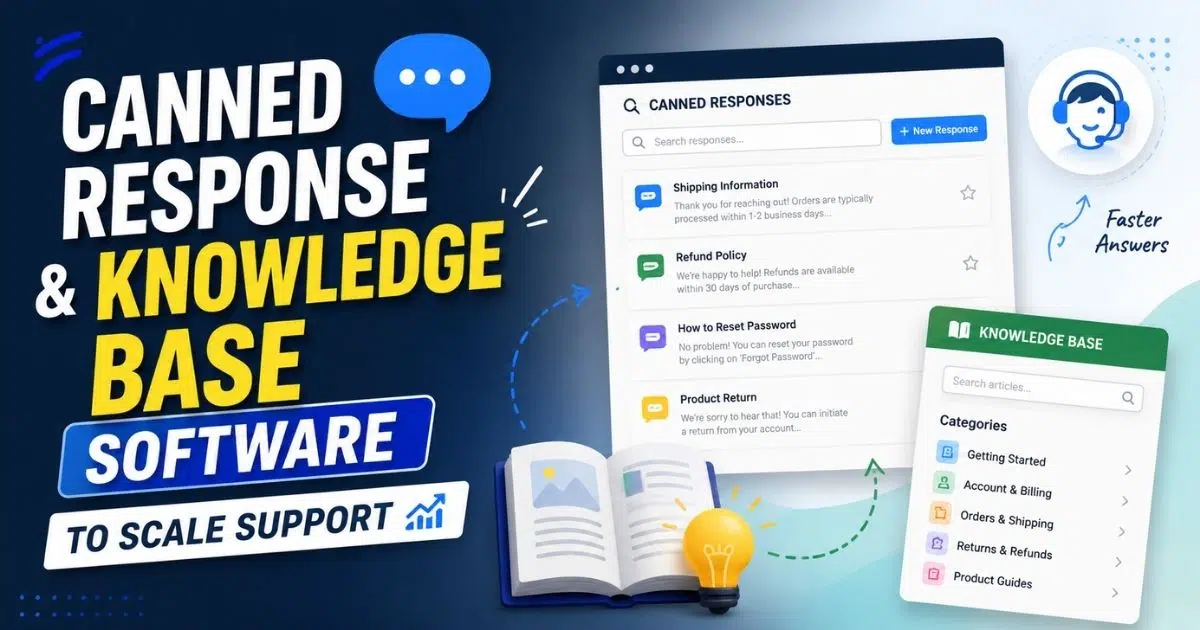
Support teams today face more pressure than ever as customer expectations rise and ticket volumes grow. Businesses need faster, more accurate ways to deliver answers without overwhelming their agents. That is where canned responses and knowledge base software step in. These tools help support teams reduce repetitive questions, maintain consistent messaging, and give customers an easy way to find the information they need on their own. When a well-structured knowledge base works alongside ready-to-use canned replies, support teams handle more queries in less time while keeping quality high. This combination improves customer experience and strengthens operational efficiency, allowing companies to scale support smoothly as their customer base grows.
What Is Knowledge Base Software
A knowledge base software is a centralized system that allows companies to create, organize, and deliver structured information that helps customers find accurate answers quickly. A well-built knowledge base provides searchable guides, tutorials, and troubleshooting content that improve customer experience by reducing dependency on support agents. When customers can locate reliable information on their own, they resolve issues faster and avoid unnecessary support interactions. This not only empowers customers but also reduces operational pressure on support teams. A comprehensive knowledge base ensures users have access to consistent and easy-to-understand information at any time, making it a core component for businesses that aim to deliver seamless self-service experiences.
Benefits Of Self-Service Support For Growing Support Teams

A well-designed self service system allows growing teams to manage rising ticket volumes without sacrificing quality. Customers find accurate answers faster while support teams focus on complex work that truly requires human attention.
Self Service Reduces Repetitive Work
Repetitive questions often drain time and energy from growing support environments. With clear instructions available upfront, fewer inquiries reach the queue, giving agents more space to focus on meaningful issues. Ticket patterns become easier to manage once basic questions stop overwhelming the workflow. The overall environment stabilizes because fewer distractions interrupt an agent's rhythm. As a result, the team maintains better control during busy periods.
Knowledge sharing becomes more effective when common solutions are documented and easily accessible. Customer self-service reduces dependency on agents for routine requests, while customer-facing knowledge bases help close knowledge gaps before they generate additional support tickets.
Self-Service Hub Creates A Central Source Of Answers
A central resource area brings clarity to the customer journey by placing essential guidance in one structured location. Users can navigate categories without guessing where information might be hidden. The streamlined layout encourages people to consult this hub before reaching out for help. Fewer steps lead to fewer frustrations, producing smoother interactions throughout the support system. This unified space becomes a dependable reference point for both customers and agents.
Modern knowledge base tools provide an intuitive interface that helps users locate information quickly. Features such as AI-powered search, version control, and up-to-date content ensure customers can access accurate guidance from a single trusted source.
Customers Solve Their Own Problems Confidently
Confidence grows when people know they have access to instructions they can trust. Clear steps make it possible for individuals to move through an issue without involving an agent. Independence strengthens the overall support experience because progress happens on the user's timeline. Reduced dependency on live help benefits support teams by lowering the flow of basic inquiries. Both sides gain efficiency as self-guided resolution becomes the preferred option.
Well-organized knowledge management tools help customers navigate solutions independently. AI-powered recommendations can simplify complex processes, while clear documentation reduces the steep learning curve often associated with new products, services, or workflows.
Customers Find Faster Answers Through Self-Service
Fast access to reliable information greatly improves the overall experience. Organized topics, intuitive layouts, and strong search tools help users reach correct solutions quickly. Eliminating wait times becomes a major advantage when dealing with time-sensitive issues. Support teams also benefit because fewer people wait in live channels for routine information. The improved pace enhances the perception of support quality across the entire customer base.
Advanced analytics and knowledge base usage reports help teams understand what customers search for most often. Extensive integration capabilities with other tools allow information to surface quickly, reducing search time and improving overall support experiences.
Self-Service Improves Efficiency Across Support Teams
Efficiency rises when teams no longer carry the weight of unnecessary ticket volume. Well-prepared articles handle common questions that previously demanded agent involvement. Agents gain more time for high-priority tasks once repetitive requests decline. Operational stability increases as workflows become easier to manage. The organization experiences a smoother growth path because the team is no longer stretched thin by predictable inquiries.
Customer service teams benefit when collaboration tools and centralized documentation reduce duplicate work. Support operations become more scalable because agents spend less time answering repetitive questions and more time handling strategic or complex requests.
Self-Service Helps Increase Customer Satisfaction
Positive experiences develop naturally when answers are easy to access and simple to follow. Immediate resolutions reduce frustration and encourage ongoing trust in the support process. People feel more confident using a product when they know help is available without delays. Support teams encounter fewer escalations because initial issues are resolved before frustration builds. Strong self-service resources play a major role in sustaining long-term satisfaction and maintaining loyalty.
A well-managed knowledge base supported by continuous knowledge sharing strengthens every customer interaction. Regular updates, improved content quality, and easy access to trusted information help organizations deliver a more reliable and satisfying support experience.
Role Of Knowledge Base Software In Reducing Repetitive Tickets
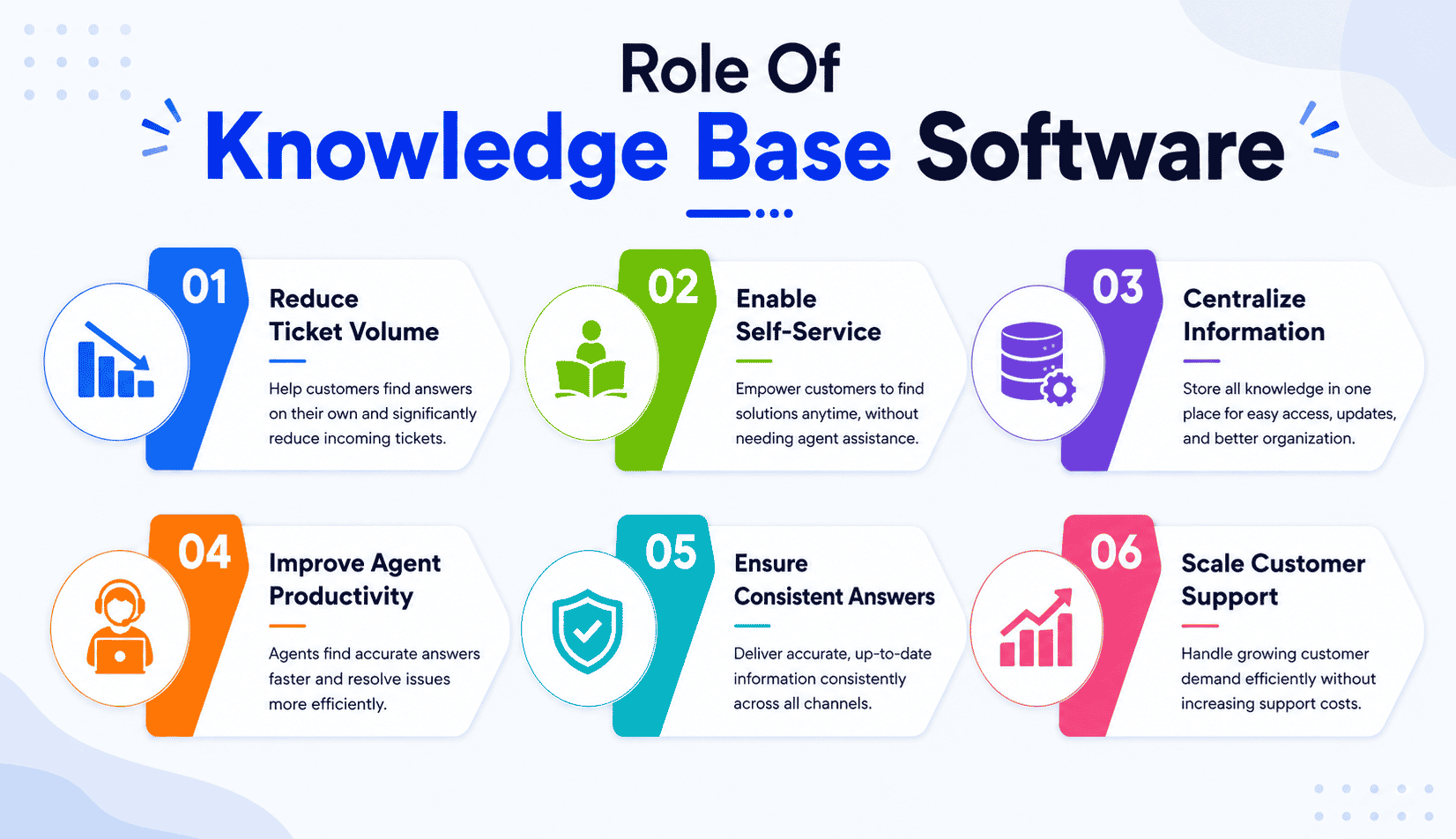
A structured knowledge base reduces repetitive inquiries by giving people direct access to proven solutions. Clear information lowers the overall ticket volume as users find answers on their own without overwhelming support teams or slowing internal workflows.
Impact Of Clear Information On Support Tickets
Repetitive support tickets often appear when users cannot identify reliable information quickly. A well-organized knowledge base provides straightforward guidance that prevents unnecessary submissions. Users gain clarity from step-by-step articles that address the most common concerns. This approach keeps queues manageable and ensures teams work on issues that genuinely require human expertise. The overall environment becomes more predictable as fewer inquiries revolve around simple, recurring topics.
A reliable knowledge base solution supports users with accurate answers before they contact support. Strong knowledge base management practices keep content relevant, while technical documentation helps eliminate uncertainty and reduces the number of preventable support requests.
Reduction Of Duplicate Queries Around The Same Question
Duplicate queries continue to drain support capacity when customers repeatedly ask the same question in different formats. Precise articles eliminate this loop by addressing these topics in a single, accessible place. Each piece of content acts as a standardized answer that removes confusion and prevents repeated contacts. Over time, the number of duplicate queries decreases significantly because users no longer rely solely on agent responses. This shift creates clearer communication patterns and helps teams manage workloads effectively.
An online knowledge base acts as a central knowledge platform where users can access consistent answers. Effective content creation reduces repetitive questions and ensures that the same issue does not generate multiple tickets across different channels.
Effect Of A Strong Knowledge Base On Fewer Calls
Call volume drops noticeably when customers trust written guidance instead of turning to phone support. A detailed knowledge base gives them the confidence to troubleshoot independently without requesting verbal assistance. Reduced pressure on voice channels creates breathing room for agents who must focus on urgent or sensitive matters. Teams gain more control over their schedules as fewer calls interrupt productive routines. A more balanced distribution of traffic improves the quality of every remaining conversation.
The best knowledge base software helps users learn at their own pace through structured guidance and rich media support. Customers become more comfortable resolving common issues independently, reducing pressure on phone-based support channels.
Influence Of Searchable Content On Ticket Volume
Searchable content plays a major role in lowering ticket volume because users reach answers without opening a ticket. Strong search functionality leads people directly to relevant instructions that resolve their issues quickly. Immediate access to accurate information creates positive momentum within the support process. As more people rely on the search function, fewer inquiries move into live channels. The overall operational rhythm becomes smoother and more consistent across the team.
Modern knowledge base tools improve discoverability through advanced search capabilities and seamless integration with existing workflows. Users can locate relevant information faster, reducing the likelihood of creating tickets for issues that already have documented solutions.
Importance Of Helping Users Find Answers Independently
Independent problem-solving becomes easier when the knowledge base contains complete, easy-to-follow explanations. Every helpful article reduces the chance of a customer submitting a new request for basic information. This independent resolution process saves time for both the user and the support team. More customers discover that they can progress without waiting for a reply, which leads to faster satisfaction. The improved workflow supports long-term scalability as user confidence continues to grow.
Knowledge base tools empower users to navigate both simple requests and complex support scenarios without direct assistance. Faster access to trusted information improves confidence while allowing support resources to focus on higher-value customer interactions.
Role Of Knowledge Bases In Call Centers
Call centers benefit significantly from a well-maintained knowledge base and multi-channel support software because agents rely on it to deliver consistent and accurate responses. Fast access to verified information reduces mistakes and shortens call durations. Structured content also enables agents to provide clear guidance without escalating routine cases. Customers receive better service while the center operates with higher efficiency. As reliance on documented solutions increases, the entire operation handles larger volumes with greater stability and reduced friction.
Enterprise support teams benefit from centralized knowledge resources that integrate with Slack and Microsoft Teams, creating an all in one workspace for information access. Better documentation supports consistent service delivery and improves operational efficiency across the organization.
How Canned Responses Accelerate Support Speed And Consistency
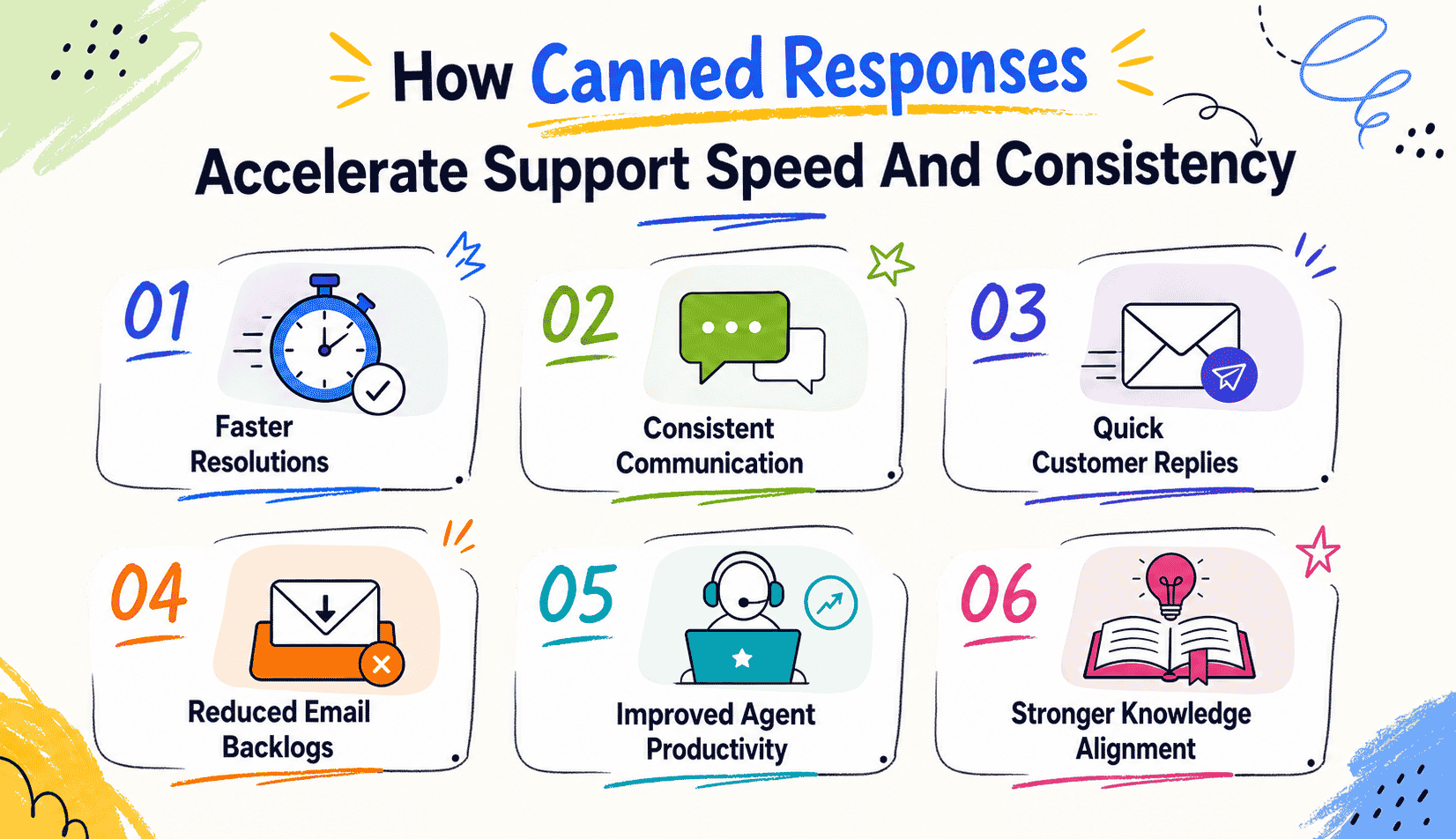
Canned responses give support teams a faster and more reliable way to handle recurring questions. With accurate phrases ready to use, agents deliver quick answers and maintain consistent communication across all customer interactions.
Faster Resolutions With Canned Responses
Canned responses allow agents to respond instantly to common inquiries without retyping similar messages. This approach shortens reply time and reduces unnecessary delays. Teams move through larger queues with ease because the responses are already structured and ready to send. Speed becomes a standard part of the workflow, improving overall service quality. A more efficient environment also allows agents to focus on complex matters that truly require time and attention.
Support reps save valuable time when approved responses are available in just a few clicks. As multiple team members use the same response library, service quality remains consistent while team collaboration improves across daily support operations.
Clear Guidance With Canned Response Examples
Canned response examples give agents a reliable reference for tone, clarity, and structure. These examples make it easier for new team members to understand what an effective message looks like in real scenarios. Clear examples help prevent confusion and keep communication consistent. As agents follow proven templates, the entire support process becomes smoother. This foundation also cuts down on training time and improves internal confidence.
Examples become even more valuable when connected to external knowledge bases and internal documentation. Employees spend less time searching for information because approved messaging already reflects the organization's most accurate and current guidance.
Contribution To Consistent Support
Standardized canned responses ensure every customer receives the same accurate information, regardless of who handles the conversation. Consistency reduces misunderstandings and eliminates conflicting answers. When communication feels steady and reliable, users trust the support experience more. Consistent messaging also reduces escalation rates because customers receive clarity early in the process. Teams operate with better alignment and fewer discrepancies.
Consistency becomes easier to maintain across multiple channels such as email, chat, and customer portals. Organizations with unlimited users can scale support operations while preserving the same communication standards across all customer touchpoints.
Quick Answers For Common Questions
Quick answers become achievable when agents can send a ready-made message with a single click. These responses prevent long pauses and ensure customers receive information at the exact moment they need it. Immediate replies reduce frustration and keep the conversation moving forward. The saved time can then be redirected toward complex inquiries that require detailed analysis. This balance creates smoother communication and better overall outcomes.
AI tools and AI powered enterprise search can further enhance response speed by helping agents locate the most relevant templates instantly. Faster access to information improves productivity and reduces response delays during busy periods.
Reduction Of Back-And-Forth Emails
Long email threads often happen when initial responses lack detail or clarity. Canned responses address this by providing complete, accurate information from the start. Customers receive everything they need without requesting additional explanations. Shorter conversations reduce inbox clutter and allow agents to handle more tickets. The overall communication flow becomes more efficient for both sides.
Organizations can also align canned responses with their existing tech stack to create a seamless workflow. Better communication from the first interaction reduces repeated questions and minimizes unnecessary follow-up messages.
Stronger Knowledge Management Alignment
Knowledge management becomes more effective when canned responses reflect verified information from the organization's internal resources. Each message stays aligned with the latest updates and brand guidelines. Teams rely on responses that deliver accurate knowledge every time. This alignment ensures improvements are easily applied across all communication channels. A unified knowledge foundation supports long-term service quality and operational stability.
The absolute best knowledge strategies connect canned responses with a seo friendly knowledge base, dedicated support resources, and custom pricing information where relevant. This approach ensures customers always receive reliable answers backed by trusted organizational knowledge.
Difference Between Internal And Public Knowledge Bases
A clear distinction between internal and public knowledge bases helps organizations organize information for the right audiences. Each type serves a different purpose, supports different workflows, and protects sensitive content through structured access and intentional documentation.
| Criteria | Internal Knowledge Base | Public Knowledge Base |
|---|---|---|
| Primary Audience | Employees and internal teams | Customers, partners, and website visitors |
| Main Purpose | Support internal operations and workflows | Provide self-service support and product information |
| Content Examples | Employee handbooks, company policies, SOPs | FAQs, product guides, troubleshooting articles |
| Access Level | Restricted through access controls | Open or customer-facing access |
| Information Sensitivity | Contains confidential business information | Contains approved public information |
| Business Benefit | Improves collaboration and consistency | Reduces support tickets and improves customer experience |
Purpose Of An Internal Knowledge Base
An internal knowledge base focuses on information created specifically for employees and internal teams. The content supports day-to-day operations by offering clear instructions, internal notes, and private guidance that should not be shared publicly. Teams rely on this system to access accurate details without searching through scattered channels. By keeping internal processes documented in one place, organizations strengthen collaboration and reduce unnecessary confusion.
Structure Supported By Internal Documentation
Internal documentation gives employees a dependable reference point for essential tasks and procedures. Clear formats help staff understand responsibilities, tools, and recurring workflows without relying on verbal explanations. This type of documentation becomes especially valuable as teams grow and roles change. Consistency improves because everyone follows the same guidelines and instructions. Strong internal documentation ensures knowledge remains accessible even when personnel transitions occur.
Use Of Employee Handbooks For Team Alignment
Employee handbooks play an important role in internal systems by outlining expectations, standards, and organizational values. These handbooks answer common questions about culture, behavior, and internal processes. Staff members gain clarity about policies, workplace rules, and performance expectations without needing direct guidance from supervisors. When handbooks live inside a centralized knowledge base, teams can reference them at any time and stay aligned with company expectations.
Inclusion Of Company Policies In Internal Resources
Company policies require a secure location where employees can access reliable and updated information. Internal knowledge bases serve as the ideal space for policies covering compliance, security, workplace rules, and operational requirements. Clear visibility ensures employees always understand the correct procedures. Having these policies organized and easy to find reduces mistakes and improves internal accountability. Updated policies remain accessible without relying on manual distribution.
Role Of Access Controls In Separating Internal And Public Content
Access controls create the boundary between internal and public knowledge. Sensitive content remains visible only to authorized employees, while public information stays accessible to customers and external users. This separation protects confidential materials while still allowing public-facing articles to support common inquiries. Proper access controls ensure each group receives the right information without exposing internal details. The divide keeps communication clear and the organization's data secure.
Key Features To Look For In Knowledge Base Software
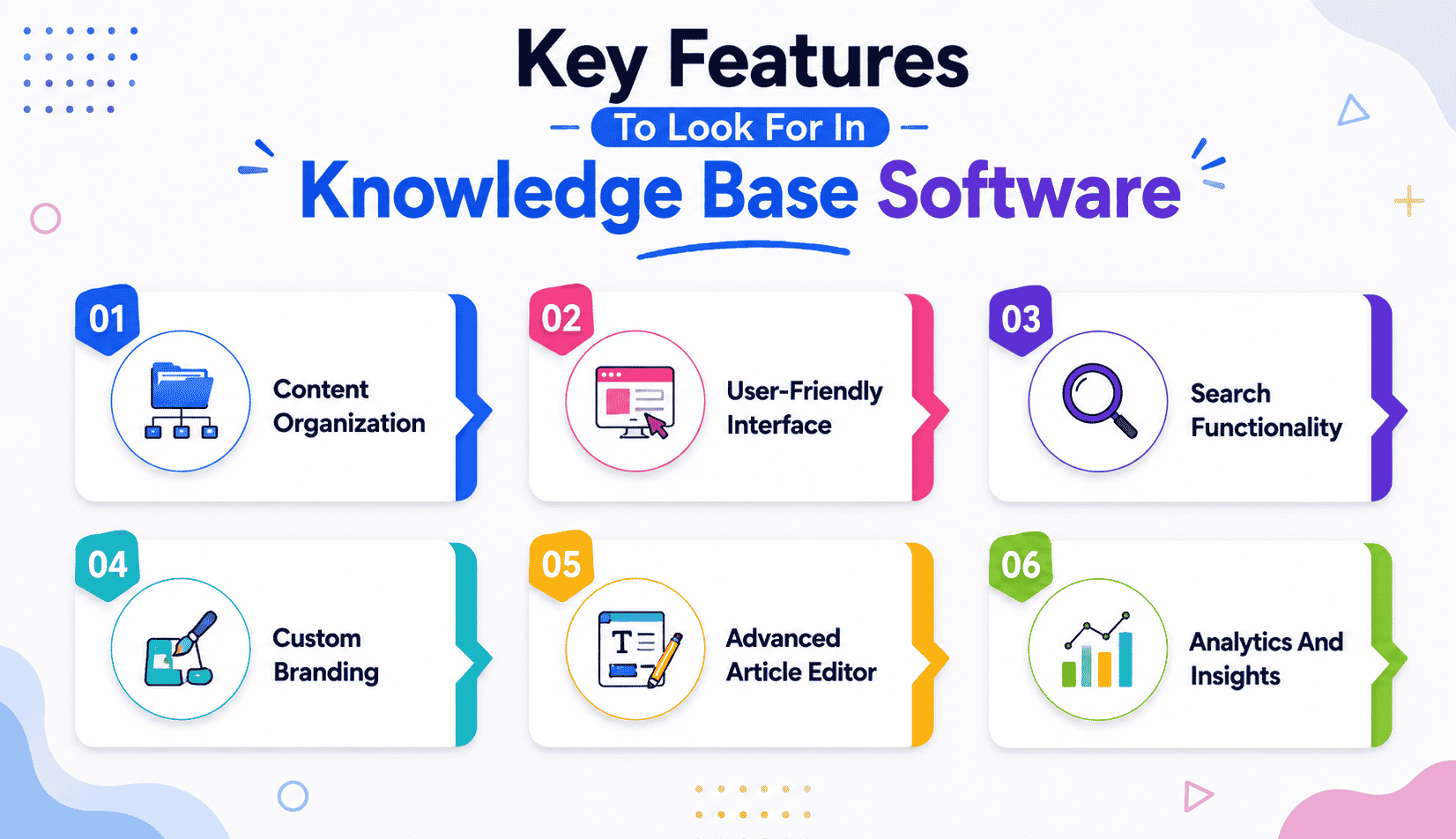
A strong knowledge base platform depends on essential features that help users access information quickly and allow teams to maintain content smoothly. The right knowledge base software must make navigation simple, updates easy, and answers instantly accessible.
Content Organization
A well-structured system makes it easier for teams to categorize articles, group related topics, and maintain a clear flow of information. Strong content organization prevents confusion and reduces the time users spend searching for guidance. When articles follow consistent headings, categories, and labels, people understand where to look and how to move from one topic to another. Good structure also supports long-term scalability because the library grows without becoming messy. Organized content becomes the foundation for offering relevant information that users can trust.
User-Friendly Interface
A user-friendly interface ensures visitors can navigate the knowledge base without feeling lost or overwhelmed. Clear menus, clean layouts, and straightforward labels help users reach the information they need without unnecessary steps. A simple interface encourages people to explore articles on their own instead of depending on support agents. This ease of use also benefits internal teams by reducing training time and minimizing mistakes when creating or editing content. When the interface feels natural, both customers and employees have a more productive experience.
Search Functionality
Search functionality determines how quickly users find answers in a growing library of articles. An effective search tool highlights the most relevant information based on keywords, phrases, or article titles. Fast, accurate search reduces ticket volume because users locate solutions independently instead of asking agents for help. Strong indexing, predictive suggestions, and filters improve the accuracy of every search result. When users consistently find what they need in seconds, the knowledge base becomes a reliable first stop for problem-solving, especially when paired with well-structured canned responses for faster replies.
Custom Branding
Custom branding helps the knowledge base align with the company's identity, making the experience feel familiar and trustworthy. Elements such as colors, fonts, logos, and layout styles help reinforce brand recognition. A branded knowledge base looks professional and enhances credibility because users feel they are interacting with an official company resource. This consistency creates a smoother transition between the product and the help center. Brands that invest in design also create a sense of quality and reliability throughout the support experience.
Access Controls
Access controls determine who can view, edit, or manage specific content inside the knowledge base. These controls protect internal materials while making public articles easily available to customers. Teams can choose which groups see certain documents, such as internal troubleshooting sheets or guides meant only for employees. Access restrictions also prevent accidental edits from unauthorized users. This feature ensures that sensitive information stays private while public-facing content remains accessible. Strong permission settings support both internal and external use cases.
Advanced Article Editor
A powerful article editor allows teams to create clear, organized, and visually helpful content. Editors should include formatting tools, multimedia support, code blocks, tables, and step-by-step layout options. These features help authors produce high-quality articles that are easy to understand. A good editor also reduces the time required to update information because changes can be made without technical skills. When teams work with a flexible editor, the output becomes more consistent and professional across the entire knowledge base.
Analytics And Insights
Analytics help teams understand which articles perform well, which pages users visit most, and where gaps exist in the content. By tracking search terms, view counts, and user behaviors, organizations learn what customers struggle with most often. These insights guide improvements and help teams update or expand articles based on real usage patterns. Data-driven decisions strengthen content depth, accuracy, and usefulness over time. Analytics also help measure the overall value of the system and ensure the right knowledge base software continues to evolve with user needs.
Best Practices For Building High-Quality Help Articles
High-quality help content ensures users find clear solutions without confusion. Strong knowledge base articles reduce the workload on support teams, improve customer understanding, and provide structured guidance that helps resolve a customer's issue quickly and confidently.
Write Clear And Structured Knowledge Base Articles
Effective knowledge base articles rely on clarity, structure, and consistency. Articles should start with a brief overview that explains the purpose of the guide, followed by clearly separated steps or sections. A predictable structure helps readers understand where to look and how to move through information easily. Headings, bullet points, and short paragraphs prevent the content from feeling overwhelming. Clear wording keeps readers focused on the solution rather than interpreting confusing descriptions. When structure remains consistent across the entire knowledge base, users navigate confidently and complete tasks without frustration.
Add Detailed Instructions For Every Step
Detailed instructions make the article valuable by removing guesswork from the user experience. Each step should explain exactly what the user needs to do and what they should expect after completing it. Screenshots, tables, and short examples can enhance clarity whenever a process seems unfamiliar. Specific wording prevents users from making mistakes or reaching dead ends. Action-oriented sentences help readers move through tasks with confidence. The more comprehensive the instructions, the easier it becomes for users to follow a solution from start to finish without seeking additional help.
Format Articles For Easy Reading
A strong format helps readers absorb information quickly. Short sentences, clean layouts, and clearly defined sections make content easier to navigate. Articles should avoid long blocks of text because users often scan pages instead of reading them fully. Formatting elements such as bold text, bullet lists, spacing, and numbered steps guide the reader's eyes to what matters most. Visual hierarchy improves comprehension and allows users to identify important details at a glance. When teams format articles consistently, the entire knowledge base becomes more user-friendly and efficient.
Add Troubleshooting Tips For Related Problems
Troubleshooting tips help readers address common variations of a customer's issue that may appear during the process. These tips anticipate alternative scenarios or minor challenges that could prevent someone from completing the instructions. Short explanations, example errors, and clear corrective steps make these sections especially useful. Troubleshooting guidance provides reassurance that the reader is still on the right path even if something unexpected appears. Adding these insights turns an article from a simple guide into a complete resource that supports users through multiple outcomes and strengthens your overall self-service customer support experience.
Ensure Every Page Contains Relevant Articles
Relevant articles should appear near the end of the guide to help users discover additional topics related to their question. These links support deeper learning by connecting the user to next steps, advanced features, or related processes. When readers see helpful links, they are less likely to open a new support ticket because they already know where to find more information. Relevance improves navigation and keeps users within the knowledge base longer. A well-connected system makes the entire content library feel cohesive and easy to explore.
Focus On The Customer's Issue, Not Internal Language
High-quality articles speak directly to the customer's issue instead of using internal terminology that readers may not recognize. The content should describe problems the way customers describe them, using familiar phrasing and real scenarios. Avoiding internal jargon keeps the information approachable and easier to apply. Articles become more relatable because they match the user's perspective. When teams write with empathy and clarity, they reduce confusion and ensure every guide feels genuinely helpful. A customer-focused writing style improves satisfaction and strengthens the effectiveness of the entire knowledge base.
How To Create A Unified Support Workflow With Knowledge Base And Canned Responses
A unified support workflow connects documentation, responses, and processes into one smooth system. When the knowledge base and canned replies work together, customer communications become faster, clearer, and more consistent across every support channel.
Centralizing Processes With A Ticketing System
A ticketing system brings all customer interactions into one organized space where agents track issues, assign priorities, and maintain complete histories. This central hub ensures that every message, article reference, and follow-up stays consistent. By routing conversations through one system, teams gain better visibility into what customers need most and which solutions work best. This structure also reduces confusion and prevents duplicated responses. A clear record of each interaction supports cleaner execution and stronger accountability across the support team.
Using Canned Response Templates For Faster Replies
Canned response templates help agents respond quickly to frequent questions without rewriting messages repeatedly. Each template provides a ready-to-use message that maintains accuracy and saves valuable time. Teams rely on these templates to deliver consistent explanations that match existing documentation. Structured responses also reduce errors because agents use approved wording instead of improvising under pressure. With templates available for recurring topics, overall communication becomes faster, more efficient, and more unified across the entire support operation.
Improving Efficiency Through Workflow Automation
Workflow automation removes many manual tasks that slow down daily support activities. Automated rules route tickets to the right agents, trigger status updates, or send follow-up messages when certain conditions are met. This automation ensures customers receive timely updates without requiring agents to monitor every detail manually. Repetitive steps such as category assignment or priority labeling become more accurate and predictable. As a result, teams gain more time to address complex issues while maintaining smooth and consistent operations.
Strengthening Customer Communications With Supporting Articles
Customer communications become clearer when agents combine canned replies with links to detailed articles inside the knowledge base. This approach gives users both a quick explanation and access to deeper information when needed. The combination reduces misunderstandings because customers receive context along with instructions. Agents benefit as well because referencing the same approved articles ensures alignment across the team. The shared knowledge base creates a unified voice that strengthens communication quality across all contact channels.
Creating Smooth Resolution Paths For Order Tracking Issues
Order tracking questions are among the most frequent inquiries in many support environments. Integrating knowledge base articles with canned responses creates a smooth path for resolving these issues quickly. Agents can send a prebuilt response that includes direct steps or links to an article explaining how to access tracking details. This reduces the time customers spend waiting for updates and decreases the number of repeat questions. A structured approach also helps agents maintain accuracy by using standardized instructions instead of manually typing information, especially when using tools built around knowledge base and canned responses for faster support.
Building A Connected Workflow That Supports Every Interaction
A unified workflow ensures that agents, tools, and processes operate together rather than separately. Knowledge articles provide the foundation, canned responses support speed, and automation keeps everything moving without interruptions. Each component reinforces the next so customers receive timely, accurate information across all channels. This coordinated environment improves both the agent experience and the customer journey. As processes align, overall support becomes more predictable, scalable, and easier to manage for growing teams.
Impact Of Self-Service And Canned Replies On Support Efficiency
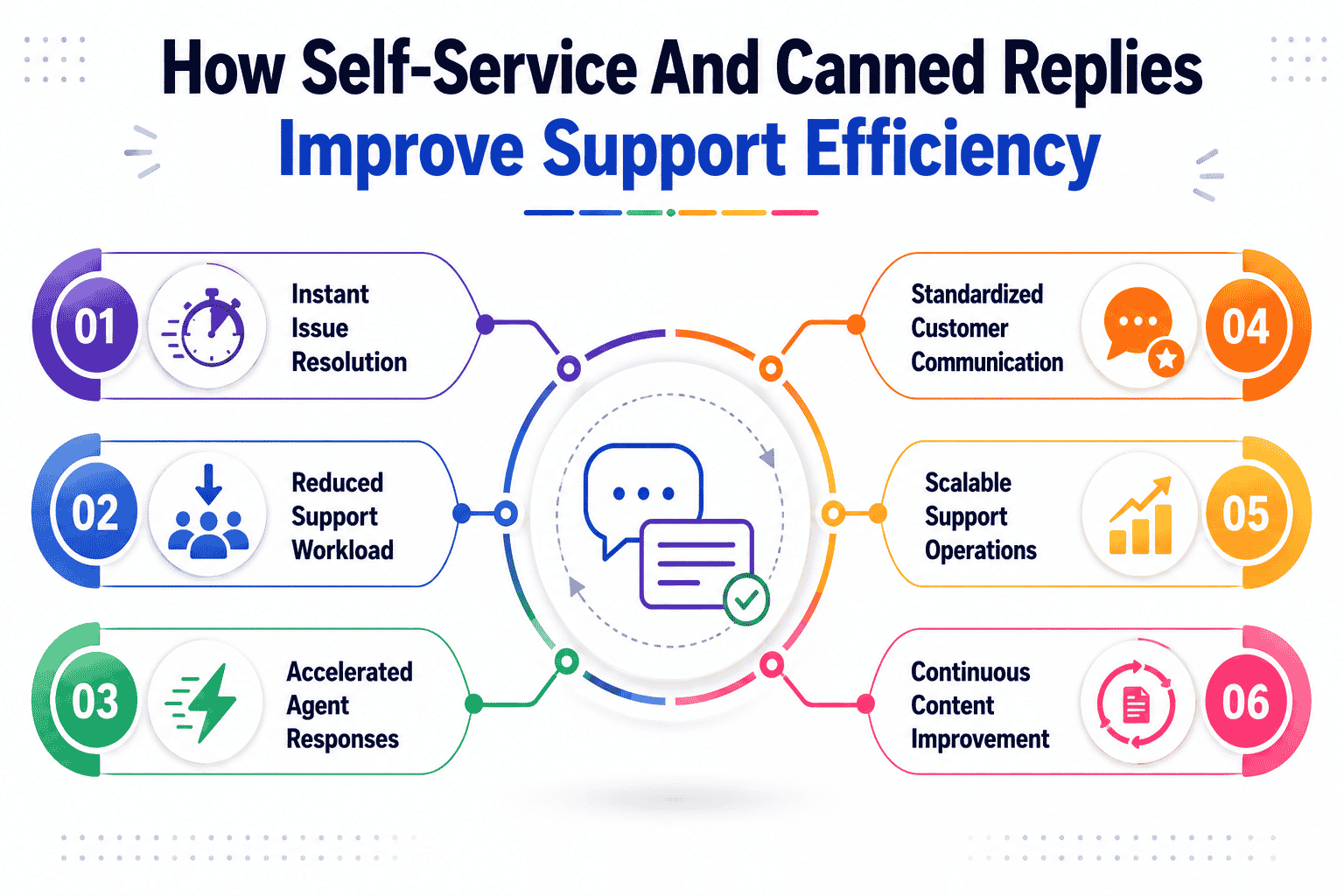
Self-service resources and canned replies work together to reduce workloads, shorten response time, and create a more predictable support environment. These tools give customers fast access to solutions while helping teams operate with greater accuracy and stability.
Improvements In Customer Support Efficiency
Customer support efficiency rises when customers receive clear answers without waiting for agent intervention. Self-service guides help resolve simple questions instantly, removing the pressure from frontline teams. Agents focus on meaningful cases instead of repeating the same information, which strengthens overall service delivery. As workloads become easier to manage, teams operate with more consistency and better output.
Gains In Overall Support Efficiency
Support efficiency improves when repetitive tasks are minimized. Canned replies handle common questions quickly so agents can move through tickets with less manual effort. When combined with self-service, the volume of incoming inquiries decreases noticeably. This streamlined process prevents backlogs from forming and keeps day-to-day operations running smoothly across the entire team.
Reduction In Response Time
Response time becomes significantly shorter when canned replies supply ready-made messages for frequent situations. Agents no longer need to rewrite explanations, which speeds up every interaction. Self-service materials add another layer of speed by giving users immediate access to information before submitting a ticket. Faster responses create a smoother customer journey and reduce frustration, as shown when a growing team achieved 3x faster replies after adopting EasyDesk to improve response time.
Growth In Operational Efficiency
Operational efficiency improves as teams adopt structured workflows supported by clear documentation and predefined responses. These tools reduce unnecessary steps, prevent repeated explanations, and enhance the consistency of information shared across channels. Internal processes feel more organized because agents rely on a stable system rather than ad-hoc communication. This stability supports long-term scalability.
Insights Driven By Customer Feedback
Customer feedback highlights gaps, unclear instructions, or missing articles, guiding teams toward meaningful improvements. Feedback shows which canned replies work well and which may need refinement. It also reveals areas where users struggle, allowing teams to enhance existing content. This ongoing input strengthens both the self-service experience and the quality of replies agents deliver, especially when paired with a well-planned helpdesk setup for better customer support.
Common Challenges When Scaling Support And How Knowledge Bases Solve Them
Growing support teams often face rising demand, longer queues, and increasing pressure to maintain speed and accuracy. A strong knowledge base helps absorb this demand by giving users clear answers and reducing the strain on customer support efforts.
Rising Volume Of Support Requests
Support requests increase rapidly as a business grows, often overwhelming teams that rely only on manual replies. Moving from shared inboxes to automated ticket handling and a knowledge base absorbs much of this volume by guiding users to clear solutions before they submit a ticket. Strong articles answer common questions and prevent unnecessary contact, helping teams maintain stability. With fewer basic inquiries entering the queue, agents can allocate time to meaningful interactions instead of routine responses. This shift keeps workloads balanced and prevents bottlenecks during peak periods.
Difficulty Managing Complex Issues At Scale
Complex issues become harder to manage when teams lack centralized resources. A knowledge base organizes advanced instructions, system details, and deep-dive explanations in one place where agents can locate them instantly. This structured reference gives teams more confidence when addressing unfamiliar scenarios. Clear documentation also reduces delays caused by searching for scattered information. As complexity increases, a reliable knowledge center becomes essential for maintaining accuracy and avoiding prolonged interactions.
Increase In Complex Questions From Users
Complex questions often arise when customers encounter unfamiliar features or rare situations. A knowledge base helps by offering expanded guidance, scenario-based explanations, and step-by-step breakdowns. These articles give users the clarity they need to troubleshoot independently, lowering the number of escalations. Teams spend less time re-explaining the same advanced topics because well-prepared content covers multiple variations of an issue. This predictable flow reduces confusion for both agents and customers.
Limited Technical Expertise Across The Team
Lack of technical expertise can slow down support operations, especially in fast-growing environments. A knowledge base provides agents with reliable explanations, reference materials, and internal notes that guide them through unfamiliar tasks. These resources ensure communication remains accurate even when a team member is new or still learning product details. Centralized information and automated workflow software reduce dependency on senior staff and maintain service consistency regardless of experience level.
Delayed Ability To Resolve Issues Quickly
Delays often occur when agents must search multiple sources for solutions. A knowledge base eliminates these delays by offering organized articles, troubleshooting paths, and verified instructions. Agents resolve issues faster because they follow proven steps designed to prevent confusion. Customers benefit from shorter wait times, while teams recover time that would otherwise be spent gathering scattered details. Faster resolutions improve the overall flow of support operations.
Increased Strain On Customer Support Efforts
As demand grows, customer support efforts become stretched without the right systems in place. A knowledge base lightens this burden by equipping users with the information they need to solve issues independently. Each article reduces the need for direct assistance and frees agents to handle situations that truly require human involvement. This balance creates a healthier environment where the team can work without constant pressure. A strong knowledge base and structured support ticket management become a stabilizing force that supports sustainable growth.
Overview Of EasyDesk Knowledge Base And Canned Response Capabilities
EasyDesk provides a complete support management experience for growing businesses by combining ticket handling, a built-in knowledge base, and fast canned responses in one platform. The system is designed to help every support team improve response quality, reduce workload, and maintain consistent customer interactions across all channels.
Centralized Workspace For The Support Team
EasyDesk gives the support team a unified dashboard where all customer inquiries arrive in one organized space. Email, live chat, and other connected channels feed into a single location that keeps the workflow clean and manageable. This structure helps teams avoid jumping between multiple tools or missing important conversations. Each ticket shows history, customer details, and internal notes, making it easy for agents to understand the situation instantly. As ticket volume increases, this centralized ticket creation and management helps teams stay consistent and prevents confusion during busy hours.
Knowledge Base For Customers And Support Agents
The built-in knowledge base gives both customers and support agents a reliable library of articles, FAQs, and step-by-step guides. Customers use these resources to find answers quickly without waiting for an agent, which reduces incoming requests and gives users more control. Support agents also benefit because the knowledge base acts as an internal reference for accurate information, product details, and troubleshooting steps. This dual purpose makes every interaction smoother. When the information is already documented and easy to access, agents resolve issues faster, create consistent replies, and reduce the need for repeated explanations, especially when supported by the broader set of EasyDesk features for smarter support.
Canned Response Templates For Faster Replies
EasyDesk includes canned response templates that allow support agents to reply instantly to common questions. These templates help teams maintain consistent wording and avoid mistakes that often happen when creating responses manually. Each template can be customized so agents can adjust the message while keeping the core explanation accurate. This improves overall speed without reducing quality. When templates align with knowledge base articles and a robust ticketing software system, agents can link helpful resources directly in their responses. This combination gives customers precise instructions and reduces unnecessary follow-up questions.
Boosting Agent Productivity With Streamlined Tools
Agent productivity improves significantly when tools work together instead of separately. EasyDesk connects tickets, customer history, canned responses, and knowledge articles in one system. Agents no longer waste time searching through multiple apps or copying information from one place to another. Every detail needed to solve a problem appears in a structured view. This reduces repetitive work and gives agents more clarity on each case. The clean workflow helps reduce frustration and supports steady performance throughout the day. When teams manage large volumes of inquiries, these small efficiencies produce a noticeable improvement in overall productivity with the help of the #1 ticketing software for better support.
Stronger Customer Interactions Through Consistency
EasyDesk improves customer interactions by ensuring every response follows the same standard of clarity and accuracy. When support agents use knowledge articles, live chat, and canned responses as their foundation, the conversation remains consistent no matter who replies. This reduces confusion for the user and helps maintain trust in the support process. Customers receive answers faster and feel more confident when the information is easy to understand. The experience becomes more predictable, reliable, and aligned with professional service standards. Consistency also reduces the likelihood of miscommunication, which lowers the number of repeated questions, especially in real time with live chat support for conversations.
Easy Access For Customer Support Teams Through Free Trials
EasyDesk offers free trials that allow customer support teams to explore features before committing to the platform. Teams can test ticket management, canned responses, automation workflows, and knowledge base publishing in real scenarios. This hands-on experience helps organizations evaluate whether the platform suits their process, support volume, and team structure. Trying the system first ensures teams understand how to apply the tools effectively once fully onboarded. This flexible approach removes risk and gives businesses confidence as they adjust their support operations while comparing EasyDesk pricing and plans.
Why EasyDesk Is A Strategic Choice For Scaling Customer Support
EasyDesk is a strategic choice for scaling customer support because it gives teams the structure and tools needed to handle more inquiries without losing quality. The platform centralizes conversations, streamlines workflows, and helps customer support agents respond faster with accurate information. A built-in knowledge base and organized ticket system reduce repetitive questions, while canned responses help the email support team maintain clarity and consistency. EasyDesk also enables personalized support by giving agents full context for every conversation. This creates smoother interactions that strengthen trust and improve the overall experience. As support becomes more reliable and efficient, customers feel more connected to the brand, which leads to stronger brand loyalty and healthier business operations over time, aligning with the platform’s focus on secure, transparent customer support.
FAQs
How Do Knowledge Bases Contribute To Cost Reduction?
Knowledge bases reduce the need for direct agent involvement by allowing users to solve simple problems independently. This decreases ticket volume and lowers overall support costs because fewer resources are required to handle routine inquiries. As more users adopt self-service, businesses save time, money, and operational effort.
What Key Benefits Do These Tools Offer Growing Support Teams?
The key benefits include faster replies, improved accuracy, and smoother workflows. Teams manage more inquiries without sacrificing quality, while customers receive clearer guidance. These advantages help support teams scale effectively as demand increases.
Can Knowledge Bases Help Prevent Customer Churn?
Reliable self-service content reduces customer frustration by giving users immediate access to answers. When people resolve issues quickly, they feel supported and valued. This positive experience reduces customer churn by building trust and satisfaction.
Why Is Customer Feedback Important For Improving Content?
Customer feedback highlights unclear explanations, missing steps, or outdated information. Updating articles based on real user input ensures the content remains useful and accurate. Feedback also helps support teams understand where users struggle most.
How Does This Software Support Technical Support Teams?
Technical support teams rely on detailed articles and structured troubleshooting paths to handle complex situations. Documented solutions help agents deliver precise answers without searching multiple sources. This creates faster resolutions and more consistent outcomes.
What Impact Does It Have On Internal Operations?
Internal operations become more efficient because documented processes replace guesswork. Teams work from the same instructions, reducing confusion and improving collaboration. This structure speeds up onboarding, training, and daily tasks for support agents.
Why Do Most Customers Prefer Self-Service For High Priority Issues?
Most customers prefer solving high-priority issues on their own when the solution is easily accessible. Self-service eliminates wait times and provides immediate clarity. Customers feel more confident and in control when answers are available instantly, making the experience smoother for both the user and the support team.



