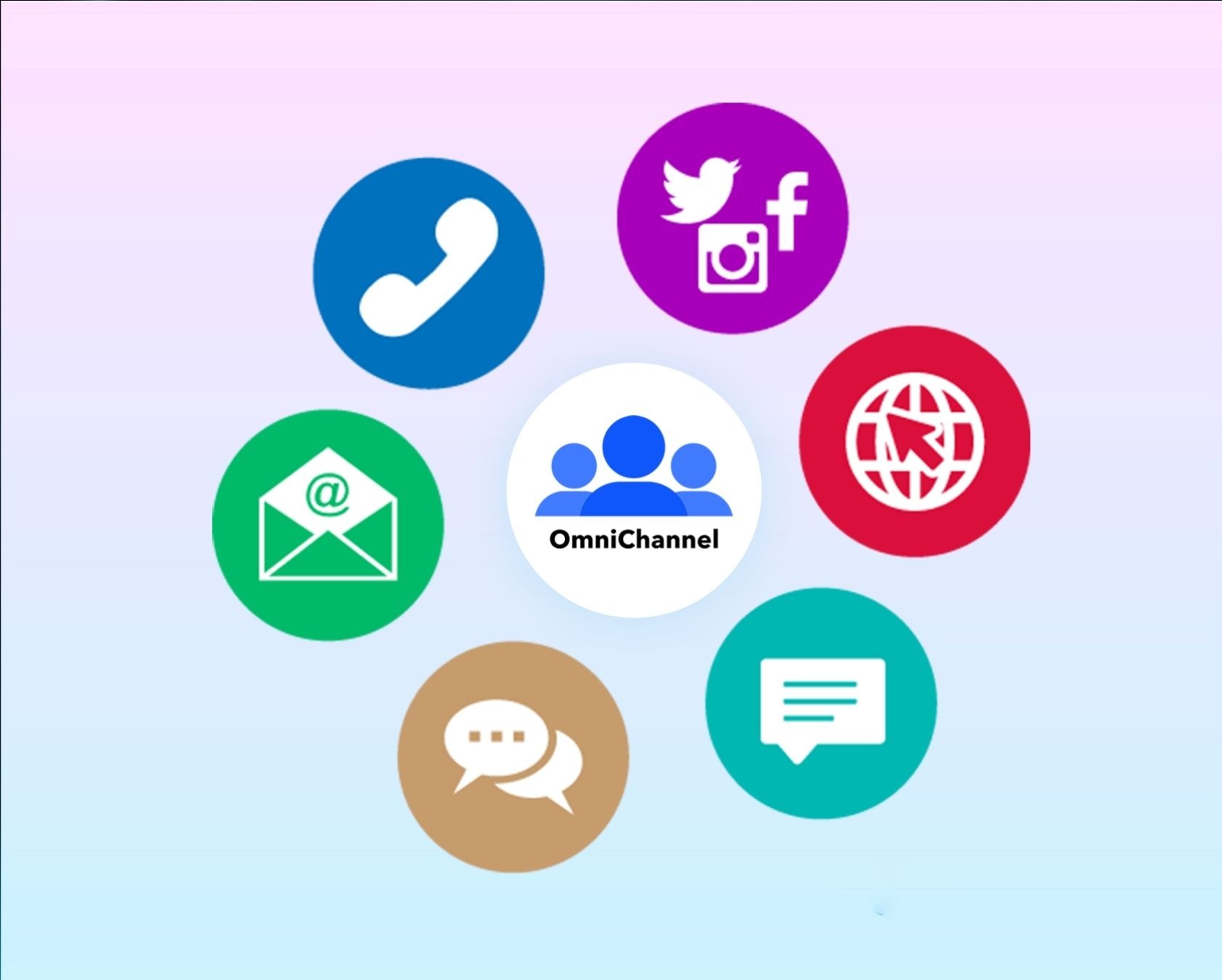
Customers expect brands to be available across multiple communication channels, from email and live chat to social media and in-app messaging. Managing omni-channel communications without structure often leads to scattered conversations and missed context. A strong omnichannel support platform helps bring everything together, giving support teams one place to manage interactions and maintain consistency.
When built correctly, an omnichannel platform connects data, tools, and conversations to create seamless customer experiences. It also improves customer engagement by making every interaction feel connected rather than isolated. With media-rich communication, faster responses, and integrated omnichannel services, businesses can deliver a truly unified omnichannel customer experience that supports long-term trust and growth.
What Is Omnichannel Communication?
Omnichannel communication is a strategy where every message, on every channel, ties back to one shared customer record and one coherent customer journey. When a customer contacts you through email, chat, social media, or phone, all those interactions appear together in a single timeline. Your team sees everything without switching tabs or asking the customer to repeat themselves.
The focus here is primarily on digital channels like your website, app, email, chat, SMS, and social media. But omnichannel can also complement offline touchpoints like events or phone support. The key is integration: every channel feeds into the same system, creating a seamless customer experience.
Picture this scenario. A SaaS customer asks a pricing question on LinkedIn. Your marketing team responds, but the conversation needs to continue. The customer moves to your website chat to get more details. Later, they send an email to finalize. In a proper omnichannel setup, every agent involved sees the complete history. No one asks “Can you explain your question again?” The customer feels heard, and your team looks organized.
The rest of this article gives you a practical roadmap for SMBs and growing SaaS teams. This is not textbook theory. It is a guide you can use to improve your support operations starting this week.
Core Channels in an Omnichannel Communication Strategy
No team needs every channel at once. What matters is having the right mix for your audience and the ability to plug new channels into the same backbone. A customer reaching out on Instagram should appear in the same workspace as someone emailing about billing.

This section walks through concrete channel types and how they work together in an omnichannel setup. Think of it like this: all channels connect into a single customer timeline inside your helpdesk. Email threads, chat sessions, social DMs, and phone notes all appear under the same customer profile. Your customer service team never loses context.
Email remains the anchor channel for most SaaS companies and SMBs. It handles onboarding sequences, billing notifications, product updates, and support tickets. Research shows about 80% of consumers prefer email for brand communications, and it still performs exceptionally well for critical notifications that need a clear record.
In an omnichannel context, emails log against the same customer profile that stores chat threads and social DMs. When an agent opens a ticket, they see the customer’s history across all communication channels. No hunting through separate inboxes.
Use email for longer messages, incident postmortems, and anything requiring documentation. Faster channels like chat handle quick back-and-forth exchanges while email anchors the relationship.
Social Media and Messaging Apps
Channels like X, LinkedIn, Facebook, Instagram, and WhatsApp have evolved beyond marketing outlets. They are now active support and customer feedback venues. About 60% of millennials prefer social channels for brand interactions.
Consider these scenarios: users report bugs in public tweets, ask pricing questions in LinkedIn comments, or request order updates via Instagram DMs. These are real support requests that deserve real responses.
Your omnichannel support connects these mentions and DMs into the same workspace as regular tickets. Social conversations should not live in a separate tab that someone checks occasionally. They belong in your main queue, tracked with the same urgency as email.
Monitoring social responses and sentiment as part of overall customer health gives you a complete picture rather than isolated metrics that miss the bigger story.
SMS and Push Notifications
SMS and push notifications are high-attention, time-sensitive channels. They work best for OTPs, downtime alerts, renewal reminders, and delivery updates. SaaS products often use push notifications for feature launches while SMS handles urgent billing or security notifications.
In a true omnichannel approach, responses to these messages update the central customer record. If someone replies to an SMS alert, your team sees that response in context.
Be careful about overuse. Constant notifications feel like spam and erode trust. Tie SMS and push rules to customer lifecycle stages and customer preferences stored in your helpdesk or CRM systems. Send the right message at the right time, not everything all the time.
Live Chat and Chatbots
Live chat has become an expectation on SaaS websites, especially on pricing pages, signup flows, and dashboard screens. Customers expect quick answers when they are ready to buy or when something breaks.
Chatbots play a supporting role. They handle FAQs outside business hours and provide first-line triage by collecting account details, issue type, and urgency before routing to human agents. This keeps your support agents focused on complex problems rather than answering the same basic customer questions repeatedly.
In an omnichannel environment, chat sessions turn into tickets automatically. All messages and attachments store in the same conversation history. A bot can detect a high-value account and route directly to a human with full customer context, making the handoff seamless.
In App Messaging
In app messaging delivers contextual support inside your web or mobile product. Messages trigger based on customer behavior, like first login, feature adoption milestones, or error states.
Practical use cases include onboarding checklists, NPS surveys after key milestones, and subtle nudges when a user appears stuck. These proactive touches reduce incoming tickets by answering questions where they arise.
Omnichannel means in-app conversations are not trapped in your app SDK. They appear alongside email and chat under the same user profile. Your team sees the full journey regardless of where the interaction started.
Phone and Voice
Phone remains essential in certain industries like financial services, healthcare, and high-value B2B contracts. Sensitive or urgent cases often require a human voice.
Modern omnichannel setups automatically log call details, recordings, and outcomes in the same workspace as other customer communication. No more manual note-taking in spreadsheets that nobody updates.
Treat phone as a premium channel for complex, high-stakes conversations. Email and chat handle routine follow-ups. Even small teams can integrate cloud telephony into their helpdesk through a call center integration, creating a unified view without adding administrative burden.
7 Omnichannel Communication Best Practices For Support Success
Getting omnichannel right requires more than connecting channels. These seven best practices help your support team deliver consistent, efficient service across every touchpoint.
Keep All Conversations In One Unified Inbox
The foundation of omnichannel customer service is a unified agent workspace. Every email, chat, social message, and phone note should appear in one place. When support agents switch between five different tools to answer one question, mistakes happen. Messages get missed. Customers get frustrated.
A single inbox eliminates this chaos. Agents see all customer touchpoints without hunting through tabs. They can respond to a Twitter DM, follow up on an email thread, and check the purchase history all from the same screen.
This consolidation also helps with workload distribution. Managers can see the full queue and balance assignments rather than wondering what is buried in someone’s personal email tab.
Maintain Consistent Customer Context Across Channels
Context is everything in customer support. When a customer switches from chat to email, your team should not lose the thread. The customer’s history, previous issues, and account details need to travel with them.
Centralizing customer data makes this possible. Every interaction updates a single customer record that any agent can access. If someone handled this customer last week, the current agent knows exactly what happened.
This approach transforms customer expectations. People stop bracing themselves to explain everything again. They experience a seamless customer experience where your team remembers them and understands their situation.
Set Clear Response Time Expectations
Different channels carry different expectations. Customers expect chat responses in minutes, email responses within hours, and social responses somewhere in between. Your omnichannel communication strategy needs clear SLAs for each channel.
Document these expectations internally and communicate them externally when appropriate. If your chat widget shows “typical response: under 5 minutes,” deliver on that promise. If email takes 24 hours, set that expectation upfront.
SLA tracking helps you spot bottlenecks before they damage customer satisfaction scores. Maybe social responses are lagging while email stays healthy. That visibility lets you adjust staffing or prioritization before customers notice.
Use Automation To Route And Prioritize Requests
Smart routing sends tickets to the right agent based on issue type, customer tier, channel, or agent expertise. This automation removes manual triage and speeds up resolutions.
Start simple. Route billing questions to your billing specialist. Send enterprise accounts to senior agents. Escalate security issues immediately. These basic rules make a significant difference.
Automated messages also help manage customer responses during high-volume periods. Sending confirmations, setting expectations, and providing self service options like knowledge base links handles routine work automatically. Your human agents focus on problems that need human judgment.
Train Teams For Cross-Channel Communication
Your customer service agents need skills that work across channels. Chat requires concise, quick responses. Email allows more detail. Phone demands active listening and clear speech. Social requires awareness of public visibility.
Training should cover these differences while maintaining consistent messaging. An answer should not change based on which channel delivered the question. Only the format and tone adjust slightly.
Cross-training also builds operational efficiency. When agents can work any channel, scheduling becomes easier. You avoid situations where your chat expert is swamped while your email specialist sits idle.
Monitor Performance With Channel-Level Insights
Key metrics should break down by channel to reveal where problems hide. Track first response time, resolution time, customer satisfaction, and volume for each channel separately.
Maybe your email performance is excellent but chat struggles during afternoons. Perhaps social volume spiked after a product change. Channel-level insights show these patterns clearly.
Regular reviews, like a monthly support retro, help your team discuss what works across different channels and which workflows need refinement. This continuous monitoring keeps your omnichannel system healthy as conditions change.
Continuously Optimize Based On Customer Feedback
Customer feedback tells you what your metrics cannot. High satisfaction scores mean little if customers complain about specific friction points in surveys or reviews.
Build feedback collection into your omnichannel workflow. Post-interaction surveys, NPS tracking, and public roadmap features let customers share their experiences. Then close the loop by acting on that feedback and communicating changes.
When customers see that their input leads to improvements, customer loyalty strengthens. They feel like partners rather than ticket numbers. This ongoing optimization keeps your omnichannel approach relevant as customer preferences evolve.
Key Benefits of Omnichannel Communication for Growing Businesses
Small teams with limited budgets face intense pressure to keep customers happy. Omnichannel communication delivers concrete benefits that directly address startup and SMB realities.
Higher Customer Satisfaction and Better Experiences
Letting customers choose their preferred channel while keeping context intact leads to faster, more personal resolutions. When customers avoid repeating themselves and receive consistent answers from every agent, CSAT and review scores improve.
Consider a B2B client who reports a bug in live chat. They receive an email summary and status updates automatically. They never chase your team for information. This personalized experiences approach makes customers feel valued.
Unifying canned responses and a knowledge base across channels keeps information accurate. An agent answering on social media gives the same answer as someone replying to email. Consistency builds trust.
Better ROI from Support, Sales, and Marketing
Omnichannel communication helps you reuse insights across teams. Feedback from support improves onboarding campaigns. Product issues flagged in tickets inform marketing messaging. This integration reduces acquisition and support costs.
Higher engagement through timely nudges and reminders drives conversions and expansion revenue like upgrades and add-ons. Sales teams benefit from seeing support history before renewal conversations.
Track ROI by looking at assisted conversions, upsell success after support interactions, and reactivation rates after targeted messages. Fewer missed messages and duplicated efforts mean more revenue from the same headcount.
Lower Churn and Stronger Retention
Consistent, proactive communication keeps customers informed and less likely to leave. Renewal reminders, usage alerts, and roadmap updates show customers you are paying attention.
When all feedback and issues are visible in one place, success teams spot at-risk accounts early. A spike in tickets for a specific feature triggers quick fixes, knowledge base updates, and proactive messaging. This responsiveness prevents churn before renewal dates arrive.
Companies with strong omnichannel strategies retain 89% of customers compared to 33% for those without. For subscription models, even small improvements in customer retention significantly impact annual recurring revenue.
More Productive and Less Stressed Support Teams
Omnichannel workspaces cut tab chaos. Agents work in one tool instead of switching between five applications to answer one question. This focus improves agent productivity and reduces errors.
Smart routing and SLAs help prioritize urgent tickets without losing sight of slower channels. Access to full interaction history makes onboarding new agents easier. They understand context quickly without hunting through disconnected systems.
Happier, less overwhelmed agents reduce turnover. Lower turnover means more consistent service for customers and more customers receiving help from experienced team members.
How to Build an Omnichannel Communication Strategy
This section provides a concrete, step-by-step playbook suitable for teams of 3-30 support agents or founders who still handle customer communication themselves. Think of it as a 90-day rollout plan.
1. Know Your Customers and Their Journeys
Map the most common customer journey paths: free trial to paid, onboarding, support escalation, and renewal. Note which channels customers already prefer at each stage.
Collect input from multiple sources:
Source | What You Learn |
|---|---|
Support tickets | Common issues and preferred channels |
CRM notes | Account history and relationship context |
Win/loss interviews | Why customers chose you or left |
NPS surveys | Overall sentiment and specific feedback |
Social media comments | Public perception and unfiltered opinions |
Identify 3-5 customer segments and outline their channel preferences. Founders might prefer email while product managers lean toward in-app and Slack-style messaging. Document these journeys in a simple diagram that guides which channels to prioritize first.
2. Switch from Channel-Centric to Customer-Centric
Instead of optimizing each channel separately, ask: “What does this customer need next, and where will that feel easiest?”
Build playbooks that span channels. For example:
- User abandons onboarding → in-app tooltip
- No response → email nudge after 24 hours
- Still stuck → offer live demo via chat
Set shared business goals across teams. Reducing total time to value or improving first response times matters more than separate metrics per channel. This mindset shift often proves more important than adding another communication tool.
3. Equip Your Team with the Right Tools and Integrations
Start with a central platform that supports email, chat, and basic social channels. This platform should integrate with your CRM and product analytics for a complete view.
List your existing tools and plan how they will sync data into one shared timeline:
Current Tool | Integration Need |
|---|---|
Email provider | Forward to helpdesk or use native integration |
CRM | Sync customer profiles and account data |
Chat widget | Log conversations in central system |
Phone system | Record calls and notes in customer timeline |
Prioritize tools with open APIs, native integrations, and mobile apps for agents on the go. Small teams should choose a stack they can manage without a full-time admin.
4. Standardize Communication Without Losing Personality
Create a consistent brand voice across all channels. Document tone guidelines and examples for common scenarios. Your response to a billing question should sound like your company whether it arrives via email, chat, or Twitter.
Build essential tools for consistency:
- Central knowledge base with accurate, up-to-date information
- Library of canned responses for common issues
- Templates for critical moments like incident updates, SLA breaches, and pricing changes
Standardization should leave room for human empathy. Scripts guide agents, but they should not sound robotic. Especially in high-stress support situations, personal touches matter.
5. Automate the Repetitive, Not the Relationship
Use automation for:
- Routing tickets by channel or topic
- Tagging issues based on keywords
- Sending confirmations and acknowledgments
- Handling straightforward FAQs with chatbots
High-value or sensitive issues like billing problems, outages, and security questions should escalate quickly to human agents with full context. Customers expect automation for simple tasks but demand humans for complex problems.
Start with simple rules and gradually add complexity based on real patterns and customer feedback. Review automation flows monthly to avoid outdated automated messages or misrouted conversations as your product evolves.
6. Measure, Learn, and Iterate
Track a focused set of key metrics:
Metric | What It Tells You |
|---|---|
CSAT | How satisfied customers feel after interactions |
First response time | How quickly you acknowledge requests |
Time to resolution | How fast you solve problems |
Channel volume | Where customers prefer to reach you |
NPS | Overall sentiment and loyalty |
Break metrics down by channel to spot bottlenecks. Maybe social responses lag while email performs well. This visibility lets you adjust before customer satisfaction suffers.
Run monthly reviews to discuss what works and what needs refinement. Close the loop with customers by sharing improvements based on their feedback.
Challenges of Omnichannel Communication (and How to Handle Them)
Omnichannel is powerful but not without friction. Small teams juggling many tools and priorities face real obstacles. Here is how to handle the most common ones.
Keeping Communication Consistent Across Channels
The risk: marketing says one thing on social, sales promises something else, and support gives a third answer. This inconsistency confuses customers and damages trust.
Solutions:
- Use shared notes and internal communication to keep everyone aligned
- Maintain a central knowledge base with the latest policies and product details
- Run periodic QA reviews of real conversations across email, chat, and social
- Assign a single owner (head of support or CX lead) to maintain consistency standards
Protecting Customer Data While Centralizing It
Omnichannel means more data stored in fewer systems. This increases the importance of access control, encryption, and compliance. Centralized profiles are powerful but require protection.
Practical steps:
- Choose tools with role-based permissions and audit logs
- Use regional data hosting when needed for customers in regulated markets
- Document a simple data-retention policy covering storage duration, export permissions, and deletion requests
- Consult legal counsel for regulatory specifics like GDPR
Staying Reactive as Customer Expectations Evolve
Channels and norms change fast. What felt optional in 2018 is standard today. Your omnichannel system needs to evolve with customer behavior.
Stay adaptive:
- Monitor channel usage trends quarterly
- Add or scale back channels based on real demand
- Use dashboards and alerts for spikes in negative feedback or emerging technologies adoption
- Communicate quickly during crises using multiple channels so customers never feel left guessing
Building in flexibility gives your omnichannel strategy a competitive advantage as market conditions shift.
How EasyDesk Makes Omnichannel Communication Manageable for Lean Teams
EasyDesk is a helpdesk and customer support platform built for startups and SMBs that need omnichannel capabilities without complex enterprise setups. It brings together everything a growing support team needs in one streamlined workspace.
The platform centralizes email, live chat, social messages, feedback, and a knowledge base into a single view. Mobile apps keep support services running even when agents are away from their desks. This means your team can respond to multiple customers across multiple platforms without switching between disconnected tools.
Concrete features support the omnichannel communication strategy outlined in this guide:
Feature | How It Helps |
|---|---|
Unified ticketing | All conversations appear in one inbox regardless of channel |
Automation workflows | Smart routing and automated messages handle repetitive tasks |
SLA management | Set and track response time expectations by channel |
Canned responses | Maintain consistency with pre-approved answer templates |
Knowledge base | Enable self service to reduce ticket volume |
Feedback tracking | Collect and act on customer feedback systematically |
Public roadmap | Show customers you listen and build what they need |
These features directly address the key challenges of omnichannel support. Unifying data eliminates context loss. Standardizing responses keeps messaging consistent. Self service options reduce agent workload. Channel-level analytics reveal performance patterns.
The cost savings come from doing more with fewer tools. Instead of patching together five different platforms, EasyDesk provides a single integrated network for all your support systems.
For teams ready to try omnichannel without a lengthy implementation, EasyDesk offers a 14-day free trial. Setup is fast, and you can start unifying your customer conversations within hours, not weeks.
FAQ
Do small support teams really need omnichannel communication?
Even teams of 2-3 people benefit from omnichannel tools. You already receive questions via email, chat, and social media. Without a central system, messages slip through cracks. A basic omnichannel setup can start with just email and chat unified in one helpdesk.
How many channels should a startup support at the beginning?
Start with 2-3 core channels where customers reach out most often. Email and website chat usually come first, plus one key social network where your audience’s preferred channels exist. Add more channels only when you can respond consistently and track results.
Can I switch to an omnichannel approach using my existing tools?
Many teams keep their current email provider, CRM, or social accounts. The key is adding a central platform that integrates everything into a single customer timeline. Evaluate whether your current multichannel support tools integrate smoothly. If not, a dedicated omnichannel helpdesk like EasyDesk simplifies the stack.
How long does it usually take to implement an omnichannel communication strategy?
Small and mid-sized teams often get a basic omnichannel setup running within a few weeks, including channel connections, workflows, and basic automation. Fine-tuning improves over the first few months as you refine macros, add self-service content, and optimize routing based on real patterns.
What metrics should I prioritize first when measuring omnichannel success?
Focus initially on CSAT, first response time, resolution time, and ticket volume by channel. These show where customers struggle most and where your team needs support. Layer in NPS and retention metrics later once day-to-day support performance stabilizes.



