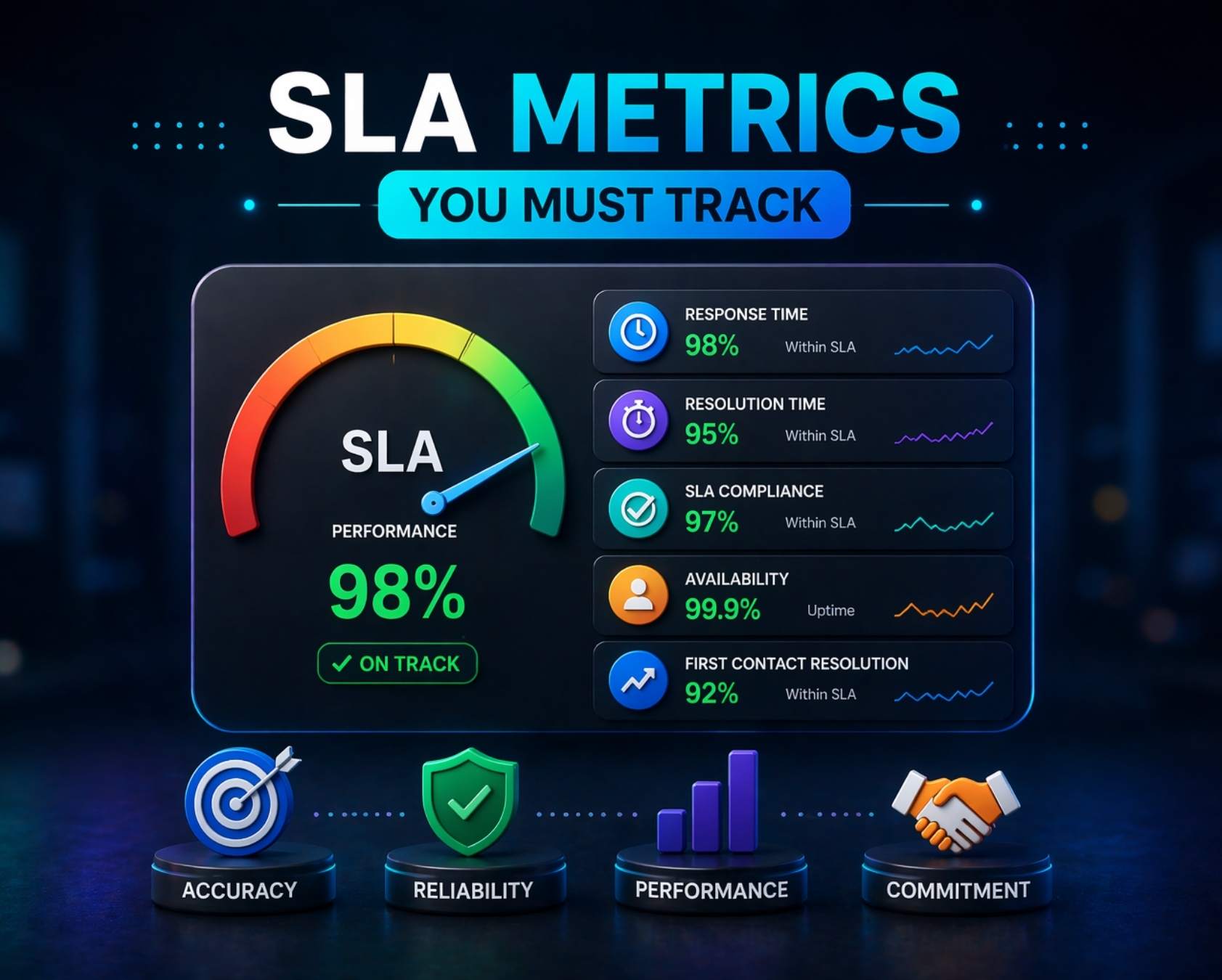
SLA metrics have evolved dramatically since the early 2010s when service providers relied on basic uptime percentages to build customer trust. Today, in 2026, service level agreement metrics function as multidimensional performance scorecards that blend operational data with experience indicators. AI-assisted support, hybrid workforces, and 24/7 SaaS expectations have reshaped what it means to deliver reliable service.
For support and IT teams using tools like EasyDesk, tracking the right SLA metrics is now the foundation for renewal conversations, audit readiness, and cost control. Monitoring SLA metrics is one of the best ways to ensure services are meeting customer needs, which is crucial for customer satisfaction and retention. Rather than tracking everything, focusing on seven laser-targeted metrics helps predict churn, improve NPS, and control operational cost per ticket. This article walks through those seven metrics, explains how to calculate them, and shows how to make them actionable in your help desk or ITSM platform, building on broader guidance around customer support metrics, KPIs, and best practices.
What Are SLA Metrics
SLA metrics are quantifiable measures such as response time, uptime, and backlog age used to verify whether a service level agreement is being honored between parties involved. Key metrics for evaluating a service level agreement generally focus on reliability, speed, and user experience. Every contractual commitment in an SLA must be translated into an instrumentable metric with a defined measurement method and window.
In 2026, SLAs typically bundle multiple metrics into one contract. A standard agreement might promise 99.9 percent monthly uptime, one business hour first response for P1 tickets, and 24 hours time to resolution for standard support cases. Common SLA performance metrics include availability, mean time to recovery, response time, error rates, and security and compliance measurements, which are used across various services and industries. Throughput evaluates the system’s capacity to process a specific volume of transactions or data within a given timeframe.
Understanding the relationship between SLA, SLO, and SLI clarifies how these measurements work together. An SLA represents the customer-facing contract with remedies like service credits for breaches. Service level objectives serve as internal performance targets that buffer the SLA, such as aiming for 99.95 percent availability when the contract promises 99.9 percent. Service level indicators deliver the raw data, like actual 99.92 percent uptime measured via continuous monitoring.
7 Key SLA Metrics You Must Track
This section covers the seven priority SLA metrics for 2026 that ITSM teams and support organizations should monitor closely. These metrics should be visible on a single SLA dashboard, updated in real time, and filterable by priority, customer, and channel. Each metric includes a practical formula and guidance on how to apply it within your service desk operations.
1. Service Uptime And Availability
Service uptime measures the percentage of time a system is operational and accessible to users. Service availability is often measured in terms of nines, such as 90 percent, 99 percent, 99.9 percent, and the industry standard of five nines or 99.999 percent uptime. Service uptime is often hardwired into SLAs at 99.999 percent, indicating the expectation for IT systems to operate continuously without interruptions.
The formula is straightforward: (total time minus downtime) divided by total time, multiplied by 100. For a service with 99.9 percent uptime over 30 days (43,200 minutes), you can expect no more than 43.2 minutes of downtime monthly. The SLA should clearly define what counts as downtime versus planned maintenance, as excluding a 30-minute maintenance window raises effective availability to 99.93 percent.
Service disruptions can lead to significant financial losses and damage to a company’s reputation, especially during high-traffic periods. Monitoring service availability metrics is crucial for organizations to gauge whether IT services meet customer expectations and to identify areas for improvement. Rather than blindly chasing five nines, align uptime targets with business value. Tiering by revenue impact, such as 99.95 percent for core applications and 99.5 percent for ancillary tools, optimizes costs while maintaining strong sla metrics.
2. First Response Time
First response time quantifies the elapsed duration from ticket creation to the first substantive human reply. This excludes automated acknowledgments like “we received your ticket” that add no real value. An ideal first response time SLA metric is to respond to support tickets within the first business day, or within 24 hours of submission, though many organizations set tighter targets for priority cases.
For live chat in 2026, a common target is 15 minutes during business hours. Each hour delay beyond target drops CSAT by approximately 12 percent and correlates with higher churn in renewals. The formula for average FRT over a period is the sum of individual response times divided by ticket count, and teams often rely on dedicated SLA tracking software to improve response time and maintain these targets.
For timing-related metrics like response time, it is recommended to track p95 or p99 latency rather than averages to avoid masking outliers. Segmenting FRT reveals channel disparities: chat typically averages 12 minutes while email sits around 2.1 hours. Breaking down by priority shows P1 tickets often achieve 95 percent compliance versus 88 percent for P3, enabling tailored sla targets.
3. Time To Resolution
Time to resolution, also called average resolution time or mean time to resolution, tracks total elapsed time from ticket open to final closure. This includes internal handoffs and pauses and is a prime candidate for strategies to cut average resolution time fast. Response time refers to the duration it takes for a service provider to acknowledge an issue after it has been reported, while resolution time is the total time taken to resolve that issue.
A concrete P1 example would be a 4-hour resolution commitment for production incidents. A single missed ticket under enterprise contracts can trigger 5 to 15 percent service credits, creating a direct financial penalty. Minimizing response and resolution times is crucial for maintaining service performance and preventing issues from escalating into larger problems.
The formula is simple: sum of all resolution times divided by tickets resolved. Platforms can pause the clock when tickets await customer input, which occurs in about 40 percent of cases, preventing skewed metrics. Categorizing resolution time by issue type exposes systemic flaws. Login issues might resolve in 6 hours while complex problems like API errors take 32 hours, prompting targeted automation investments.
4. First Contact Resolution Rate
First contact resolution rate measures the percentage of tickets solved in the very first interaction without follow up or escalation. First Contact Resolution (FCR) rate reflects the effectiveness of support processes and reducing the need for escalations, while driving down cost per ticket.
For 1,000 tickets where 620 resolve on first contact, you achieve 62 percent FCR. This translates into fewer handoffs and shorter queues. Teams with strong FCR rates see 20 to 30 percent lower cost per ticket and 15 percent NPS uplift. The formula is FCR tickets divided by total tickets, multiplied by 100.
Automation rules can mark tickets as FCR based on no reopens within 7 days across channels. Chat often achieves 70 percent FCR versus 55 percent for phone. Balance FCR with quality by avoiding premature closures that inflate numbers but spike reopens by 25 percent. Post-FCR satisfaction checks help maintain sustainable 65 to 70 percent rates.
5. SLA Compliance Rate
SLA Compliance Rate is the percentage of incidents or requests resolved within the contractually agreed-upon targets. The formula is compliant tickets divided by total tickets, multiplied by 100. For 1,000 monthly tickets where 920 meet their targets, compliance sits at 92 percent.
Many organizations in 2026 run separate compliance targets for different priorities: 99 percent for P1, 95 percent for P2, and 90 percent for P3. Dashboards can color code compliance with green above 95 percent, amber between 85 and 95 percent, and red below 85 percent. Alerts trigger when compliance for a key customer drops below threshold mid-month.
Acting on patterns drives improvement. Rather than blaming individuals, review consistently late categories, regions, or agents. If billing tickets show 80 percent compliance versus support agents at 92 percent, focus training and process improvements where they matter most.
6. Backlog Aging
Backlog aging distributes open tickets by age bands such as 0 to 24 hours, 2 to 5 days, and over 5 days. Executives in 2026 use this as an early warning signal for service delivery problems and potential SLA breaches, especially when combined with disciplined ticket SLA management for faster support response.
Consider a team with 200 open tickets where 30 percent are older than 3 days. This pattern predicts a 10 to 15 percent CSAT drop and creates renewal risk. Queue views that surface aging allow managers to reprioritize oldest or highest value tickets automatically.
Set internal objectives like no more than 5 percent of tickets older than 7 days. Heatmaps showing backlog distribution help teams focus attention where it matters. Organizations tracking backlog aging consistently reduce aging by 35 percent and avoid scenarios where too many support tickets pile up unresolved.
7. Customer Satisfaction Score
Customer satisfaction scores (CSAT) measure customer happiness after an interaction, reflecting how well service teams balance speed, accuracy, and empathy. Post-resolution ratings commonly use a 1 to 5 or 1 to 10 scale, linked directly to closed tickets, and a dedicated CSAT score guide for support teams can help benchmark and improve these results.
A team might achieve an average CSAT of 4.6 out of 5 in Q1 2026 while still missing some uptime SLAs. This illustrates why both experience and performance metrics matter. High customer satisfaction is often linked to effective service delivery, where meeting SLA commitments can significantly enhance user trust and confidence in IT support.
The basic CSAT formula is the sum of scores divided by responses. Segment scores by agent, product area, or customer account to uncover patterns. Agents scoring 4.8 versus 4.2 reveal coaching opportunities. Automatically creating follow up tasks when ratings fall below 4.0 closes the feedback loop and improves customer experience, especially when combined with a broader view of customer satisfaction metrics for support teams.
How To Measure And Monitor SLA Metrics Effectively
Effective measurement requires centralizing all SLA metrics in a unified dashboard with real time tracking, segmentation by priority and customer, and alignment with business goals. Success in measuring SLA performance relies on a cascade approach involving measurable benchmarks from contracts, setting internal targets through SLOs, and using real time monitoring, often enabled by dedicated SLA management software for real-time tracking.
Define SLA Scope And Measurement Criteria
Start by defining SLA policies for response time, resolution time, and service hours. Map sla targets to ticket priority and support channel. A P1 email might require one-hour response while standard chat allows 15 minutes. Standardize measurement rules across all team members to ensure consistency, following principles from a dedicated service level agreement helpdesk guide.
Align SLA definitions with business goals and customer expectations. Senior management should validate that targets reflect both customer promises and operational capacity. This prevents disconnects between what sales promises and what support delivers and reinforces the importance of secure, transparent customer support with EasyDesk.
Set Up Real Time SLA Tracking Systems
Configure tools to capture SLA timestamps automatically from support ticket creation through resolution. Effectively measuring SLA performance involves automating data collection, setting realistic targets, and using specific metrics like availability, response time, and resolution time, which is especially critical to keep remote support teams aligned and on track.
Build real time dashboards for visibility and sla tracking. Set alerts for SLA breaches and risk thresholds, triggering notifications when compliance drops below 80 percent. Integrate tracking across all delivery systems so IT leaders see a complete picture, leveraging SLA tracking software to improve response time and prevent breaches.
Use Segmentation For Accurate SLA Insights
Segment SLA data by channel such as chat, email, and phone to reveal performance variations. Break down metrics by priority levels and ticket types to identify where service quality varies, using insights from a robust SLA management system and its key features.
Analyze performance by customer segment or region for digital transformation projects spanning multiple geographies. Compare SLA trends across different service tiers to ensure premium customers receive appropriately elevated service levels, recognizing why well-structured SLAs matter for service success.
Analyze SLA Performance With Key Metrics
Track compliance rate, response time, and resolution time as key performance indicators. Use weekly and monthly data for trend analysis rather than point-in-time snapshots, and pair these with insights on modern ticketing software and support best practices.
Identify patterns behind sla breaches. If Tuesday afternoons show consistent breaches, investigate staffing or workload issues. Leverage reporting tools for deeper performance insights that inform incident management improvements, including refining your ticket escalation process for faster support.
Error Rates track the frequency of service failures or instances where performance dips below defined standards, providing another lens for identifying system weaknesses.
Optimize SLA Monitoring Through Continuous Improvement
Regularly review SLA performance with key stakeholders including IT teams, customer success, and senior management. Adjust sla targets based on historical data and evolving business needs, and consider automated ticket management software to reduce response time as part of those improvements.
Improve workflows and automation for efficiency. Use customer feedback to refine SLA strategies. Abandonment Rate measures the percentage of customers who end a call or chat before receiving help, indicating long wait times that warrant attention.
Best Practices For Setting SLA Targets In 2026
Setting effective SLA targets requires balancing ambitious customer expectations with realistic operational capacity. These five methods help teams establish targets that drive business results without creating unsustainable pressure.
Align SLA Targets With Business Goals
Map SLA targets directly to revenue impact, retention, and service quality. A customer generating significant revenue warrants 99.99 percent uptime targets, while ancillary services might accept 99.5 percent. Prioritize critical workflows that affect customer experience and validate alignment with leadership. This ensures SLA outcomes support broader business objectives rather than existing in isolation and highlights the value of robust SLA management software for alignment and tracking.
Ensure service level agreement sla alignment supports business results through measurable benchmarks. Track performance using important metrics tied to customer issues, enabling real time insights for continuous improvement.
Define SLA Targets By Priority And Channel
Set different targets for high, medium, and low priority tickets. A P1 production incident demands one-hour response while a P3 service request might allow 24 hours. Adjust SLA expectations based on support channels. Chat typically warrants 10 to 15 minute targets while email allows longer windows. Consider customer urgency and issue complexity rather than applying one-size-fits-all definitions.
Use response sla benchmarks within desk software to handle service request flows efficiently. Incorporate average handling time and performance standards to ensure targets reflect real operational capacity across teams, drawing on practical guidance for managing support tickets efficiently using EasyDesk.
Use Historical Data To Set Realistic Targets
Analyze past performance data to benchmark achievable targets. If historical average handling time for resolution sits at 22 hours, setting a 24-hour target provides a realistic buffer. Identify average response and resolution times from 2024 and 2025 data. Adjust targets based on peak load and seasonal trends. Teams that use historical benchmarks cut breaches by 18 percent compared to those guessing at targets.
Leverage real time insights and track performance trends across systems. Identify patterns linked to server center loads and maintenance schedules to refine targets based on actual service behavior, similar to how one team improved response time with EasyDesk while scaling rapidly.
Balance Speed With Quality Of Resolution
Ensure fast responses do not compromise solution accuracy. A response SLA under 30 minutes loses value if customers receive incomplete answers requiring multiple follow ups. Define clear expectations for both response and resolution. Monitor customer satisfaction alongside SLA compliance. Optimize workflows to support both speed and effectiveness, creating important metrics that reflect true service performance.
Focus on resolving customer issues efficiently while maintaining performance standards. Address complex problems with structured workflows that restore service quickly and improve overall sla outcomes without sacrificing quality, often supported by automated ticket management software to reduce response time.
Continuously Review And Optimize SLA Targets
Conduct regular SLA performance reviews with team members quarterly. Technology vendor contracts evolve, and your targets should evolve with them. Update SLAs as business needs and customer expectations change. Use automation and desk software to maintain consistency. Restore service quickly when issues arise, then analyze what changes would prevent future breaches.
Align updates with technology vendor contracts and evolving service level agreement sla expectations. Use desk software to monitor sla metrics matter, ensuring long term improvements in business results and operational efficiency.
How EasyDesk Improves SLA Performance
EasyDesk helps teams in 2026 define SLA rules, automate timers, and configure escalations without complex scripting. The platform provides a unified dashboard showing all seven metrics across tickets, priorities, customers, and channels in real time. One implementation improved SLA compliance from 80 percent to 92 percent within 30 days by surfacing breach risks early and automating workflows, powered by smarter, secure customer support.
Real time SLA monitoring with instant alerts ensures teams catch potential breaches before they impact sla performance. Automated SLA timers start from ticket creation, eliminating manual timestamp entry and reducing reporting errors. Pause rules stop the clock during customer delays so providers are not penalized unfairly, all within the broader customer support platform.
Multi-timezone calendars, per-customer SLA policies, and visual dashboards embedded in agent views give teams the visibility they need. Support teams can measure performance against sla parameters without switching between tools. Export capabilities allow IT leaders to share data with senior management for board reports and quarterly reviews, supporting both service management excellence and customer retention goals while showcasing how to manage support tickets efficiently using EasyDesk.
FAQs
How Often Should We Review Our SLA Metrics In 2026
Operational metrics like first response time and breach risk deserve daily attention to catch issues before they escalate. Trend metrics such as backlog aging and CSAT work better with weekly or monthly reviews. This rhythm helps teams balance immediate firefighting with strategic improvement.
Should Waiting For Customer Replies Count In SLA Timings
Most modern teams in 2026 pause SLA clocks when a ticket enters a pending customer state. This prevents penalizing teams for delays outside their control. EasyDesk supports native pause rules that automatically stop timing when awaiting customer input.
What Is A Good SLA Compliance Rate Target
Target ranges vary by priority. Critical P1 incidents typically warrant 98 to 99 percent compliance while standard tickets aim for 90 to 95 percent. Each organization should tune these based on risk tolerance, contract terms, and service levels promised to customers.
How Do SLA Metrics Relate To XLAs
SLA metrics focus on measurable service delivery like response and resolution times. Experience Level Agreements extend this by tracking user sentiment and productivity, such as targeting NPS above 50. EasyDesk combines CSAT and operational data to support both approaches within the IT world, aligning with broader customer satisfaction metrics for support teams.
Can Small Teams Benefit From SLA Metrics Or Are They Only For Enterprises
Even small support teams gain from simplified SLAs covering response and resolution times. Lightweight workflows help startups and mid-sized businesses adopt SLA discipline without heavy administrative overhead. Starting with two or three core metrics enables 85 percent compliance while building measurement maturity, especially when paired with a modern customer service management system overview.



