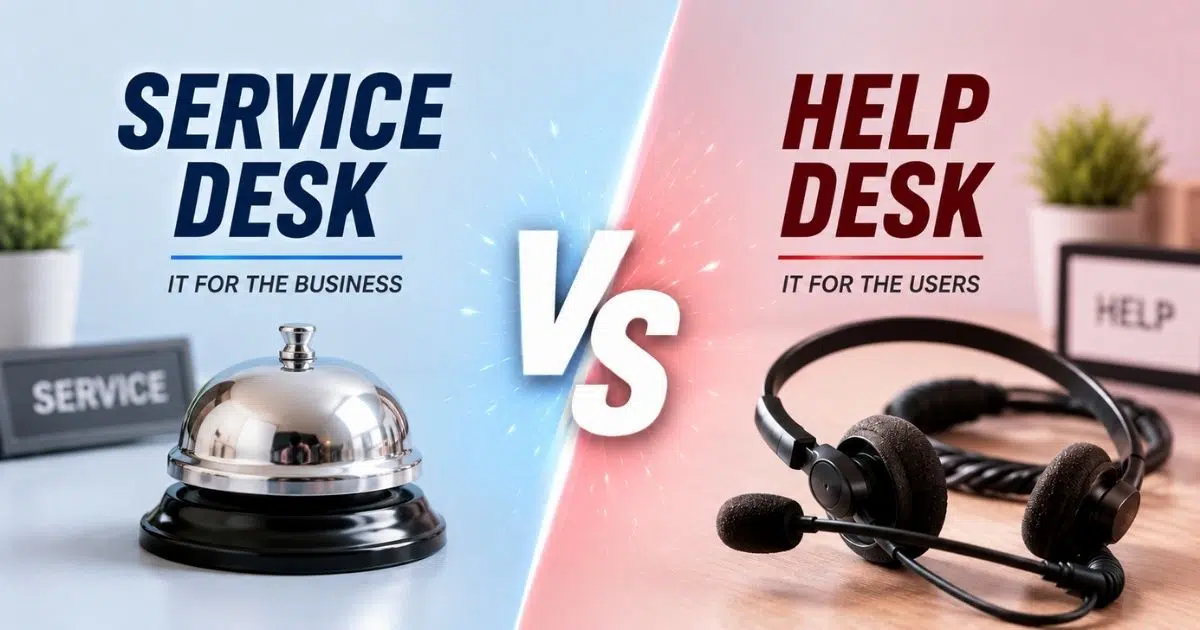
The service desk vs help desk discussion matters because modern companies rely on workplace technology, SaaS tools, remote access, and stable IT infrastructure every day. When users experience technical difficulties that need fast support, both models can help, but they work at different levels.
A help desk usually handles immediate technical issues and quick fixes in a timely manner. A service desk takes a broader scope, connecting technical support with service management, business goals, and long-term solutions. This guide explains the key differences, how to choose the right model, and what features to look for in software.
What Is A Service Desk
A service desk is a central support capability that connects users, IT teams, and the service provider through one organized point of contact. According to ITIL, the information technology infrastructure library, a service desk is the single point of contact between users and the service provider.
A typical service desk handles incidents, service requests, service request fulfillment, change management, knowledge management, problem management, asset management, and service lifecycle management. Service desks manage incidents, requests, problem management, and IT configurations.
The end goal of a service desk is to improve entire support processes, handle major changes, and manage underlying problems rather than just treating symptoms. That is why a strategic service desk supports service quality, service delivery, and overall service quality across the business.
What Is A Help Desk
A help desk is a tactical support function focused on user support and incident resolution. It is usually the first place an end user contacts when facing user issues, technical difficulties, software problems, access errors, or hardware failures.
Typical use cases of a help desk include password resets, troubleshooting software glitches, resolving network connectivity issues, and hardware repair or replacement. A help desk is a subset of the service desk ecosystem that primarily troubleshoots incidents.
In most cases, help desk tools primarily focus on providing immediate, reactive responses to specific IT issues, while service desk tools adopt a proactive approach to IT service management, addressing broader service-related matters.
Service Desk Vs Help Desk Comparison At A Glance
This section gives a quick desk vs desk overview for readers who want the main comparison before the deeper explanation. The table below summarizes the service desk vs help desk difference across scope, process, technology, and business value.
Aspect | Help Desk | Service Desk |
|---|---|---|
Scope | Incident resolution and basic requests | Full lifecycle of IT services and service delivery |
Primary Focus | Fixing immediate issues quickly | Aligning IT services with business objectives |
Processes Covered | Incident management and simple request handling | Incident, problem, change, request, configuration, and service management processes |
Knowledge Management | Basic FAQs and internal notes | Structured knowledge articles, self service, and continuous improvement |
Self Service | Limited or informal | Portals, service catalogs, automation, and guided service requests |
Asset Management | Basic device tracking | Integrated asset management, CMDB, lifecycle visibility, and audit support |
Metrics | Ticket volume, response time, resolution time | SLA compliance, availability, CSAT, service quality, and user satisfaction |
User Experience | Reactive and ticket-focused | Proactive, transparent, and service-centered |
Strategic Role | Operational support | Strategic partner for IT operations and broader business goals |
In smaller companies, one team may perform both desk functions. Still, understanding the help desk vs service desk distinction helps leaders choose tools, assign roles, define SLAs, and plan growth without adding unnecessary complexity.
Differences Between Service Desk And Help Desk
The key differences between service desk vs help desk become clearer when you look at scope, process maturity, automation, knowledge, asset visibility, and business value.
Scope And Objectives
A help desk focuses on restoring service for individual users as quickly as possible. It is reactive by design, often built around immediate user issues, incident management, and quick fixes.
A service desk focuses on the entire service lifecycle and overall user experience, taking a proactive and strategic approach. Service desks are designed to align IT services with business objectives, enhancing overall efficiency and user satisfaction, while help desks primarily focus on immediate issue resolution.
The service desk model has emerged as a strategic partner in organizations, moving beyond just incident management to include proactive measures like change management and service level agreement (SLA) achievement. This shift is visible in the market too. MarketsandMarkets reported that the ITSM market was worth USD 10.5 billion in 2023 and projected it to reach USD 22.1 billion by 2028.
Processes And ITSM Capabilities
A help desk usually supports managing incidents, password resets, access issues, and simple service request fulfillment. It is useful when the main goal is fast technical support for immediate issues.
A service desk has a broader scope. Service desk tools often include features such as incident management, service request fulfillment, change management, and knowledge management, which are essential for effective IT service management. Mature service desks follow ITIL practices and connect service request management with configuration data, approvals, and ongoing improvement.
Service desks act as hubs for IT and sometimes other teams, such as HR onboarding or facilities requests. While both help desks and service desks aim to provide efficient IT support, the service desk plays a strategic role in aligning IT services with business objectives, whereas the help desk typically has a narrower scope focused on incident management.
Technology, Automation, And Self-Service
Both models depend on a ticketing system, but the depth of the platform is different. A basic help desk may offer email-to-ticket conversion, queues, categories, and simple reporting. A service desk solution often adds service catalogs, ticket automation for routing and prioritization, automated approvals, change calendars, monitoring integrations, and stronger reporting.
Modern self-service also changes the equation. ServiceNow research notes that 81% of consumers expect more self-service options, while only 40% of businesses believe they offer enough. Giva reports that traditional knowledge-base self-service may deflect 20% to 30% of routine tickets, while AI-assisted deflection can reach 40% to 60%.
For larger or regulated organizations, automation is not just convenient. Routing, approvals, notifications, escalations, and automated support workflows help support teams reduce manual effort and deliver consistent results with minimal disruption.
Knowledge Management And Continuous Improvement
Knowledge management means capturing, organizing, and sharing answers, runbooks, FAQs, and known fixes so users and agents can solve issues faster. In a help desk, this may be a small FAQ or shared notes. In a service desk, knowledge is usually connected to incidents, problems, changes, and service requests, often supported by a structured knowledge base with canned responses.
A strong knowledge base supports self-service, improves first-contact resolution, and helps agents avoid repeating the same investigation. BMC has reported that AI-powered knowledge tools in ITSM environments can improve first-contact resolution by 5 to 7 percentage points and reduce handling time by 20% to 30%.
The service desk is considered an evolution of the help desk, emphasizing service delivery and customer-centricity, whereas the help desk is often seen as a tactical, break-fix resource. That evolution matters because continuous improvement depends on trends, not just closed tickets.
Asset Management And Visibility Across IT Estate
A service desk often connects tickets to asset management and configuration management databases. Automated ticket management tools can give IT a clearer view of laptops, servers, software, cloud tools, locations, owners, versions, and change history.
A help desk may only know that a user has a laptop or printer issue. A service desk can link user issues to a specific device, application version, or configuration item. That helps identify patterns, such as repeated failures on one laptop model or recurring incidents after a software update.
Typical use cases of a service desk include managing organizational IT changes, handling complex service requests, tracking and managing IT assets, and acting as a single point of contact for external partners. This visibility supports compliance, refresh planning, software license control, and risk reduction.
User Experience, Metrics, And Business Value
Help desk metrics usually include ticket volume, response time, resolution time, and backlog. These are useful, but they mainly measure operational efficiency.
Service desks focus on broader KPIs such as SLA compliance, service availability, CSAT, employee experience, and service stability. Robust ticket creation and management capabilities make it easier to track these metrics accurately. HDI research found that 62% of organizations with formal problem management reported fewer recurring incidents, which shows how deeper service management can reduce repeat work.
Better metrics help an IT department connect service desk support to business goals. When leaders can see recurring problems, downtime patterns, and service impact, IT becomes a strategic partner rather than a team known only for fixing technical issues.
How To Choose Between Help Desk And Service Desk For Your Organization
Not every organization needs a full IT service desk from day one. The right choice depends on size, complexity, risk, budget, regulatory needs, and how closely IT must align with broader business goals.
Assessing Current IT Support Maturity
Start by looking at your current support volume, team size, issue types, and process documentation. If most work is password resets, device troubleshooting, and simple incidents, a help desk may be enough, especially when backed by a well-structured help desk setup.
If repeat incidents are common, changes are risky, assets are hard to track, or users lack visibility, a service desk model may be more suitable. A simple maturity scale can help: ad hoc, repeatable, defined, managed, and optimized.
Survey support teams, managers, and end users. Ask where delays happen, which requests are unclear, and which technical issues return often. This gives a practical baseline before investing in more advanced service desk tools and following a structured helpdesk implementation guide.
Mapping Business Goals To IT Support Models
A 20-person startup may need a lean help desk for fast responses and low overhead. A 500-person company with multiple locations, compliance obligations, cloud systems, and new services usually benefits from a broader service desk.
Connect the decision to business objectives. If the goal is to reduce downtime, improve onboarding, raise CSAT, or protect regulated data, a service desk gives a stronger structure. If the goal is simply to respond faster to immediate technical issues, a help desk may be the better first step.
The choice is not permanent. Many organizations begin with a help desk and service basics, then add service catalogs, change workflows, asset visibility, and formal SLAs as they grow, discovering how a help desk improves support operations behind the scenes.
Evaluating Key Features And Integrations
For a help desk, prioritize ticket creation, categorization, prioritization, email integration, queue management, and basic reports. These are the essentials for organized user support and are core to modern IT help desk software for teams.
For a service desk, look for service catalog options, service request management, change management, asset management, knowledge management, automation, APIs, SLA tracking, and reporting. Comprehensive helpdesk ticketing software should also provide integrations with identity providers, collaboration tools, HR systems, monitoring platforms, and finance tools to reduce data silos.
The ideal help desk and service desk tools should enhance service delivery, streamline operations, and foster customer satisfaction through features like automation, self-service portals, and robust reporting capabilities.
Budget, Staffing, And Training Considerations
A help desk usually costs less to license, configure, and maintain. It also requires less process training, which can be helpful for small teams that adopt smarter, centralized helpdesk setups.
A service desk requires more planning. Staff may need technical skills plus process ownership, communication, service design, ITIL awareness, and customer service skills. Service desks focus on consistency, so training matters.
Compare the total cost of ownership, not just the license price. Include setup, integrations, workflow design, reporting, training, and administration. A more advanced platform can be worth it when it reduces downtime, repeat incidents, and manual work.
Planning A Phased Transition From Help Desk To Service Desk
A practical transition starts with stable incident management. Next, add knowledge management and self-service so users can solve common problems without waiting for an agent.
After that, introduce asset management, service catalogs, change management, and better reporting. Pilot the new service desk model with one department or region before expanding.
Communicate clearly with users. Explain which requests belong in the portal, what SLAs mean, and how status updates work. Track before-and-after metrics such as ticket volume, resolution time, CSAT, recurring incidents, and self-service usage.
Benefits Of Adopting A Modern IT Service Desk
A help desk improves basic support, but a modern service desk can transform how IT delivers value. It connects incidents, requests, assets, changes, and knowledge into one more reliable service management system.
Improved Service Quality And Reliability
A service desk reduces the gap between fixing symptoms and solving causes. By connecting incident management, problem management, and change management, IT teams can prevent repeat incidents and reduce unplanned outages.
HDI found that 62% of organizations with formal problem management reported decreased recurring incidents. That matters because fewer repeat issues mean better service quality and less disruption for the business.
Clear SLAs and OLAs also improve accountability. Users know what to expect, and support teams know which work must be prioritized.
Enhanced Self-Service and User Empowerment
A modern service desk often includes a self-service portal where users can submit service requests, search knowledge articles, and check ticket status without contacting support directly, supported by an organized knowledge base and reusable responses.
Common self-service items include password resets, software access, new hardware requests, onboarding tasks, and troubleshooting guides. When content is well maintained, users get answers faster, and agents spend less time on repetitive work.
This is especially valuable for distributed teams. A user can get help outside normal business hours, while the service desk keeps records organized for follow-up.
Stronger Alignment With Business And Compliance Needs
A service desk collects data across services, assets, incidents, changes, and approvals. Leaders can use that data for audits, compliance reviews, planning, and risk management.
Standardized workflows help ensure access requests, system changes, and approvals follow the right steps. That reduces the risk of informal changes causing outages or compliance problems.
When services and SLAs map to business-critical systems, IT can prioritize the issues that affect revenue, customers, or employee productivity first.
Operational Efficiency And Cost Optimization
Automation reduces repetitive work such as routing, assignments, notifications, approvals, and escalations. Templates also make common requests faster and more consistent.
Integrated asset management helps avoid unnecessary purchases, improve license control, and plan refresh cycles. Instead of guessing which devices or applications need attention, IT can use real data.
ServiceNow has reported an average cost of about $22 per ticket in North America. Even modest ticket deflection can save meaningful time and budget when support volume is high.
Improved Employee Experience And Retention
Fast, transparent support improves the daily experience of employees, especially in hybrid and remote workplaces. People want to know where their request stands and when help is coming.
Forrester’s 2024 service desk research found that only about 55% of employees feel fully supported by their service desk. That gap shows why better service desk operations can affect productivity and morale.
Omnichannel support, proactive notifications, and reliable service request fulfillment make IT feel less like a blocker and more like a dependable business partner.
Key Features To Look For In Service Desk And Help Desk Software
Whether you choose a help desk or service desk, software quality matters. The right platform should make work easier for agents, clearer for users, and more measurable for managers.
Core Ticketing And Request Management
Every solution needs strong ticketing. Look for multi-channel intake, categorization, prioritization, assignments, SLAs, audit trails, and comment history.
Custom forms, routing rules, and queue views help support teams handle both incidents and requests in a structured way. The goal is simple: no missed tickets, no scattered conversations, and no confusion about ownership.
Knowledge Management And Self-Service Portals
Knowledge features should include article templates, search, feedback, version control, and reporting. The best systems connect tickets to knowledge so agents can reuse proven answers.
A good self-service portal should feel simple for users. It should surface relevant articles and request options without forcing people to understand internal IT language.
Asset Management, CMDB, And Discovery
Built-in or integrated asset tracking helps IT see hardware, software, and cloud resources across their lifecycle. Discovery tools can keep inventories more accurate.
When tickets and changes connect to assets, troubleshooting becomes faster. Agents can see device history, software versions, ownership, and related incidents before making decisions.
Automation, Workflows, And Integrations
Automation is a major difference between basic help desk and service desk platforms. Look for auto-assignment, routing, SLA escalations, approval flows, notifications, and repeatable workflows.
Integrations also matter. Identity systems, collaboration tools, monitoring platforms, HR tools, and finance systems help reduce manual entry and keep records consistent.
Reporting, Analytics, And Service Improvement
Useful reports include ticket volume, SLA compliance, first-contact resolution, CSAT, recurring incidents, and asset-related trends. Dashboards should be clear for service managers, team leads, and executives.
Advanced analytics can help identify demand patterns and systemic problems. Reporting should not exist only for status meetings. It should guide service improvement and better investment decisions.
EasyDesk As A Practical Help Desk And Service Desk Choice
EasyDesk is built for teams that want support to feel organized, visible, and easier to manage. EasyDesk’s feature set means it can work as a straightforward help desk for smaller teams that need clean ticket management, email-to-ticket conversion, automated workflows, canned responses, SLA management, feedback tracking, and simple reporting without unnecessary complexity.
As organizations mature, EasyDesk also supports a broader service desk approach with a built-in knowledge base, self-service, multi-channel support capabilities, live chat, social media integration, roadmaps, changelogs, and structured workflows that help teams manage requests more consistently. Its clean interface and practical setup help support teams move from reactive ticket handling toward a more complete support model at a manageable pace.
If your team is comparing service desk vs help desk because tickets are growing, conversations are scattered, or response times are slowing down, the EasyDesk customer support platform is worth evaluating as a practical way to centralize support and improve customer satisfaction.
FAQs
Can A Small Business Start With A Help Desk And Later Upgrade To A Service Desk?
Yes. Many businesses start with a help desk because they need fast ticket handling, simple reporting, and low overhead. As the company grows, the same team may add knowledge management, self-service, asset tracking, service catalogs, and change workflows. Following a structured helpdesk implementation plan and choosing software that supports both models makes the transition easier. The upgrade then becomes a process and configuration change, not a full platform replacement.
Do Non-IT Departments Benefit From A Service Desk Approach?
Yes. HR, facilities, finance, and operations teams can use service desk methods to manage requests, approvals, and knowledge. This is often called enterprise service management. For example, HR can manage onboarding tasks through request forms, while facilities can handle maintenance requests through the same portal structure, applying the same help desk best practices for better support. The result is clearer ownership and better tracking.
How Does Outsourcing Affect The Choice Between Help Desk And Service Desk?
Some organizations outsource first-line help desk work while keeping higher-level service desk responsibilities in-house. This can work well if the external provider handles basic tickets and internal teams control strategy, change management, security, and critical escalations. Clear SLAs, shared tools, documented escalation paths, and regular reporting are essential to achieving faster response times and stronger SLA adherence. Without them, outsourcing can create gaps in visibility and accountability.
What Skills Should Service Desk Staff Have Beyond Technical Knowledge?
Service desk staff need communication, customer service, problem-solving, prioritization, process thinking, and familiarity with ITIL or similar service management practices. Technical knowledge still matters, but it is not enough on its own. As teams move from help desk vs service models to fuller service management, staff must understand how incidents, requests, changes, knowledge, and assets connect to business outcomes and to a secure, transparent support culture.
How Often Should IT Teams Review And Update Their Service Desk Or Help Desk Processes?
Quarterly reviews are a practical starting point. Teams should review ticket trends, SLA performance, knowledge content, automation rules, user feedback, and recurring incidents. Using data from ticketing software built for better support visibility can make these reviews more actionable. Processes should also be reviewed after major incidents, large system changes, business growth, or new compliance requirements. Regular review keeps the service desk or help desk aligned with real business needs.



