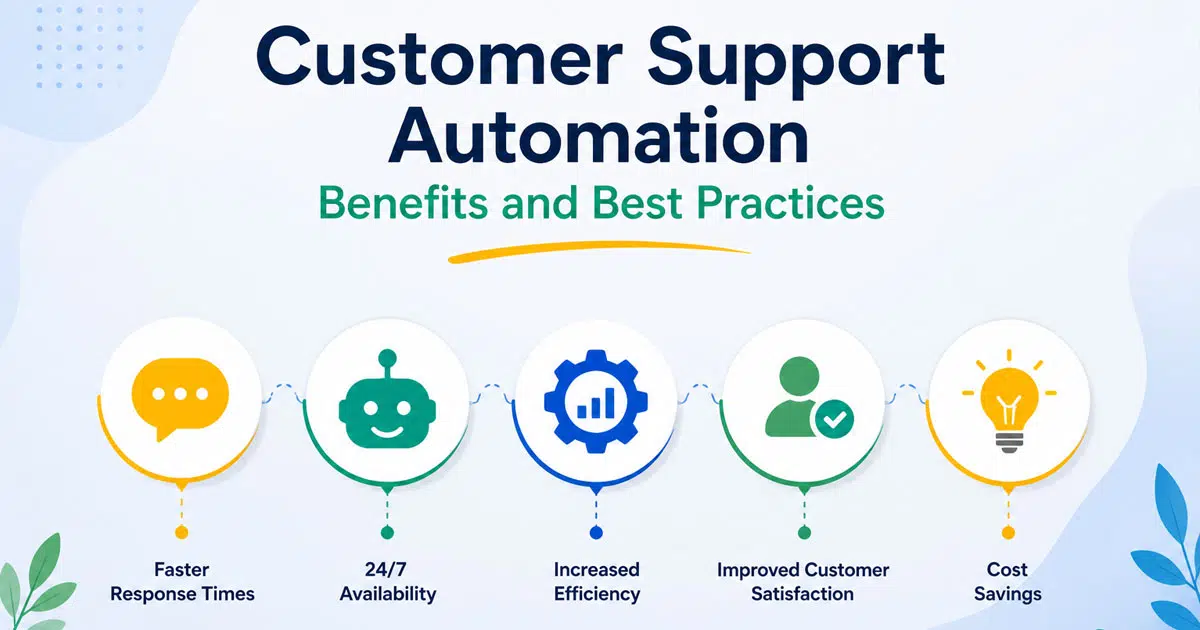
Customer support teams deal with a steady rise in customer inquiries, higher customer expectations, and growing pressure to respond faster across multiple channels. Customers want quick answers, accurate information, and personalized support at every touchpoint. Handling this volume manually puts stress on the support team and often leads to delays and inconsistent service quality.
Customer support automation provides a practical solution to these challenges. It supports human agents rather than replacing them, handling routine tasks while leaving complex customer issues to skilled support agents. This article explains how workflow automation improves customer support operations, the workflows that benefit most from automation, and how Easy Desk helps customer support teams deliver better customer experiences.
What Is Customer Support Automation?
Customer support automation refers to the use of automated systems and automation tools to manage customer service tasks with minimal human intervention. These systems help customer service agents handle customer interactions more efficiently while maintaining consistent service.
Basic automation covers simple actions like automated replies during business hours or automated ticketing systems that log support tickets. Workflow automation connects multiple steps across customer service operations, such as ticket routing, SLA tracking, and follow-ups, into one coordinated process.
Common examples include automated customer service software for ticket routing, self-service portals for common customer queries, knowledge base access, and AI-powered tools that use natural language processing and machine learning algorithms to understand customer needs.
Key Benefits of Workflow Automation
Workflow automation helps customer support teams stay in control as inquiry volumes rise and customer expectations grow. It brings structure to daily operations, reduces manual effort, and ensures consistent service quality while supporting strong customer relationships across every support channel.
Faster Response And Resolution
Quick responses shape customer perception from the first interaction. Workflow automation routes tickets instantly based on priority, issue type, and customer context. This removes delays caused by manual sorting and helps support agents address urgent customer issues without waiting in queues.
Clear automated workflows also reduce handoffs between teams. When the right agent receives the ticket early, resolution moves faster and customers avoid repeated explanations. Faster responses and quicker resolutions improve customer satisfaction and create smoother customer service interactions across the support journey.
Reduced Manual Effort And Costs
Repetitive tasks drain time and increase labor costs across customer service operations. Workflow automation handles routine actions such as ticket creation, categorization, acknowledgments, and follow-ups with consistency and accuracy. This reduces manual workload and limits human error.
With fewer repetitive tasks, customer service agents focus on complex customer issues that require judgment and empathy. Support teams operate more efficiently without expanding headcount, helping businesses control costs while maintaining service quality and meeting customer expectations.
Balanced Agent Workloads
Uneven workloads create burnout and service delays. Workflow automation assigns tickets based on agent skills, availability, and current workload. This ensures fair distribution and prevents a small group of agents from handling most customer inquiries.
Balanced workloads improve productivity and morale within customer support teams. Agents manage customer interactions more effectively when work feels manageable. This balance supports consistent service delivery, improves resolution quality, and helps teams maintain reliable customer support during peak demand periods.
Consistent Multi Channel Service
Customers expect the same quality of support across email, chat, phone, and self service portals. Workflow automation standardizes processes across channels, ensuring every customer inquiry follows the same service rules and response standards.
Unified workflows prevent gaps between channels and reduce confusion for both customers and support agents. Consistent service strengthens customer trust, supports better customer relationships, and ensures customer service operations deliver reliable experiences regardless of how customers choose to connect.
Scalable And Measurable Operations
Growth increases support volume and operational complexity. Workflow automation allows customer support teams to scale without sacrificing service quality. Automated processes handle higher ticket volumes while maintaining response and resolution standards.
Automation also provides clear visibility into key metrics such as response time, resolution performance, and customer satisfaction. Data driven insights help teams refine workflows, improve efficiency, and make informed decisions that support long term customer success.
How To Automate Customer Support Workflows
Workflow automation helps customer support teams manage high volumes of customer inquiries with speed and accuracy. By automating the right workflows, support teams reduce manual effort, improve service quality, and deliver consistent experiences across channels while allowing human agents to focus on complex customer issues.
Ticket Creation And Categorization
Ticket creation and categorization form the foundation of effective customer support automation. Automated ticketing systems capture customer queries from email, chat, self service portals, and interactive voice response, then convert them into structured support tickets. This process ensures no customer issue goes untracked.
Automation tools classify tickets based on keywords, intent, and customer data using natural language processing. Accurate categorization helps customer service agents understand context instantly and reduces delays caused by manual sorting. Clear categorization also improves reporting, helps track key metrics, and supports better decision-making across customer service operations.
Intelligent Ticket Routing
Intelligent ticket routing directs customer issues to the right support agents without manual intervention. Customer service automation software assigns tickets based on priority, agent expertise, workload, and customer lifetime value. This approach improves response times and avoids unnecessary handoffs.
Automated ticket routing ensures complex customer inquiries reach experienced human agents while routine tasks route to the appropriate queues. With a complete customer view, support teams handle customer interactions more effectively. This workflow strengthens service quality, supports personalized support, and improves overall customer satisfaction across multi channel support environments.
Automated Acknowledgments And Updates
Automated acknowledgments reassure customers that their requests receive attention. Immediate confirmation messages set clear expectations and reduce follow-up customer inquiries. Automated customer service tools also send status updates when tickets progress or resolve.
Proactive communication builds trust and improves customer relationships. Customers stay informed without contacting the support team repeatedly. This workflow supports consistent service, improves customer engagement, and helps customer support teams manage higher volumes without sacrificing experience. Automated systems also free customer service agents from repetitive communication tasks, allowing better focus on meaningful customer service interactions.
SLA Tracking And Escalations
SLA tracking plays a critical role in customer service operations. Workflow automation monitors response and resolution timelines in real time, ensuring service commitments remain on track. Automated systems trigger alerts when deadlines approach or risk violation.
Escalation workflows route urgent customer issues to senior support agents or managers before service quality declines. This automation protects customer satisfaction and reinforces accountability across customer support teams. Clear SLA visibility also helps measure performance, control labor costs, and maintain consistent service standards across customer service interactions.
Follow Ups And Customer Feedback
Automated follow-ups ensure no customer interaction ends without closure. After ticket resolution, automated customer service solutions send follow-up messages to confirm satisfaction and collect customer feedback. This step strengthens customer engagement and shows commitment to customer success.
Feedback data helps customer service teams identify gaps, improve support tasks, and refine automation rules. Insights from customer feedback support better customer retention and long-term customer loyalty. This workflow also helps track overall customer satisfaction and evaluate the benefits of customer service automation over time.
Self Service And Knowledge Access
Self service options reduce pressure on support teams by answering common customer queries instantly. Self service tools guide customers to relevant knowledge base articles, FAQs, and troubleshooting steps without human intervention.
AI powered self service portals use natural language processing to understand customer needs and recommend accurate content. This workflow supports faster resolutions, improves customer experience, and increases customer lifetime value. By deflecting routine tasks, customer support automation allows support agents to focus on complex customer issues that require human judgment and personalized customer interactions.
How Customer Support Automation Improves The Customer Experience
Customer support automation reshapes how customers interact with support teams by removing delays, confusion, and repetitive steps. With the right automated systems in place, businesses deliver faster responses, clearer communication, and more personalized support across every stage of the customer journey.
Faster First Response
Speed shapes the first impression in customer service interactions. Customer support automation ensures customer inquiries receive immediate acknowledgment through automated customer service tools, even outside business hours. This reduces uncertainty and reassures customers that their issues matter.
Automated ticketing systems and automated customer service software prioritize requests based on urgency and context. Faster first responses lower frustration, improve customer satisfaction, and create a positive tone for the entire interaction. Support agents gain more time to focus on complex customer inquiries rather than sorting queues manually.
Fewer Repeated Explanations
Repeated explanations frustrate customers and damage customer relationships. Customer service automation tools store customer data, past conversations, and support tickets in one place, creating a complete customer view for support teams.
When customer service agents access full context instantly, customer interactions feel smoother and more respectful. Automated systems reduce unnecessary handoffs and prevent lost information. This continuity improves service quality, strengthens customer trust, and increases overall customer satisfaction across customer support teams.
Proactive Communication
Proactive communication plays a major role in building confidence. Automated customer service solutions send real-time updates, resolution confirmations, and delay notifications without manual effort from the support team.
Customers stay informed without the need for repeated follow-ups. This proactive support approach improves customer engagement and reduces inbound customer queries. Clear updates also support customer success by setting expectations and reinforcing transparency throughout customer service interactions.
Consistent Multi Channel Support
Customers expect the same level of service across every channel. Customer support automation enables consistent service across email, chat, phone, self service portals, and interactive voice response systems.
Customer service automation software syncs conversations and customer data across channels, so customers switch platforms without losing context. This seamless integration strengthens customer relationships and ensures customer support teams deliver reliable experiences regardless of how customers choose to connect.
Personalized Customer Interactions
Personalized support becomes easier with automation. AI powered systems use natural language processing and machine learning algorithms to analyze customer needs, behavior, and history. These insights guide smarter responses and more relevant solutions.
Customer service agents use this context to deliver personalized customer interactions that feel human and thoughtful. Automation supports human agents rather than replacing them, leading to stronger emotional connections, improved customer loyalty, and higher customer lifetime value.
Better Resolution For Complex Issues
Automation handles routine tasks, freeing support agents to focus on complex customer issues that require human judgment. Automated ticket routing ensures these cases reach experienced human agents without delay.
With fewer repetitive tasks and better access to customer data, support agents resolve problems faster and with greater accuracy. This balance between automated systems and human intervention improves service quality and ensures customers receive the right level of care when it matters most.
Best Practices For Implementing Workflow Automation
Workflow automation delivers meaningful results when it aligns with customer needs, team workflows, and existing systems. A structured approach helps customer support teams avoid disruption, protect service quality, and build customer support automation that scales while supporting human agents and long-term customer success.
Audit Existing Support Processes
A detailed review of existing systems and support tasks provides clarity before automation begins. Customer support teams need to understand how customer inquiries flow across ticketing systems, communication channels, and internal handoffs. This visibility highlights delays, bottlenecks, and repetitive tasks that affect customer experience.
Clear process audits prevent automation of broken workflows that reduce service quality. With accurate insight into customer service operations and customer data usage, teams design workflow automation that supports consistent service, stronger customer relationships, and better customer service interactions across the support lifecycle.
Start With Routine Tasks
Routine tasks offer a low-risk entry point for customer service automation. Automated ticketing systems handle ticket creation, categorization, and basic ticket routing with speed and accuracy. These workflows remove manual effort from support agents and reduce processing delays.
Automated customer service tools perform repetitive tasks consistently, allowing customer service agents to focus on complex customer inquiries. Early automation success builds trust within customer support teams and creates a foundation for expanding support automation across additional customer service operations.
Focus On Customer Impact
Every automation decision should prioritize customer experience and customer expectations. Workflow automation must simplify customer interactions rather than add friction. Faster responses, accurate routing, and proactive communication directly influence customer satisfaction and customer loyalty.
Customer service automation software should support personalized support by using customer data and a complete customer view. When automation aligns with customer needs, it strengthens customer engagement, improves customer retention, and increases customer lifetime value across long-term customer relationships.
Keep Automation Flexible
Customer needs evolve, and rigid automation limits long-term success. Flexible workflow automation allows customer support teams to adjust rules, priorities, and triggers as service demands change. Customer service automation tools should support quick updates without technical barriers.
Adaptable automation protects service quality during growth periods, product updates, or seasonal spikes. This flexibility ensures automated systems continue to support customer success while maintaining consistent service across multi channel support environments.
Integrate Systems Seamlessly
Seamless integration across customer service software, CRM platforms, and self service tools creates a unified customer view. Fragmented systems cause data silos that disrupt customer service interactions and limit personalization.
Integrated automation tools give support agents access to real time data, previous conversations, and customer history in one place. This visibility improves personalized customer interactions, strengthens service quality, and supports efficient customer service operations across all channels.
Monitor Performance Metrics
Performance monitoring keeps customer support automation effective and relevant. Key metrics such as response time, resolution time, customer satisfaction, and customer feedback reveal how automated systems perform across customer interactions.
Regular review of real time data helps customer support teams refine workflows and address gaps early. Data-driven optimization improves customer engagement, controls labor costs, and reinforces the long-term benefits of customer service automation.
Balance Automation With Human Support
Automation works best alongside human agents rather than replacing them. Complex customer issues, emotional situations, and high-value customer relationships require human judgment and empathy.
Customer support automation should route complex cases to skilled support agents while automated systems manage routine tasks. This balance preserves personalized support, strengthens customer trust, and ensures customer service operations remain efficient without losing the human touch.
Common Mistakes To Avoid In Customer Support Automation
Customer support automation delivers value only when teams plan, monitor, and refine it carefully. Poor decisions during setup or execution can weaken customer experience and reduce trust. Awareness of common mistakes helps customer support teams protect service quality and long-term customer relationships.
Broken Workflows Automation
Broken workflows create frustration before automation enters the picture. Automation tools simply scale those inefficiencies across customer service operations. Delays, unclear ownership, or unnecessary steps multiply once automated systems handle higher ticket volumes.
Strong workflow design must come first. Clear process reviews help customer support teams fix gaps before automation begins. Clean workflows ensure customer support automation improves consistency, reduces errors, and supports reliable customer service interactions. Solid foundations also protect service quality and prevent automated customer service software from amplifying existing problems.
Ignoring Customer Feedback
Customer feedback reflects real customer needs and expectations. Automation decisions that overlook this input often create rigid workflows that frustrate users and damage customer satisfaction. Feedback highlights pain points that internal teams may miss.
Customer service automation tools should evolve based on insights from customer feedback and customer service interactions. Regular feedback analysis improves self service options, ticket routing accuracy, and response quality. This approach strengthens customer engagement, supports customer loyalty, and ensures automated customer service solutions remain aligned with real-world customer expectations.
Excessive Automation Of Interactions
Too much automation removes the human element from customer service. Automated systems that block access to human agents frustrate customers dealing with complex customer issues or emotional concerns. Trust erodes when customers feel trapped inside automated flows.
Customer support automation works best with clear paths to human intervention. Support agents must remain available for personalized support and complex customer inquiries. Balanced automation protects customer relationships, improves customer experience, and ensures automated systems support human agents rather than replace meaningful customer service interactions.
Poor Integration Across Systems
Disconnected systems weaken customer support automation. Fragmented customer data forces customer service agents to search across tools and increases errors during customer interactions. Poor integration also limits visibility into customer lifetime value and past support tickets.
Seamless integration across customer service software, CRM platforms, and self service tools creates a complete customer view. Unified data supports accurate ticket routing, better personalization, and consistent service across multi channel support. Integrated automation tools strengthen customer service operations and improve service quality at scale.
Limited Visibility Into Performance
Automation without reporting hides problems. Teams lose the ability to measure response times, resolution quality, or customer satisfaction without clear access to key metrics. Decisions based on assumptions weaken customer service operations.
Performance dashboards and real time data provide insight into automated systems. Clear metrics reveal workflow gaps and optimization opportunities. Visibility helps customer support teams refine automation, control labor costs, and demonstrate the benefits of customer service automation software across customer interactions.
Lack Of Ongoing Optimization
Automation requires regular updates to stay effective. Static workflows fail as customer expectations shift and new customer issues emerge. Outdated rules reduce accuracy and harm customer experience over time.
Regular reviews of automation rules, customer feedback, and performance data keep systems relevant. Continuous improvement ensures customer support automation aligns with customer needs and business goals. Ongoing optimization strengthens customer retention, supports customer success, and protects long-term service quality across customer service operations. This is especially valuable for global businesses that serve customers in different time zones.
How EasyDesk Supports Customer Support Automation
EasyDesk offers automated customer service solutions designed for growing customer support teams that need efficiency without losing the human touch. Its customer service automation software supports automated ticket routing, SLA tracking, and multi channel support across email, chat, and self service portals. These key features help customer support teams manage large volumes of customer inquiries while maintaining consistent service quality and faster response times.
Workflow automation in Easy Desk stays flexible and easy to configure. Teams customize workflows based on business hours, support priorities, and customer needs without added complexity. This reduces repetitive tasks and allows customer service agents to focus on complex customer issues that require human intervention and personalized support.
AI powered capabilities strengthen customer engagement and service quality. Real time data and key metrics give support teams clear visibility into performance and customer satisfaction. With self service options, knowledge base access, and proactive support tools, Easy Desk helps improve customer relationships, customer retention, and customer lifetime value while supporting human agents with the right context.
FAQ
How Does Automation Help Handle High Ticket Volumes?
Automation manages routine tasks such as ticket routing and categorization, allowing customer service agents to focus on complex customer inquiries and reduce response delays.
What Role Do Human Agents Play In Automated Support?
Human agents handle complex customer issues, emotional situations, and personalized support while automated systems manage repetitive tasks.
Can Automation Improve Customer Loyalty?
Faster responses, consistent service, and proactive communication improve customer satisfaction and strengthen customer loyalty over time.
Is Workflow Automation Suitable For Small Support Teams?
Workflow automation helps small teams scale efficiently by reducing manual work and improving customer service operations without added labor costs.
How Does Automation Support Personalized Customer Interactions?
Automation uses customer data and a complete customer view to tailor responses, route issues correctly, and support personalized customer interactions.
What Metrics Help Measure Automation Success?
Key metrics include response time, resolution time, customer satisfaction scores, customer retention, and customer lifetime value.
How Can Proactive Customer Support Improve Service Quality?
Proactive customer support uses automated updates, SLA alerts, and real time insights to keep customers informed, prevent delays, and reduce follow-ups while improving overall service quality and trust.



