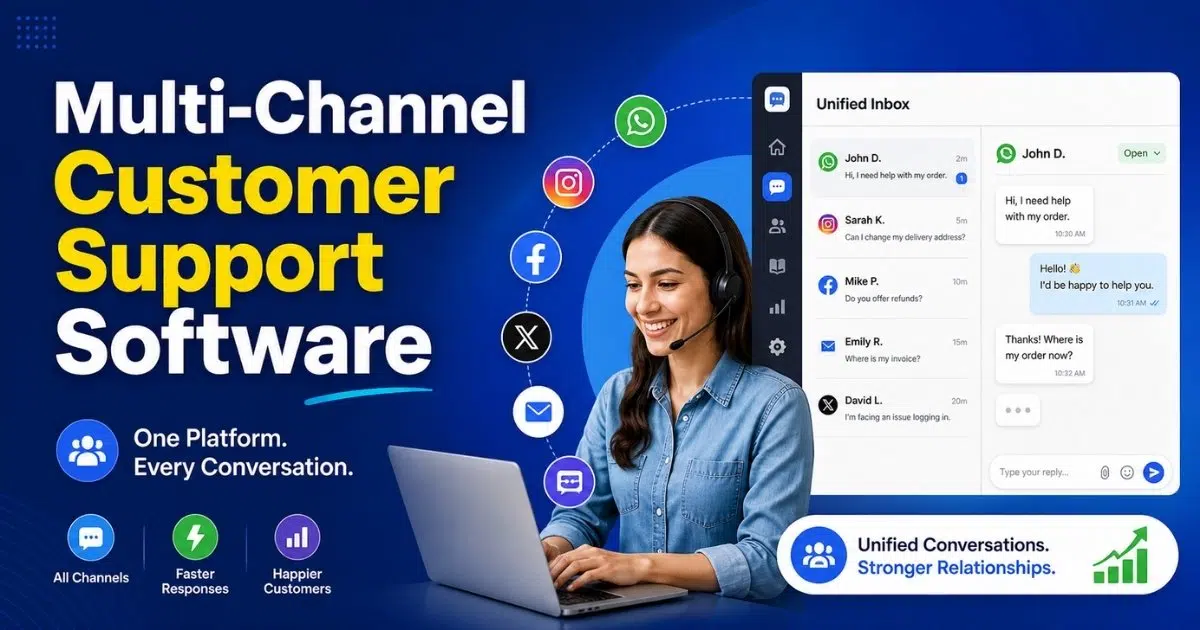
Multi-channel customer support software enables businesses to manage customer conversations across email, live chat, social media, and phone calls from one centralized system. As customers use multiple communication channels, support teams need a unified way to track inquiries, respond faster, and maintain context across interactions.
By centralizing customer conversations in a single platform, multi-channel customer support software helps teams deliver consistent, personalized, and efficient support. It improves visibility into customer interactions, supports collaboration across the customer service team, and aligns responses with customer preferences. For growing businesses, this unified approach reduces response delays, improves customer satisfaction, and creates a reliable support experience across every channel customers choose to use.
What Is Multi-Channel Customer Support Software?
Multi-channel customer support software is a type of customer service software that helps businesses manage customer support across multiple communication channels from a single platform. Instead of handling emails, chats, and social messages separately, teams can respond to all customer inquiries in one place. This approach is commonly referred to as multichannel customer support or multichannel customer service.
Delivered as software as a service, this solution allows support teams to stay connected with customers through various channels without switching tools. By centralizing customer conversations, businesses can maintain context, improve response times, and deliver consistent customer support. Using multiple communication channels effectively helps organizations meet customers where they are while providing a smoother and more reliable service experience.
How Multi-Channel Customer Support Software Works
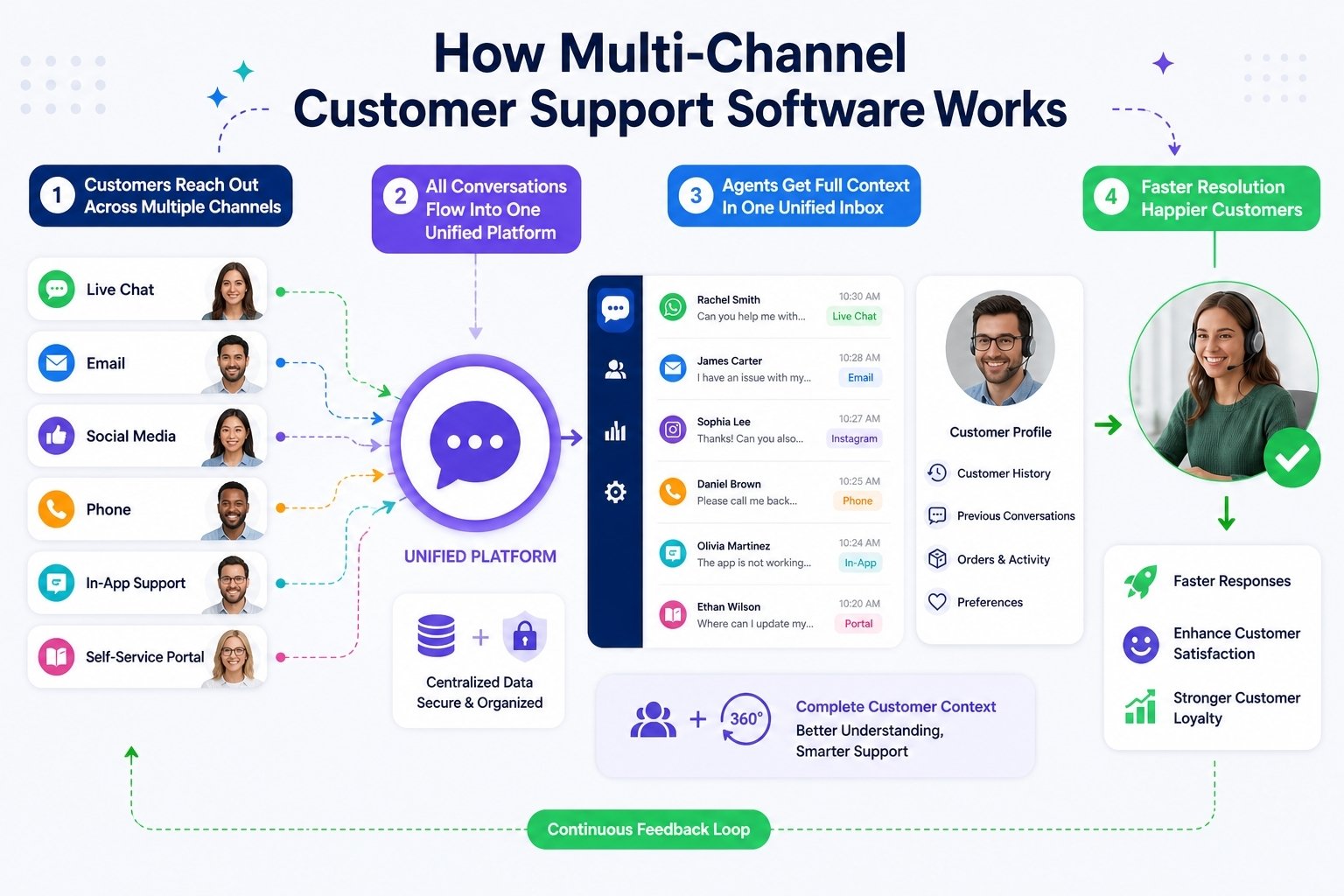
Multi-channel customer support software connects communication channels into a unified system that helps teams manage customer interactions efficiently. By operating from one central platform, businesses maintain context, improve response speed, and deliver consistent support across all support channels.
Message Collection From Multiple Communication Channels
Multi-channel customer support software gathers messages from multiple communication channels such as email, live chat, phone calls, and social platforms. Each channel produces customer interactions in different formats, but the system standardizes them into a single view.
This ensures customer inquiries are never lost or overlooked. By supporting various communication channels, businesses eliminate fragmented workflows and ensure reliable intake across all support channels.
Conversation Standardization Within a Unified System
Once messages enter the platform, they are structured inside a unified system. Each customer interaction includes conversation history, channel source, timestamps, and customer details.
This structure allows teams to work from one central platform without switching tools. Having all interactions in a centralized view improves clarity, accountability, and response accuracy across multiple channels.
Request Distribution Across Support Channels
After centralization, the system distributes conversations across support channels based on predefined rules. These rules may consider urgency, topic, channel type, or team availability.
Efficient distribution ensures customer interactions reach the appropriate team quickly. Balanced workloads reduce response delays and allow teams to maintain service quality even during high-volume periods.
Context Preservation Across Customer Interactions
Maintaining context is essential when customers move between multiple channels. Multi-channel customer support software preserves conversation history so agents can view previous interactions instantly.
This continuity ensures customers do not repeat information and receive informed responses. Preserved context improves resolution quality and builds trust across various communication channels.
Team Collaboration Through One Central Platform
Complex customer issues often require collaboration among multiple team members. A one central platform enables internal communication without leaving the customer conversation.
Shared visibility, internal notes, and task assignments allow teams to resolve issues faster. Centralized collaboration improves coordination and ensures consistent handling across all support channels.
Visibility and Control Over Customer Interactions
The platform tracks customer interactions from first contact to resolution. Each interaction is logged within the central platform, providing visibility into volume, response times, and channel usage.
This data helps teams understand performance across communication channels and identify areas for improvement. Better visibility supports informed decisions and operational efficiency.
Consistent Support Across Multiple Channels
Consistency becomes challenging when customers use multiple channels. A unified system ensures responses follow the same standards regardless of channel.
Shared workflows, templates, and knowledge resources help teams deliver reliable experiences. Consistent support across various communication channels strengthens customer trust and improves overall service quality.
Manual vs Automated Ticket Management in Multi-Channel Support
Manual and automated ticket management represent two different approaches to handling customer inquiries across channels. Understanding how each model affects workflows, scalability, and service quality helps teams choose the right balance to improve outcomes and efficiency.
Definition of Manual Ticket Management
Manual ticket management relies heavily on human agents to handle customer inquiries from start to finish. Support staff read messages, categorize issues, assign tickets, and respond individually across channels. This approach offers flexibility and human judgment, especially for complex or sensitive cases.
However, as support volume increases, manual processes become harder to sustain. Agents spend significant time on repetitive tasks such as sorting requests and updating ticket status. While manual handling allows personalized responses, it often limits scalability and slows response times during peak demand.
Definition of Automated Ticket Management
Automated ticket management uses automation features to streamline how tickets are created, routed, and resolved. Automated responses acknowledge incoming requests instantly, while rules and workflows assign tickets to the right team without manual intervention.
Automation reduces dependency on constant human input for routine actions. By handling repetitive steps automatically, teams can maintain service quality even as support volume grows. Automated systems provide consistency and speed, especially in multi-channel environments where inquiries arrive continuously.
Role of Human Agents in Support Operations
Human agents remain essential in both manual and automated models. While automation handles repetitive tasks, agents focus on problem-solving, empathy, and complex decision-making. Their role shifts from task execution to value-driven interaction.
In automated environments, human agents step in when issues require context, judgment, or escalation. This balance ensures customers receive thoughtful responses while support teams avoid burnout from repetitive workloads.
Impact on Agent Productivity and Workload
Manual ticket management often limits agent productivity due to constant context switching and administrative work. Agents must monitor multiple queues, track status updates, and manage prioritization manually, which reduces focus on resolution quality.
Automation features significantly improve agent productivity by removing repetitive tasks. Tickets arrive pre-categorized and prioritized, allowing agents to focus on resolution rather than organization. This shift helps teams handle higher volumes without adding headcount.
Support Strategies for Scaling Operations
Effective support strategies depend on expected growth and customer demand. Manual systems may work for small teams with low inquiry volumes, but they struggle under scale. As customer bases grow, response delays and inconsistencies increase.
Automated ticket management supports scalable strategies by adapting to demand fluctuations. Automation ensures consistent handling regardless of volume, helping teams maintain service levels while expanding support coverage across channels.
Ability to Boost Efficiency Across Channels
Efficiency becomes critical in multi-channel support environments. Manual processes often lead to duplicated effort, missed messages, and slower resolutions. These inefficiencies compound as channels increase.
Automation features help boost efficiency by centralizing workflows and standardizing responses. Automated routing, acknowledgments, and prioritization reduce delays and improve throughput. When combined with skilled human agents, automated systems deliver faster, more reliable support across all channels.
How To Centralize Customer Conversations in One Inbox
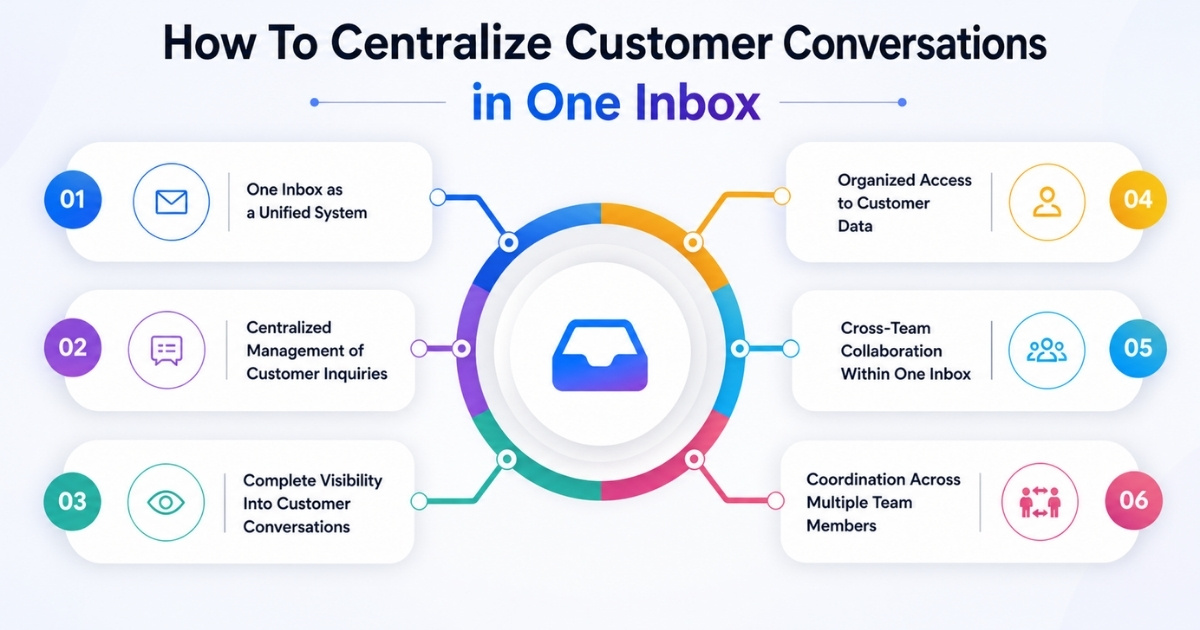
Centralizing customer conversations allows support teams to manage customer inquiries efficiently across channels. By using one inbox as a unified system, businesses gain visibility into customer queries, improve collaboration, and maintain consistent context across every interaction.
One Inbox as a Unified System
A single inbox acts as a unified system where all customer conversations from different channels appear in one place. Instead of switching between tools, teams can view emails, chats, and messages together. This structure simplifies daily operations and reduces the risk of missed customer inquiries.
A unified inbox also standardizes how conversations are handled. Every message follows the same workflow, making it easier to track progress, assign ownership, and ensure accountability across the support process.
Centralized Management of Customer Inquiries
When all customer inquiries flow into one inbox, teams can manage customer inquiries more effectively. Requests are no longer scattered across platforms, which reduces confusion and response delays.
Centralization allows support teams to prioritize customer queries based on urgency and context. With clear visibility into open and resolved conversations, teams maintain better control over workload and response quality.
Complete Visibility Into Customer Conversations
A centralized inbox provides a full history of customer conversations in one place. Support agents can review past interactions instantly, regardless of the channel used previously.
This visibility ensures responses are informed and consistent. Customers do not need to repeat information, and agents can address issues with a clear understanding of prior context, improving resolution accuracy.
Organized Access to Customer Data
Customer data becomes more valuable when it is centralized alongside conversations. A unified inbox connects messages with profiles, preferences, and interaction history.
Having customer data readily available helps teams personalize responses and make better decisions. It also supports long-term relationship management by preserving context across multiple customer inquiries.
Cross-Team Collaboration Within One Inbox
Complex issues often require cross-team collaboration. A shared inbox allows multiple team members to view, discuss, and contribute to the same customer conversation without duplication.
Internal notes, assignments, and shared visibility enable smoother coordination. Collaboration within one system reduces handoff delays and ensures consistent handling of customer queries.
Coordination Across Multiple Team Members
When multiple team members work from the same inbox, coordination improves naturally. Everyone sees the same information, reducing miscommunication and overlap.
This shared environment supports accountability and continuity. Even when agents change shifts or roles, customer conversations remain accessible, ensuring seamless support across the entire team.
Email-Based Ticketing Systems Explained
Email-based ticketing systems help teams convert everyday customer inquiries into organized, trackable support requests. Instead of managing emails across individual inboxes, messages flow into a centralized desk solution that improves visibility, accountability, and consistent support delivery.
What an Email-Based Ticketing System Is
Key points
- Converts incoming emails into structured support requests
- Centralizes communication inside desk software
- Assigns ownership and status to each request
An email-based ticketing system automatically transforms customer inquiries sent via email into tickets. Each message becomes a trackable item within a desk solution, ensuring no request is lost or overlooked. This structure allows the customer support team to manage issues systematically rather than relying on manual inbox sorting.
How Customer Inquiries Become Support Requests
Key points
- Emails create tickets automatically
- Each ticket includes status, priority, and ownership
- Requests remain visible until resolved
When a customer sends an email, the system generates a support request inside the platform. The customer support team can prioritize, assign, and track progress from start to finish. This process ensures accountability and eliminates confusion around who is responsible for each request.
Role of Desk Software in Daily Support Operations
Key points
- Central dashboard for all support requests
- Shared access for the entire customer support team
- Clear visibility into open and resolved tickets
Desk software provides a single workspace where agents handle all email-based requests. Instead of switching between tools, teams work from one interface, improving efficiency and coordination. This shared environment helps maintain order as request volume grows.
Delivering Consistent Support Through Email Ticketing
Key points
- Standard workflows for every request
- Shared templates and internal notes
- Uniform response quality across agents
Email-based systems support consistent support by applying the same process to every ticket. Regardless of which agent responds, customers receive reliable service aligned with internal standards. This consistency builds trust and reduces variability in response quality.
Collaboration Within the Customer Support Team
Key points
- Internal notes for context sharing
- Easy reassignment and escalation
- Reduced email forwarding
A desk solution enables collaboration without external email chains. Team members can discuss issues internally, add context, and transfer ownership smoothly. This improves resolution speed while keeping communication organized within the system.
Scaling Support With Email-Based Ticketing
Key points
- Handles growing volumes of support requests
- Prevents inbox overload
- Maintains visibility under high demand
As customer inquiries increase, email-based ticketing systems scale without overwhelming agents. Requests remain organized, allowing the customer support team to maintain control and service quality even during peak periods.
Reporting and Visibility Across Support Requests
Key points
- Track response times and workload
- Identify recurring issues
- Improve long-term support processes
Desk software provides insight into how the team performs over time. By analyzing support requests, businesses can refine workflows, balance workloads, and strengthen consistent support delivery.
Email-based ticketing systems turn unstructured email communication into an efficient, manageable support process. By using a centralized desk solution, teams gain clarity, control, and the ability to deliver reliable customer support at scale.
How To Turn Social Media Messages Into Support Tickets
Customers increasingly reach out through social media instead of traditional channels. Turning social media messaging into structured support tickets helps teams manage customer interactions across multiple digital channels while maintaining visibility, accountability, and consistent response quality.
Social Media as a Customer Support Channel
Social media has become a primary touchpoint for customer interactions. Customers contact brands through comments, direct messages, and mentions across social media platforms, often expecting quick responses. These interactions are no longer limited to marketing engagement but frequently include support questions and issues.
Treating social media as a formal support channel ensures customer requests receive the same attention as email or chat. When messages are captured systematically, teams avoid missed requests and maintain service standards across all digital touchpoints.
Capturing Messages From Social Media Platforms
The first step in turning social media messaging into support tickets is message capture. Support systems connect directly to social media platforms and collect incoming messages, comments, and mentions in real time.
This capture process ensures customer interactions from platforms like social networks are not handled manually or overlooked. By pulling messages into a central system, teams gain visibility across multiple digital channels without constantly monitoring each platform separately.
Converting Social Media Messaging Into Tickets
Once messages are captured, they are converted into structured support tickets. Each social media message becomes a ticket with an owner, status, and timestamp, just like requests from other channels.
This conversion transforms informal messages into actionable tasks. Support tickets created from social media messaging allow teams to track progress, ensure follow-up, and maintain accountability across customer interactions.
Managing Customer Interactions Across Channels
Social media messages often relate to conversations that start elsewhere. A customer may first reach out via social media and later follow up through email or a website form. Ticket-based systems link these interactions together.
By managing customer interactions in one place, teams preserve context across multiple digital channels. This prevents repeated questions, reduces confusion, and helps agents deliver informed responses regardless of where the conversation began.
Connecting Website Visitors With Social Support
Many website visitors move between a company’s site and its social media profiles. Questions raised on social platforms may relate directly to website content, pricing, or functionality.
Turning social messages into tickets helps teams support website visitors more effectively. Agents can respond with accurate information while tracking the interaction as part of the overall support workflow, ensuring continuity between web and social experiences.
Consistent Support Across Multiple Digital Channels
Handling social media messages as tickets ensures consistent service across multiple digital channels. Response quality, tone, and resolution standards remain aligned with other support channels.
By treating social interactions as formal support requests, teams maintain reliability and professionalism. This approach strengthens trust and ensures customer interactions on social media receive the same level of care as any other support channel.
Multi-Channel vs Omnichannel Customer Support: Key Differences
Businesses often use the terms multi-channel and omnichannel interchangeably, but they represent different support approaches. Understanding how these models handle communication, context, and customer experience helps teams choose the right strategy for long-term service success.
Definition of Multi-Channel Customer Support
Multi channel customer support refers to offering support across multiple channels such as email, chat, phone, and social media. Each channel operates independently, and customers can choose how they want to reach out.
In a multichannel strategy, the goal is availability across all the channels customers prefer. However, conversations on one channel are not always connected to another. While this approach improves reach, it can create fragmented experiences if context is not shared.
Definition of Omnichannel Customer Support
Omnichannel customer support focuses on creating a connected experience across all touchpoints. Instead of treating channels separately, omnichannel support links conversations into a single, continuous journey.
Omnichannel customer service ensures that context follows the customer across channels. Whether a conversation starts on chat and moves to email or phone, the history remains intact, creating a smoother experience for the omnichannel customer.
Communication Flow and Context Handling
The main difference between multi channel and omnichannel support lies in context management. In multi-channel setups, agents often see only the conversation from the active channel. Customers may need to repeat information when switching channels.
Omnichannel support solves this by unifying conversations across all the channels. Agents access a complete interaction history, which reduces repetition and improves response quality. This connected flow leads to faster resolutions and higher satisfaction.
Customer Experience Across All the Channels
Multi-channel support improves accessibility but may result in inconsistent experiences. Response times, tone, and resolution quality can vary by channel, affecting customer trust.
Omnichannel customer service delivers consistency across all the channels. Customers receive the same level of care regardless of where they engage. This consistency strengthens relationships and creates a more predictable, reliable support experience.
Strategic Impact and Business Fit
A multichannel strategy works well for teams that prioritize reach and channel presence. It is often easier to implement and suitable for smaller operations or early-stage support teams.
Omnichannel support requires more coordination but delivers greater long-term value. It aligns better with customer-centric businesses that focus on loyalty, personalization, and retention. Choosing between the two depends on support maturity, volume, and customer expectations.
Benefits of Omnichannel Support for Customer Experience
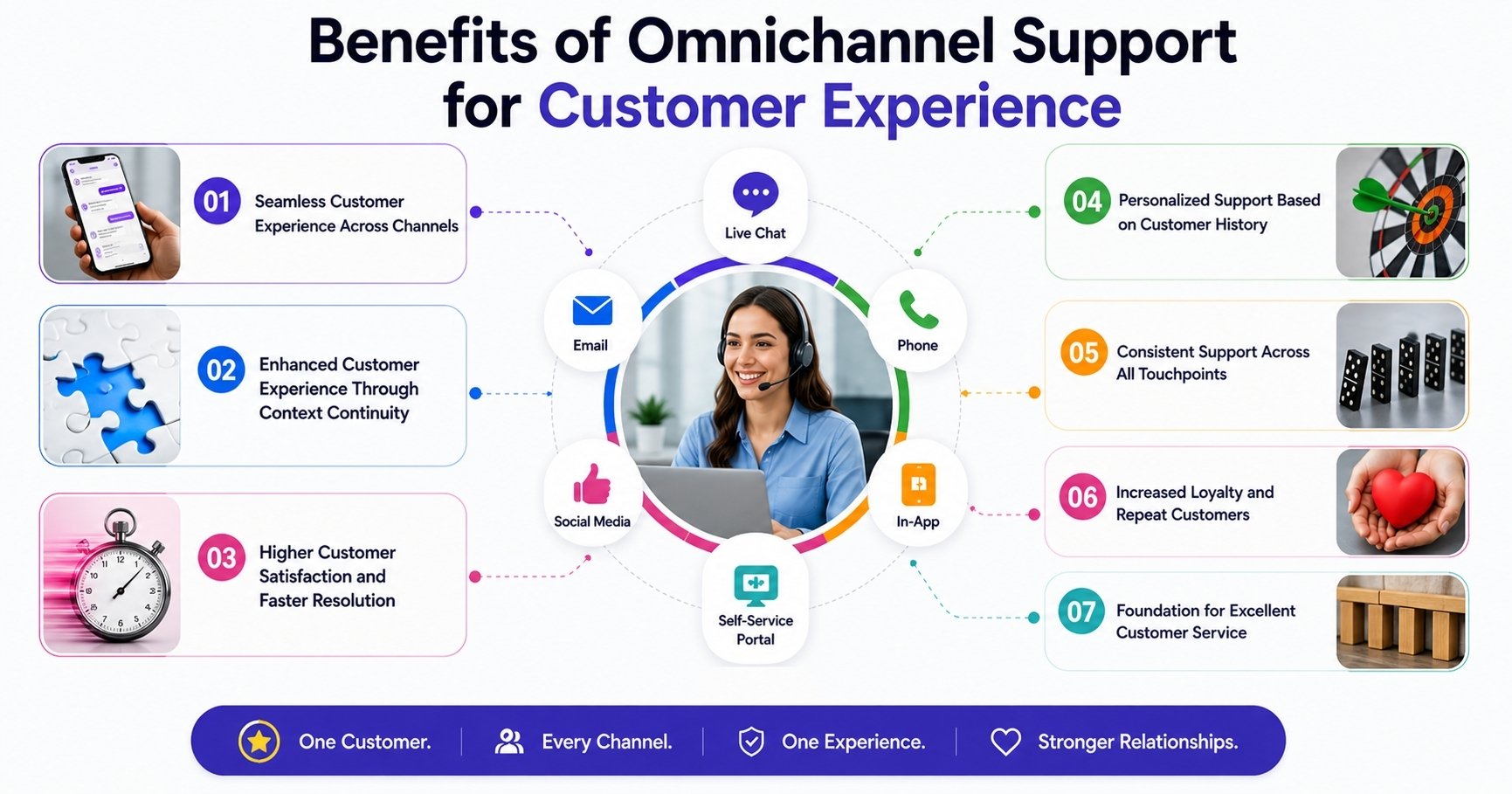
Omnichannel support focuses on delivering a connected and consistent service journey across every customer touchpoint. By unifying conversations and context, businesses can meet rising expectations while improving satisfaction, loyalty, and overall service quality.
Seamless Customer Experience Across Channels
Omnichannel support creates a seamless customer experience by connecting interactions across all channels. Customers can move from chat to email or phone without losing context, which reduces friction and frustration. This continuity makes interactions feel natural and effortless.
A seamless flow reassures customers that the business understands their history and needs. When transitions happen smoothly, customers feel supported rather than interrupted, which strengthens overall perception of the brand.
Enhanced Customer Experience Through Context Continuity
An enhanced customer experience depends heavily on context. Omnichannel systems provide agents with full visibility into past conversations, preferences, and issues. This shared context improves response accuracy and relevance.
When agents understand the full picture, customers receive faster resolutions and clearer answers. Context continuity eliminates repetitive explanations and creates a more refined support experience.
Higher Customer Satisfaction and Faster Resolution
Customer satisfaction improves when issues are resolved quickly and correctly. Omnichannel support reduces resolution time by equipping agents with the information they need upfront.
Faster responses and fewer handoffs contribute to a smoother experience. When customers feel their time is respected, satisfaction naturally increases after each interaction.
Personalized Support Based on Customer History
Personalized support becomes achievable when data flows across channels. Omnichannel platforms allow agents to tailor responses using interaction history and preferences.
This personalization goes beyond using a customer’s name. It reflects an understanding of past issues and usage patterns, which makes support more relevant and meaningful.
Consistent Support Across All Touchpoints
Consistency is critical to building trust. Omnichannel support ensures consistent support regardless of the channel used. Policies, tone, and service quality remain aligned across every interaction.
When customers know what to expect, confidence grows. Consistent experiences reinforce reliability and reduce uncertainty during support interactions.
Increased Loyalty and Repeat Customers
Positive support experiences influence long-term behavior. Omnichannel support helps turn satisfied users into repeat customers by delivering dependable and thoughtful service.
When customers feel valued and supported, they are more likely to return and maintain long-term relationships. Loyalty grows through repeated positive interactions.
Foundation for Excellent Customer Service
Excellent customer service depends on connection, clarity, and consistency. Omnichannel support brings these elements together by aligning teams, data, and communication.
By focusing on experience rather than channels, businesses deliver service that feels cohesive and responsive. This foundation supports long-term success and stronger customer relationships.
Key Features of Multi-Channel Customer Support Software
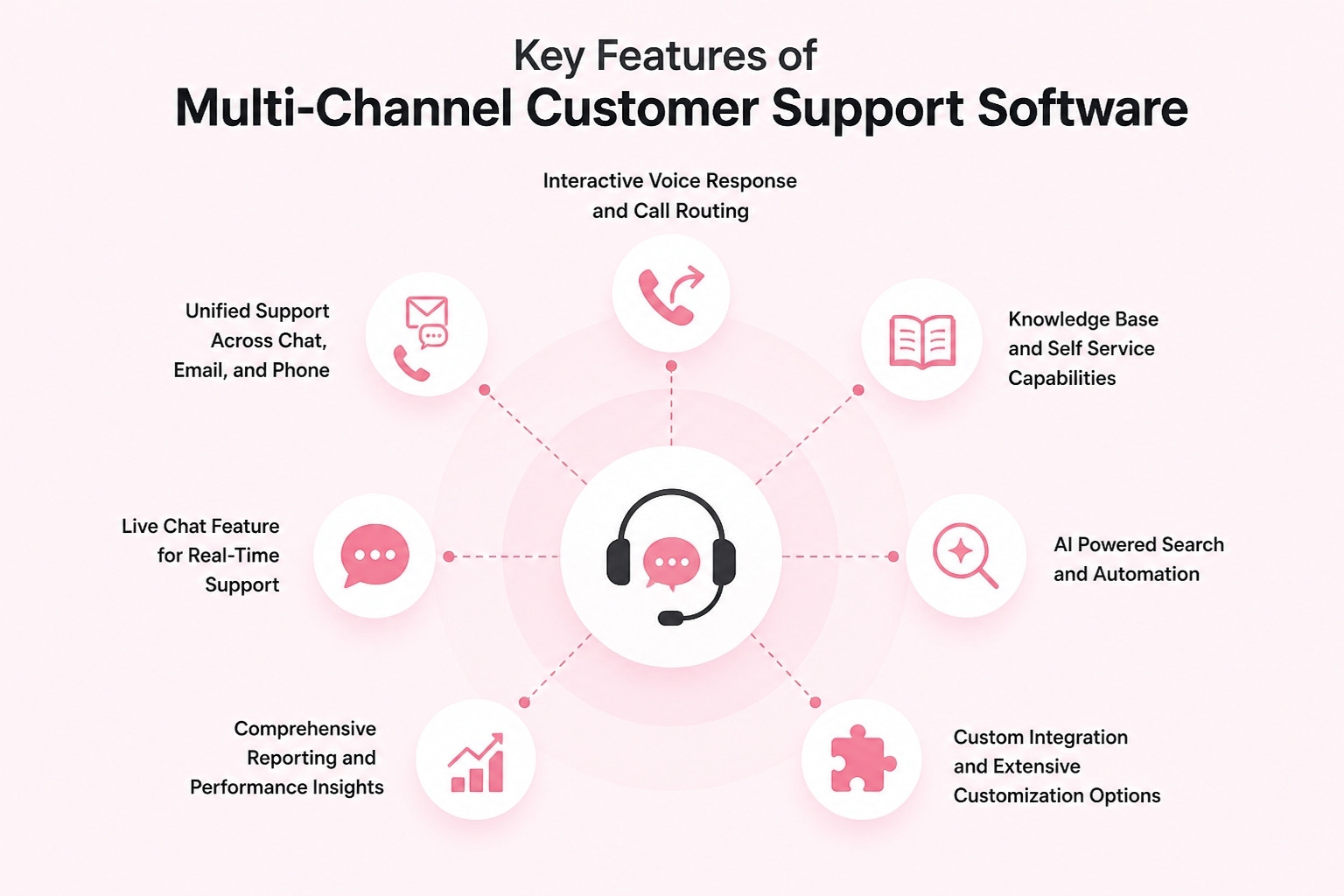
Multi-channel customer support software brings together tools that help teams manage conversations, resolve issues faster, and deliver reliable service across channels. Understanding the key features and advanced features of these platforms helps businesses choose solutions that scale with growing customer needs.
Unified Support Across Chat, Email, and Phone
One of the most important key features is the ability to manage conversations across channels from a single interface. This includes email, live chat feature, phone calls, and phone support. Instead of handling each channel separately, agents can respond to all interactions from one workspace.
Support for phone calls and phone support ensures voice interactions are treated with the same structure as written messages. Call logs, recordings, and follow-ups become part of the overall support workflow, improving continuity and accountability.
Interactive Voice Response and Call Routing
Interactive voice response is a critical feature for managing phone-based support at scale. It helps route incoming calls to the right team or agent based on predefined options such as issue type or urgency.
By reducing manual call handling, interactive voice response improves efficiency and shortens wait times. Customers reach the right support resource faster, while teams manage call volume more effectively.
Knowledge Base and Self-Service Capabilities
A strong knowledge base is essential for reducing repetitive support requests. Multi-channel customer support software often includes tools to create and manage help articles, FAQs, and guides.
Self-service options allow customers to find answers on their own, improving satisfaction and reducing dependency on agents. When combined with AI-powered search, customers can locate relevant information quickly, even with vague or incomplete queries.
Live Chat Feature for Real-Time Support
The live chat feature enables real-time communication with customers directly from websites or applications. This feature is especially valuable for addressing quick questions, onboarding issues, or pre-sales inquiries.
Live chat integrates seamlessly with other channels, ensuring conversations are tracked and stored. When chats transition into longer support cases, the history remains available, maintaining context and improving resolution quality.
AI Powered Search and Automation
AI powered search enhances both agent and customer experiences. For customers, it improves self-service by delivering relevant answers faster. For agents, it surfaces related tickets, articles, and past solutions during active conversations.
Automation complements this capability by handling repetitive tasks such as routing, tagging, and acknowledgments. These advanced features reduce manual workload and allow agents to focus on complex issues.
Comprehensive Reporting and Performance Insights
Comprehensive reporting is a core feature that helps teams measure performance and identify areas for improvement. Reports cover metrics such as response times, resolution rates, channel volume, and agent workload.
These insights support data-driven decisions. Managers can optimize staffing, refine workflows, and ensure service quality remains consistent as demand grows.
Custom Integration and Extensive Customization Options
No two support operations are identical, which makes extensive customization options essential. Multi-channel customer support software should adapt to existing workflows rather than force rigid processes.
Custom integration allows the platform to connect with other business tools such as CRM systems, analytics platforms, or internal dashboards. These integrations create a cohesive ecosystem where data flows smoothly across systems, improving efficiency and visibility.
EasyDesk Multi-Channel Support Overview
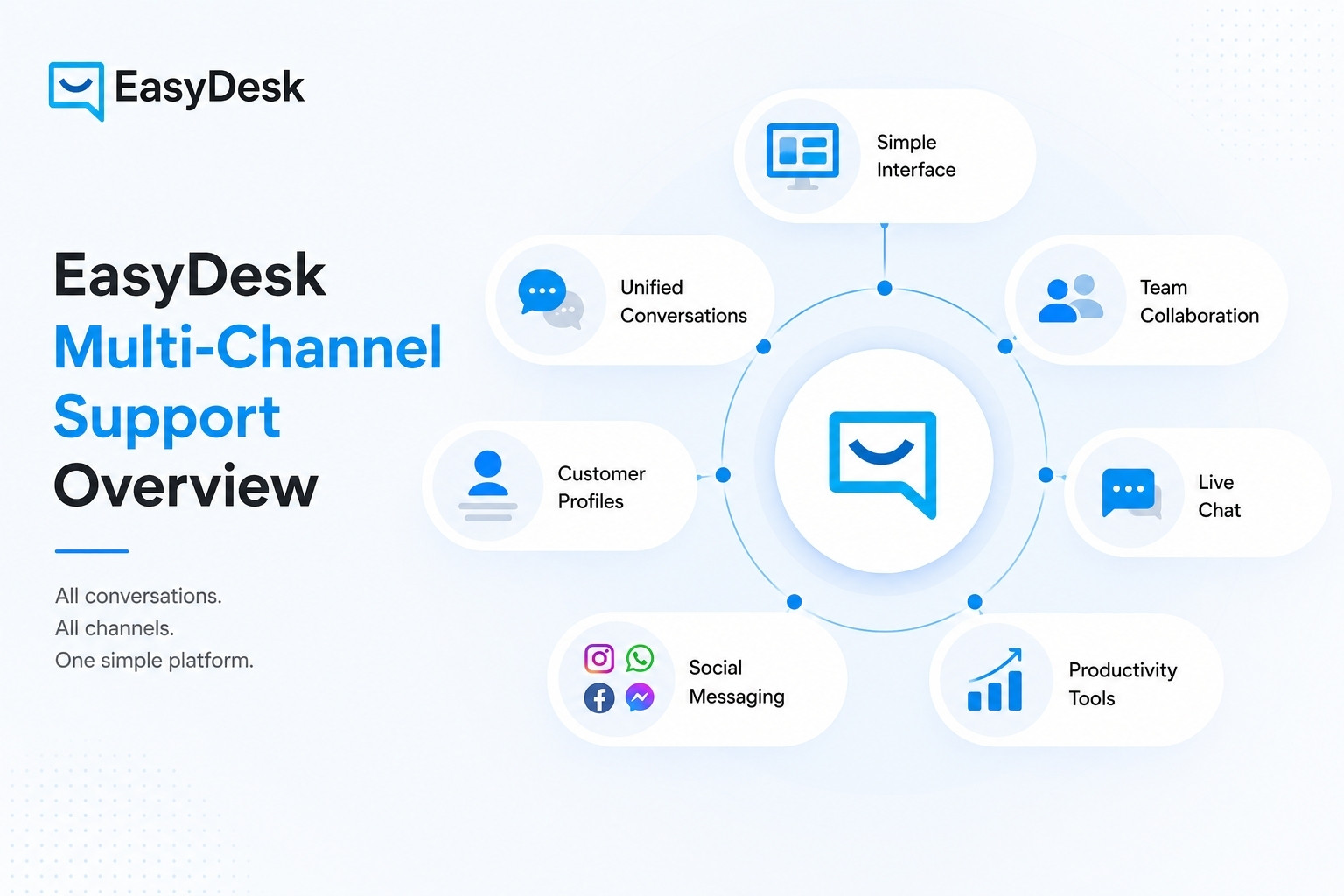
EasyDesk offers a comprehensive multi-channel support platform designed to help support teams handle customer interactions more efficiently while delivering a consistent experience across channels. With a focus on usability and collaboration, EasyDesk brings together tools that let teams manage conversations, prioritize issues, and maintain visibility into all customer activity from one location. Support teams benefit from features that streamline workflows, reduce manual effort, and help build stronger customer relationships through organized, context-rich interactions.
Intuitive User Interface and Ease of Use
EasyDesk is built with a clean, intuitive interface that helps both new and experienced users navigate the platform without steep learning curves. The user interface keeps all essential tools easily accessible, reducing training time for support teams and allowing them to focus on resolving customer needs more quickly. This user-friendly design supports streamlined operations for customer service teams and boosts overall agent productivity.
Central Platform for Customer Conversations
As a central software solution, EasyDesk consolidates customer interactions from email, live chat, social media, and other sources into a single workspace. This unified view of conversations ensures that support teams never lose context when switching between channels, improving accuracy and responsiveness in every customer query.
Collaboration Support for Customer Service Teams
EasyDesk enhances cross-team collaboration by providing shared access to tickets, internal notes, and assignment controls. Multiple team members can work together on complex issues, track progress, and coordinate responses easily. This collaborative environment helps reduce overlap, prevent dropped messages, and improve consistency across all customer interactions.
Personalized and Organized Customer Data
The platform links customer data with conversation history, making it easy for support agents to deliver personalized responses. By having relevant details at their fingertips, teams can tailor support based on past interactions and preferences, which contributes to higher satisfaction and a more human support experience.
Real-Time Support With Live Chat Integration
EasyDesk includes live chat support, enabling real-time communication between customers and support agents. This capability allows teams to respond directly to visitors on a website or app, providing immediate assistance that enhances engagement and helps resolve questions before they escalate into more complex issues.
Multi-Channel Messaging and Social Media Integration
The platform integrates with social media platforms to centralize messages and support requests. Social media messaging is captured and funneled into the helpdesk, allowing teams to convert interactions into structured support tickets and track them alongside other channels. This ensures consistent handling of customer inquiries regardless of source.
Support Tools That Boost Efficiency
EasyDesk provides features like canned responses, SLA tracking, automated workflows, and centralized ticket management to help teams stay organized. Advanced filtering and prioritization ensure that agents focus on the most important issues first, reducing response times and improving overall support quality. These tools help support teams work smarter, not harder, across every channel they serve.
EasyDesk’s multi-channel support overview highlights its ability to bring together conversations, data, and team collaboration into a single, intuitive system that supports modern support operations and enhances customer relationship management.
Best Multi-Channel Helpdesk Software for Growing Teams
Growing support teams need customer support software that helps them manage increasing workloads, coordinate across departments, and deliver consistent service. Multi-channel helpdesk software centralizes conversations, boosts collaboration, and improves visibility across all support channels. Below are five strong solutions that support the needs of expanding teams, with EasyDesk featured at number two.
1. Zendesk
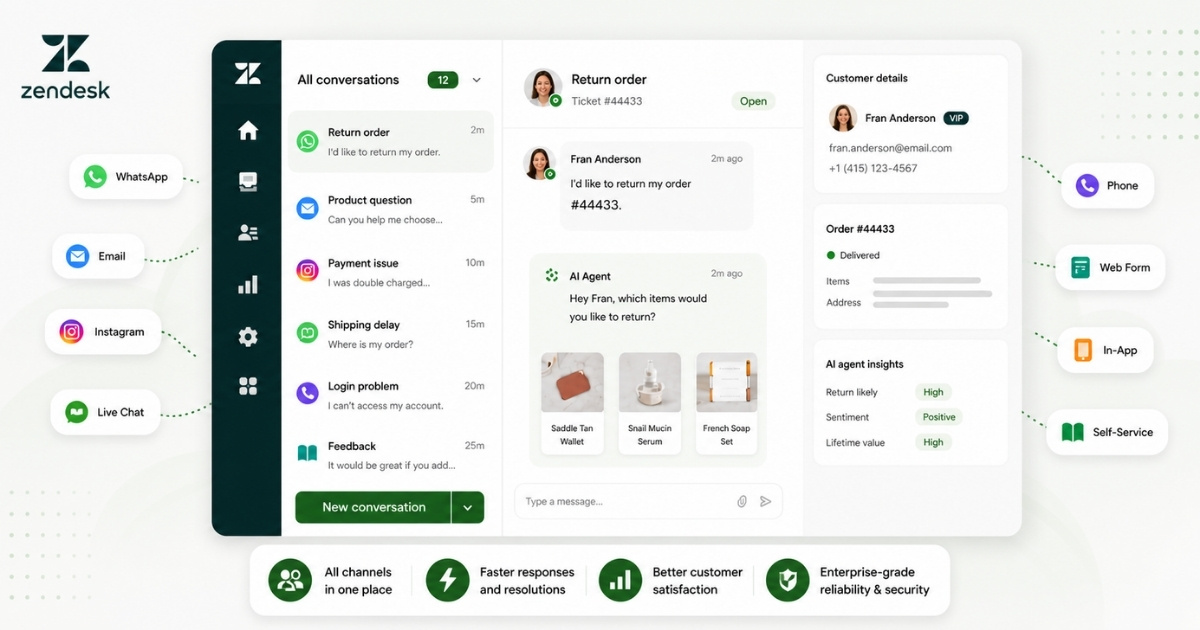
A unified helpdesk like Zendesk helps growing teams manage multiple support channels in one place. It centralizes conversations, automates workflows, and gives clear performance visibility without tool switching.
Multichannel Customer Support Features
- Email, live chat, social media, and voice support in one system
- Unified agent workspace for all customer interactions
- Ticket routing and automation with triggers and workflows
- Help center and knowledge base for self-service
- AI tools for replies, insights, and ticket assistance
Use Case: High-growth teams rely on Zendesk to handle large support volume across channels. SaaS, ecommerce, and service businesses benefit from faster replies, better coordination, and full visibility into customer issues.
Price: Zendesk pricing starts at $19 per agent/month for basic support. Suite plans range from $55 to $169 per agent/month with advanced automation and features.
2. EasyDesk
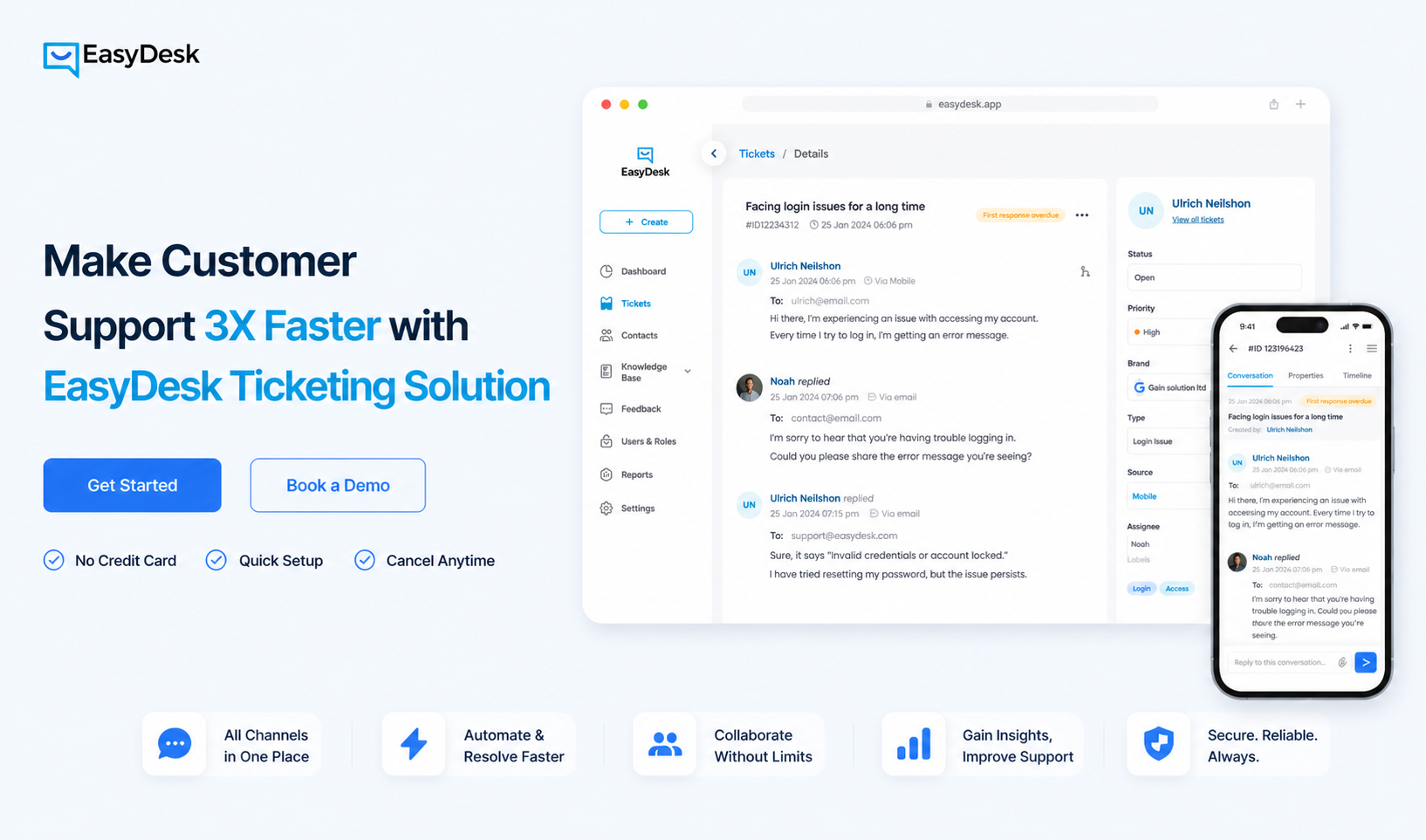
Speed and simplicity define EasyDesk for growing teams. A centralized system handles all support channels while reducing manual effort through automation and structured workflows.
Multichannel Customer Support Features
- Email, live chat, and social media in one dashboard
- Automated ticket routing with workflow rules and triggers
- SLA tracking and ticket prioritization for faster response
- Knowledge base and canned responses for self-service
- Centralized ticket management with filters and tags
Use Case: Startups and scaling teams often choose EasyDesk for daily multichannel support. Clear ownership, quick setup, and faster resolution make it suitable for teams that need efficiency without complexity.
Price: A free plan is available with EasyDesk for small teams. Paid options start at $29/month, with Pro at $49 and Enterprise at $99 per month, depending on features and usage.
3. Freshdesk
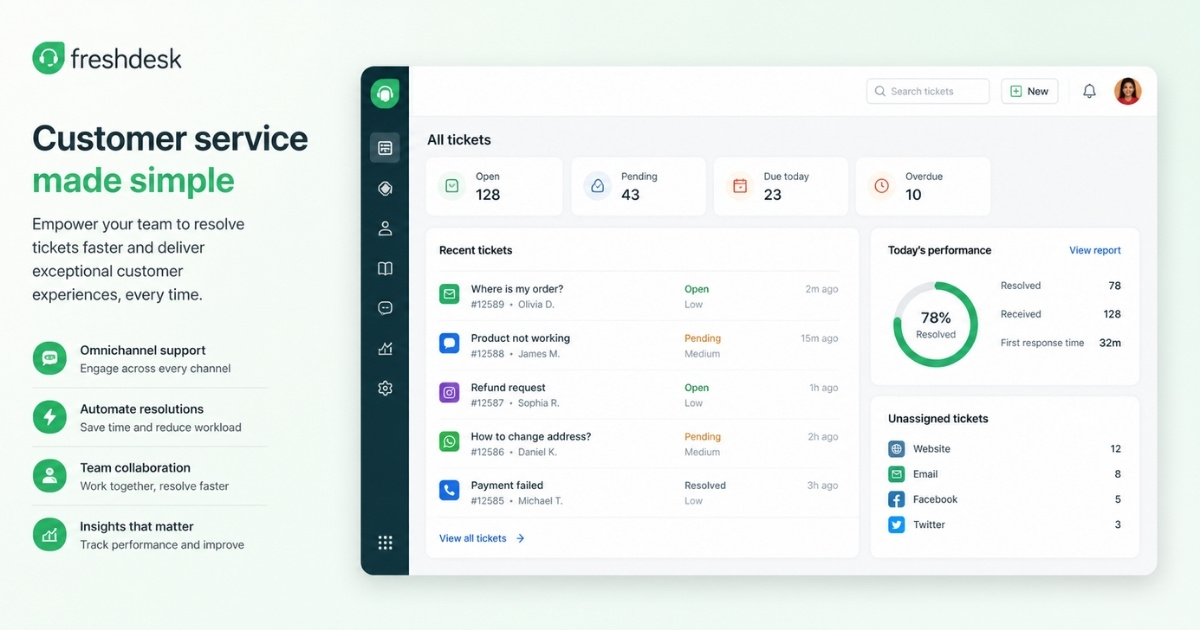
Built for scalability, Freshdesk supports teams that handle rising customer demand. A single platform brings together communication channels, automation tools, and performance tracking.
Multichannel Customer Support Features
- Unified inbox across email, chat, web, and messaging channels
- Ticketing system with automation and smart routing rules
- Knowledge base and customer portal for self-service
- SLA management and performance tracking dashboards
- AI tools like Freddy for suggestions, summaries, and insights
Use Case: Teams with structured support needs across several channels gain the most value from Freshdesk. SaaS and e-commerce businesses use it to scale operations while maintaining consistent response quality.
Price: Freshdesk paid plans start at $19 per agent/month for ticketing. Omnichannel plans begin at $55 and go up to $89 per agent/month for advanced capabilities.
4. Help Scout
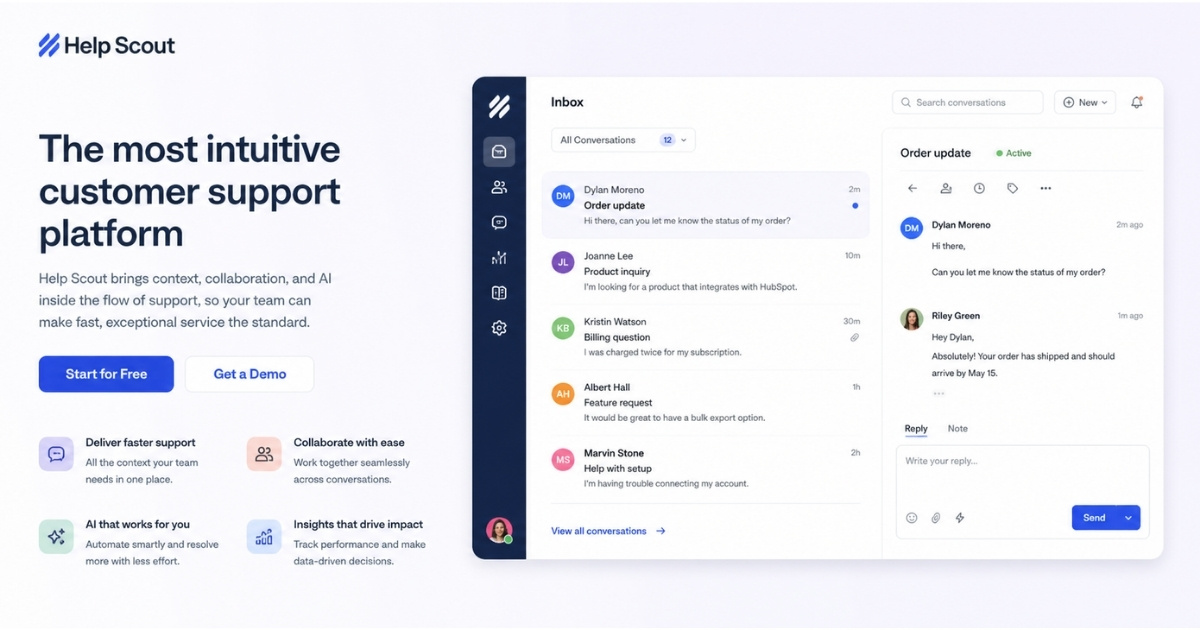
For teams that value human conversations, Help Scout offers a clean and focused support environment. A shared inbox and integrated tools keep communication simple and organized.
Multichannel Customer Support Features
- Shared inbox for email, chat, and social conversations
- Live chat with the Beacon widget for real-time support
- Knowledge base for self-service and quick answers
- Workflow automation to organize and route tickets
- Reporting and customer insights inside each conversation
Use Case: Smaller teams and mid-sized businesses prefer Help Scout for clean workflows and personalized communication. A shared inbox setup supports smooth collaboration and a consistent customer experience.
Price: Help Scout pricing starts at $25 per user/month. Plus costs about $45, while Pro plans reach $75 per user/month. AI Answers pricing applies separately per resolution.
5. Zoho Desk
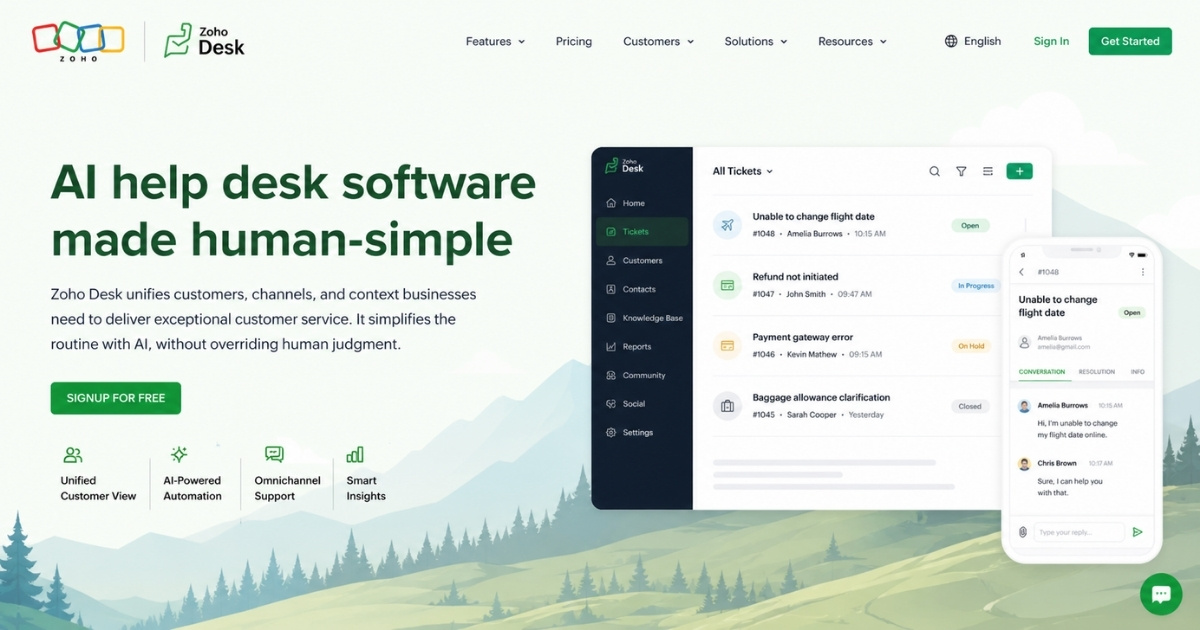
Flexibility and automation sit at the core of Zoho Desk. A connected helpdesk system enables teams to manage conversations across channels while maintaining control over workflows and insights.
Multichannel Customer Support Features
- Omnichannel support across email, chat, phone, social, and web forms
- Unified ticket system with filters, priorities, and work modes
- AI assistant Zia for suggestions, automation, and insights
- Knowledge base and self-service portal for customers
- Workflow automation with SLAs, assignment rules, and blueprints
Use Case: Operations with high ticket volume and defined workflows benefit from Zoho Desk. Businesses that need automation, reporting, and control across multiple channels find it effective.
Price: Zoho Desk offers a free plan for small teams. Paid tiers start around $6 per agent/month and scale to about $36 with more advanced automation and AI features.
How to Choose the Right Multi-Channel Customer Support Software
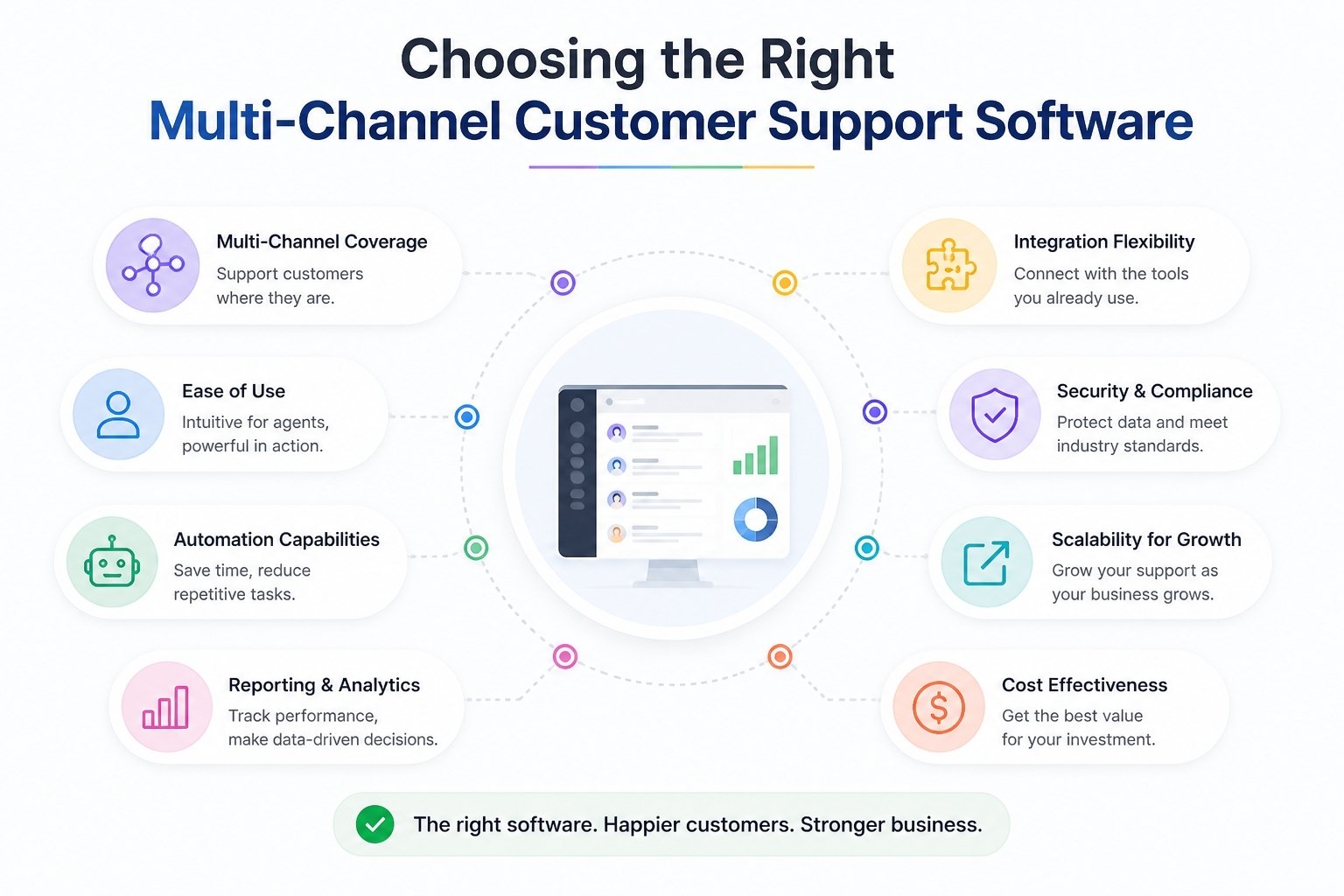
Choosing the right multi-channel customer support software is a strategic decision that affects customer experience, team efficiency, and long-term scalability. The right platform aligns with customer behavior, supports operational goals, and enables teams to deliver reliable support across channels.
Customer Preferences and Expectations
Customer preferences determine how people want to communicate with support teams. Some customers rely on email for detailed issues, while others prefer live chat or social channels for faster responses. Understanding these expectations ensures the software supports the channels customers actually trust.
When customer preferences are ignored, support feels inconvenient and disconnected. Software that aligns with expectations helps reduce friction, improves satisfaction, and encourages customers to seek help rather than abandon the product.
Support for the Preferred Channel
Most businesses have a preferred channel where the majority of customer interactions occur. The right software must fully support this channel without limiting others. Strong performance on the preferred channel ensures faster responses and smoother workflows.
At the same time, customers often switch channels based on urgency or context. A flexible system allows movement between channels without losing context, which improves continuity and trust.
Customer Behavior Across Communication Channels
Customer behavior provides insight into when, why, and how customers contact support. Some users reach out during onboarding, while others contact support during critical usage moments or renewals.
Software that tracks behavior across channels helps teams anticipate demand and allocate resources effectively. Understanding behavior patterns also helps teams design workflows that match real customer needs rather than assumptions.
Key Performance Indicators and Visibility
Key performance indicators define how support success is measured. Metrics such as response time, resolution speed, and satisfaction scores help teams evaluate performance objectively.
The right software makes these indicators visible and easy to understand. Clear reporting allows managers to identify gaps, improve processes, and ensure consistent service quality across all channels.
Initial Setup and Ease of Adoption
Initial setup plays a major role in how quickly teams gain value from the software. Complex configuration can slow rollout and reduce confidence among agents.
Platforms with simple setup and intuitive design allow teams to focus on supporting customers instead of learning tools. Faster adoption also reduces training costs and operational disruption.
Proactive Support and Issue Prevention
Modern support extends beyond reacting to tickets. Proactive support helps teams identify issues before customers report them. Software that highlights trends, repeat questions, or usage signals enables early intervention.
Providing proactive support reduces incoming volume and prevents frustration. Customers appreciate when issues are addressed before they escalate, which strengthens trust and loyalty.
Alignment With Long-Term Support Goals
The right multi-channel customer support software must align with long-term goals such as growth, consistency, and efficiency. As customer bases expand, tools should scale without frequent replacement.
Alignment ensures teams can continue to support customers effectively as expectations evolve. Choosing software with a long-term perspective protects investment and supports sustainable support operations.
FAQs
How Does Multi-Channel Customer Support Improve Customer Experience
Multi-channel customer service allows customers to interact across more channels like phone line, chat, and social media support. A strong multichannel support strategy ensures a seamless experience throughout the customer journey. When customer service reps access complete customer context, they assist customers faster, improve customer engagement, and deliver a consistent customer experience across every touchpoint.
What Makes A Unified Platform Essential For Support Teams
A unified platform centralizes customer inquiries, conversations, and history. It enables customer service agents to manage interactions efficiently without switching tools. This approach supports an omnichannel customer service strategy, improves first contact resolution, and helps offer customer service that feels connected, personalized, and aligned with evolving customer expectations.
How Can Businesses Implement Multichannel Support Effectively
To implement multichannel support, businesses must align tools, workflows, and teams under a clear customer service strategy. Integration of self-service portals, in-app support, and automation capabilities ensures smooth operations. A well-planned multichannel customer service strategy reduces friction and helps teams manage high volumes of customer inquiries efficiently.
Why Do Customers Expect Fast Responses Across Channels
Customers expect fast responses because digital interactions have increased across more channels. Whether through social media support or a phone line, delays reduce trust. A strong multi-channel support strategy combined with automation capabilities helps customer service reps respond quickly and maintain exceptional service standards.
How Do Self-Service Channels Support Support Teams
Self-service channels like knowledge bases and self-service portals allow customers to solve issues independently. This reduces workload on customer service agents while improving customer engagement. When combined with in-app support, businesses enhance customer satisfaction and maintain a consistent customer experience without increasing support costs.
How Does Automation Improve Multichannel Customer Support
Automation capabilities streamline repetitive tasks such as ticket routing and response suggestions. This helps customer service reps focus on complex issues. Automated workflows improve first contact resolution and ensure customer inquiries are handled efficiently, even outside business hours, supporting a scalable multichannel support system.
Why Is Multichannel Support Important For Business Growth
Multichannel support important because it meets customers where they prefer to engage. A strong multichannel customer service strategy improves customer journey, increases retention, and drives loyalty. Businesses that offer customer service across multiple communication channels create a seamless experience that leads to higher customer satisfaction and long term growth.



