In 2026, customer success teams need fast, accurate, and consistent answers across in-app widgets, email, chat, help centers, and community channels, while also addressing broader customer service challenges and their solutions. Knowledge management support gives teams a structured way to capture product, process, and troubleshooting knowledge so agents do not start from scratch with every customer issue.
It covers everything from common knowledge FAQs about billing and onboarding to technical knowledge for integrations, SSO, APIs, and advanced workflows. When knowledge is scattered, customers receive inconsistent answers, repeat contacts increase, NPS drops, and churn risk grows.
When knowledge is organized, support becomes easier to scale, agents avoid burnout, and customers gain confidence. Strong knowledge management support also gives customer success leaders better insight into adoption barriers, expansion opportunities, and recurring product friction.
What Is Knowledge Management Support In Customer Success
Knowledge management support is the end-to-end practice of capturing, structuring, maintaining, and delivering useful support content for customers and internal teams. Knowledge management (KM) support ensures a company captures, organizes, and shares its collective expertise to prevent critical information from being lost or trapped in silos. Knowledge management is the process of creating, gathering, storing, and sharing knowledge, which involves managing information assets such as documents, databases, policies, and procedures.
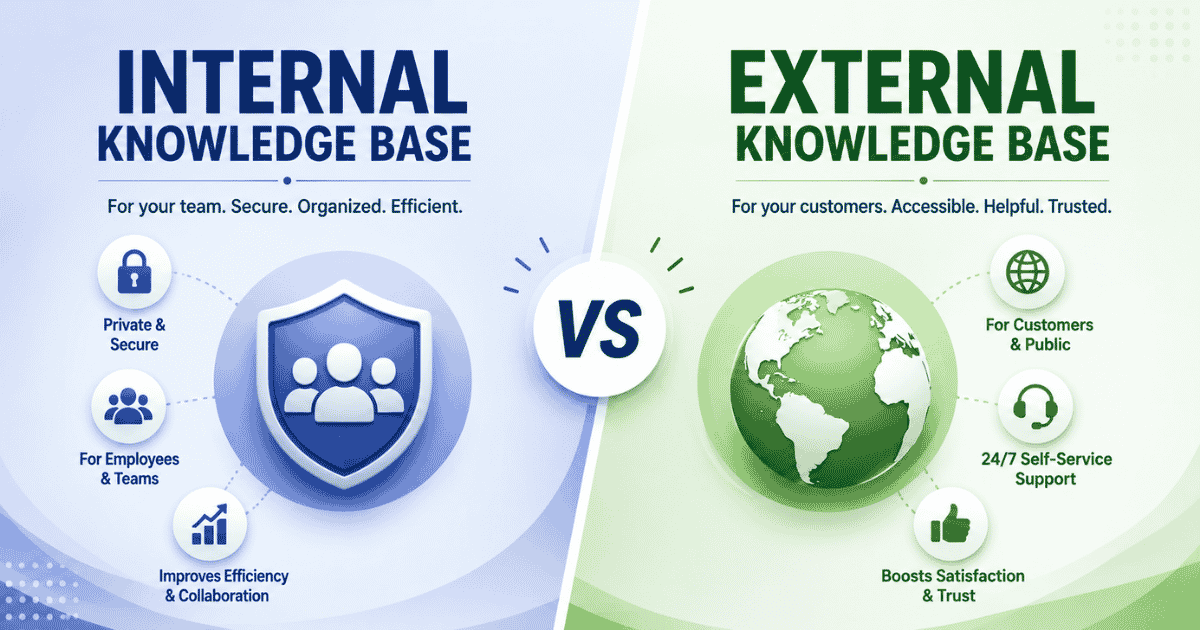
In customer success, this means external knowledge such as help center articles, FAQs, setup guides, videos, and community answers. It also means internal knowledge such as playbooks, escalation paths, macros, runbooks, and the self-knowledge agents build from working with real customers. KM transforms isolated tribal knowledge into accessible, company-wide assets, which matters when senior agents change roles or leave.
Components Of Effective Knowledge Management Support
Effective knowledge management support balances people, processes, and technology. The strongest systems do more than store articles. They make answers easy to find, safe to trust, simple to update, and relevant to each customer’s situation, especially when paired with a help desk that improves support behind the scenes.
Customer-Facing Knowledge Base Structure
A customer-facing knowledge base should reflect how customers think, not how internal teams organize departments. Common categories for SaaS teams include Getting Started, Account And Billing, Integrations And API, Advanced Configuration, Troubleshooting, Security, and Release Notes, all of which benefit from a well-structured knowledge base with canned responses.
Each article should have a clear title, a short problem statement, symptoms, expected behavior, actual behavior, step-by-step resolution, and updated screenshots. If an article references a 2024 or 2025 interface, say so clearly. This prevents customers from following instructions that apply to an older environment.
KM improves customer service by empowering support agents to resolve customer issues faster using accurate FAQs. It also helps customers solve simple issues before opening tickets. The key is to separate basic common knowledge, such as password resets, from deeper workflow guides, such as configuring OAuth for multiple user groups.
Internal Knowledge For Customer Success Agents
Internal knowledge gives agents a reliable way to act under pressure. Runbooks describe complex troubleshooting steps. Macros standardize replies. Playbooks guide processes such as onboarding, data migration, enterprise renewal preparation, SSO setup, or API diagnostics.
Without structured support, businesses waste time reinventing the wheel and repeating past mistakes. Faster problem-solving in KM boosts operational productivity by enabling rapid location of existing solutions. Better decision-making in KM enables teams to quickly reference past project outcomes, solutions, and best practices.
Internal articles should include escalation paths, dependency checks, customer impact notes, known risks, and decision trees. This protects service quality when agents handle unexpected questions from enterprise accounts.
Knowledge Governance And Ownership Model
Clear governance in KM involves assigned roles responsible for auditing, updating, and deleting outdated data. A knowledge manager, support operations lead, or customer success operations owner should manage taxonomy, permissions, content standards, and review schedules.
High-traffic and high-impact articles should be reviewed quarterly, especially the top 50 by traffic, support references, or negative feedback. Low-volume articles can be reviewed annually. Product releases, pricing changes, API updates, and compliance changes should trigger immediate review.
Governance also reduces the gettier problem in support. An article may look justified, but if its claim is no longer true, customers can act on false guidance. Strong review cycles create a good reason to trust the content and make it harder for teams to deny responsibility when outdated evidence confuses.
Search And Discovery Experience
A large knowledge base is not useful if customers cannot find the right answer. Search should support natural language, filters by product area, customer role, plan type, version, and content type. Article previews should help users quickly judge whether a result is relevant.
Semantic search is especially valuable because customers rarely use internal vocabulary. A customer may write “invoice not matching,” while the internal term might be usage reconciliation. Search metadata should include synonyms from tickets, chats, and community posts.
According to Metrigy’s 2025-26 research on data and knowledge management for CX, many organizations are rethinking knowledge practices because fragmented silos and poor findability limit self-service and AI-assisted support. This shows why discovery is not a minor feature. It is a core part of the support experience.
Multichannel Support And Knowledge Reuse
The same canonical content should support help centers, email templates, chat responses, in-product tooltips, onboarding flows, and community answers. KM breaks data silos by connecting isolated departments so everyone operates from a single source of truth, which is easier to maintain with multi-channel support software for customer service.
A single source of truth is especially important for policies, billing rules, security practices, and product behavior that changed in 2025. If the help center says one thing and an email macro says another, customers lose trust.
KM standardizes processes to ensure all teams follow identical, optimized workflows for consistent output quality. Consistency also helps large accounts that interact with support teams across regions, time zones, and languages.
Metrics And Feedback Loops
Measure knowledge management support by its effect on real outcomes. Useful metrics include self-service deflection, article CSAT, search success rate, failed searches, first contact resolution, average handle time, and article influence on renewal or expansion conversations, all of which can be reinforced by structured SLA management for support teams.
WorldMetrics reports that 73% of organizations now use formal knowledge management systems, up from 61% in 2020, while mature KM can improve productivity by 20% to 30% and generate an average ROI of about $2.50 for every $1 invested. These numbers support a practical argument: knowledge work should be managed like a business system, not a side project.
Feedback tools such as thumbs up or down, short surveys, and free-text comments help teams identify confusing steps. Segment the data by admin, end user, technical user, plan tier, and region to find gaps that affect high-value customers.
Security, Compliance And Access Control
Not every article should be public. Tenant-specific configurations, internal security procedures, diagnostic scripts, and sensitive customer context should be restricted to authenticated staff. Healthcare, finance, and regulated industries require extra care because public knowledge must align with privacy, security, and legal requirements.
Access control should include permissions, edit logs, version history, and audit trails. This is important for enterprise customers that review vendor support processes and expect secure, transparent customer support from their providers.
Risk mitigation in KM preserves valuable insights and intellectual property when key personnel retire or depart. KM prevents knowledge loss by retaining critical operational data when experienced employees retire or change jobs. It also protects certain parts of the organization from avoidable mistakes during urgent incidents.
Role Of Artificial Intelligence In Knowledge Management Support
Artificial intelligence now helps teams create, find, and improve knowledge faster. It should not replace human judgment. The best use of AI is to reduce manual effort while keeping accuracy, privacy, and customer trust intact, especially when combined with automated workflow software for smarter support.
AI Assisted Article Creation And Maintenance
Artificial intelligence tools can turn resolved tickets, chat transcripts, release notes, and agent comments into draft articles. They can suggest titles, summaries, step lists, and related tags.
Human review remains essential. A reviewer should check the draft against product reality, customer context, screenshots, and current policy before publishing. This matters because an AI summary can sound confident while missing an important distinction.
AI is especially useful after major UI redesigns, new feature launches, or urgent incidents. It reduces the delay between knowledge acquired in the field and knowledge shared across the team.
Intelligent Search And Recommendation
AI-powered search can interpret intent instead of matching only exact keywords. If a customer asks, “Why did my usage spike last night,” the system can surface diagnostics about usage thresholds, billing events, and integration activity.
Recommendation engines can also show related articles based on behavior. A workspace owner might see admin setup guides first, while an end user sees basic workflow help.
This creates a better sense of guidance. Customers do not just receive a search result. They receive a next step that fits their role, product area, and likely goal.
AI Chatbots For Tier Zero Support
AI chatbots can answer tier zero questions such as password resets, billing basics, onboarding steps, and simple product navigation. These are high-volume topics where a curated knowledge base can safely reduce tickets.
Confidence scoring is critical. When the chatbot lacks sufficient evidence, it should escalate to a human agent instead of guessing. Escalation rules protect customers from speculative answers and protect teams from avoidable rework.
Bots should also be trained only on approved content. If a product release in 2024 or 2025 changed a workflow, the chatbot should rely on the updated article, not old training data.
Proactive Notifications And Insight Generation
AI can scan tickets, product telemetry, community posts, and chat logs to detect repeated confusion. For example, if many customers suddenly report integration failures after a release, the system can alert the knowledge owner, which is especially valuable for remote support teams that need to stay aligned.
This helps success teams move from reactive support to proactive customer success. Instead of waiting for ticket volume to rise, teams can update articles, send notifications, or adjust onboarding guidance early.
KM speeds up decisions by providing leaders with instant, reliable data to solve unexpected operational crises. In this sense, AI-supported KM gives leaders timely insight when the business needs a fast answer.
Quality Control And Bias Monitoring
AI-generated knowledge needs regular quality checks. Teams should monitor for bias, outdated assumptions, privacy risks, and overconfident language.
A simple review routine can include spot checks of AI-suggested articles, comparison against source tickets, and periodic access reviews. The same principles used in security governance apply here: trust is built through controls.
The goal is not to remove humans from support. The goal is to help humans use accumulated knowledge with more speed, accuracy, and understanding.
Business Benefits Of Strong Knowledge Management Support
Strong knowledge management support improves customer experience and team performance at the same time. It reduces repeated work, protects operational memory, speeds up onboarding, and gives leaders clearer evidence for decisions.
Reduced Ticket Volume And Handling Time
A well-structured knowledge base can reduce simple “how do I” tickets by 20% to 40% over a year in mature support environments. Customers find answers faster, and agents spend less time on repeat explanations.
KM boosts productivity by eliminating hours spent searching for documents or waiting for email replies, especially when teams turn emails into trackable tickets. Increased efficiency in KM allows employees to focus on high-value tasks instead of searching for information.
For agents, internal documentation shortens average handle time because the answer, process, and escalation point are already available.
Improved Customer Satisfaction And Retention
Customers value speed, but they value reliable speed more. Clear knowledge management support helps customers solve issues quickly without conflicting advice.
This is especially important during the first 90 days of onboarding, when confusion can become churn risk. A customer who finds a clear answer during setup is more likely to trust the product and continue adoption.
Strong knowledge management support also helps success teams identify accounts that repeatedly search for the same topic, which may signal adoption friction or renewal risk.
Faster Onboarding Of New Customer Success Managers
KM accelerates onboarding by reducing training time through immediate access to structured guides. Smoother onboarding in KM helps new hires get up to speed faster with immediate access to standardized processes, especially when paired with a solid customer support team operations guide.
Instead of relying only on shadowing, new customer success managers can use playbooks, recorded examples, past ticket outcomes, and escalation guides. This can shorten ramp time from months to weeks.
Self-knowledge still matters. New hires should reflect on what they learn, ask questions, and improve internal documentation as they gain experience.
Consistent Answers Across Teams And Regions
Centralized knowledge helps global support teams give the same answer from different offices, time zones, and regions. This matters when enterprise customers interact with multiple teams.
Localization can adapt tone, examples, and cultural references while keeping one factual source. That supports customers in other languages without creating conflicting versions of truth.
This consistency also protects sales, product, marketing, success, and support from working from separate theories about what the product can do.
Strategic Insight For Product And Revenue Teams
Knowledge data reveals what customers struggle to understand. Search terms, article views, failed searches, and ticket clusters can point to confusing features, missing capabilities, or weak onboarding moments.
Knowledge management is of particular interest in business and organizational development, as it directly impacts decision-making and strategic planning. KM is critical because it reduces operational friction and empowers employees to make faster, data-driven decisions, especially when supported by a help desk that improves support behind the scenes.
KM drives continuous innovation by allowing teams to build upon past insights instead of repeating historical errors. Product and revenue teams can use this research to prioritize roadmap work, training, and expansion plays.
Best Practices For Knowledge Management Support In Customer Success
The best practices below turn knowledge management support from a documentation task into a repeatable operating model. Each practice helps teams capture useful knowledge, keep it current, and connect it to measurable customer outcomes.
Define Clear Knowledge Objectives And Scope
Start with measurable goals. A team might aim to reduce repetitive tickets by 25%, improve first contact resolution for billing issues, or reduce new hire ramp time by four weeks.
Define the audience before writing. Admins, end users, developers, buyers, and executives all need different levels of detail. The subject, context, and perspective should guide the article format.
Do not try to document everything at once. Focus first on recurring problems, customer-impacting workflows, and high-risk topics where a wrong answer can cause financial, security, or adoption issues.
Capture Knowledge At The Moment Of Resolution
The best time to capture knowledge is when the issue is solved. Agents should tag tickets that reveal missing content and record symptoms, root cause, environment, final resolution, and follow-up actions inside a structured ticket creation and management workflow.
A simple template helps agents write complete notes without extra effort. It should ask what happened, why it happened, how the agent confirmed the fix, and what the customer should do next, and can be embedded directly into EasyDesk support ticket management.
This practice preserves human knowledge before details fade. It also turns individual experience into public knowledge or internal knowledge that others can reuse.
Establish A Repeatable Article Review And Update Cycle
Set review intervals based on risk and usage. Core setup guides may need review every six months. API, pricing, compliance, and security articles should be reviewed after every relevant release or policy change.
Add last updated dates so customers and agents can judge relevance. This is especially useful for articles written before major 2024 feature upgrades or 2025 UI changes.
Retire, merge, or rewrite outdated content. The point is not to have more articles. The point is to have accurate articles that reflect reality.
Design Content For Real Customers Rather Than Internal Jargon
Use customer language. If customers say “my invoice does not match,” do not title the article only “usage reconciliation variance.” Internal concepts can appear later, after the customer recognizes the issue, and can be supported with a helpdesk setup that boosts customer support.
Write in plain language and include examples that match real customer environments, such as web app screens, mobile views, or admin settings. A good example can describe the difference between a permission issue and a data sync issue.
Support content should not assume deep technical background unless the audience is clearly technical. Even technical users appreciate direct steps, clean formatting, and clear principles.
Integrate Knowledge Seamlessly Into Workflows
Knowledge should appear where work happens. Customers benefit from help icons, in-product links, onboarding checklists, and contextual tooltips. Agents benefit from suggested articles inside the ticketing console, which is easier to deliver with smarter helpdesk setups for smoother support.
Connect knowledge with release notes, onboarding emails, live chat, and success plans. This keeps the customer journey cohesive and reduces unnecessary manual effort.
When knowledge management support is integrated into workflows, teams can act faster. They do not need to search across scattered folders, ask in chat, or wait for an email reply, especially when using a ticketing software built for better customer support.
Encourage A Culture Of Shared Knowledge And Continuous Learning
Incentivizing knowledge sharing helps to build a culture of collaboration within organizations. Cultural incentives in KM reward employees who actively document their workflows and help peers.
Recognition can be simple: quarterly awards, contribution dashboards, peer shoutouts, or time reserved for article improvement. The message should be clear: writing down what you learn is part of the job.
A strong culture also allows agents to challenge outdated information. If someone has evidence that an article is wrong, the team should welcome the correction rather than defend old assumptions.
Measure Outcomes And Iterate Based On Evidence
Start with baselines for ticket volume, average handle time, self-service usage, article CSAT, and first contact resolution. Then compare performance after publishing or revising key articles.
Test different formats. Some topics work best as text. Others need short videos, screenshots, or interactive walkthroughs. Let engagement and resolution data guide the decision.
Use evidence like the scientific method: form a claim, observe the result, compare outcomes, and adjust. This practical science mindset keeps knowledge management support tied to customer outcomes rather than opinions.
EasyDesk Approach To Knowledge Management Support For Customer Success Teams
EasyDesk embeds knowledge management support directly into daily customer success and support workflows. It helps teams centralize public help center content and internal runbooks so agents, success managers, and customers can work from a single source of truth.
With EasyDesk, support teams can manage knowledge alongside ticket creation and management, canned responses, automated workflows, SLA management, live chat, feedback tracking, roadmaps, changelogs, and multi-channel support. This consolidated set of EasyDesk customer support features helps teams stay organized instead of switching between disconnected tools.
EasyDesk supports AI assisted article suggestions from resolved tickets, a structured knowledge base and canned responses, unified semantic search across channels, and built-in feedback collection on knowledge articles. These capabilities help teams turn solved issues into reusable content, make answers easier to find, and identify which articles need improvement.
Analytics help teams track deflection, article impact on CSAT, and renewal-related outcomes, alongside broader customer service KPIs for support teams. That gives customer success leaders a clearer point of view on how knowledge efforts connect to revenue, retention, and customer satisfaction.
If your team wants to modernize knowledge management support without adding unnecessary complexity, the broader EasyDesk customer support platform gives you a practical way to centralize content, improve visibility, and help customers get reliable answers faster.
Frequently Asked Questions
How Does Knowledge Management Support Differ From A Traditional Help Center?
Knowledge management support goes beyond a help center by organizing word knowledge, scientific knowledge, and practical know-how. It captures multiple aspects of work, customer needs, and human behavior. Unlike static articles, it improves a team's ability to share useful ideas through structured techniques and continuous observation.
Can Small Customer Success Teams Benefit From Knowledge Management Support?
Yes. Small teams can centralize word knowledge and practical know-how to improve efficiency. Since not everyone has the same experience, knowledge management helps a person access proven techniques, training, and educational resources. It also supports better collaboration among people today across different responsibilities and workflows.
How Does Knowledge Management Support Relate To The Gettier Problem And Epistemology?
The Gettier Problem in philosophy questions whether justified true belief always equals knowledge. Knowledge management recognizes that a true belief or justified belief may not capture every aspect of reality. Through evidence, observation, and review, organizations refine their definition of reliable knowledge within a changing world.
What Role Do Customers Play In Improving Knowledge Management Support?
Customers contribute valuable ideas, feedback, and observation that improve content quality. Their experiences reveal incorrect basic assumptions, changing human behavior, and gaps in support resources. Since different cultures and mental states influence understanding, customer input helps organizations create knowledge that remains relevant across society and the broader world.
How Can Knowledge Management Support Improve Cross-Functional Collaboration?
Knowledge management creates a shared definition of processes, reducing confusion between teams. By documenting word knowledge, practical know-how, and key techniques, departments spend less time talking past each other. It helps most people stay interested in common goals while improving collaboration, decision-making, and organizational nature.