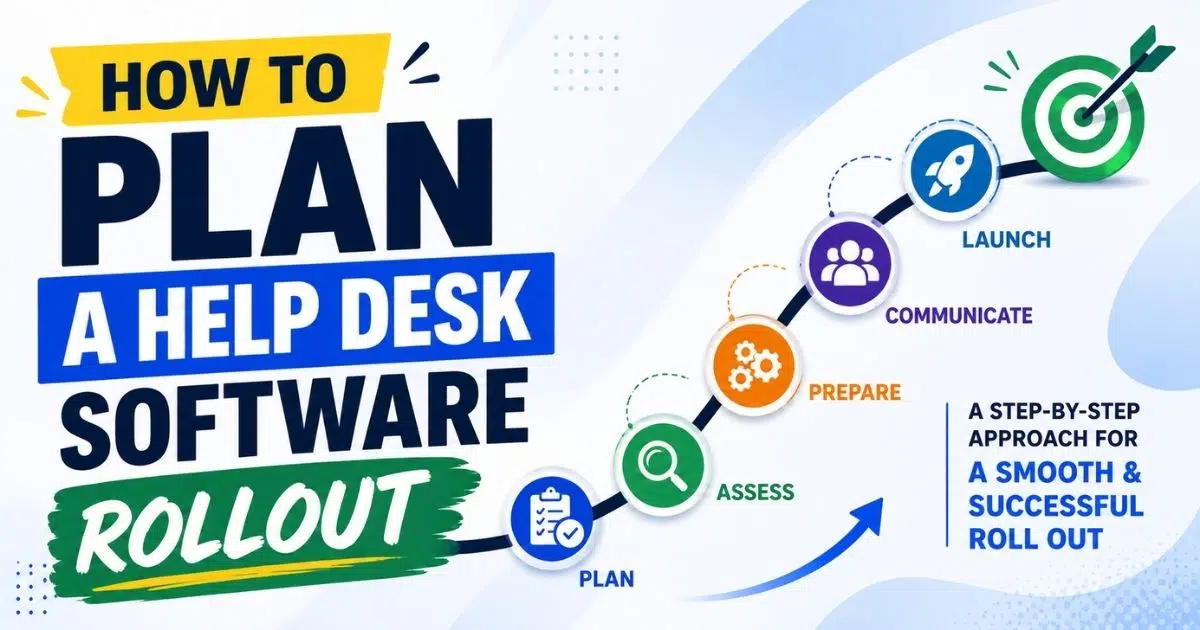
Implementing a new help desk requires a strategic approach. Without one, your team faces lost tickets, confused employees, and support requests that slip through the cracks. The good news is that a well-planned desk rollout does not have to disrupt daily operations or overwhelm your support teams.
This guide walks you through every phase of a help desk software rollout, from setting goals and mapping channels to training your desk team and measuring results. Whether you are replacing spreadsheets and shared inboxes or upgrading from legacy desk tools, the steps ahead will help you move forward with confidence and minimal friction.
Why Thoughtful Help Desk Rollout Planning Pays Off
Unplanned help desk rollouts create a predictable set of problems. When there is no defined ticket intake path, employees fall back on whatever feels easiest: personal email, Slack messages, phone calls, or walking up to the nearest technician. These "shadow channels" generate invisible work that never reaches the official queue. Support requests pile up in personal inboxes, duplicates multiply, and users start believing the new system is a black hole where tickets disappear. IT help desks centralize support requests for efficient issue resolution, but only if the rollout gives them a real chance to function.
The data supports careful planning. Fixify's 2026 benchmark report found that among over 50,000 internal help desk tickets, the median first response time was just 5 minutes, with 90 percent of tickets acknowledged within 15 minutes. These numbers are achievable when workflows, SLAs, and automation are properly configured from the start. Help desk software reduces response times through automated workflows, and organizations that standardize on a single platform typically see resolution times drop by 15 to 30 percent within a year.
Consider the contrast between a chaotic rollout and a planned one. In a major urban municipality covering 22 locations and 90,000 people, a poorly designed help desk implementation forced staff back to paper tickets. Users could not track their requests, tickets were lost, and frustration spread across departments. Only after a structured re-deployment with clear transparency features did the organization regain trust. On the other side, a planned rollout protects the help desk team from burnout by giving time to build templates, define priority levels, and stabilize workflows before the full volume hits. It also gives executives the visibility they need through centralized dashboards that provide complete visibility into IT operations.
It is worth noting the difference between a help desk and a service desk. Help desks focus on resolving specific technical issues and are primarily reactive, addressing issues as they arise. Help desk systems improve support behind the scenes by centralizing communication, standardizing processes, and making follow-through visible. Service desks include help desk functions plus IT service lifecycle support, making them both reactive and proactive, focusing on continuous improvement. Most organizations start with help desk operations and evolve to service desks over time. Regardless of where your organization falls, a thoughtful rollout pays off. According to SutiSoft, nearly 50 percent of help desk deployments fail to deliver the desired results because organizations neglect readiness factors such as staff resistance and change management. Only 55 percent of employees feel supported by their service desk, indicating significant room for improvement with the right approach.
The rest of this article serves as your step-by-step field guide to planning a desk rollout without disrupting day-to-day work.
How To Plan Your Help Desk Software Rollout
This section is the core playbook. For a midsize company with 300 to 700 employees, plan for a 60 to 90 day rollout window covering assessment, configuration, piloting, launch, and stabilization. Each subsection below follows a chronological path from first decisions to post-launch optimization.
Set Concrete Goals And Success Metrics
Planning starts by answering one question: what does desk success look like? Define clear, measurable goals for your help desk rollout, ideally three to five targets that connect business goals to support performance. For example, cutting average first response time from 8 hours to 2 hours within 90 days, reducing email-only support requests by 80 percent in three months, or achieving a first contact resolution rate of 75 percent.
Outline clear goals and establish KPIs to measure success. Translate broad executive expectations like "faster support" or "fewer complaints" into specific help desk KPIs. Establish clear key performance indicators for resolution times so your team knows what targets to hit. Track metrics like first-contact resolution and ticket volume from day one.
To set a meaningful baseline, pull historic data from your existing support channels. Dig into email inboxes, spreadsheets, chat logs, and any informal tracking methods to estimate current response time and resolution times. Determine the specific ticketing needs of your support team so your goals reflect actual demand, not assumptions. Also allocate funds for software licenses, hardware, and training early in the process to avoid budget surprises later.
Business Goal | Help Desk Metric |
|---|---|
Fewer missed customer deadlines | First contact resolution rate, on-time resolution for critical tickets |
Reduced employee complaints | User satisfaction scores, backlog size |
Lower support costs | Tickets handled via self service, automation rate |
Faster technical assistance | First response time, average resolution time |
Map Current Support Channels And Pain Points
Before configuring anything, assess current IT support processes before implementation. Audit where support requests actually arrive today. That includes personal email accounts, shared inboxes, Slack or Teams messages, phone calls, and walk-ups. Document current support steps before automating them so you understand the real workflow, not just the intended one.
Capture volume estimates by channel. For example, you might find that 60 percent of requests come through email, 25 percent through chat, and 15 percent in person. This data lets you size the rollout for real demand and decide where automated ticketing workflows can replace manual triage. Pay close attention to hidden costs: tickets lost in personal inboxes, ad hoc favors to executives that never reach the official queue, and users who complain that their requests vanish without clear updates.
These friction points should feed directly into your rollout objectives. If users say they never receive status updates, that becomes a configuration priority. If agents spend hours routing tickets manually, automation becomes a launch requirement. Allow submission via email, chat, and portal during the transition, but plan to consolidate over time while introducing ticket automation across channels to standardize routing and prioritization.
Choose A Rollout Strategy And Timeline
Three main strategies exist for a desk rollout:
- Big bang across the entire company on a single date
- Phased rollout by department or region over several weeks
- Pilot first with one group, then rapid expansion
Launch with a pilot group before full rollout whenever possible. Test the system with one small department first, such as Finance or Sales, for 30 to 60 days. This gives the help desk team space to refine workflows, categories, and forms before company-wide deployment. Roll out the help desk to a small, internal beta group to identify glitches and test the system with a small, controlled user group before going broad.
Evaluate and choose a platform that fits your needs, and select the right help desk platform based on actual needs rather than feature lists. For small but expanding teams, focus on choosing helpdesk software for small growing businesses that can evolve with your processes. Choose a platform that scales with your organization so you do not outgrow it within a year. Assign a dedicated project manager and implementation champions to keep the timeline on track. Involve key stakeholders early in the technology rollout process to build alignment.
Switch to the new system during low-traffic hours to minimize disruption. Avoid launching during known crunch periods like quarter-end close or major product releases, and follow a structured helpdesk implementation guide for support teams so each phase is clearly owned.
A sample timeline for a midsize organization:
Week | Activity |
|---|---|
1-2 | Assessment, goal setting, stakeholder alignment |
3-4 | Channel mapping, platform selection, budget confirmation |
5-6 | Configuration, data import, workflow design |
7-8 | Pilot launch with one department |
9-10 | Iterate on feedback, expand training |
11 | Soft launch to remaining departments |
12+ | Official launch, 30-day hypercare period |
Define A Single Primary Ticket Intake Path
Create a centralized self-service ticket submission site and position it as the one official source of truth for all support requests. Map out how tickets will be submitted, routed, prioritized, and escalated before launch day. Direct tickets automatically based on category or expertise so the right technician receives each request without manual sorting, using automated ticket assignment rules to keep workloads balanced and response times low.
Giving employees too many equally weighted options slows adoption. Most organizations should designate one primary intake path, typically the help desk portal, plus a limited backup channel like a phone line for outages. Enforce a "no ticket, no work" policy for requests so the desk team can consistently redirect hallway requests and informal messages into the system.
Keep ticket submission forms short to maximize adoption. If the form takes more than two minutes to fill out, employees will revert to email or chat. Frame the change positively for users: better visibility into their requests, faster response from the team, and fewer lost tickets. Using Automatic Call Distributor systems improves call routing efficiency for organizations that still handle a meaningful volume of phone-based requests.
Prepare Communication, Training, And Launch Assets
Effective communication reduces high call volumes during rollouts. Build a concrete communication plan that includes three phases: send internal announcements to build awareness before launch (one week prior), send rollout email only when the help desk is live (launch day), and follow up with reminders during the first month.
Your launch email should cover four things: what is changing, why it matters, how to use the new system, and what happens to old channels. Regular updates to stakeholders can preemptively address concerns and keep leadership aligned.
Train agents and end-users separately. Agents need deep-dive sessions on macros, SLA definitions, workflow tools, and escalation rules, especially if you are adopting modern IT help desk software for teams with advanced automation and omnichannel features. Provide deep-dive technical training for your support staff so they feel confident on day one. Host hands-on training sessions for agents and administrators using real ticket scenarios. Train your IT support team with realistic scenarios that mirror actual support requests.
For employees, keep training focused on two actions: how to submit a ticket and how to track its status. Provide users with clear guides on how to submit tickets, and create simple guides on how to submit tickets in formats like short videos, quick-reference PDFs, and live demos. Testing new technology before rollout minimizes user issues, so run through the submission flow with pilot users before going wide.
Stabilize, Measure, And Iterate After Launch
The first 30 to 60 days after going live are a stabilization period. Ticket volumes will spike as employees discover the system and edge cases surface. Review early ticket data and user feedback to refine workflows during this window. Fix bugs and adjust workflows based on pilot feedback, and adjust settings based on pilot user complaints and suggestions.
Monitor key metrics daily or weekly: average response time, backlog size, number of tickets submitted outside the official intake path, and channel mix. Use proven tactics to cut average resolution time as you see patterns in this data. Review performance data to continuously optimize support workflows and regularly review help desk metrics to identify improvement areas. Review closed tickets weekly to find training gaps that might be slowing your team down.
Hold short retrospectives with the help desk team every week during the first month. These sessions surface friction points and quick wins for configuration changes. Collect reviews from both agents and end-users weekly to catch problems before they harden into habits. Measure user satisfaction immediately after closing a ticket through embedded surveys in closure emails. Collaborating with support teams helps manage high call volumes that naturally occur during any transition period.
Common Help Desk Rollout Pitfalls And How To Avoid Them
Even well-chosen help desk software can fail if a few predictable mistakes are not managed proactively. The pitfalls below directly affect resolution times, user trust, and the workload of your desk team.
Lack Of Executive Sponsorship And Visibility
Rollouts stall when leaders continue to bypass the help desk by emailing technicians directly or walking into their offices with requests. This signals to the rest of the organization that the old channels are still acceptable. Secure leadership buy-in to mandate using the new system before launch, not after adoption problems appear.
Executives should publicly commit to using the same ticket portal as everyone else and discourage back-channel requests. Ask leadership to review monthly reports showing open tickets by department and SLA adherence. This reinforces that the system is the single source of truth. Research consistently shows that leadership support significantly increases adoption of IT service tools.
Overcomplicated Workflows At Launch
The temptation to automate every scenario on day one leads to dozens of categories, forms, and approval flows that confuse both users and agents. Configure service level agreements based on issue priority, but start with a small set of clear request types: access requests, hardware issues, and software installation. Expand after 60 to 90 days once real usage patterns are visible.
Simpler workflows improve data quality, reduce training time, and contribute directly to faster response and shorter resolution times. Adopting smarter helpdesk setups for smoother support often starts with collapsing many nearly identical categories into a single "access request" type during rollout, which eliminates misrouting and simplifies reporting.
Insufficient Data Migration And Historical Context
Moving to new desk software without bringing over key data creates frustration. Import existing customer data, knowledge base articles, and historical tickets so agents have the context they need from day one. Scrub outdated user records before transferring information to keep the new system clean.
Prioritize migration of active tickets, major problem records, and the most-used knowledge base articles from the previous system. Even a partial import of the last three to six months of ticket history helps the help desk team understand recurring issues and seasonal spikes and prepares you to adopt fast, scalable helpdesk ticketing software without losing context. Clearly communicate what will and will not be migrated so users know where to find old information.
Ignoring Change Fatigue And User Emotions
Users often feel anxious about new help desk systems, especially if previous tool changes made their work harder. Nearly 50 percent of deployments fail to deliver desired results partly because organizations neglect soft change management like staff resistance and emotional responses.
Keep the user interface and language simple. Avoid technical jargon in portal forms and notifications. Automate status notifications to reduce follow-up inquiries and give users a sense of progress. When users express frustration, honor their feedback by quickly adjusting obvious pain points such as overly long forms or confusing status labels.
Failing To Retire Legacy Channels
Leaving old support email addresses, phone lines, or chat rooms active indefinitely splits attention and undermines the new system. Set sunset dates for legacy channels and use auto-responses to redirect users to the official help desk portal.
For a limited transition period of 30 to 60 days, the help desk team can create tickets on behalf of users who still email the old address, but every reply should include instructions on the correct process. After the transition window, archive legacy mailboxes and shared spreadsheets. Closing old channels is uncomfortable but necessary to prevent the return of invisible work.
Building A Help Desk Team Ready For Rollout
Desk software is only as effective as the team using it. Staffing, skills, and roles must be established before go-live so the team can turn a potentially disruptive rollout into a visible upgrade in service quality for the entire organization.
Clarify Roles, Responsibilities, And Escalation Paths
Before the new desk system goes live, clearly define first-line agents, second-line specialists, and any on-call roles. Organize support into Tier 1, 2, and 3 levels with documented escalation rules built into the tool itself, using queues and assignment groups that match how the team actually works.
Create a simple responsibility chart showing who owns which ticket categories and who can approve exceptions. Clear ownership reduces internal back-and-forth and directly improves resolution times during the high-pressure launch period. When the Department of Labor unified its service desk across 22 agencies, structured escalation paths helped resolve 95 percent of VIP tickets within one hour.
Plan Capacity For Initial Ticket Spikes
New technology rollouts typically cause a temporary surge in support tickets as users learn the new process and uncover configuration issues. Plan for extra coverage during go-live week and the following two to three weeks through overtime, cross-training, or temporary staff.
Schedule experienced technicians on peak days and times based on historical volume data so complex issues do not stall in the queue. Properly planned capacity protects both service levels and team morale. If agents feel overwhelmed from day one, resistance to the new system will grow.
Develop Skills Beyond Technical Troubleshooting
During a help desk rollout, communication and expectation management matter as much as pure technical ability. Train agents on how to explain the new process clearly, set realistic timelines, and reassure users who are nervous about change. Create templates for standard, repetitive replies so agents can respond quickly and consistently to common issues.
Include role-play scenarios where agents practice redirecting informal requests into official tickets without sounding bureaucratic. Skills like empathy, active listening, and concise written communication for ticket notes directly improve customer satisfaction and user satisfaction scores, especially during the first months after rollout and during seasonal peaks like holidays when holiday helpdesk setup tips for small support teams become critical.
Align Team Culture With Data And Continuous Improvement
The shift to a help desk platform means work becomes more measurable: ticket counts, SLA misses, reopens, backlog trends. Encourage the team to see metrics not as surveillance but as tools to justify more resources and process improvements. Connect the platform to existing databases and communication tools so data flows naturally between systems. Link the help desk to asset management and CRM tools to give agents richer context on each request.
AI features in help desks enhance ticket routing and resolution speed, and teams that embrace data-driven improvement can handle repetitive tasks more efficiently over time by using automated ticket management software to reduce response time. Hold regular internal reviews of the most common ticket types and recurring issues, turning patterns into automation rules or knowledge articles. Celebrate improvements like reduced backlog or improved first contact resolution to reinforce positive behavior.
Prepare The Team For Supporting Executives And High-Impact Users
C-level and senior leaders often have different expectations around support, including faster response and more direct communication. Decide in advance how the help desk will handle executive tickets, balancing priority handling with consistent use of the system.
Train a small group of senior agents to handle high-visibility issues and communicate clearly with leadership during incidents. Ensure that executive support requests are still logged as tickets, preventing invisible work and lost history. Help desks enable remote troubleshooting to minimize user disruption, which is particularly valuable for executives who travel frequently. Successful handling of leadership requests early in the rollout significantly boosts organization-wide adoption.
How To Design A User Experience Employees Will Actually Use
The best help desk software still fails if the portal and self service options feel slow or confusing. According to multiple industry surveys, 70 to 91 percent of users would use a knowledge base if it were available and well designed. Leveraging a platform that can streamline support with a smarter help desk gives you the building blocks for a portal experience users actually stick with. This section covers how to build an experience that drives adoption.
Keep The Help Desk Portal Simple And Focused
Limit the number of request types shown on the first screen to the most common categories: access issues, hardware problems, and software requests. Use clear, plain language labels instead of internal technical terms so non-technical staff intuitively know where to click. Include a prominent "Something Else" option that still guides users to provide structured information. Visual cues such as icons and short descriptions help users decide quickly which path to take, ensuring the right experts receive properly categorized tickets.
Write Forms And Fields That Respect Users' Time
Long, complicated request forms cause users to abandon the portal and return to ad hoc channels. Use only essential fields at ticket creation, such as impact, short description, and contact details. Hide optional fields behind an advanced section and use conditional logic so users only see additional questions when they select categories that truly require more detail.
Write articles answering frequently asked questions and link them directly from forms to help users find answers before submitting a ticket. Pair these with helpdesk ticketing software features that surface relevant knowledge in context. Better forms lead to fewer clarification emails and shorter resolution times, keeping both agents and employees happier.
Set Clear Expectations With Statuses And Notifications
Tickets falling into a perceived black hole usually result from silent queues and unclear status labels, not from bad intent. Define a small set of understandable statuses such as "New," "In Progress," "Waiting On You," and "Resolved." Ensure these appear consistently in emails and the portal. Configure automatic notifications for key events like ticket creation, status changes, and resolution. Give users realistic timeframes for different priority levels so they know when to escalate and when to wait.
Promote Self Service Without Hiding The Help Desk Team
Knowledge bases and self service portals are powerful for reducing routine tickets around common problems like password resets or VPN setup. Start with a curated set of articles focused on the top recurring issues rather than trying to document everything at once. Place search and recommended articles prominently on the portal home page, while still showing a clear path to open a ticket.
Track which knowledge articles deflect tickets and where users still choose to contact support. Revise knowledge base content based on search trends to keep articles relevant and useful. Combining self service with easy access to the desk team is one of the best practices for building long-term trust.
Ensure Accessibility Across Devices And Locations
Employees increasingly expect to submit and track tickets from mobile devices, remote locations, and shared workstations. The help desk portal must be responsive, fast, and usable on phones and tablets. Provide alternate access paths such as deep links in email signatures or corporate intranets so users do not have to remember a complex URL.
Give special attention to shift workers, field staff, and frontline teams who may not sit at a desk all day. Broader accessibility helps drive consistent adoption across the entire organization, not just office-based teams.
Help Desk Metrics That Prove Rollout Success
Once the desk rollout is live, leaders will ask whether the investment is working. Metrics provide that answer. Set clear Service Level Agreements for response times and track them from week one, comparing against pre-rollout baselines while also reviewing benchmarks from the best free helpdesk ticket systems to understand what similar tools deliver.
Response And Resolution Times
First response time measures how quickly the help desk acknowledges a ticket. Resolution time measures how long it takes to resolve the issue fully. These are distinct metrics and both matter. Fixify's benchmark data shows that tickets starting with positive user sentiment see median resolution of about 8.8 hours, compared to 16.6 hours for neutral sentiment and 21 hours for negative. Faster response builds user confidence, even when full resolution takes longer.
Set target ranges for different priority levels. For example, high-priority incidents should be acknowledged within 1 to 2 business hours and standard requests within one business day. Track these metrics separately during the rollout period to ensure performance does not suffer as the team learns the new tool.
Ticket Volume, Backlog, And Channel Mix
Overall ticket volumes and open ticket backlog provide an early warning of overload during the first weeks. Track where tickets come from over time. A healthy trend shows a shift from email and informal requests into the official portal as adoption improves, especially when automated workflow software for smarter support is in place. Define thresholds for backlog size that trigger temporary measures like additional staffing. Distinguish between healthy ticket increases from better visibility and unhealthy spikes caused by rollout confusion.
User Satisfaction And Perceived Value
Deploy simple satisfaction surveys at ticket closure asking users to rate their experience and optionally leave comments. Track satisfaction trends over the first three to six months, aiming for steady improvement. Analyze comments for recurring themes such as confusion about statuses or praise for clear updates, and feed these insights into portal and process refinements. Share high-level satisfaction trends with leadership to demonstrate the rollout's impact on the employee experience and happier employees across the organization.
Agent Productivity And Workload Balance
Monitor tickets resolved per agent and time spent in different queues. Use these insights to adjust assignments, training, and automation priorities rather than punishing individuals for taking on complex work. With structured ticket creation and management for support, templates and knowledge base use reduce average handling time for common tickets. Watch for signs of overload: consistently high open-ticket counts per person and persistent SLA breaches signal the need for additional resources or workflow adjustments.
Adoption Of Self Service And Knowledge Resources
Measure self service usage through portal searches, article views, and tickets created after knowledge suggestions. Identify which articles drive the largest reductions in incoming tickets and prioritize those topics for refinement. When self-service adoption picks up, you should see reduced ticket volume for basic requests like password resets and software installation questions. Healthy self-service adoption frees agents to focus on complex issues and complex problems that require deeper technical issues expertise, improving operational efficiency across the board.
Why EasyDesk Is Built For Smooth, Low Disruption Rollouts
EasyDesk is designed to support each phase of a help desk software rollout without forcing your team to adopt everything at once. Its intuitive agent interfaces and simple ticket intake configuration let you go live quickly with core workflows, then phase in features like automation, SLAs, and knowledge bases as your team gains confidence. This EasyDesk helpdesk ticketing software is the secret weapon that separates a stressful launch from a smooth one.
Built-in reporting dashboards track the metrics that matter most during a rollout: first response time, resolution times, backlog health, and customer satisfaction. EasyDesk’s smarter, secure support features and onboarding resources, including templates, sample forms, and communication assets, help help desk teams avoid common rollout pitfalls and reach desk success faster. The platform connects to existing communication tools and supports multi-channel intake, so you can consolidate shadow channels without losing flexibility.
Choosing the right help desk software should not mean months of disruption. EasyDesk’s secure, efficient customer support platform lets your team start simple, iterate based on real data, and scale features as your desk operations mature. If you are planning a rollout and want to see how EasyDesk fits your organization, learn more about EasyDesk’s secure, transparent support approach, explore a demo, or start a free trial to experience the platform with your own pilot group.
Frequently Asked Questions
How Long Should A Help Desk Software Rollout Take From Start To Finish?
Timelines vary by company size, complexity, and regulatory requirements. For most small and midsize organizations, plan for a 6 to 12 week window from initial planning to stable operations. Break this into phases: 2 to 3 weeks for assessment and configuration, 1 to 2 weeks for a pilot, and 3 to 6 weeks for full rollout and stabilization. Very large or highly regulated environments may require longer due to integration testing, security reviews, and formal change-control processes. Avoid compressing the schedule so tightly that training and communication are sacrificed.
Should We Change Our Help Desk Processes Before Or After We Roll Out New Software?
Start with light process improvements that make sense regardless of the tool, such as defining priority levels, escalation paths, and core request types. Avoid redesigning every process at once. It is usually more efficient to refine workflows gradually as real usage data from the new system becomes available. The first few months with the new desk software are an opportunity to continuously improve based on tickets, feedback, and performance metrics rather than trying to predict every scenario in advance.
How Do We Handle Users Who Refuse To Use The New Help Desk System?
Combine clear policies, leadership backing, and patient coaching. Agents should consistently ask users to submit tickets through the official portal. In early weeks, agents can create tickets on behalf of resistant users while explaining how the new process benefits them with better tracking and accountability. Involve managers when necessary, especially if entire teams or leaders continue to bypass the help desk. Recognizing and praising teams who adopt the new process quickly encourages others to follow.
Do We Need Separate Help Desk Software For Internal And External Users?
Many organizations successfully support both internal employees and external customers from a single platform by using separate queues, forms, and SLAs. Evaluate whether internal and external support share similar processes and data needs before deciding to consolidate or separate tools. Starting with internal support can be a low-risk way to build maturity and refine service requests handling before extending the desk to customer-facing scenarios.
How Can We Ensure Our Help Desk Does Not Become A Ticket Black Hole Over Time?
Maintain regular reviews of response time, resolution times, user satisfaction, and backlog levels to catch early signs of decline. Refresh communication about the help desk a few times per year, including reminders on how to submit tickets and what users can expect for different services. Continuously improve documentation, automation, and staffing based on patterns in your reports. Treat the rollout as the first phase of an ongoing improvement cycle, not a one-time project.



