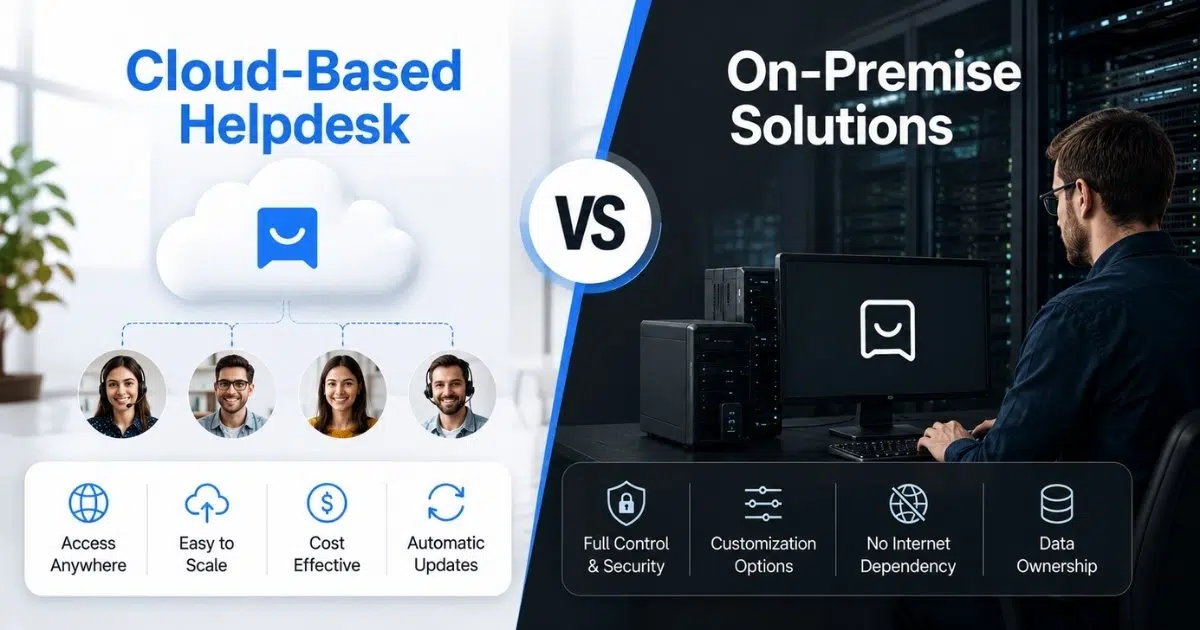
Choosing between a cloud-based solution and an on-premises setup is a common challenge for modern support teams. Both approaches power a help desk and ticketing system, but they serve different operational needs. Cloud-based platforms are delivered by a cloud provider or service provider and are designed for speed, flexibility, and easy access.
Traditional on-premises models, on the other hand, give businesses tighter control over infrastructure and data. With so many cloud solutions available today, the decision is less about trends and more about fit.
Factors like team size, security expectations, scalability, and budget all play a role. Understanding how cloud-based tools compare to on-premises options helps you select a support system that aligns with your business goals.
What Is A Cloud-Based Helpdesk?
A cloud-based helpdesk solution is a support platform that operates entirely online, allowing teams to manage customer queries through a single interface. It removes the need for local infrastructure and makes support operations easier to maintain and scale. A cloud-based ticketing system ensures all requests are captured, tracked, and resolved efficiently using centralized desk software.
Common features include:
- Immediate access to tickets and customer conversations
- Web-based setup that works with standard internet access
- Smooth performance with a reliable internet connection
- No requirement to manage traditional software licenses
- Centralized desk software for handling support workflows
This approach enables support teams to stay organized, responsive, and flexible while maintaining consistent service quality across channels.
What Is An On-Premise Helpdesk?
An on-premise helpdesk is a support system that is installed and managed on a company's own servers and infrastructure. Unlike a cloud-based system, all data, configurations, and workflows remain within the organization's internal environment. This setup is often chosen by businesses that require full control over their support operations, security policies, and system customization. Teams are responsible for maintaining the platform, handling software upgrades, and ensuring smooth performance across daily support activities.
Key characteristics include:
- Robust security measures managed internally
- Full control over data, access, and system settings
- Handling routine tasks through in-house processes
- Manual planning and execution of software upgrades
- Direct oversight of customer interactions
- Focus on operational efficiency through internal optimization
Similarities Between Cloud-Based Helpdesk vs On-Premise Solutions
Both cloud-based and on-premise help desk platforms aim to improve service quality, streamline support workflows, and protect sensitive business data. Despite architectural differences, they share several foundational capabilities that support reliable and scalable customer support operations.
Core Help Desk Functionality
At their core, both models provide structured helpdesk system capabilities such as ticket creation, assignment, tracking, and resolution. Whether delivered as cloud-based software or an on-prem solution, the goal is the same: manage customer issues efficiently and maintain consistent service standards across teams.
Security and Access Controls
Both approaches prioritize security through layered protections like multi factor authentication, role-based access, and audit logs. While implementation differs, each model supports strong safeguards to ensure only authorized users can access systems and data, meeting compliance and governance requirements.
Cost Planning and Financial Accountability
Although cost structures vary, both models involve ongoing costs related to maintenance, support, and scaling. Organizations must plan carefully for capital expenditure in infrastructure-heavy deployments or subscription fees tied to usage, staffing, and growth.
IT Ownership and Operational Responsibility
In both cases, the it department plays a critical role in system governance, integrations, and performance monitoring. Even when relying on third-party providers, internal teams remain accountable for configuration decisions, data policies, and long-term platform alignment.
Control, Customization, and Risk Considerations
Both models allow organizations to define workflows and policies aligned with business needs. Concerns such as vendor lock-in, integration with legacy systems, and achieving complete control over configurations are evaluated regardless of deployment type. Some organizations accept higher upfront investment for customization, while others value predictable costs and flexibility. Overall, the similarities lie in purpose, governance, and operational discipline, even though execution differs across deployment models.
Key Differences Between Cloud-Based Helpdesk vs On-Premise Solutions
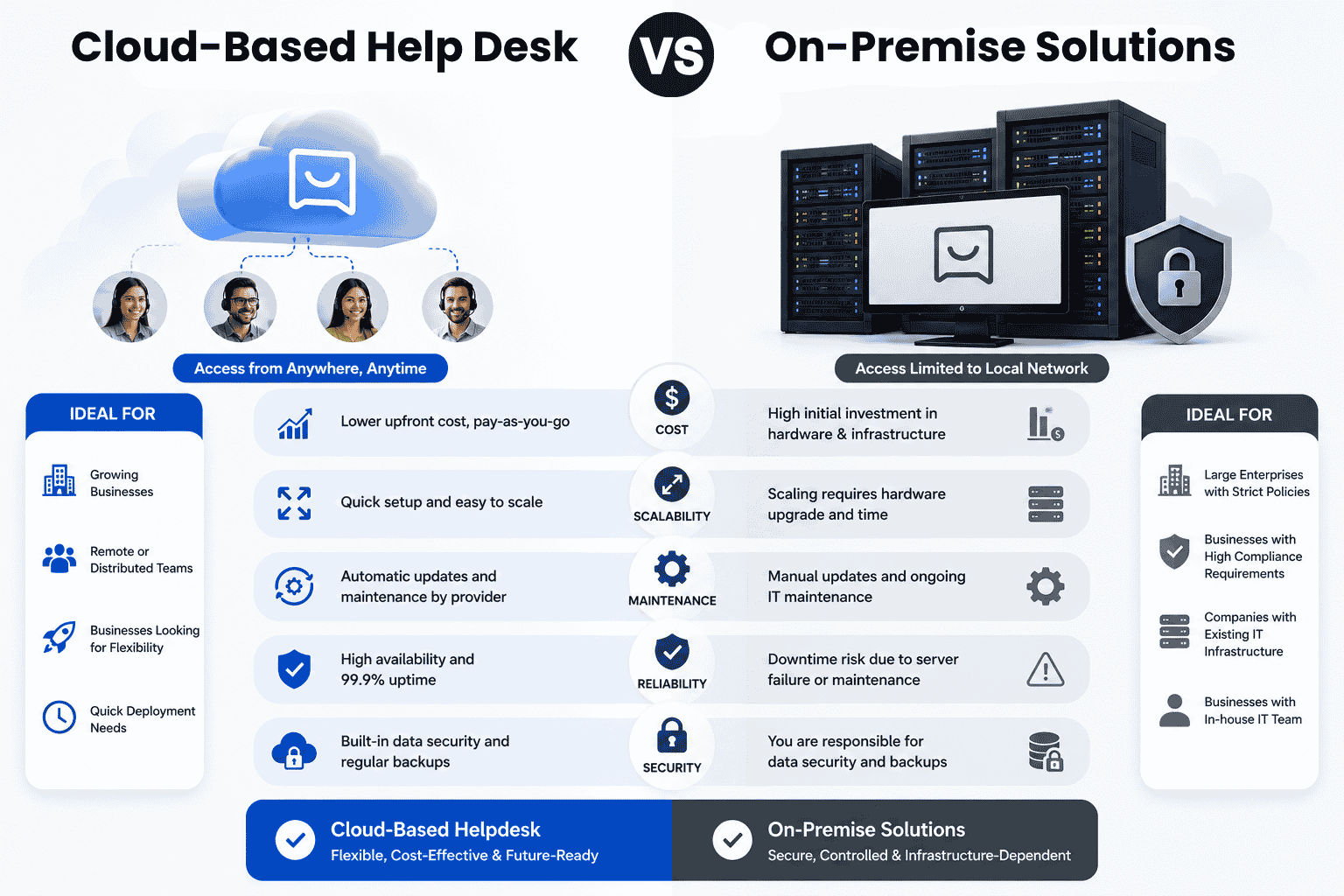
Choosing between cloud-based and on-premise helpdesk platforms depends on how organizations balance control, cost, flexibility, and long-term strategy. While both models support customer service operations, their differences become clear when evaluated across technical, operational, and business dimensions.
| Factor | Cloud-Based Helpdesk | On-Premise Helpdesk |
|---|---|---|
| Setup Cost | Lower upfront cost with subscription pricing | Higher upfront investment for hardware and licenses |
| Maintenance | Vendor handles updates and maintenance | Internal IT team manages maintenance |
| Scalability | Easy to scale as business grows | Scaling requires additional infrastructure |
| Remote Access | Accessible from any location | Requires VPN or custom remote setup |
| Data Control | Data managed by vendor infrastructure | Full internal control over sensitive data |
| Security Responsibility | Vendor manages most security operations | Organization handles all security management |
| Update Process | Automatic feature and security updates | Manual updates by internal teams |
| Customization | Limited customization flexibility | Extensive customization options |
| IT Team Load | Lower operational workload | Higher technical and maintenance workload |
| Innovation Speed | Faster access to new features | Slower feature adoption cycle |
Data Protection and Handling of Sensitive Data
Data protection is one of the most critical core differences between cloud and on-premise helpdesk systems. On-premise platforms store sensitive data on internal servers, giving organizations direct oversight of how information is secured, accessed, and retained. This setup appeals to companies with strict compliance requirements or industry regulations.
Cloud platforms rely on shared infrastructure managed by vendors, often with strong certifications and security frameworks. While cloud vendors invest heavily in security, some organizations prefer internal governance when data sensitivity is high. The choice depends on risk tolerance, regulatory exposure, and internal security maturity.
IT Team Involvement and Maintenance Responsibility
The role of the it team varies significantly between the two models. On-premise systems require internal teams to prioritize maintenance, manage servers, handle patches, and ensure uptime. This increases operational responsibility but also gives technical teams deeper system control. Cloud helpdesks reduce this burden by shifting infrastructure management to the vendor.
Internal teams focus more on configuration and integrations rather than upkeep. Organizations must assess whether their IT capacity supports long-term system ownership or benefits from outsourced maintenance.
Cost Structure and Operational Expenditure
Cost is a major factor for many businesses, especially medium businesses with limited budgets evaluating free helpdesk ticket systems. On-premise deployments often involve higher upfront spending on hardware, setup, and licenses, followed by ongoing support costs.
Cloud platforms operate on operational expenditure models with recurring fees, spreading costs over time, especially when organizations adopt cloud help desk software to streamline support. This makes budgeting more predictable and scalable. The decision often depends on financial strategy, cash flow preferences, and long-term total cost of ownership rather than initial pricing alone.
Feature Availability and Innovation Pace
Feature availability is a key differentiator between cloud and on-premise helpdesk models. Cloud platforms benefit from continuous development cycles managed by the vendor, which allows advanced features like automation, analytics, and collaboration tools to be released frequently. These updates are applied automatically, so support teams always use the latest version without planning manual upgrades.
Cloud systems also integrate faster with tools such as Microsoft Teams, improving internal communication and workflow efficiency through ticket automation software. On-premise solutions can be highly customizable, but access to new features depends on scheduled updates handled by the IT team. This controlled approach reduces disruption but slows innovation, making cloud platforms more suitable for organizations that value rapid improvement.
Remote Access and Workforce Flexibility
Remote access is increasingly important in modern support environments. Cloud helpdesks are built for distributed teams, allowing agents to work securely from any location with minimal setup when they choose the right cloud helpdesk tool. This flexibility supports hybrid work models, improves productivity, and helps businesses attract talent beyond a single geography. Medium businesses often benefit from this adaptability, as it enables consistent service coverage.
On-premise systems can support remote work, but they usually require additional configuration, such as VPN access and security controls. These requirements increase complexity and ongoing maintenance for the IT team, reducing overall agility.
Vendor Lock and Long-Term Flexibility
Vendor lock is a concern in both deployment models, but it appears in different forms. Cloud users may rely heavily on a provider's ecosystem, pricing structure, and product roadmap. Moving away can be challenging if data portability and exit options are limited.
On-premise users face lock-in through customized implementations and deep integrations with internal systems. Over time, these dependencies can make changes costly and slow. Evaluating contractual terms, migration options, and long-term flexibility is essential when selecting a helpdesk platform.
Alignment With Business Requirements
The final decision depends on how well the helpdesk aligns with business requirements. Organizations prioritizing speed, scalability, and lower operational overhead often prefer cloud platforms. Those who value internal ownership, tighter control, and predictable change management may lean toward on-premise solutions.
Considering growth plans, technical capacity, and service goals ensures the chosen helpdesk supports efficiency, customer satisfaction, and long-term resilience.
Cloud-Based Helpdesk And On-Premise Solutions- Pricing Comparison
Cloud-Based Helpdesk platforms usually provide better pricing flexibility than on-premise solutions because businesses avoid heavy infrastructure investments and ongoing hardware maintenance. EasyDesk follows a subscription-based model that reduces operational complexity while giving teams access to scalable support tools.
EasyDesk cloud pricing starts with a free plan, while paid plans range from $29 to $99 per month when billed yearly. The platform includes email ticketing, live chat, social media integration, AI features, and collaborator access without requiring businesses to purchase physical servers or maintain internal infrastructure. Compared to on-premise deployments, organizations avoid large setup costs, licensing expenses, and dedicated maintenance teams.
On-premise solutions typically require businesses to invest heavily in servers, deployment environments, backup systems, software licenses, and IT staffing. Additional expenses often include upgrades, security management, and long term maintenance. For medium and growing businesses, those costs can become difficult to scale efficiently.
Cloud-based systems also provide faster deployment and predictable monthly pricing. Businesses can expand users and support channels without rebuilding infrastructure. Remote accessibility, automatic updates, and vendor-managed security further reduce operational overhead. Technically, cloud platforms also support faster innovation cycles because new features roll out automatically without manual upgrades.
For most modern support teams, cloud-based helpdesk systems offer stronger scalability, lower total ownership costs, and better operational agility than traditional on-premise environments.
| Factor | Cloud-Based Helpdesk | On-Premise Solutions |
|---|---|---|
| Initial Cost | Low monthly subscription pricing | High upfront infrastructure investment |
| Deployment Speed | Fast setup and activation | Complex installation process |
| Maintenance | Vendor managed | Internal IT managed |
| Scalability | Easy to scale | Hardware dependent |
| Remote Access | Built for remote teams | Requires additional configuration |
| Updates | Automatic updates | Manual upgrades |
| Infrastructure | No physical servers required | Requires dedicated servers |
| Long Term Cost | Predictable operational pricing | Higher maintenance expenses |
| Accessibility | Accessible from anywhere | Often limited to internal networks |
| Best Fit | Growing and flexible businesses | Organizations needing full infrastructure control |
What To Look for While Choosing A Helpdesk?
Selecting the right helpdesk requires more than comparing features or pricing. The decision affects service quality, internal workflows, and long-term flexibility. Evaluating operational priorities, risk tolerance, and growth plans helps businesses choose a system that truly fits.
Control and Ownership Requirements
More control is often a deciding factor for organizations handling sensitive workflows or regulated data. Some teams prefer managing configurations, access policies, and system behavior internally. Others accept shared responsibility in exchange for simplicity. Understanding how much ownership the organization needs over data, customization, and system changes sets a clear baseline before comparing vendors.
Deployment Model Fit
Choosing between cloud and on-premises options depends on how teams operate and whether cloud based help desk solutions fit their support model. An on-prem setup may suit organizations with strict compliance or internal infrastructure already in place. Cloud platforms appeal to teams seeking faster setup and easier scalability through a smarter help desk platform. Evaluating premises vs hosted models ensures alignment with operational realities rather than assumptions, especially for small growing businesses choosing helpdesk software.
Pricing Structure and Cost Predictability
Cost evaluation goes beyond headline pricing. Subscription model platforms usually involve a monthly fee tied to users or usage, offering predictable expenses. On-premise deployments may require upfront investment and variable maintenance costs. Careful analysis prevents surprises that could spell disaster for budgets over time.
Update and Maintenance Expectations
Automatic updates reduce internal workload and keep systems current with security patches and improvements. Cloud solutions typically deliver updates without disruption. On-premise systems require scheduled upgrades managed by internal teams. Assessing tolerance for downtime and maintenance effort helps narrow suitable options.
Data Governance and Compliance
Data sovereignty matters for organizations operating across regions or under strict regulations. Understanding where data is stored, processed, and backed up is essential. Some businesses require local data control, while others rely on certified cloud environments. Governance requirements should directly inform platform selection.
Alignment With Business Needs
Every helpdesk decision should reflect real business needs rather than trends. Team size, customer volume, technical capacity, and growth plans all influence suitability. Cloud platforms often support rapid scaling, while traditional setups favor stability. Matching the system to operational goals ensures long-term value and resilience.
Pros And Cons Of Cloud-Based Helpdesk
Cloud-based helpdesk platforms help businesses improve support operations without relying heavily on traditional it infrastructure, and modern cloud based help desk solutions and cloud help desk software highlight these benefits clearly. Organizations often choose cloud computing solutions for flexibility, scalability, and lower operational costs across customer service environments.
Pros Of Cloud-Based Helpdesk
Lower Initial Costs
Cloud platforms reduce the need for a significant upfront investment in hardware and deployment resources. Businesses avoid purchasing expensive on premise servers and software licenses, which improves cost efficiency for growing support teams.
Easier Scalability
Cloud infrastructure allows organizations to scale support operations quickly as demand changes when they implement an appropriate cloud helpdesk tool. Businesses can add users, storage, or features without rebuilding internal systems or replacing legacy systems. This flexibility supports long term operational growth.
Reduced Maintenance
Vendors manage updates, backups, and technical support for cloud service platforms, often relying on automated workflow software to reduce manual effort. Internal teams spend less time handling ongoing maintenance responsibilities compared to managing on premise software environments. This approach helps IT departments focus on strategic priorities.
Better Remote Access
Cloud platforms support remote and hybrid work models through secure internet access and enable more efficient multi-channel customer support. Support agents can access tickets, dashboards, and communication tools from multiple locations with stable internet connectivity. This improves workforce flexibility and service continuity.
Faster Deployment
Cloud-based helpdesk software usually requires less setup time than traditional deployment models. Businesses can launch support operations quickly without complex server installation or infrastructure configuration. Faster deployment also reduces operational delays during expansion.
Improved Integrations
Modern cloud computing platforms integrate easily with CRM tools, collaboration apps, and automation systems, helping a help desk improve support behind the scenes. Businesses can centralize workflows and improve customer support efficiency without rebuilding internal environments. Data migration processes are also simpler compared to many traditional systems.
Cons Of Cloud-Based Helpdesk
Security Concerns
Some organizations remain concerned about data breaches and security threats in shared cloud environments. Businesses handling sensitive customer information must carefully evaluate vendor security standards, encryption methods, and compliance frameworks before adoption.
Internet Dependency
Cloud-based systems depend heavily on stable internet connectivity for uninterrupted access. Service disruptions or network failures can affect ticket management, communication, and support response times. Organizations with unreliable internet infrastructure may experience operational challenges compared to locally managed systems.
Pros And Cons Of On-Premise Solutions
On-premise helpdesk solutions give organizations full ownership over infrastructure, security, and operational management. Businesses with strict compliance requirements or complex internal systems often choose this deployment model for greater control and customization.
Pros Of On-Premise Solutions
Better Data Control
Organizations store sensitive information on internal servers, which provides greater control over data protection policies, access permissions, and compliance management. This setup supports industries with strict regulatory requirements.
Higher Customization
On-premise platforms allow businesses to customize workflows, integrations, and configurations based on operational needs, similar in spirit to smarter helpdesk setups that prioritize efficient processes. Internal IT teams can modify systems deeply without depending on vendor limitations.
Stronger Internal Security
Companies manage their own security frameworks, monitoring tools, and access controls. Businesses that require isolated infrastructure often prefer on-premise environments to reduce external exposure risks.
Reduced Vendor Dependency
Organizations maintain direct ownership of infrastructure and software environments. This reduces reliance on external providers for updates, pricing structures, or service availability decisions.
Cons Of On-Premise Solutions
Higher Initial Costs
On-premise deployments often require major upfront spending on hardware, software licenses, setup, and infrastructure management. Long term maintenance costs also increase operational expenses.
Complex Maintenance
Internal teams handle updates, server monitoring, backups, and troubleshooting tasks. Ongoing maintenance responsibilities create additional workload for IT departments and technical staff.
Limited Scalability
Scaling on-premise systems usually requires additional hardware, storage, and infrastructure upgrades. Businesses may face delays and higher costs when expanding support operations.
Difficult Remote Access
Remote support environments often require VPNs, custom configurations, and additional security layers. This complexity can reduce flexibility for distributed teams and hybrid work environments.
Cloud-Based vs On-Premise Helpdesk: Who Is The Winner?
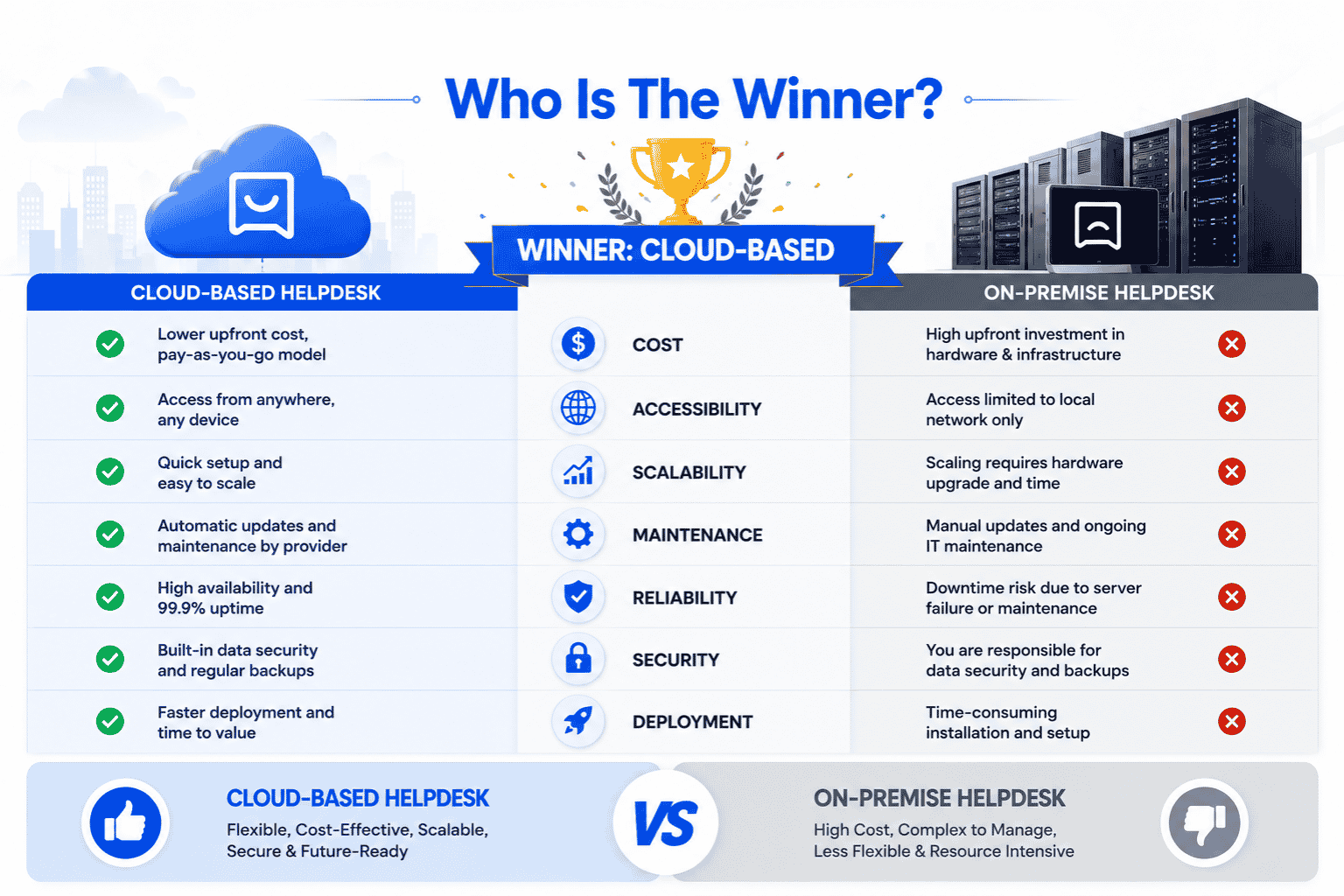
When comparing cloud-based and on-premise helpdesk systems, the real question for any business is which model supports growth, agility, and customer expectations today. While on-premise solutions offer internal ownership, the modern support landscape increasingly favors cloud platforms.
Cloud-based helpdesks simplify operations by eliminating the need for buying hardware or managing physical infrastructure, and tools like EasyDesk helpdesk ticketing software are designed around this principle. This reduces setup complexity and allows teams to focus on delivering quality customer support instead of maintaining systems by leveraging EasyDesk features for secure customer support. Built-in privacy configurations and compliance controls also ensure customer data is handled securely without placing extra burden on internal teams.
Another deciding factor is accessibility. Cloud platforms enable support teams to respond faster, collaborate easily, and scale without disruption. Updates, performance improvements, and security enhancements are delivered automatically, ensuring the system stays current. For most organizations, this approach simply makes sense in a fast-changing environment.
On-premise systems may still appeal to businesses with strict internal policies, but they often involve higher costs, slower innovation, and ongoing maintenance responsibilities. In contrast, cloud-based helpdesks align better with how teams work today and how customers expect to be supported.
For growing companies focused on efficiency, flexibility, and long-term value, the winner is clear when they maximize efficiency with top cloud help desk software. A cloud-based helpdesk delivers the balance of performance, security, and scalability that modern customer support demands.
How EasyDesk Simplifies Support as a Cloud-Based Helpdesk
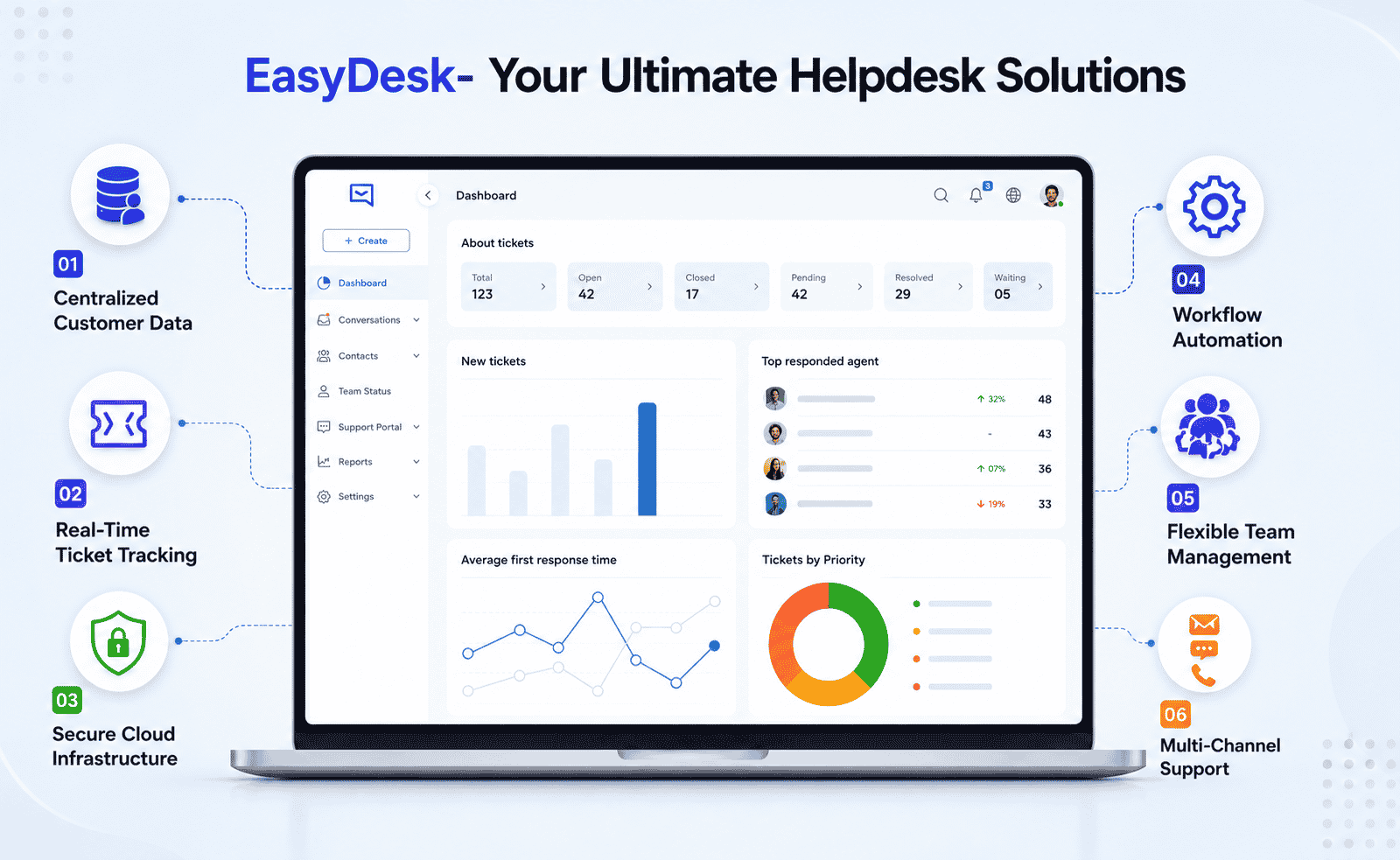
As a modern cloud service, EasyDesk customer support platform is built to manage customer data and service requests efficiently without the limitations of legacy setups. All interactions are processed through secure cloud software, ensuring information is centralized, accessible, and protected at every stage of the support workflow. Unlike traditional models often compared in cloud vs cloud or on-premise discussions, EasyDesk removes infrastructure complexity while maintaining reliability.
Customer data is stored securely with controlled access, helping teams respond faster while meeting compliance expectations. Service requests are captured, prioritized, and tracked in real time, giving support teams clear visibility and control over every conversation by applying principles of managing support tickets efficiently using EasyDesk. Built-in disaster recovery ensures data remains available even during unexpected outages, reducing operational risk.
Compared to traditional systems, EasyDesk’s secure, transparent customer support approach delivers the benefits businesses expect from cloud software without sacrificing oversight. Teams gain complete control over workflows and permissions while avoiding maintenance overhead. For growing support teams, this balance of flexibility, security, and resilience makes EasyDesk a practical and future-ready multi channel support helpdesk solution.
FAQs
How does an on-premises solution differ from a cloud setup?
An on-premises solution is installed on a company’s own servers and managed internally. It offers greater infrastructure control but requires higher setup effort, ongoing maintenance, and involvement from the IT team.
What is a cloud ticketing system?
A cloud ticketing system is an online platform that allows support teams to manage tickets through a browser. It offers easier access, scalability, and regular updates without managing local infrastructure.
How do cloud platforms handle security and privacy configuration?
Cloud systems include built-in security and privacy configuration options such as role-based access, encryption, and compliance controls that are centrally managed and updated by the provider.
Which helpdesk option has a lower initial cost?
Cloud helpdesks typically have a lower initial cost because there is no need to buy hardware. On-premises systems usually require upfront investment in servers and setup.
Where is customer data stored in cloud helpdesks?
Customer data is stored in secure data centers operated by the service provider, often across multiple locations to ensure availability and backup.
Is data security reliable in cloud ticketing systems?
Yes, modern cloud platforms follow strong data security practices, including encryption, monitoring, and redundancy to protect customer information.



