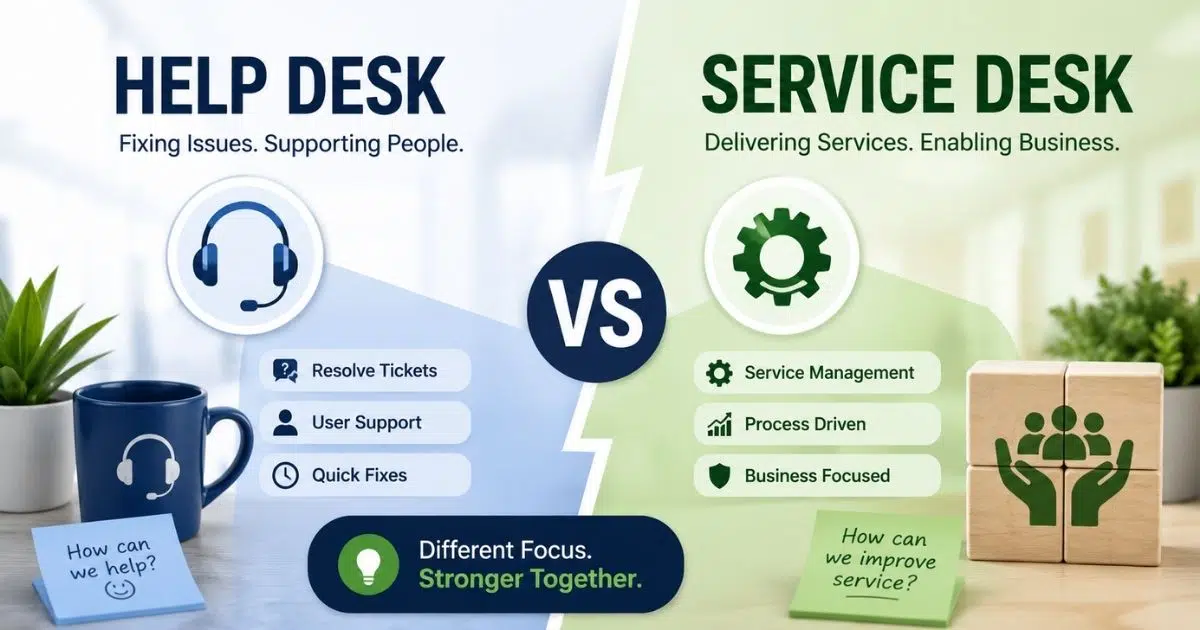
Customer support works best when teams have the right system in place. Email threads, spreadsheets, and scattered tools often slow down responses. Helpdesk implementation solves that problem. A proper helpdesk system organizes customer requests, tracks tickets, and keeps communication clear for the whole team.
Businesses also gain better visibility into support performance. Managers can see response times, workload, and common customer issues. Support agents handle requests faster and with less confusion. Customers receive quicker and more consistent help.
Helpdesk implementation is not only about installing software. A clear process, the right setup, and team training all matter. A well-planned implementation helps support teams stay organized and deliver better customer experiences.
What Is Helpdesk Implementation
Helpdesk implementation means setting up a centralized platform that manages customer communications, support tickets, and service requests. A help desk solution organizes customer interactions in one place. Support agents handle ticket creation, automated ticket management, and ticket management through a structured support process. Many teams rely on help desk software or desk software to manage desk operations and improve service quality. A well-planned helpdesk implementation helps the support team resolve technical issues faster and deliver high-quality service.
A modern help desk system also supports self-service options such as a self-service portal or self-service knowledge base, and often functions as multichannel helpdesk software. Customers can find solutions independently before sending support requests. Service desk best practices, service level agreements, and help desk metrics help monitor the help desk's performance. Monitoring tools and key performance indicators guide continuous improvement. Strong desk management and proper resource allocation help the help desk team deliver exceptional customer support and improve customer satisfaction.
Key Benefits Of Helpdesk Implementation For Support Teams
A well-planned helpdesk implementation improves how support teams handle service requests and customer communications. A centralized help desk system organizes desk operations, service desk tasks, and support tickets in one place, and the right setup can significantly boost customer support. Businesses gain better visibility into performance, faster responses, and stronger customer experience.
Faster Support Ticket Resolution
Helpdesk implementation helps the support team manage support tickets with a structured ticketing system. Automated ticket management assigns requests to the right desk team or specialized help desk groups. The help desk software also prioritizes urgent technical issues and service requests.
Studies from the Help Desk Institute report that structured help desk operations can reduce ticket resolution time by nearly 30%. Faster ticket creation and organized desk tasks help support agents solve problems quickly. Customers receive technical assistance sooner, which improves customer satisfaction and service quality.
Higher Customer Satisfaction
Customer experience improves when a help desk solution manages every customer interaction from a centralized platform. Support agents respond through centralized communication channels such as email, chat, and multi-channel support systems.
Research from Microsoft shows that 90% of customers consider service quality a key factor when choosing a service provider. A reliable help desk system tracks service level agreements and customer feedback. Support strategies become clearer. Faster responses and consistent support services lead to improved customer satisfaction and stronger trust.
Better Team Productivity
Helpdesk implementation organizes desk operations for the help desk team and the IT team. A centralized platform reduces confusion and keeps every support request visible. Support agents know which service requests require attention and how to manage resource allocation.
Reports show that help desk systems can improve support team productivity by up to 25%. Automated ticket management and monitoring tools reduce repetitive desk tasks. Desk employees spend more time assisting customers and solving technical issues. Clear desk management also supports a better work-life balance for the support team.
Stronger Self-Service Support
Self-service options help customers solve problems before contacting the help desk team. A self-service portal and self-service knowledge base allow users to find solutions independently. Knowledge management systems store guides, technical assistance articles, and common solutions.
Gartner estimates that 70% of customers prefer self-service options for simple issues. A well-organized knowledge base reduces support requests and improves desk success. Fewer basic tickets allow support agents to focus on complex technical support. Better self-service support also improves user satisfaction and customer experience.
Clear Performance Insights
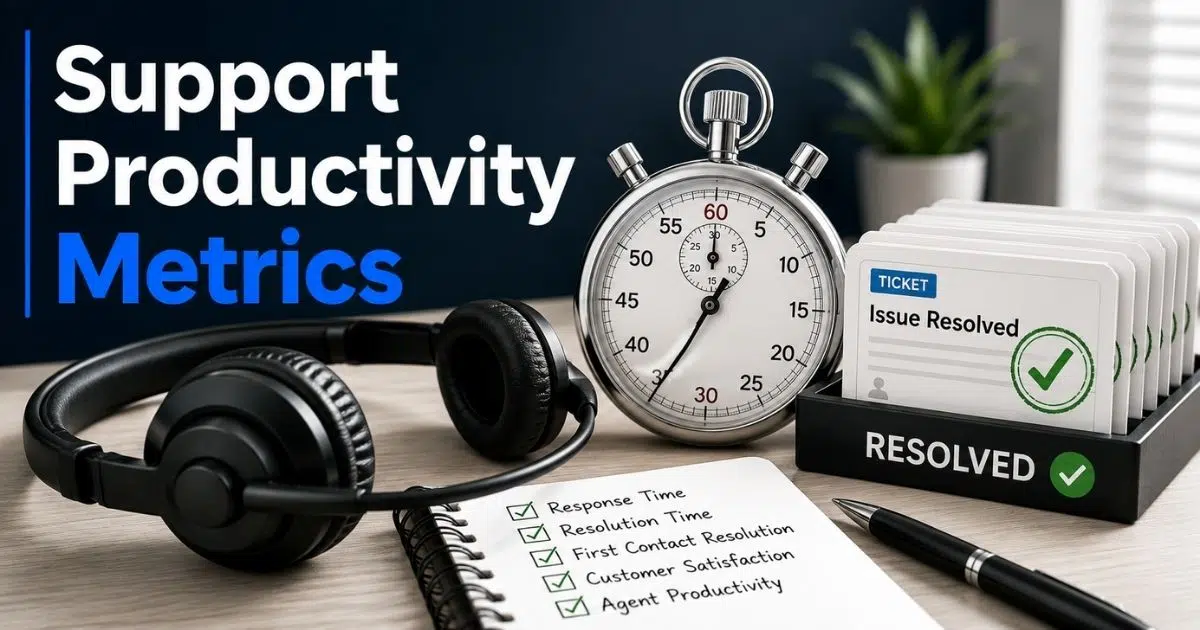
Helpdesk implementation provides clear insights into help desk metrics and desk performance. Monitoring tools track key performance indicators such as response time, resolution time, and customer feedback. Desk management teams use this data to evaluate support strategies.
Many organizations also monitor help desks' performance with platforms like Jira Service Management and other desk platforms to understand how a help desk improves support behind the scenes. Reports help managers identify technical support gaps and improve service desk best practices. Data-driven decisions lead to continuous improvement and high-quality service across support services.
Helpdesk Implementation Preparation Before Setting Up A System
A successful helpdesk implementation starts with the right preparation. Clear planning helps the support team organize desk operations, support requests, and customer communications before the desk system goes live. Preparation also improves service quality and long-term desk success.
Define Support Goals
Clear goals guide every helpdesk implementation project. A support team should identify what the help desk system must achieve. Common goals include faster ticket management, improved customer satisfaction, and better service level agreements.
Research shows that 93% of customers return to companies with excellent customer service. Clear support goals help desk teams align desk operations with business expectations. Service providers also use help desk metrics and key performance indicators to measure progress. A strong goal framework supports better service management and high-quality service.
Evaluate Current Support Process
A review of the current support process helps teams understand existing gaps. Many companies rely on email threads or scattered tools to manage service requests. That approach creates delays and poor desk management.
Industry reports show that over 60% of support teams struggle with disorganized ticket tracking before adopting help desk software. A process review highlights weak points in ticket creation, customer communications, and resource allocation. A clear understanding of help desk operations allows the IT team and desk employees to build a stronger help desk solution.
Choose The Right Help Desk Software
The right help desk software forms the foundation of desk implementation. A strong desk platform supports automated ticket management, centralized communication, and multi-channel support. Integration capabilities also matter when teams rely on tools such as Jira Service Management.
Gartner reports that companies with modern help desk systems improve support efficiency by up to 40%, and many teams start with options from a guide to the best free helpdesk ticket systems. The right help desk software helps support agents manage desk tasks and technical issues more effectively. A centralized platform also simplifies desk management for the help desk team and the IT service desk.
Build A Knowledge Base
A knowledge base supports both support agents and customers. Knowledge management helps desk teams store solutions, technical assistance guides, and service procedures in one location. A self-service knowledge base also supports self-service options.
Forrester research shows that 73% of customers prefer self-service before contacting support services. A strong knowledge base allows customers to find solutions independently through a self-service portal. Fewer basic support tickets reach the help desk team. That improvement allows support agents to focus on complex technical support cases.
Plan Service Level Agreements
Service level agreements define response and resolution expectations. A service desk team must determine how quickly support requests receive attention. Clear SLAs also improve accountability across desk groups and specialized help desk groups.
Data shows that customers expect a response within one hour for most support requests. Service level agreements help the help desk team prioritize ticket management and maintain service quality. Managers also monitor the help desk's performance through desk metrics and monitoring tools.
Train The Support Team
A strong desk implementation requires a prepared support team. Support agents must understand the help desk software, ticketing system, and support strategies before launch. Technical knowledge and soft skills training both play an important role.
The Help Desk Institute reports that companies with structured training programs achieve 20–25% higher help desk performance. Training improves communication skills, technical assistance quality, and customer interactions. Well-trained desk employees handle technical issues with confidence and deliver exceptional customer support.
Prepare Communication Channels
Customer communications should remain clear before the help desk solution launches. Teams must define how customers send service requests and support tickets. Email, live chat, and self-service portal access often form the main communication channels.
A Salesforce report shows that 78% of customers expect consistent communication across multiple channels. Multi-channel support allows the help desk team to maintain a single point for customer interactions. Centralized communication also improves the customer experience and helps the desk team track every support request efficiently.
Key Steps For Successful Helpdesk Implementation
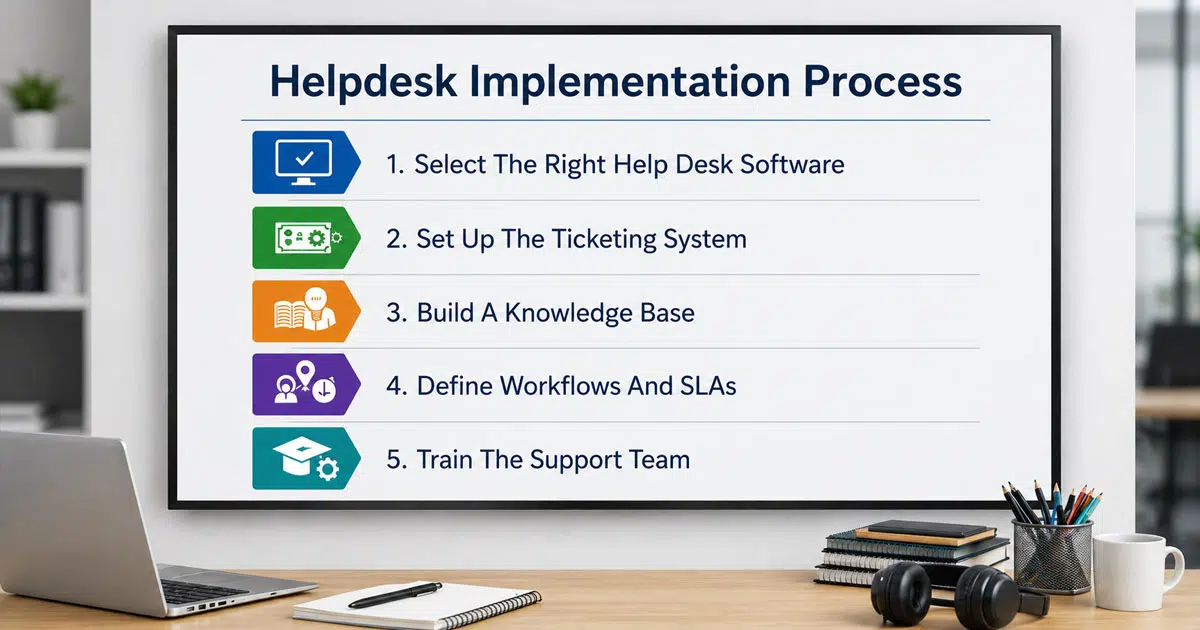
A clear process helps teams build a reliable helpdesk setup and help desk system. Structured steps improve desk operations, service quality, and customer communications. A planned helpdesk implementation also helps the support team manage support requests, service requests, and technical support with less confusion.
Step 1: Select The Right Help Desk Software
The first step focuses on choosing the right helpdesk ticketing software for your support team. A strong help desk solution should support ticket creation, automated ticket management, and multi-channel support. Integration capabilities with tools such as Jira Service Management also help streamline desk operations.
Gartner reports that companies with modern help desk systems see up to 40% faster service resolution. A reliable desk platform acts as a centralized platform for customer interactions, service requests, and technical issues. The right desk software also supports monitoring tools and help desk metrics that track desk success.
Step 2: Set Up The Ticketing System
A ticketing software system forms the core of help desk operations. Every customer request becomes a support ticket through structured ticket creation. A centralized platform ensures that support agents track each service request from start to resolution.
Reports show that organizations with structured ticket management reduce response time by over 30%, which is especially valuable when you need to simplify holiday support with your helpdesk app. Automated ticket management routes tickets to the correct desk team or specialized help desk groups. A well-designed ticketing system helps the help desk team manage tasks and maintain strong service quality.
Step 3: Build A Knowledge Base
Knowledge base software supports faster technical assistance and better customer experience. Knowledge management helps desk teams store common solutions and support documentation. A self-service knowledge base also helps customers find solutions independently.
Forrester research shows that around 70% of customers prefer self-service options for simple technical issues. A self-service portal allows users to access guides before contacting the help desk team. Fewer repetitive support requests reach support agents. That improvement helps the desk team focus on complex technical support cases.
Step 4: Define Workflows And SLAs
Clear workflows improve desk management and service desk performance. A support process should define how service requests move from ticket creation to resolution, including where ticket automation software can streamline each stage. Service level agreements also establish expected response and resolution times.
Research shows that 90% of customers expect quick responses to support requests. Service level agreements help the support team prioritize tickets and maintain service quality. Monitoring tools track key performance indicators and help desk metrics. Managers use that data to evaluate the help desk's performance and maintain high-quality service.
Step 5: Train The Support Team
A well-prepared support team ensures desk implementation success. Support agents must understand the help desk software, ticketing system, and desk solution before the system goes live. Training also improves customer communications and technical support skills.
The Help Desk Institute reports that trained desk employees improve the help desk's performance by 20–25%. Soft skills training also helps support agents manage customer interactions more effectively. A skilled help desk team delivers exceptional customer support, improves customer satisfaction, and strengthens the overall customer experience.
Best Practices Of Helpdesk Implementation
A successful helpdesk implementation requires more than a desk system setup. Teams need clear service desk best practices to maintain service quality and a consistent customer experience. The right practices help support teams manage desk operations, customer communications, and support tickets effectively.
Use A Centralized Support Platform
A centralized platform keeps all customer interactions and support tickets in one place. Help desk software connects customer communications, service requests, and ticket management into a single system. Support agents can track every issue without switching tools.
Research from Salesforce shows that 76% of customers expect consistent service across multiple channels. A centralized help desk system supports multi-channel support and centralized communication. The desk team can manage email, chat, and service requests from one dashboard. That structure improves desk operations and helps deliver exceptional customer support.
Define Clear Service Workflows
Clear workflows improve desk management and reduce confusion in the support process. A service desk team should define how ticket creation, escalation, and resolution happen within a modern helpdesk system. Structured desk operations ensure that support requests reach the correct desk groups.
Reports show that teams with defined workflows resolve support tickets 31% faster. Service level agreements also guide response times and help desk priorities. Monitoring tools track key performance indicators and help desk metrics. Managers review the help desk's performance and adjust support strategies when needed.
Encourage Self-Service Support
Self-service options help customers solve problems without contacting the help desk team, and effective self-service customer support also reduces the workload on agents. A self-service portal and self-service knowledge base allow users to find solutions independently. Knowledge management also supports faster technical assistance.
Gartner research shows that around 70% of customers prefer self-service options for common issues. A strong knowledge base reduces repetitive support requests and improves desk success. Fewer basic tickets reach support agents. The support team can focus on complex technical issues and deliver high-quality service.
Track Performance With Metrics
Help desk metrics and automated ticket management software help organizations measure desk success and service quality. Monitoring tools track response time, ticket resolution time, and customer feedback. Key performance indicators provide insights into help desk operations.
The Help Desk Institute reports that companies that monitor desk metrics improve support efficiency by up to 25%. Managers evaluate the help desk's performance and identify gaps in resource allocation or desk tasks. Data-driven decisions strengthen desk management and improve user satisfaction.
Focus On Team Skills And Training
Support agents play a major role in desk success. A help desk team must understand the help desk software, ticketing system, and service desk best practices. Soft skills training also improves customer communications and technical assistance.
According to HDI research, organizations that invest in training report 20% higher customer satisfaction scores. Skilled desk employees handle technical support cases with confidence. Strong communication skills improve customer interactions and customer feedback. A trained support team delivers exceptional customer support and improves overall customer experience.
Common Challenges Of Helpdesk Implementation
Helpdesk implementation improves service management and customer experience. Many teams still face obstacles during setup. Challenges often affect desk operations, support tickets, and customer communications. Awareness of common problems helps the support team build a stronger help desk system and maintain service quality.
Poor Tool Selection
Many companies choose help desk software without reviewing business needs. A weak help desk solution creates slow ticket management and limited integration capabilities. Gartner reports that over 50% of software projects fail due to poor tool selection.
Solutions
- Evaluate business needs before choosing help desk software.
- Test integration capabilities with tools such as Jira Service Management
- Select a centralized platform that supports multi-channel support.
- Review desk software scalability for long-term desk success
Lack Of Team Training
A new desk system often fails when desk employees do not understand the support process. Poor training leads to slow ticket creation and weak customer communications. The Help Desk Institute reports that organizations with structured training improve the help desk's performance by 20–25%.
Solutions
- Provide technical assistance training for support agents.
- Offer soft skills training for better customer interactions.
- Conduct onboarding sessions for the help desk team.
- Share service desk best practices with desk groups.
Weak Knowledge Management
Many support teams launch a help desk system without a knowledge base. That gap increases repetitive support requests and slows desk operations. Forrester research shows 73% of customers prefer self-service options for basic technical issues.
Solutions
- Build a self-service knowledge base for common issues.
- Create clear documentation for technical support cases.
- Maintain a self-service portal for customer access.
- Update knowledge management resources regularly.
Unclear Service Level Agreements
A help desk team needs clear service level agreements to manage service requests and support tickets. Without SLAs, desk operations become inconsistent. Reports show that 90% of customers expect fast responses to support requests.
Solutions
- Define response and resolution time targets.
- Monitor service desk performance with key performance indicators.
- Track help desk metrics through monitoring tools
- Review service level agreements regularly.
Limited Performance Tracking
Many organizations fail to monitor help desk metrics and desk performance. Without data, managers cannot evaluate support strategies or improve service quality. According to HDI, companies that track metrics achieve up to 25% higher support efficiency.
Solutions
- Track help desk metrics such as resolution time and ticket volume
- Use monitoring tools for desk management insights.
- Analyze customer feedback and support tickets.
- Use data to guide continuous improvement and resource allocation.
How EasyDesk Simplifies Helpdesk Implementation For Support Teams
EasyDesk helps businesses complete helpdesk implementation with a simple and organized IT help desk software system. The platform acts as a centralized ticketing software platform where support tickets, service requests, and customer communications stay in one place. Support agents can manage ticket creation, ticket management, and automated ticket management without switching tools. The help desk software also supports multi-channel support, which allows the support team to handle customer interactions from email, chat, and other channels. Clear desk management improves service quality and keeps desk operations organized.
EasyDesk also supports self-service options through a self-service portal and knowledge base, building on EasyDesk features for smarter, secure customer support. Customers can find solutions independently before sending support requests. Monitoring tools and help desk metrics help the desk team track key performance indicators and service level agreements while benefiting from EasyDesk’s secure, transparent customer support. Better visibility into the help desk's performance helps support agents deliver exceptional customer support and improve customer satisfaction.
FAQs
Can A Small Business Use Helpdesk Implementation Without A Large IT Team?
Yes. Many modern help desk systems require minimal technical setup. Cloud-based help desk software allows small teams to manage support tickets, customer communications, and service requests from a centralized platform without a large IT service desk.
Does Helpdesk Implementation Improve Internal IT Support?
Yes. Helpdesk implementation helps an IT team manage internal service requests and technical assistance more efficiently. A structured ticketing system tracks technical issues, prioritizes support tickets, and improves desk operations across the organization.
How Long Does A Typical Helpdesk Implementation Take?
The timeline depends on the desk solution and business size. Many help desk platforms can launch within a few days. Larger organizations may require several weeks to configure workflows, service level agreements, and knowledge management.
Can Helpdesk Implementation Reduce Repetitive Support Requests?
Yes. A self-service portal and self-service knowledge base allow customers to find solutions independently. Strong knowledge management reduces repetitive support tickets and helps support agents focus on complex technical support cases.
What Metrics Help Measure Helpdesk Implementation Success?
Key help desk metrics include ticket resolution time, first response time, customer feedback scores, and service level agreement compliance. Monitoring tools track these key performance indicators and help managers evaluate the help desk's performance and service quality.