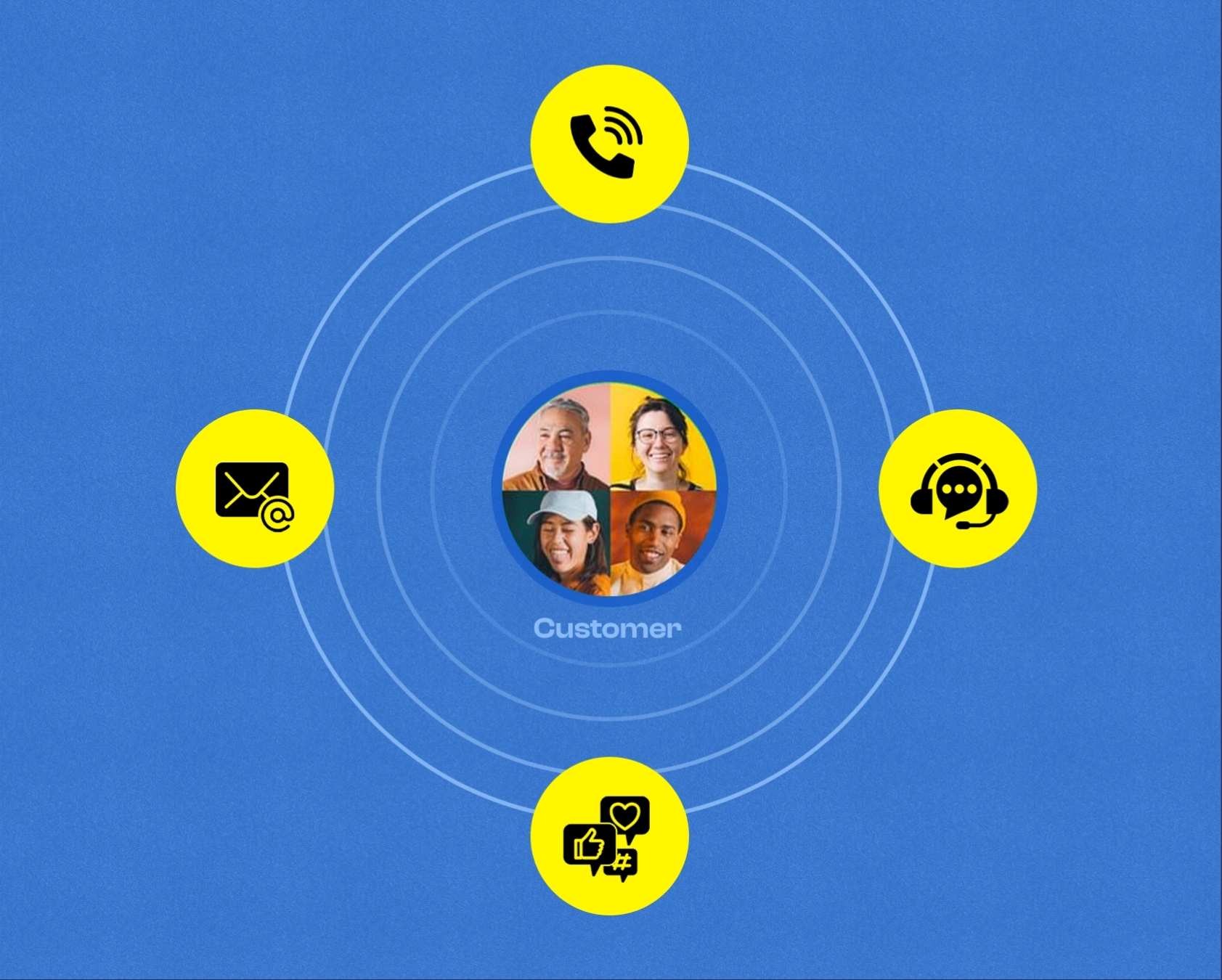
Modern customers interact with businesses across many platforms. Email, social media, live chat, and instant messaging have become everyday support options. Strong multichannel communication helps teams respond through various communication channels without losing clarity or speed. A thoughtful omnichannel customer service strategy ensures every touchpoint works together to improve the overall customer experience.
Growing teams often struggle to maintain consistent conversations across platforms. A well planned omnichannel customer service model solves that challenge. Customer data, conversation history, and team workflows stay connected in one ecosystem. Such alignment strengthens customer engagement and builds trust with every interaction.
A customer centric approach also improves service quality and response time. Teams that monitor multi channel performance can identify gaps, refine workflows, and create better support processes. Clear communication across channels ultimately drives multi channel success and supports long-term business growth.
What Multi Channel Customer Communication Means Today
Customer expectations have shifted dramatically between 2015 and 2026. A decade ago, most businesses could get away with a single email inbox and maybe a phone support line. Today, customers interact with brands across multiple platforms simultaneously. They expect quick responses whether they send a direct message on social media, start a live chat on your website, or fire off an email at midnight.
Multi channel customer communication means engaging and supporting customers across multiple channels like email, live chat, phone calls, WhatsApp, Facebook, X (Twitter), Instagram, and in product widgets. In this approach, each channel might still be managed somewhat independently, but the goal remains consistent: answer with the same quality and information wherever the customer appears, which aligns closely with a simple guide to multi-channel customer support.
Multi Channel Versus Omnichannel Communication
Modern businesses communicate with customers through many platforms. Clear understanding of both approaches helps teams choose a structure that supports better service quality, smoother coordination, and stronger long-term communication strategies.
Platform Structure And Channel Integration
A multi channel setup usually relies on several tools across email, chat, social media, and phone support. Many companies still depend on traditional channels that operate separately from one another.
An omnichannel system connects every communication point inside a unified platform. Agents can manage conversations from different channels in one workspace, which reduces tool switching and improves workflow efficiency.
Access To Customer Information
Disconnected systems often make it difficult for agents to access a complete customer history. Conversations from email, phone, or social platforms may remain stored in separate locations.
An integrated environment keeps customer history connected. Agents can easily view customer's previous interactions, which helps them respond faster and provide more accurate assistance during support conversations.
Customer Journey And Conversation Continuity
Independent channel systems often struggle with maintaining context when customers move between platforms. Agents may repeat questions because previous details are not visible across channels.
A connected communication structure supports maintaining context throughout the customer journey. Information travels with the conversation, allowing smoother transitions between chat, email, or messaging tools.
Strategy, Insights, And Support Operations
A multi channel setup mainly focuses on presence across several platforms. Teams often track performance separately for each channel, which can limit visibility into service efficiency.
An omnichannel environment allows businesses to track performance from one dashboard. Centralized insights support better decision making, strengthen the support team workflow, and enable key strategies such as self service portals that contribute to a successful strategy, illustrating many of the core benefits of omnichannel support for customer experience.
How Multi Channel Communication Drives Business Growth
Multi channel is not just a nice to have checkbox on your support strategy. It ties directly to revenue, retention, and word of mouth for SaaS, ecommerce, and service businesses. When done right, it becomes a competitive advantage that compounds over time, especially when supported by the right multi-channel customer support tools and best practices.
Easier access to support reduces friction during trial and onboarding. A chat widget on your pricing page answers questions before someone abandons the page. Quick email replies during the first week of a trial help users reach their first win. These moments boost customer satisfaction, conversion rates, and activation metrics that drive business growth.
Fast responses over preferred channels reduce churn in subscription businesses. Industry data suggests customers engaging across three different channels show around 30 percent higher lifetime value than single channel users. Even raising retention by a few percentage points over twelve months can dramatically improve your revenue without increasing acquisition spend.
Every channel produces valuable data. You see common bug reports, questions before renewals, and recurring feature requests. This information feeds into product roadmaps and marketing efforts. Your support conversations become business intelligence that informs decisions across the company.
Essential Channels For Modern Customer Communication
Not every company needs every channel. In 2026, most growing teams rely on a core mix rather than spreading themselves across every platform imaginable. The right channels depend on your target audience, your team size, and what you can realistically manage well.
This section walks through specific channels and when each is most useful for startups and SMBs. The goal is helping you choose which ones deserve your attention and which you might skip for now.
Email remains the backbone of B2B and SaaS support. It works best for detailed issues, billing questions, and anything requiring attachments or longer explanations. When a customer needs to share screenshots, logs, or documentation, email handles it naturally.
In 2026, customers expect a first response in under four working hours, not days. Setting clear SLA targets helps your team commit to a standard and measure whether you hit it. This expectation varies by industry, but the trend toward faster email response time continues across the board.
A helpdesk like EasyDesk converts emails into tickets, assigns them to the right owner, and ensures there are no lost threads sitting in personal inboxes. Every message gets tracked, prioritized, and visible to the team, essentially turning emails into trackable tickets with the right tools. No more wondering if someone already replied or if a conversation fell through the cracks.
Live Chat And In App Messaging
Live chat and embedded in app widgets matter most when people are on your pricing page, inside your SaaS dashboard, or mid checkout and need instant support. These moments have high intent. A quick answer can mean the difference between a conversion and an abandoned session, which highlights many of the key live chat benefits for better customer experience.
There is a difference between synchronous chat, where both parties are present in real time, and in app messaging, where customers might come back later to the same thread. Both have value depending on your use case and team availability.
Chatbots can handle simple FAQs or collect key details like account info, plan type, device, or screenshots before a human steps in. This reduces handle time and lets agents focus on actually solving problems rather than gathering context. The balance matters though. Customers still want a clear path to a person when issues get complex.
Phone And Voice Support
Phone support still matters for urgent outages, emotionally charged complaints, or high value B2B accounts that expect to talk to a human. Sometimes text based channels cannot capture the nuance a voice call provides. A frustrated customer often calms down faster when they hear empathy in someone’s voice.
Interactive voice response and call routing systems can get a customer to the right specialist faster. Instead of bouncing them between generic lines, you route based on the nature of their issue. Someone calling about billing goes to billing. Someone with a technical emergency goes to your senior engineer on call.
Call notes and recordings should feed back into the central helpdesk. When an agent replies by email later, they can see what was agreed on the call. This prevents contradictions and ensures consistent service across channels.
Social Media And Review Sites
Social media platforms like X, LinkedIn, Facebook, G2, and Google reviews have become public support channels. Customers share feedback in real time, and everyone can see how you respond. These interactions shape your brand reputation whether you actively manage them or not.
Quick, calm, and transparent replies on social media can defuse issues and often turn complaints into visible wins. When potential customers see you handling criticism gracefully, it builds trust. When they see ignored complaints, it raises red flags.
Mentions, DMs, and comments should flow into the same helpdesk queue as email and chat. This prevents your team from missing time sensitive posts that could escalate publicly. A simple 2026 playbook works well: acknowledge in public within one hour during working times, then move to private messages if sensitive customer data is needed.
Self Service Knowledge Base
A well structured knowledge base or help center lets customers answer many questions at any hour without waiting on a human. This scales your support capacity without adding headcount. Common questions get documented once and help thousands of users over time, especially when powered by robust knowledge base software features and benefits.
Essential elements include clear categories, search that surfaces the right article, screenshots or short video clips showing current UX, and concise troubleshooting steps. Keep content updated as your product evolves. Outdated documentation creates more frustration than it solves.
Tagging tickets to topics helps identify which articles to write or update next. When you see the same question coming in repeatedly, that signals a knowledge base gap. This creates a feedback loop from support into documentation.
Messaging Apps And SMS
WhatsApp, SMS, and other messaging platforms have become core channels for quick updates, reminders, and short questions in many regions. These channels feel personal and immediate, which makes them powerful for certain use cases.
Messaging apps work best for time sensitive alerts like maintenance windows, shipping updates, or one time passwords. They also handle simple questions well. For longer troubleshooting sessions, email or chat usually works better because they support more detail and attachments, particularly when managed through multichannel helpdesk software for faster support.
All messaging app threads should sync with the main helpdesk record. This keeps a timeline of what was promised and when, which protects both your team and your customers from misunderstandings.
How To Build A Multi Channel Communication Strategy Step By Step
Adding channels randomly creates chaos. Teams that launch five channels at once often end up with scattered conversations, inconsistent responses, and burned out agents. A practical step by step process helps growing teams avoid these pitfalls.
Map Customer Journeys
Start by sketching simple journeys: discovery, trial, purchase, onboarding, renewal, and help needed after six or twelve months. These stages apply to most SaaS and B2B businesses, though your specific version might differ.
For each stage, list the touchpoints where customer interactions happen. During discovery, prospects might find you through LinkedIn ads or organic search. During trial, they might use onboarding emails and in app prompts. After purchase, they might send support tickets or respond to NPS surveys. Note which channels you already use today.
Choose And Prioritize Channels
Start with two or three core channels that match your audience. For B2B SaaS, this usually means email, in app chat, and at least one social platform like LinkedIn or X. These cover the basics without stretching a small team too thin.
Being everywhere in 2026 is less important than being consistently available and responsive where customers already are. A company that answers email within two hours and chat within five minutes builds more trust than a company with six unmonitored channels.
Centralize Tools And Data
Fragmented tools create duplicated work and missed messages. When your social media manager uses one platform, support uses Outlook, and founders answer DMs on their personal phones, nobody has complete visibility into what customers are experiencing.
A central helpdesk like EasyDesk brings email, chat, social messages, and feedback into one view. Every agent sees full context regardless of which channel a conversation started on. Customer data stays unified rather than scattered across separate tools, much like the capabilities of ticketing software built for better customer support.
Integrations with CRMs, billing tools, and product analytics add even more context. Your team can see plan type, monthly recurring revenue, and feature usage alongside each conversation. This turns generic support into personalized service and mirrors many of the EasyDesk features for smarter, secure customer support.
Design Workflows And SLAs
Workflows define how tickets get created, tagged, assigned, escalated, and closed across all channels. Without clear processes, agents spend time figuring out what to do rather than helping customers.
Write down response time targets per channel. Perhaps one hour for chat during working hours, four hours for email, and next business day for social. Add these as SLA rules in your helpdesk so everyone knows the standard and you can measure whether you meet it, following best practices from a ticket SLA management guide for faster support response.
Automation helps with triage. New messages can be routed based on channel, topic, language, and customer tier. Automated workflows handle the sorting so agents can focus on responding, similar to how ticket automation streamlines customer support workflows. Still allow overrides when edge cases appear.
Train The Team Across Channels
Different channels demand different skills. Chat requires short, clear messages. Email needs more detail and structure. Phone calls require calm tone and active listening. Agents who master one channel might struggle with another without proper channel specific training.
Run live practice sessions where agents answer mock messages from common channels. Give feedback on tone, clarity, and speed. This builds muscle memory before real customer conversations put pressure on performance and is especially important for keeping remote support teams aligned and on track.
Cross training matters for small teams covering global users. When chat volume spikes, email agents should be able to help. When someone is out sick, others can cover their usual channel. Flexibility prevents bottlenecks.
Launch Then Iterate
Most teams should launch in phases. Month one might cover email plus chat. Month two adds social. Month three introduces messaging apps. Phased rollouts let you learn and adjust without overwhelming the team.
Set clear key metrics before launch: first reply time, resolution time, CSAT scores, and percentage of issues solved on the first interaction. These baselines let you measure improvement over time.
Weekly reviews during the first six to eight weeks help spot problems early. Use your helpdesk dashboard to identify overloaded channels, unanswered threads, or recurring complaints. Small adjustments early prevent bigger problems later and are a core part of how the right helpdesk setup boosts customer support.
Common Multi Channel Communication Challenges And How To Handle Them
Multi channel sounds attractive on paper, but in practice it introduces new risks if not carefully managed. Knowing these challenges ahead of time helps you prepare solutions before problems compound.
Information Silos
Silos form when each channel is owned by a different person or tool. The social media manager uses one platform. Support uses another inbox. Founders answer DMs on their phones. Nobody sees the full picture.
Customers feel this fragmentation. They repeat themselves across channels because agents do not know about previous conversations. This damages trust and wastes everyone’s time, underscoring why a strong help desk improves support behind the scenes.
The fix is routing all channels into a single system. Use shared tags and notes visible to everyone. Make it a rule that no support happens in private inboxes outside the main helpdesk. Internal communications should reinforce this standard.
Inconsistent Experiences
Inconsistency erodes trust. A customer gets one refund answer on email and a different answer on social media. Someone hears one timeline on chat and another on phone. These contradictions make your company look disorganized.
A simple communication guide keeps replies aligned. Document your tone, phrases to use and avoid, refund rules, and security check procedures. Share this with every agent and keep it accessible in your helpdesk.
Saved replies and internal notes help agents give the same answer regardless of channel. Personalize the opening and closing, but keep the substance consistent. Customers should get the same quality experience whether they reach you through direct mail or direct messaging.
Volume And Team Burnout
Adding channels without extra planning can double perceived workload. Agents context switch constantly between chat, email, and phone. Mental fatigue sets in. Quality drops. People burn out.
Set clear channel ownership for each shift. Who watches live chat? Who handles social? Who works the email queue? Defined responsibilities prevent the chaos of everyone half watching everything.
Automation handles repetitive tagging and routing. Self service content reduces simple tickets. Every question answered by a knowledge base article is one less ticket an agent has to handle manually, reflecting many of the benefits and best practices of self service customer support.
Over Automation
Between 2024 and 2026, many teams rushed to add AI chatbots and auto replies everywhere. Some of these help customers. Many annoy them. Finding the right balance matters more than automating everything possible, especially if your goal is to improve customer support response time by 3X.
Use automation mainly to collect context, suggest knowledge base articles, and route tickets. Let humans handle sensitive issues like billing disputes, multi user bugs, or security questions. Automated workflows should support agents, not replace judgment.
Always give customers a clear path to a person. Set simple rules for when bots step aside. If someone mentions payment, billing, or security, escalate immediately. If frustration language appears, connect them to a human.
Measuring Multi Channel Communication Performance
Support leaders in 2026 cannot rely on gut feelings. Concrete metrics tied to business outcomes justify investments, identify problems, and guide improvements. A multichannel strategy without measurement is just guessing, as shown by how EasyDesk improved response time for a growing team.
Channel Level KPIs
Each channel has its own key metrics. For email, track response time and resolution time. For chat, measure wait time and abandonment rates. For phone, watch missed calls and callback completion. For social, monitor public reply time and sentiment.
Set baseline numbers in early 2026, then choose one or two priorities per quarter to improve. Trying to optimize everything at once spreads focus too thin. Pick the metric that matters most for customer satisfaction right now and concentrate there.
Cross Channel Journey Metrics
Track customer effort across channels. How many times does someone switch channels for one issue? How often do they repeat the same details? High channel count per issue signals friction in your process.
Measure CSAT or simple one to five rating prompts after key interactions regardless of channel. See where frustration clusters. Maybe chat ratings stay high while email ratings lag. That tells you where to focus improvement efforts.
Tagging tickets with journey stage, whether trial, onboarding, or renewal, helps identify where customers get stuck. You see which channels solve those pain points fastest. In SaaS, watching what happens between trial signup and first value delivered often reveals high impact opportunities.
Business Impact And ROI
Connect multi channel metrics to business outcomes. Higher trial to paid conversion. Lower churn. More upgrades. Fewer chargebacks or disputes. These numbers justify investment in your multichannel customer service strategy.
Simple examples make the case. A small reduction in churn per month over twelve months can outweigh the annual cost of a helpdesk platform. Faster onboarding communication through chat and email keeps more trials converting. The math often works in your favor.
Track cost to serve per ticket by channel. Guide customers toward the most efficient options without sacrificing quality. Some channels cost more per interaction than others. Understanding these economics helps you allocate resources wisely.
How EasyDesk Strengthens Multi Channel Customer Communication
Strong support systems require clear visibility across every interaction. EasyDesk brings conversations from different channels into one workspace so teams understand how channels work together during customer conversations.
Agents gain complete visibility into requests from email, chat, and social platforms without relying on separate tools. A connected environment also improves coordination during initial inquiries, ensuring faster responses and better service quality.
EasyDesk helps businesses build a more customer centric support environment. Access to shared insights supports business intelligence and helps teams identify key benefits from communication data. Managers can also analyze key metrics to understand service quality and improve decision making, which reflects the platform’s focus on secure, transparent customer support.
A structured system also supports cohesive brand experience across every interaction. EasyDesk helps businesses maintain consistent messaging and eliminate confusion created by disconnected tools. Such alignment improves support efficiency and strengthens overall customer relationships.
Frequently Asked Questions
How Many Communication Channels Should A Small Business Start With?
Most small teams do best starting with two or three channels they can manage well. Commonly this means email, a website or in app chat, and one social platform where their target audience is active. Once those channels run smoothly for a few months, you can add others like WhatsApp or phone support. Let customer feedback and ticket data guide expansion rather than guesswork about what channels you should have.
Is Multi Channel Communication Only For Large Companies?
Multi channel setups used to require expensive enterprise tools and dedicated teams. In 2026, platforms like EasyDesk make this approach accessible for small and mid sized teams on moderate budgets. Even a five person startup benefits from having email and chat in one place with simple automation and shared context. The tools have caught up to make this achievable for growing businesses.
How Can We Keep Our Brand Voice Consistent Across All Channels?
Create a short, practical voice guide with real examples of good replies for email, chat, and social. Keep it accessible in your helpdesk or internal wiki so agents can reference it quickly. Use canned responses as starting points while encouraging agents to customize greetings and closing lines. This balance maintains consistent messaging while keeping conversations human and personal.
What If Our Customers Do Not Use Social Media Much?
Multi channel does not mean every possible channel. It means using several relevant channels for your specific audience. For some industries, this might just be email, phone, and a knowledge base. Survey your customers or review contact logs from recent years to confirm where people already reach out. Build your multichannel customer service around actual customer preferences rather than assumptions.
How Quickly Can A Team Move From Single Channel To Multi Channel With EasyDesk?
Many teams can connect their main email inbox, set up basic live chat, and publish a starter knowledge base within the first few days of an EasyDesk trial. A realistic phased approach works well. Week one covers email and chat. Week two adds social channels. Workflows and SLAs get refined over the following month based on real conversations. The transition does not need to be overwhelming, especially when you start with smarter helpdesk setups for smoother support and choose from transparent customer support plans tailored to your team size.



