In 2026, customers expect instant, 24/7 answers to their questions. Research shows that 69% of consumers attempt self-resolution before seeking help from a live agent, and more than 70% prefer solving issues on their own rather than waiting on hold. A self service knowledge base sits at the core of this shift, serving as a centralized online help center that connects help center content, in-app widgets, and community forums into a unified experience. Common content types that drive ticket deflection include FAQs, step-by-step guides, troubleshooting flows, and error-code playbooks, all valuable across SaaS and ecommerce. The business outcomes are clear: enhanced customer satisfaction, reduced support costs, and a competitive advantage that sets your brand apart. This article delivers a practical, step-by-step playbook for building a knowledge base that truly cuts support volume.
What Is A Self-Service Knowledge Base
A self service knowledge base is a structured, searchable online library that allows customers and employees to resolve issues, answer questions, and learn tasks without contacting customer support. It serves as a searchable library of support content, providing 24/7 access to information organized by topic, product area, or workflow. Unlike a simple FAQ page or a static PDF, a well-built knowledge base offers robust search functionality, usage analytics, version control, and feedback mechanisms that scale as your product and audience grow.
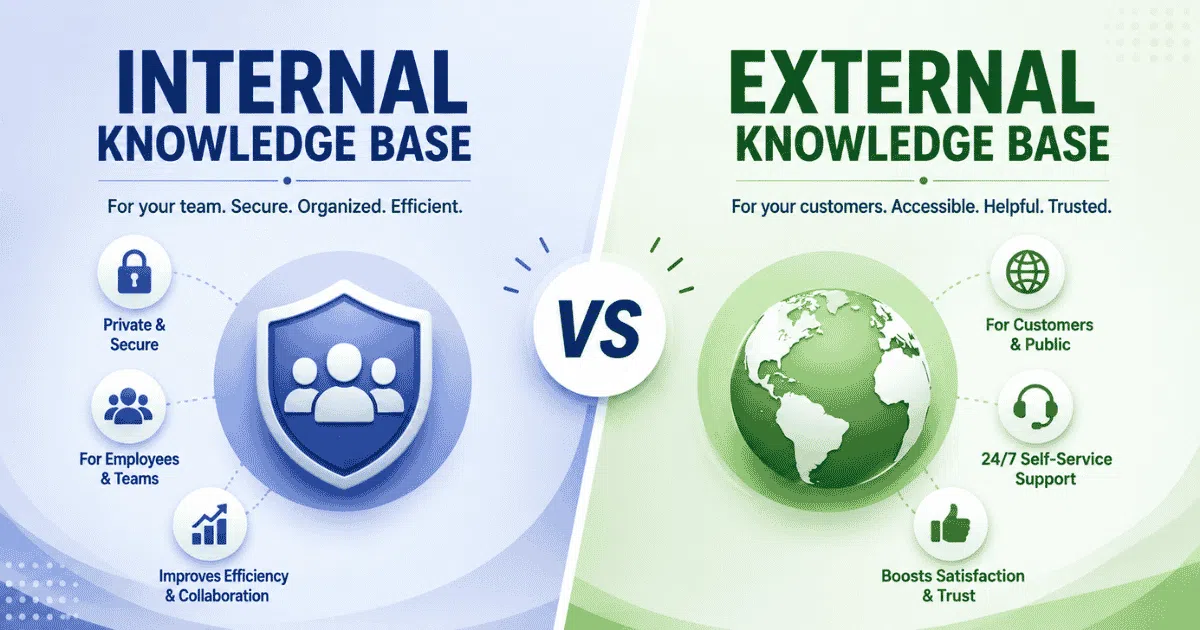
Within broader knowledge management efforts, the customer-facing knowledge base sits alongside internal wikis and agent-facing documentation. Internal resources, including an internal knowledge base for growing teams, capture behind-the-scenes product architecture, troubleshooting notes, and policy details. The public knowledge base distills that knowledge into accessible, curated content that external customers can use independently. A knowledge base provides field technicians with instant access to technical information, while also serving as a single source of truth that ensures consistent information delivery across all channels.
Why A Self-Service Knowledge Base Matters For Customer Experience
Self-service knowledge bases have become essential to modern customer experience because they empower users to find answers instantly, reducing frustration and dependency on human agents, and shaping perceptions of reliability, competence, and trust.
Impact On Customer Satisfaction And Loyalty
Fast, accurate self service options directly boost customer satisfaction scores and encourage repeat behavior. Self-service knowledge bases improve customer satisfaction by 69%, and the reason is straightforward: customers prefer solving problems quickly without waiting for support. When a user with a billing discrepancy finds the "How To Update Billing Information" article, follows three clear steps, and sees the charge corrected in under five minutes, that experience builds loyalty more than a 20-minute phone call ever could.
The 24/7 access to self-service resources increases customer satisfaction rates because help is available the moment an issue arises, regardless of time zones or holidays. Self-service options reduce support requests, which in turn enhances customer satisfaction by freeing up agents to deliver faster, more attentive responses to the customers who do need personal help. A self-service knowledge base improves customer experience and satisfaction at every touchpoint, from the first onboarding question to complex troubleshooting months into the relationship.
Effect On Contact Centers And Support Operations
Knowledge bases reduce contact center volume by handling the repetitive questions that dominate most support queues. Self-service reduces support ticket volume by allowing independent issue resolution, and the numbers support this: self-service knowledge bases reduce support tickets by 40% on average, with top-performing implementations reaching much higher.
In a case study of CloudMetrics, a private SaaS company, 65% of their tickets were documentable L1 issues. After deploying a restructured knowledge base paired with AI, first response time dropped from 18 hours to 8 seconds, and deflection reached 73%. A self-service knowledge base can lower operational costs significantly because each deflected ticket represents direct savings in agent time, tool costs, and overhead.
Implementing a knowledge base frees live agents to focus on complex inquiries, improving both agent morale and resolution quality on harder cases. Knowledge bases increase support team efficiency by allowing faster issue resolution, since agents reference the same canonical articles rather than crafting answers from memory. Key metrics like ticket deflection rate, average handle time, and first contact resolution all improve. Self-service solutions lower operational costs by decreasing support workload, and implementing self-service knowledge bases can lead to significant cost savings at scale.
Role In Knowledge Management And Organizational Memory
A self service knowledge base serves as the central hub where product, policy, and process knowledge is preserved. When experienced staff leave, much of their expertise remains encoded in well-maintained articles rather than walking out the door. This reduces dependence on individual experts and mitigates knowledge loss during transitions. A knowledge base should evolve alongside business changes, reflecting new features, updated policies, and shifting workflows.
Knowledge bases can improve training for internal teams and new hires, since new agents can explore documented processes and edge cases instead of relying solely on shadowing. Article templates and governance keep internal and external content aligned, supporting cross-functional collaboration between product, legal, marketing, and support teams.
Connection To Community Forums And Peer Support
An official knowledge base and a community forum work together to cover both canonical answers and edge cases. Community forums surface long-tail questions and unique scenarios that formal knowledge base articles may not yet address. When a forum thread receives high votes or repeated views, that signal tells your team it belongs in the knowledge base as a formalized article.
Linking relevant articles directly under accepted community answers increases visibility and reuse. Moderation practices keep community content accurate without stifling discussion. Community insights, including how customers phrase issues and what topics trend, feed directly into your knowledge base roadmap and help prioritize new content. The online community becomes a valuable resource that extends the reach of your formal documentation.
Influence On Competitive Advantage
A high quality knowledge base can differentiate a brand in crowded SaaS or ecommerce markets. Transparent documentation reduces perceived risk for prospective buyers during evaluation, because prospects can read "how to" guides and troubleshooting content before making a purchase decision. Search-optimized articles capture organic traffic from how-to and troubleshooting search queries, driving visitors to your company website.
Self-service solutions enhance scalability without increasing support staff, which matters as your customer base grows. Self-service knowledge bases allow businesses to scale support without increasing staff, and a well-maintained knowledge base reduces the need for large support teams. A self-service customer support strategy can help thousands of customers simultaneously, accommodating growing user demands efficiently. A well-structured knowledge base supports scalability as businesses grow, making self-service quality part of the product experience, not just a support add-on. This competitive advantage compounds over time as your content library deepens.
Key Components Of A Ticket-Deflecting Knowledge Base
To create a knowledge base that truly cuts ticket volume, you need more than content. Each component, from content type to technology to governance, must work together so that users instantly find solutions, and your team continuously improves based on user feedback and real usage data. Choosing the right knowledge base software with the right features and benefits is a foundational part of that system.
Content Types That Actually Solve Problems
Effective deflection starts with the right content types. Articles should be grouped around jobs to be done: getting started, managing billing, troubleshooting errors, understanding policies. Specific formats that work well include quick-start guides for onboarding, account management tutorials, error-code playbooks with exact triggers and resolution steps, and policy explainers for returns or data handling.
Content for knowledge bases needs to be simple and easy to understand. Each article should answer one specific question with clear steps. Knowledge base articles should use short paragraphs and visual aids for clarity, and using multimedia such as annotated screenshots or short video clips enhances clarity in high-impact workflows. Include decision trees or checklists when a process branches based on the customer's situation.
Information Architecture And Navigation
Clear categories improve navigation in a knowledge base. Design your category structure to reflect how customers think about their problems, not how your internal teams are organized. A clear and logical hierarchical structure with two-level category trees works best. Avoid five or more nested levels that bury content.
Structure the knowledge base with clear categories and subcategories, and use breadcrumb trails so users always know where they are. Related articles on each page guide users to adjacent topics. Limit visible options on the home page to avoid overwhelming first-time visitors, and design for both desktop and mobile navigation patterns so you accommodate users on any device.
Search Experience And Findability
Search is the most critical path to deflection. A prominent search bar with autosuggest, typo tolerance, and synonym handling should sit at the top of every page. Knowledge base content should be optimized for searchability with relevant keywords drawn from real customer language, not internal technical jargon, and pairing a knowledge base with canned responses for faster support can further streamline how agents and customers find consistent answers.
Regular analysis of search queries and feedback helps identify content gaps. Track zero-result queries to discover missing topics, and review search refinement patterns to understand where users struggle. When appropriate, add filters or tags by product line, user role, or region so results stay relevant. Results should display contextual snippets so users can judge relevance before clicking.
Quality Standards For Knowledge Base Articles
Set clear expectations for tone, reading level, and consistent formatting across every article. Use simple language and clear titles for knowledge base articles, and follow a standard structure: problem statement at the top, prerequisites, numbered steps, and expected result at the end.
Routine reviews of knowledge base content are essential to maintain up-to-date information. Content should be reviewed weekly to maintain relevance for critical topics, and on a quarterly cycle for the broader library. Assign a knowledge base owner to ensure consistent updates, and maintain version history so changes are traceable. Regular updates prevent outdated information from damaging trust.
Integration With Other Customer Self-Service Tools
Embed knowledge base search inside your app, mobile SDK, or chat widget so users encounter help exactly where they need it. Chatbots and virtual assistants should surface relevant articles before escalating to support agents. In phone systems, interactive voice response prompts can direct callers to short URLs or SMS links for popular topics, reducing live call volume, especially when paired with multi-channel support software that centralizes conversations.
Consistent article links across emails, in-product tooltips, and community answers ensure that every support channel points users back to your knowledge base. This integration across self service tools means customers find the same reliable content regardless of how they reach out.
Feedback, Analytics, And Continuous Improvement
Include simple feedback widgets on every article, such as "Was this helpful?" with optional comment fields. User feedback helps identify gaps in knowledge base content, and feedback mechanisms help identify common issues that need content updates. Incorporate user feedback mechanisms for continuous improvement so your knowledge base gets better over time.
Tracking metrics like page views helps understand user engagement with knowledge base content. Tracking article ratings helps identify content effectiveness, and analytics tools provide insights into customer behavior and content gaps. Key metrics to monitor include article views that did not lead to tickets, self-service success rate, zero-result searches, and average time on article. Prioritize updates based on low-rating articles or rising topics in ticket tags. Leveraging EasyDesk features for smarter, secure customer support can make these analytics and feedback loops easier to operationalize, and quarterly reviews where support teams and product teams refine top deflection content keep the knowledge base aligned with actual user needs.
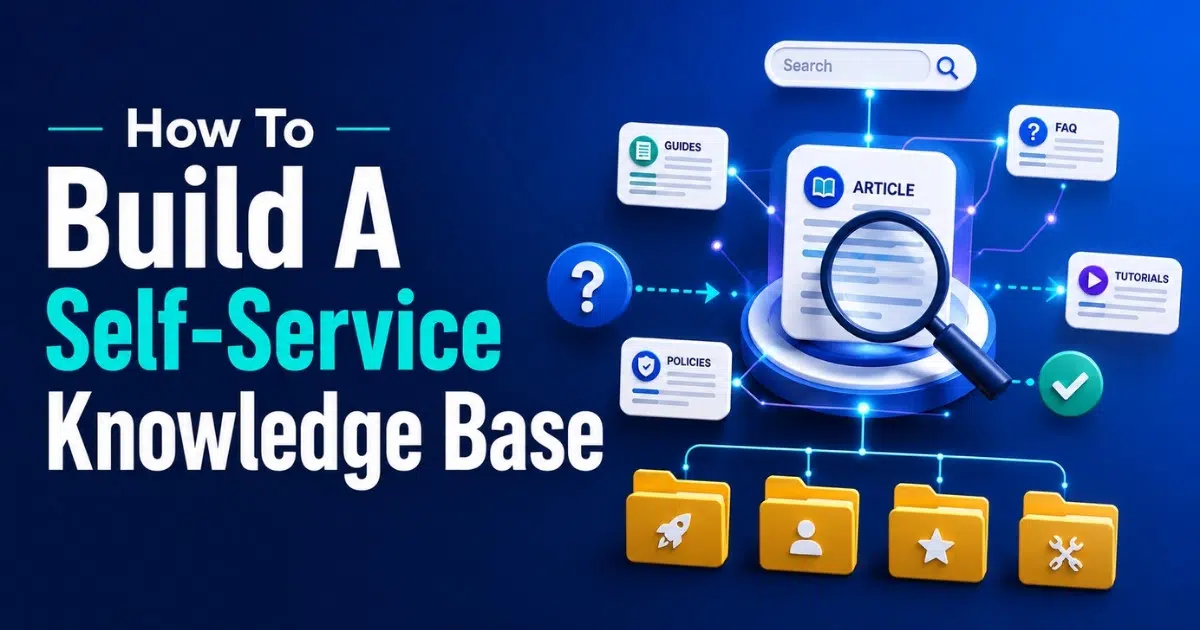
How To Build A Self-Service Knowledge Base That Actually Deflects Tickets
Building a knowledge base that really works requires deliberate planning: setting measurable goals, identifying use cases, choosing tools, defining workflows, launching core content, and then measuring and iterating to ensure actual impact on support volume and customer satisfaction.
Set Clear Goals And Success Metrics
Start by defining numeric deflection targets tied to your current monthly ticket volume and operational costs. Creating a self-service knowledge base requires a user-centric approach, so align goals with broader customer experience objectives like response time, CSAT, or NPS targets. Select a focused set of metrics: ticket-to-article ratio, self-service rate (percentage of users who resolve without filing a ticket), and average resolution time for self-service sessions.
Document these goals before making any tooling decisions or drafting content. When your team knows that the target is, for example, deflecting 30% of repetitive tickets within six months, every decision from platform choice to article priority aligns with that outcome.
Identify High-Impact Use Cases From Real Data
Export six to twelve months of ticket data and cluster by theme to find the issues customers frequently encounter. Using a ticketing system to centralize and analyze support requests makes this process much easier. Auditing common support tickets helps identify user pain points for a knowledge base. Identify common customer questions to guide content creation by consulting chat transcripts, call recordings, and customer feedback surveys for the actual phrasing customers use.
Analyzing support data helps identify topics for knowledge base content. Rank topics by frequency, severity, and financial impact to choose your initial article batch. Then validate those topics with frontline support agents and customer success managers before writing anything. Their firsthand perspective ensures you are solving real problems, not assumed ones.
Select The Right Knowledge Base Platform
Evaluate platforms against criteria that matter for deflection: multilingual support, role-based permissions (public versus internal), semantic search quality, and integrations with your CRM, chatbot, and app widgets. Check how easily the platform embeds into your current company website, app, and support channels, and whether its helpdesk ticketing software features align with your team’s workflows.
Test editor usability with non-technical writers from your support staff or product teams. If writing and publishing is painful, adoption will stall. Confirm that the platform's analytics expose search logs, article performance metrics, and customer behavior data so your team can make data-driven improvements, and that its automated workflow software for smarter support can reduce manual effort around publishing and maintaining content.
Design Structure, Workflows, And Governance
Map your category tree on paper before migrating or writing content. Define clear roles: article author, reviewer, and publisher, each with specific service-level expectations. Use templates and style guides to maintain consistency across all knowledge base articles.
Set review workflows, especially for critical or regulated topics like payments, security, and compliance. Establish review cycles tied to product releases and policy changes so content stays current. Incorporating ticket automation software best practices into these workflows helps ensure updates are triggered automatically from real support trends. This governance structure prevents the drift and fragmentation that undermine even the best knowledge bases.
Create, Review, And Launch Core Articles
Start with a focused set of high-traffic, high-friction topics: login issues, onboarding, refunds, payment failures, and account settings. Pair subject-matter experts from product or engineering with content specialists who write clearly and concisely. At the same time, streamlining customer support with ticket automation ensures that repetitive issues feed directly into your content backlog. Regularly update content to maintain accuracy and relevance from day one.
Run internal user testing where agents and non-experts try to complete tasks using draft articles. If they get stuck, the article needs revision. Do a phased launch, rolling out the knowledge base to a pilot audience or region before full public release, so you catch issues early.
Promote, Measure, And Iterate After Launch
Drive traffic by placing knowledge base links prominently in website and app navigation, referencing articles in support replies, and using in-product tooltips when users encounter common errors. Promote self service actively so users build the habit of checking the knowledge base first.
Monitor ticket trends for topics covered by new content to verify deflection impact. If ticket volume on "password reset" drops 40% after you publish that article, you know it is working. Publish release notes highlighting new or improved knowledge base sections. Set up a monthly review where your team acts on search data, user feedback, and emerging ticket themes. This ongoing process keeps your knowledge base effective as your product and customer base evolve.
Using AI And Community To Scale Your Knowledge Base
As content volume grows, AI and peer-powered community resources become crucial levers. When carefully managed, they allow scaling, automation, and personalization while still maintaining content quality, relevance, and user trust.
Machine Learning For Search And Recommendations
Machine learning techniques like semantic embeddings, vector search, and natural language processing improve search relevance by understanding intent and synonyms, even when customers describe issues in their own casual language. Personalized recommendations can surface likely answers based on user profile and past behavior.
AI can cluster incoming tickets into topics to identify gaps, surfacing trending issues before they become ticket floods. However, human oversight remains necessary to review AI outputs for accuracy and tone, ensuring that automated suggestions do not mislead users.
Automated Drafts With Human Review
AI tools can generate first drafts, outlines, or summaries from resolved ticket transcripts, shifting routine writing work away from busy support teams. Writers then refine language, add screenshots, validate edge cases, and align content with brand guidelines.
This approach lets subject-matter experts focus on complex edge cases instead of documenting basic procedures. Track which AI-assisted articles perform best in terms of ratings, views, and deflection to refine your prompts and processes over time, and ensure your underlying ticketing software for better customer support can surface those performance insights.
Community Forums Around Your Knowledge Base
A community forum captures the long-tail questions that formal knowledge base articles do not yet address. Encourage participation by highlighting expert contributors and using recognition systems that reward trusted solutions. This online community becomes a valuable resource that extends self service knowledge far beyond what your team can produce alone.
Route frequent forum topics into your knowledge base roadmap. Link relevant articles directly under accepted community answers to formalize peer knowledge. This connection between community forums and your service knowledge base keeps both resources current and comprehensive.
Agent And Customer Feedback Loops
Add feedback buttons for both public customers and internal support agents on every article. Agents often spot inaccuracies or missing scenarios that external customers might not articulate. Review low-rated content regularly to identify unclear steps. Gather feedback through brief in-product surveys after self-service sessions to measure perceived resolution success.
Share these insights at cross-functional meetings for continuous improvement. When support teams, product managers, and content specialists review the same data, gaps close faster and the knowledge base evolves to match real user needs.
Quality Maintenance During Rapid Growth
When article count grows fast, problems emerge: duplicate articles, outdated screenshots, and conflicting instructions. Schedule content audits triggered by product releases, and use automated reports to flag stale or low-traffic pages. Define a deprecation policy for articles replaced by newer workflows.
Strong governance is as important as growth in article count. Without it, a comprehensive knowledge base can become a confusing maze that drives users back to contacting support rather than away from it.
Common Pitfalls That Prevent Ticket Deflection
Many knowledge base projects fail to reduce costs because of hidden problems. Misaligned content, weak search, lack of ownership, and internal misadoption undermine what might otherwise have been strong foundations for self service.
Poor Alignment With Real Customer Questions
Writing content based on assumptions instead of actual ticket data and customer feedback is the most common mistake. If article topics reflect what your team thinks is useful rather than what customers frequently ask, self-service usage stays low and ticket volume persists. Validate each new article idea against recent support conversations. Review top search queries regularly to ensure your content covers relevant information that matches real demand.
Hard-To-Use Interfaces And Weak Search
Cluttered layouts, hidden search bars, and non-responsive design drive users straight back to contacting customer support. Usability testing on different devices with real customers and agents reveals friction points that internal teams often overlook. Fast load times, clear section labels, and intuitive navigation matter. Avoid overly complex filters that confuse rather than help users access information quickly.
Outdated, Inconsistent, Or Untrustworthy Articles
Stale screenshots, deprecated workflows, and unrevised policy changes erode trust rapidly. When users find outdated information or contradictions between existing articles, they abandon the knowledge base entirely and file a ticket instead. Regular updates prevent outdated information from damaging trust. Add last-reviewed dates and designated owners to reassure readers about freshness. Consolidate overlapping articles to eliminate conflicting instructions and provide consistent and accurate information.
Ignoring Internal Adoption And Agent Enablement
If support agents do not use the knowledge base themselves, they will provide answers that contradict public content. Training sessions where support staff practice handling cases using the knowledge base only help build this habit. Recognize agents who contribute high-value documentation based on solved cases, and show them how to manage support tickets efficiently using EasyDesk so documentation and ticket workflows stay tightly connected. Internal adoption is a leading indicator of external self-service success. When agents trust the knowledge base, customers can trust it too.
Lack Of Clear Ownership And Continuous Improvement
Without a designated knowledge manager or documentation lead with executive backing, content fragments across teams. Review cadence, performance metrics, and content roadmaps fall behind. Treat the knowledge base as a product, not a one-time project. Appoint an owner, set a recurring cadence for performance reviews and roadmap updates, and invest in the knowledge base the same way you invest in product features. Employee productivity across sales teams and support operations improves when everyone works from the same trusted source of truth.
How EasyDesk Helps You Build A Self-Service Knowledge Base That Deflects Tickets
EasyDesk brings together public help center creation, internal knowledge base management, and community forums in a single customer support platform, making content governance, visibility, and consistency straightforward. Support teams can manage all three from one interface, ensuring that external customers and support agents always reference the same information.
The platform integrates with contact center tools and app widgets so knowledge base search can be embedded directly in your product, email, and chat workflows. When a customer begins composing a ticket, EasyDesk uses AI to suggest relevant articles, encouraging self service before submission. If the article resolves the issue, the ticket never gets created, and your team saves time and support costs, while structured ticket creation and management ensures anything that does reach your team is handled efficiently.
EasyDesk analytics highlight ticket drivers, failed searches, and article performance through views, ratings, and zero-result search queries. These provide valuable insights that support and product teams need to prioritize updates and close content gaps. For teams aiming to accelerate implementation of the practices outlined in this article, EasyDesk offers pre-built templates and review cycle workflows to help you hit benchmarks faster, backed by ticketing software built for best-in-class customer support.
If you are ready to build a self service knowledge base that genuinely deflects tickets and improves customer satisfaction, explore EasyDesk to see how a unified platform can simplify every step from content creation to continuous improvement. Learn more about EasyDesk’s secure, transparent approach to customer support and how it compares to options featured in our 2026 guide to the best free helpdesk ticket systems.
Frequently Asked Questions
How Long Does It Usually Take To Launch A New Self-Service Knowledge Base?
A focused first launch covering your top 20 to 50 high-impact topics typically takes eight to twelve weeks when starting from scratch. This includes content audits, platform selection, template creation, and pilot testing. Larger scopes that involve translations, multiple product lines, or heavy integrations with existing support channels can extend timelines to three to six months. The best approach is to launch a minimum viable knowledge base quickly, then expand monthly based on ticket data and user behavior.
Which Teams Should Be Involved In Building The Knowledge Base?
Core stakeholders include customer support teams (they know the real questions), product management (for technical accuracy), marketing or content (for tone, style, and SEO with relevant keywords), and legal or compliance (for regulated content). A single owner, often a knowledge manager, coordinates contributions and approvals across these groups. Without that central coordination, content quality and publishing speed suffer.
How Do I Measure Whether Articles Are Truly Deflecting Tickets?
Track deflection rate by comparing the number of resolved self-service sessions against total support attempts. Monitor drops in ticket volume per topic after publishing content. Tag tickets with a "self-service attempted" flag when customers reference an article, so you can quantify impact. Also track whether users who viewed an article immediately before reaching the contact form abandoned the form, suggesting the article resolved their issue. Pair these with CSAT data for a complete picture.
Should My Knowledge Base Be Public Or Restricted To Logged-In Users?
Making generic setup guides, troubleshooting content, and policy guidance public improves SEO and helps prospects evaluate your product through your search engine presence. Account-specific procedures, sensitive technical terms, or billing details can be gated behind login to protect privacy. Align access decisions with your security policies, regulatory requirements, and what your customers expect. Most companies benefit from a hybrid approach that maximizes discoverability while protecting easy access to sensitive content.
How Often Should I Review And Update Knowledge Base Content?
Critical topics like billing, security, and compliance should be reviewed with every product release or policy change. A full content audit should happen at least quarterly to remove deprecated or low-performance articles. For products with frequent updates, monthly mini-audits help catch stale content before it damages trust. Use automated reminders and analytics dashboards to flag articles with low traffic or poor ratings, keeping the review process sustainable as your user manuals and documentation grow.