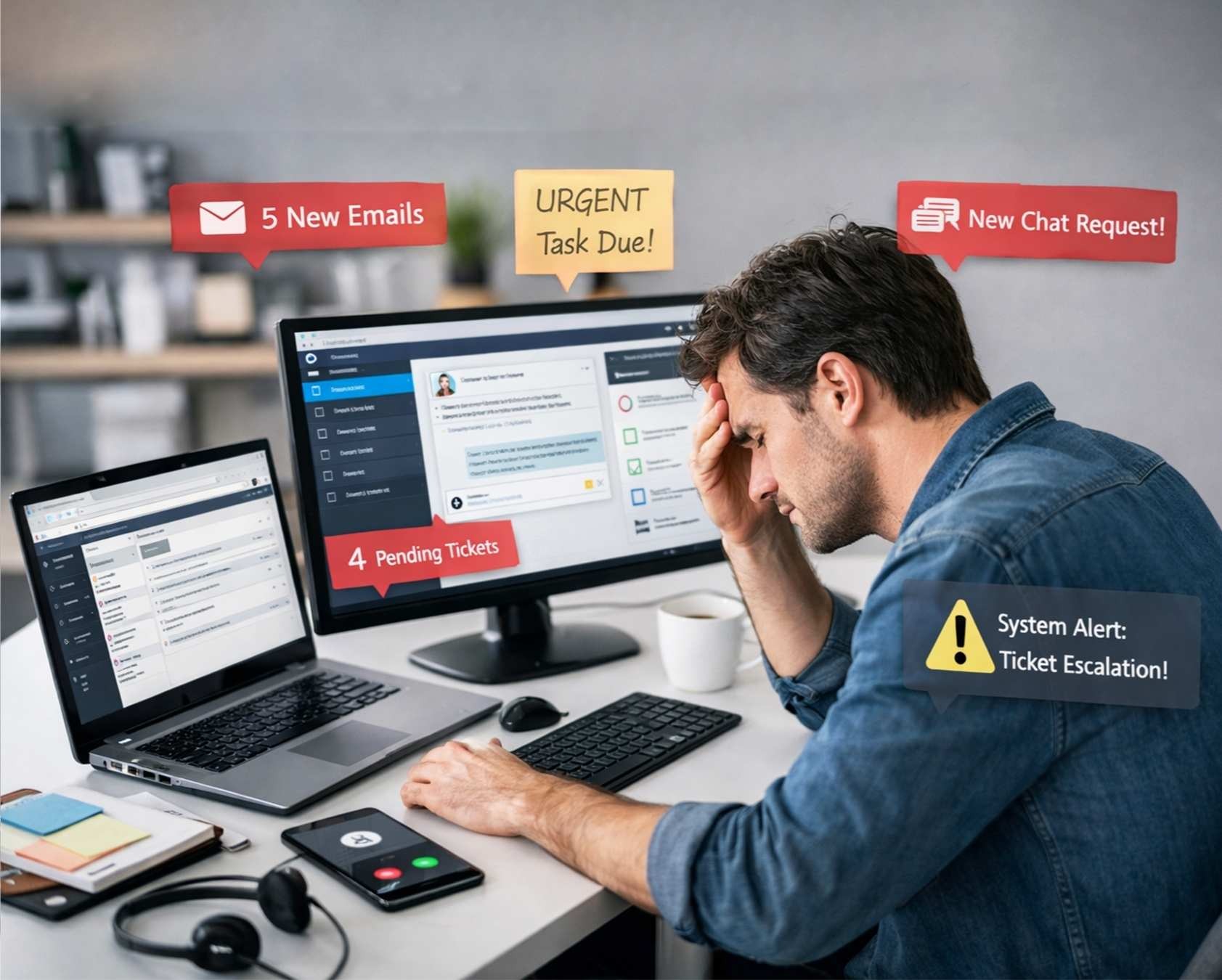
Digital support teams face serious productivity loss from constant context switching. Workers jump between apps about 1,200 times a day. After every switch, the brain needs time to refocus. Support agents lose nearly four hours every week just getting back on track.
Frequent context switching at work creates mental fatigue and slower responses. Notifications push employees to react instantly, even during deep work. As a result, focused tasks become difficult and productivity drops.
This article explains the real cost of context switching productivity losses. You will also see why tool-hopping hurts support teams and what strategies help reduce it.
What Is Context Switching In Digital Support Systems
Context switching refers to the mental shift that happens when someone moves from one task to another. In digital support systems, agents often handle support tickets, check slack messages, and respond in different communication apps at the same time. This process is called context switching. The sheer number of digital tools, constant notifications, and too many apps force teams to switch tasks frequently. Modern teams often need fast, scalable helpdesk ticketing software to keep these tools organized. Frequent context switching increases cognitive load, reduces focused work, and slowly hurts context switching productivity.
Support teams often manage multiple tasks, meetings, and quick responses across platforms. For example, an agent may move back and forth between a ticket, a message, and a new task. Each shift leaves attention residue in the working memory. A few minutes may pass before deep focus returns. Over time, constant context switching creates mental fatigue and lost time, which kills productivity in modern work.
Teams can reduce context switching through better habits and workflow design. Methods like task batching, time blocks, and calendar blocks help group similar tasks together. Clear boundaries, fewer meetings, and DND mode during focus time protect uninterrupted time. When teams plan ahead and organize relevant information, they can prevent unnecessary context switching and stay productive.
Cost Of Context Switching On Support Team Productivity
The real cost of context switching productivity losses shows up in multiple ways. Support teams lose productive time, mental energy, and work quality every single day.
Time Loss From Constant Tool Switching
Switching between applications wastes massive amounts of time. Digital workers toggle between apps nearly 1,200 times per day. That constant tool-hopping translates to almost 4 hours per week spent just reorienting after each switch. Over a full year, that equals about five working weeks or around 9% of annual work time lost to context switching.
The numbers get worse when you look at individual switches. Employees use about 10 different applications per day and switch between them roughly 25 times. Each switch costs between 20% to 40% of productive time due to reorientation and ramp-up time alone. A support agent who switches tasks just five times per day loses nearly two hours of productivity. Scale that across a year and you're looking at more than 500 hours of inefficiency per employee.
Cognitive Load And Mental Fatigue
Context switching drains mental energy fast. A team member assigned to two projects doesn't yield a perfect 50-50 split. The team member delivers about 40 percent effort per project because roughly 20 percent of time goes to context switching. Add a third project and lost productivity time rises to 40%. Once a team member handles five projects, their contribution to any given project drops below 10 percent. Eighty percent of effort gets lost to switching between project contexts.
The cognitive load compounds throughout the day. Research shows that after only 20 minutes of repeating interruptions, people report much higher stress, frustration, workload, effort, and pressure. Your working memory can process only 4 pieces of information at once. Beyond that, quality collapses. Constant context switching can consume up to 40% of a person's productive time.
Effect On Response Times And Customer Satisfaction
Context switching affects customer experience. Support agents who juggle multiple communication apps struggle to maintain quick response times. Six out of 10 people say it's difficult to keep track of information flowing through different apps. This fragmentation means critical customer details get lost during tool switches.
Response delays stack up as agents spend more time reorienting than solving problems. The constant interruptions break focus needed for complex troubleshooting. Tickets take longer to resolve and customers wait longer for answers.
Error Rates And Quality Issues
Quality suffers from context switching. Research shows interrupted tasks take twice as long and contain twice as many errors as uninterrupted tasks. A 2018 study found that even brief interruptions doubled the error rate in a sequence-based task.
Support work demands precision. Agents who switch between debugging technical issues and handling customer communication miss edge cases, overlook validation steps, and introduce subtle errors. These mistakes create technical debt that compounds over time. Errors increase as context switching prevents the deep focus necessary for accurate work.
Common Causes Of Context Switching Productivity
Support teams don't context switch because they want to. Workplace patterns and systems force constant task hopping. Understanding these mechanisms helps you identify where to focus your efforts.
Multiple Communication Platforms
Communication apps multiply faster than anyone can manage them. Support teams juggle Slack messages, Microsoft Teams notifications, email threads, Zoom calls and instant messaging platforms at once. Workers now switch between around 30 apps almost once every minute. The average employee toggles between different apps and websites around 1,100 times per day.
This tool sprawl creates what researchers call persistent pings. Over a third of workers feel overwhelmed by constant notifications. 56% feel they need to respond to notifications right away. Two-thirds of people said all the work-related notifications they get via email, text, push and chat make their job stressful. That stress level jumps to 72% for remote workers.
Fragmented Ticketing And CRM Tools
Data lives scattered across multiple systems in most support operations. Sales teams work in one platform, customer support uses another and finance operates from a different system. This fragmentation creates serious challenges for providing accurate and timely service.
Support agents spend considerable time toggling between tools. They check Zendesk for tickets, Stripe for billing details, CRMs for customer profiles and internal databases for technical information. Many of these issues can be reduced with a cloud-based help desk platform that centralizes data and workflows. A huge 92% of businesses admit they keep insights outside any central system. Over half of customers (56%) end up repeating themselves because their information isn't consistent across platforms.
Reactive Work Culture And Immediate Response Expectations
The always-on mindset drives frequent context switching in support environments. Constant notifications and immediate response expectations fragment schedules and pull focus away from deep work. Employees feel pressure to reply to Slack messages within minutes or check emails between tasks. This reactive environment leaves little room for sustained concentration on complex support tickets.
There's little chance for creative and deep work when everything feels urgent. False urgency promotes a reactive culture where support teams operate in perpetual firefighting mode. The chaos gets justified under the veil of adaptability, but workplaces constantly under stress have no time for state-of-the-art thinking.
Unclear priorities prompt people to react to what feels urgent rather than what matters. Teams switch between tasks because ownership and urgency stay loosely defined. A new request arrives and competes with planned work right away.
Lack Of Integration Between Support Tools
Poor system integration forces manual context switching. Most teams rely on a mix of platforms without proper coordination and create information silos. Some teams prefer Slack while others use Microsoft Teams. Some use Jira for issue management while others rely on email and different ticketing programs. This creates information gaps and forces employees to switch between platforms manually.
67% of enterprise integrations fail or underperform within 12 months according to the Gartner Digital Workplace Trends Report. Choosing between cloud-based and on-premise helpdesk solutions affects how easily those systems can talk to each other. Software incompatibility leads to inefficiencies and errors when agents manually transfer data between systems. Legacy ticketing systems organize tickets as isolated issues, not by customer, so agents receive no customer context about previous interactions.
Integration challenges compound as organizations scale. More tools enter the workflow, more channels open up and more systems refuse to communicate with each other. Even attempted integrations often break down because of API rate limits, incompatible data formats and lack of standardization. One study found that 58% of integration data conflicts stem from inconsistent definitions between departments, which highlights the value of cloud-based helpdesk ticketing software that centralizes communication and workflows.
How Context Switching Impacts Different Support Functions
Different support roles face unique context-switching challenges. The effect varies based on workflow patterns and team structures, and modern ticketing software best practices can look very different for IT, CX, and B2B teams.
IT Helpdesk And Technical Support Teams
IT teams experience what's called the swivel-chair effect. A technician opens a support ticket and sees a vague description. They jump to chat for more details. They then open a separate remote tool, search for the device, and start a session. After the call, they swivel back to document everything.
Every context switch introduces new failure points. The technician must rebuild their mental model of the issue over and over. Technicians sometimes skip or rush documentation. This makes root cause analysis harder later. With automated ticket management software, more of that context is captured systematically, reducing the drag from manual updates. Multiply that process by hundreds of tickets monthly. Operational drag compounds.
Customer Service Representatives
Customer service agents face brutal switching demands. More than half say they switch between different systems just to solve one customer request. This constant tool-hopping creates longer hold times and slower resolution times.
Agents say customer expectations have changed substantially. 41% cite this as a major challenge. Agents struggle to respond fast when they lack unified customer context like profile data and interaction history in one place. Customers get frustrated repeating contact information over and over.
Customer engagement jumped 30% globally while 36% of teams laid agents off. Agents have been pushed to their limits and burnout. Many still hunt down information with tools that create more problems than they solve.
B2B Support Operations
B2B support involves multiple stakeholders with different priorities. Support teams must serve end users, procurement teams, and executive sponsors at the same time. This creates constant context switching between stakeholder needs.
B2B relationships require complex onboarding and in-depth technical assistance. Fast responses matter, but thorough answers matter more. Agents need full customer history, product documentation, and internal expert access to resolve issues on their own, supported by robust SLA tracking software that keeps response and resolution times on target.
Remote Support Team Challenges
Remote support amplifies context-switching issues. Teams lose natural context cues when they lack physical presence. Distributed workers face higher notification stress, with 72% saying work notifications make their job stressful compared to overall workers [citation from previous section context]. Choosing the right cloud helpdesk tool for remote teams becomes critical to keeping this load manageable.
Remote teams juggle more communication apps to stay connected. Video calls consume more time while coordination happens across scattered time zones. The lack of unified workflows hits remote teams harder because they can't tap a colleague's shoulder for context.
Productivity Risks Specific To Digital Support Environments
Support environments face context-switching productivity challenges that go way beyond the reach and influence of general workplace issues. The nature of support work creates specific risks that threaten your team's ability to deliver.
Ticket Resolution Delays
Tickets bounce between teams too often. About 30% of tickets get reassigned, adding 15 minutes of delay per transfer. Customers expect quick responses, so this matters. Agents spend 3.3 hours daily just gathering context across tools. Nearly half your workday gets lost to hunting for information instead of solving problems, especially when teams operate without a structured ticketing system for customer support to organize and prioritize requests.
Reassignment rates should stay under 15%. You've got serious ping-pong problems when they climb above 30%. Each unnecessary context switch between support tickets adds friction. Agents rebuild their mental model over and over and burn productive time that should go toward resolution.
Knowledge Base Fragmentation
Knowledge workers spend 41% of their time on repetitive tasks that include searching for information they need to do their jobs. Documentation lives scattered across wikis, Slack messages and individual expertise. Ticket automation software can help standardize where information flows and lives. Support teams waste time browsing outdated pages, digging through chat history and interrupting senior team members for undocumented best practices.
Lost tribal knowledge becomes an archeology project. Assembling post-incident review material takes forever when data lives in multiple tools. This fragmentation weakens your team's knowing how to learn from past issues and stay focused on meaningful work.
Customer Communication Gaps
Tool switching creates mismatches in severities, outdated statuses and missing SLA updates. Customers end up repeating themselves because their information isn't consistent across platforms. More than half of customers have to repeat contact information because support systems don't share context.
Communication breakdowns happen when your email says one thing and your chatbot says another. Phone support gives a third answer. Moving from ad-hoc inboxes to email-to-ticket helpdesk tools helps maintain a single source of truth. This inconsistency erodes trust fast.
Team Collaboration Breakdowns
79% of employees say their company hasn't taken any action to reduce context switching at work. 45% report their digital tools hinder productivity. More than half of workers say tool fatigue affects their work each week. These aren't minor complaints. They represent actual collaboration friction from disjointed tech stacks, the kind that modern cloud-based help desk platforms are specifically designed to reduce.
SLA Compliance Threats
Downtime costs organizations an average of $9,000 per minute. Tool switching affects MTTA (Mean Time to Acknowledge). Responders must jump between Slack, Jira, paging tools and dashboards just to gather context. Those extra seconds compound. Robust SLA management systems and a well-defined ticket escalation process help teams track commitments and reduce these delays, but SLA non-compliance still leads to operational disruptions, lost productivity and strained relationships.
Strategies To Reduce Context Switching In Support Systems
You can't eliminate context switching from modern work, but you can reduce it with focused strategies. Here's how to curb context switching and protect your team's productive time.
Combine Support Tools Into Unified Platforms
Managing multiple platforms requires agents to switch between systems. This leads to longer handle times and decreased efficiency. Consolidation provides a unified interface for handling voice, chat, email and social interactions. Single vendor solutions simplify management and ensure compatibility while reducing integration issues. A comprehensive EasyDesk customer support platform can bring these channels together, and teams using an average of 16+ apps daily just need automation to bridge gaps between systems.
Set Deep Focus Blocks For Complex Issues
Research shows constant multi-tasking can cut productivity by up to 40%. Pick two or three days a week and declare them 'deep work' days with no recurring meetings. Schedule 90-120 minute segments for cognitively demanding tasks. Focus blocks strengthen your brain's circuits while you work. Protect uninterruptible blocks for deep work. Turn off notifications.
Batch Similar Support Tasks Together
Task batching helps reduce the amount of context switching you have to do during the day. Group tasks that are alike and complete all tasks for a project at once. It takes an average of 23 minutes to focus back in after a distraction. Batch emails, video calls and administrative duties into specific time blocks, and use your helpdesk app to simplify seasonal holiday support when ticket volumes spike.
Automate Routine Support Workflows
Workflow automation handles repetitive tasks and improves productivity while reducing human error. When repetitive tasks like ticket routing, password resets and system monitoring are automated, techs spend substantially less time on administrative work. Nearly 40% of employees reported that some aspect of their work is now managed through automated systems. Setting up ticket automation for multi-channel support ensures those gains extend across email, chat and forms. Well-designed workflow automation in customer support handles growth without proportional staffing increases.
Establish Clear Communication Protocols
A Slack channel buzzing with 'quick questions' is a series of micro-interruptions. Create dedicated channels for different types of requests instead of direct messages. Set clear expectations about response times: immediate response for production issues, same-day for code reviews, next-day for general questions. Use morning hours as interruption-free focus time when possible, and watch for seasonal spikes that can break ticket systems if expectations and workflows aren’t adjusted.
Use Priority Frameworks For Ticket Management
Clear systems for categorizing and addressing tickets based on importance provide timely resolutions. Identify key factors like urgency, affect and customer value. Assign weights and develop a scoring system for tickets. Define priority levels based on score ranges: Critical for scores of 9-10, High for 6-8. Implement triage processes where experienced team members assess incoming tickets quickly, and decide when to move from manual to automated ticketing workflows, following ticket prioritization best practices that keep teams focused on what matters most.
EasyDesk Unified Workspace That Cuts Context Switching
Support teams often lose productive time when agents move between too many apps. EasyDesk solves that problem with a unified workspace built for modern work. Agents can manage support tickets, check slack messages, and access relevant information in one place. This setup helps reduce context switching and allows teams to stay focused on one task at a time. The broader suite of EasyDesk ticketing software for better customer support and EasyDesk customer support features further lowers cognitive load and improves context switching productivity.
EasyDesk also helps teams manage context switching through a structured workflow. Agents no longer move back and forth between communication apps and separate digital tools. When the sheer number of tools decreases, mental fatigue also drops. With centralized views and automation for streamlining support with email-to-ticket automation and managing support tickets efficiently, teams can stay focused and spend more time on meaningful work instead of dealing with unnecessary context switching.
Clear dashboards and organized ticket views make it easier to handle multiple tasks. Fewer distractions protect focus time and support deeper work. As a result, teams can combat context switching and maintain better productivity throughout the day with ticketing software built for better customer support.
FAQs
Can Context Switching Productivity Loss Affect Small Support Teams As Much As Large Ones?
Yes. Context switching productivity problems affect small teams just as much as large ones. When a few agents handle multiple tasks across too many apps, constant context switching increases cognitive load and mental fatigue. Even small teams lose productive time and struggle to stay focused.
Does Task Batching Help Reduce Context Switching In Customer Support Work?
Yes. Task batching helps reduce context switching by grouping similar tasks together. Agents can batch similar tasks like checking messages or reviewing support tickets during specific time blocks. This protects focus time, reduces attention residue, and improves deep focus.
Can Constant Notifications From Communication Apps Kill Productivity In Support Teams?
Yes. Constant notifications from communication apps interrupt focused work and increase frequent context switching. Agents repeatedly switch tasks to check slack messages or respond to alerts. Over time, this habit kills productivity and weakens deep work and cognitive function.
Do Digital Tools With Unified Dashboards Help Manage Context Switching Better?
Yes. Unified digital tools help teams manage context switching by keeping relevant information in one place. When agents avoid switching between too many apps, cognitive load drops. A unified workspace also supports focused work and protects productive time.
Why Does Frequent Context Switching Make Deep Work Difficult In Modern Support Roles?
Frequent context switching interrupts deep focus and leaves attention residue in working memory. Agents move back and forth between different tasks, meetings, and communication apps. This constant shift reduces undivided attention and makes meaningful work harder to complete.



