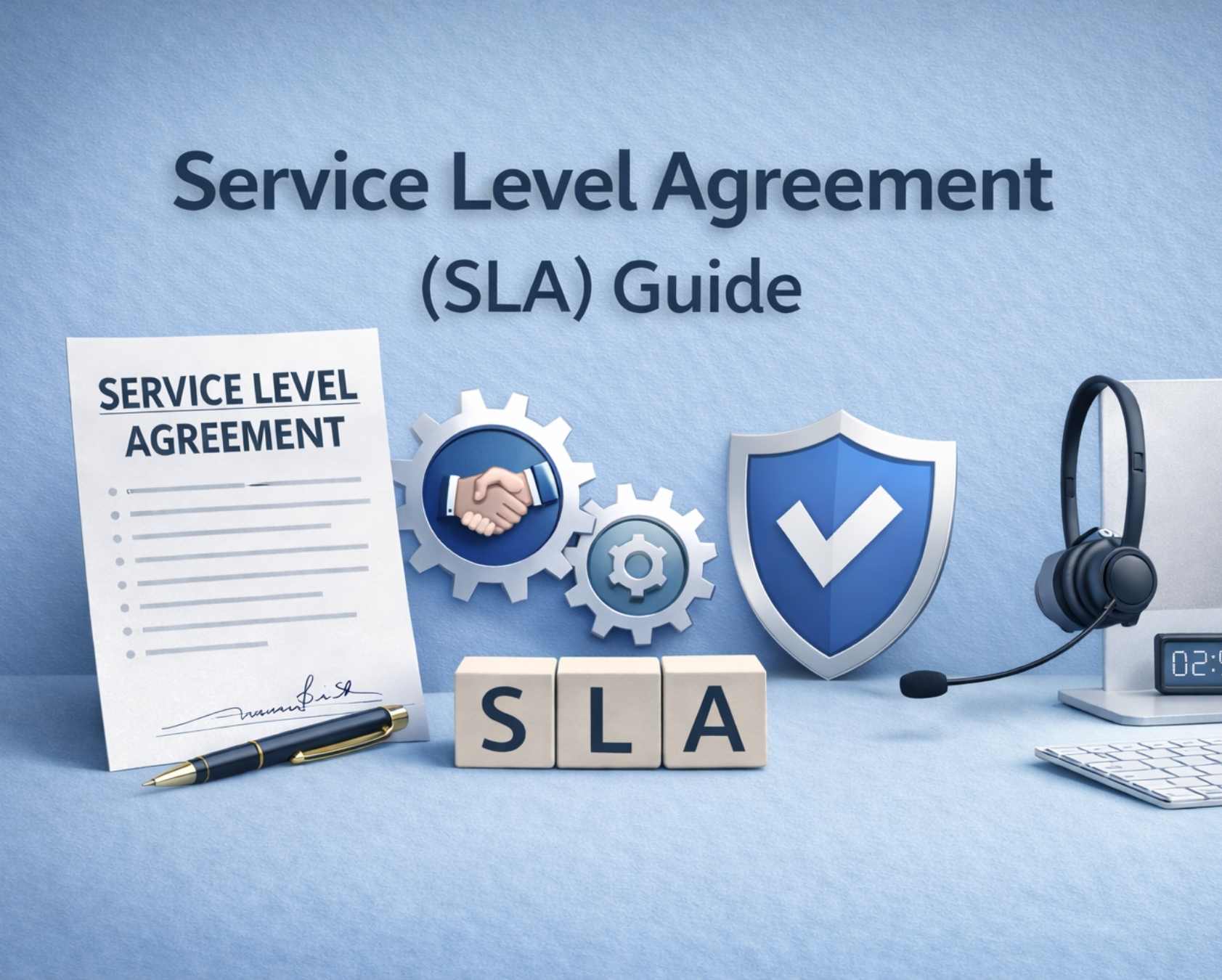
An SLA is a legally binding agreement between a service provider and customer that defines exactly what service is expected and how performance will be measured. In customer support, this means replacing vague statements like “we respond quickly” with specific commitments such as “email tickets receive a first reply within 4 business hours.”
For support teams, SLAs establish transparency and accountability. They give customers confidence that help will arrive when needed, while giving support managers a clearly defined framework for planning resources and measuring success. When both the service provider and customer understand the expectations, disputes decrease and trust increases.
This guide covers everything you need to know about building, managing, and improving customer support SLAs for your business.
What Is A Service Level Agreement In Customer Support?
Think of a service level agreement SLA as a written promise between your support team and your customers about how fast and how well help will be delivered. It takes the abstract idea of “good support” and turns it into something you can measure, track, and improve over time.
In customer support, SLAs typically cover four main areas. Response time defines how quickly a customer receives the first human reply. Resolution time sets expectations for how long until the issue is fully solved. Service availability specifies when support channels are open. Quality benchmarks might include customer satisfaction scores or first contact resolution rates.
Here are concrete examples for a SaaS business: email tickets get a first reply within 4 business hours, live chat responses arrive within 2 minutes, and priority incidents receive acknowledgment within 30 minutes with 24/7 availability. These specific services create predictability that customers value.
Support teams also use internal SLA agreements between departments. An internal SLA might state that engineering provides fixes for critical bugs within 2 hours of support escalation. External SLAs face customers directly and typically appear in contracts or terms of service.
Why Customer Support SLAs Matter For Your Business
SLAs turn vague promises into measurable service expectations that your entire organization can track and improve. Without them, support becomes difficult to evaluate. With them, support becomes a revenue-protecting function tied directly to customer retention.
Building Customer Trust Through Predictability
When customers know exactly what to expect from your support team, trust grows. Consider a B2B client preparing for a product launch. If they know your SLA guarantees a 2-hour response during critical periods, they can plan confidently. This predictability reduces anxiety and strengthens the relationship between customer service providers and their clients.
A strong customer service level agreement acts like a technology vendor contract where the service provider agrees to defined outcomes. This clarity ensures the service expected is delivered consistently, even when working with an external service provider or multiple IT service providers.
Reducing Support Team Burnout
Clear SLAs help support managers plan staffing, shifts, and escalation procedures effectively. When your team knows the service levels they need to maintain, they can prepare rather than constantly firefighting. This structure reduces burnout and improves service delivery consistency across all channels.
Defined processes ensure service delivery begins with clear priorities and workload distribution. When the service provider's performance is measured against SLA standards, teams avoid chaos and respond proactively instead of reacting under pressure.
Connecting To Business Outcomes
Strong SLAs directly impact churn and customer lifetime value. When customers experience reliable support matching their customer expectations, they renew and expand. In competitive SaaS markets, support reliability often becomes a deal-breaker during sales conversations.
SLAs also protect businesses when a service provider fails to meet agreed standards. Clear accountability reduces risk, including issues like network security breaches, and ensures customers continue to trust your service reliability.
Enabling Better Sales Conversations
Sales teams can use documented SLAs to address prospect concerns about service performance. When a salesperson shows specific response time commitments, it accelerates deal velocity and differentiates your company from competitors offering vague support promises.
A well-defined SLA strengthens positioning against competitors by showcasing measurable commitments. It demonstrates that your support function is structured, reliable, and backed by enforceable service expectations.
Supporting Multi-Channel Growth
For growing teams, SLAs become the backbone for consistent support across email, chat, phone, and multiple customers in different time zones. Without SLAs, each channel might operate with different standards. With them, service quality remains consistent regardless of how customers reach you.
As support expands, SLAs ensure consistency across systems, teams, and vendors. They create alignment between internal teams and any external service provider, maintaining uniform standards across all customer touchpoints.
Key Components Of A Customer Support SLA
While every company structures SLAs differently, most customer support agreements share core building blocks that define the scope and responsibilities of services provided.
Scope Of Support
Your SLA must clearly define what channels are covered, operating hours, and languages available. Specify whether support includes email, chat, phone, or community forums. State business hours explicitly, such as “Monday through Friday, 9 AM to 5 PM EST.” Also clarify excluded services like custom API setup assistance.
A clear agreement overview ensures alignment across multiple services and support channels. This is especially important for cloud services and managed services where expectations vary based on scope and delivery models.
Ticket Priority Levels
Most SLAs define severity levels matching response and resolution times to urgency:
Priority | Description | Response Target | Resolution Target |
|---|---|---|---|
P1/Critical | System down, data loss risk | 15-30 minutes | 4 hours |
P2/High | Major feature broken, workaround exists | 1-2 hours | 1 business day |
P3/Medium | Minor bug, limited impact | 4-8 hours | 3-5 business days |
P4/Low | Cosmetic issues, feature requests | 1-2 business days | As time permits |
Response Time Targets
Response time measures from ticket creation to the first human reply. Channel expectations vary significantly. Email might target 4-8 hours, while live chat targets 2-5 minutes. Phone support should be available immediately. These performance metrics should be tracked automatically by your help desk software.
Tracking response times helps measure performance accurately across cloud computing environments. Consistent monitoring and dedicated SLA tracking software to improve response time ensure service levels remain aligned with customer expectations and operational standards.
Resolution Time Targets
Resolution time differs from response time. It measures when the issue is fully solved, not just acknowledged. Your SLA should include conditional language like “subject to customer providing necessary information” because some delays fall outside your control.
Including service warranties in your SLA ensures accountability for final outcomes. If commitments are not met, customers may regain service level credits based on predefined conditions, and focused strategies to cut average resolution time fast help minimize the risk of repeated breaches.
Communication And Escalation Procedures
Define who contacts the customer at each step and how frequently updates are shared. For long-running P1 issues, customers might expect status updates every 30 minutes. Specify when issues escalate to engineering or leadership, creating appropriate behavior guidelines for complex situations.
Structured escalation paths improve coordination across teams handling multiple services. A well-defined ticket escalation process for faster support ensures faster resolution and consistent communication during critical incidents.
Performance Tracking And Reporting
Your SLA must specify how performance will be measured and reported. Many companies review SLA compliance weekly or quarterly. Reports should show which SLAs were met, which were breached, and trends over time to maintain performance standards.
Regular reporting helps measure performance across cloud services and managed services environments. Insights from these reports improve accountability, optimize operations, and, with the right SLA management system and features, strengthen long-term SLA compliance.
Types Of SLAs Used In Customer Support
Support teams can use different SLA structures depending on their customers, products, and pricing model. Understanding these types helps you choose the right approach for your business.
Customer Based SLA
A customer based SLA covers all services for a specific customer with tailored commitments. This approach works well for enterprise B2B deals where individual accounts have unique requirements. For example, Acme Corp might negotiate 30-minute P1 response times as part of their premium contract while standard customers receive 4-hour targets.
This type of customer SLA often includes pricing discounts and custom service level credits tied to performance. It aligns support delivery with business priorities and ensures high-value clients receive dedicated attention.
Service Based SLA
A service based SLA defines identical terms for all customers using a specific service or plan. If you offer Pro and Enterprise tiers, all Pro customers receive the same SLA regardless of company size. This approach scales well and eliminates perception of unfairness among multiple customers.
Standardized SLAs act as a critical component of service consistency. They simplify management across IT customers and, when supported by robust SLA management software, reduce complexity when delivering support at scale.
Multi Level SLA
A multi level Sla incorporates different tiers within one agreement structure. You might define a corporate level SLA with high-level standards, then adjust expectations by region, product, or customer segment. This flexibility accommodates complex organizations serving diverse markets.
Multi-level agreements help businesses manage relationships with multiple vendors and internal teams. They also ensure that service delivery aligns with operational needs across departments and regions.
Hybrid Approaches
Many SaaS companies combine structures. They establish service-based baselines for all customers, then offer customer level SLA upgrades for enterprise deals. This hybrid approach balances consistency with premium differentiation.
Hybrid models often operate within a formal contract that outlines flexible terms. They allow businesses to adjust service levels while maintaining strong security measures and consistent service quality.
Real World Example
Consider a SaaS business with tiered plans. Free users receive email-only support with 48-hour response during business hours. Standard users get email and chat with 8-hour email response. Premium users receive 2-hour email response and 24/7 availability. Enterprise customers negotiate custom terms including dedicated account management.
In such models, defect rates and response times are closely monitored to ensure SLA compliance. Clear customer support metrics and KPIs help maintain accountability and improve overall service performance across all customer segments.
Key Support SLA Metrics For Teams
In customer support, the right metrics make SLAs practical and actionable. Vanity metrics that look good in reports can hide real problems, so focus on key performance indicators that directly impact customer experience.
Response Time By Channel
Response time measures from ticket submission to first human reply. Expectations vary by channel. Email targets might be 4-8 hours while live chat should be 2-5 minutes. Phone support should connect immediately. Track these automatically through your help desk to verify service levels consistently.
Tracking response time helps measure performance across channels and ensures your service level SLA aligns with real customer expectations and operational capacity.
Resolution Time
Resolution time measures when issues are fully resolved, not just acknowledged. This metric is harder to predict because it depends on issue complexity and external factors. Realistic targets might be 4 hours for P1 issues, 1 business day for P2, and 3-5 business days for P3. Include conditions for delays outside your control.
Clear resolution targets support service level objectives and help maintain performance across teams. They ensure accountability while adapting to real-world complexities in service delivery.
First Contact Resolution Rate
First contact resolution measures the percentage of issues solved without escalation or follow-up. A high rate indicates good knowledge resources and capable agents. Mature teams often target 70-80% FCR, which directly impacts both resolution time and broader customer service KPIs for support teams.
FCR acts as a strong indicator of technical quality and service efficiency. It reduces workload on support teams and improves overall service quality across customer interactions.
Customer Satisfaction Metrics
CSAT surveys after ticket closure provide qualitative feedback on support quality. When you meet SLA targets consistently, CSAT typically improves, and a structured CSAT score guide for support teams can inform how you collect and interpret that feedback. These business process metrics help you understand whether technical quality translates to positive customer experiences.
Customer satisfaction reflects how well service expectations are met. It connects SLA performance with real outcomes and, when combined with robust customer satisfaction metrics for support teams, highlights areas where service quality can improve.
Starting Small
Begin with response time and resolution time by priority level. Once your team has reliable data and processes through SLA management tools, expand to include FCR, CSAT, and additional performance expectations. Too many metrics create noise and confusion.
A focused approach to SLA management helps monitor performance effectively. It ensures teams track meaningful metrics without overwhelming processes or losing clarity in reporting, especially when you adopt a structured ticket SLA management framework.
How To Design Customer Support SLAs Step By Step
Designing an SLA can feel overwhelming, but following a structured approach reduces complexity. This checklist helps support leaders and founders build realistic, achievable agreements.
Step 1: Understand Customer Expectations
Start by learning what customers need, not what you assume they need. Interview key customers about acceptable response times and preferred channels. Identify critical moments like product launches or quarter-end when faster response matters most. Competitive analysis reveals what customers expect based on market standards.
Step 2: Map Current Performance
Before promising targets, understand what you can deliver. Gather data from your help desk on current response and resolution times over 30-90 days. Calculate average handle times by channel and priority. If current average response is 6 hours, promising 1-hour response requires significant changes.
Step 3: Define Priority Levels
Create 3-4 priority levels aligned with business impact. P1/Critical means system down or data loss risk. P2/High means major feature broken with workaround available. Match each level to realistic time targets based on your current capacity and business objectives.
Step 4: Involve Key Stakeholders
Legal must ensure language is enforceable. Sales needs to confirm SLAs are competitive. Engineering should flag product dependencies. Executive leadership must approve resource implications. Drawing on broader principles of why SLAs matter for service success helps each stakeholder see the business impact. Document all assumptions and decisions from parties involved.
Step 5: Write In Plain Language
Use specific time targets instead of vague phrases. Replace “timely response” with “response within 4 business hours.” Define business hours clearly including time zone. Provide examples for each priority level. Avoid legal jargon that confuses customers and agents.
Step 6: Build Tracking Systems
An SLA means nothing without measurement capability. Implement help desk software that defines SLA rules, tracks times automatically, displays countdown timers, and flags at-risk tickets, following best practices from a dedicated service level agreement helpdesk guide. Create escalation triggers and handoff processes between teams.
Best Practices For Managing Support SLAs Over Time
SLAs are not static documents. They should evolve as your product, support volume, and customer base change. Treat them as working agreements requiring regular attention.
Establish Review Cadence
Review SLAs quarterly at minimum. Pull performance data, analyze which targets were met or missed, and identify trends. High-growth companies should review monthly. Major product launches or significant team changes should trigger immediate review.
Regular reviews help maintain performance and ensure SLA targets stay aligned with changing business priorities and support demands.
Make Breaches Learning Opportunities
When SLAs are missed, investigate root causes without blame. Did you lack information? Was the issue more complex than expected? Was there a product bug requiring engineering? Document findings and share with the team to improve processes rather than punish individuals.
Treating breaches as learning moments improves service quality and helps teams refine processes instead of repeating the same mistakes. Case studies like how EasyDesk helped a growing team improve response time and SLA adherence can illustrate what effective changes look like in practice.
Use Transparent Dashboards
Real-time dashboards showing SLA status increase accountability. Managers should see compliance rates, at-risk tickets, and trends. Agents should see their own ticket countdowns. This visibility enables quick intervention before breaches occur and helps monitor performance continuously.
Clear visibility supports faster decisions and ensures teams stay aligned with SLA goals while improving operational efficiency.
Review Customer Feedback
Gather input through surveys and customer interviews. Talk to churned customers about whether support issues contributed. Ask sales what SLA concerns arise during deals. Adjust targets based on what customers value most.
Customer feedback connects SLA performance with real outcomes and helps improve service delivery based on actual user expectations.
Keep Documentation Current
Maintain a single source of truth for all SLA terms. New agents should read current documentation on day one. When processes change, update immediately. Use version control so you can track what changed and when. Outdated documentation creates confusion and service failure.
Up-to-date documentation ensures consistency and prevents misalignment across teams handling support operations.
Tie Performance To Recognition
Support teams respond well when SLA performance is recognized. Create team-based rewards for hitting compliance targets. Monthly recognition for top performers builds motivation. Avoid individual metrics that discourage collaboration.
Recognition reinforces positive behavior and encourages teams to consistently meet SLA targets while maintaining collaboration and service quality.
Common SLA Pitfalls In Customer Support And How To Avoid Them
Many teams rush to implement SLAs without the systems and people needed to keep them. Understanding common mistakes helps you avoid costly errors.
Overpromising Without Capacity
A startup promising “24/7 5-minute responses” with two support agents cannot sustain that commitment. Do the math before committing. Calculate how many agents you need based on ticket volume and handle time. Start conservative and beat expectations rather than missing aggressive targets.
Align commitments with realistic service capacity. Overpromising damages trust and leads to missed service levels, poor customer satisfaction, and increased operational pressure on your team.
Using Vague Language
Phrases like “as soon as possible” or “reasonable efforts” create disputes. When a customer feels you did not try hard enough, they escalate or churn. Use only specific, time-based commitments. Replace “fast response” with “response within 2 business hours” to eliminate ambiguity.
Clear language removes confusion and ensures both parties understand expectations. Specific terms help avoid disputes and improve SLA compliance across teams.
Ignoring Time Zones
A US company promising 24/7 support with only US-based staff leaves APAC and EMEA customers waiting during their business hours. Clearly state support availability by region. Define what “24/7” means for your organization and ensure you can deliver it.
Regional coverage planning ensures consistent service delivery. It prevents gaps in support availability and improves experience for global customers across time zones.
Missing Exception Definitions
SLAs should exclude issues outside your control. Specify that SLA timers pause while awaiting customer information. Exclude issues requiring code fixes until engineering delivers. Clarify conditions around third party litigation costs and maintenance schedules that affect service availability.
Well-defined exceptions protect your team from unfair penalties. They ensure accountability while recognizing factors that impact service performance beyond support control.
Failing To Track Performance
Without systematic tracking, SLAs become empty promises. Implement help desk automation that monitors every ticket against its SLA. Generate regular reports showing breach rates and trends. Tools like EasyDesk, designed to manage support tickets efficiently, prevent this pitfall through automated service tracking and alerting.
Consistent tracking ensures accountability and continuous improvement. It helps teams identify gaps, optimize processes, and maintain reliable SLA performance over time.
How EasyDesk Helps You Build And Keep Better Support SLAs
EasyDesk makes the advice throughout this guide practical for real support teams. The platform allows teams to define SLA rules based on channel, priority, customer segment, and business hours. You can create different service level objectives for email versus chat, enterprise versus standard customers, and peak versus off-peak hours.
Every ticket in EasyDesk carries its own SLA countdown with clear status indicators. Agents see whether tickets are on track, at risk, or breached, so they know what to work on first without manual tracking. This visibility transforms how teams prioritize work and ensures no ticket falls through the cracks.
Managers can view SLA performance dashboards showing compliance rates, breach trends, and specific at-risk tickets. Export reports for quarterly reviews, board updates, or client meetings with a few clicks. The platform supports automation including notifications when high-priority tickets approach breach thresholds and automatic escalation to specialist queues.
With EasyDesk handling service tracking and measurement, your team focuses on delivering excellent support rather than managing spreadsheets and chasing data. A thoughtful helpdesk setup to boost customer support reinforces these benefits. The result is better SLA compliance, happier customers, and a support team that feels equipped rather than overwhelmed.
Frequently Asked Questions
How Detailed Should My First Customer Support SLA Be?
For a first SLA, simple and clear beats exhaustive and complex. Focus on 3-5 core commitments covering email response time, chat response time, and one or two resolution targets by priority. Start with your most common channels and expand as your team matures and you establish a proper baseline for measurement. You can always add detail later, but overly complex first SLAs create confusion and missed targets.
Do I Need Different SLAs For Free And Paying Customers?
Many SaaS businesses do separate SLAs by pricing tier. Free users might receive email-only support with a 48-hour response, while paying customers get faster response and additional channels. This approach aligns support costs with revenue and creates upgrade incentives. Most service providers offer basic commitments to all users while reserving premium support for paying customers, often using robust customer support platform features like SLA tracking and multi-channel support to differentiate tiers.
How Often Should I Review Or Update My Customer Support SLA?
Review SLAs at least quarterly, comparing targets with real performance data. During rapid growth, product launches, or significant support volume changes, review monthly. Watch for patterns in breaches that indicate unrealistic targets or resource gaps. Regular review ensures your SLAs reflect current capacity and customer needs rather than outdated assumptions.
Can Small Support Teams Realistically Offer Strong SLAs?
Small teams can offer focused, achievable SLAs by being honest about capacity. Limit supported channels to email and chat rather than adding phone. Set achievable response windows like 4-8 hours rather than 30 minutes. Use automation, smart routing, and clear business hours to stretch limited resources. A platform like the EasyDesk customer support platform can help small teams operationalize these practices. A realistic SLA you meet consistently builds more trust than aggressive targets you frequently miss.
What Should I Do When I Know An SLA Target Will Be Missed?
Communicate proactively before the customer notices the delay. Share a realistic new timeline and explain what is being done to resolve the issue. Log the breach in your help desk and review the root cause afterward. For key accounts, consider whether service credits or goodwill gestures are appropriate. Customers appreciate honesty about delays far more than silence followed by excuses, and choosing secure, transparent customer support on an EasyDesk pricing plan that fits your team helps you sustain those commitments over time.