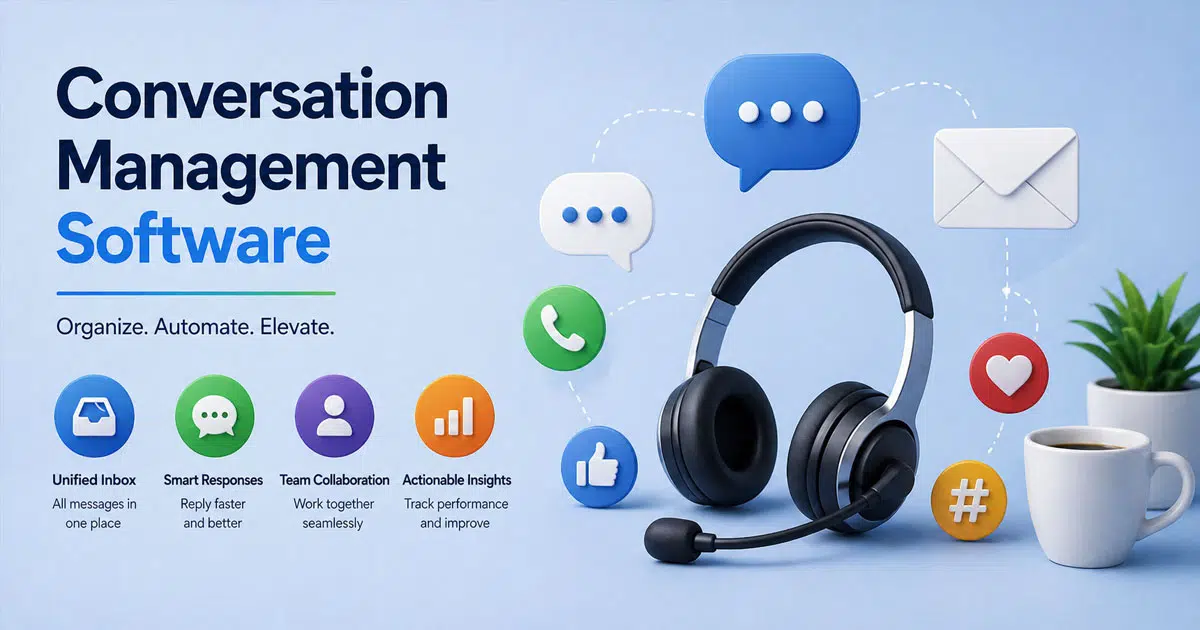
Every business today handles millions of conversations across chat, email, calls, and social platforms. Conversation management software acts as a game changer by bringing structure, clarity, and measurable value to every customer interaction. At its core, the system blends psychology, investigative interviewing principles, and proven communication techniques into a scalable digital method.
Sales and support teams conduct conversations with clients daily, yet without the right tech stack, objection handling and context tracking become difficult. Modern platforms analyze patterns, highlight next steps, and help teams act with confidence. Real examples show how conversation intelligence supports investigation, improves interviewing quality, and drives better engagement. Each feature is explained through practical use cases, helping teams understand how to engage customers strategically rather than reactively.
What Is A Conversation Management Software
Conversation management software refers to platforms designed to oversee, route, assign, track, and optimize customer interactions across multiple channels, playing a similar role to a modern helpdesk system but with a deeper focus on real-time conversations. Unlike simple call recording tools or basic shared inboxes, these systems manage the full lifecycle of every customer interaction from the first message to resolution.
According to industry reports, over 60% of contact centers now use some form of conversation intelligence or management tool. The software captures messages from voice calls, chats, emails, and social platforms, then routes them to the right agents based on skills, availability, or business rules. This unified platform approach prevents conversations from falling through cracks and gives agents the context they need to help customers faster.
Why Businesses Need Conversation Management Software
Running customer support without proper tools creates problems that grow with your business. Here is why teams invest in dedicated conversation management solutions.
Manage High Volume Customer Queries
As your business grows, so does the volume of customer messages. A three-person support team handling 500 conversations monthly can quickly feel overwhelmed when that number doubles. Conversation management software helps teams manage high volumes without adding headcount immediately. AI tools can cut repetitive work by up to 70%, freeing agents to focus on complex issues. The platform automatically prioritizes urgent tickets, applies tags based on content, and even suggests responses for common questions. This lets small teams handle enterprise-level query volumes while maintaining quality.
Unify Customer Conversations Across Channels
Customers expect seamless support whether they reach out via email, chat, or Twitter. Without a unified platform, agents waste time switching between tools and lose track of ongoing conversations. Conversation management software brings every channel into a single queue where agents see the complete customer history, similar to leading multichannel helpdesk software that unifies email, chat, and social conversations. When a customer emails on Monday and chats on Wednesday, the agent sees both interactions on one timeline. This context helps them provide better answers without asking customers to repeat themselves. Real customer interactions become easier to track and resolve.
Reduce Response Time And Improve Resolution Speed
Speed matters in customer support. Studies show that first response time directly impacts customer satisfaction scores. Conversation management platforms use automated routing to send tickets to available agents instantly. SLA timers ensure urgent issues get attention first. Canned responses and knowledge base suggestions help agents reply faster without sacrificing quality. Teams using these tools report significant improvements in both first response time and overall average resolution time. The automation handles routine tasks while agents focus on solving problems.
Strengthen Customer Experience And Retention
Customer success depends on consistent, helpful interactions across every touchpoint. When agents have full conversation history, they personalize responses and anticipate needs. This builds stronger relationships and increases loyalty. McKinsey research suggests AI in customer care can boost productivity by 30-45%, meaning faster and better service for customers. Adding channels like live chat for better customer experience further strengthens these interactions. Happy customers stay longer and refer others. The investment in conversation management tools pays off through reduced churn and increased lifetime value.
Improve Internal Team Collaboration
Support rarely happens in isolation. Complex issues need input from product teams, billing specialists, or senior agents, especially when coordinating remote support teams across time zones. Conversation management software includes collaboration features like internal notes, mentions, and follower roles. Team members work together on a single thread without confusing the customer. New agents can review past conversations and learn from how colleagues handled similar situations. This speeds up training and ensures consistent service quality across your entire team.
Gain Clear Visibility Into Support Performance
You cannot improve what you do not measure. These platforms provide analytics and reporting on key metrics like first response time, resolution time, conversation volume by channel, and customer satisfaction trends, similar to a smarter help desk platform that centralizes performance data. Leaders get at-a-glance reports on team performance without building spreadsheets manually. This data helps identify bottlenecks, spot training opportunities, and demonstrate value to stakeholders. Conversation data becomes a resource for continuous improvement rather than just an archive.
Key Features Of Conversation Management Software
Modern conversation management platforms help teams handle every customer interaction with clarity and structure. They improve communication quality, align with customer expectations, and turn daily conversations into valuable insights that support stronger customer relationships and better business outcomes.
Unified Communication Hub
A strong conversation management system brings all communication channels into one place. Email, chat, phone, and social platforms stay connected. Teams avoid scattered data and missed messages.
This unified view helps employees understand customer needs faster. It also improves response quality, much like fast, scalable helpdesk ticketing software that consolidates multi-channel requests. According to recent CX reports, 75% of consumers expect consistent interactions across channels. A centralized hub makes that possible and supports better customer satisfaction.
Smart Conversation Analytics
Data plays a key role in conversation management. Advanced tools analyze conversations to extract valuable insights and often rely on workflow automation in customer support to act on those insights. Teams can track patterns, sentiment, and customer expectations in real time.
This feature supports better decision-making. It also helps identify trends and common challenges. Research shows that companies using conversation analytics improve customer satisfaction by up to 20%. Teams gain deeper understanding and improve their problem solving strategies with real data.
Guided Interaction Frameworks
Structured frameworks help guide conversations in professional contexts. Systems often include templates, scripts, and questioning techniques inspired by social psychology and investigative interviewing.
These frameworks improve consistency and effectiveness. Employees learn how to ask open questions and handle conflicts in a better manner. This leads to more meaningful interactions. It also builds trust and strengthens relationships with customers across different touchpoints.
Customer Context And History Tracking
Every conversation becomes more effective with context. Conversation management tools store past interactions, preferences, and feedback, similar to an EasyDesk helpdesk ticketing software workspace. Teams can access complete customer history in seconds.
This improves personalization and communication quality. Customers feel understood when teams remember past issues or preferences. Studies show that 80% of consumers prefer brands that offer personalized experiences. Context-driven conversations help meet those expectations and improve long-term relationships.
Training And Coaching Support
Conversation management software supports employee development through built-in training and coaching tools. Managers can review conversations and provide feedback based on real interactions, just as shown in EasyDesk’s case study on improving response time for a growing team.
This improves communication skills and overall performance. Teams develop better listening ability and stronger questioning techniques. Regular coaching also increases engagement and progress. Organizations that invest in conversation training see higher productivity and better customer satisfaction across sales and support teams.
Benefits Of Using Conversation Management Software For Support Teams
Beyond features, these platforms deliver measurable benefits that transform how support teams operate daily.
Faster First Response And Resolution Time
Automated routing and suggested responses dramatically reduce the time between customer message and agent reply. When agents have instant access to customer history and canned responses, they resolve issues faster. Teams using conversation management tools consistently report 30-40% improvements in first response time. Faster responses lead to happier customers and fewer follow-up messages.
Clear Context For Every Customer Interaction
Every agent sees the complete customer journey across all channels. When someone contacts support, the agent knows their previous issues, purchase history, and ongoing conversations. This context prevents the frustration of repeating information and enables personalized service. Agents can reference past interactions and build on existing relationships rather than starting fresh each time.
Lower Risk Of Missed Or Duplicate Replies
Traditional shared inboxes suffer from collisions, where multiple agents respond to the same message or no one responds at all. Conversation management platforms include collision detection that shows when another agent is viewing or typing on a conversation. Clear ownership assignment prevents tickets from slipping through cracks. Every customer gets exactly one response from the right person.
Higher Agent Productivity
Manual work like copying information between systems, searching for past conversations, or typing repetitive responses eats into productive time. Automation handles these tasks, letting agents focus on helping customers, and marks a clear shift from manual vs automated ticketing approaches. Canned responses provide consistent answers in seconds. Knowledge base integration surfaces relevant articles without leaving the conversation view. Agents handle more conversations in less time with less stress.
Better Customer Satisfaction Scores
All these improvements compound into better customer experiences. Faster responses, personalized service, and consistent quality across channels increase satisfaction scores. Happy customers leave positive reviews, renew subscriptions, and refer others. The connection between operational efficiency and customer satisfaction makes conversation management a direct driver of business growth.
Scalable Support Operations
Growing businesses need tools that scale with them. Adding new agents becomes simple when training materials live in the knowledge base and past conversations demonstrate best practices. Automation and dedicated ticket automation software handle increased volume without proportional headcount increases. Enterprise-grade security ensures customer data stays protected as you grow. The platform supports your team today and tomorrow.
Common Challenges Without Conversation Management Software
Teams operating without proper tools face predictable problems that limit their effectiveness and frustrate customers.
Scattered Messages Across Multiple Platforms
Without centralization, agents juggle multiple browser tabs, email accounts, and social media dashboards. Finding a specific conversation requires searching several systems. Important context lives in one place while the current conversation happens elsewhere. This fragmentation wastes time and increases the risk of inconsistent responses. Messages get lost between platforms.
Delayed Responses And Missed Follow-Ups
Manual processes cannot match the speed of automated routing and reminders. Tickets sit unassigned while agents check other platforms. Follow-up tasks get forgotten without SLA tracking. Customers wait hours or days for responses that should take minutes. These delays damage relationships and drive customers to competitors who respond faster.
Lack Of Customer Context During Conversations
When conversation history is not visible, agents ask customers to repeat information. This frustration compounds over multiple interactions. Customers feel like they are talking to strangers each time they contact support. Without context, agents cannot provide personalized service or identify patterns in a customer's issues. Every interaction starts from zero.
Overloaded Support Agents
Without automation handling routine tasks, agents spend significant time on manual work that adds no value, instead of relying on automated ticket management software to route and prioritize requests. Typing similar responses repeatedly, copying information between systems, and manually categorizing tickets all consume hours that could go toward helping customers. Burnout increases when agents feel like they are fighting their tools rather than using them.
Limited Performance Tracking
Spreadsheets and manual tallies cannot provide the real-time visibility leaders need. Without analytics, you cannot identify which agents need coaching, which channels need attention, or where processes break down. Decisions happen based on gut feeling rather than data. Improvement becomes guesswork rather than systematic practice.
Inconsistent Customer Experience
Different agents using different tools provide inconsistent answers and service levels. One customer gets an instant, helpful response while another waits for a confusing reply. This inconsistency damages brand perception and erodes trust. Without centralized resources like canned responses and knowledge bases, quality depends entirely on individual agent performance.
Best Practices For Conversation Management Software
Effective conversation management depends on clear strategies, structured processes, and consistent execution. Teams that follow proven practices improve communication, meet customer expectations, and build stronger customer relationships while turning everyday interactions into valuable insights for long-term growth.
Set Clear Conversation Goals
Clear goals help guide conversations in the right direction. Each interaction should focus on customer needs, problem-solving, or relationship building. Without direction, communication often becomes scattered and less effective.
Teams that define goals see better outcomes. Research shows that organizations with structured communication strategies improve customer satisfaction by up to 23%. Goals also help employees stay focused and deliver meaningful responses. This approach improves both sales and support interactions.
Use Active Listening Techniques
Active listening builds trust and improves understanding. A person should focus fully on the customer, not just the response. This improves communication quality and reduces misunderstandings.
Studies show that 86% of customers are willing to pay more for better experiences. Active listening helps meet those expectations. It also supports better questioning techniques and deeper insights. Strong listening skills lead to more productive conversations and stronger relationships across all professional contexts.
Leverage Data And Insights
Data plays a key role in conversation management. Teams should use analytics tools to track performance, identify trends, and understand customer behavior. This helps improve strategies over time.
Companies that use customer data effectively outperform competitors by 85% in sales growth. Insights from conversations help teams adjust their approach and choose helpdesk software for small growing businesses that fits their data strategy. It also supports better marketing and service decisions. Data-driven communication improves both efficiency and customer satisfaction.
Train Teams Consistently
Training is essential for improving communication skills. Employees need regular coaching to handle different conversation scenarios. This includes conflict resolution, investigative interviewing, and customer engagement techniques.
Organizations that invest in training see up to 24% higher productivity. Consistent coaching builds confidence and improves effectiveness. Teams develop better awareness and adapt to changing customer expectations. Strong training programs also ensure consistent service quality across all interactions.
Focus On Personalization
Personalization improves the customer experience. Teams should use past interactions, preferences, and feedback to create more relevant conversations. This builds stronger connections and trust.
Around 80% of consumers prefer brands that offer personalized experiences. Personalized communication shows commitment and understanding. It also increases engagement and loyalty. When conversations feel tailored, customers respond better and remain connected to the brand for longer.
How To Choose The Right Conversation Management Software
Selecting the right platform requires matching your specific needs with available capabilities. Here is a framework for evaluation.
Evaluate Channel Integration Capabilities
Map out every channel where customers currently contact you and where you expect growth. Verify that potential platforms support these channels natively without complex workarounds. Check whether integrations require additional costs or technical resources. A platform that handles email well but lacks chat support will not serve a modern team. Native channel support beats third-party integrations for reliability and ease of use.
Assess Automation And AI Capabilities
Examine the automation features each platform offers. Can you create rule-based workflows without developer help? Does the platform offer ai agents for handling routine queries? Look for auto-tagging, suggested responses, and intelligent routing based on conversation content. These capabilities determine how much manual work your team eliminates and how far you can reduce customer support response time with automation. Test automation during trials with real scenarios from your queue.
Check Reporting And Analytics Depth
Review the built-in reports and dashboards each platform provides. Do they track the metrics that matter to your team? Can you export data for external analysis? Look for real-time dashboards alongside historical trend reports. The ability to segment data by agent, channel, or tag adds significant value. Analytics should provide actionable insights rather than just raw numbers.
Consider Scalability For Future Growth
Your needs today will change as your business grows. Evaluate whether pricing scales reasonably as you add agents and conversation volume. Check for enterprise features like advanced permissions, multiple team workspaces, and API access. The platform should support your current stage while accommodating significant growth without requiring migration to a different tool.
Review Security And Data Compliance Standards
Customer conversations contain sensitive information. Verify that platforms meet relevant compliance standards like GDPR, CCPA, or industry-specific requirements. Look for features like data encryption, access controls, and audit logs. Enterprise-grade security protects your customers and your business. Ask vendors about their security practices and certifications.
Compare Pricing And Total Cost Of Ownership
Look beyond monthly subscription costs to understand total investment. Consider implementation time, training resources, and potential integration costs, and compare these against transparent EasyDesk pricing plans. Some platforms offer lower base prices but charge for essential features. Calculate cost per agent and cost per conversation to compare value accurately. A slightly higher price for a platform that reduces implementation time may offer better overall value.
How EasyDesk Simplifies Conversation Management For Growing Teams
Growing teams face rising message volume and higher customer expectations. EasyDesk brings structure to conversations, reduces manual work, and gives teams clarity, control, and measurable performance insights across every customer interaction.
Unified Platform For All Customer Conversations
EasyDesk centralizes email, live chat, social media, and other channels into one unified platform. Support agents no longer switch between tools or risk missing messages. Every customer conversation stays visible within a single workspace, complete with history, tags, and internal notes.
For growing teams, fragmented systems create delays and confusion. EasyDesk removes that friction by giving agents full context before they respond. Managers gain oversight across departments, which improves coordination between support, sales, and customer success teams.
Smart Automation That Reduces Manual Work
Manual work slows teams down and increases the risk of human error. EasyDesk automates ticket routing, tagging, and prioritization based on predefined rules, showing teams exactly how to manage support tickets efficiently. Urgent issues move to the right agents instantly, while repetitive queries trigger automated replies or AI powered suggestions.
Automation does not replace human interaction. Instead, it enhances response quality by freeing agents to focus on complex or sensitive cases. As ticket volume grows, automation ensures consistency without adding operational strain.
Clear Context For Every Customer Interaction
EasyDesk stores conversation data in a structured format. Agents see past messages, purchase history, and previous resolutions in one view. That context improves understanding and reduces repeated questions.
When agents understand the full journey, they provide faster and more personalized responses, especially when using integrated live chat software for websites alongside other channels. Clear visibility also strengthens collaboration because internal comments and shared notes stay attached to each case.
Built-In Analytics For Smarter Decisions
Performance metrics shape service quality. EasyDesk provides dashboards that track first-response time, resolution time, workload distribution, and customer-satisfaction scores, positioning it as a leading ticketing software for better customer support. Leaders identify bottlenecks early and adjust workflows accordingly.
Conversation analytics also reveal trends in customer behavior. Teams detect recurring issues, measure performance by channel, and refine processes using real data instead of assumptions.
Enterprise Grade Security And Scalable Infrastructure
Data security becomes critical as teams scale. EasyDesk protects customer information with enterprise-grade security standards, role-based access control, and encrypted storage. Sensitive data remains protected while remaining accessible to authorized users.
The platform scales with business growth. Whether handling hundreds or thousands of customer interactions daily, EasyDesk maintains performance without disruption. Growing teams gain stability, flexibility, and confidence as service demands increase.
FAQs
How Is Conversation Management Software Different From Customer Relationship Management?
CRM systems focus on managing customer relationships, sales pipelines, and contact information across the customer lifecycle. Conversation management software specifically handles real-time customer interactions and support conversations. While CRMs track deals and account information, conversation tools manage the daily flow of messages, tickets, and support requests. Many teams use both together, with conversation data syncing to CRM records for complete customer profiles.
Can Small Businesses Use Conversation Management Software Effectively?
Small businesses often benefit most from these tools. A team of three handling 500 conversations monthly can achieve productivity levels previously requiring larger staff. The key is choosing a platform designed for simpler setup and transparent pricing. Many EasyDesk customers are startups and SMBs who outgrew shared inboxes around their first few hundred customers. Start with core features and expand usage as your team grows.
Does Conversation Management Software Support Multilingual Communication?
Top platforms handle mixed languages for global teams with real-time transcription and translation capabilities. This allows agents to support customers in their preferred language even when the agent speaks another language. Look for platforms that offer multilingual knowledge bases and canned responses to maintain consistency across language markets.
How Secure Is Customer Data In Conversation Management Software?
Reputable platforms implement encryption for data in transit and at rest, role-based access controls, and compliance with standards like GDPR and CCPA. Before selecting a vendor, review their security documentation and ask about data handling practices. The private sector faces increasing scrutiny over customer data protection, making security a non-negotiable requirement.
What Metrics Can Be Tracked With Conversation Management Software?
Common metrics include first response time, average resolution time, customer satisfaction scores, conversation volume by channel, agent productivity, and SLA compliance rates. Advanced platforms track talk ratios, engagement duration, and sentiment trends. Some tools even identify buying signals and competitor mentions in conversations, providing insights that drive revenue for sales teams alongside support improvements.