Customer education is now a core SaaS function, not a side project. A 2025 LearnUpon report found that 92% of organizations plan to grow customer education programs, with goals such as customer satisfaction, retention, expansion, and support scale. Organizations with customer education programs see 38 percent faster product adoption among their customers, leading to increased retention and loyalty.
The reason is practical. Customers need foundational skills before they can use advanced features confidently. They also need quick answers when technical issues appear. A training platform handles structured learning, while a knowledge base handles immediate problem-solving.
Customer education software helps businesses train their customers to use products effectively. Customer education software equips buyers with the knowledge to maximize product value. Implementing educational software transforms the customer journey by creating an empowered, self-sufficient user base.
What Is Customer Education Software?
Customer education software is a learning management system designed for external users such as customers, partners, resellers, and sometimes potential customers. A learning management system (LMS) is primarily used for onboarding, training, and professional development, providing a digital hub for education and training in a business. In SaaS, the same model is adapted from employee training and employee onboarding into customer training.
These platforms centralize course creation, enrollment, user access, learner progress, assessments, reporting, and certification programs. In contrast, an LMS is designed to provide and track foundational knowledge, which is essential for onboarding new employees and ensuring compliance training. For customers, that same structure helps admins, end-users, and partners build product knowledge in a reliable sequence.
What Is A Knowledge Base For SaaS Customers?
A knowledge base is a searchable repository of how-to articles, FAQs, troubleshooting guides, API references, onboarding checklists, billing explanations, and product documentation. It is usually web-based, either public or authenticated, and updated continuously as the product changes.
A knowledge base is a centralized hub for all company information and resources, simplifying the process for creating, storing, and sharing information across an organization. Self-Service Portals provide a centralized hub for customers to find answers, troubleshoot, or learn at their own pace. Content Hosting stores videos, articles, interactive guides, and documentation in a centralized portal.
Main Differences Between Customer Education Platforms And Knowledge Bases
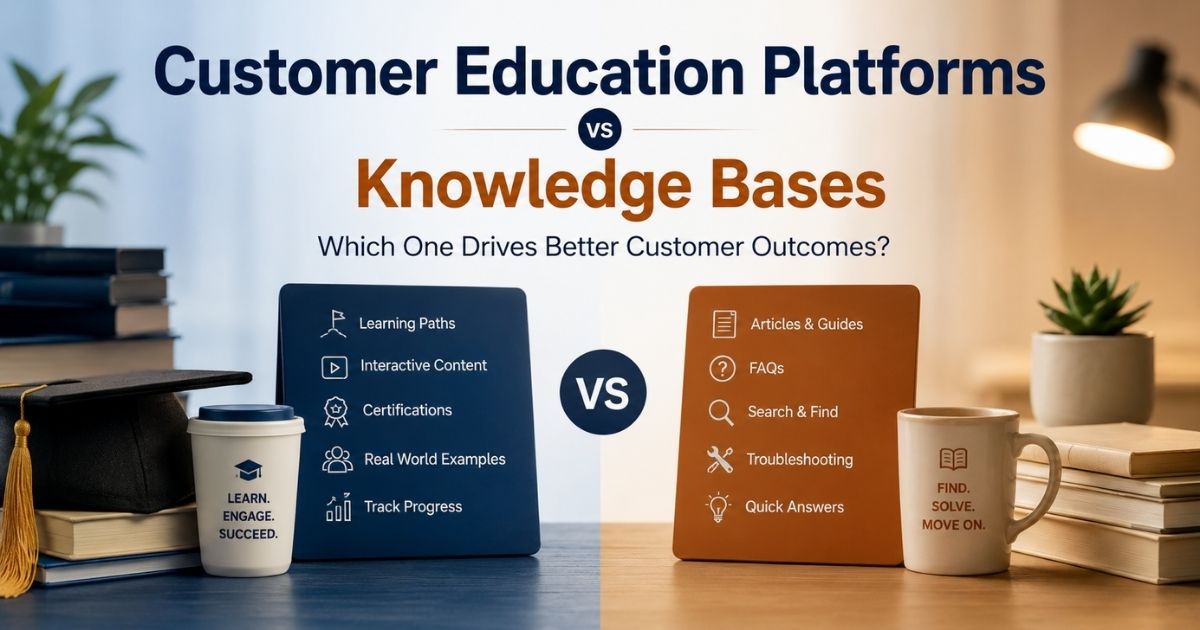
This is the core comparison. A customer training LMS and a customer-facing knowledge base both educate customers, but they differ across goals, structure, engagement, analytics, operations, and business impact. The right choice depends on customer needs, product complexity, and the skills required to succeed.
| Feature | Customer Education Platforms | Knowledge Bases |
|---|---|---|
| Primary Goal | Structured learning and skill development | Quick answers and self-service support |
| Learning Approach | Courses, learning paths, certifications | Articles, FAQs, and documentation |
| Content Structure | Sequential and guided | Searchable and non-linear |
| Best For | Onboarding, product adoption, partner training | Troubleshooting and task-specific help |
| Content Formats | Video, quizzes, assessments, interactive content | Text articles, screenshots, guides |
| User Engagement | Progress tracking, badges, certificates | Read-and-resolve experience |
| Analytics | Completions, scores, learner progress | Views, searches, article performance |
| Customer Journey | Supports long-term learning journeys | Supports immediate information needs |
| Operational Effort | Higher due to course creation and maintenance | Lower and easier to update |
| Business Impact | Improves adoption, retention, and customer success | Reduces support tickets and service costs |
| Cost | Higher platform and content investment | Lower implementation and maintenance cost |
| Ideal Use Case | Complex products requiring skill development | Simple products requiring quick support |
| Scalability | Suitable for growing customer bases | Suitable for basic self-service support |
| Certifications | Supported | Not typically supported |
| Recommended For | Structured customer education programs | Knowledge management and support documentation |
Goals And Outcomes For Learning
Customer education platforms are built for structured outcomes such as feature mastery, foundational knowledge, certification, compliance, and role readiness. A customer might complete a three-lesson admin course, pass interactive assessments, and earn a certificate before configuring security settings.
Knowledge bases focus on quick task completion. A customer might search one article to fix an integration error, reset billing details, or solve technical issues. This difference shapes the learning process: courses go deeper, while knowledge base articles stay focused on specific tasks.
A public case study found that Later saw a 320% increase in customer retention, 467% increase in feature adoption, and 368% increase in paid plan purchases after shifting onboarding from live webinars to on-demand courses.
Content Structure And Course Creation
Customer education platforms organize training content into courses, modules, prerequisites, learning paths, and completion rules. Course creation often includes videos, quizzes, interactive elements, downloadable resources, and sometimes SCORM or xAPI packages.
Knowledge bases organize content into categories, tags, article collections, and search results. They rarely require a customer to follow a strict sequence. This makes them ideal for quick lookup, but less reliable for complex implementation.
For example, a “2026 Product Release Academy” may work well as a structured course, while release notes, setup steps, and troubleshooting details belong in knowledge base articles.
Engagement, Motivation, And Experience
Customer education platforms can include progress bars, badges, certificates, quizzes, cohort sessions, and community forums. These features improve the learning experience because customers can see progress and understand what to do next.
Knowledge bases are more passive. Customers search, read, and act. That is valuable when users are frustrated or short on time, but it does not usually motivate long-term development.
In-App Guidance delivers bite-sized tutorials and tooltips directly inside the product interface. It can connect both tools by sending a user to a micro-course for deeper learning or to a knowledge base article for immediate help.
Analytics, Metrics, And Insights
Customer education platforms track enrollments, completions, scores, certificates, training data, and learner progress by user or account. A robust LMS should include built-in reporting and dashboards to provide real-time insights into learner progress, completion rates, and engagement metrics, enabling data-driven decisions to enhance training programs.
Knowledge base analytics track views, search terms, zero-result searches, article feedback, bounce rates, and follow-on tickets. These signals show where customers struggle and where support content is missing.
An effective LMS should support seamless integration with other tools and platforms, such as CRM systems, to ensure that customer training data is synchronized with customer profiles, enhancing the overall user experience. crm integrations also help customer success teams connect learning to adoption, renewal risk, and expansion.
Operational Effort And Governance
Customer education platforms require planning, instructional design, SME review, video production, release updates, and quality checks. Training organizations often treat the academy like a small publishing operation.
Knowledge bases are faster to update, especially when product managers, support agents, and technical writers can edit articles directly. The risk is content decay. SaaS products often update workflows every 6 to 12 months, so screenshots, terminology, and steps can quickly become outdated.
Most companies need ownership rules. Education teams can own curricula, while support or docs teams can own knowledge base articles and IT help desk processes. Shared governance keeps product knowledge consistent.
Business Impact, Costs, And Use Cases
Customer education platforms usually cost more because they involve platform licenses, course production, and administration. The return is often visible through adoption, customer retention, partner readiness, and customer loyalty. Companies with mature customer education programs experience up to 6.2% higher retention rates than those without structured training, underscoring the importance of effective customer education.
Knowledge bases are generally lower-cost and deliver operational efficiency through self-service, faster answers, and reduced support burden. Reduced Support Burden equips users with self-service resources, deflecting basic support tickets.
A simple rule helps: use a knowledge base for fast answers, use a learning management system for structured skill building, and use both when the product is complex or the customer base is growing.
Features Of Customer Education Platforms And Knowledge Bases
The best customer education software and the best lms platforms share some features, but their priorities differ. Evaluation should focus on daily usability, scalable content management, integrations, and customer experience.
Content Authoring And Creation Tools
Customer education platforms should provide course creation tools, video hosting, quizzes, downloadable files, templates, and interactive content. An effective customer training software should provide a robust set of features, including course creation tools, user management, reporting and analytics, and integration capabilities to tailor the learning experience to organizational needs.
Knowledge bases rely on article editors, screenshots, GIFs, code blocks, templates, revision history, and media embeds. Good creation tools matter because non-technical teams must update content quickly after product releases.
AI-assisted suggestions can help draft articles or flag outdated content, but practical control remains important. Teams still need accurate examples, approved terminology, and clear review workflows.
Paths, Navigation, And Search
LMS platforms guide customers through linear or branching learning paths. Admins may need one path, end-users another, and partners a deeper sales enablement route.
Knowledge bases depend on search quality, categories, tags, synonyms, and related articles. If customers cannot find the right answer, even a large content library will feel broken, which is why many teams pair them with ticketing software built for better customer support.
Scalability is a crucial factor when selecting customer training software, as it should allow for the addition or customization of features as the organization's needs evolve, especially when expanding into new markets or languages.
Assessments, Certifications, And Proof Of Learning
Interactive Assessments use quizzes and hands-on exercises to validate user understanding. Custom assessments in an LMS allow administrators to create tailored evaluation tools that align closely with specific learning objectives, enabling learners to demonstrate their understanding without completing the entire course.
Certifications matter for partner programs, complex admin roles, regulated products, and enterprise procurement. They prove that customers or partners understand the product well enough to use or represent it.
Knowledge bases usually do not provide formal proof of learning. Their feedback tools answer a simpler question: did this article help?
Integrations With SaaS Tech Stacks
Customer education platforms often connect with CRM, product analytics, marketing automation, customer success systems, identity providers, and third party tools. These integrations make it easier to trigger training, track outcomes, and keep customer profiles accurate.
Knowledge bases connect with ticketing systems, live chat, in-app help, search widgets, and support automation. Modern knowledge base software creates a seamless experience between self service and human help.
Mobile Accessibility provides responsive design or dedicated mobile apps for customers to learn on the go. Live chat and real-time conversation tools extend that access to instant human help. That matters for distributed teams, field users, and customers who need answers outside normal office workflows.
Support For Human Interaction And Coaching
Customer education platforms may include instructor-led training, office hours, live webinars, and community forums. These options help when customers need coaching, implementation support, or deeper explanation.
Knowledge bases support human support through escalation links, forms, chat widgets, and article suggestions inside support tickets. When paired with multi-channel support software, they do not replace the support team, but they help agents respond faster.
Hybrid models work well for enterprise SaaS. Customers complete online courses, review knowledge base articles, attend live Q&A, and return to documentation as needed, while support teams rely on ticketing software systems to manage conversations.
Benefits Of Customer Education Platforms Versus Knowledge Bases
Both tools improve customer satisfaction, adoption, and support efficiency. The difference is how they create value. Customer education platforms build confidence over time, while knowledge bases remove friction in the moment.
Onboarding Quality And Time To Value
Accelerated Time-to-Value speeds up the onboarding process, allowing users to understand and utilize complex features much faster. Speeds Up Time-to-Value means educated customers reach their "aha moment" faster, realizing the ROI of the product immediately.
A structured course can take new admins from account setup to first successful workflow. A knowledge base can answer setup blockers such as SSO configuration, integration errors, or billing permissions.
Quality customer education programs help customers understand product features and benefits clearly from day one, reducing the time spent troubleshooting and increasing satisfaction.
Ongoing Adoption And Feature Discovery
Customer education platforms support quarterly release courses, advanced academies, refresher modules, and ongoing training. Interactive training encourages users to explore advanced features they might otherwise ignore.
Knowledge bases support just-in-time discovery. A customer sees a new feature, clicks a help link, and reads the exact article needed to take action.
Organizations with customer education programs see 38 percent faster product adoption among their customers, leading to increased retention and loyalty. In subscription models, faster adoption protects renewal value.
Customer Support Efficiency And Ticket Deflection
A mature knowledge base reduces repeated questions such as “How do I export data?” or “Why is my integration failing?” It gives customers self service answers before they open tickets and works best when connected to a help desk system that streamlines communication.
Customer education platforms reduce future tickets by teaching best practices earlier. Customers make fewer configuration mistakes when they know the right workflow from the start, especially when support teams also use a ticketing system to organize customer requests.
This improves operational efficiency for the customer support team and lets agents spend more time on complex issues that truly need human support, particularly when they replace manual processes with automated ticketing workflows.
Revenue, Retention, And Expansion Impact
Educating customers directly impacts a company’s bottom line by transforming trial users into power users. Trained customers understand value faster, adopt more features, and are more likely to renew or expand.
Quality customer education programs can significantly improve customer satisfaction (CSAT) scores and enhance customer loyalty, which in turn drives business growth. A well-structured customer education program can lead to higher customer satisfaction scores and loyalty, as happy customers are more likely to advocate for the brand.
Greater Brand Loyalty comes from feeling valued and supported when provided with structured resources to succeed. This is especially important for partners, enterprise admins, and customers evaluating premium plans.
Internal Alignment Across Teams
A customer education program forces product, support, customer success, marketing, and sales enablement teams to agree on messaging. That alignment improves clear communication across the full customer experience.
The knowledge base captures live customer support questions, while the training platform turns recurring issues into stronger education. Together, they help organizations understand where customers need better guidance.
When teams review course completions, article feedback, and ticket trends together, they can prioritize the training content and documentation that matters most.
Customer Satisfaction And Brand Perception
Customers now expect self service resources, polished learning paths, and easy access to answers. A strong academy and a clear help center show that the company is organized and customer-focused.
Increased customer satisfaction comes from fewer delays, fewer repeated explanations, and more confident product use. Satisfied customers are also more likely to recommend the product.
Outdated resources have the opposite effect. If a course shows an old workflow or an article includes the wrong screenshot, customers lose trust quickly.
Best Practices For Combining Platforms And Knowledge Bases In One Program
SaaS teams get the strongest results when they design one customer education strategy that uses both tools. Faster self-service and assisted support depend on the right mix of learning formats and customer support software that improves response time. The goal is not to force every answer into a course or every lesson into an article. The goal is to match the right format to the right customer moment.
Customer Journey Maps To Learning Moments
Map signup, first login, onboarding, first value, advanced adoption, expansion, and renewal. Then decide whether each moment needs a course, an article, a video, in-app guidance, or a live session.
For example, new admins may complete a two-hour foundation course, while their teams use searchable setup articles. Partners may need certification programs, while free-tier users may rely mostly on self service content.
Prioritize high-impact moments first, especially implementation, feature activation, and first renewal.
Content Audits Across Tools
Inventory courses, webinars, PDFs, slide decks, help articles, support macros, training material, and hidden customer-facing docs created since 2020. Decide what to keep, merge, update, or retire.
Do not migrate everything unchanged. High-traffic onboarding content, high-ticket topics, and revenue-sensitive workflows should move first.
Tag every asset by persona, feature area, use case, and lifecycle stage. This makes the content library easier to maintain as the customer base grows.
Standards And Governance
Create standards for tone, screenshots, version labels, update dates, article structure, and course structure. Customers should not feel like the academy and help center came from different companies.
Assign owners for each course, module, category, and article. Review cadences should match product release cycles so training content and knowledge base articles stay aligned.
Consistent naming is critical. Feature names, plan names, integration labels, and workflow steps should match the product interface.
Connected Systems, Triggers, And Workflows
Connect the training platform, knowledge base, CRM, product analytics, and in-app messaging where possible. A new customer can receive an automatic course invite after signing, while an in-app sidebar can surface help articles based on page context and create structured support tickets with clear ownership.
Use secure access and automated user provisioning for larger accounts. Leveraging customer support features like automated workflows and SLA tracking reduces manual admin work and makes the learning experience smoother.
The ideal flow feels natural: customers watch a lesson, open a detailed article, return to the product, and contact support only if needed.
Success Measurement And Continuous Improvement
Track course enrollment, completion rates, certification rates, quiz scores, article views, search success, article helpfulness, and support tickets using a robust ticket management system. Then connect those metrics to activation, customer retention, expansion, and renewal outcomes.
Set baselines before launch. Early results, such as fewer basic tickets or higher course participation, can appear within 60 to 90 days, especially when using a comprehensive customer support platform. Larger business outcomes often take 6 to 12 months.
Review results quarterly. Customer education is not a one-time launch. It is an ongoing system for helping customers succeed and should align with how your customer support platform operates securely and transparently.
How EasyDesk Supports Modern Customer Education Programs
EasyDesk supports modern SaaS education programs by bringing knowledge, support workflows, live chat, automation, and AI-assisted self-service into one streamlined support environment. As helpdesk ticketing software, it gives teams a built-in knowledge base for articles, FAQs, guides, and help center content, helping customers find answers without waiting for an agent.
EasyDesk is especially useful for teams that want to reduce repeated support tickets and improve response speed. Its knowledge base and canned responses can support self-service content, while Eden AI uses that content to answer common questions automatically. EasyDesk also helps the support team manage conversations, triage tickets, use canned responses, and keep customer support organized.
EasyDesk is not positioned as a full replacement for dedicated lms platforms with advanced course creation, formal exams, or certificates. For SaaS teams that need deep certification programs, a dedicated customer education platform may still be required. But EasyDesk can act as a strong backbone for the self-service side of a customer education program, especially when teams want faster answers, better visibility, and smoother handoffs to human support.
EasyDesk reports that knowledge base use helped reduce repeated tickets by almost 30% in one customer example, and some tiers include AI auto-resolution capabilities. Its automated workflow software helps growing SaaS teams achieve fewer repetitive questions, more focused agents, and a better customer experience.
Frequently Asked Questions
When To Invest In A Customer Education Platform?
Invest when your product requires multi-step onboarding, role-specific skills, partner training, compliance training, or proof of completion. If customers must learn workflows in sequence, a customer education platform is more reliable than article-only support. If most customer issues are simple, an early-stage company may start with a strong knowledge base. As the number of customers, features, and personas grows, structured learning paths become more important.
What Should A First-Year Customer Education Budget Include?
Plan for platform licensing, content production, video editing, writing, instructional design, SME time, reporting setup, and ongoing maintenance. The budget should also include internal promotion so customers actually know the training exists. Start with a business case tied to support reduction, faster onboarding, customer satisfaction, or customer retention. That makes the investment easier to defend.
Who Should Own Customer Education In A Growing SaaS Company?
Ownership often sits with customer success, product education, or enablement. The important point is having one accountable owner who can coordinate product, support, marketing, and sales enablement. Even with one owner, content creation should involve multiple subject matter experts. Product knows what changed, support knows where customers struggle, and success knows what drives adoption.
How Do We Migrate Legacy Content Into New Platforms And Knowledge Bases?
Begin with a content audit to identify outdated resources and prioritize key features. Convert valuable materials into multiple formats, including video content, and add real world examples. A single platform can streamline the customer learning journey. Approaches used in higher education often provide useful migration frameworks.
How Quickly Can We Expect To See Measurable Results From Better Customer Education?
Many teams notice early gains within 60–90 days, including fewer support requests and better adoption of key features. Resources delivered in multiple formats, supported by video content and real-world examples, improve the customer learning journey. Results often accelerate when content is organized through a single platform, similar to higher education programs.



