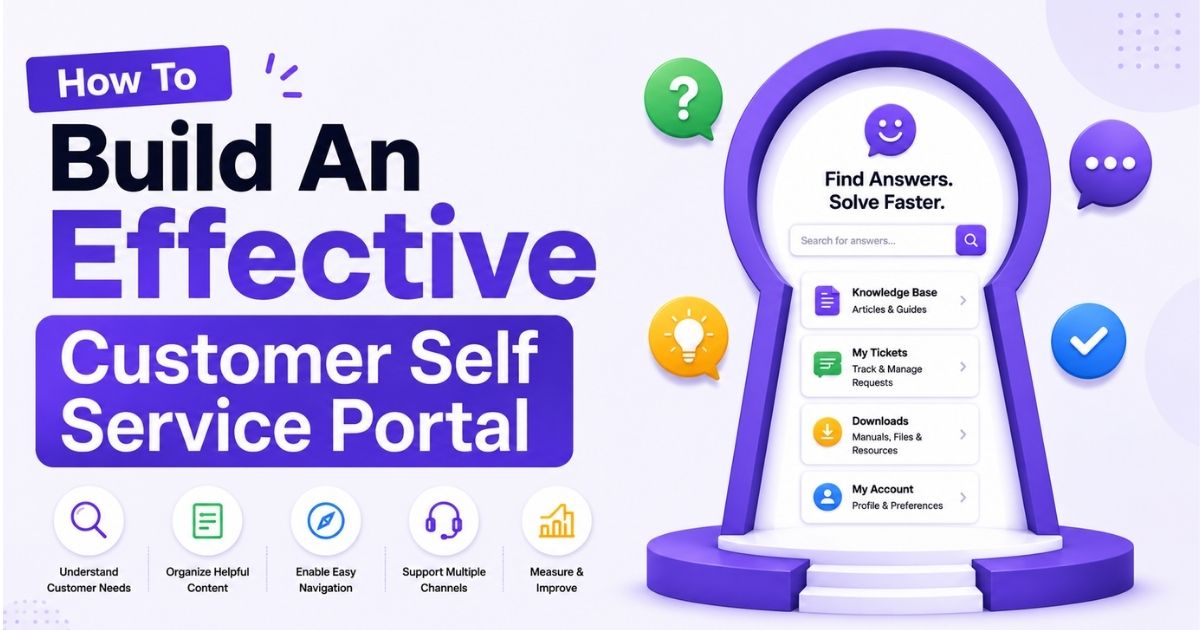
Between 2018 and 2026, customer expectations shifted dramatically. Most customers no longer want to wait on hold or send emails for routine requests. Today, approximately 67% of customers prefer using self-service portals for simple issues rather than contacting customer service representatives. Self service empowers consumers to resolve issues independently using digital tools, and self service channels solve an estimated 54% of customer issues without any agent involvement.
A customer self service portal is a digital interface where customers manage accounts, track orders online, reset passwords, upgrade plans, and access invoices. These portals operate 24/7, letting customers get what they need at any hour. Think of banking apps, airline check-in flows, or utility account portals.
Modern customer self service software combines a knowledge base, ticket tracking, and account management in one place. Self service options can significantly reduce operational costs while improving the customer experience. The rest of this article covers how to build, launch, and continuously improve a portal that genuinely works.
Customer Self Service Portal Fundamentals
Customer self-service refers to a digital system where users both locate information and take action. Unlike a static FAQ page that simply lists answers, a self service portal is dynamic, interactive, and transactional. It allows customers to submit requests, view account data, update personal details, and make payments. Self service channels include help centers, customer portals, and AI agents, all working together to provide convenience and speed, and the right self service customer support best practices ensure these channels actually meet modern expectations. Self-service portals allow customers to manage accounts and track orders online, while also serving government organizations where citizens can submit a permit application, look up a permit number, or request inspections. The result is a CSS portal that handles far more than basic Q&A. Self-service reduces operational costs by minimizing support team workload and enables customers to find answers without waiting for assistance.
Knowledge Base
A knowledge base software platform is the foundation of any self-service portal. It houses searchable articles, guides, tutorials, and troubleshooting steps that address common questions customers ask repeatedly. Searchable content helps build trust in self-service solutions because customers learn they can rely on the portal for accurate answers.
Building a strong knowledge base starts with real data. Analyze support tickets and chat transcripts to find which customer questions appear most frequently. For each topic, create articles using a consistent template: a short summary at the top, prerequisites if any, step-by-step instructions with screenshots, and links to related knowledge base articles. Regular content updates are necessary to keep knowledge base articles accurate and reduce frustration. Teams should aim for a helpfulness score above 80% and a zero-result search rate under 5-8% in mature knowledge bases.
Search Functionality
Even the best knowledge base fails if customers cannot find relevant information. A search bar should be prominently placed at the top of every portal page, visible without scrolling. Search functionality should support typo tolerance, synonyms, and auto-suggestions as users type. Ranking should prioritize the most viewed and highest-rated articles so that common issues surface first.
Monitoring search queries reveals gaps in content. If certain terms consistently return no results, that signals a need for new articles. In well-optimized portals, 70-85% of searches result in useful content without the customer needing further contact.
Self Service Ticket Submission
When self service content does not fully resolve an issue, customers need a clear path to submit a support ticket. The submission form should auto-fill known fields like account ID and product version, include category selection, and allow attachments such as screenshots or an error message log. This reduces friction and ensures the support team receives actionable context.
Customers should see real-time status updates on submitted tickets: whether the request is new, in progress, awaiting their reply, or resolved. Interactive voice response systems handle repetitive inquiries over the phone, but a structured ticketing system for customer support and ticket submission within the portal gives customers a written record and faster routing. A clear escalation path should always be visible so customers know when and how to reach a person if needed.
Customer Account Access
A CSS account section lets users view and manage profile data, subscription plans, payment methods, billing history, and usage metrics. In B2B settings, account owners may manage team membership, assign roles, and control who can access billing versus who can only submit tickets. This role-based structure keeps sensitive data secure while giving every user the access they need.
Personalization matters. Research shows that 80% of customers desire personalization in their retail experiences, and account portals are no exception. When the portal greets users by name, displays their specific plan details, and shows relevant information based on their history, it delivers a personalized experience that builds confidence. Secure authentication methods like SSO, multi-factor authentication, and passwordless sign-ins protect these accounts without adding unnecessary friction. Kiosks enable self-service transactions in retail and public locations, but online account access remains the primary channel for most businesses.
Analytics And Reporting
Tracking key metrics with customer support platform features helps understand user engagement and identify issues in self service. A well-designed analytics dashboard should report on ticket deflection rate, search success rate, zero-result searches, content helpfulness scores, and contact-after-view rate. Businesses can measure success using customer satisfaction scores (CSAT) to understand how customers feel about their portal interactions.
Data collection from self-service platforms provides insights into customer behavior and needs, making it possible to continuously refine the portal. Teams should regularly evaluate metrics like resolution rate and average handling time to spot trends. Deflection rates vary by industry: SaaS companies typically see 35-50%, ecommerce 40-55%, and financial services 25-40% depending on complexity.
How To Identify Customer Needs And Portal Objectives
Portals fail when they are designed around internal systems rather than what customers truly need. If the design starts from back-end modules instead of real pain points, the result is a portal that looks complete on paper but feels confusing in practice. Successful portals begin with research, not assumptions.
Analyze Common Customer Requests
Start by reviewing support tickets, live chat transcripts, and call recordings from the past 12 months. Categorize every request by type: password resets, billing questions, order tracking, product troubleshooting, and plan changes. Rank these categories by volume and urgency. The categories that generate the most support tickets and consume the most agent time are your highest-priority candidates for self service. Use analytics to anticipate customer needs effectively by looking for seasonal patterns and recurring spikes.
Gather Customer Feedback
Direct input from customers is just as important as internal data. Embed feedback tools such as "Was this helpful?" ratings on existing help content, and ask customers what problems they would prefer solving on their own. Community forums enable peer-to-peer support among customers and, when connected to a secure, transparent customer support platform, can reveal pain points that never reach your support queue. Short surveys sent after support interactions provide additional clarity on which self service options customers would actually use.
Define Business Goals
Every portal needs measurable objectives. Determine whether the primary goal is to reduce support costs, improve customer satisfaction, lower churn, or increase customer loyalty. Then translate those goals into specific targets: deflect 40% of password reset tickets within 12 months, contain 60% of billing inquiries inside the portal, or reduce average handle time by 30%. These targets give the project direction and make it possible to evaluate success after launch. Customer self-service options provide operational and financial advantages that compound over time.
Map Customer Journeys
Identify key personas, such as new users, power users, billing contacts, and administrators, and map their journeys through your company. What does a new customer need during onboarding? What does a billing contact look for when an invoice is overdue? Mapping each customer journey and its touchpoints reveals exactly where self service can remove friction. Focus on the moments where customers most frequently reach out for help, because those are the moments your portal should address first.
Prioritize Self Service Requirements
Not every use case should go into the first release. Use a simple two-axis framework: plot each potential feature by impact (how many customers it helps and how much agent time it saves) against effort (development complexity and integration requirements). High-impact, low-effort items like order status tracking and password resets should launch first. More complex features like subscription management or multi-language support can follow in later phases. Select 5-10 primary use cases for your initial version and build from there.
Planning Customer Self Service Portal Architecture
Before selecting customer self service software, plan how the portal will scale as your customer base, product line, and geographic reach grow. A well-planned architecture avoids costly rebuilds and keeps the portal flexible as customer needs evolve. Effective self-service solutions require a user-first approach combining technology and content, and that approach starts with architectural decisions.
The first decision is whether the portal should be standalone (its own subdomain or website) or embedded within your product or mobile app. Standalone portals work well when you serve multiple products or need to reach visitors who are not yet logged in. Embedded experiences reduce friction for existing users who want to access help or manage their accounts without leaving the product. Mobile-first design is critical for self-service portals and knowledge bases, since a growing share of customers interact with support channels from phones and tablets.
Navigation should be organized into clear, logical areas: Help Center for knowledge base content, My Requests for ticket history and status, Billing and Payments for invoices and payment methods, and Account Settings for profile and plan management. Avoid deep menu structures. Use progressive disclosure so that new users are not overwhelmed, while power users can still find advanced options quickly.
Role-based access is essential, and pairing it with automated ticket management software keeps workflows structured as volumes grow. An account owner should have full control over billing, user management, and plan changes. A billing contact might only view and pay invoices. A regular team member may submit support tickets and browse help content, but not modify payment details or manage other accounts. This structure supports a seamless experience for every person using the portal while keeping sensitive data protected.
How To Build An Effective Customer Self Service Portal
This section walks through the six core steps of building a portal, from defining your first use cases to launching and iterating. For a mid-sized company, expect a phased rollout of three to six months: one to two months for planning and prototyping, two to three months for implementation and content creation, and one month for beta testing before a full public launch.
Defining Clear Use Cases And Success Metrics
Choose 5 to 10 high-volume use cases for the first version. Common starting points include resetting passwords, updating payment methods, checking order status, downloading invoices, and upgrading or downgrading plans. These are the routine requests that consume the most agent time and are the easiest to automate.
For each use case, establish baseline data from the previous year: how many support tickets it generated, the average handle time, and the resolution time. Then set targets. For example, aim to deflect 40% of password reset tickets within six months or reduce average handle time on billing inquiries by 30%. Self service systems reduce the cost per ticket by deflecting routine inquiries from live agents, especially when paired with ticket automation for customer support that routes and categorizes issues automatically. Businesses can save up to USD 5 million by optimizing self-service processes at scale. Self service reduces agent burnout by allowing support teams to handle complex issues that genuinely need human expertise, and scalability is improved as self service tools can accommodate increased demand without proportional hiring.
Customer-centric metrics matter too. Track customer satisfaction scores for portal interactions, time to first meaningful action (how quickly a user accomplishes their goal after logging in), and task completion rate.
Designing Intuitive Self Service Experiences
Designing effective self-service solutions requires an intuitive user-centric approach. Use simple language throughout: labels like "My Requests" instead of internal jargon like "Case Queue." Keep layout consistent across all pages with the same header, footer, and navigation. Place the search bar at the top of every page, with typo tolerance and auto-complete suggestions based on popular self service content.
A well-structured dashboard might show three panels: open requests awaiting a response, recent activity and messages, and quick links to the five most-used actions like "Reset Password," "View Invoices," or "Update Plan." This user friendly layout helps customers accomplish tasks in seconds rather than minutes.
Accessibility is not optional, and neither is offering multi channel support software so customers can reach self service and agents from their preferred channels. Adhere to WCAG 2.1 AA standards: readable font sizes, sufficient color contrast, full keyboard navigation, and screen reader support. Self service options provide 24-hour support without waiting for assistance, and higher customer satisfaction results from providing immediate, on-demand solutions at any time.
Creating High Quality Knowledge Base And FAQ Content
Build self service content from real customer interactions, not guesses, and manage it within helpdesk ticketing software that centralizes issues and knowledge in one place. Review the most common issues from support logs and create articles that directly address them. Each article should follow a template: a keyword-rich title, a short summary, prerequisites, step-by-step instructions with screenshots or video, and links to related articles.
When your company serves multiple products, regions, or languages, maintain separate content versions while keeping a consistent voice and layout. Regularly update self-service content to ensure accuracy, especially when product features change. Schedule quarterly audits where the team retires outdated articles, fixes broken links, and fills gaps revealed by zero-result searches and customer feedback. Search engine optimization for your knowledge base also helps customers find answers directly from external search engines, expanding the portal's reach.
Selecting And Integrating Customer Self Service Software
Evaluate customer self service software based on native knowledge base features, case tracking, secure authentication options, customizable roles, responsive design, and strong APIs, and consider a secure, efficient customer support platform that brings these capabilities together. The portal should integrate with your CRM to display personalized account data, with your ticketing system for request tracking and agent hand-off, and with your payment processor for billing and invoice management.
Self service tools can handle large volumes of inquiries simultaneously, but only if the underlying software is designed for scale with automated workflow software for smarter support. Choose tools with robust APIs to avoid locking your organization into rigid workflows as customer needs change. When comparing deployment models, cloud-based SaaS portals offer faster time to launch and vendor-managed security, while on-premises solutions provide more control for highly regulated industries. Neither is universally better; the right choice depends on your compliance requirements and internal resources.
Incorporating Automation And AI Thoughtfully
Automation should enhance the self service experience, not replace human judgment. AI chatbots provide immediate assistance in self-service applications by suggesting relevant knowledge base articles while a customer types a question, pre-filling forms with known account data, and guiding users through diagnostic workflows. Contextual chatbots provide personalized troubleshooting by pulling context from user interactions, such as recent tickets, product version, or account tier.
Today, 73% of service organizations now provide AI assistance in some form, often layered on top of ticketing software for better customer support to keep conversations organized. But guardrails are essential. Always disclose when a customer is interacting with AI. Provide a clear, visible option to escalate to human agents at any point. Monitor the failure rate of automated flows and review escalations to improve workflows over time. Analytics from AI-driven search queries can also uncover new topics for self service content and highlight confusing areas in existing portal flows.
Launching, Promoting, And Iterating The Portal
Start with a beta launch to a small group: internal teams, power users, or a specific customer segment. Gather usage data, collect feedback, and fix issues before opening the portal to everyone. A phased approach reduces risk and builds confidence.
Promotion is just as important as the build; highlighting live chat support for real-time conversations inside your portal can quickly show customers its value. Include portal links in welcome and onboarding emails, add banners inside your product, mention the portal in IVR menus, and include links in support agent email signatures. Train your support team so they can confidently guide customers toward the portal without sounding dismissive. Empower customers to try self service first by demonstrating that it delivers faster results than waiting on hold.
After launch, establish a continuous improvement loop. Review analytics, customer feedback, and support trends every month. Identify which self service options are most used, where users drop off, and which search terms return no results. Use these insights to refine content, adjust workflows, and prioritize new features.
Ways To Improve Self Service Experience And Adoption
Building the portal is only the first step. Without ongoing optimization, adoption stalls and customers revert to phone or email. Research shows that 23% of portal accounts go dormant within 90 days when initial value is unclear, onboarding is weak, or content is irrelevant. To stay ahead, treat the portal as a living product that improves every month.
Build An Easy-To-Navigate Knowledge Base
Organize your knowledge base into clear categories and subcategories that match how customers think, not how your internal teams are structured. Use tags, breadcrumbs, and related article links so users can navigate naturally. Avoid deep menu hierarchies. A customer should reach any article within two or three clicks from the main help center page. Consistent experiences across sections, with the same formatting, tone, and layout, build familiarity and reduce confusion.
Create Clear And Searchable Content
Write in plain language. Avoid internal jargon, acronyms, and overly technical terms unless your audience expects them. Optimize article titles and headings with the keywords customers actually use in search queries. Include images, screenshots, and short videos where they help. Format for mobile devices with short paragraphs, scannable headings, and clear calls to action. 61% of customers prefer self-service for simple requests, and they will only use it if the content is easy to read and act on.
Promote Self Service Across Customer Touchpoints
Consistent promotion across every support channel drives adoption. Add portal links to onboarding emails, product dashboards, support agent signatures, and post-interaction surveys. When customers call in, mention the portal in IVR menus. In 2025, 51% of customers started service journeys on third-party platforms like Google or ChatGPT, so making your knowledge base discoverable through search engines matters too.
Use Analytics To Improve Content Quality
Monitor which articles receive the most views, which get low helpfulness ratings, and which search queries produce no results. These signals point directly to content gaps and quality issues. If customers frequently contact support after viewing a specific article, that article needs improvement. Use analytics dashboards to track deflection, satisfaction, and search behavior, then address the weakest spots first by refining how you manage support tickets efficiently. 54% of customer issues are resolved through self-service channels, and analytics is how you push that number higher.
Keep Information Accurate And Up To Date
Outdated content erodes trust faster than missing content. When your company ships a product update, update the affected knowledge base articles immediately. Schedule quarterly reviews where the team audits every section, retires obsolete pages, and adds new articles based on recent support trends. Monitor customer feedback signals like low ratings and repeated questions about documented topics to catch gaps between reviews. Service quality depends on accuracy, and accuracy depends on disciplined maintenance.
Why Use EasyDesk For Customer Self Service Portals?
EasyDesk brings together the core components of a modern service portal in one unified platform, including ticketing software built for better customer support. Instead of stitching together separate tools for your knowledge base, ticket management, and account access, EasyDesk combines them into a single experience that works consistently across devices. Customers can search for answers, submit and track requests, and manage their accounts without switching between disconnected systems.
Integration capabilities allow EasyDesk to connect with common CRMs and support tools, and its social media integration support helps the portal display live, personalized data for every customer across channels. Ticket submissions flow directly into structured workflows, and status updates flow back to the customer in real time. This means fewer manual steps for your team and faster resolution for your customers.
EasyDesk analytics give teams clear visibility into portal engagement, deflection rates, customer feedback, and content performance, and its ticket creation and management tools ensure every request is tracked and resolved efficiently. These insights turn the portal into a continuous improvement engine where every month brings better content, smoother workflows, and higher customer satisfaction.
For businesses planning their self service strategy in 2026, EasyDesk provides the resources and foundation to launch a portal that delivers real results, with transparent customer support plans that scale with your needs. Explore how EasyDesk can help your organization efficiently build a self service portal that reduces support volume and keeps customers satisfied.
Frequently Asked Questions
How Long Does It Typically Take To Launch A Customer Self Service Portal?
For a focused first release covering 5 to 10 high-volume use cases, most mid-sized companies can launch within 8 to 12 weeks. This includes 3 to 4 weeks for planning and defining use cases, 2 to 4 weeks for software selection, 4 to 6 weeks for content development and integrations, and 1 to 2 weeks for beta testing. More complex portals with role-based access, multiple products, languages, or enterprise-grade security may take 4 to 6 months before a full public launch. The key is starting with the highest-impact use cases rather than trying to build everything at once.
Which Teams Should Own The Customer Self Service Portal Internally?
Ownership works best as a cross-functional effort. Customer support should own content quality and workflow design since they understand what customers ask. Product should own usability, feature prioritization, and roadmap alignment. IT or security should own authentication, integrations, and data privacy. A named portal manager or owner should coordinate across these teams, track performance metrics, maintain content health, and drive adoption. Without clear ownership, portals stagnate after launch.
How Do We Encourage Customers To Use The Portal Instead Of Calling Support?
Start by promoting the portal at every touchpoint: include links in welcome emails, onboarding sequences, in-app banners, and IVR phone menus. Support agents should reference specific portal features, such as a leading ticket management system, during conversations and in follow-up emails. Show customers that self service delivers faster results. For example, highlight that they can check order status, turn emails into trackable tickets, or download an invoice in seconds without waiting in a queue. Over time, as the portal proves its value through convenience and speed, adoption grows organically.
What Security Measures Are Essential For A Self Service Portal In 2026?
At a minimum, portals need encrypted connections (TLS 1.3), encryption at rest, strong authentication (SSO, multi-factor authentication, passwordless options like passkeys), and role-based access control so only authorized users can perform sensitive actions. Audit logging of all activities is essential for compliance and troubleshooting. Organizations in regulated industries should align with relevant standards such as SOC 2, ISO 27001, GDPR, or HIPAA. Regular security reviews and penetration testing should be part of the ongoing maintenance cycle.
How Often Should We Review And Update Knowledge Base Articles?
Establish a formal review cycle of at least every three months. During each quarterly audit, flag outdated content, fix broken links, retire obsolete articles, and create new content based on search gaps and customer feedback. In addition to scheduled reviews, update articles immediately whenever your company ships a product change, modifies a policy, or receives repeated customer feedback indicating a gap. Monitoring search zero-result rates and low helpfulness scores between reviews helps catch problems early.



