A well-planned helpdesk deployment can transform support operations into a real growth engine for a business. Modern helpdesk systems use automation and AI agents to manage a large portion of incoming requests. In many support environments, AI can handle around 60–80% of routine queries and resolve tickets without human involvement.
Organizations often begin to see measurable returns within six months once more than half of the ticket volume becomes automated. Faster responses reduce operational costs and free support teams to focus on complex customer issues. Customers also benefit from quicker resolutions and more consistent service.
A structured helpdesk service desk creates a clear workflow for ticket management, support collaboration, and performance tracking. The following guide explains how a strategic helpdesk deployment supports business growth. Key areas include planning the deployment, setting up efficient support processes, and tracking the metrics that show real impact.
What Is A Helpdesk Service Desk
A helpdesk service desk is a centralized system that helps an organization manage customer support and internal IT support. Teams use help desk software to receive and track incoming requests from users, customers, and employees. Every request becomes a support ticket so agents can monitor status, priority, and progress through a clear support process.
Modern helpdesk deployment includes features such as automation, reporting, knowledge base access, and ticket workflows, and following a structured helpdesk implementation guide for support teams helps you bring these capabilities online smoothly. The system helps support teams manage ticket volume, improve response times, and track metrics like average time to resolution. Agents can access the desk through a browser or app, while administrators configure settings, permissions, and integrations such as Active Directory or VPN access.
Some organizations choose on-premises deployment for greater control of data, infrastructure, and compliance requirements, especially in a regulated industry, while others prefer cloud platforms after comparing cloud-based vs on-premise helpdesk options. A well-configured helpdesk system helps teams automate tasks, monitor performance, and deliver faster service with fewer resources.
Key Planning Steps Before Helpdesk Deployment
You need careful thought before you configure any desk software or install a single server to plan your helpdesk deployment. Skip this groundwork and you create mistakes that slow response times and frustrate your team for months.
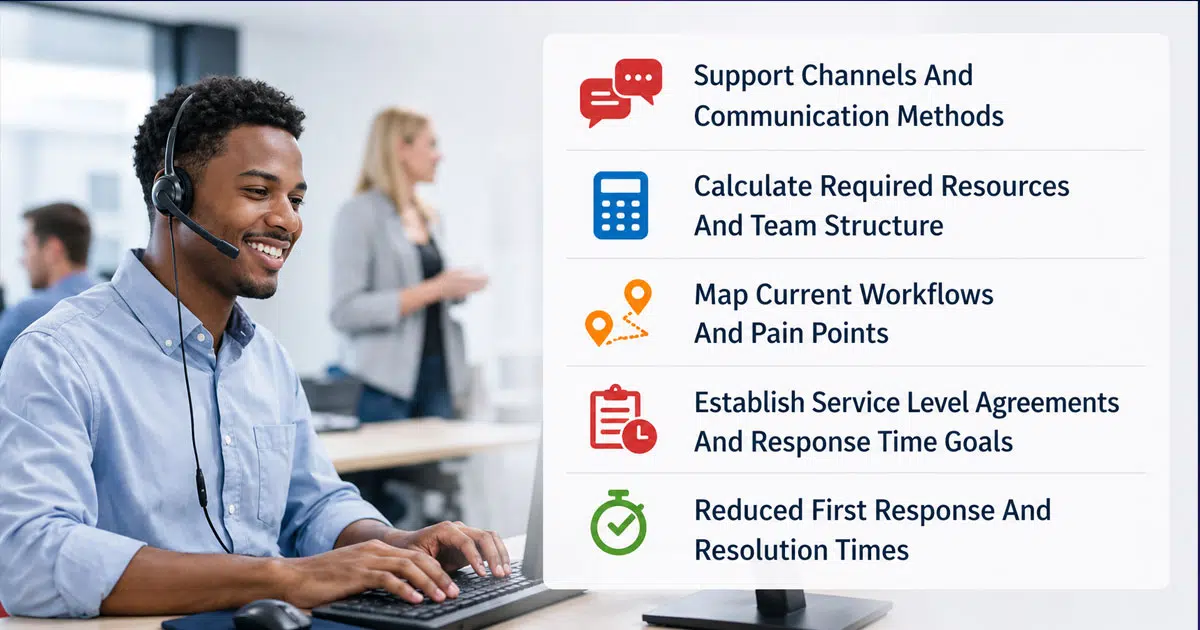
Define Your Support Channels And Communication Methods
Determine how users will submit support tickets to your help desk first. Email remains the best tech support intake method because it creates trackable tickets for easy follow-up automatically. Each message generates a record in your system with complete details and conversation history.
Live chat delivers support when users just need immediate help and offers many live chat benefits for better customer experience. One agent can manage multiple chat conversations at once and reduce wait times compared to phone calls. Research shows 42% of users prefer live chat when available. 72% lean toward self-service options if they're easy to use.
Phone support works best for complex problems where users struggle to explain technical issues through text. The back-and-forth dialog helps clarify situations faster. Self-service portals and knowledge bases give users structured resources like FAQs and articles to solve common problems on their own, and effective self-service customer support best practices ensure these channels actually deflect tickets. This 24/7 availability reduces the burden on your support personnel.
Calculate Required Resources And Team Structure
There is no one-size-fits-all ratio of service desk staff to users. Base your resourcing on your demand, not arbitrary headcount formulas. Staffing levels matter because 80% of a help desk budget is salary related.
Calculate the total direct labor required by perusing two components, keeping in mind the major differences between manual vs automated ticketing approaches. First, determine the effort needed to process incoming requests into your call tracking system. Second, calculate the labor required to resolve calls at the help desk. How users submit calls has the biggest effect on direct labor requirements. Calls submitted over the web can be processed 4 times faster than other methods because customers already entered most incident information.
Target a utilization rate between 70-80% to get optimal performance. Utilization rates above 80% result in long hold queues, high call-abandon rates, and low customer satisfaction. Rates below 60% indicate an overstaffed operation and underutilized workforce.
Map Current Workflows And Pain Points
Pause to map your workflows before jumping into automation. Companies that document processes first see fewer errors, smoother handoffs, and better ROI. Mapping lets you spot gaps, redundancies, and unclear ownership.
Automating a broken process only makes the problem faster. Document current processes first, even if they're messy. Employ swimlane diagrams to separate roles and departments. Mark decision points where outcomes diverge. List handoffs to ensure nothing gets lost between teams.
Gather input from the people who do the work. Take the case of onboarding workflows: choose one process to pilot first, then create a swimlane diagram showing each step. Identify bottlenecks where delays occur and clarify who owns each task. Confirm your map with your team because maps created in a silo miss critical details.
Establish Service Level Agreements And Response Time Goals
Service level agreements define the services you will deliver, the responsiveness customers can expect, and how you measure performance. Understanding what SLAs are and why they matter helps you avoid misaligned expectations. SLAs manage customer expectations and allow your team to know which issues you're responsible for resolving.
Set different performance goals based on ticket priority levels. Your service desk won't call a printer failure its highest priority ticket unless it's the CEO's printer. Configure your system to pause SLA timers when tickets are marked as waiting for customer response.
Target a 95% compliance rate with SLA response times. Here's how priority levels map to response targets:
Priority Level | Impact/Urgency | Target Response Time |
|---|---|---|
P1 (Critical) | System-wide outage / Security breach | 15-30 minutes |
P2 (High) | Department-wide failure | 1 hour |
P3 (Medium) | Single-user issue with workaround | 4 business hours |
P4 (Low) | General inquiry / Minor request | 1 business day |
Operational Efficiency Benefits Of Strategic Helpdesk Deployment
Strategic helpdesk deployment creates measurable improvements in how your team handles support tickets and manages incoming requests, especially when you follow best practices for how the right helpdesk setup boosts customer support. We've seen organizations transform their operations through better desk software configurations and smarter workflows.
Reduced First Response And Resolution Times
Customers just need speed. Research shows 83% of support teams report an increase in customer expectations. More striking, 82% of customers expect an immediate response to their questions. These aren't gentle priorities. They're hard requirements that determine whether users stay or leave.
Automated ticketing systems deliver the speed customers just need; well-designed ticket automation software for modern support teams can dramatically cut delays between request and response. Companies using AI automation see a 37% decrease in first response times compared to teams without it. Teams that implement automated ticket triage resolve issues 21% faster and achieve higher customer satisfaction scores. To name just one example, our own customer support team reduced average first response time from 5 hours to under 1 hour using dedicated service desk software.
Centralized Ticket Management Across Multiple Channels
Your customers don't think in channels. They contact you through email, chat, social media, phone calls and web forms expecting consistent service everywhere. An omnichannel ticketing system collects support tickets from different channels and hosts them in a single interface, delivering many of the core benefits of using a ticketing system such as better organization and faster replies. This unified view lets agents stay organized and reply faster.
Customers who don't get a response fast are 2x more likely to reach out on a second channel, doubling your team's workload. Centralized management prevents this duplication. When users start on one channel and continue through another, persistent context and history follow them. No repeated explanations. No lost details.
Automated Routing And Smart Assignment Capabilities
AI-powered smart routing uses Natural Language Processing and Machine Learning to assign tickets to the right agents based on expertise, urgency and customer tone, functioning as automated ticket management software to reduce response time. Companies using AI-driven classification have seen up to an 80% drop in ticket transfers and a 20-30% boost in SLA compliance or First Contact Resolution rates.
Wolseley Canada improved SLA compliance by up to 35% and reduced ticket transfers by 80% using AI routing. The system analyzes ticket content, urgency and agent skills to ensure accurate assignments from the start. Businesses using AI-driven ticket routing report up to 35% improvement in SLA compliance and 52% faster ticket resolution compared to manual processes.
Improved Knowledge Base And Self-Service Options
Self-service transforms support operations. Research shows 31% of employees prefer digital self-service to human contact when getting help with difficult problems. Another 61% of customers prefer self-service options. A complete knowledge base allows customers to find answers without waiting for agents.
The deflection rate measures the percentage of customer inquiries resolved without requiring assistance from a support representative. High deflection rates reduce support costs and free up agents to handle more complex issues. Teams using self-service knowledge bases achieve an average of 45.8% headcount avoidance. Self-service help desks reduce the volume of routine inquiries by up to 40%, allowing support teams to concentrate on complex problems.
Your knowledge base provides 24/7 support when your team is offline. This round-the-clock availability meets the expectations of 51% of customers who now just need constant access to support resources.
Customer Satisfaction And Retention Advantages Of Helpdesk Deployment
Customer loyalty hinges on the quality of every support interaction. Your helpdesk deployment shapes whether customers renew contracts or search for alternatives. Trust erodes fast when support feels fragmented or impersonal.
Consistent Support Experience Across All Touchpoints
Your customers expect the same level of service whether they contact you through email, phone, chat, or your knowledge base, and integrated live chat support software for fast communication plays a big role in keeping that experience consistent. 87% of customers think brands need to put more effort into providing a consistent experience. Another 79% of consumers expect consistent interactions across departments.
The financial effect is most important. Customers with positive experiences spend 140% more than those with negative ones. 90% of shoppers expect the same experience across all the channels they use to engage with a brand.
Inconsistent service creates unnecessary friction. One agent might give a clear answer while another offers something contradictory. This back-and-forth frustrates customers and increases escalations. Support quality that varies across channels or team members erodes credibility and affects metrics like CSAT and NPS.
Proactive Issue Resolution Through Analytics
Customer satisfaction scores rise when businesses change from reactive to proactive support models. Research from NICE shows that proactive support can boost customer loyalty by 25% while cutting support ticket volume by up to 30%. Trust increases when you solve problems before customers realize issues exist.
Predictive analytics makes it possible for your team to anticipate problems. The system identifies users who might face issues by analyzing historical data and usage patterns. Your support agents can reach out with optimization tips if a customer encounters slow loading times.
This approach minimizes disruptions and creates a smooth user experience. Users appreciate systems that anticipate their needs and resolve issues before they occur. Organizations excelling at proactive issue resolution outperform reactive counterparts across performance metrics.
Individual-Specific Customer Interactions At Scale
Personalization makes customers feel valued rather than treated as ticket numbers. 71% of consumers expect individual-specific interactions. AI and automation make delivering this personalization at scale possible.
Your helpdesk system can analyze customer data to deliver tailored responses that address individual needs. Agents can improve first contact resolution rates by understanding customer needs, learning from past interactions, and adapting to communication priorities.
AI-powered tools reference customer data to understand expectations and respond to requests so. This context-rich data allows you to create detailed customer profiles and make informed decisions. An omnichannel approach lets customers choose their preferred service channels and leads to more efficient resolutions and higher satisfaction scores.
Cost Reduction And Resource Optimization Through Helpdesk Systems
Organizations spend substantial money on support operations. Smart helpdesk deployment turns this expense center into a resource optimization machine. The financial benefits become clear within months when you configure your desk software the right way.
Lower Support Staff Overhead With Automation
Automation eliminates the need for human action in handling repetitive support tickets. Companies can allocate fewer resources to front-line personnel and lower operational costs. Businesses implementing AI-powered support systems report a decrease in help desk support costs by 30-40%.
The reduction happens because automation handles routine requests without adding headcount. Password resets, software installations and account permissions get processed through self-service portals. This frees up your team to focus on complex issues that require expertise. U.S. businesses save up to $23 billion each year by implementing chatbot automation in contact centers.
Automated help desks handle large volumes of incoming requests without additional staffing. McKinsey research points out that automation can save up to 60% in administrative support costs. Your existing team manages more volume as automation deflects simpler calls.
Decreased Training Time With Standardized Processes
A centralized knowledge base saves time and prevents recurring mistakes. New agents ramp up faster when your organization documents troubleshooting guides and common problems in one available system. They don't reinvent solutions. They follow proven workflows that experienced personnel already verified.
Standardized processes create consistency in your support operations. Every agent uses the same procedures to resolve similar issues. This uniformity reduces errors and speeds up the learning curve for new team members.
Reduced Escalation Rates Through Better First-Contact Resolution
First contact resolution affects your bottom line. Operational costs drop by 1% for each 1% improvement in FCR. The correlation is exact and predictable. Fewer repeat contacts mean shorter average handle time and less need for escalations.
World-class support teams resolve over 80% of inquiries on first contact, and a well-designed help desk shows how a help desk improves support behind the scenes by giving agents the context they need. High FCR strengthens both customer experience and operational performance. Problems get fixed in one interaction when agents access full account history and have authority to resolve issues on the spot.
Minimized System Downtime And Business Disruption
Downtime causes productivity loss and brings operations to a halt. Everything gets delayed when employees can't access their work or computers. The productivity loss multiplies across every affected employee.
Recovery costs add up. Data recovery isn't cheap, and replacing damaged hardware increases expenses. A proactive help desk minimizes time spent resolving issues by detecting and fixing problems before users notice them. This approach reduces downtime, prevents emergency support costs and makes expenses more predictable.
Data-Driven Decision Making And Performance Tracking
Metrics show whether a helpdesk deployment truly supports service operations. A helpdesk system collects data from support tickets, incoming requests, and agent activity. Managers use reporting tools to monitor progress and understand how the service desk performs. Without metrics, teams rely on guesswork instead of facts.
Up To The Minute Reporting And Analytics Dashboards
Analytics dashboards show the live status of helpdesk operations, and teams that understand how to manage support tickets efficiently using EasyDesk use these views to prioritize smarter. The help desk system collects data from tickets, calls, and incoming requests. Managers can monitor response times, ticket volume, and agent workload in real time. Many helpdesk platforms show metrics such as average time to resolution and customer satisfaction scores.
Industry reports show that real-time dashboards can improve service speed by nearly 20%. Team leaders check the dashboard through a browser or app and reassign resources when workload increases. Automatic updates make monitoring easier. A sudden spike in support tickets becomes visible instantly, which helps the support team respond faster and maintain service quality.
Identify Trends And Common Problems To Improve Products
Ticket analysis helps organizations identify patterns across support requests. Many helpdesk systems report that nearly 25% to 30% of support tickets relate to password resets or access issues. Teams can automate those tasks through self service portals or knowledge base articles. That approach reduces ticket volume and speeds up resolution.
Administrators review data from the helpdesk system to detect workflow bottlenecks and repeated errors. Updated documentation, training sessions, and improved configurations help eliminate common mistakes. Product teams also review support data to improve features and usability. Continuous analysis allows the organization to refine processes and improve both service quality and operational efficiency.
Measure Team Performance Against Important Metrics
Performance metrics help managers evaluate support teams more accurately. First contact resolution remains one of the most important service desk indicators. Research shows that every 1% improvement in FCR can reduce operational costs by about 1%. Response time also matters because customers expect quick replies to their requests.
Many organizations aim to respond to new tickets within one hour. Helpdesk reporting tools track agent productivity, ticket priority handling, and workload distribution. Managers compare metrics across teams to identify skill gaps or training needs. Clear performance monitoring helps administrators improve workflows, balance resources, and maintain consistent support quality across the entire helpdesk environment.
Calculate Return On Investment From Support Operations
Return on investment helps organizations determine whether helpdesk deployment delivers value. The basic formula divides net return by total investment cost and multiplies the result by 100. Financial gains often come from automation, faster ticket resolution, and lower operational effort.
Many businesses report positive ROI within six months after automating 50% of incoming requests. Reduced response times and improved workflows also increase customer satisfaction. Administrators review reporting data to measure cost savings, productivity improvements, and service efficiency. Clear ROI metrics help leadership justify infrastructure investments, upgrade helpdesk technology, and expand automation capabilities across the support system.
EasyDesk Helpdesk Deployment For Faster And Organized Support
EasyDesk helps organizations implement helpdesk deployment without complex setup by providing cloud-based helpdesk ticketing software. The help desk software converts incoming requests, emails, and calls into structured support tickets. Agents manage all requests from a single desk interface. The system organizes ticket priority, status, and progress so teams work faster. Administrators can configure workflows, automation rules, and access controls. The platform also supports knowledge base management, reporting dashboards, and secure user access. That structure helps the support team monitor performance and maintain consistent service.
EasyDesk also improves operations through automation and smart workflows, positioning it as one of the best ticket management system options for growing teams. The platform can route tickets, assign priority, and track response times automatically. Managers monitor ticket volume, average time to resolution, and team workload through built-in reporting tools. EasyDesk integrates easily with existing infrastructure and browser-based systems and bundles a wide range of EasyDesk features for smarter, secure support.
The deployment process requires minimal effort and resources. Organizations achieve faster response speed, better ticket management, and more efficient support operations when they adopt the EasyDesk customer support platform, understand the company’s focus on secure, transparent customer support, leverage its ticketing software built for better customer support, and follow recommendations for smarter helpdesk setups for smoother support.
FAQs
How Does Helpdesk Deployment Integrate With Active Directory And Secure Access Infrastructure?
Yes. A helpdesk deployment can integrate with Active Directory to control user access and authentication. Administrators configure permissions, password policies, and identity verification within the help desk system. This integration strengthens security, simplifies user management, and allows agents to manage requests across the organization’s infrastructure.
Can Helpdesk Deployment Automate Ticket Prioritization Based On Request Context And Workflows?
Yes. Modern help desk software uses automation rules and workflows to determine ticket priority automatically. The system analyzes request details, customer data, and service categories to route tickets to the correct support agents. Automated routing reduces response time and improves overall helpdesk operations.
What Infrastructure Considerations Matter When Choosing Between Cloud And On Premises Helpdesk Deployment?
Organizations must review infrastructure capacity, server resources, and compliance requirements before selecting a deployment model. On premises systems offer more control over data and configurations, which helps regulated industries maintain compliance. Cloud platforms reduce maintenance effort and allow teams to access the helpdesk through a secure browser environment.
Does Automation Reduce Support Team Efficiency When Ticket Volume Increases?
No. Automation helps the support team manage higher ticket volume with fewer resources. Automated workflows process incoming requests, assign agents, and monitor ticket status. That approach improves speed, maintains service quality, and allows personnel to focus on complex technical issues.
Which Advanced Metrics Should Organizations Monitor After Helpdesk Deployment Goes Live?
Teams should monitor metrics such as average time to resolution, ticket escalation rate, SLA compliance, and support request volume. Reporting dashboards also track agent workload, workflow performance, and service quality trends. Those insights help administrators refine configurations and optimize helpdesk performance



