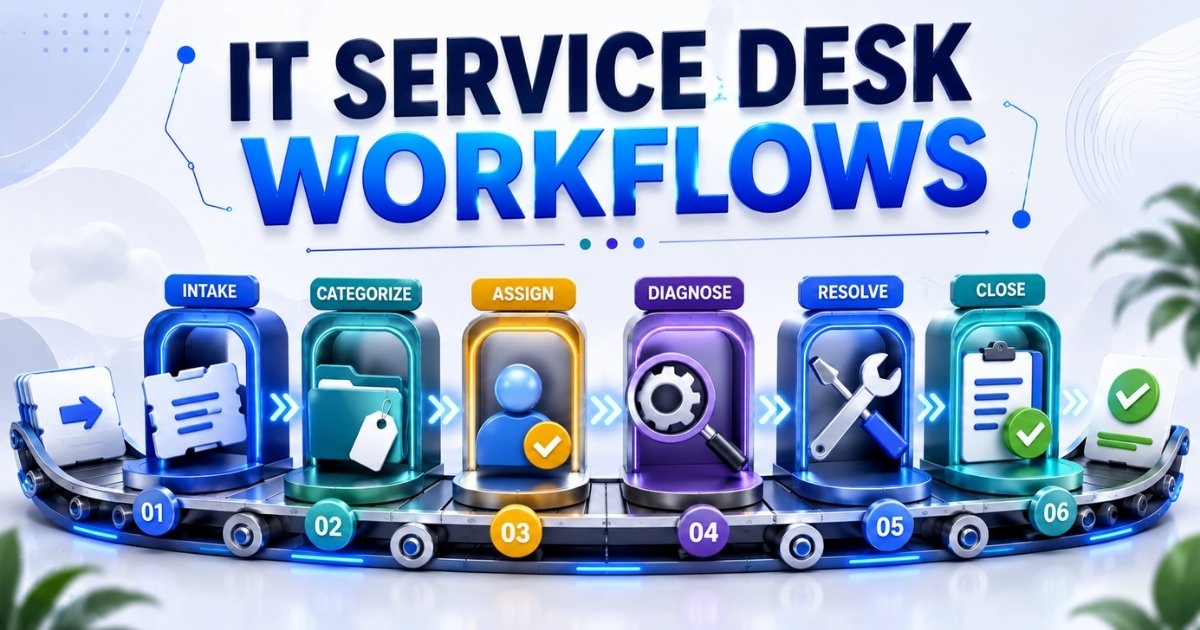
In 2026, most midsize to large organizations run an IT service desk that handles hundreds or thousands of tickets every week. Despite having capable support teams in place, many of these desks struggle with resolution times stretching into hours or even days. The root cause is rarely a lack of talent. It is the absence of structured, repeatable processes.
When help desk workflows are informal or inconsistent, tickets get duplicated because users retry submissions, routed to the wrong team because categories are vague, and delayed because no one holds clear ownership. These breakdowns lead to SLA breaches, frustrated customers, and wasted effort. An IT service desk workflow is a documented, repeatable path that every ticket follows from creation through assessment, prioritization, assignment, escalation, resolution, and closure. It connects daily desk workflow tasks to core IT service management domains such as incident management, service requests, and change management.
This article will take a deep dive into how better service desk workflows reduce resolution time and which best practices matter most.
What Is An IT Service Desk Workflow
An IT service desk workflow is a structured process for handling user requests and incidents. It defines the sequence of steps, the roles responsible at each stage, the tools involved, and the rules that govern how a ticket moves from its opening to its final closure. Users can report issues through self-service portals, email, or phone, and every submission generates tickets that contain user details, issue descriptions, and timestamps. The workflow acts as a single point of contact between users and the IT department, ensuring nothing falls through the cracks.
These workflows differ depending on the type of work. Incident workflows focus on restoring service after unplanned disruptions. Service request workflows handle user-initiated needs like access provisioning or software installation. Change management workflows govern alterations to infrastructure and applications. Each type carries distinct phases, stakeholders, and approval gates, but all share a common goal: moving tickets from open to resolved as quickly and accurately as possible.
How IT Service Desk Workflows Reduce Resolution Time
Structured workflows lead directly to measurable improvements in key metrics like Mean Time To Acknowledge and Mean Time To Resolve, and tracking these indicators over time is one of the most effective ways to cut average resolution time fast. Help desk workflows streamline ticket routing and resolution processes by cutting or eliminating delays during every step, from initial triage to final closure. Let us dive deeper into the specific mechanisms that make this happen.
Standardized Ticket Intake And Categorization
Having a single front door for all channels prevents tickets from being lost or duplicated. When email, portal, phone, and chat inputs all feed into one ticketing system, the service desk team can merge duplicates and apply consistent categorization from the start. Organizations that unify intake this way have reported backlog decreases of 15 to 30 percent.
Tickets are categorized based on the type of issue and prioritized by impact and urgency through predefined fields. This allows agents to triage in seconds rather than minutes. Research shows that organizations using preset categorization reduce triage time per ticket by up to 40 percent. Forms with required fields for common request types, such as account unlocks, VPN failures, and hardware issues, eliminate clarification loops that waste time.
Consider a practical example: when a "VPN access failure" request arrives through a form requiring the username, region, operating system, and error code, the service desk can begin troubleshooting immediately. There is no back-and-forth exchange for missing relevant information. Help desk workflows improve communication and reduce ticket resolution times precisely because they capture the right data at the right moment.
Automated Prioritization And Routing
Routing rules assign tickets to the right person or specialized queue based on category, location, device type, or customer tier. Automated workflows can reduce response times significantly by ensuring that, for example, a critical network outage goes directly to the infrastructure team instead of sitting in a general first-line queue. Prioritization in workflows helps address high-impact issues promptly, so the most urgent problems never wait behind low-priority requests.
Automatic priority calculation using impact and urgency matrices ensures that ticket routing reflects genuine business risk. This reduces the time tickets spend waiting in generic queues and dramatically decreases reassignments. In one documented case, implementing auto-triage and automated workflows slashed Mean Time To Resolve from 4 hours down to 45 minutes, an 81 percent improvement. That kind of result comes from removing manual decision-making at the routing stage and letting well-configured rules do the work.
Clear Escalation Paths And Ownership
Even with strong intake and routing, some tickets require deeper expertise. Complex issues may be escalated to Tier 2 or Tier 3 support for resolution, and documented escalation rules, both time-based and event-based, prevent these tickets from stalling at first-line support. For instance, a major incident not acknowledged within 15 minutes or resolved within 2 hours can trigger automatic escalation to senior engineers or management.
Single ownership is equally important. One technician or team stays responsible for a ticket's progress, even after escalation, avoiding the loss of context that happens during unstructured handoffs. A European manufacturer that implemented clear escalation thresholds and accountability saw their Mean Time To Resolve drop from 4.2 hours to approximately 1.7 hours, a 60 percent reduction. Consistent messaging builds trust between IT and end-users, so clear communication about escalation status also reduces inbound status inquiries that add unnecessary load.
Knowledge Base Integration At Every Step
First-line support reviews tickets to resolve immediate issues using knowledge bases, and embedding those articles directly into the ticketing interface makes a substantial difference. Without this integration, agents waste significant time switching between systems to find answers. Reports indicate that agents can lose up to 40 percent of their working time searching for information when knowledge tools are disconnected from the workflow.
A centralized knowledge base stores and organizes information effectively, giving agents instant access to troubleshooting guides, resolution steps, and workarounds. Building a self-service knowledge base helps reduce ticket volume and improve resolution times because end users can solve common problems, like password resets or MFA enrollment failures, without opening a ticket at all. Knowledge management encourages self-service adoption among users, which in turn frees agents to focus on more complex issues.
Effective knowledge management supports faster ticket resolution by reducing the decision-making time per ticket. Knowledge management improves efficiency and decision-making in IT service desks overall. Linking resolved tickets back to knowledge articles also enriches the repository continuously, so the knowledge base grows smarter with every interaction. Integration of knowledge with service desk workflows has been shown to improve First Contact Resolution rates by up to 23 percent.
Targeted Automation For Repetitive Tasks
Common candidates to automate routine tasks include password resets, account provisioning, software installation, and status notifications. These repetitive tasks consume disproportionate agent time relative to their complexity, making them ideal for support automation. Automated workflows enhance team collaboration and efficiency by freeing human effort for work that genuinely requires judgment.
Modern itsm tools allow low-code or no-code automation, so the service desk team can build flows without relying heavily on developers. Automation reduces response times for service requests and minimizes human error in service desk processes; applying workflow automation in customer support also standardizes how tickets are created, routed, and resolved across channels. When a company automates password resets, handling time can drop from 10 minutes per ticket to under 1 minute, a change that compounds across hundreds of daily requests.
Automated workflows improve customer satisfaction by speeding up resolutions and allow for scalable service desk operations as ticket volumes grow. Automation frees up staff to focus on complex issues and more complex problems that genuinely need human expertise. However, it is important not to over-automate rare or unique incidents where human judgment remains essential. Misclassifying a critical issue through an automated rule can cause more harm than good.
Continuous Improvement Using Service Desk Metrics
No workflow is perfect on day one. Regular monitoring of key performance indicators (KPIs) identifies service bottlenecks that would otherwise go unnoticed. The metrics that matter most include First Contact Resolution rate, Mean Time To Resolve, backlog age, reopen rate, and SLA breach percentage. Defining clear ticket SLA management practices improves response and resolution times by giving the team concrete targets to measure against.
Monthly or quarterly reviews of these metrics reveal patterns, such as certain ticket categories consistently breaching targets or specific approval steps creating delays. Regularly reviewing workflows improves their efficiency and relevance over time. Capturing user feedback and technician input helps refine categories, forms, and routing rules based on real experience rather than assumptions.
Here is a practical example: one organization noticed that change request tickets were consistently delayed by manual approvals. Data showed that 60 percent of the delay came from a single overloaded approver. Reassigning approval responsibility and introducing threshold-based rules cut that delay by half. This kind of improvement cycle, grounded in data, is what makes continuous improvement a genuine driver of faster resolution times.
IT Service Desk Processes
Several key processes within IT service management directly influence how fast tickets move from open to resolved. Each carries its own workflow, and when these workflows are well-designed, they accelerate issue handling across the entire IT environment.
- Incident Management restores normal service operations quickly after unplanned disruptions. Incidents are unplanned interruptions to IT services, and the incident management process includes major and normal incident subprocesses. Effective incident management reduces downtime and benefits from a well-defined ticket escalation process that ensures complex issues reach the right experts promptly.
- Service Request Fulfillment covers user-initiated requests for access, resources, or software. The request fulfillment process relies on clear categories, predefined bundles, and automated approvals.
- Change Management ensures all changes are recorded and evaluated before implementation. There are three main types of change: standard, normal, and emergency. Change management minimizes impact on service quality, and effective change management improves day-to-day operations.
- Problem Management proactively identifies underlying issues to prevent incidents. Effective problem management reduces ticket volume and increases uptime through structured root cause analysis.
- Event Management monitors systems, filters noise, and triggers incidents automatically when thresholds are breached, often by using automated email-to-ticket workflows to convert alerts into structured tickets without manual effort.
- Knowledge Management spans all other processes, ensuring agents and users always have accurate, usable information available exactly when they need it.
Design Principles For High Velocity IT Service Desk Workflows
Applying the right processes is only half the equation. The way you design those workflows determines whether they actually deliver speed. The following design principles represent best practices for keeping help desk workflow execution fast, maintainable, and aligned with what the business needs. These principles help different organizations tailor workflows to their size, industry, and regulatory context.
Keep Workflow Steps Simple And Visible
Every unnecessary step adds delay. For common tickets, limit the number of approval layers and processing stages so that straightforward requests move quickly. Effective workflows ensure consistent service delivery across all tickets when the steps are clear and predictable.
Visual workflow diagrams, like swimlane charts showing who does what at each phase, help both technicians and stakeholders understand the process at a glance. Group actions into clear phases: intake, investigation, resolution, and closure. Simplicity also makes ticket automation software easier to design, test, and maintain. Periodically review your flows and remove legacy steps that no longer align with current business operations or tools.
Align Workflows With Business Priorities And SLAs
Not all tickets carry equal business impact. Mapping tickets to business services ensures that high-value systems, like finance or customer-facing applications, receive faster response and resolution targets. Defining clear Service Level Agreements improves response times and resolution times by embedding urgency into the workflow itself.
Priority matrices and SLA rules should be built into the workflow design from the start, ideally supported by a robust SLA management system that standardizes targets and tracking. For example, a finance system outage might carry a 1-hour resolution target, while a print queue issue in a low-traffic office allows a longer window. This alignment prevents conflicts between what IT measures and what the company actually cares about, producing better outcomes for everyone.
Integrate Tools Across The IT And Business Landscape
Strong service desks foster collaboration across multiple departments by integrating the it service desk with identity management, monitoring, HR, and asset management systems. These integrations reduce manual data entry, speed diagnostics, and enable automated workflow software to trigger resolution steps directly from events and changes in connected systems.
Consider an onboarding workflow that pulls new employees' data from the HR system and automatically provisions accounts in directory services, assigns hardware from inventory, and grants department-based access. Maintaining accurate configuration items and asset data ensures that when a ticket arrives, the agent already knows which hardware, software version, and network segment are involved. This dramatically speeds troubleshooting.
Strengthen Communication With End Users
Proactive notifications about ticket updates reduce status inquiries and frustration. Automating status updates keeps users informed about their ticket progress without requiring agents to send manual emails. Standardizing communication templates for acknowledgments, progress updates, and resolution messages ensures clarity and consistency.
Providing portal dashboards or chat tools where users can see real-time ticket status increases transparency. Clear communication reduces reopens and follow-up contacts, indirectly improving overall resolution times. After closure, capturing satisfaction scores helps validate that workflow changes are actually delivering the service quality users expect.
Build Robust Knowledge And Training Around Workflows
Even the best-designed workflows fail if agents do not understand them. Continuous training ensures staff remain updated on technology and troubleshooting methods, keeping their skills aligned with the workflows they use daily. Include workflow guides and quick-reference material in the internal knowledge base so agents can self-serve when they encounter unfamiliar scenarios.
Onboarding programs for new agents should focus specifically on the right processes for high-volume ticket types and escalation rules. Regular refresher sessions after workflow changes, especially for major incident or change management processes, prevent skill decay and keep response times consistent.
Use Governance To Control Changes To Workflows
Workflows need to evolve, but uncontrolled changes can introduce new bottlenecks. Implement a lightweight governance process so that modifications are reviewed, tested, and documented before going live. Assign clear ownership for each major workflow. An incident process owner or a service desk manager responsible for change workflows ensures accountability.
Version control and change logs make it easier to trace performance issues back to specific workflow modifications. Periodic audits verify that workflows still match policy, compliance, and security requirements. Controlled evolution keeps streamlined processes efficient over time without the risk of workflow sprawl.
Examples Of IT Service Desk Workflows That Accelerate Resolution
Theory matters, but seeing workflows in action makes the concepts concrete. The following scenarios show how well-designed service desk workflows deliver speed, clarity, and consistency in real support environments.
Password Reset And Account Unlock Workflow
A self-service portal with MFA authentication allows users to reset their own passwords without analyst involvement, supported by a structured knowledge base and canned responses that guide users through common scenarios. When self-service fails due to a lockout or MFA issue, the fallback path routes the ticket to the service desk with prepopulated diagnostic data including device type, operating system, and error code.
Password resets are among the highest-volume ticket types at most organizations. Automating this workflow reduces handling time from roughly 10 minutes per ticket to under 1 minute. That reduction compounds across dozens or hundreds of daily requests, freeing the service desk team to address more complex issues instead of spending hours on routine tasks.
New Employee Onboarding Workflow
This cross-functional workflow starts with an HR request for a new hire and covers account creation, hardware allocation, and software access through standardized role bundles. A sales hire gets CRM access; an engineering hire gets development tools. Automated checks and approval gates enforce security policies and segregation of duties, while centralized tools for managing support tickets efficiently keep ownership and status clear across teams.
Well-designed onboarding workflows reduce the flood of support tickets that typically accompanies a new employee's first week. When new employees can log in, access their applications, and use their hardware from day one, the company avoids productivity losses and the support teams avoid preventable workload spikes.
Hardware Failure And Replacement Workflow
When a user reports a faulty laptop or peripheral through the portal, the workflow guides triage through remote diagnostics and clear criteria for approving a replacement versus a repair. Integration with inventory systems allows the desk to reserve and ship a replacement device immediately, supported by structured ticket creation and management that maintains accurate records.
Return logistics for the old hardware and automatic asset record updates prevent data inconsistencies that cause problems during future support interactions or financial audits. This workflow delivers minimal disruption to the affected user while keeping asset data accurate.
Major Incident Handling Workflow
High-impact outages like email or core application failures demand a specialized workflow. Automated triggers notify stakeholders, form a virtual response team with an incident manager, communications lead, and technical leads, and initiate regular status updates.
Time-based escalation triggers management involvement if resolution is not progressing. After the incident, root cause analysis feeds into problem management and corrective actions. This structure dramatically cuts recovery time for events that affect the entire organization.
Standard Change Implementation Workflow
Low-risk, repeatable changes such as scheduled patching or routine configuration updates follow a pre-authorized workflow with simplified approvals and templated tasks. Coordination with incident management ensures related issues are linked and resolved quickly.
Scheduling and communication steps minimize disruption to end users and business processes. By governing routine changes through a structured workflow, organizations reduce unplanned outages and the incidents they generate.
Problem Management And Root Cause Analysis Workflow
When recurring incidents cross a defined frequency threshold, a problem record is created. Problem management provides a structured way to find root causes through data collection, impact analysis, and investigation. The it team implements solutions and tests them to ensure problems are resolved before closing the problem record.
Proactive problem management links permanent fixes to change records and tracks whether incident rates actually fall after implementation. Tickets are closed officially once users confirm their issues are fixed, and monitoring confirms stability. This workflow reduces future ticket volume and eases pressure on resolution times across the entire help desk.
How To Improve IT Service Desk Workflow Performance
Having well-designed workflows is a strong start, but turning raw ticket data into actionable insights is what keeps improvement going. Workflow management is not a one-time project. It is an ongoing discipline that uses metrics, feedback, and experimentation to refine how the service desk operates.
Tracking Resolution Time And SLA Performance
Define both average and median resolution times, segmented by ticket type, priority, and service category. Analyze SLA compliance trends to identify which categories most frequently breach response or resolution targets.
Dashboards that surface these metrics for managers and team leads enable early detection of emerging problems. Comparing performance before and after workflow changes validates whether improvements are real. For example, after automating ticket routing, measure whether Mean Time To Resolve drops and SLA breach percentages decrease.
Monitoring First Contact Resolution And Reopen Rates
First Contact Resolution is a primary indicator of how well workflows and knowledge resources are working together. High reopen rates signal premature closure, insufficient diagnostics, or unclear communication with the end user.
Segment these metrics by channel, whether phone, chat, or portal, to see where flows work best and where they need attention. Targeted coaching or improved knowledge articles for commonly reopened issues can raise First Contact Resolution, leading directly to shorter queues and faster overall resolution times.
Collecting Feedback From End Users And Agents
Short satisfaction surveys after ticket closure capture user feedback on speed and service quality. Periodic workshops or retrospectives with agents surface friction points in daily workflows, such as overly complex approval chains or missing form fields.
Anecdotal feedback often highlights issues that pure metrics cannot reveal. Closing the loop by communicating which workflow improvements were made based on feedback builds trust and increases adoption of revised processes.
Running Experiments On Workflow Changes
Before rolling changes across the entire organization, pilot them with one team or ticket category. Set a clear hypothesis, such as "removing one approval layer for low-risk changes will reduce average handling time by 20 percent," and compare metrics between the pilot and control groups over a fixed period, using SLA tracking software to monitor the impact on response and resolution commitments.
Document each experiment's hypothesis, design, and results. Keep experiments small and time-boxed to reduce risk. This approach keeps continuous improvement data-driven rather than based on opinion, leading to better outcomes with less disruption.
Holding Regular Service Review And Improvement Sessions
Monthly or quarterly review meetings should include IT service desk leaders, process owners, and key business stakeholders. These sessions review metrics, feedback, and major incidents to agree on workflow changes, often guided by dashboards from SLA management tools that highlight trends and breaches.
Maintain a visible improvement backlog to track and prioritize workflow enhancements. Assign owners and target dates to each improvement item. Structured reviews keep continuous improvement aligned with business strategy and ensure that service desk processes evolve as the organization's IT services and requirements change.
Why EasyDesk Is Built For High Velocity IT Service Desk Workflows
EasyDesk is purpose-built to help organizations put these workflow practices into action without complex development effort. As cloud-based helpdesk ticketing software, its intuitive workflow builder lets IT teams design, test, and deploy workflows for incident, request, and change management out of the box, while allowing customization to match unique business processes.
With flexible automated workflow software rules, EasyDesk helps automate routine tasks like ticket routing, approvals, and status notifications so the service desk team spends less time on repetitive tasks and more time solving complex problems. Integrated knowledge base and canned responses give agents and end users immediate access to relevant articles within the ticket interface, supporting higher First Contact Resolution rates.
Real-time dashboards and SLA management with EasyDesk provide the visibility that a service desk manager needs to spot bottlenecks early and measure the impact of workflow changes. Its broader smarter, secure customer support features are delivered through ticketing software built for better customer support as part of a comprehensive EasyDesk customer support platform, including centralized ticket creation and management, streamlined email-to-ticket automation, and automated workflow software that drives communication templates and self-service options to keep end users informed and reduce unnecessary follow-up contacts.
Frequently Asked Questions
How Can A Small IT Service Desk Start Improving Workflows Without A Big Project?
Begin with one high-volume ticket type, such as password resets or access requests. Document the current steps, identify obvious delays or unnecessary handoffs, and implement simple changes like better intake forms and basic routing rules, supported where possible by lightweight ticket automation tools. Use built-in reporting to measure the impact on resolution times and iterate in short cycles. Even two or three targeted improvements can significantly reduce backlog and stress for a small team without requiring a large-scale initiative.
What Is The Best Way To Involve Non IT Departments In Service Desk Workflows?
Many workflows naturally span HR, finance, and other business units, especially for processes like onboarding or access approvals. Map these shared processes together with the involved teams, clarify responsibilities and expected response times, and use the service desk tool as the central coordination point. Platforms built for efficient support ticket management offer simple interfaces and brief training paths that help occasional users outside IT participate comfortably, and clear benefits like faster onboarding that maintain cross-departmental engagement.
How Often Should IT Service Desk Workflows Be Reviewed And Updated?
Formally review major workflows at least once per year and after any significant organizational or technology change. Lighter quarterly check-ins using metrics help identify candidates for improvement between major reviews, especially when paired with SLA tracking software that surfaces long-term trends. High-impact workflows like major incident handling or security-related flows may need more frequent verification. Establish a simple policy that defines review cycles and ownership for each workflow, so updates happen proactively rather than reactively.
How Do IT Service Desk Workflows Relate To ITIL And Other Frameworks?
ITIL and similar frameworks provide high-level guidance for ITIL processes, while workflows turn that guidance into concrete, actionable steps within your IT environment. Incident, request, change, and problem workflows can be designed to align with ITIL practices without requiring strict certification. Use the framework as a reference and adapt it to the organization's size, culture, and regulatory context. Alignment with recognized practices supports audits, stakeholder confidence, and consistent service management across the organization.
What Are Signs That Existing IT Service Desk Workflows Are Not Working?
Common symptoms include rising backlogs, frequent SLA breaches, high reopen rates, and persistent complaints about slow response times. Qualitative signals matter too: technician frustration, inconsistent handling of similar issues, and widespread ad hoc workarounds all point to workflow gaps. Perform a short diagnostic by following a sample of tickets end to end to see where delays concentrate. Comparing performance across teams or locations can also reveal where workflows differ unnecessarily and where the primary point of failure sits.



