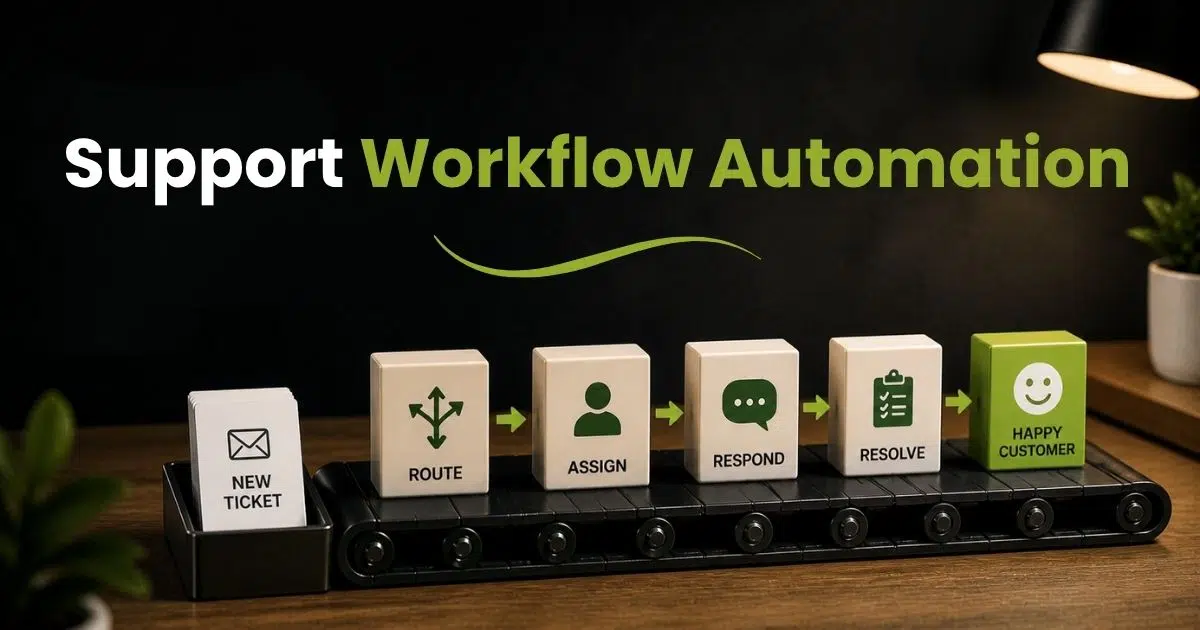
Support teams deal with constant pressure. Tickets keep coming. Expectations keep rising. Manual processes slow everything down. Delays, missed SLAs, and inconsistent responses become common problems. Over time, support starts to feel reactive instead of structured.
Support workflow automation changes completely. It removes repetitive tasks and brings clarity to every step. Tickets get routed faster. Responses become consistent. Teams focus on solving real issues instead of managing chaos.
A well-designed workflow does more than save time. It builds a system that runs smoothly at scale. This guide breaks down how it works, where it helps, and how to build it the right way.
What Is Support Workflow Automation
Support workflow automation is a system that organizes how customer support runs. It uses workflow automation software to automate repetitive tasks like ticket routing, data entry, and follow-ups. Customer service workflow automation helps support teams handle customer issues faster with less manual effort. Automated workflows reduce human error and improve workplace productivity. A structured workflow ensures every customer request follows a clear path without confusion.
Customer service automation also improves customer experience and customer satisfaction. Support reps can focus on complex tasks instead of tedious tasks. Automation tools send automated notifications, canned responses, and auto replies at the right time. Customer support teams gain better control with real-time data and customizable workflows. This automation process helps increase efficiency, supports customer retention, and drives long-term business growth.
Why Manual Support Workflows Break At Scale
Small teams can manage support with manual workflows. Growth changes everything. Ticket volume rises fast. Multiple systems create confusion. Delays, errors, and missed SLAs become common. Without support workflow automation, teams lose control and struggle to keep service consistent.
Manual Work Slows Down Response Time
Manual tasks take time. Support reps check emails, assign tickets, and send updates one by one. That slows the entire customer service workflow. Customers expect fast replies, but manual effort creates delays.
Reports show 90% of customers expect quick responses, yet many teams fail due to time-consuming tasks. Workflow automation removes repetitive tasks and speeds up responses. Automated workflows route tickets instantly and reduce wait time, and focusing on reducing customer support response time with automation makes these gains measurable and repeatable. That improves customer experience and keeps support workflows on track.
Human Error Increases With Volume
Manual processes depend on people. Errors happen when ticket volume grows. A support team may assign the wrong ticket or miss a follow-up. Small mistakes lead to bigger issues.
Studies show human error causes a large share of support delays and rework. Customer service automation reduces these risks. Automated workflow software ensures tasks follow a structured workflow. That means fewer mistakes, better accuracy, and stronger customer satisfaction.
Lack Of Visibility Across Teams
Support teams often work across multiple systems. Data stays scattered. A customer service representative may not see the full history of customer issues. That leads to repeated questions and poor service.
A connected automation platform solves this. Real-time data gives a clear view of every ticket. Cross-functional collaboration improves because all teams access the same information. That helps support staff make informed decisions and deliver better customer support.
Repetitive Tasks Drain Productivity
Support reps spend hours on repetitive tasks like data entry, canned responses, and follow-ups. These tasks add no real value. They reduce time for complex tasks that need human thinking.
Research shows automation can handle up to 80% of routine support work. Task automation saves time and improves workplace productivity. Support employees focus on solving complicated issues instead of doing tedious tasks. That leads to better efficiency and higher customer satisfaction.
Scaling Becomes Hard Without Automation
Growth increases customer demand. More tickets, more channels, and more customers create pressure. Manual workflows cannot handle complex workflows across multiple teams.
Workflow automation software helps create workflows that scale with business needs. Automated notifications, auto replies, and smart routing keep everything organized. This improves efficiency and supports revenue growth. A strong automation process allows support teams to grow without losing control or service quality.
Essential Elements Of Support Workflow Automation
Strong support workflow automation depends on a few core elements. Each part shapes how tickets move and how teams respond. A clear setup reduces manual effort and avoids confusion. Without these elements, automated workflows break or create delays. A well-defined system improves efficiency, customer experience, and long-term performance across customer support teams.
Clear Workflow Structure
A structured workflow defines how every request moves from start to resolution. It sets rules for routing, prioritization, and escalation. Without structure, support workflows become messy and hard to manage.
Research shows teams with defined workflows improve resolution time by over 30%. Workflow automation software helps create workflows that follow a clear path. That reduces manual intervention and improves consistency. A strong structure also supports better customer satisfaction and fewer delays in customer service workflows.
Smart Task Automation
Task automation handles repetitive tasks like ticket assignment, status updates, and data entry. These tasks consume time and slow down support reps when done manually.
Studies show automation can reduce manual tasks by up to 80%. Automation tools automate these steps and reduce human error. Customer service automation allows support staff to focus on complex tasks. That improves workplace productivity and helps customer support teams resolve issues faster and with more accuracy.
Real-Time Data And Visibility
Real-time data gives full visibility into support workflows. Support teams can track ticket status, response time, and customer behavior without switching between multiple systems.
Reports show companies using real-time insights improve decision-making by 25%. An automation platform connects data across various platforms and provides a better understanding of customer issues. That helps support employees make informed decisions and improve customer experience with faster and more accurate responses.
Automated Communication System
Automated workflows use automated notifications, canned responses, and auto replies to keep customers informed. Fast communication improves trust and reduces frustration.
Research shows 75% of customers expect consistent updates during support interactions. Automated workflow software can send auto-replies and follow-ups at crucial times. That keeps customers engaged while reducing manual effort. Customer service representatives can focus on complicated issues instead of handling routine communication tasks.
Flexible And Customizable Workflows
Every business has different needs. Customizable workflows allow teams to adjust rules, triggers, and actions based on customer service workflow requirements.
Flexible automation tools support complex workflows across multiple teams. They adapt to business needs and support continuous improvement. A user-friendly interface makes it easier to create workflows without technical issues. This flexibility helps support teams scale operations, improve efficiency, and maintain better control over the automation process.
Types Of Support Workflows You Can Automate
Support workflow automation works best when you focus on the right workflows. Not every task needs automation, but many routine processes do. The goal is simple. Reduce manual effort and improve speed. Automated workflows help customer support teams stay consistent, even at scale. The right mix of workflows improves efficiency, customer satisfaction, and overall customer experience.
Ticket Routing And Assignment
Ticket routing is one of the most common support workflows to automate. Manual assignment slows response time and creates confusion. A support team often wastes time deciding who should handle each ticket, which is where automated ticket assignment becomes essential.
Workflow automation software solves this with rules and triggers. Tickets get assigned based on priority, category, or customer behavior. Studies show automated routing can reduce response time by up to 40%. That improves customer service workflow automation and ensures every customer issue reaches the right support rep without delay.
Automated Responses And Replies
Customers expect fast replies. Manual replies create delays, especially during high ticket volume. Support reps cannot respond instantly to every request.
Customer service automation uses automated responses and canned responses to handle this. Automated workflow software can send auto-replies and follow-ups at crucial times. Reports show 80% of customers value quick first responses. Automated communication improves customer experience and keeps customers informed while support staff focus on complex tasks.
SLA Tracking And Escalation
SLA tracking becomes difficult with manual workflows. Deadlines get missed when teams rely on memory or spreadsheets. That leads to poor customer satisfaction and lost trust.
Automation tools track SLA deadlines in real time. Automated notifications alert support teams before deadlines pass. Escalation rules move urgent tickets to senior support employees. Research shows that using a dedicated SLA management system improves resolution compliance by over 30%. That helps support teams stay accountable and maintain service quality.
Customer Onboarding And Follow-Ups
Customer onboarding often includes multiple steps. Emails, setup guidance, and follow-ups take time when done manually. A lack of structure leads to inconsistent experiences.
Customer service workflow automation simplifies onboarding. Automated workflows send welcome messages, guides, and follow-ups based on user actions. Machine learning can also adjust workflows based on customer behavior. This creates a smooth onboarding process and improves customer retention. A better onboarding experience directly impacts long-term customer satisfaction.
Knowledge Base And Self-Service Support
Many customer issues are repetitive. Customers often ask the same questions. Manual replies waste time and reduce efficiency.
Automation platforms connect support workflows with a knowledge base software solution. Customers can find answers without contacting support. Studies show over 60% of customers prefer self-service options. Automated workflow software can suggest articles based on queries. That reduces ticket volume and improves workplace productivity. Support teams can focus on complicated issues instead of repetitive tasks.
Key Benefits Of Support Workflow Automation
Support workflow automation delivers clear, measurable value. It removes manual effort and brings structure to customer support. Teams move faster and make fewer mistakes. Automated workflows keep every task on track. The result is better service, lower costs, and stronger performance across customer support teams.
Faster Response And Resolution Time
Manual workflows slow down response time. Support reps need to check queues, assign tickets, and send updates. That creates delays in customer service workflow automation.
Automation tools fix this. Workflow automation software routes tickets instantly and triggers automated responses. Reports show automation can cut first response time by up to 40%. Faster replies improve customer experience and reduce frustration. A quick resolution also builds trust and keeps customers satisfied, which is why many teams focus on cutting average resolution time as a core optimization goal.
Higher Team Productivity
Repetitive tasks reduce productivity. Support employees spend hours on data entry, follow-ups, and manual updates. That limits time for complex tasks.
Task automation removes these time-consuming tasks. Automated workflow software handles routine work without manual intervention. Studies show automation can handle nearly 80% of repetitive support tasks. Support teams gain more time for creative thinking and problem-solving. This leads to higher workplace productivity and better overall performance.
Improved Accuracy And Fewer Errors
Manual tasks increase the risk of human error. A missed ticket or wrong assignment can affect customer satisfaction. Errors also create rework and delays.
Customer service automation ensures consistency. Automated workflows follow predefined rules and reduce mistakes. Research shows automation improves process accuracy by over 90%. Support reps can rely on a structured workflow that reduces confusion. This leads to better service quality and more reliable customer support.
Better Customer Experience And Retention
Customers expect fast and consistent service. Delays and poor communication hurt customer experience. That affects customer retention and long-term growth.
Automation platforms improve communication with automated notifications and follow-ups. Customer service workflow automation ensures every customer gets timely updates. Reports show 73% of customers say experience impacts buying decisions. Better service builds loyalty and supports revenue growth. Implementing a capable ticketing software built for better customer support helps create a smooth support process that keeps customers engaged and satisfied.
Scalable Support Operations
Growth increases ticket volume and complexity. Manual workflows struggle to handle demand across multiple teams and systems. That creates bottlenecks.
Workflow automation software supports scalable operations. Automated workflows manage complex workflows without extra manual effort. Support teams can handle more customer issues without adding more staff. Research shows businesses that automate support processes see up to 30% cost reduction. This helps maintain efficiency while supporting business growth.
Real Use Cases Of Support Workflow Automation Across Teams
Support workflow automation works across different teams, not just customer support. Each team uses automated workflows to reduce manual tasks and improve coordination. A strong setup connects multiple systems and keeps everyone aligned, following workflow automation best practices in customer support. This improves efficiency, speeds up resolution, and creates a better customer experience across the entire business.
Customer Support Team Operations
Customer support teams handle high ticket volume every day. Manual workflows slow response time and create confusion. Support reps often struggle with repetitive tasks and missed follow-ups.
Customer service workflow automation solves this with automated workflows. Helpdesk ticketing software like EasyDesk ensures tickets get routed, prioritized, and updated without manual effort. Reports show automation can reduce ticket handling time by up to 35%. Automated responses and notifications keep customers informed. This helps support teams resolve customer issues faster and improve customer satisfaction.
IT And Technical Support Workflows
Technical support teams deal with complex tasks and urgent technical issues. Manual processes delay escalation and increase downtime. Support staff may not have full visibility across systems.
Workflow automation software connects multiple systems and provides real-time data. Automated workflow software triggers alerts and escalations based on priority. Implementing robust ticket creation and management ensures these issues are captured and tracked correctly. Studies show automated IT workflows can reduce resolution time by over 30%. This improves efficiency and ensures faster handling of critical issues across support teams.
Sales And Customer Onboarding
Sales and onboarding teams rely on smooth processes to guide new customers. Manual onboarding creates delays and inconsistent experiences. Follow-ups often get missed.
Customer service automation helps create workflows for onboarding steps. Automated workflows send welcome emails, product guides, and follow-ups. Machine learning can adapt workflows based on customer behavior. Using a comprehensive customer support platform like EasyDesk makes it easier to coordinate these steps. Reports show strong onboarding improves customer retention by up to 50%. This creates a better first impression and improves long-term customer experience.
Billing And Account Management
Billing teams handle invoices, payments, and account issues. Manual workflows increase errors and slow down responses. Customers expect quick updates on billing concerns.
Automation tools handle data entry, reminders, and automated notifications. Automated ticket management software ensures timely updates and reduces human error. Studies show automation can cut billing errors by nearly 30%. This improves accuracy and builds trust with customers. A smooth billing process supports better customer satisfaction and revenue growth.
Cross-Team Collaboration And Escalation
Many customer issues require input from multiple teams. Manual coordination creates delays and confusion. Teams often miss context when data is scattered across various platforms.
An automation platform supports cross-functional collaboration. Automated workflows route tickets across teams with full context. Real-time data ensures everyone has a better understanding of the issue. Research shows businesses with connected workflows improve resolution speed by over 25%. This helps teams solve complicated issues faster and deliver a consistent customer experience.
Step-by-Step Framework To Build A Scalable Support Workflow
A scalable support workflow needs a clear plan. Random setup creates gaps and delays. A step-by-step approach keeps everything aligned with business needs. Support workflow automation works best when each stage connects properly. This framework helps customer support teams build automated workflows that grow with demand and improve efficiency.
Step 1: Define Workflow Goals And Scope
Start with clear goals. A support team must know what to automate and why. Focus on customer issues, response time, and service quality. Without direction, workflow automation creates confusion instead of value.
Research shows teams with defined goals improve efficiency by over 25%. Identify time-consuming tasks and repetitive tasks in your customer service workflow. This helps create workflows that match business needs. Clear scope also supports better control and avoids unnecessary complexity in support workflows.
Step 2: Map Current Support Workflows
A clear map shows how work happens today. Support reps often follow informal steps that are not documented. That leads to delays and manual intervention.
Document each step in the customer service workflow. Include ticket routing, escalation, and follow-ups. Studies show process mapping can reduce inefficiencies by up to 30%. This step gives a better understanding of gaps and helps prepare for workflow automation. A structured workflow becomes easier to automate and scale, especially when you introduce dedicated ticket automation software.
Step 3: Choose The Right Automation Tools
The right automation platform plays a key role. Not all tools support complex workflows or multiple systems. A poor choice limits growth and flexibility.
Select workflow automation software with a user-friendly interface and customizable workflows. Look for features like automated notifications, real-time data, and integration with other tools. Reports show businesses using the right automation tools improve productivity by over 20%. A strong platform helps support teams automate processes without technical issues.
Step 4: Build And Test Automated Workflows
Create automated workflows based on defined rules. Set triggers for ticket routing, auto replies, and escalation. A well-built automation process reduces manual tasks and human error.
Testing is critical. Run workflows with real scenarios to check accuracy and performance. Studies show testing reduces workflow errors by nearly 40%. This step ensures the system works smoothly before full rollout. It also helps refine complex workflows and improve efficiency.
Step 5: Monitor, Optimize, And Scale
A support workflow needs regular improvement. Business needs change, and workflows must adapt. Static systems become outdated quickly.
Use real-time data to track performance and customer behavior. Monitor response time, resolution rate, and customer satisfaction. Research shows continuous improvement can boost efficiency by over 30%. Update workflows based on insights and feedback. This approach helps support teams scale operations while maintaining strong customer experience and service quality.
Common Mistakes And How To Fix Broken Support Workflows
Many teams set up support workflow automation but still face delays and errors. The issue often comes from poor structure, wrong tools, or lack of clarity. Broken workflows slow down customer support and hurt customer experience. Fixing these mistakes helps support teams improve efficiency, reduce manual effort, and deliver consistent service at scale.
Lack Of Clear Workflow Structure
A weak structure creates confusion. Support reps do not know the next step. Tickets move randomly across the system. That leads to delays and missed SLAs.
Studies show unclear workflows increase resolution time by over 25%. A structured workflow fixes this. Define clear stages, rules, and ownership. Workflow automation software helps create workflows with proper routing and escalation. This reduces manual intervention and improves consistency across customer service workflows.
Overuse Of Manual Tasks
Manual tasks slow down the automation process. Support employees spend time on data entry, updates, and follow-ups. That reduces productivity and increases human error.
Research shows nearly 70% of support time goes into repetitive tasks. Task automation removes these bottlenecks. Automation tools handle routine actions like ticket assignment and automated notifications. This improves workplace productivity and allows support staff to focus on complex tasks that need human thinking.
Poor Tool Integration Across Systems
Disconnected systems create gaps. Customer data stays in multiple systems. Support teams lack full visibility into customer issues. That leads to repeated work and poor decisions.
Reports show 60% of teams struggle with tool integration. An automation platform solves this by connecting various platforms. Real-time data gives a better understanding of customer behavior. This helps support teams make informed decisions and improves customer service automation outcomes.
Ignoring Workflow Testing And Optimization
Many teams skip testing. They assume automated workflows will work perfectly from the start. That creates hidden errors and broken processes.
Studies show untested workflows fail more often under scale. Test every automation process before full rollout. Use real scenarios to check performance. Continuous improvement is key. Monitor results and adjust workflows based on data. Early investments in ticket automation for streamlined support make these iterations easier and more reliable. This helps improve efficiency and ensures long-term success.
No Focus On Customer Experience
Some workflows focus only on internal efficiency. They ignore customer experience. That leads to slow responses and poor communication.
Research shows 73% of customers value experience as much as product quality. Customer service workflow automation should include automated responses, follow-ups, and clear updates. Add a human touch for complicated issues. This balance improves customer satisfaction, supports customer retention, and drives better business outcomes.
Best Practices To Scale And Optimize Support Workflow Automation
Scaling support workflow automation needs more than setup. A strong system requires regular updates and clear rules. Growth brings more tickets and complex workflows. Without the right approach, automation breaks down. The right practices help support teams improve efficiency, reduce manual effort, and deliver a better customer experience at every stage.
Set Clear Rules And Workflow Logic
Clear rules keep support workflows consistent. Without logic, automated workflows create confusion. Support reps may receive wrong assignments or delayed updates.
Research shows defined workflow rules improve efficiency by over 25%. Use workflow automation software to set triggers, conditions, and actions. This creates a structured workflow that handles customer issues smoothly. Clear logic also reduces human error and keeps customer service workflow automation reliable across multiple teams.
Use Data To Improve Performance
Data drives better decisions. Support teams need real-time data to track performance and identify gaps. Without insights, workflows stay static and outdated.
Reports show data-driven teams improve productivity by up to 20%. An automation platform provides visibility into response time, resolution rate, and customer behavior. This helps support teams make informed decisions and improve efficiency. Continuous improvement based on data ensures workflows adapt to changing business needs.
Balance Automation With Human Touch
Automation handles repetitive tasks well, but not every issue fits automation. Complex tasks still need human thinking and empathy. A full automated system can feel cold and rigid.
Studies show 70% of customers prefer human support for complicated issues. Customer service automation should include automated responses and follow-ups, but also allow manual intervention when needed. This balance improves customer experience and builds trust while keeping processes efficient.
Integrate Tools Across Platforms
Disconnected tools create delays and errors. Support teams often work across multiple systems, which breaks the workflow automation process.
Research shows companies with integrated systems improve efficiency by over 30%. Connect workflow automation software with other tools like CRM, project management, and knowledge base systems, or adopt automated workflow software for smarter support that brings these pieces together. This creates a smooth flow of data across various platforms. Integration improves cross-functional collaboration and ensures better customer support outcomes.
Review And Update Workflows Regularly
Support workflows must evolve. Business needs, customer behavior, and ticket volume change over time. Static workflows reduce efficiency and create bottlenecks.
Studies show regular updates can improve process efficiency by over 30%. Review automated workflows often and adjust rules based on performance. Use feedback from support reps and customers. This keeps workflows aligned with business goals and supports long term scalability without losing control.
How To Measure The Success Of Support Workflow Automation
Success in support workflow automation depends on clear metrics. A system may look efficient, but still fail to meet customer expectations. Measurement shows what works and what needs change. The right data helps support teams improve efficiency, reduce manual effort, and deliver better customer support at scale.
Response Time And Resolution Speed
Response time is a key metric. It shows how fast support teams react to customer issues. Manual workflows often delay replies and slow resolution.
Reports show 90% of customers expect quick responses. Workflow automation reduces delays with automated workflows and task automation. Track first response time and average resolution time. Faster speed improves customer experience and keeps customer service workflow automation effective across multiple teams, especially when you manage support tickets efficiently using EasyDesk.
Customer Satisfaction And Feedback Scores
Customer satisfaction reflects how well support workflows perform. Poor workflows lead to delays and frustration. That directly affects customer retention.
Surveys show 73% of customers value experience as much as product quality. Use feedback tools to measure satisfaction after each interaction. Customer service automation can improve consistency with automated responses and follow-ups. Higher scores show your automation process supports a better customer experience.
Ticket Volume And Deflection Rate
Ticket volume shows demand on customer support teams. A high volume often signals gaps in workflows or knowledge base usage.
Automation tools help reduce tickets through self-service and automated responses. Studies show knowledge base systems can deflect up to 60% of tickets. Track how many issues get resolved without human support. A lower ticket load improves efficiency and frees support reps for complex tasks.
Error Rate And Workflow Accuracy
Errors in support workflows create delays and rework. Manual tasks increase the risk of human error, especially at scale.
Automation reduces mistakes by following predefined rules. Research shows automation can improve accuracy by over 90%. Track error rates in ticket assignment, responses, and escalation. A low error rate means your automated workflow software runs smoothly and supports reliable customer service automation.
Productivity And Cost Efficiency
Productivity measures how well support teams use time and resources. Manual effort reduces output and increases operational costs.
Reports show automation can reduce support costs by up to 30%. Measure tickets handled per support rep and time spent on repetitive tasks. A well-implemented help desk system and workflow automation software improves workplace productivity and reduces unnecessary effort. Better efficiency leads to cost savings and supports long term business growth.
How EasyDesk Improves Support Workflow Automation And Team Efficiency
EasyDesk simplifies support workflow automation by removing manual effort and adding structure. It uses workflow automation software to automate repetitive tasks like ticket routing, escalation, and follow-ups. Automated workflows ensure every customer issue follows a clear path. This reduces human error and improves efficiency across customer support teams. Real-time data and a user-friendly interface help support reps track progress without switching between multiple systems.
Customer service workflow automation in EasyDesk also improves customer experience. EasyDesk’s customer support features power automated responses, canned responses, and notifications that keep customers informed at every stage. Support teams can create workflows based on business needs with customizable workflows and automation tools. AI features and machine learning support smarter decisions and faster handling of complex tasks. This automation process saves time, improves customer satisfaction, and drives better customer retention.
FAQs
Can Support Workflow Automation Work Without Complex Tools?
Yes, simple automation tools can handle basic support workflows. Small teams can automate repetitive tasks like ticket routing and follow-ups. As needs grow, advanced workflow automation software helps manage complex workflows across multiple systems.
Does Automation Replace Customer Service Representatives?
No, automation supports customer service representatives, not replaces them. Automated workflows handle routine and time-consuming tasks. Support reps focus on complex tasks that need human touch and creative thinking. This improves customer experience and efficiency.
Can Small Businesses Use Support Workflow Automation?
Yes, small businesses can use customer service automation with affordable tools. Many automation platforms offer a user-friendly interface and customizable workflows. Even basic task automation helps reduce manual effort and improve customer support operations.
How Does Automation Improve Customer Retention?
Automation improves customer retention by delivering faster and consistent support. Automated responses, follow-ups, and real-time updates keep customers informed. Studies show that better customer experience increases loyalty and repeat business.
Is Support Workflow Automation Worth The Investment?
Yes, automation delivers strong ROI over time. Businesses using workflow automation save up to 30% time and reduce errors significantly. It also improves workplace productivity and supports revenue growth at scale.



