Support teams often assume that growing ticket volumes require more hires. In reality, many service bottlenecks come from inefficient processes rather than limited staff. A well-structured workflow management process helps teams eliminate delays, reduce manual work, and improve response times without increasing headcount.
Modern workflow management software and workflow management tools enable organizations to optimize task allocation, automate repetitive tasks, and maintain service quality at scale. By implementing automated workflows and stronger project management practices, businesses can improve productivity using existing resources.
The best workflow management systems provide visibility across operations and help teams identify inefficiencies before they affect customers. Choosing the right workflow management solution or workflow management systems allows support teams to handle more requests while maintaining efficiency and customer satisfaction.
What Is Support Workflow Management
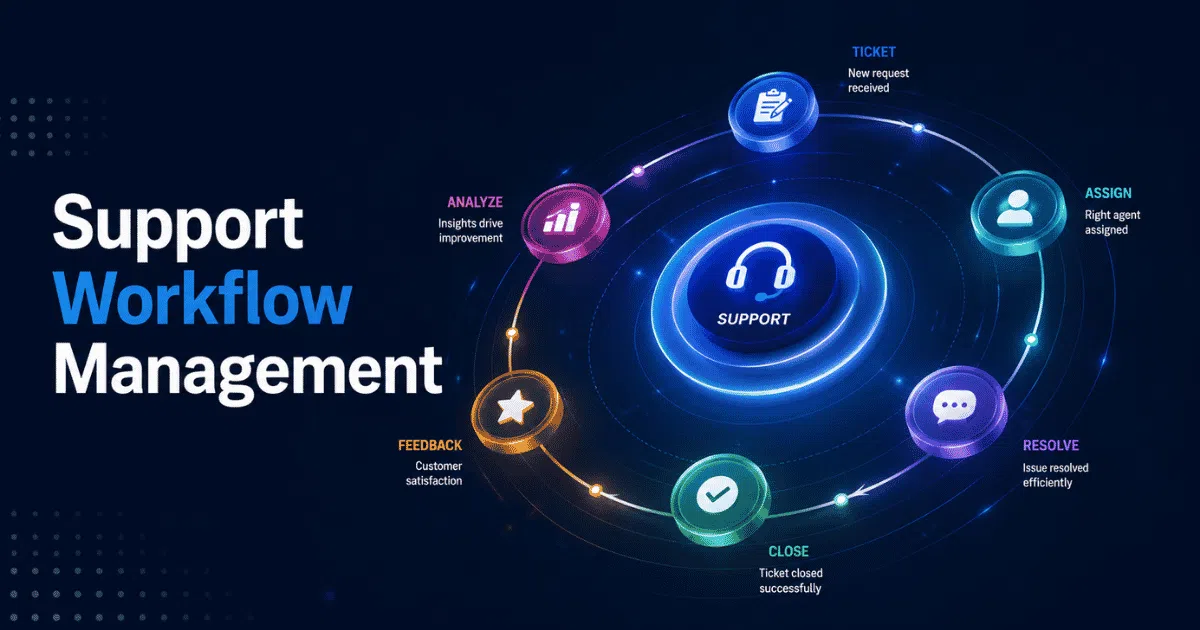
Support workflow management is the process of organizing, tracking, and optimizing customer support tasks from ticket creation to resolution. It ensures requests move efficiently through predefined workflow processes while maintaining consistency and service quality. Businesses often use workflow software or a management tool to automate assignments, prioritize issues, and improve collaboration among team members.
Modern platforms can handle multiple workflows across departments and communication channels. The best workflow management systems provide visibility into operations, reduce bottlenecks, and help support teams deliver faster, more consistent customer experiences.
When Support Teams Struggle To Scale Efficiently
Support teams rarely fail because of staffing shortages alone. More often, inefficient workflows, disconnected tools, and unclear processes create bottlenecks that limit growth and reduce service quality.
Ticket Volume Grows Faster Than Processes
As businesses grow, support requests increase across channels. Teams that rely on outdated methods often struggle to keep up with rising demand. Without a structured business process and a modern help desk to improve support, agents spend more time organizing work than resolving issues.
A comprehensive workflow management solution helps teams standardize operations and distribute work efficiently. Organizations that optimize workflow management can handle larger volumes without immediately increasing headcount.
Manual Work Creates Hidden Inefficiencies
Many support teams still depend on spreadsheets, email chains, and repetitive actions. Manual tasks such as assigning tickets, updating statuses, and routing requests consume valuable time that could be spent helping customers.
Modern workflow automation in customer support tools reduce repetitive work through automation. Businesses that create automated workflows often improve workflow efficiency while reducing errors and delays across operations.
Disconnected Systems Slow Collaboration
Support agents frequently switch between multiple platforms to access customer information. Such fragmentation creates delays, duplicate work, and communication gaps across departments.
A centralized platform allows teams to manage interactions, assign tasks, and access data in one place. The best workflow management tools improve collaboration and streamline processes across customer support operations.
Complex Workflows Become Difficult To Manage
Growing organizations often deal with complex workflows involving approvals, escalations, and cross-functional collaboration. Without clear ownership, tasks remain unresolved and service levels decline.
Business process management practices help organizations standardize responsibilities and improve accountability. Teams can track progress and monitor progress more effectively when workflows follow defined rules and escalation paths.
Lack Of Visibility Prevents Continuous Improvement
Many teams cannot improve what they do not measure. Without visibility into operations, managers struggle to identify bottlenecks, measure performance, or prioritize workflow improvements.
Workflow management best practices emphasize analytics, reporting, and performance tracking. Data-driven insights help businesses optimize resource allocation, improve service quality, and build scalable support operations over time.
How To Optimize Support Workflow Management
Support teams do not always need more people to scale. In many cases, better processes, automation, and visibility can improve performance. Effective workflow management helps teams reduce friction, increase efficiency, and deliver faster support.
Automate Ticket Routing To Reduce Manual Work
Manual assignment slows response times and increases errors. Support teams handling multiple tasks often struggle to route tickets to the right agent quickly. Automation tools solve this problem by assigning requests based on priority, expertise, or customer type, using automated ticket assignment rules to keep workloads balanced.
Modern workflow systems can automate business processes and reduce reliance on manual processes. Instead of sorting tickets manually, teams use workflow solutions that automatically distribute work. Such automation helps manage workflows more effectively while improving operational efficiency.
Prioritize Requests Based On Urgency And Impact
Not all tickets require the same level of attention. A billing outage affecting hundreds of users deserves faster action than a minor feature request. Effective workflows prioritize tasks based on business impact, SLA requirements, and customer value.
Support leaders should document workflows and create clear escalation rules. Such detailed workflows improve resource allocation and ensure agents focus on high-value business tasks first. This approach also helps optimize processes during periods of high ticket volume.
Eliminate Repetitive Tasks Through Workflow Automation
Repetitive work often consumes more time than teams realize. Status updates, notifications, and approvals create unnecessary overhead when handled manually. Organizations that automate tasks free agents to focus on complex tasks that require human expertise.
Process automation reduces repetitive actions across support operations. Teams can create custom workflows that trigger notifications, assign ownership, or update ticket statuses automatically using ticket automation software. By reducing administrative work, organizations improve workflow effectiveness and streamline operations.
Build Self-Service Options To Deflect Tickets
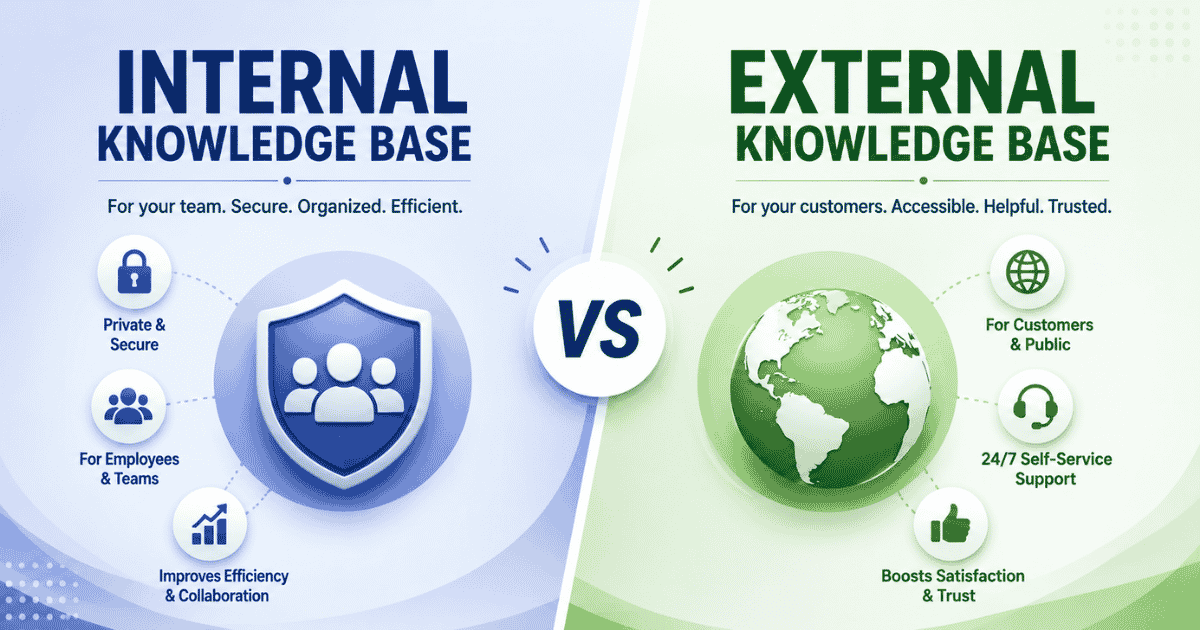
Customers increasingly prefer solving simple issues on their own. Knowledge bases, FAQs, and automated chatbots reduce ticket volume and improve customer satisfaction. Self-service channels also allow support teams to concentrate on complex projects and high-priority issues.
Strong self-service strategies complement existing workflows rather than replace agents. Businesses should use workflow data to identify common requests and build resources around them. This helps optimize processes while reducing repetitive inquiries.
Centralize Customer Conversations Across Channels
Many support teams rely on multiple apps for email, chat, social media, and ticket management. Switching between systems slows response times and creates fragmented customer experiences.
A centralized digital tool helps teams access conversations from one location. Unified platforms with multi-channel customer support simplify task management, reduce context switching, and improve collaboration. Organizations that centralize interactions often manage workflows more efficiently while maintaining service quality.
Use Analytics To Identify Process Inefficiencies
Support operations generate valuable workflow data every day. Analytics help managers identify bottlenecks, measure team performance, and improve service delivery. Without data visibility, inefficiencies often remain hidden.
Teams should analyze existing processes and monitor workflow effectiveness regularly. Analytics in automated ticket management software reveal where delays occur, which sequential workflows create friction, and how agents allocate time. Such insights help leaders optimize processes and improve productivity over time.
Standardize Support Processes And SLAs
Inconsistent processes create confusion and increase response times. Standardized procedures ensure every ticket follows clear rules regardless of channel or team member.
Organizations should map existing workflows and define service-level agreement management for different request types. Standardization creates effective workflow management across departments and improves accountability. As businesses grow, structured processes become essential for scaling support operations without increasing headcount.
How AI And Automation Are Changing Modern Support Operations
AI and automation are transforming customer support from reactive operations into intelligent systems. Instead of relying on manual workflows, businesses now use automation to handle repetitive tasks, improve response times, and increase efficiency. In support operations, workflow refers to the sequence of actions required to resolve customer requests. Modern tools help teams optimize every stage of that process while maintaining service quality.
- AI-powered systems automate tasks such as ticket categorization, routing, and response suggestions, reducing administrative work.
- Automation helps support teams prioritize tasks based on urgency, customer value, and SLA requirements.
- Intelligent workflow platforms support parallel workflows, allowing multiple teams to work on related issues simultaneously.
- Project managers gain real-time visibility into performance metrics and bottlenecks across support operations.
- Teams can design their own workflow using customizable rules and triggers that fit specific business needs.
- AI-driven insights help manage projects more effectively by predicting workloads and improving resource allocation.
- Organizations that replace manual workflows with automation often enhance productivity and deliver faster customer experiences.
As support environments become more complex, businesses increasingly rely on AI to create scalable and efficient operations without expanding headcount.
Relationship Between SLA Performance And Customer Retention
Service Level Agreements (SLAs) are more than operational metrics. They directly influence customer trust, satisfaction, and long-term retention. When support teams consistently meet response and resolution targets, customers feel confident that their issues will receive timely attention.
Poor SLA performance often leads to frustration, increased churn, and lower customer loyalty. Delayed responses during critical moments can damage relationships, especially in competitive markets where customers have multiple alternatives. Even a strong product may struggle to retain users if support expectations are not met.
High-performing support teams monitor SLA metrics such as first response time, resolution time, and breach rates to maintain service quality. Strong workflows, automation, and clear SLA management with EasyDesk help teams meet commitments consistently.
Customer retention is built on reliable experiences over time. Businesses that prioritize SLA compliance not only improve operational efficiency but also strengthen customer relationships, increase lifetime value, and create a competitive advantage in crowded markets.
Common Support Workflow Mistakes To Avoid
Support operations rarely fail because teams lack effort. More often, inefficient processes, unclear ownership, and poor system design create bottlenecks that reduce productivity and customer satisfaction over time.
Relying Too Heavily On Manual Processes
Many support teams continue to use spreadsheets, email threads, and manual updates to manage requests. As ticket volume grows, repetitive processes consume valuable time and increase the likelihood of errors.
Automation allows tasks proceed through predefined stages without constant intervention. By reducing manual work through a shift from manual vs automated ticketing, teams can focus on customer interactions and complex issues that require human judgment.
Creating Unclear Ownership And Task Assignments
Support delays often occur when responsibilities are not clearly defined. Tickets bounce between departments because no one knows who should act next.
Clear task assignments ensure accountability and reduce resolution times. Effective workflow systems route requests to the right people based on expertise, workload, and priority levels, often relying on ticket automation for support teams. Such structures enable teams to resolve issues faster and maintain service quality.
Ignoring Workflow Standardization
Inconsistent workflows create confusion for both agents and customers. Different teams may follow different procedures for similar issues, leading to uneven service experiences.
Organizations should document processes and define SLA management system standards across departments. Standardization helps service teams maintain consistency while ensuring tasks proceed smoothly from initiation to resolution.
Building Workflows Without User Input
Some businesses design workflows based solely on management assumptions. However, frontline employees often understand operational challenges better than leadership teams.
Support agents possess valuable technical skills and practical knowledge about customer pain points. Including them in workflow design, especially when rolling out smarter helpdesk setups, leads to more effective processes and stronger adoption across teams.
Using The Same Workflow For Every Customer
Not all customers have identical needs. Enterprise clients may require faster responses, dedicated support paths, or specialized escalation procedures under an enterprise plan.
Businesses should create flexible workflows that adapt to customer segments and priorities. Tailored processes, supported by customer support software that improves response time, improve efficiency, strengthen customer relationships, and ensure support resources align with business value.
Avoiding these common mistakes helps organizations build scalable support operations that improve productivity, reduce friction, and deliver consistent customer experiences without increasing headcount.
How EasyDesk Helps Businesses Optimize Support Workflows
At EasyDesk, we believe support teams should scale through smarter processes rather than larger headcounts. Our approach focuses on helping businesses organize conversations, reduce manual effort, and improve visibility across support operations. We understand that fragmented tools and inefficient workflows can slow response times and affect customer experiences.
By centralizing support activities and simplifying task management with the EasyDesk customer support platform and its smarter, secure support features, we aim to help teams work more efficiently with existing resources. Our goal is to support businesses in creating structured workflows, improving collaboration, and maintaining consistent service quality. As customer expectations continue to rise, we focus on enabling teams to handle growing workloads while keeping operations organized, efficient, and customer-centric.
FAQs
How Can Support Teams Increase Capacity Without Hiring More Agents?
Support teams can increase capacity by automating repetitive tasks, improving ticket routing, implementing self-service resources, and eliminating workflow bottlenecks with efficient support ticket management. Better processes often create more impact than additional headcount, especially in high-volume support environments.
What Metrics Should Businesses Track To Measure Workflow Efficiency?
Key metrics include first response time, resolution time, SLA compliance, ticket backlog, escalation rate, and customer satisfaction scores. Monitoring these indicators helps teams identify inefficiencies and improve support operations continuously.
Why Do Support Workflows Become Inefficient As Businesses Grow?
Growth often introduces more channels, customers, and internal dependencies. Without standardized processes and automation, teams experience bottlenecks, inconsistent service quality, and slower response times that affect both customers and employees.
How Does Workflow Automation Improve Customer Support?
Workflow automation reduces manual work by routing tickets, triggering notifications, assigning tasks, and updating statuses automatically. Automated workflow software for support allows support agents to focus on complex customer issues while maintaining faster and more consistent service delivery.
When Should A Business Invest In Support Workflow Management Tools?
Businesses should consider helpdesk ticketing software and other workflow tools when ticket volumes rise, response times increase, or teams struggle with fragmented systems. Early investment in structured workflows helps organizations scale support operations more efficiently.