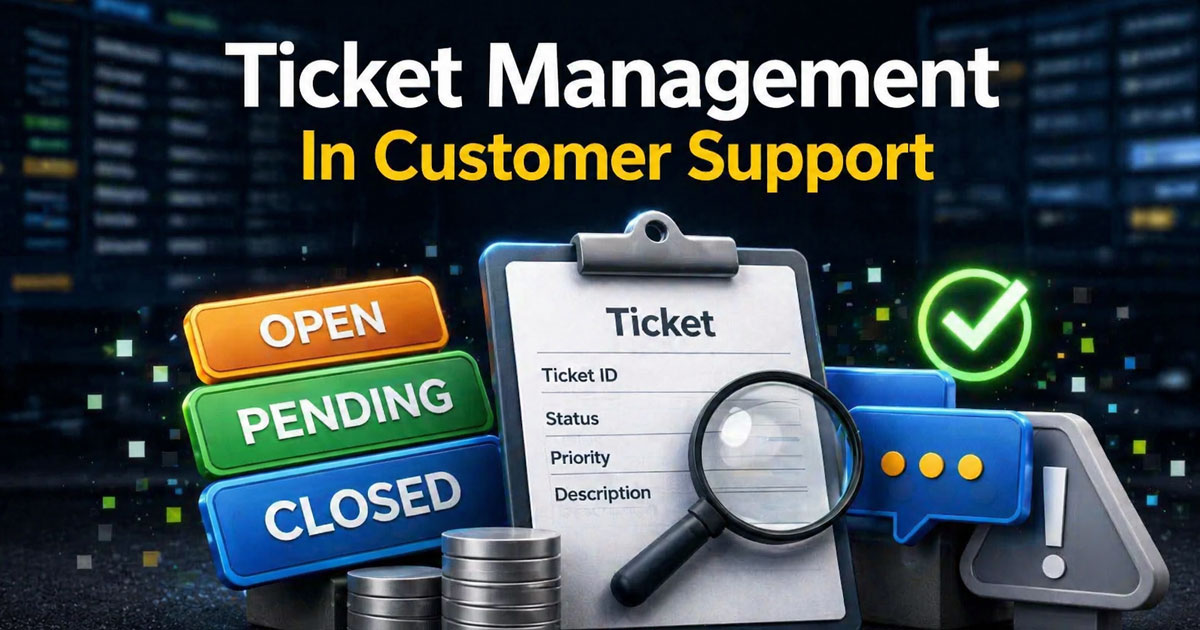
Ticket management in customer support provides a structured way to handle customer requests from submission to resolution. An it ticketing system captures every interaction, organizes support requests, and routes them through a clear ticketing process. Defined support workflows help teams assign tickets, prioritize tasks, and maintain visibility across ongoing work.
With centralized tracking, teams improve service delivery and ensure no issue gets lost or delayed. Modern systems also include key features such as automated ticket creation, status updates, and reporting capabilities, reducing manual effort and improving consistency.
By aligning support processes and enabling faster ticket resolution, using a ticketing system directly improves customer experience while giving teams valuable insights to optimize workflows and performance.
What Is Ticket Management In Customer Support
Ticket management in customer support organizes customer inquiries into structured digital records called support tickets. Unlike generic IT service management, this approach focuses specifically on end-user satisfaction rather than internal infrastructure alone. It covers the full lifecycle of a request: capture, triage, assignment, collaboration, resolution, and follow-up.
Tickets can arrive from multiple communication channels. Emails convert through parsing rules, live chats generate instant tickets with full transcripts, social media direct messages pull in through platform integrations, and web forms capture structured data like account IDs. Phone calls get logged manually or through automated systems with recordings attached.
A modern ticket management system logs a complete history within a single record. This includes all customer interactions, status changes from open to resolved, priority levels, and assigned agent names. For instance, a billing dispute ticket in a subscription app might start as a chat message, gain tags like refund request, and evolve through agent updates into a closed record with documentation. This centralized platform approach prevents information silos and ensures team members stay on the same page.
Why Is Ticket Management Important For Support Teams
Ticket management plays a central role in structuring support operations, helping teams manage support requests, streamline workflows, and deliver consistent service while maintaining visibility across every customer interaction efficiently.
Improve Service Delivery
A well-implemented it ticketing system ensures that every request follows a structured ticketing process, reducing confusion and delays. Clear routing, defined ownership, and priority levels allow teams to handle support requests without overlap or missed tasks. As a result, service delivery becomes predictable and measurable. Support teams can focus on resolving issues instead of organizing them, which directly strengthens operational consistency.
Strengthen Support Workflows
Ticket management brings clarity to support workflows by mapping each step of the support processes. From ticket creation to closure, every stage is visible and trackable. Teams can assign tasks, escalate critical issues, and manage workloads without bottlenecks. Platforms like Jira Service Management demonstrate how structured workflows reduce manual coordination and improve team alignment. Strong workflows ensure smoother execution across daily operations.
Enhance Customer Experience
Organized ticket handling improves response quality and consistency, directly impacting the customer experience. When teams manage support requests through a centralized system, communication becomes clearer and more reliable. Customers receive timely updates, accurate resolutions, and personalized responses. Faster and more consistent ticket resolution builds trust and increases satisfaction, especially when support teams handle high ticket volumes efficiently.
Unlock Valuable Insights
Ticket management systems like cloud-based helpdesk ticketing software generate valuable insights by tracking performance data across all interactions. Metrics like resolution time, ticket volume, and response efficiency help teams identify trends and recurring issues. These insights support better decision-making and allow teams to refine their approach. By analyzing patterns within support processes, organizations can continuously improve performance and reduce inefficiencies.
Optimize Workflows And Efficiency
Automation and structured systems help teams optimize workflows by reducing repetitive tasks and manual effort. Built-in key features like automated ticket management software for assignment, categorization, and prioritization ensure that every request moves through the system efficiently. Teams spend less time managing tickets and more time solving problems. This leads to faster turnaround times, improved productivity, and a more scalable support environment.
How Does A Ticket Management Workflow Typically Work
A typical ticket management workflow follows a start-to-finish sequence from inquiry intake to learning extraction. While actual steps can differ between teams, core stages remain consistent across most customer support operations. Consider a subscription fitness app using EasyDesk to manage support tickets efficiently in 2026, handling 500 weekly tickets with 10 agents.
Capturing Customer Requests Across Channels
Customer requests enter through automated ticket creation. An email ticketing system parses email subjects and bodies into tickets using rules that match keywords like refund to specific categories. Live chats generate tickets with full message history and user context. Contact forms capture structured data, while social direct messages integrate through platform APIs.
Assigning a unique ticket ID and UTC timestamp at creation enables precise tracking, SLA management and calculations, and reporting. For example, a user reports an app crash on iOS 18 via Twitter at 2 PM. The system auto-creates ticket SYNC-456 with timestamp, attaches the screenshot, tags it as bug-ios, and queues it. This ticket automation software setup handles 60 to 80 percent of intake without human touch, reducing initial response times from hours to minutes.
Triage, Categorization, And Prioritization
Triage serves as the initial review stage, where tickets are checked for completeness and urgency. Missing account details might trigger auto-replies requesting essential information. Sentiment analysis flags terms like outage as high-risk, prioritizing tickets accordingly.
Ticket categorization provides structure: billing for refunds, access for logins, bugs for defects, how-to for guides. Tags like premium-plan add nuance without bloating the category list. Priority weighs impact against urgency. A single-user font question gets low priority with a 48-hour target, while a payment gateway failure blocking revenue demands urgent attention within one hour. Prioritized workflows cut high-urgency breach rates by 40 percent.
Assignment And Collaboration
Assignment routes tickets through rules. Round-robin distributes general queue items evenly, while skill-based routing sends iOS bugs to specialists. Workload balancing caps open tickets per agent, preventing overload where agents might otherwise handle 60 to 80 daily requests without rest.
Internal collaboration uses notes visible only to team members, mentions that notify via integrations, and reassignments with handover summaries. Good systems prevent ticket ping-pong by enforcing single ownership, reducing resolution time by 25 percent. In complex cases, notes log escalation details with reproduction steps attached, ensuring audit trails for future reference.
Resolution, Updates, And Closure
Agents update customers via ticket responses that merge into the record. They request relevant information like screenshots, and mark resolved with root cause documentation. A fix might read: resolved via server patch v2.3.1, providing clarity for the knowledge base.
Closure occurs after verification, often auto-archiving after seven days of inactivity. Reopening auto-triggers if the same email arrives within 30 days. Teams with thorough root-cause logs resolve repeat issues 50 percent faster. Average resolution process takes 4 to 8 hours for tier-one requests and 2 to 5 days for escalations.
Post-Resolution Feedback And Learning
Post-closure triggers short CSAT surveys or thumbs up-down ratings, achieving 40 to 60 percent response rates. These data driven insights reveal patterns. Clustered login tags might signal FAQ gaps needing new help articles.
Analytics aggregate findings for product roadmaps. If 15 percent of tickets concern UI confusion, that insight prompts redesigns. Self service improvements driven by ticket analysis can reduce ticket volume by 20 to 30 percent over time, emphasizing continuous improvement over isolated fixes.
Features Of An Effective Ticket Management System
Not every help desk needs hundreds of features. The focus should land on practical capabilities that support teams rely on in daily work. When evaluating ticket management solutions, consider your ticket volume, team size, and the channels your customers prefer.
Centralized Inbox And Unified View
A unified inbox pulls email, chat, social, and web form tickets into one place by turning emails into trackable tickets. Agents see full conversation history, customer profile with purchase history, and internal notes without switching between other tools. This single pane of glass approach cuts tool-switches by 70 percent.
EasyDesk provides this unified view for customer conversations, showing previous tickets and previous interactions alongside the current request, which is why it is often considered the best ticket management system for growing teams. When agents have complete context, they deliver personalized support without asking customers to repeat themselves.
Automation Rules And Workflows
Automated workflows include ticket automation to auto-assign tickets by keyword, send acknowledgment emails, tag by topic, and close stale tickets after 14 days of inactivity. Time-based automation handles escalations when SLAs approach breach, alerting supervisors before deadlines pass.
Non-technical admins can build rules through visual interfaces without coding. Balance matters here. Over-automation leads to impersonal service, while too little creates manual bottlenecks. Automating repetitive tasks like routing and acknowledgments frees agents for complex customer issues.
SLA Tracking And Service Targets
Service level agreements define targets like 4-hour first reply for standard plans and 30-minute response for VIP customers. Dashboards display progress bars and breach alerts via email or Slack integrations. Clear SLAs and why they matter align expectations across customers, agents, and leadership.
Teams with SLA tracking software report 15 percent lower churn. When breaches stay under 5 percent, that signals healthy operations. Timely responses become predictable rather than accidental.
Reporting, Analytics, And Dashboards
Key metrics include daily ticket volume, first response time targeting under 2 hours, full resolution time averaging 24 hours, backlog under 10 percent of volume, and CSAT above 4.2 out of 5. Filters by agent, channel, or issue type reveal trends.
Reporting capabilities help identify patterns. If reports show 30 percent of tickets concern billing, that data justifies adding another agent or improving payment documentation. Performance metrics guide staffing decisions and highlight training gaps.
Integrations With Existing Tools
Useful integrations connect customer relationship management systems like HubSpot or Salesforce, live chat widgets, product analytics, and communication tools like Slack. Pulling customer profile and order history into tickets with helpdesk ticketing software speeds resolutions by 30 percent.
EasyDesk integrates with common SaaS stacks without heavy development work. When agents see account status and previous interactions automatically, they resolve issues faster and keep customers happy.
How To Set Up A Simple Yet Scalable Ticket Management Process
Even a small support team can design a process that works when the team doubles. The goal is building modular foundations that handle 50 weekly tickets initially and scale to 500 without rebuilds, which is where a smart ticketing tool becomes especially valuable.
Map Your Channels, Volumes, And Use Cases
List all incoming channels and estimate weekly ticket volume by type. Email might represent 40 percent, chat 30 percent. Group recurring topics: billing disputes, login problems, feature questions. Involve frontline agents in mapping. Management guesses err by 30 percent compared to those handling service requests daily. Understanding where submit requests originate helps prioritize which channels need the most attention and automation.
Define Queues, Categories, And Priorities
Create a small, clear set of queues. Four typically suffice: General, Technical, Billing, VIP. Add 4 to 6 main categories with descriptive tags for nuance.
Use a simple priority scheme:
Priority | Response Target | Criteria |
|---|---|---|
Low | 48 hours | Minor questions, how-to requests |
Normal | 24 hours | Standard issues, account updates |
High | 4 hours | Service disruptions for single users |
Urgent | 1 hour | Outages affecting multiple users, critical issues |
Establish Ownership And Escalation Paths
Assign queue owners and ensure every ticket has a named responsible agent. Establish a basic escalation ladder: agent to lead to engineering within 24 hours for unresolved technical issues. Document escalation paths in a short internal playbook accessible inside the ticketing system. Clear ownership reduces escalations by 20 percent and improves first contact resolution rate.
Standardize Templates, Macros, And Internal Notes
Create canned responses for frequent questions. Templates save 40 percent reply time while keeping tone consistent across team members. For internal notes, use a clear format: hypothesis, steps tried, next actions. This documentation shortens handovers and accelerates training for new hires. Good note habits ensure the resolution process stays transparent.
Measure, Review, And Refine Regularly
Hold a short monthly review using ticket reports to spot bottlenecks and confusing categories. Experiment with one small change at a time, adjusting priorities or automation rules based on findings. Identifying areas for improvement through ticket progress analysis yields 15 percent efficiency gains yearly. This approach supports continuous improvement without disruptive overhauls, especially when you streamline customer support with ticket automation instead of relying on a shared inbox alone.
Best Practices For Smoother Ticket Management
Tools help, but habits and team practices determine real outcomes. Teams with clean queues resolve 25 percent faster than those drowning in backlog. These tactical approaches apply immediately in daily work.
Keep Queues Clean And Time-Box Reviews
Schedule daily 15-minute queue reviews. Merge duplicates, which typically represent 10 percent of volume. Delete obvious spam quickly. Working in focused blocks of 25 to 45 minutes reduces context switching costs by 35 percent and makes workloads feel manageable.
Consistent queue hygiene ensures that agents always work on relevant tickets without distraction. Over time, this habit improves prioritization accuracy and reduces ticket aging. Teams gain better visibility into workload distribution, making it easier to balance responsibilities and maintain steady resolution momentum.
Communicate Clearly And Set Expectations
Concise, friendly ticket responses summarize the issue and outline next steps. Tell customers when you will follow up, especially when checking with other systems or teams. Clear communication using simple language lifts comprehension by 40 percent and cuts follow-up messages. Improving communication means avoiding internal jargon in customer-facing messages.
Clear expectations reduce uncertainty for both customers and support teams. When timelines and actions are defined early, customers feel informed and less likely to escalate issues. This approach also helps agents manage multiple conversations efficiently without confusion or repeated clarifications.
Use Internal Collaboration Instead Of Side Channels
Ask for help within the ticketing tool using mentions and notes instead of private chats. This keeps 100 percent of context in-ticket for future reference and audits. Leaders can coach more effectively when conversations remain visible in the record.
Centralized collaboration strengthens accountability and knowledge sharing across the team. New members can quickly understand past decisions by reviewing ticket history. Over time, this builds a searchable knowledge layer that improves response quality and reduces dependency on individual team members.
Leverage Automation Without Losing Human Touch
Automation works best for instant acknowledgments and straightforward routing, handling roughly 70 percent of cases. For complex or sensitive customer interactions, agents should personalize automated drafts before sending. Balance operational efficiency with genuine human connection.
Thoughtful automation reduces repetitive workload while preserving response quality. Teams can focus on high-impact interactions instead of routine updates. When combined with human oversight, automation enhances consistency without making communication feel robotic or impersonal to customers.
Feed Insights Back Into Product And Content
Tagging and regular reviews reveal confusing features or missing help content. When tags show 12 percent of tickets concern a specific UI element, create or update knowledge base articles addressing that topic.
Structured feedback loops ensure that recurring issues do not persist unnoticed. Product and content teams can act on real user data instead of assumptions. This alignment between support and product leads to continuous improvements that benefit both customers and internal operations.
This feedback loop reduces future ticket volume by 20 to 30 percent, shifting the team toward higher-value work. More data from tickets becomes product roadmap fuel, turning support into a strategic function rather than cost center.
Where Does EasyDesk Fit Into Your Ticket Management Strategy
EasyDesk is a customer support platform designed specifically to simplify efficient ticket management for growing teams. It centralizes conversations from email, chat, social media, and web forms into one streamlined interface where nothing gets lost.
The platform automates routing based on skills and SLAs, tracks ticket progress in real-time dashboards, and provides EasyDesk features for smarter support and reporting capabilities tailored to support leaders. Quick setup takes about a day rather than weeks. Visual queues make it easy for agents to see what needs attention, while built-in analytics surface team performance metrics without complex configuration.
EasyDesk supports omnichannel ticket capture and integrates with common CRMs and collaboration tools like Slack. Features including ticketing software for better customer support, automated workflows, canned responses, SLA management, and a built-in knowledge base work together to enhance customer satisfaction while reducing manual effort.
For teams ready to move from improvised email support to a structured ticket workflow, #1 ticketing software like EasyDesk brings all essential features together in one place. It removes complexity from service management while keeping the flexibility growing organizations need.
Frequently Asked Questions
How Is Ticket Management Different From A Simple Shared Email Inbox
A shared inbox lacks structured priorities, service level agreements, analytics, and clear ownership per request. Messages pile up in first-in-first-out chaos with no visibility into who handles what. Ticket management software adds workflows, tags, status updates, and reporting that make customer support predictable. Teams using structured ticketing see 50 percent fewer missed messages compared to shared inboxes.
When Should A Small Team Invest In A Ticket Management Tool
Consider investing when handling more than 20 to 30 conversations per day or when multiple agents need to work simultaneously. Warning signs include missed messages, duplicate replies from different team members, and difficulty reporting on team performance. As ticket volume grows, organizational needs shift from simple email toward structured management solutions.
Can Ticket Management Work For Non-Technical Or Offline Channels
Yes. Phone calls, in-person interactions, and field visits can all be logged as tickets for tracking. Agents create manual entries with notes, photos, or call recordings attached. The principles of ownership, status, and documentation apply regardless of channel. This approach works for retail support, field service, and any scenario where resolving issues requires consistent follow-through.
How Do I Introduce A New Ticket Process Without Overwhelming Agents
Start by piloting the new workflow with a small group, gathering feedback, and rolling out in phases. Short training sessions work better than lengthy documentation. Pair new users with experienced colleagues through a buddy system. Aim for 80 percent adoption within the pilot group before expanding. Gradual rollout prevents resistance and builds confidence.
What Data Should I Track First When Starting With Ticket Management
Begin with four core metrics: total ticket volume, first-response time, full-resolution time, and customer satisfaction score. These basics provide enough insight to identify bottlenecks without adding reporting complexity on day one. As your process matures, layer in additional metrics like backlog percentage, agent workload distribution, and category breakdowns for deeper analysis.



