Modern customer support depends on structured systems that help teams manage requests efficiently and maintain consistent service quality. Today, customers expect fast resolutions for the most common issues, from connectivity issues and printer issues to account access and software errors. A help desk ticket allows every request to move through an organization using predefined rules, ticket routing, and centralized tracking.
Support teams gain better visibility into conversations, response times, and agent performance while reducing confusion across departments. An intuitive interface also helps agents manage customer interactions without relying heavily on disconnected existing tools. When a problem persists, tickets provide historical context and technical expertise that improve troubleshooting accuracy.
Help desk systems create a more organized workflow, helping businesses scale support operations, improve communication, and deliver faster resolutions without losing accountability or customer trust.
What Is A Help Desk Ticket
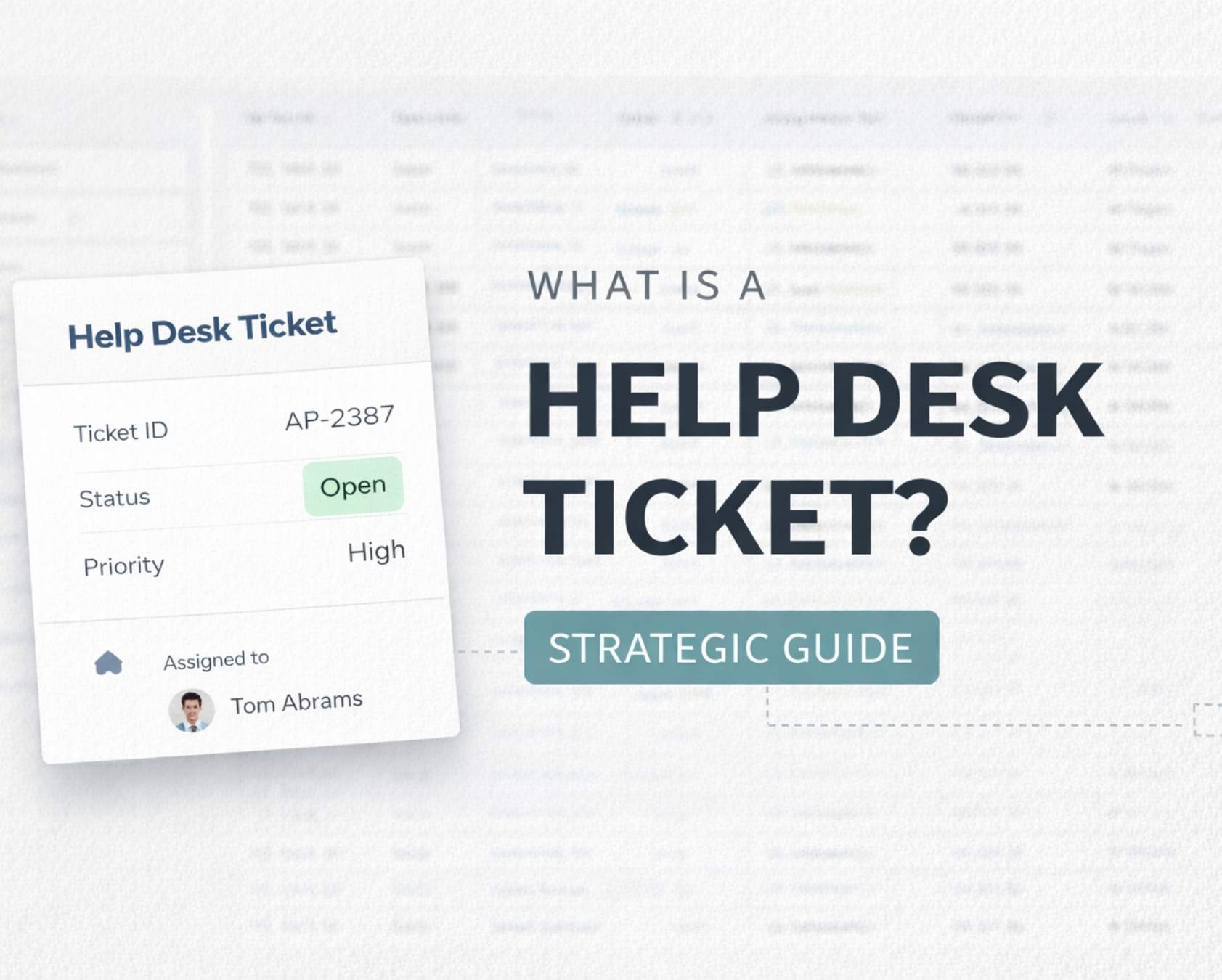
A help desk ticket is a digital record of a single support request that centralizes all information, actions, and communication related to that issue. Each ticket captures who reported the problem, what went wrong, when it happened, how urgent it is, and what steps were taken to resolve it.
Tickets can originate from customers reaching out about product issues, employees reporting technical issues with internal systems, or automated monitoring tools flagging errors before users notice them. These records are tracked inside help desk or service desk software, where unique IDs and status fields create a transparent lifecycle. Most modern helpdesk systems for managing support requests, including EasyDesk, use statuses like Open, In Progress, Resolved, and Closed to show exactly where each ticket stands at any moment.
Why Help Desk Tickets Are Critical For Customer Support Operations

A structured ticketing system that organizes interactions and workflows brings clarity to customer support operations, ensuring every request gets tracked, prioritized, and resolved efficiently without losing context or accountability.
Centralize All Customer Requests
A reliable helpdesk ticketing software platform ensures every support ticket enters one unified workspace. Instead of scattered emails or chats, the help desk team gains full visibility across all incoming requests. Centralization improves the ability to respond faster and prevents missed customer issues. A well-defined contact point ensures customers know exactly where to reach out, reducing confusion and duplication.
Improve Ticket Clarity And Context
Clear issue descriptions and structured ticket details make problem-solving far more efficient. When every ticket captures relevant data upfront, the desk team spends less time chasing information and more time resolving problems. Handling critical issues becomes more effective since missing context no longer delays resolution or impacts customer satisfaction.
Streamline Workflow And Ticket Management
Effective desk ticket management ensures all tickets organized logically based on priority, category, or urgency. Proper workflows allow teams to track each ticket's progress without bottlenecks. A structured approach helps the help desk team maintain consistency in service delivery, even during peak demand.
Support Scalability For Larger Teams
As businesses grow, modern help desk solutions make it clear that managing support manually becomes inefficient. Help desk tickets provide the structure needed for larger teams to collaborate without overlap. A scalable system ensures no request slips through the cracks while improving accountability across the desk team. A standardized process supports both new and experienced agents.
Enable Faster Resolution Of Critical Issues
A well-implemented help desk system prioritizes critical issues and routes them to the right personnel instantly. Clear ticket details and organized workflows allow teams to act quickly and resolve urgent problems without delays. Higher efficiency strengthens customer trust and ensures high-impact issues receive immediate attention.
What Are The Components Of A Help Desk Ticket

Well-structured ticket fields reduce back-and-forth communication and speed resolution significantly. When agents have complete ticket details from the start, they can resolve tickets faster and more accurately.
Define Core Identification And Requester Information
Every helpdesk ticketing system should capture essential information. The Ticket ID provides unique tracking for each request and ensures traceability across the system. Requester Details include the customer name, account ID, and segment like VIP or standard, helping agents prioritize and personalize responses. Contact Channel indicates whether the ticket came from email, chat, phone, or another source, which helps teams understand customer behavior and optimize support coverage.
Structure Subject And Description Fields
The Subject Line enables quick scanning during triage, allowing teams to identify urgency and topic at a glance. The Description contains the full issue explanation with steps to reproduce, error messages, and expected versus actual behavior. Detailed descriptions reduce ambiguity and eliminate repeated clarification requests, making resolution faster and more precise for support agents.
Set Priority And Category Framework
Priority levels typically range from P1 for critical issues affecting multiple users to P4 for minor cosmetic concerns. A clear priority framework ensures that high-impact problems receive immediate attention. Category taxonomy organizes tickets into groups like Billing, Technical, Account Access, and Order Status. Categorization improves reporting, routing, and overall workflow efficiency within the support system.
Track Ownership And SLA Commitments
Status tracks ticket’s progress through the workflow, providing visibility into whether a request is open, in progress, or resolved. Assignee shows which support agent owns the ticket, ensuring accountability and preventing confusion within the team. SLA Target defines response and resolution deadlines, helping teams meet service commitments and maintain consistent performance standards.
Include Supporting Data And Real-World Context
Attachments allow screenshots and documents that provide visual evidence or additional context for faster troubleshooting. Internal Notes provide space for team collaboration hidden from customers, enabling agents to share insights without affecting external communication. Consider Ticket #48291: a login failure after the April 2026 security update. This ticket would include the requester's email, channel (mobile app chat on 16 April 2026), subject line, detailed reproduction steps, high priority (access blocked), account access category, assigned agent, 4-hour SLA target, attached screenshots, and internal notes for the help desk team. The most business-critical fields for accountability are Ticket ID, Priority, Assignee, and SLA Target.
How The Help Desk Ticket Lifecycle Works

Help desk tickets move through predictable stages from ticket creation to closure, and managing those tickets efficiently with EasyDesk depends on having clear ownership at each step. While these stages often align loosely with ITIL frameworks for service management, customer support adaptations typically prioritize speed over rigid processes. Understanding this lifecycle helps support teams manage tickets effectively at every step.
Ticket Creation And Intake
Tickets enter the system from different channels: email, chat widgets, web forms, phone call logs, or proactive system alerts. A well-designed helpdesk ticketing system automatically populates fields by pulling customer information from existing profiles, reducing manual effort during intake.
For example, a chat submitted on 16 April 2026 from a mobile app about a billing dispute would auto-populate the customer name, account number, and order #12345. Good intake captures enough detail upfront to avoid extra clarification messages. Essential elements include screenshots, environment details (browser version, device), and relevant order or account numbers.
Ticket Triage And Prioritization
Triage is where new desk tickets are categorized, prioritized, and routed based on impact, urgency, and customer segment. Manual triage by a dispatcher works for smaller teams, but automation rules become essential as volume grows.
Effective triage distinguishes urgent requests like site-wide outages (P1) from minor profile updates (P3), which is critical when trying to cut average resolution time without hurting quality. VIP tickets might be tagged Priority 1 within 60 seconds using predefined rules. AI-assisted tools can flag sentiment and urgency, allowing support teams to focus attention where it matters most.
Ticket Assignment And Ownership
Ticket assignment moves requests from an unassigned queue to a specific support agent, squad, or specialized team like Billing Team EU. Single-owner accountability at any moment is essential, even when collaboration happens behind the scenes.
Common strategies include round-robin assignment for even distribution, skill-based routing for complex issues, and follow-the-sun coverage across time zones, while ticket automation software for routing and prioritization can reduce the manual work involved. When shifts change, proper handoff preserves context through internal notes, ensuring the incoming agent understands the ticket history without starting from scratch.
Ticket Investigation, Collaboration And Resolution
During investigation, agents reproduce bugs, check system logs, or coordinate with engineering or facilities management teams. Internal notes, linked knowledge base articles, and related ticket references keep everything organized.
Common investigation activities include:
- Reviewing past tickets from similar cases (like January 2026 login issues)
- Consulting technical documentation
- Coordinating with product or engineering teams
- Testing potential solutions
The resolution step includes a clear, empathetic final response to the customer. This communication is not an afterthought but an essential part of the support process that shapes customer perception.
Ticket Closure And Post-Resolution Follow Up
A ticket moves to Resolved when the fix is provided and to Closed after customer confirmation or when SLA policies trigger auto-closure after a set period like seven days. Closure notes and root cause summaries feed back into FAQs, the knowledge base, and training materials.
Many teams send an automated customer satisfaction survey within 24 hours after closure. Reopening policies address situations where customers report an issue was not truly fixed. A healthy support operation maintains reopen rates under 5 percent, indicating quality resolutions the first time.
Metrics And Service Levels That Define Ticket Performance
Strategic leaders must translate ticket activity into metrics that reflect business goals. These performance indicators reveal how effectively support operations serve customers and where improvements are needed.
First Response Time
First response time measures the elapsed time between ticket creation and the first reply sent to the requester. This metric significantly impacts perceived responsiveness, even when full resolution takes longer.
| Channel | Good | Acceptable | Poor |
|---|---|---|---|
| Chat | Under 5 min | 5-15 min | Over 15 min |
| Under 30 min | Under 2 hours | Over 4 hours | |
| Phone | Under 2 min | Under 5 min | Over 10 min |
Resolution Time And Time To Close
Resolution time measures when a fix is provided, while time to close tracks when the ticket is officially closed. These can differ significantly. A ticket opened on 2 February 2026 might be resolved on day 3 but not closed until day 5 after customer confirmation.
Tracking resolution times by category reveals process bottlenecks. Login issues might average 2 hours while billing disputes take 48 hours. Automation and better knowledge content can reduce these times by 20 to 30 percent for common issues, especially when supported by streamlined ticket automation workflows that handle repetitive steps automatically.
Ticket Volume, Backlog And Reopen Rate
Monthly ticket volume shows demand on support teams, informing where smarter helpdesk setups are needed to handle growth without overwhelming agents. Active backlog indicates how many tickets remain unresolved. Reopen rate measures how often customers report issues were not truly fixed.
Realistic example: 3,200 new tickets in January 2026 with a 9 percent reopen rate signals potential quality issues worth investigating. Warning thresholds that might trigger intervention include backlog exceeding 1.5 times normal monthly average and reopen rates above 5 percent.
Customer Satisfaction And Experience Scores
CSAT score measurements, post-ticket ratings, and Net Promoter Scores connect customer sentiment directly to ticket outcomes. When CSAT drops from 4.7 to 4.3 between Q4 2025 and Q1 2026, leaders should investigate which categories, assignees, or response times correlate with the decline.
Best practices for collecting reliable feedback:
- Keep surveys under three questions
- Trigger surveys automatically 24 hours after closure
- Correlate scores with specific ticket attributes
Service Level Agreements And Policy Compliance
SLAs define expectations for different customer tiers. Premium customers might expect 1-hour response and 24-hour resolution, while standard tiers have longer windows. Measuring compliance across monthly or quarterly periods, with targets like 95 percent compliance, helps justify budget and headcount decisions.
Consistent SLA management system tracking through dashboards shows where breaches occur and triggers escalation workflows before deadlines pass. SLA design must match real operational capacity to remain achievable.
Best Practices To Improve Help Desk Ticket Quality And Efficiency
Good tools are not enough without disciplined ticket practices used daily by agents and managers. These best practices help teams handle customer requests more effectively while reducing manual effort.
Write Clear, Actionable Ticket Descriptions
Agents need specific information to resolve issues quickly. Poor descriptions like “can’t login” force multiple clarification rounds. Good descriptions answer key questions upfront.
Every ticket description should include:
- What happened (expected versus actual behavior)
- Steps to reproduce the issue
- Environment details (browser, device, OS version)
- Any error messages displayed
Example of a quality description: “Chrome 120 on iOS 18, post-2026 update, receiving error 403 after entering correct 2FA code. Expected: access to dashboard. Actual: error page.”
Standardize Categories, Tags And Workflows
Consistent taxonomy for categories, subcategories, and tags makes reporting and routing reliable. A sample category tree might include Account Access with subcategories like Password Reset and Two-Factor Authentication, Billing with Invoice Dispute and Refund Request, and Technical Issues with hardware malfunctions and software bugs.
Documented workflows for common ticket types like shipping delays or password resets ensure consistent handling, and helpdesk ticketing software like EasyDesk reinforces those workflows through structured fields and automation. EasyDesk enforces these choices through dropdown fields instead of free text, cutting misroutes by 25 percent.
Use Automation Thoughtfully To Remove Repetition
Automation reduces manual effort on low-value tasks without replacing human judgment or empathy, and a well-designed ticket automation platform keeps humans in control of exceptions and high-stakes decisions. Safe starting points include auto-acknowledgment emails, automatic assignment based on keywords like “refund” routing to billing, and SLA reminder alerts before deadlines.
In 2026, AI can suggest replies or next actions for agents, achieving 40 percent faster handling when implemented properly. Start with a few simple automation rules and measure impact before scaling.
Invest In A Searchable Knowledge Base And Self Service
High-quality knowledge bases reduce ticket volume and speed resolutions, especially when paired with the #1 ticketing software system for customer support that surfaces relevant articles directly inside tickets. Password reset tickets dropped 50 percent after one team published a step-by-step guide with screenshots.
Priority articles every team should create include password reset instructions, billing FAQs, initial setup guides, and common troubleshooting steps. Each resolved ticket with a novel solution should lead to a new or updated article within 48 hours, building a deeper understanding of recurring problems over time.
Review Ticket Data Regularly For Continuous Improvement
Monthly or quarterly reviews analyzing ticket metrics and sample conversations drive improvement. One team discovered a spike in payment failed tickets after a January 2026 pricing change, leading to clearer communication and updated FAQs.
Guiding questions for retrospective meetings:
- What categories spiked this period?
- Why did reopen rates change?
- What patterns appear in CSAT responses?
- Where do process gaps cause delays?
How EasyDesk Helps Teams Manage Help Desk Tickets Strategically
EasyDesk is a modern customer support platform and ticketing solution tailored for small and midsize support teams managing requests across multiple channels. The platform unifies multichannel ticket intake from email, chat, social media, and web forms into a single organized workspace, allowing support teams to handle everything in one place.
Key features include SLA tracking, automated workflows, and multi-channel ticket management with dashboards showing 95 percent compliance views at a glance, automation rules that route tickets based on keywords and priority, AI-assisted replies that draft 80 percent usable responses for agents to refine, and reporting that reveals workload trends through heatmaps and category analysis.
One hypothetical team using EasyDesk reduced average resolution time from 8 hours to 4 hours while cutting backlog by 40 percent within three months. The visibility into workloads and customer trends helped managers rebalance assignments before agents became overwhelmed.
EasyDesk supports strategic leaders who need clear data without overwhelming complexity, staying aligned with its focus on secure, transparent customer support. The platform helps teams experience seamless ticket handling, track performance metrics that matter, and continuously improve their support process based on real insights.
Frequently Asked Questions
How Many Help Desk Tickets Per Agent Are Reasonable To Handle In A Day
Capacity varies by complexity, but realistic ranges suggest 20 to 30 tickets per day for mixed complexity work in a mature 2026 support team. Teams with higher automation levels, better documentation, and simpler issue types can handle more, while it teams dealing primarily with more complex issues should expect lower volumes. Leaders should monitor quality metrics and burnout indicators rather than relying on a single numeric target, and many choose a ticketing software built for better customer support to surface these insights in real time. EasyDesk reports show which agents are consistently overloaded so workloads can be rebalanced before performance suffers.
How Should Companies Handle Sensitive Or Confidential Information Inside Tickets
Businesses should establish strict policies limiting what data can be shared in helpdesk tickets, especially payment card details and government IDs. Ticketing software should support role-based access, field-level redaction, secure storage, and audit trails. Payment card numbers should be masked to show only the last four digits and never stored in full within the ticket record. Alignment with standards like GDPR and PCI is essential, and legal consultation helps ensure compliance with industry-specific regulations.
When Should A Help Desk Ticket Be Escalated To Another Team
Clear escalation triggers include nearing SLA breach, high business impact like data loss, security concerns, or need for higher level support expertise. A ticket about potential data loss should escalate within 30 minutes to engineering or security teams. Documenting escalation rules and timeframes ensures agents know when and how to involve senior staff. Platforms like EasyDesk can automate some escalation paths based on priority, category, and elapsed time.
How Can New Support Agents Quickly Learn To Work With Help Desk Tickets
Pairing new hires with experienced agents, providing ticket handling playbooks, and giving access to past resolved tickets as learning material accelerates onboarding. A phased approach works well: agents handle simple categories like password resets during week one before progressing to more complex issues, ideally inside one of the top help desk software platforms that keeps workflows consistent as they learn. Internal comment threads and checklists within the ticketing system guide consistent handling. Modern systems surface suggested replies and knowledge base articles to support less experienced support staff, saving valuable time during the learning curve.
What Is The Difference Between A Help Desk Ticket And A Service Request
A help desk ticket is a broad term for any tracked issue requiring support intervention, while a service request often refers to standard, preapproved changes or access requests. A bug report about broken checkout functionality is an incident ticket, while adding a new user to a system is a service request. Many support teams manage both types through the same ticketing system but categorize them differently for reporting purposes, especially when using a best-in-class ticket management system like EasyDesk. Clear internal documentation ensures agents and stakeholders share the same understanding of these terms, and smaller teams just getting started can benefit from a free helpdesk ticket system while they formalize these definitions.



