When customers reach out for help, they want to know when they can expect a response. A service level agreement gives them that clarity while giving your team a framework to deliver consistent support.
Whether you run a small helpdesk or manage enterprise accounts across multiple regions, understanding the types of SLA available helps you build commitments that actually work for everyone involved.
This guide walks through the three core SLA structures used in customer support, complete with practical examples you can adapt for your own operations.
What Is A Service Level Agreement In Customer Support
A service level agreement SLA in customer support is a documented contract between a business and its customers describing the scope of support services, quality targets, and how performance is measured. It answers the fundamental questions customers have: how quickly will you respond, how fast will you resolve my issue, and what happens if you miss those targets.
In 2026, SLAs often live inside helpdesk or ITSM tools rather than static PDF documents. This means targets like “first response in 1 hour, resolution in 8 hours” become automatically trackable. When a P1 ticket arrives, the system starts a countdown timer for both the service provider and the support team to meet, mirroring how dedicated SLA management software automates monitoring and enforcement.
Why Are Service Level Agreements Important In Customer Support
A single late response on a critical ticket can trigger customer churn, negative reviews, or lost renewals. In subscription businesses, especially, customers evaluate whether to stay based on how support handles their worst moments. When a production system goes down, and the service desk takes four hours to respond, that customer is already researching alternatives.
SLAs transform support from a “best effort” operation into a predictable customer experience. When expectations are set clearly and met consistently, satisfaction increases and churn decreases. Customers know exactly when to expect help, which builds the trust that drives retention.
Clear SLA targets also enable better prioritization of tickets. When a P1 arrives, it jumps to the front of the queue because the team knows they have a 1-hour target. Without this structure, high-impact issues sometimes get buried beneath lower-priority noise, and support agents juggle competing requests based on whoever complains loudest.
SLAs create measurable accountability. Managers can review compliance reports to identify where the team excels and where bottlenecks exist. One SaaS vendor in 2025 cut enterprise churn by tightening P1 response targets from 4 hours to 30 minutes and publishing that SLA publicly. Within six months, they achieved the target 87% of the time.
The Three Core Types Of SLA In Customer Support
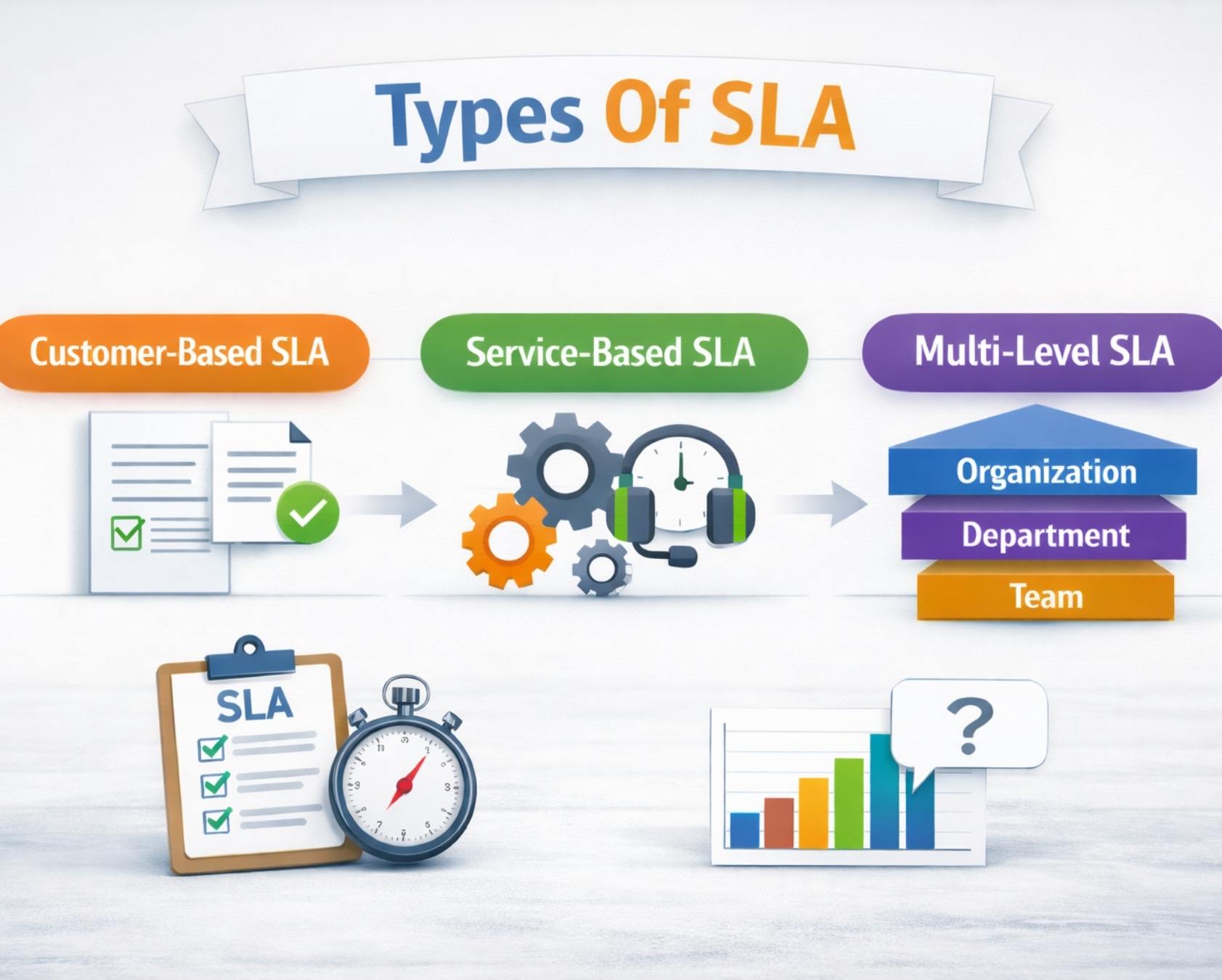
Most support organizations orient around three SLA models: customer based, service based, and multi level. Each structure serves different business needs and operational realities.
The following subsections explore each type with customer support specific examples relevant to helpdesk operations, live chat, call centers, and B2B SaaS environments.
Customer Based SLA In Customer Support
A customer based SLA covers all support services delivered to one specific customer or account under only one contract. This approach is common in enterprise B2B deals where a large customer contracts for several services simultaneously and expects tailored commitments.
For example, a cybersecurity SaaS vendor supporting a bank in London under a 2026 enterprise contract might guarantee 24x7 P1 phone support, 30-minute response for severe incidents, a dedicated incident channel on Slack, and quarterly security reviews with the vendor’s engineering team. This entire agreement exists for that one named client.
The advantages include stronger relationship dynamics and alignment with how critical the product is to that customer’s business operations. High-value customers paying premium fees expect personalized service availability, and a customer based SLA delivers exactly that.
Service Based SLA In Customer Support
A service based SLA applies one consistent set of targets to everyone using a particular service, regardless of their size or contract value. The SLA is tied to the service type rather than individual customers.
An ecommerce platform might promise all merchants “email response within 12 business hours for standard support” as long as they are on the same plan. A merchant generating small monthly revenue receives the same target as a larger merchant. A separate premium plan might offer a 4-hour response time for the same specific service.
Key advantages include simplicity and consistency. Support teams configure one set of rules per service in their helpdesk, making it straightforward to train agents and generate reliable compliance reports, much like the frameworks outlined in a comprehensive service level agreement helpdesk guide for support teams. There is lower risk of accidental non-compliance because rules are standardized.
Multi Level SLA For Complex Support Environments
A multilevel SLA creates a layered structure with a corporate or global baseline, plus customer or segment specific additions, and sometimes service specific layers for different services.
Consider a global SaaS provider in 2026 running three layers. The corporate level establishes that all support is available during local business hours, all P1 incidents receive initial response within 2 hours, and monthly compliance reports go to all customers. The customer level adds stricter rules: Enterprise customers in EMEA receive 1-hour P1 response instead of 2 hours. The service level differentiates channels: phone support gets 15-minute P1 response while email gets 1 hour.
This multi level SLA structure provides flexibility for different regions and industry specific variations. It protects global standards while allowing tailored service performance for high-value customers. Large organizations with multiple business units benefit from the governance this approach provides.
Internal Versus External SLAs In Customer Support
External SLAs are customer-facing promises published in contracts or on websites. They represent what the service provider commits to paying customers. Internal SLAs, sometimes called Operational Level Agreements, are formal agreements between internal teams like Support, Engineering, or DevOps.
Here is a concrete example: Support agrees with Engineering that P1 bugs will be triaged within 30 minutes and hotfixed within 4 hours during working days. This internal SLA protects the 1-hour external first response and 8-hour resolution target that customers see. Without this commitment from Engineering, Support cannot deliver on what is promised externally.
Internal SLAs often mirror the three main types. They can be customer based when supporting a specific business unit, service based for general bug fixes, or multi level across regions.
Support leaders should document internal SLAs in the same place they track external ones, using clear owners, performance metrics, and escalation procedures, ideally within a structured SLA management system. When breaches happen, the data shows exactly where the breakdown occurred rather than enabling finger-pointing.
Never communicate internal SLA misses as excuses to customers. Saying “Engineering was slow” erodes trust. Use internal data operationally to improve processes and set realistic customer expectations from the start.
Key SLA Metrics To Track Performance
Tracking the right SLA metrics helps teams measure performance, identify gaps, and improve service delivery. Clear metrics ensure accountability, optimize response time, and maintain consistent customer experience across support operations.
First Response Time (FRT)
First response time measures the elapsed time from when a ticket is created until the support team provides the first substantive response. An automated acknowledgment does not count. The response must include relevant information, clarification questions, or initial troubleshooting steps.
FRT is tracked separately for each severity level. A P1 might have a 1-hour target while a P4 might have 48 hours or no strict SLA. Customers perceive slow response as indifference, making FRT one of the most heavily weighted common SLA metrics in satisfaction surveys, and a prime focus when exploring how to reduce customer support response time with automation.
Resolution Time
Resolution time tracks how long it takes from ticket creation until the issue is fully resolved. This metric is more complex than FRT because it depends on both the service provider’s control and external factors like customer action required or third-party vendor response, yet it can be shortened significantly by applying proven ways to cut average resolution time.
Targets vary dramatically by severity. A P1 with critical business impact might require 4-hour resolution. A P3 might have a 5-day target. Some organizations track active resolution time separately from calendar resolution time to account for customer data gathering delays.
SLA Compliance Rate
SLA compliance rate is the percentage of tickets resolved within their defined targets. If Support handled 100 P1 tickets and 87 met the 1-hour first response target, compliance is 87%.
Track compliance separately for each severity level, channel, and customer group. An organization might achieve 90% overall but only 60% for Enterprise customers, revealing a specific problem with high-value accounts that requires attention.
Ticket Volume Trends
Tracking incoming ticket volume over time reveals seasonal patterns, product issues, and changes in customer behavior. A sudden spike in P1 tickets might indicate a new bug or service outage. A sustained increase despite no product changes might signal usability problems, which is where thoughtful workflow automation in customer support helps teams absorb higher volumes without missing SLAs.
Volume trends inform staffing decisions. If tickets increase 30% year-over-year, headcount may need to grow proportionally to maintain the same average time to respond.
Backlog Volume
Backlog is the number of open, unresolved tickets at any given time. High backlog indicates the team is not resolving tickets as fast as they arrive. A growing backlog becomes a leading indicator of SLA misses as tickets age against their timers.
Set target backlog levels and trigger overtime, temporary staffing, or ticket deflection strategies when approaching the threshold.
Average Handling Time
Average handling time measures how long agents spend on tickets including hold time, research, typing, and coordination. Track this separately by channel since phone calls differ structurally from email.
If AHT is very low, agents might be rushing. If very high, tools or processes might be inefficient. Use AHT improvements as a proxy for efficiency gains that allow handling more volume without hiring.
SLA Priority Levels And Ticket Classification
Clear priority levels and structured ticket classification help teams respond faster and allocate resources effectively. Defined rules ensure urgent issues receive immediate attention while maintaining balanced workload and consistent SLA performance.
Defining Priority Levels
Support organizations typically use a four-level framework: P1 Critical, P2 High, P3 Medium, and P4 Low. Definitions tie to business impact, not user frustration.
P1 incidents completely prevent product usage or have severe compliance, security, or financial implications. P2 incidents severely degrade functionality but allow continued operation with a workaround. P3 incidents cause minor functionality issues in non-core features. P4 includes feature requests and general inquiries.
Mapping Priority To SLA Targets
Each priority level has associated response time and resolution time targets. A typical enterprise SaaS organization might define P1 at 1-hour first response with 4-8 hour resolution, P2 at 4-hour response with 24-48 hour resolution, P3 at 24-hour response with 5-7 day resolution, and P4 as best effort without strict targets, making disciplined ticket prioritization in customer support essential for hitting those commitments.
Urgency Vs Impact Matrix
Many organizations use a 2x2 matrix for priority determination. Urgency measures how quickly the issue affects the customer. Impact measures how many users are affected. High urgency plus high impact equals P1. Low urgency plus low impact equals P3 or P4.
Ticket Categorization Rules
Automated categorization assigns tickets to categories like Billing, Technical, or Feature Request. These help route tickets to the right team and enable trend analysis. Some categories carry automatic weight. A Payment Failure ticket in Billing might escalate automatically to P1 or P2 because failed payments directly impact revenue, especially when combined with automated ticket assignment rules that factor in priority and agent skills.
Automated Priority Assignment
Modern helpdesk systems use rules-based logic. A ticket containing “down” or “outage” flags as P1 automatically. A ticket from an Enterprise customer escalates one priority level above baseline. These rules ensure critical issues receive immediate attention.
Escalation Triggers
Escalation triggers automatically elevate tickets to higher priority or manager attention when conditions are met. If a P2 ticket sits 8 hours without activity, it escalates to P1. If a customer contacts support three times about the same issue without resolution, it escalates to a senior engineer, following principles from a structured ticket escalation process guide for faster support.
How To Set SLA Targets For Your Support Team
Setting SLA targets requires balancing customer expectations with operational capacity. Strong targets improve service provider's performance, ensure consistency, and help build successful service level agreements aligned with business priorities and growth goals.
Analyze Customer Expectations
Research what customers in your market expect. Enterprise customers typically expect 1-2 hour first response for P1 issues. SMB customers may accept 4 hours. Conduct customer surveys to understand which response times would meaningfully impact satisfaction, and which are unnecessary.
Customer insights help define realistic expectations while aligning service level SLA with market standards. Strong customer service providers use this data to shape successful service level agreements.
Evaluate Team Capacity
An SLA only works if your team can realistically achieve it. Analyze current ticket volume by severity, average time to resolve, staffing levels, and operating hours. If current capacity cannot support ambitious targets, either hire, improve tools, or set realistic targets based on what you can actually deliver.
Capacity planning directly impacts service provider's performance and ensures the IT service provider can meet commitments. Balanced workloads improve SLA service level agreement reliability across teams, especially when you manage support tickets efficiently using EasyDesk to keep ownership and queues clear.
Set Realistic Response Goals
Set response targets your team can achieve at least 90% of the time. Start with current average response time and set the target slightly faster. As tools and processes improve, tighten targets gradually. For new channels, pilot with a subset of customers and measure actual performance before committing.
Defining response goals supports creating SLAs that reflect real capabilities. Aligning targets with types of service level ensures teams maintain consistency without risking frequent SLA breaches, which is at the heart of any robust ticket SLA management guide for faster support response.
Define Resolution Benchmarks
Not all tickets take the same time. A password reset resolves in minutes. A complex integration issue takes days. Analyze historical data by category and set differentiated resolution targets that reflect actual complexity.
Resolution benchmarks help measure performance across different issue types. Structured customer level SLA improves clarity and ensures service delivery aligns with ticket complexity and expected outcomes.
Align With Business Objectives
SLA targets should reflect business strategy. If targeting enterprise customers, SLA targets must be competitive with established vendors. If targeting price-sensitive SMBs, aggressive targets matter less than low support cost. Different customer segments may warrant different services provided at different service levels.
Strategic alignment strengthens SLA service level agreement outcomes while ensuring successful service level agreements. It also helps monitor services effectively across multiple customer segments and priorities.
Review And Optimize Regularly
Review SLA targets at least quarterly. If staffing increases or volumes decrease, targets can tighten. If volumes spike or staffing drops, targets may need loosening. Use compliance data to identify where the team overachieves and where it struggles before adjusting commitments.
Continuous improvement depends on how teams monitor performance and adapt SLAs. Regular reviews ensure service provider's performance stays consistent while helping teams monitor services and refine processes.
Common SLA Challenges And Solutions
SLA challenges often arise from poor visibility, inconsistent processes, and unrealistic expectations. Addressing these gaps improves service delivery, reduces service failure, and ensures teams use appropriate tools for better performance tracking, echoing broader lessons from exploring what SLAs are and why they matter for service success.
Overcommitted SLA Targets
Targets set too aggressively without analyzing team capacity lead to chronic misses. Solution: conduct thorough analysis of volume, staffing, and resolution times. Communicate honestly with customers about realistic targets you can achieve 90% of the time.
Overcommitment increases error rates and leads to repeated service failure. Setting balanced goals ensures suitable service delivery while maintaining consistency across teams and avoiding unnecessary SLA pressure.
Limited Performance Visibility
Tracking compliance only in monthly reports means misses are discovered too late. Solution: implement real-time SLA monitoring dashboards with alerts that notify managers when tickets approach breach, allowing proactive intervention.
Real-time performance tracking improves visibility and helps teams react faster. Using appropriate tools ensures accurate monitoring and reduces the risk of unnoticed SLA breaches and delayed responses, which is exactly how SLA tracking software improves response time in practice.
Inconsistent Ticket Prioritization
Without clear rules, agents apply different priority levels to similar tickets. Solution: define objective priority criteria and embed them as automated rules in your helpdesk. Conduct quality audits and provide coaching where needed.
Inconsistent prioritization affects service delivery and creates confusion across teams. Standardized rules help deliver suitable service while reducing error rates and ensuring fairness in ticket handling.
Frequent SLA Breaches
Teams miss SLAs but leadership does not understand why. Solution: conduct post-incident reviews for every P1 and P2 breach. Document causes, preventability, and actions to prevent recurrence. Patterns will emerge to guide improvements.
Analyzing breaches helps identify root causes of service failure. Strong performance tracking ensures teams learn from mistakes and continuously improve service delivery without repeating the same issues.
Lack Of Automation
Manual tracking in spreadsheets is error-prone and invisible. Solution: implement a modern helpdesk with built-in SLA tracking, automated alerts, and real-time compliance dashboards. Automation reduces errors and increases visibility.
Automation supported by appropriate tools minimizes human error rates. It strengthens performance tracking and ensures smoother service delivery across high-volume support environments.
Inefficient Escalation Flow
Tickets sit in manager inboxes for hours. Solution: define clear escalation paths with time-bound rules enforced automatically. Create escalation dashboards showing what has been escalated and for how long.
Poor escalation leads to service failure and delayed resolutions. Structured workflows improve service delivery and ensure suitable service while maintaining accountability across teams.
SLA Best Practices For Support Teams
Strong SLA practices ensure consistency, reliability, and trust across support operations. Clear processes, security standards, and structured workflows help teams deliver one service experience while maintaining resilience through maintenance schedules and disaster recovery planning.
Define Clear SLA Policies
SLA documentation must be unambiguous. Specify what is included, how priority is determined, response and resolution targets for each level, operating hours, measurement methods, and what happens if targets are missed. Avoid vague phrases like “as soon as possible.”
Clear policies define one service standard for all stakeholders. They also ensure services offered align with expectations while incorporating security measures and security standards to maintain reliability and compliance.
Automate SLA Tracking
Manual tracking does not scale. Configure your helpdesk to automatically assign priority, measure response and resolution times, trigger escalation alerts, and generate compliance reports. Automation ensures consistency.
Automation supports efficient maintenance schedules and reduces manual errors. It ensures services offered remain consistent while helping teams handle high volumes without compromising service quality or SLA commitments.
Maintain Transparent Reporting
Publish SLA compliance results monthly to customers, leadership, and the support team. Transparency builds trust and creates accountability. Include analysis of what caused any misses and what is being done about it.
Transparent reporting strengthens trust across services offered. It also ensures alignment with security standards and highlights areas where disaster recovery planning or process improvements may be required.
Train Agents On SLA Rules
Agents need to understand targets, priority definitions, and escalation procedures. They should know P1 requires immediate action and understand when to escalate. Reinforce that SLA targets are promises, not punishments.
Well-trained agents deliver one service experience consistently. Training should also include security measures and awareness of maintenance schedules to ensure uninterrupted and compliant support delivery.
Use Data For Optimization
Analyze which agents consistently hit targets and which struggle. Identify times of day with longest response times. Find categories that consistently take longer and investigate whether training, documentation, or tooling could help.
Data insights improve services offered and highlight gaps in disaster recovery readiness. They also help refine processes while maintaining security standards and improving overall SLA effectiveness.
Continuously Improve Workflows
Map your current ticket workflow and identify bottlenecks. Slow routing, lack of upfront information, escalation delays, and missing documentation are common culprits. Address bottlenecks systematically through intelligent routing, better request forms, and dedicated escalation queues.
Workflow improvements ensure one service experience across teams. Regular updates aligned with maintenance schedules and disaster recovery plans help maintain efficiency, scalability, and long-term SLA success.
How EasyDesk Helps You Design And Run Effective Support SLAs
EasyDesk brings all the SLA management capabilities discussed in this guide into one unified platform. As a secure and efficient customer support platform, EasyDesk centralizes communication and automation while staying focused on transparent, secure customer support and enabling smarter helpdesk setups for smoother support. You can configure customer-based, service-based, and multi-level SLAs directly within the helpdesk using conditions like ticket priority, customer segment, channel, and working calendars, leveraging the full power of EasyDesk helpdesk ticketing software.
The platform automatically measures first response, next reply, and resolution times against your defined rules. When tickets approach SLA breach, EasyDesk flags them and can trigger alerts or escalations to team leads before a miss occurs. This proactive approach keeps your team ahead of problems rather than reacting after the fact, similar to how SLA tracking software improves response time in real-world setups such as the case study on how EasyDesk improved response time for a growing team.
Visual dashboards show SLA compliance by customer, plan, agent, and time period. These reports support quarterly business reviews with key accounts and help identify where processes need adjustment. You can set stricter SLAs for Enterprise-tagged tickets, route VIP requests to specialist queues, and use automation to send proactive status updates when delays are likely.
By centralizing SLA management, EasyDesk ensures that contracts, team workflows, and analytics tell the same story, helping your support team deliver consistent service without unnecessary manual effort, while its broader EasyDesk features for smarter, secure customer support further streamline operations.
Frequently Asked Questions
Can Small Support Teams Realistically Offer SLAs
Even a three-person support team can use simple service based SLAs like “we reply to every ticket within one business day” to set expectations without overpromising. The key is keeping targets aligned with current capacity and working hours, then tightening gradually as tools, automation, and processes improve. Start with one or two metrics like first response time and resolution time before introducing multi level or highly customized structures.
Should SLAs Cover AI Chatbots And Automation
By 2026, many companies include AI-driven support in their SLA scope but differentiate between instant automated replies and human agent responses. Be explicit about what each covers. For example, guarantee “instant automated acknowledgment 24x7” while human response times follow business hour or priority based rules. Since measuring perceived resolution quality matters, CSAT and deflection metrics should complement time-based targets when AI is in the mix.
How Often Should We Review And Update Our Support SLAs
Conduct a formal review at least every 6 to 12 months, or sooner if entering a new market, adding a premium plan, or launching a new support channel. Use actual helpdesk reports to see where the team consistently overachieves or struggles before changing contract language. Communicate SLA updates clearly to customers and internal teams with effective dates and a reasonable notice period to avoid confusion during transitions.
Do SLAs Always Need Financial Penalties
In many customer support contexts, especially smaller deals, SLAs focus on transparency and continuous improvement rather than automatic financial penalties. Enterprise B2B contracts sometimes include service credits for repeated or severe SLA breaches, but these are usually negotiated case by case with legal input. Even without penalties, honest reporting and clear post-incident reviews preserve trust when targets are missed.
What Is The Difference Between SLA, OLA And SLO In Support
An SLA is the entire agreement with the customer. An OLA (Operational Level Agreement) is an internal promise between teams within the same company. An SLO (Service Level Objective) is the specific measurable target, such as “90 percent of P2 tickets answered within 2 hours.” Modern support teams often define SLOs first, then bundle them into SLAs for customers and OLAs for internal partners. Keep terminology consistent across documentation, contracts, and dashboards so everyone discusses service level management and performance tracking the same way, and ensure your tooling follows the same logic by investing in the right helpdesk setup to boost customer support.



