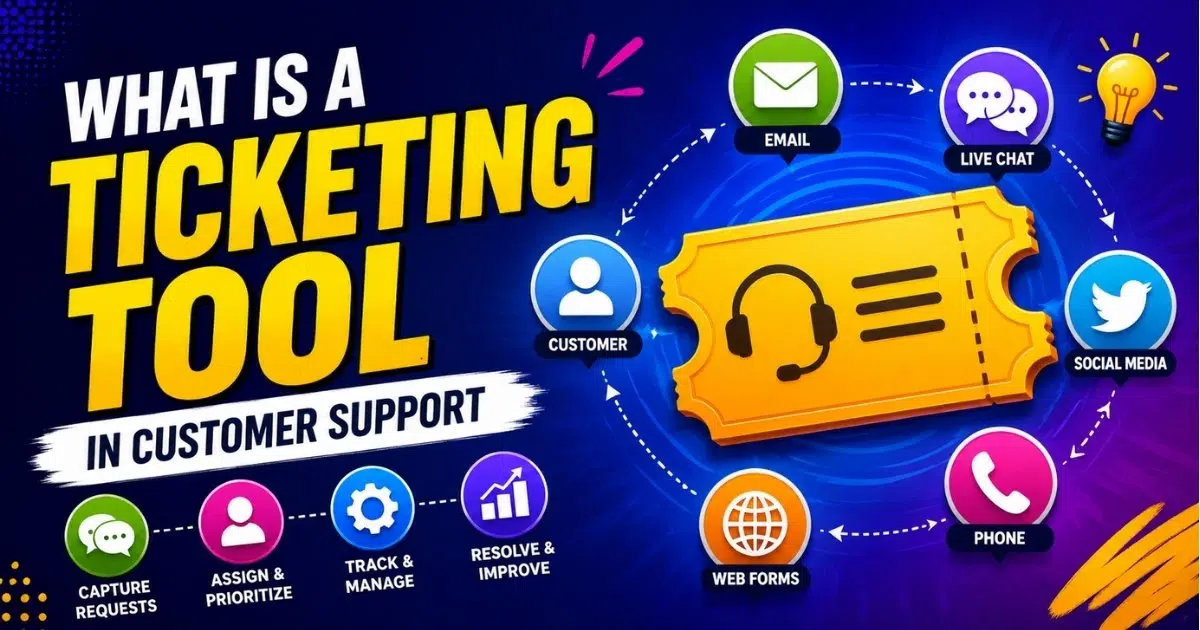
Ticketing tools help customer support, internal IT, and operations teams turn scattered incoming requests into organized, trackable tickets. Instead of managing issues through loose email threads, chat messages, spreadsheets, or shared inboxes, a ticketing system gives every request a clear owner, priority, ticket status, and history.
In 2026, support teams, IT teams, and business operations groups rely on ticketing software to manage customer conversations from email, live chat, social media, web forms, messaging apps, and monitoring alerts in one centralized platform. Each ticket stores all the information needed to troubleshoot issues, including timestamps, customer data, category, SLA target, and notes. Modern ticketing solutions do more than log problems. They support automation, team collaboration, reporting, service delivery, and better customer satisfaction.
What Is A Ticketing Tool In Customer Support?
A ticketing tool is software that converts a customer, employee, or system request into a structured support ticket. That ticket then moves through a lifecycle, such as new, open, pending, escalated, resolved, and closed. A good ticketing system helps teams track what happened, who owns the issue, when action is due, and what still needs to be done.
In customer support, tickets often represent product questions, billing concerns, complaints, refunds, bug reports, or feedback. In an IT ticketing system, tickets often represent service requests, access issues, device problems, incident tickets, and asset management tasks. An IT help desk focuses on internal employee support and systems stability, while a customer support help desk focuses on external customers and the customer journey, and a service desk or internal IT tool supports employees, systems, and IT operations.
Types Of Ticketing Tools And When To Use Each
Different ticketing tools support different business goals, workflows, and support operations. Some platforms focus on tracking tickets and basic request handling, while others provide more robust platforms with automation, analytics, and intelligent routing capabilities.
Basic Internal Ticketing Systems
Basic ticketing systems work best for small teams that mainly manage internal requests and simple support operations. They usually focus on tracking tickets, ticket assignment, status updates, and straightforward communication between employees and IT teams, making them similar in scope to smart ticketing tools that help small teams keep up during busy periods.
Organizations with limited budgets often choose basic ticketing tools because setup is faster and easier to manage. Small businesses that receive low ticket volumes usually do not require advanced features or complex workflow customization early on.
Customer Support Ticketing Platforms
Customer support ticketing platforms are designed for businesses that manage external customer conversations across multiple channels. They help customers reach support teams through email, chat, contact forms, social platforms, and self-service options, which is the foundation of an effective omnichannel communication strategy for support teams.
These systems improve customer satisfaction by centralizing incoming tickets into one shared workspace. Support agents can respond faster, review customer history, and maintain consistent communication without switching between disconnected existing tools and channels.
IT Service Management Platforms
IT service management platforms support structured IT operations with stronger workflow controls and governance features. They handle incident management, service requests, approvals, asset tracking, compliance monitoring, and detailed ticket assignment across departments, often relying on automated workflow software to orchestrate routing, ownership, and approvals.
Larger organizations often prefer more robust platforms because they support automated routing, escalation rules, and role-based permissions. Teams that manage complex operational environments usually need deeper reporting, process standardization, and integration flexibility for service delivery.
Omnichannel Help Desk Systems
Omnichannel help desk systems combine customer support, ticketing workflows, and communication management into one platform. They allow customers to reach support teams using multiple channels while keeping every interaction connected under a unified ticket history.
These platforms are useful for businesses that prioritize customer experience and fast response times. Intelligent routing automatically directs incoming requests to the right teams, which reduces delays and improves handling efficiency during high support volumes.
Enterprise Workflow And Automation Platforms
Enterprise workflow platforms extend beyond traditional ticketing features and support broader operational processes across HR, finance, legal, facilities, and customer service departments. They often include project management tools, advanced analytics, and deep automation capabilities.
Organizations with large operational structures benefit from robust platforms that support advanced features, automated routing, and custom approval workflows. These systems help enterprises maintain consistency, improve operational visibility, and reduce repetitive tasks across departments and business units, especially when paired with ticket automation software designed for modern support teams.
How Ticketing Tools Work Across Channels And Teams
A ticketing tool sits between customers, agents, monitoring systems, and back-office teams. It collects incoming tickets, organizes them into queues, and guides each request from first contact to resolution. The best systems reduce context switching by keeping communication, ownership, and history in one place.
Request Intake And Ticket Creation
Multi-channel intake is a key feature of ticketing tools, allowing them to accept tickets from various sources such as email, chat, and web forms, centralizing all requests in one place. Many tools also collect requests from in-app widgets, customer portals, phone notes, social media, and monitoring tools, with email ticketing systems playing a central role in converting inbox messages into structured tickets.
During ticket creation, the platform preserves the full conversation history, source channel, attachments, timestamps, and metadata. Effective ticketing tools organize customer requests, track resolution times, and streamline communication through automation. A customer portal can also let users submit new tickets, view ticket status, and add updates without contacting an agent again.
Triage, Prioritization, And Routing
Triage means deciding how urgent a ticket is, who should handle it, and what SLA applies. A login outage for a paying enterprise account may need a one-hour first response, while a general product question from a free account may have a next-day target.
Ticket routing can be based on language, product area, channel, customer tier, or issue type. Automation capabilities in ticketing systems are essential for tasks such as auto-assigning tickets, sending reminders, and escalating overdue issues, which helps reduce manual workload. Automated ticket management software focuses on optimizing this routing and prioritization layer. Ticketing tools use AI for ticket triage and auto-resolving common issues, especially for simple requests such as password resets, order status questions, and known errors.
Team Collaboration During Resolution
Team collaboration matters because support issues often involve product, engineering, finance, or operations. Internal notes, @mentions, shared views, and watchers help agents ask for help without exposing private discussions to customers, illustrating how a help desk improves support behind the scenes by keeping collaboration centralized.
Most ticketing tools are built to integrate with other platforms like monitoring tools, messaging apps, CRM systems, and incident alerting tools, which helps streamline workflows and reduce context-switching. Integrations in ticketing systems allow for syncing alerts, pulling in customer data, and automating escalations, transforming a ticketing tool from a static inbox to a dynamic hub of critical information.
Many modern ticketing systems offer integrations with collaboration tools like Slack and Microsoft Teams, enabling users to create tickets and respond to customers directly within those platforms. Links to project management tools or incident platforms also help teams connect bugs, outages, and product requests to the right tickets.
Customer Communication And Updates
Ticketing tools centralize replies, updates, reminders, and notifications so customers receive consistent communication. Even if an issue moves from a front-line agent to engineering or finance, the customer can continue receiving updates through the original channel.
Templates, macros, and saved replies help teams answer repetitive tasks faster while keeping tone accurate. Automated confirmations can include a reference number, expected response time, and next step, highlighting the difference between manual vs automated ticketing and how automation shapes customer expectations. This improves trust because customers know the request has been received and is being handled.
Closure, Feedback, And Learning
A ticket should close only when the issue is resolved, the customer has received the needed answer, or the team has documented the outcome. Resolution notes, linked knowledge base articles, and final status updates help future agents understand what worked.
Post-resolution surveys or quick rating widgets connect customer satisfaction to specific support tickets. Closed-ticket reviews reveal recurring product issues, training gaps, and content opportunities. Ticketing tools track key performance indicators to identify systemic IT issues and improve continuous operations, making historical data useful for both support operations and long-term planning, and many teams look to ticketing software best practices and automation guides to interpret and act on those metrics.
Essential Features Of Effective Ticketing Tools
Strong ticketing features should make daily support work easier, not heavier. The best tools combine a clean interface, flexible workflows, automation, analytics, and an intuitive interface that agents can use without a long learning curve.
Core Ticket Management And Workflow Controls
A ticketing tool should allow for ticket creation and assignment, enabling teams to log issues, assign them to the right personnel, and track progress effectively. Core controls include statuses, priorities, categories, tags, due dates, owners, and escalation rules, all of which are central to structured ticket creation and management in modern help desks.
Custom workflows in ticketing tools enable teams to adapt the system to their specific processes, enhancing efficiency and usability. For example, billing issues may move from support to finance, while technical bugs may move from support to engineering. Bulk updates and ticket merging are also useful when duplicate tickets appear during outages or product incidents.
Automation Capabilities For Repetitive Tasks
Automation capabilities help teams remove repetitive tasks from daily queues. An automated ticketing system can tag messages, route requests, send reminders, trigger escalations, and suggest replies. Automation features in ticketing systems, such as auto-assigning tickets and sending reminders, significantly reduce manual efforts and improve help desk productivity, which in turn enhances response times, especially when combined with a well-planned help desk setup for customer support.
The best approach is controlled automation. Auto-routing every billing question to finance is useful. Sending a robotic response to a sensitive complaint is risky. AI assistants can help summarize tickets, suggest articles, and draft replies, but human judgment still protects quality.
Omnichannel Support And Unified View
Omnichannel support gives agents one workspace for email, live chat, phone notes, social messages, portal requests, and messaging apps. This matters because customers do not think in channels. They expect the business to remember previous conversations.
A unified timeline lets agents see past issues, preferences, account details, and related tickets before responding. By consolidating customer requests from multiple channels into one platform, ticketing systems enable support teams to track, prioritize, and resolve issues more efficiently, leading to faster resolutions.
Knowledge Base And Self Service Portals
Ticketing tools equip users with knowledge bases to solve minor issues independently, reducing overall support volume. A strong knowledge base includes FAQs, troubleshooting guides, setup steps, and policy explanations, and is often bundled directly into cloud-based helpdesk ticketing software like EasyDesk.
Self-service options let customers search articles, submit tickets, and follow existing requests. Inside the agent workspace, article suggestions help support teams respond faster and more consistently. Over time, recurring tickets should guide which articles need to be created or improved.
Analytics, Reporting, And Service Quality Metrics
Dashboards and reporting features in ticketing systems provide users with insights into metrics like resolution time and ticket volume, facilitating better performance monitoring and decision-making. Common metrics include first response time, average resolution time, backlog size, reopen rate, SLA breach rate, CSAT, and volume by channel.
According to Capterra research on help desk features, ticket management is one of the highest-priority features for help desk software buyers. Good reporting helps leaders spot workload spikes, identify recurring problems, and decide whether to adjust staffing, training, or process.
Benefits And Best Practices For Customer Support And IT Teams
A well-chosen ticketing platform improves customer experience and internal efficiency at the same time. The value comes from both the software and the habits around it, and many teams evaluate leading ticket management systems like EasyDesk when upgrading their stack.
Centralized Visibility And Accountability
Ticketing tools provide a centralized place for all issues raised by customers, clients, and monitoring tools, which helps teams avoid delays in incident identification and reduces response times. Each ticket has an owner, status, history, priority, and due date. Managers can see who is overloaded, which queues are aging, and where urgent work is stuck. This visibility helps prevent lost requests, duplicate replies, and unclear handoffs and is a hallmark of top-rated ticketing software built for better customer support.
Centralized tracking also improves operational transparency for leadership teams that manage service quality and resource allocation. Better accountability helps organizations maintain SLA performance, improve workflow consistency, and reduce confusion across customer support and IT operations.
Improved Response Times And Customer Experience
Structured queues and automation help teams respond faster. For example, a team that once found urgent tickets after several hours can use auto-tagging and SLA reminders to respond in under 30 minutes for critical issues. Proactive updates also matter. Customers are more patient when they know the team is investigating, when the next update will arrive, and what the current ticket status means. Better communication supports stronger customer satisfaction and retention.
Faster response management also reduces operational stress during peak support periods and service outages. Organizations that combine automation with clear communication practices often improve customer trust, reduce escalation rates, and maintain more consistent service experiences.
Stronger Collaboration Across Departments
Many teams need a shared view of customer issues. Support may own the conversation, engineering may investigate a bug, finance may confirm a payment, and operations may check a service failure. Linked tickets, internal notes, and integrations keep these groups aligned. When collaboration happens inside the ticket, the full context stays available for audits, handoffs, and future troubleshooting.
Cross-department visibility also helps businesses reduce duplicated work and communication gaps between teams. Shared ticket histories improve coordination, accelerate issue resolution, and support more accurate reporting across operational and technical support processes.
Standardized Processes And Best Practices
Best practices start before configuration. Map request types, escalation paths, SLA targets, and ownership rules before building ticketing workflows in software. Include frontline agents because they know the edge cases. Keep processes simple at first. Small teams often need basic ticketing, fast search, clear assignments, and simple automation more than complex workflows. Larger organizations may need more features, role-based permissions, compliance controls, and deep customization. In both cases, review workflows quarterly and remove steps that create friction.
Standardized processes also help businesses maintain service quality as support operations scale over time. Clear workflow structures improve onboarding, reduce human error, and create more predictable experiences for both support teams and end users.
Insight For Continuous Improvement
Ticket data reveals where the business creates support load. If login tickets rise after a product change, the team can improve authentication flows and update documentation. If billing disputes increase, finance and product teams can review invoices, pricing pages, or payment notifications. Use a small set of KPIs tied to business goals: first response time, resolution time, backlog, reopen rate, CSAT, and ticket volume by channel. Do not optimize only for speed. A fast answer that does not solve the issue can hurt trust.
Continuous performance analysis also helps organizations identify long-term trends affecting customer satisfaction and operational efficiency. Businesses that regularly review ticket metrics can make smarter decisions about staffing, automation, process improvements, and support strategy adjustments.
How To Choose The Right Ticketing Tool For Your Organization
The best ticketing tool depends on team size, channels, workflow complexity, security needs, and integrations. Popularity alone is not enough. A startup, a SaaS support team, an internal IT department, and a large enterprise service desk may all need different systems.
Clarify Use Cases And Team Structure
Start by listing the main use cases: external customer support, employee service requests, internal IT requests, incident tickets, or cross-department work. Document ticket volume, support hours, compliance needs, and the teams involved.
This step helps avoid buying a tool that is too light or too complex. A simple team may need a fast setup and an intuitive interface. A larger company may need advanced features, governance, audit logs, and multi-team workflows, but in both cases tools that show how to manage support tickets efficiently in one platform can clarify what really matters day to day.
Match Features To Daily Workflows
Evaluate how agents will work every day. Look closely at ticket views, search, bulk actions, saved replies, SLA warnings, customer profiles, and collaboration tools. If agents spend hours in the platform, a clean interface matters.
Compare shortlisted tools with the same sample tickets. Include common questions, urgent incidents, billing issues, escalations, and duplicate requests. This reveals whether the tool supports the right tickets and the real process.
Review Integration And Data Requirements
Create an inventory of existing tools, including CRM systems, monitoring tools, authentication systems, chat platforms, incident alerting tools, and project management software. Strong integration support reduces context switching and keeps customer data accurate.
Native integrations are faster to maintain than custom API work, but some organizations need custom connections. Two-way sync is especially useful when ticket status, alerts, and account records must stay aligned, particularly when automation features are orchestrated through automated workflow software for smarter support operations.
Consider Scalability, Security, And Pricing
Check how easily the system can add agents, teams, regions, brands, and channels. Review permissions, audit logs, data residency, uptime guarantees, backup policies, and disaster recovery practices.
Pricing models for ticketing systems often include tiered subscription plans based on the number of users or agents, with costs typically ranging from $19 to $330 per user per month, depending on the features included. Many ticketing systems offer a free version or trial period, allowing teams to test the software before committing to a paid plan, which is particularly beneficial for small businesses or startups; for example, EasyDesk offers a secure, efficient customer support platform with a free trial. Some ticketing tools have custom pricing models that require potential customers to contact sales for a quote, which can vary significantly based on the specific needs and size of the organization.
Run A Time Boxed Pilot With Real Tickets
Run a four to six-week pilot with real tickets, not just demo data. Define success criteria before the pilot starts, such as lower first response time, fewer missed tickets, stronger agent satisfaction, or better SLA performance.
Gather feedback from agents, team leads, and a small group of customers or internal users, if possible. Also, compare the tool against other platforms and common options such as EasyDesk without choosing based only on brand recognition. The right decision should fit your workflows, integrations, and growth plans.
Why EasyDesk Is A Strong Fit For Modern Customer Support Teams
EasyDesk is built for growing organizations that want customer support and internal help desk work to feel simpler, faster, and more organized. It brings support tickets from multiple channels into one centralized platform, so teams can manage priorities, owners, SLA tracking, and customer conversations without scattered tools.
EasyDesk supports automated workflows for routing, tagging, reminders, and basic responses, helping teams reduce repetitive tasks and improve response times. Its collaboration features, including internal notes and shared views, help many teams stay aligned when issues need input from product, engineering, finance, or operations, and these EasyDesk features for smarter, secure customer support are designed to stay approachable for growing teams.
EasyDesk also includes a built-in knowledge base, reporting dashboards, live chat, social media integration, feedback tracking, roadmaps, changelogs, canned responses, and flexible configuration. For teams that need a practical balance of automation, visibility, and ease of use, EasyDesk’s focus on secure, transparent customer support helps keep service organized as ticket volume grows.
FAQs
How Is A Ticketing Tool Different From A Shared Email Inbox?
A shared email inbox gives a team access to the same messages, but a ticketing tool adds structure. It includes owners, priorities, ticket status, SLAs, automation, reporting, and workflows. Once multiple agents, channels, or shifts are involved, ticketing tools are much better at preventing lost messages and duplicate replies.
Can Small Teams Benefit From A Ticketing Tool?
Yes. Small teams can benefit from organized queues, shared history, simple automation, and clear ownership. Starting early with a lightweight system can prevent painful migration later when ticket volume grows. The key is choosing essential features first instead of overloading the team with enterprise complexity.
What Data Should A Team Track To Measure Success?
Track first response time, average resolution time, backlog size, reopen rate, CSAT, SLA breaches, and ticket volume by channel. Also, review tags and categories to find recurring problems. Combining these numbers with agent feedback gives a more accurate view of support quality.
How Long Does It Take To Implement A Ticketing Tool?
A simple customer support or IT help desk setup can take a few days for a small team. Larger organizations with complex workflows, multiple integrations, permissions, and data migration may need several weeks. A phased rollout to one channel or team first usually reduces risk.
How Long Does It Take To Implement A Ticketing Tool?
A simple customer support or IT help desk setup can take a few days for a small team. Larger organizations with complex workflows, multiple integrations, permissions, and data migration may need several weeks. A phased rollout to one channel or team first usually reduces risk.
Do Ticketing Tools Create A Knowledge Base Automatically?
Many modern tools can suggest articles, recommend content based on ticket patterns, and make it easy to link articles from replies. However, human review is still essential. Teams need to verify accuracy, update stale content, and keep the knowledge base aligned with the brand voice and real customer needs.



