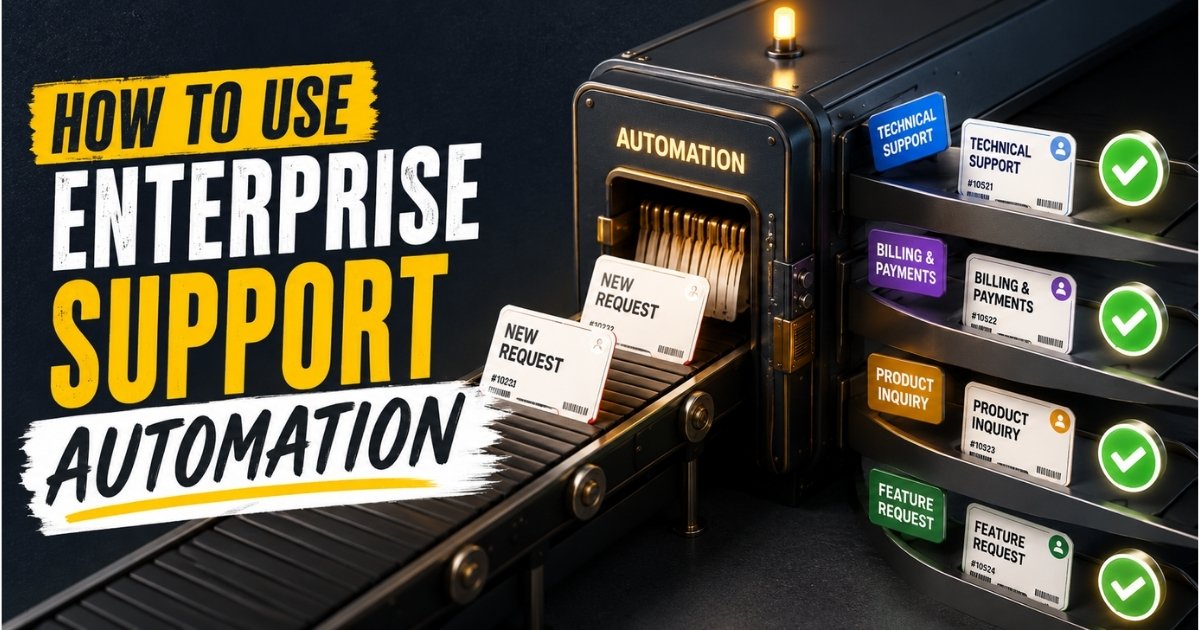
In 2026, organizations running workloads across AWS are dealing with two forces at once: cloud bills that keep climbing and support costs that scale right alongside them. For companies using AWS Organizations and multi-account strategies to govern dozens of environments, the price of AWS enterprise support can consume a significant portion of the operational budget. Enterprise Support minimums start at USD 5,000 per month, and percentage-based fees on top of that make the math uncomfortable for teams spending under USD 1 million annually.
The good news is that many capabilities traditionally bundled with enterprise support can be replicated through automation. Automated support case creation, quota increase workflows, proactive monitoring, and structured incident escalation are all achievable using native AWS services.
This article walks through what enterprise support automation looks like in practice, the cost drivers that make traditional plans hard to justify, reference architecture patterns, a step-by-step implementation guide, practical use cases, and how EasyDesk fits into this picture for teams ready to formalize their approach.
What Is Enterprise Support Automation
Enterprise support automation refers to scripted workflows that create, track, escalate, and close support interactions across cloud infrastructure and services. With AWS as a primary example, this includes programmatic management of support case creation, retrieval, and resolution, alongside automated quota management, account onboarding, and runbook enforcement across environments.
The AWS Support API, accessible with Enterprise Support enrollment, allows teams to build direct integrations that open and manage cases without logging into the console. Automation can handle repetitive internal and external service requests in enterprises, covering use cases like new account onboarding under AWS Organizations, incident triage that collects diagnostics before a human even looks at an alert, and standardized quota management that prevents capacity emergencies, mirroring many of the patterns found in workflow automation in customer support.
Generative AI automates repetitive tasks in enterprise support, and AI chatbots can resolve common technical issues in IT Service Management, reducing the volume of cases that ever need vendor attention. These capabilities complement traditional API-driven workflows, enabling teams to resolve a larger share of issues internally and significantly reduce customer support response time with automation.
Cost Drivers That Make Traditional Enterprise Support Hard To Justify
Traditional enterprise support models often come with significant costs tied to staffing, infrastructure, software licenses, training, and maintenance. For many growing businesses, those expenses outweigh the benefits, making enterprise-grade support difficult to justify from a budget and ROI perspective compared to more transparent, usage-aligned options such as modern customer support pricing plans.
Percentage-Based Pricing And Minimum Fees
AWS Enterprise Support fees are calculated as the greater of the minimum monthly fee or a percentage of monthly AWS spend: 10 percent on the first USD 150,000, 7 percent on the next USD 350,000, 5 percent on the next USD 500,000, and 3 percent above USD 1,000,000. For a company spending USD 500,000 per month, the support bill alone can reach tens of thousands of dollars monthly. For those spending under USD 100,000 per month, the USD 5,000 minimum fee dominates, yielding an effective support rate that exceeds what larger enterprises pay proportionally.
Duplicated Tooling Across Business Units
When different teams deploy their own monitoring, alerting, and ticketing tools, the organization ends up paying for overlapping solutions that do not communicate with each other. This fragmentation inflates both licensing costs and the engineering time needed to manage multiple stacks, and it usually signals a need for more unified ticketing software and support best practices.
Manual Escalation Overhead
Without automation, senior engineers spend hours gathering diagnostic data, formatting tickets, and communicating status updates. Support automation can reduce operational support costs by up to 30 percent by removing these manual steps. Automation reduces operational costs by minimizing human intervention, freeing up engineering capacity for strategic initiatives.
Unmanaged Member Accounts
In AWS Organizations, member accounts that lack consistent monitoring or support enrollment become blind spots. When an incident hits one of these accounts, the response is slower, less coordinated, and often more expensive than it needs to be.
Over-Automation And Under-Investment Risks
Over-automating with heavy ITSM integrations, multi-region stacks, or complex orchestration layers can inflate infrastructure and maintenance costs beyond what the automation saves. On the other side, underinvesting leads to slower recovery, higher operational stress, and missed SLA commitments. Understanding the tradeoffs between manual vs automated ticketing helps teams scope automation correctly. Companies that automate core operations can achieve a 20 to 35 percent cost reduction in the first year, but only when automation is scoped to match actual business needs rather than aspirational ones.
Architecture Patterns For Automated Enterprise Support Without Enterprise Pricing
Enterprise-level support no longer requires enterprise-level spending. Modern architecture patterns such as cloud-native platforms, self-service knowledge bases, workflow automation, AI-powered assistance, and modular integrations help businesses deliver scalable, high-quality support while keeping operational costs under control, aligning closely with the capabilities of a modern customer service management system.
Management Account As The Automation Hub
A reference architecture for budget-conscious support automation centers on a management account in us-east-1, where many global AWS API endpoints, including Support API and Trusted Advisor, are hosted. Shared automation components like aws lambda functions, Step Functions state machines, and an sns topic for notifications live in this account, effectively acting as automated workflow software for smarter support across all member accounts.
AWS Control Tower For Baseline Governance
AWS Control Tower enforces guardrails, centralized logging, and baseline configurations across newly created accounts. Lifecycle events such as CreateManagedAccount are delivered via EventBridge, providing a reliable trigger for onboarding workflows. Adopting AI tools helps organizations connect siloed departments and align workflows, and Control Tower plays a similar role at the infrastructure governance level, much like choosing the right cloud helpdesk tool for your team unifies day-to-day support operations.
Selective Use Of AWS Support API
Rather than enrolling every account in the highest support tier, this architecture uses the aws support api selectively for business-critical workloads. Non-critical environments rely on internal runbooks, knowledge bases, and internal ticketing. Automated systems provide 24/7 global availability for support interactions, so even off-hours incidents in production get routed correctly while sandbox accounts stay on lighter paths, following patterns common in ticket automation software for modern support teams.
Service Quotas Integration
Service Quotas automation monitors usage against safe thresholds, typically 70 to 80 percent of a given limit. EventBridge rules or scheduled checks compare actual usage against these thresholds, and automated ticket management software style patterns eliminate manual bottlenecks, leading to faster processing times when increased requests are needed. The architecture routes requests through the Service Quotas API where supported, falling back to the Support API only for hard or regionally constrained limits.
Cost Visibility And Guardrails
Tagging applied to automation resources enables tracking of which components incur cost by business unit or project. Budget alarms in AWS Budgets detect growth in automation infrastructure spend before it becomes a problem. CloudWatch metrics provide the data needed to verify that automation costs stay proportional to the value delivered.
How To Use Enterprise Support Automation Without Enterprise-Level Costs
This section covers six concrete steps that take you from an existing AWS Organizations setup to a minimal, affordable automation pipeline ready for production use. Each step focuses on a specific decision area, using real AWS services, 2025 to 2026 feature names, and realistic cloud bill ranges. Automation platforms improve operations and accelerate decision-making in large organizations, and these steps show how to build that capability without the price tag of a full enterprise contract, similar to how top cloud help desk software streamlines customer-facing support.
Define Support Outcomes And Limits Before Automating
Before writing a single line of code, document which incident severities require vendor response and which can be handled internally. A practical framework looks like this:
- Severity 1: Production system down, user-facing outage. Opens an AWS support case immediately.
- Severity 2: Degraded performance, partial impact. Internal team responds with documented runbooks, escalates externally only if unresolved within a defined window.
- Severity 3: Informational or non-urgent. Internal tracking only.
Map each of your aws services and environments to one of these tiers. Production workloads in the Production OU get Severity 1 eligibility. Staging and sandbox accounts default to internal-only support. Set concrete limits, for example a maximum of two AWS support cases per month per workload, or a requirement that internal teams acknowledge alerts within a few minutes. Store these parameters in a central configuration file, such as a JSON or YAML document in S3 or Parameter Store, so automation workflows can reference severity rules without hardcoded logic. This prevents overuse of high-severity cases and keeps your support spend predictable.
Use AWS Organizations And AWS Control Tower For Account Governance
Start with a management account that owns all billing and high-level governance. Enable aws organizations to group member accounts under organizational units aligned to risk and environment: Production, Shared Services, and Experiments are common starting points.
Deploy aws control tower to standardize guardrails across these OUs. Control Tower handles baseline configurations including logging, IAM baselines, and Config rules. When a new account is created through Account Factory, lifecycle events like CreateManagedAccount are delivered via EventBridge and CloudTrail. These events become the trigger for your onboarding automation. Organizing accounts this way lets you target only relevant accounts for premium support workflows. A user in the Production OU might get full automated support enrollment, while an Experiments OU account gets read only monitoring and internal escalation paths.
Automate Account Enrollment And Support Case Creation
New accounts in AWS Organizations need manual support case creation for Enterprise Support unless you build automation to handle it. In the management account, create an EventBridge rule that listens for CreateAccount and CreateManagedAccount events.
When the event fires, invoke an aws lambda function that calls the AWS Support API in us-east-1 to submit enrollment or support-related cases for the new account. AWS Control Tower automates Enterprise Support enrollment requests through this event-driven pattern. Store case templates, including severity, contact information, and the account id of the target account, in a configuration file so updates do not require code changes. AWS CloudFormation templates can automate support case submissions as well, using a cloudformation template with a defined stack name and parameters that map to your severity tiers. Restrict high-cost support options to production member accounts only, while sandbox accounts get routed to internal ticketing. This enrollment workflow runs in the beginning of each account lifecycle, ensuring no account starts without proper visibility and mirroring the benefits of streamlining support with ticket automation.
Introduce Lightweight Incident Workflows With Step Functions
Build an AWS Step Functions state machine that handles incident detection and escalation. The workflow starts when a CloudWatch alarm triggers an EventBridge event, which invokes a lambda function to collect diagnostic data: log excerpts, recent deployment IDs, and configuration diffs.
The state machine uses Choice states to branch based on case severity, service impacted, or time since detection. If severity is high and internal remediation has not resolved the issue past a defined threshold, the workflow opens a support case via the Support API. Simultaneously, it publishes a notification to an sns topic subscribed by on-call engineers through Slack or Teams. AI-driven tools improve response times and accuracy during this triage phase, and automated systems significantly reduce human error and ensure consistent outputs across every incident, much like an automated email-to-ticket system does for customer-facing queues. The status of each case is polled periodically, and results are logged for review. This pattern keeps engineers informed while reducing the number of manual tickets that need to be created and tracked.
Control Service Quotas Proactively Without Overprovisioning
Use the AWS guidance for automating Service Quota management as a starting point. For key quotas like EC2 instance counts, EBS volumes, or VPC limits in specific regions, define safety thresholds at 70 to 80 percent of each limit.
Configure EventBridge rules or scheduled Lambda checks to compare actual usage against these thresholds. Where the Service Quotas API supports automated increase requests, submit them programmatically. For hard or regionally constrained limits, fall back to the AWS Support API to create a support case requesting an increase. Each quota increase request and its approval date should be logged so future capacity planning has concrete history. This proactive approach avoids emergency escalations that are more disruptive and more expensive in engineer time, just as selecting the best free helpdesk ticket system early can prevent costly operational bottlenecks later. It also gives finance teams the data they need to make informed decisions about projected cloud spend tied to growth in resource consumption.
Measure Automation Value And Adjust Support Strategy
Track metrics that connect automation to business outcomes: average time from incident detection to case open, mean time to resolution, and the ratio of manual versus automated escalations per month. Generative AI provides actionable insights from large data sets, helping teams identify patterns that manual review would miss.
Combine CloudWatch metrics, AWS Cost Explorer data, and ticketing system reports to validate whether automation is reducing both downtime and spend. These same telemetry-driven practices help you spot when your desk support is failing and how to fix it, reinforcing the modern ticketing software and support best practices you adopt. Automation can reduce operational costs by minimizing manual tasks, but the savings need to be measured to justify continued investment. Set budget alarms to detect any growth in the automation stack itself, including Lambda execution costs, SNS delivery charges, and Step Functions transitions. Run quarterly reviews where operations and finance teams evaluate if certain workloads can accept a comment period before external escalation, or if stable services can downgrade their vendor support tier entirely. Experiment by temporarily reducing automatic case creation for non-critical flows and measuring the risk versus savings over a defined period.
Practical Use Cases For Enterprise Support Automation On A Budget
The patterns described above are not theoretical. They map directly to workloads that many organizations already run, from ecommerce platforms and internal HR systems to data analytics sandboxes and customer-facing SaaS products.
New Account Onboarding Across Multiple Business Units
A company with three business units rolls out Control Tower. Each time a new account is created under the Production OU, automation ensures guardrails, tagging, and baseline monitoring are applied. Templated workflows trigger an initial AWS support case to register contacts, severity profiles, and notification channels. This prevents forgotten accounts that lack visibility or proper support channels. Standardizing contacts and severity mappings across units avoids inconsistent response during incidents, and the entire process can complete within a few minutes of account creation, similar to how a smarter help desk platform standardizes workflows across customer-facing teams.
Production Incident Escalation With Minimal Human Handoffs
CloudWatch alarms detect anomalies such as CPU spikes or elevated error rates. EventBridge routes the alarm to a Lambda function that collects log excerpts, recent deployment details, and configuration diffs. If the threshold is breached for two consecutive intervals, a Step Functions workflow opens a support case via the Support API for the production account and simultaneously notifies on-call engineers through SNS. Automation enhances agent productivity by filtering out mundane tickets, so engineers focus only on cases that genuinely need human judgment. This reduces the time spent manually gathering context and prevents incomplete tickets that stall resolution.
Service Quota And Capacity Management For Growth Events
Before known traffic surges, such as end-of-quarter reporting, Black Friday campaigns, or major product launches, schedule automation 30 to 60 days ahead to scan quotas by region. The workflow lists current quotas, compares them against projected usage, and generates increase requests where necessary. Each request is tracked through to approval, and finance receives a page-level summary of projected incremental cloud spend tied to the approved quotas. This proactive approach replaces last-minute, high-stress escalations with a calm, repeatable process.
Security And Compliance Support Workflows
AWS Security Hub and GuardDuty findings serve as triggers for automated security-related support actions. Only high-confidence, high-impact findings route into combined internal and vendor support workflows. Medium and low findings stay in internal tracking systems. When a support case is opened, the automation attaches compliance context: affected data classifications, regulatory mappings, and relevant iam role details. This improves audit trails and reduces the time auditors or risk teams spend reconstructing incident histories. The technology behind these workflows ensures that only findings meeting predefined criteria generate external cases, keeping noise and cost under control.
Cost And Performance Optimization Campaigns
Quarterly automated checks identify inefficient resources: underutilized instances, orphaned volumes, oversized instance types. Basic cleanup tasks, such as deleting unattached EBS volumes or right-sizing development instances, run automatically where safe. For complex optimization questions, the workflow can selectively engage vendor support or Trusted Advisor. Each campaign tracks savings generated, which teams use to justify the limited vendor support usage and the automation maintenance budget, much like teams compare support desk software options to validate ROI on customer-facing tooling. Patterns discovered here inform future infrastructure design and training for engineering teams, leading to fewer issues needing support over time and creating a cycle of continuous improvements.
Final Thoughts
Enterprise support automation is no longer reserved for large organizations with massive budgets. Modern cloud platforms, AI-powered tools, workflow automation, and self-service resources allow growing businesses to deliver fast, consistent, and scalable support without investing in expensive enterprise systems. The key is to focus on automating repetitive tasks, empowering customers to find answers independently, and connecting support processes through flexible integrations.
A well-planned automation strategy reduces operational costs, improves response times, and helps support teams handle increasing demand without adding significant headcount. By adopting the right technologies and architecture patterns, businesses can create an enterprise-grade support experience that scales efficiently, improves customer satisfaction, and delivers measurable value while maintaining full control over support spending, especially when paired with an EasyDesk customer support platform that offers smarter, secure customer support features.
Frequently Asked Questions
Can I Use AWS Support Automation If I Only Have Developer Or Business Support?
The aws support api generally requires Business Support+ or higher. Accounts under Basic support cannot create or manage cases programmatically through the API. However, the surrounding workflows, including monitoring, alerting, internal runbooks, and notification routing, can be automated regardless of your support tier. Design your automation to fall back to internal ticketing or email when Support API access is unavailable.
How Do I Keep Automated Support Workflows Secure Across Member Accounts?
Grant least-privilege IAM roles to every Lambda function and Step Functions state machine that interacts with the AWS Support API or Service Quotas. Place automation components in the management account and use cross-account roles with limited permissions in member accounts, granting only what is needed, such as read-only access to metrics or logs. Log all automated actions to CloudTrail and centralize logs in a dedicated audit or security account.
What Is The Maintenance Overhead Of A Custom Support Automation Stack?
A minimal stack using EventBridge, aws lambda, and Step Functions can typically be maintained by a small platform team with a few days of focused work per quarter. Most overhead comes from adapting to new business requirements, AWS feature changes, and internal process updates, not from the serverless infrastructure itself. Version your infrastructure-as-code templates and run automated tests for critical workflows to catch breaking changes early.
How Can I Test Support Automation Without Affecting Production Workloads?
Create dedicated non-production member accounts grouped in a separate organizational unit for testing. Use lower severities or internal-only routing for test support cases to avoid unnecessary vendor involvement and charges. Simulate incidents with synthetic alarms, mock data, or controlled load tests to verify automation behavior end to end. Each enrolled test account should mirror production configurations but remain isolated so that test events never trigger real vendor escalations.
Can These Automation Patterns Work With Other Cloud Providers Too?
While this article focuses on AWS features like AWS Control Tower and AWS Support API, the core principles apply to Azure, Google Cloud, and hybrid environments. Equivalent building blocks exist on other platforms: Azure Event Grid and Azure Functions, GCP EventArc and Cloud Functions, and provider-specific support ticket APIs. Cross-cloud orchestration benefits from a central workflow layer that can abstract provider-specific details, allowing uniform internal triggers and fallback paths.



