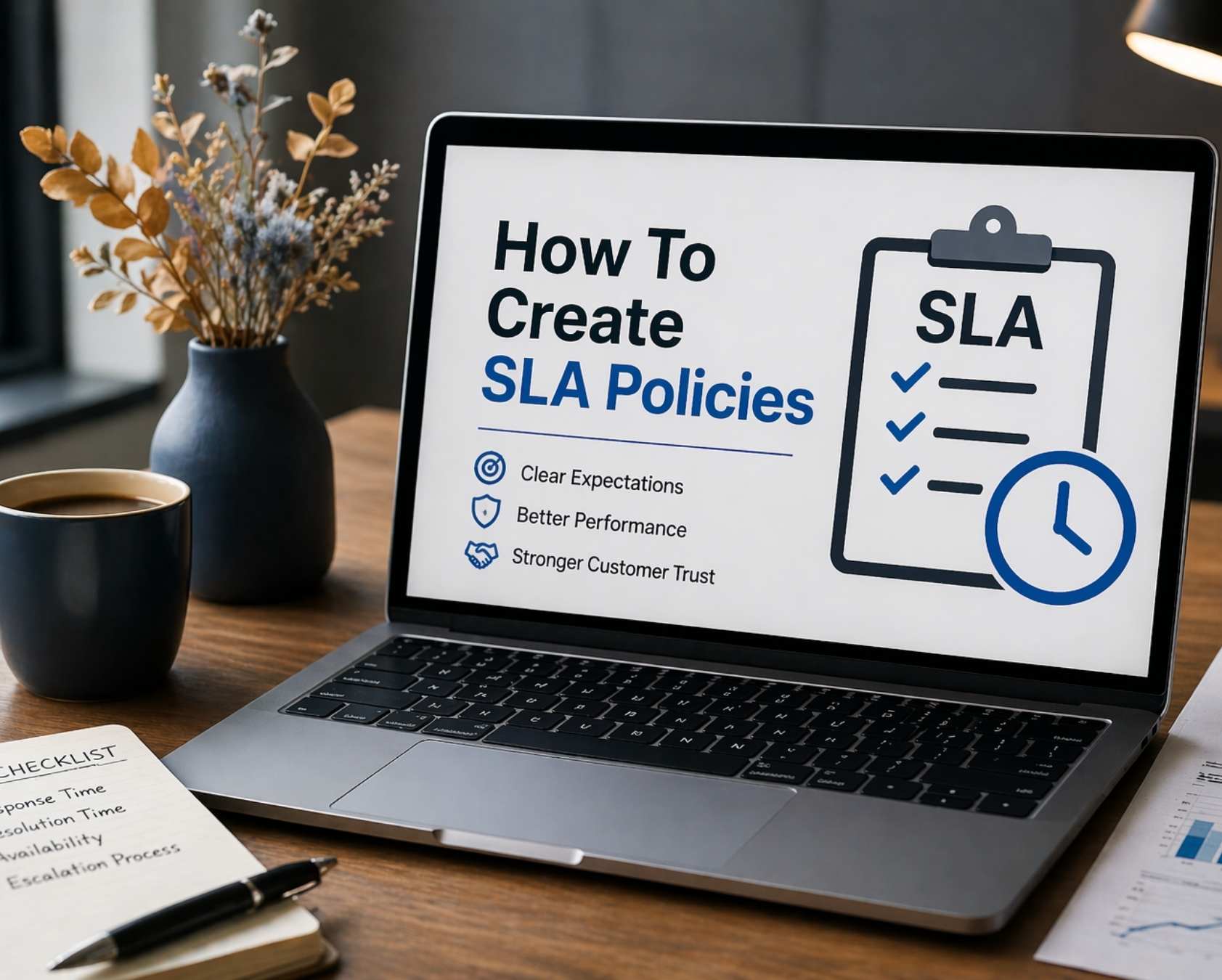
Support teams in 2024 through 2026 face a reality that makes structured SLA policies essential rather than optional. Rising ticket volumes, expanded channel complexity across email, chat, social media, and in-app messaging, and escalating customer expectations for responsiveness create operational pressure that manual prioritization cannot handle at scale, mirroring many broader customer service challenges and solutions seen across the industry.
Without SLA policies, tickets receive inconsistent handling based on agent availability or customer persistence. With SLA policies, every ticket has a defined due time and clear escalation path that prevents work from falling through cracks. The service provider agrees to specific performance levels, and the support team becomes accountable to measurable standards rather than subjective assessments.
This article focuses on designing and implementing SLA policies using tools such as EasyDesk, moving beyond theoretical concepts to operational deployment. You will learn the step-by-step process for creating policies that align with your team's capacity, customer expectations, and business objectives.
What Is An SLA Policy In Customer Support
A service level agreement is a contract that defines the service to be provided and the level of performance expected, including how performance will be measured and what happens if performance levels are not met. An SLA typically includes an overview section that introduces the agreement, outlining the parties involved, the services to be provided, and the duration of the agreement.
Within support platforms, an SLA policy is a more granular ruleset that applies concrete response and resolution targets to support tickets based on specific attributes. The structure includes conditions that determine which tickets trigger the policy, metrics that define what gets measured, targets that specify numeric goals, and measurement basis that determines whether business or calendar hours apply, all of which are covered in more depth in our Service Level Agreement helpdesk guide.
For example, a typical SLA might specify first response within 15 minutes for live chat P1 incidents, resolution within 4 hours for critical system outages, response within 4 business hours for email billing questions, or resolution within 2 business days for low priority feature requests. Key components of an SLA include a description of services, performance metrics, roles and responsibilities, remedies and penalties for breaches, and a review and adjustment process.
Elements Of Effective SLA Policies
Strong SLA policies combine clear targets, accountability rules, and measurable outcomes to ensure consistent support performance across teams and channels. Each element should be actionable, easy to track, and aligned with real customer expectations rather than internal assumptions. A well-defined SLA policy enhances accountability, manages expectations, improves service quality, and strengthens trust between businesses and clients, as outlined in our broader helpdesk Service Level Agreement guide.
Response Time Commitments
Response time, specifically first response time, represents the elapsed time from ticket creation to the support team’s first substantive reply. Response time metrics establish the acceptable duration for a service provider to acknowledge a client issue.
Response time varies by channel. Live chat typically requires response within 15 to 30 minutes for premium support. Social media typically targets 30 to 60 minutes. Email typically ranges from 2 to 8 business hours depending on ticket priority. Response time SLAs differ significantly from resolution time because responding acknowledges the customer while resolution actually solves the problem. A ticket can have a breached first response SLA if the agent responds at minute 20 to a 15 minute target, but the entire issue can still be resolved within the resolution time target.
Resolution Time Standards
Resolution time is the total elapsed period from ticket creation to closure with a solution. Resolution time metrics define how long it should take to fully resolve a customer issue. The desired metric varies by priority level.
P1 critical issues such as system outages affecting all users might target 2 to 4 hours. P2 high issues where significant functionality is degraded but workarounds exist might target 8 to 12 hours. P3 medium issues might target 2 to 3 business days. P4 low issues including minor cosmetic problems or feature requests might target 5 to 10 business days. Resolution time targets should reflect realistic throughput based on team capacity, and continuous average resolution time optimization helps keep these targets both ambitious and achievable. A support team of five agents managing 200 plus tickets per day cannot promise 4 hour resolution for all incoming requests.
Priority And Severity Levels
Ticket priority classification standardizes how teams determine urgency based on impact and affected user count. Common frameworks use P1 through P4 or Critical through Low designations, and effective ticket prioritization in customer support ensures those labels translate into meaningful action.
P1 Critical typically involves system outage, data loss, or security breach. P2 High involves significant degradation but workarounds exist. P3 Medium affects specific workflows without blocking the business. P4 Low covers feature requests or minor cosmetic issues. Create SLAs that differentiate performance goals based on ticket priority levels, allowing for more effective resource allocation and response strategies. Priority definitions must be aligned across all teams so that a P1 in the billing team means the same as a P1 in technical support.
Escalation And Ownership Rules
Escalation procedures specify when and to whom tickets should be escalated. A chat agent might escalate after 10 minutes without resolution, or a billing agent might escalate if a refund request exceeds a certain amount.
Clear ownership at each stage prevents tickets from becoming nobody’s problem. Each escalation stage should have a defined owner, typically a team lead, senior agent, or specialist, with their own SLA targets for response and resolution on escalated tickets. Document escalation paths for critical and time sensitive issues to enable escalations without confusion or delay, following principles from a structured ticket escalation process guide.
Performance Measurement Criteria
Common SLA metrics include availability and uptime, response time, resolution time, error rates, and first call resolution rate, which help evaluate service performance and ensure accountability. Modern SLA tracking software makes these metrics visible in real time so teams can intervene before breaches occur. Uptime is typically expressed as a percentage, such as 99.9%, indicating the amount of time a service is operational and accessible over a specified period.
Regular tracking of SLA metrics allows businesses to monitor and improve service quality. Track performance through dashboards showing response time by priority, resolution time trends, SLA compliance rate as a percentage of tickets meeting targets, and breach rate patterns. The performance tracking and reporting section of an SLA details the agreed-upon service availability and performance standards, often defined within service level objectives.
How To Create SLA Policies For Support Teams
This section covers the full lifecycle from discovery to rollout for SLA policies. The following seven steps form a practical sequence teams can follow when building or overhauling SLAs in 2024 through 2026, complementing our broader ticket SLA management guide.
Audit Current Support Performance And Customer Expectations
Before defining any SLA policy, establish a baseline of current performance. Export 3 to 6 months of support data from your existing system covering tickets, channels, resolution times, response time, and backlog metrics.
The audit should answer specific questions. What is the current average first response time by channel? How long does ticket resolution take for different types of issues? Which issues consistently create bottlenecks? Interview frontline agents to reveal where delays actually occur, often due to systems integration issues or knowledge gaps. Interview account managers to understand which customers complain most about response speed. Interview key customers, especially at risk ones, to understand what response times they actually need versus what they think they need. Many SLAs fail because they are based on internal assumptions rather than real customer expectations, rather than data-led average resolution time analysis.
Define Ticket Categories, Priorities, And Customer Tiers
Ticket categorization creates the taxonomy that SLA policies reference. Categories typically include Incident for system not working, Service Request for changes or new items, Question for information needs, and sometimes separate categories for different departments like Billing or Technical, all of which feed into consistent ticket prioritization practices. Thoughtful design at this stage reduces the risk of SLA failures and misaligned expectations later on.
Set concrete priority definitions with examples. P1 represents full service outage. P2 represents degraded performance affecting many users. P3 represents isolated issues with workarounds. Customer tiers might include Standard for SMB customers, Business for mid market customers with defined support hours, Enterprise for large customers with 24/7 support, and Internal for other departments within the company. A customer level SLA is an agreement between a service provider and a specific customer that describes the services provided and performance expectations tailored to that customer. Align these definitions with fields available in your support platform.
Choose Realistic Response And Resolution Targets
Translate business promises into numeric targets using historical data from the audit step. If the audit showed the team currently responds to P1 incidents in an average of 35 minutes, setting a target of 15 minutes is likely unrealistic without adding headcount. A good starting point is setting a target of 30 minutes for P1 and then planning to improve over time, then using automation to reduce response time as your processes mature.
Account for channel differences. Chat tickets might have 15 minute response targets, email might have 4 to 8 hour targets, and social media might have 1 to 2 hour targets. Business hours versus calendar hours matters significantly. A 1 hour target in business hours means the clock stops at 5 PM. A 1 hour target in calendar hours means the clock runs 24/7. Service availability targets must specify time zones clearly for distributed teams.
Design Multiple SLA Policies For Different Scenarios
Most mature support operations need multiple SLA policies rather than a single global rule or only one SLA. There are three primary types of service level agreements: customer level SLAs, service level SLAs, and multilevel SLAs.
A service based SLA is a contract that details a defined service provided to multiple customers, ensuring uniformity in service delivery across all users of that specific service. A multilevel SLA incorporates different levels of service into the same agreement, allowing for flexibility and specificity for various stakeholders or service tiers. A corporate level SLA covers organization wide standards. Design separate policies for VIP customers with shorter SLA targets, standard customers with moderate targets, outage related incidents requiring fastest response regardless of customer tier, billing inquiries, and feature requests. Clearly define which ticket attributes trigger each policy so every ticket falls into exactly one policy without conflicts, following a structured ticket SLA management approach.
Configure SLA Conditions, Business Hours, And Calendars
This is the technical configuration phase where abstract policy definitions become concrete system rules through SLA rules and automation rules. Conditions might use logic like Channel equals Chat AND Priority equals P2 or higher, or Customer Plan equals Enterprise AND Issue Type equals Outage. A robust SLA management system centralizes these rules so they remain consistent as your support operation scales.
Business hours should reflect actual staffing. A team with no night coverage might have 24/5 business hours on weekdays only. A team with 24/7 coverage configures calendar hours accordingly. Account for regional holidays, company holidays, and planned maintenance windows where the SLA clock should pause. A default SLA policy applies when tickets do not match any specific policy conditions. Support platforms can support separate calendars per team, allowing a US team and an EU team to have different business hours without manual intervention, especially when backed by dedicated SLA management software.
Set Up Notifications, Reminders, And Escalations
Warning agents before an SLA breach occurs is far more effective than notifying them after it happens. Configure prebreach alerts, such as notifying an agent 15 minutes before a P1 ticket’s SLA is about to expire, and combine them with automated ticket assignment so urgent work reaches the right agent quickly.
Define escalation paths specifying that if a P1 ticket has not been resolved after 2 hours, it escalates to a team lead, and if not resolved after 3 hours, it escalates to a manager. Use color coding on ticket queues with red for breached SLAs and amber for at risk tickets to give agents instant visual context about which support tickets need immediate attention. Automate internal notifications and reassign tickets when SLA deadlines are in danger with automated ticket management software. SLAs typically include penalties, known as service credits, which are enforced when vendors fail to meet minimum performance standards.
Pilot, Monitor, And Iterate On SLA Policies
Roll out new SLA policies in a limited pilot, such as one region or one customer segment, for 30 to 60 days rather than deploying company wide immediately. Track specific SLA metrics during the pilot including breach rate by priority level, average response time and resolution time for each priority, backlog size trends, and agent feedback on whether targets feel realistic.
Regularly review and adjust SLAs to ensure they align with evolving business needs and customer expectations, as outdated agreements can hinder service delivery. After the pilot, refine policies based on real performance data. If P1 incidents are consistently resolved in 2 hours and the target was 4 hours, the target can likely be tightened. If P2 incidents breach 60 percent of the time, the target is too aggressive and needs relaxing or the team needs additional resources.
Ways To Manage Multiple SLA Policies Across Channels And Teams
Managing multiple SLA policies becomes complex as support expands across channels, teams, and customer segments with different expectations. A structured approach maintains consistency, avoids conflicts, and ensures every request follows the correct service level SLA, which is where a centralized SLA management system becomes especially valuable.
Centralize SLA Management
Define all SLA policies within a single system to avoid fragmentation. Maintain one source of truth for response and resolution times across every team and channel. Multiple SLAs scattered across spreadsheets, documentation, or different team leaders create inconsistency. Centralized management prevents situations where one team operates under outdated targets or where channel specific policies conflict with customer tier specific policies. A default policy should exist for tickets that do not match specific conditions, which is easier to maintain inside a unified SLA management system.
Standardize SLA Frameworks
Create uniform SLA structures for priorities, categories, and tiers. Align definitions across email, chat, and ticketing channels using consistent naming conventions for easier tracking and reporting. Standard SLA frameworks prevent mismatches in service expectations across departments. A customer based SLA ensures that performance targets for a specific customer remain consistent regardless of which team handles the ticket. SLAs are commonly used in IT services to ensure reliability and consistency in service delivery.
Automate SLA Assignment
Assign SLA policies automatically based on ticket type and priority. Route requests to the correct internal teams without manual intervention to reduce delays caused by incorrect or late assignments. Automate routine SLA tasks to enhance efficiency and accuracy in tracking performance metrics, which helps maintain compliance and reduces human error. SLA tracking tools ensure every request follows the correct SLA from the moment it arrives.
Monitor SLA Performance
Track response and resolution times across all channels using dashboards to identify delays and performance gaps. Compare SLA compliance across different teams and take corrective action based on real time service performance insights, paying particular attention to average resolution time trends. An SLA within IT services may guarantee specific metrics like server uptime percentage and financial penalties for exceeding downtime limits. Performance levels should be visible across the organization.
Align Teams With SLA Goals
Communicate SLA expectations clearly to all teams and train them on handling priorities and escalation paths. Encourage accountability through measurable performance targets and review team performance regularly to maintain SLA consistency. SLAs mitigate misunderstandings by clarifying service obligations between parties involved, which helps reduce disputes. All the services provided should meet agreed upon terms.
How To Measure SLA Compliance And Reporting To Stakeholders
Measure performance using metrics that matter for SLA reporting including breach counts, percentage of tickets within target, and trends over weeks or months. Connect SLA performance to business results rather than just reporting raw numbers, ideally through your SLA management software so reporting is consistent and automated.
Present SLA performance contextually. Rather than reporting only 95 percent P2 compliance in March, explain that 95 percent of high priority issues were resolved within the 12 hour target, maintaining customer satisfaction scores above 4.2 out of 5. Compared to February’s 89 percent compliance, this improvement reflects better staffing and automation of common issues.
Different stakeholder groups require different reporting perspectives. Executives want high level metrics showing whether SLA targets are being met and trends over time. Customer success leaders want to understand SLA performance for specific key accounts. Frontline teams want detailed metrics showing which categories or channels need process improvements. Use SLA data to justify staffing changes, training programs, or process improvements through the finance group, not just to monitor breaches. Technical quality improvements should be tied to measurable SLA outcomes and integrated into your broader customer support team operations.
Best Practices And Common Pitfalls When Creating SLA Policies
SLA policies directly impact response speed, service quality, and customer experience across support operations. Poorly defined SLAs lead to missed targets, team confusion, and inconsistent service delivery, echoing the broader risks outlined in our overview of why SLAs matter for service success. Balancing ambitious goals with realistic execution capabilities creates reliable, scalable SLA frameworks that enhance customer satisfaction.
Set Realistic SLA Targets
Base targets on historical performance data and actual team capacity. The most common SLA policy failure is targets that are too aggressive, leading to constant breaches, demoralized teams, and eroded credibility. If current average response is 45 minutes, targeting 40 minutes creates an achievable stretch goal. Targeting 15 minutes when current average is 2 hours requires additional resources first. Adjust targets as workload, tools, and team size evolve. Maintain achievable standards that teams can consistently meet to meet SLA targets without permanent overtime.
Align With Customer Expectations
Define SLAs based on customer needs and urgency levels. A customer level SLA should reflect what customers actually need. A SaaS company’s customers might not care about 30 minute response for minor billing questions but desperately need sub 1 hour response for complete service outages. Segment customers into tiers with appropriate service commitments and communicate expectations clearly to prevent misunderstandings, especially in the face of modern customer service challenges and their solutions. Avoid generic SLA policies that ignore customer differences. Compensation for SLA breaches may include financial penalties, service credits, or other forms of restitution to the client.
Define Clear Priority Levels
Standardize ticket priorities such as P1, P2, and P3 with concrete definitions. Map each priority to specific response and resolution targets. Ensure all teams follow the same classification logic to prevent confusion and delays caused by inconsistent prioritization. Common pitfalls include ticket priority inflation where everything gets marked P1, making P1 meaningless. Clear definitions with examples prevent this confusion and support timely manner handling, especially when aligned with your customer support team structure. Earn back provisions allow service providers to regain service credits by meeting or exceeding service levels for a defined period after a breach.
Build Strong Escalation Rules
Define when and how tickets should be escalated and assign ownership at each escalation stage to avoid delays. Document escalation paths for critical and time sensitive issues to ensure quick handling of high impact problems. Pitfalls include escalation paths that go nowhere or escalation rules triggered so frequently that the escalation path becomes a bottleneck, issues that a well-designed ticket escalation process is meant to prevent. Legal counsel may be involved for third party litigation costs in severe breach scenarios. Cloud computing services often require specific escalation procedures due to service complexity.
Track And Improve Performance
Monitor SLA metrics like response time and resolution time using reports to identify gaps and recurring issues. Review SLA performance regularly with team feedback and continuously refine policies to improve service consistency. SLA policies should be treated as living documents that evolve as the specific business needs, team size, and customer expectations change and should be embedded into your overall support team operations strategy. The same ticket should receive consistent treatment regardless of which agent handles it.
How EasyDesk Helps You Implement SLA Policies
EasyDesk allows support teams to define SLA policies through an admin interface where conditions, target times, metrics, business hours, and escalation rules can be configured without code. The service desk interface supports the complete SLA structure discussed throughout this article and is powered by a broad set of EasyDesk customer support features.
Real time SLA badges on tickets show time remaining before SLA breach. At risk indicators highlight tickets approaching deadline across all channels. Analytics dashboards display breach trends by priority and channel, helping teams track performance against targets. SLA tracking capabilities in EasyDesk can pause SLA timers when tickets enter waiting for customer status and can automate escalations based on SLA breach risk.
EasyDesk supports the progressive implementation approach described in this article. Teams can start with simple SLA policies and gradually refine them as they gather performance data. Whether you need a single default SLA or multiple SLAs across customer tiers and channels, EasyDesk handles the complexity of tracking and enforcement as a secure, efficient customer support platform. Start a trial or request a walkthrough focused on your current SLA challenges to see how EasyDesk simplifies SLA management for your support team, similar to how it improved response time for a growing team.
FAQs
How Often Should We Review And Update Our SLA Policies
A formal review at least every quarter is recommended, with additional reviews after major product releases, pricing changes, or support volume spikes. EasyDesk reports show when targets are consistently missed or easily met, signaling the need for adjustment and feeding back into your centralized SLA management system. Seasonal trends might require different SLA targets for peak periods versus off peak periods.
How Do We Handle SLA Timers When Customers Stop Responding
Pause or reset resolution timers when tickets are waiting on customer input, clearly defining waiting for customer rules in policy documents. EasyDesk can automatically pause SLA countdowns when status fields move into a waiting state. This ensures support teams are not penalized for delays outside their control.
Should Internal Teams Have Different SLAs From External Customers
Create separate SLA policies for internal departments and paying customers with different priorities and expectations. For example, internal IT requests might have 8 hour resolution targets while external enterprise incidents have 4 hour targets. Internal requests often have different urgency profiles than external customer tickets.
What Is A Reasonable Starting Point For First Response Targets
Concrete starting benchmarks include 15 minutes for live chat, 1 hour for social media, and 4 business hours for email. Adjust these numbers based on actual team capacity and the results of your initial SLA pilot, then look for opportunities to apply automation to reduce customer support response time. These represent industry standards but your specific business requirements may differ.
Can Small Support Teams Benefit From SLA Policies Or Is This Only For Enterprises
Even teams with fewer than 10 agents gain value from simple SLAs that clarify priorities and prevent neglected tickets. A small team might need just two SLA policies: one for critical incidents requiring 1 hour response and 4 hour resolution, and one for standard requests with longer timelines. A smart ticketing tool for small teams like EasyDesk allows lightweight configurations so smaller teams can adopt core SLA rules without complexity overhead.



