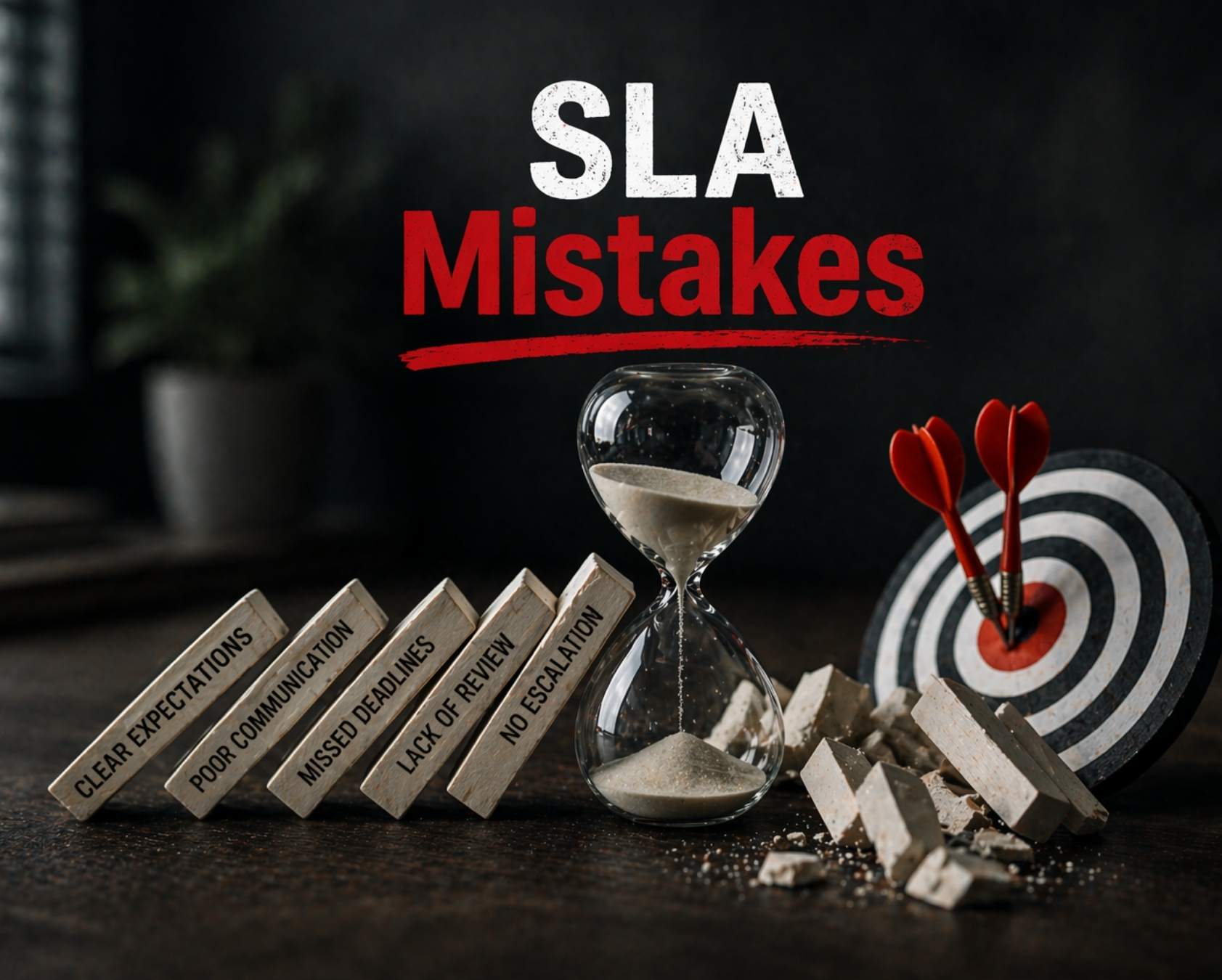
A customer submits a critical ticket expecting the promised 24-hour response. Three days pass with no reply. When support finally responds, the customer has already moved to a competitor. This scenario plays out daily in organizations where service level agreements exist only as documents rather than operational commitments.
An SLA outlines measurable performance targets between a service provider and customer, covering response times, resolution durations, and uptime expectations. This article focuses on practical SLA mistakes that EasyDesk sees across support teams and IT service desks, especially in fast-growing SaaS and B2B environments.
The goal here is protecting customer satisfaction metrics like CSAT, NPS, and churn, not just avoiding contractual penalties. The following sections detail specific SLA mistakes with real examples and clear corrective actions for your team, and show where a secure and efficient customer support platform like EasyDesk can reinforce the right behaviors.
Major SLA Mistakes That Damage Customer Experience
This section groups the seven most common mistakes EasyDesk encounters in SLA management. Each subsection covers symptoms, root causes, and fixes based on real support operations. Examples reference realistic targets like first reply within 2 business hours for P1 tickets and resolution within 3 business days for low-priority issues. These mistakes show up inside ticket queues, dashboards, and customer conversations rather than just in contract language, and they directly inform how we built our secure, transparent customer support platform.
Vague Or Misaligned SLA Metrics
SLAs promising to respond quickly or resolve issues as soon as possible create disputes between customers, agents, and managers. Using vague definitions, such as resolve issues quickly, leads to disputes due to different interpretations of what constitutes quickly. Each party interprets these terms differently, resulting in frustration when expectations collide.
The Watermelon Effect occurs when technical metrics appear satisfactory but customer satisfaction is low, revealing a disconnect between actual service quality and reported metrics. A team might track average response time while ignoring backlog growth or first contact resolution rates, leaving customers frustrated despite green dashboards.
Replace vague language with concrete, measurable targets. For example, use Time To First Response within 1 business hour for high-priority tickets received between 08:00 and 18:00 on weekdays. Clearly defined, realistic, and trackable metrics are essential for success in SLAs, as they eliminate ambiguity and set concrete expectations for service delivery.
Align SLA metrics with business goals like renewal dates, onboarding timelines, and uptime commitments. Include separate targets for channels like email, chat, and phone since customer expectations differ across each channel. Chat users abandon at 10 percent per minute delay, while email customers typically accept 1 to 4 hour responses.
Unrealistic Response And Resolution Targets
Teams often promise 24/7 coverage or near-instant replies without adequate data on capacity, leading to chronic SLA failures and apologetic emails. Setting overly ambitious targets, such as 100 percent availability, can result in team burnout and frequent contractual breaches.
Consider a small support team of five agents committing to 5-minute responses for all tickets, including weekends and holidays. Without staffing to match, this guarantee fails repeatedly. Common mistakes in creating service level agreements include setting unrealistic performance targets that the team cannot consistently meet.
Use historical ticket data from at least 3 to 6 months to set realistic targets for Time To First Response and Time To Resolution per priority level. Build in buffers for seasonality, product launches, and new customer cohorts. Objectives and metrics in SLAs should be defined in a way that aligns with the overall business goals of the parties involved, following the SMART criteria: specific, measurable, achievable, relevant, and time-bound, with particular attention to reducing average resolution time in support teams.
Ignoring Priority, Impact And Customer Segmentation
Treating all tickets with a single 24-hour reply SLA causes critical incidents and VIP accounts to wait behind minor how-to questions. This flat approach ignores the difference between impact and urgency. A payment system down for all users in the EU region differs completely from one user unable to update their profile picture.
Clearly defining roles and responsibilities in an SLA helps prevent misunderstandings and disputes over who is responsible for what, ensuring both parties have a common understanding of expectations. Without priority matrices, teams guess at classification.
Implement a simple priority matrix with clear rules. P1 covers full outages with 15-minute first response. P2 handles partial degradation with 1-hour response. P3 addresses standard issues with 4-hour targets. P4 covers how-to questions with 3-day windows. Configure extra-tight SLAs and escalation paths for strategic customers or regulated industries as customer segments by using a structured approach to ticket prioritization in customer support.
Training support agents on concrete priority criteria rather than intuition cuts escalations by 40 percent according to industry data, especially when combined with a clearly defined ticket escalation process for faster support.
Lack Of Automation For Timers And Escalations
Tracking SLA due times manually in spreadsheets or email folders results in missed follow-ups and hidden breaches. Inefficient communication often leads to misaligned expectations and inefficiencies, causing delays or mishandling of tasks when team members are not informed about SLA priorities or status updates.
A high-priority ticket sits unassigned for 3 hours because nobody noticed it approaching its SLA target. Without automated alerts, this becomes normalized rather than exceptional.
Establishing clear communication channels and centralized tools for SLA management is essential for keeping teams coordinated and maintaining consistent service levels, reducing redundancies and delays. Use automated SLA timers that start, pause, and stop based on ticket status changes, business hours, and customer replies, supported by SLA tracking software that improves response time.
Configure escalation rules such as: if a P1 ticket reaches 50 percent toward breach without an assignee, notify the duty manager and on-call engineer by email and in-app alert. Automated systems prevent the hidden breaches that erode customer experience.
Poor Visibility Into SLA Performance
Many teams only realize they have an SLA problem when a key customer complains. Without clear dashboards or weekly reports, problems remain invisible until they escalate. Decision-making relies on assumptions instead of data, stalling improvements.
Tracking too many metrics in SLAs can dilute the focus on mission-critical services, leading to ignored key issues. Having too many SLAs can dilute their effectiveness, making it difficult for service providers to prioritize which agreements are most critical to the client. When a client has numerous SLAs, the service credits associated with breaches become nearly meaningful metrics, as the impact of each SLA is significantly reduced.
Build shared views showing current breach risk, such as tickets due in the next 60 minutes, grouped by priority, channel, and owner. Weekly SLA breach reviews for frontline managers and monthly SLA trend summaries for executives, supported by SLA management software for real-time monitoring, reveal patterns like repeat breaches on certain days or specific queues.
SLA-related failures can result in significant financial losses, with research suggesting that they can cause as much as 7,000 to 9,000 dollars in lost revenue for every minute of a systemwide outage, in addition to potential legal liabilities and damage to reputation.
Static SLAs That Never Get Reviewed
Companies often treat SLAs as static legal documents instead of dynamic operational tools requiring regular reviews. SLAs written in 2020 often no longer match current customer expectations, new products, or remote work patterns introduced since 2022.
An SLA relaxed during the 2020 to 2021 pandemic that was never tightened again leads to slow responses that competitors now outperform. Failing to regularly review SLAs can result in outdated commitments that do not align with current operational realities, potentially leading to service failures and client dissatisfaction.
Regular reviews of SLAs are essential to ensure they remain relevant and effective in light of changing business needs, client expectations, and technological advancements. An SLA should include provisions for regular review and revision to prevent it from becoming outdated or ineffective, which can lead to misunderstandings and disputes.
Schedule formal SLA reviews at least every 6 or 12 months. Include inputs such as average ticket volume, top customer complaints, breach counts, and agent feedback from retrospectives, and use an SLA management system with automation and reporting to make these reviews data-driven.
Treating SLAs As Contracts Rather Than Customer Promises
Organizations sometimes focus only on legal wording, penalties, and service credits, forgetting that customers care about responsiveness and clarity at critical moments. Treating service level agreements purely as legal instruments damages long-term customer lifetime value and business value.
Without clear escape clauses in an SLA, the agreement may not hold much value, as these clauses define the thresholds for acceptable performance and the actions to be taken in case of ongoing poor performance or missed objectives. Neglecting to define clear consequences for breaches in SLAs can reduce a provider incentive to improve performance. Failures to include clear accountability and remedies for breaches can lead to underperformance and dissatisfaction among clients.
Failure to define the consequences of non-compliance in a service-level agreement can lead to misunderstandings, disputes, and breaches of contract, as it creates ambiguity about the actions that will be taken in the event of non-compliance. Common SLA errors can cause financial penalties, eroded trust, and operational inefficiencies for businesses.
Align SLAs with customer journey milestones such as onboarding, renewals, and incident response, emphasizing transparency when issues occur. Service recovery practices like proactive status updates, honest timelines, and clear next steps protect relationships when an SLA is at risk of breach.
How Poor SLAs Show Up In Day-To-Day Support Operations
Weak or poorly defined SLAs create visible friction in daily support workflows. Issues appear in response delays, inconsistent handling, and team confusion. These problems impact both customer experience and internal efficiency, echoing many themes from our service level agreement helpdesk guide. The following signs are practical indicators of ineffective SLA policies.
Delayed First Responses
Tickets remain unanswered longer than expected across channels when SLAs lack specific timeframes. Agents struggle to meet undefined or unrealistic response targets. Customers experience frustration due to slow initial engagement, and lack of urgency causes backlog growth that compounds over time.
Without clear benchmarks, teams fail to prioritize requests properly, which disrupts queue management and delays responses. Over time, slower engagement reduces customer trust and increases pressure on support teams to manage growing backlogs effectively.
Inconsistent Resolution Times
Similar issues take different amounts of time to resolve without standard timelines. Teams prioritize tasks differently without clear guidelines for service delivery. Customers receive uneven support experiences that damage trust and make expected outcomes unpredictable.
Inconsistent timelines also affect planning and resource allocation across teams. Support teams spend more time deciding next steps instead of resolving issues, which reduces efficiency and makes overall service delivery less predictable for customers.
Frequent SLA Breaches
Deadlines get missed regularly without accountability mechanisms in place. Teams lack visibility into SLA performance and risks. No alerts or tracking systems exist to prevent violations, and breaches become normalized instead of corrected.
Repeated SLA breaches reduce urgency within teams and impact overall accountability. Without corrective actions or monitoring systems, teams fail to identify root causes, which prevents long-term improvements in support quality and performance consistency.
Confusion Around Priorities
Tickets get misclassified or assigned incorrect urgency levels. High-impact issues do not receive immediate attention from the support team. Teams interpret priority definitions differently, creating workflow inefficiencies due to unclear structure.
Misaligned priorities lead to critical issues being overlooked while less urgent tasks consume time. This imbalance disrupts workflow efficiency and creates frustration among teams, ultimately affecting service quality and customer satisfaction levels.
Poor Cross Team Coordination
Support, product, and engineering teams operate without alignment on SLA terms. Escalations take longer due to unclear ownership and responsibilities. Communication gaps delay issue resolution, and context gets lost across tools and conversations, highlighting the need for a structured ticket escalation process guide for faster support.
Lack of coordination causes repeated discussions and duplicated efforts across teams. Without clear ownership and communication flow, teams struggle to maintain continuity, which increases resolution time and reduces overall operational efficiency significantly, underscoring the value of a ticketing software built for better customer support that centralizes communication.
Lack Of Performance Visibility
Teams cannot track SLA metrics effectively without proper tools. No clear reporting exists on response or resolution performance. Continuous improvement becomes difficult without insights, leaving organizations unable to identify areas for enhancement.
Without proper visibility, decisions rely on assumptions rather than accurate data. Teams miss opportunities to optimize workflows, and leadership cannot measure performance effectively, which limits the ability to improve support operations consistently, making features like EasyDesk’s smarter, secure customer support toolkit particularly valuable.
How To Design SLAs That Actually Support Customers
Effective SLAs should prioritize real customer needs instead of internal convenience. Clarity, measurability, and adaptability are essential for long-term SLA success. Well-designed SLAs improve both customer satisfaction and team efficiency and avoid the common pitfalls described in guides on what SLAs are and why they matter for service success. The following steps provide a practical approach to build customer-focused SLA policies that deliver business outcomes.
Focus On Customer Needs
Identify what customers expect in terms of response and resolution speed through surveys and feedback. Segment customers based on urgency, impact, and service level requirements. Align SLA commitments with real user pain points and expectations rather than designing SLAs only around internal processes.
Establishing and agreeing on SLA criteria early in the process fosters a shared understanding of service delivery standards. This alignment helps both teams and customers stay on the same page regarding expectations and accountability throughout the support lifecycle.
Use Data Driven Targets
Analyze historical support data to set realistic SLA benchmarks based on adequate data. Review response time, resolution time, and ticket volume trends to objectively measure performance. Adjust targets based on workload patterns and team capacity. This prevents overpromising by grounding SLAs in actual performance data rather than aspirations.
Data-backed targets also improve forecasting and resource planning across teams. When SLAs rely on measurable insights, organizations can confidently scale operations, reduce risk of breaches, and maintain consistent service quality across different channels and customer segments.
Define Clear Priorities
Create structured priority levels such as P1, P2, and P3. Link each priority to specific response and resolution timelines. Ensure consistent classification across teams and channels. Avoid ambiguity that leads to delays and mismanagement of critical issues.
Clear prioritization enables faster decision-making and better workload distribution. Teams can immediately identify high-impact issues and allocate resources accordingly, which improves response efficiency and ensures that critical problems receive the attention they require.
Align Teams And Processes
Ensure support, product, and engineering follow the same SLA framework for service management. Define ownership and responsibilities for each stage of ticket handling. Integrate SLA rules into tools and workflows for consistency. This reduces gaps between teams that affect service delivery.
Alignment across teams minimizes communication gaps and reduces dependency delays. When everyone operates under a shared SLA structure, collaboration improves, handoffs become smoother, and overall service delivery becomes more predictable and efficient.
Review And Improve Regularly
Track SLA performance using meaningful metrics and reports. Identify recurring delays and identify areas of improvement. Update SLA policies based on feedback and operational changes. Maintain flexibility to adapt as business needs evolve and digital transformation initiatives progress.
Regular reviews create a feedback loop that drives continuous improvement. Teams can identify inefficiencies early, refine SLA targets, and adapt strategies based on real-world performance, ensuring long-term sustainability and improved customer experience.
How To Implement SLA Monitoring, Reviews And Continuous Improvement
SLA success depends on continuous tracking, evaluation, and refinement rather than one-time setup. Structured monitoring systems maintain service consistency across teams. Regular reviews help identify gaps, improve efficiency, and align SLAs with evolving customer expectations. The following steps provide a practical approach to managing SLAs effectively.
Track Key SLA Metrics
Monitor response time, resolution time, and SLA compliance rate consistently using performance metrics. Use dashboards to get real-time visibility across teams and channels. Identify patterns in delays, breaches, and workload distribution. Ensure data accuracy for reliable performance evaluation, following best practices from a ticket SLA management guide for faster support.
Consistent metric tracking helps teams detect performance gaps early and take corrective action before issues escalate. Clear visibility into SLA data also supports better decision-making and ensures accountability across support operations and team performance.
Use Real Time Monitoring Tools
Implement tools that track SLA performance automatically for the IT team. Set alerts for approaching or breached SLA deadlines. Enable teams to take immediate action on critical tickets. Reduce manual tracking and improve operational visibility for IT leaders by applying principles from reducing customer support response time with automation.
Real-time monitoring improves response speed by highlighting urgent issues instantly. Teams can proactively manage workloads, prevent SLA violations, and maintain consistent service levels without relying on manual oversight or delayed reporting systems.
Conduct Regular SLA Reviews
Schedule weekly or monthly reviews based on ticket volume for effective SLA management. Analyze performance reports to identify recurring issues affecting the IT organization. Involve support and product teams in review discussions. Adjust SLA targets based on performance trends and insights.
Regular reviews create alignment across teams and ensure SLA targets remain relevant. Continuous evaluation helps organizations refine processes, improve efficiency, and adapt to changing customer expectations and operational demands.
Collect Team And Customer Feedback
Gather feedback from support agents on SLA practicality and workflow friction. Understand customer satisfaction related to response and resolution quality. Identify friction points in workflows and communication. Use feedback to refine SLA policies and business practices.
Feedback provides qualitative insights that data alone cannot capture. Teams gain a deeper understanding of real challenges, which helps improve SLA effectiveness and ensures policies remain practical and customer-focused.
Optimize And Improve Continuously
Update SLA rules based on data, feedback, and growth needs. Automate repetitive processes to improve efficiency. Align SLA changes with evolving business and customer demands. Maintain a cycle of monitoring, review, and improvement for long-term success.
Continuous improvement ensures SLA policies evolve with business growth and operational complexity. Teams maintain performance consistency, reduce inefficiencies, and build a scalable support framework that adapts to future demands.
How EasyDesk Helps You Avoid Common SLA Mistakes
EasyDesk is a cloud-based helpdesk ticketing software and customer service and IT ticketing platform built to enforce practical service level agreements SLAs that protect customer experience. The platform brings together configurable SLA policies per queue and customer segment, automated escalation procedures, and visual SLA countdowns on tickets so teams can act before breaches occur. By leveraging modern technology, teams maintain control over SLA execution without increasing operational complexity or hidden cost.
Managers use EasyDesk dashboards to see real-time SLA risk, historical breach trends, and agent workloads across all channels, similar to the capabilities highlighted in guides to the best ticket management system for growing teams. This visibility supports managing SLAs proactively rather than reacting to complaints. A portfolio perspective across teams, channels, and service types helps leaders prioritize efforts, balance workloads, and maintain consistent SLA performance at scale.
Undefined key service aspects or overly complex SLA documents can hinder enforceability and obscure essential metrics. EasyDesk simplifies this by making SLA terms visible and actionable within ticket workflows, as covered in our service level agreement helpdesk guide for support teams. Consider exploring EasyDesk to redesign SLAs for your support or IT environment and ensure things run smoothly for your customers.



