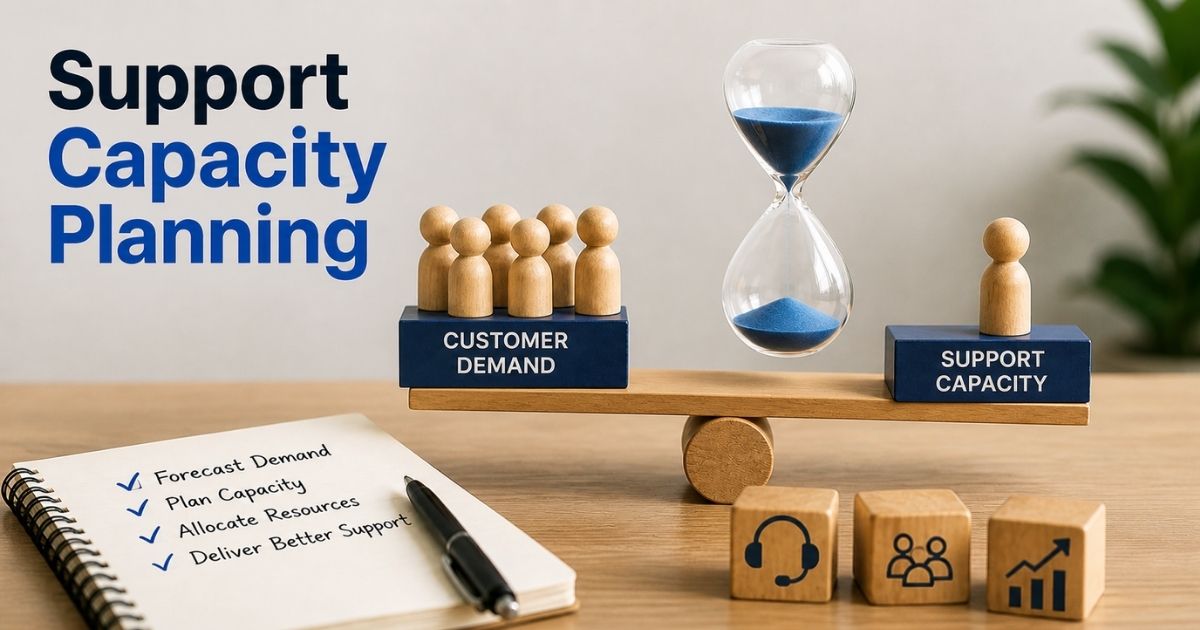
Support teams rarely fail because of effort. They fail because of an imbalance. Too many tickets. Too few agents. Or the wrong people at the wrong time. That is where support capacity planning changes everything. It helps you match demand with the right resources before problems show up.
Without a clear plan, teams face delays, missed SLAs, and frustrated customers. With the right approach, you can stay ahead of demand and keep service smooth. You know what to expect and how to respond.
This guide breaks down support capacity planning in a simple way. You will learn how to forecast demand, size your team, and improve performance without guesswork.
What Is Support Capacity Planning
Support capacity planning is a strategic process that helps a support team match team capacity with customer demand. It looks at current capacity, available resources, and future demand to decide how much capacity is needed. Capacity planning includes resource allocation, capacity forecasting, and workload balance across different channels, such as phone support. With solid data and historical data, teams can plan capacity and make informed decisions without compromising quality.
Capacity planning is important because customer expectations keep rising as a business grows. A clear capacity planning process helps support team capacity stay aligned with service level objectives and customer success goals. It also improves resource management, avoids agent burnout, and keeps team members focused during peak periods.
Effective capacity planning helps teams handle anticipated demand and future needs. It supports better workforce management, training schedules, and resource planning. With the right capacity planning strategies and tools, teams stay proactively prepared and maintain customer satisfaction.
Key Components Of Support Capacity Planning
Support capacity planning works best when every key element connects clearly. You need data, people, tools, and a repeatable process. Each part helps balance team capacity with customer demand and future needs. Miss one, and performance drops fast.
Demand Forecasting Basics
Demand forecasting helps you understand future demand before it hits your support team. You look at historical data, demand trends, and peak periods. This gives a clear view of anticipated demand across each support channel. Reports show over 60% of support teams struggle without accurate forecasts.
A strong capacity planning process uses solid data to predict ticket volume and customer expectations. You gather information from past trends and current customer base activity. This helps plan capacity and avoid frustrated customers. It also supports better capacity forecasting and smarter business strategy decisions.
Team Capacity And Workforce Planning
Team capacity defines how much work your team members can handle within a set time. It includes available resources, skill sets, and average time shrinkage. Many teams overestimate support team capacity, which leads to agent burnout and poor service.
Effective capacity planning aligns team capacity planning with human resources and workforce management. You account for training schedules, new team member onboarding, and shift planning. This ensures support team capacity meets service level objectives without overloading people. Balanced teams improve employee satisfaction and customer success.
Resource Allocation And Utilization
Resource allocation decides how you assign tasks across multiple teams and different channels. It focuses on using current resources in the most effective way. Poor allocation leads to low utilization rates or overworked agents.
Capacity planning includes resource management and resource planning to handle customer demand. You identify ways to distribute work based on priorities shift and ticket type. Tiered support models help route issues to the right team members. This improves efficiency and helps teams handle work without compromising quality.
Tools And Data Visibility
Capacity planning tools give real-time visibility into workload, capacity, and performance. Many teams still rely on Microsoft Excel, but modern tools and ticket automation software and broader automated workflow software for smarter support offer better tracking and automation. Around 70% of high-performing teams use advanced workforce management systems.
These tools help gather information, track utilization rates, and monitor service level objectives. They support scenario planning and provide insights into forecasted needs. Clear data and dedicated SLA management with EasyDesk for support teams help project manager roles make informed decisions faster. Better visibility leads to a more proactive and repeatable process.
Process And Continuous Optimization
Capacity planning is the process of constant adjustment. A static plan fails when customer demand changes. A strong planning process uses best practices and adapts to new project needs and future needs.
Teams review performance, update capacity planning strategies, and adjust resource capacity regularly. Honest conversations about workload and ambitious targets help maintain balance. Effective capacity planning ensures teams stay proactively prepared for peak periods. This improves customer satisfaction and keeps support operations running smoothly.
How Support Capacity Planning Works Step By Step
Support capacity planning works best when you follow a clear and repeatable process. Each step helps match team capacity with customer demand and future needs. With the right flow, teams stay prepared and avoid last-minute stress.
Step 1: Gather Data And Demand Signals
Every capacity planning process starts with solid data. You collect historical data, demand trends, and customer demand across each support channel. This includes phone support, chat, and email. Many teams also review peak periods and past incidents to understand patterns.
Accurate data helps capacity forecasting and supports informed decisions. Reports show over 65% of support leaders rely on data-driven planning to avoid service delays. You also gather information about customer expectations and service level objectives. This step builds the base for effective capacity planning.
Step 2: Estimate Future Demand
Future demand shapes how much capacity your support team needs. You analyze anticipated demand based on growth, new project plans, and changes in your customer base. Business grows fast, so demand forecasting must stay updated.
Capacity planning strategies use scenario planning to prepare for different outcomes. For example, a product launch can increase ticket volume by 30% or more. You plan for such spikes to avoid frustrated customers. This step ensures your team stays proactively prepared for future needs.
Step 3: Calculate Team Capacity
Team capacity planning focuses on how much work your team members can handle. You consider current capacity, available resources, and average time shrinkage. This includes breaks, meetings, and training schedules.
Many teams misjudge support team capacity, which leads to agent burnout. Workforce management tools help track utilization rates and real output. You also review skill sets and assign work based on strengths. Accurate capacity calculations help teams handle demand without compromising quality.
Step 4: Allocate Resources Effectively
Resource allocation decides how tasks move across multiple teams and different channels. You align resource capacity with priorities shift and ticket urgency. Tiered support models help route issues to the right team members.
Effective resource management ensures balanced workloads and faster resolution. Studies show teams with clear allocation improve response time by up to 25%. You also plan for new team member onboarding and resource planning needs. This step helps teams handle work efficiently and meet customer expectations.
Step 5: Monitor And Adjust Continuously
Capacity planning is a strategic process that needs constant review. Real-time visibility helps track performance, service level objectives, and workload. Capacity planning tools provide insights into current resources and forecasted needs.
Regular checks help identify ways to improve and adjust quickly. Priorities shift often, so plans must adapt. Honest conversations within the team support better decisions and employee satisfaction. Continuous updates keep the planning process effective and ensure long-term customer satisfaction.
How To Forecast Demand In Support Capacity Planning
Demand forecasting helps you plan capacity with confidence. It shows how much support your team will need based on real patterns. With the right approach, you align team capacity with customer demand and avoid last-minute pressure.
Use Historical Data
Historical data gives the clearest view of demand trends. You review past tickets, peak periods, and support channel activity. This includes phone support, chat, and email. Many teams find that 70% of future demand patterns follow past behavior.
A strong capacity planning process uses this data to predict future demand. You gather information from your customer base and past incidents. This helps plan capacity and avoid frustrated customers. Reliable data also improves capacity forecasting and supports better resource planning decisions.
Track Demand Trends
Demand trends show how customer demand changes over time. You look at weekly, monthly, and seasonal shifts. Priorities shift often, so tracking trends helps you stay ahead. Reports show over 60% of support leaders adjust plans based on trend analysis.
Trend tracking supports effective capacity planning and helps teams prepare for future needs. You also identify patterns across different channels. This helps support team capacity match real demand. Better insights lead to informed decisions and improved customer satisfaction.
Factor In Business Changes
Business changes directly affect future demand. A new project, product launch, or marketing campaign can increase ticket volume fast. Studies show support demand can rise by 20–40% after major updates.
Capacity planning strategies must include these changes. You plan for anticipated demand based on business strategy and growth. This ensures your support team stays ready during peak periods. It also helps maintain service level objectives without overloading team members.
Apply Scenario Planning
Scenario planning prepares you for multiple outcomes. You create best-case, expected, and worst-case demand scenarios. This helps plan capacity even when demand is uncertain.
Capacity planning includes testing different demand levels using solid data. Teams that use scenario planning report up to 25% better workload balance. You stay proactively prepared and avoid last-minute stress. This step strengthens your planning process and improves resource management.
Use Forecasting Tools
Capacity planning tools improve accuracy and speed. Many teams still use Microsoft Excel, but modern helpdesk ticketing software and structured ticket creation and management for support offer better real-time visibility. Around 65% of high-performing teams use advanced workforce management tools.
These tools help track utilization rates, forecasted needs, and resource capacity. They also support better resource allocation and team capacity planning, especially when backed by a strong knowledge base and canned responses. Clear insights help project managers make faster decisions. Strong tools make demand forecasting more accurate and easier to manage.
How To Calculate Support Capacity And Team Size
Support capacity planning works best when numbers guide every decision. You need clear formulas and real examples to match team capacity with customer demand. A simple model helps you plan capacity, set targets, and avoid guesswork.
Step 1: Define Demand Volume
Start with customer demand across each support channel. Count total tickets per day or week. Use historical data to spot demand trends and peak periods. For example, a SaaS company may receive 1,200 tickets per week across chat, email, and phone support.
A simple formula helps here: Total Demand = Total Tickets In A Time Period
This number sets the base for capacity planning. You also review customer expectations and service level objectives. Clear demand data helps you avoid underestimating workload and keeps your support team prepared.
Step 2: Calculate Average Handling Time
Average handling time shows how long one ticket takes from start to finish. It includes response, resolution, and follow-ups. Most teams track this in minutes.
Use this formula: Total Workload Hours = Total Tickets × Average Handling Time
Example:
1,200 tickets × 15 minutes = 18,000 minutes = 300 hours
Accurate handling time improves capacity forecasting and resource planning. Even a small change matters. A 10% drop in handling time can increase team capacity and reduce agent burnout.
Step 3: Adjust For Shrinkage
Shrinkage reduces available working time. It includes breaks, meetings, training schedules, and admin tasks. Most support teams see 20–30% shrinkage.
Use this formula: Available Hours Per Agent = Total Work Hours × (1 − Shrinkage Rate)
Example:
40 hours × (1 − 0.25) = 30 hours per agent
This step gives realistic team capacity. It ensures your planning process reflects real working conditions. Ignoring shrinkage leads to overestimated capacity and frustrated customers.
Step 4: Estimate Team Size
Now match workload with available capacity. Divide total workload hours by available hours per agent.
Use this formula: Required Team Size = Total Workload Hours ÷ Available Hours Per Agent
Example:
300 hours ÷ 30 hours = 10 agents
Capacity planning strategies often add buffer capacity for peak periods. Many teams add 10–15% extra to handle anticipated demand. This keeps service level objectives on track and protects customer satisfaction.
Step 5: Validate With Real-Time Data
Capacity planning is a repeatable process. You test your numbers with real-time visibility and adjust as needed. Demand changes fast, especially when business grows or priorities shift.
Capacity planning tools help track utilization rates and forecasted needs. For example, if actual workload rises to 1,400 tickets, your team size must increase. Regular checks help identify ways to improve resource allocation. This keeps your support team capacity aligned with future needs and business strategy.
Common Challenges In Support Capacity Planning And How To Solve Them
Support capacity planning often breaks when real demand does not match your plan. Gaps in data, poor resource allocation, and sudden demand spikes create pressure. A clear approach helps teams fix issues early and stay prepared.
Unclear Demand Forecasts
Many teams struggle with demand forecasting. Customer demand changes fast, and poor data leads to wrong estimates. Reports show over 60% of support leaders face forecast errors during peak periods.
Use historical data and demand trends to improve capacity forecasting. Gather information from all support channels and review peak periods closely. Scenario planning also helps handle uncertain demand. Better forecasts support informed decisions and help teams plan capacity with confidence.
Overloaded Or Underused Teams
Wrong team capacity planning creates imbalance. Some team members face heavy workload, while others stay underutilized. This leads to agent burnout or wasted resources. Studies show nearly 55% of agents report burnout due to poor workload balance.
Track utilization rates and adjust resource capacity regularly. Workforce management tools help balance work across multiple teams. Clear resource allocation ensures fair distribution. Balanced teams improve employee satisfaction and help maintain customer satisfaction.
Poor Resource Allocation
Resource allocation often fails when priorities shift quickly. Tasks may go to the wrong team members or skill sets. This slows response time and affects service level objectives.
Use tiered support and assign tasks based on skill sets. Capacity planning includes mapping work across different channels and teams. Regular reviews help identify ways to improve resource management. Strong allocation helps teams handle demand effectively without compromising quality.
Lack Of Real-Time Visibility
Limited visibility makes it hard to track current capacity and workload. Many teams still rely only on Microsoft Excel, which delays insights. Around 65% of high-performing teams now use real-time dashboards.
Capacity planning tools provide real-time visibility into performance and forecasted needs. Teams can track service level objectives and adjust quickly. This helps support team capacity stay aligned with customer expectations. Better visibility leads to faster decisions and smoother operations.
No Continuous Planning Process
Capacity planning is not a one-time task. Many teams fail because they treat it as a static plan. Demand trends, future needs, and business strategy change often.
Build a repeatable process with regular reviews and updates. Honest conversations help align ambitious targets with current resources. Effective capacity management planning keeps teams proactively prepared for peak periods. Continuous improvement ensures better customer success and long-term support performance.
Metrics That Define Successful Support Capacity Planning
Support capacity planning needs clear metrics to stay effective. Numbers show if your team capacity matches customer demand and service goals. The right metrics help you make informed decisions, improve resource allocation, and maintain strong customer satisfaction.
Service Level Performance
Service level objectives define how fast your support team responds and resolves issues. Metrics like first response time and resolution time show if you meet customer expectations. Many support teams aim to respond within 1 hour and resolve within 24 hours.
Strong service levels reflect effective capacity planning. If targets slip, it signals gaps in team capacity or resource planning. Regular tracking helps adjust capacity planning strategies and highlights when you may need the best ticketing software system to keep operations on track. This keeps your support team aligned with customer demand and improves customer success.
Ticket Volume And Demand Trends
Ticket volume tracks customer demand across different channels. You monitor daily, weekly, and monthly trends to understand workload changes. Reports show ticket volume can increase by 20–30% during peak periods.
Demand trends support capacity forecasting and help plan capacity for future needs. You gather information from historical data and real time activity. This helps teams stay proactively prepared. Accurate tracking ensures your support team capacity matches anticipated demand without delays.
Agent Utilization Rate
Utilization rates show how much of your team members’ time goes into handling tickets. Most teams target 70–85% utilization to balance efficiency and employee satisfaction.
High utilization may lead to agent burnout, while low rates show underused resources. Capacity planning includes adjusting workloads based on these insights. Workforce management tools help track utilization in real time. Balanced utilization improves resource management and ensures teams handle demand effectively.
Average Handling Time
Average handling time measures how long it takes to resolve a ticket. It includes response, resolution, and follow-ups. Lower handling time increases team capacity without adding new team members, and proven ways to cut average resolution time fast can have a direct impact on overall support performance.
Studies show reducing handling time by 10% can improve output by up to 15%. This metric helps identify ways to improve processes and skill sets. It also supports better capacity planning process and resource allocation. Efficient handling keeps service quality high without overloading the team.
Customer Satisfaction Score
Customer satisfaction reflects how well your support meets expectations. Metrics like Customer Satisfaction Score (CSAT) show how customers feel after interactions. Most high-performing teams maintain CSAT above 85%.
Strong customer satisfaction indicates effective capacity planning and service quality. Low scores often signal delays or poor resource allocation. Regular feedback and broader customer satisfaction metrics help refine capacity planning strategies. This ensures your support team stays aligned with customer expectations and business strategy.
Tools And Software To Simplify Support Capacity Planning
Support capacity planning becomes easier with the right tools. Manual work slows decisions and creates errors. Modern capacity planning tools, live chat support for real-time conversations, and a well-structured helpdesk system give real time visibility, improve resource management, and help teams match team capacity with customer demand more accurately.
Help Desk And Ticketing Systems
Help desk tools form the base of support capacity planning. They track ticket volume, support channel activity, including social media integration support, and customer demand in one place. Popular systems show that over 75% of support teams rely on modern ticketing systems to manage workload.
These tools help gather information from historical data and current activity. You can monitor service level objectives and identify peak periods. Clear visibility helps plan capacity and avoid delays. Strong helpdesk ticketing software like EasyDesk supports better resource allocation and improve customer satisfaction.
Workforce Management Tools
Workforce management tools focus on team capacity planning and scheduling. They track available resources, utilization rates, and average time shrinkage. Many high-performing teams use these tools to balance workloads across multiple teams, often starting with the best free helpdesk ticket systems before scaling up.
These tools help assign shifts based on demand trends and forecasted needs. They also support training schedules, product feedback cycles using feedback and roadmap management, and new team member planning. Better workforce management improves employee satisfaction and reduces agent burnout, especially when paired with the right helpdesk setup for your team. This ensures your support team capacity stays aligned with customer expectations.
Forecasting And Analytics Tools
Forecasting tools help predict future demand using solid data. They analyze historical data, demand trends, and customer base growth. Reports show teams using advanced analytics and modern ticketing software improve forecast accuracy by up to 20%.
These tools support capacity forecasting and scenario planning. You can test different demand levels and prepare for peak periods. Clear insights help project management members make informed decisions and choose the right cloud helpdesk tool for their team. Strong analytics tools improve business strategy and keep teams proactively prepared.
Real Time Monitoring Dashboards
Real-time dashboards give instant visibility into current capacity and workload. Many teams still rely on Microsoft Excel, but dashboards provide faster and clearer insights. Around 65% of support leaders prefer real-time tracking tools.
These dashboards track service level objectives, utilization rates, and ticket flow. You can quickly identify ways to adjust resource capacity. Real-time visibility helps teams respond to priority shifts without delay. This improves the overall planning process and ensures smooth support operations.
Integrated Support Platforms
Integrated platforms connect multiple tools into one system. They combine ticketing, workforce management, and analytics in a single view so your multi channel support software for customer service stays coordinated. This type of help desk platform reduces manual work and improves data accuracy across different channels.
These platforms support resource planning, capacity planning strategies, and customer success goals. Teams can manage support across phone support, chat, and email easily. Integration helps handle demand effectively without compromising quality, especially when you invest in smarter helpdesk setups for smoother support. A unified system strengthens capacity planning and supports long-term growth.
Best Practices For Scalable Support Capacity Planning
Support capacity planning must evolve as your business grows. Static plans fail when customer demand changes fast. A scalable approach helps you adjust team capacity, manage resources, and meet customer expectations without stress or delays.
Build A Data-Driven Planning Process
Strong capacity planning starts with solid data. You use historical data, demand trends, and real time visibility to guide decisions. Reports show data-driven teams improve forecast accuracy by up to 20%, particularly when they follow a structured helpdesk implementation guide during setup.
A clear capacity planning process helps gather information across support channels. You track customer demand, peak periods, and service level objectives. This supports informed decisions and better resource planning. Data-driven planning keeps your support team ready for future needs.
Align Team Capacity With Demand
Team capacity planning must match customer demand closely. Many teams fail due to overstaffing or understaffing. Nearly 55% of support agents report burnout from workload imbalance.
You review current capacity, available resources, and utilization rates regularly. Workforce management tools help balance work across team members. Proper alignment reduces agent burnout and improves employee satisfaction. It also ensures your support team capacity meets customer expectations.
Use Flexible Resource Allocation
Resource allocation should adapt when priorities shift. Fixed plans often fail during peak periods or sudden demand spikes. Flexible allocation helps teams handle demand without compromising quality.
Capacity planning includes shifting tasks across multiple teams and skill sets. Tiered support helps route issues to the right team members. This improves response time and efficiency. Flexible resource management supports better customer satisfaction and long-term success.
Plan For Growth And Peak Periods
Business grows, and customer demand increases with it. Support teams must prepare for future demand and anticipated demand spikes. Studies show ticket volume can rise by 30% during product launches or seasonal peaks.
Capacity planning strategies include scenario planning and buffer capacity. You plan capacity beyond current resources to handle sudden growth. This keeps service level objectives stable. A proactive approach ensures teams stay prepared during high-demand periods, especially when paired with the best help desk software options for your use case.
Review And Improve Continuously
Capacity planning is a repeatable process. Regular reviews help identify ways to improve performance and resource management. Many teams update plans weekly to stay aligned with demand trends.
You track metrics like utilization rates, handling time, and customer satisfaction. Honest conversations help adjust ambitious targets and priorities. Continuous improvement keeps your planning process effective. It ensures your support team stays proactive and delivers consistent customer success.
How EasyDesk Features Simplify Capacity Planning
EasyDesk makes support capacity planning simple and clear. It brings customer demand, team capacity, and support channels into one place. You get real-time visibility into current capacity, workload, and utilization rates. This helps plan capacity based on solid data, not guesswork. EasyDesk’s customer support features and capacity planning tools inside EasyDesk support capacity forecasting, resource allocation, and service level objectives.
EasyDesk helps manage support team capacity across multiple teams and different channels. You can track demand trends, adjust resource planning, and stay ready for future demand. It also supports workforce management, skill sets, and training schedules so you can manage support tickets efficiently using EasyDesk. This keeps team members balanced and avoids agent burnout.
With EasyDesk’s customer support platform and transparent EasyDesk pricing plans for scalable support, capacity planning becomes a repeatable process. You stay prepared for peak periods and future needs. It helps you make informed decisions, improve customer satisfaction, and support long-term business strategy.
FAQs
What Is The Main Goal Of Support Capacity Planning?
The main goal of support capacity planning is to match team capacity with customer demand. It helps balance resources and workload, so teams meet service level objectives without delays. It also improves customer satisfaction and efficiency.
Can Support Capacity Planning Reduce Agent Burnout?
Yes, support capacity planning helps reduce agent burnout. It balances workload using proper resource allocation and workforce management. When team members handle realistic workloads, employee satisfaction improves, and performance stays stable.
Do Small Support Teams Need Capacity Planning?
Yes, small support teams need capacity planning to handle future demand. It helps plan capacity, manage limited resources, and avoid overload. Even simple capacity planning tools can improve customer success and daily operations.
How Often Should You Update A Capacity Planning Process?
Capacity planning is a repeatable process that needs regular updates. Teams should review data weekly or monthly based on demand trends. Continuous updates help adjust to priority shifts and keep plans aligned with real demand.
Can Capacity Planning Improve Customer Satisfaction?
Yes, effective capacity planning improves customer satisfaction. It ensures enough resources to meet customer expectations and avoid delays. Better planning helps support teams respond faster and maintain consistent service quality.



