A growing ticket backlog can quietly damage your entire support operation. Customers wait longer for replies. Agents feel overloaded. Small issues turn into bigger problems. Over time, response quality drops, customer satisfaction falls, and support teams struggle to keep up.
Many businesses face ticket backlog problems, but very few understand why it happens or how to fix it properly. A backlog is not just about having too many tickets. Poor workflows, slow prioritization, manual tasks, and lack of visibility often make the problem worse.
This guide breaks down everything you need to know about ticket backlog management. You will learn what causes it, how it affects support performance, and the practical ways to reduce it before it hurts your customer experience.
What Is A Ticket Backlog In Customer Support
A ticket backlog refers to unresolved customer support tickets that stay in the ticket queue longer than the normal timeframe. Every customer support team handles incoming tickets daily, but problems start when more tickets remain unresolved than resolved. Backlogged tickets often build up because of high ticket volume, poor ticket routing, limited resolution capacity, or complex issues. Over time, a high ticket backlog affects service delivery, customer satisfaction, and the overall customer experience.
Most support organizations track ticket backlog metrics to understand backlog trends and monitor open tickets. A ticket backlog report usually includes daily ticket volume, average resolution time, total count of unresolved tickets, and days longest backlogged ticket. Strong ticket management, ticket prioritization, self-service options, and AI-powered automation help reduce ticket backlog and keep customers happy. Using the #1 ticketing software built for better customer support supports a healthy ticket backlog that stays within the support team's capacity and allows teams to resolve customer inquiries in a timely manner.
Common Causes Behind A Growing Ticket Backlog
A ticket backlog rarely appears overnight. Most customer support teams face gradual pressure from rising ticket volume, limited staff capacity, and slow workflows. Small inefficiencies inside the customer support process often create bigger service issues over time and leave unresolved tickets sitting in the queue.
High Ticket Volume
A sudden rise in incoming tickets is one of the biggest causes of backlog growth. Many support organizations receive more customer inquiries during product launches, outages, or seasonal demand spikes. When tickets daily increase faster than the support team's capacity, unresolved customer support tickets start piling up.
Recent reports show that 90% of customers expect quick replies, while many expect support within 10 minutes. A customer support team that cannot handle daily ticket volume in a timely manner often sees more tickets remain unresolved. High ticket backlog also increases follow-up tickets and hurts customer satisfaction.
Poor Ticket Prioritization
Many support teams struggle because they fail to prioritize tickets based on urgency and impact. Low-priority customer issues sometimes receive attention before critical requests. That creates delays for unresolved support tickets that need immediate action.
A proper ticket management process helps support organizations track ticket backlog and reduce backlog trends. Modern ticketing system platforms use ticket routing and automation tools to organize open tickets faster. Without clear ticket prioritization, unresolved tickets open longer than the normal timeframe and increase backlog volume. Customers become frustrated when urgent support ticket requests stay unanswered for days.
Limited Support Staff
A small service desk team cannot always manage growing monthly volume. Staff shortages often reduce resolution capacity, especially during peak periods. Recent data shows nearly 47% of IT support tickets now arrive outside standard business hours.
Limited staffing creates delays in resolving tickets and increases average resolution time. Many support organizations also struggle when agents lack adequate training for complex issues. Basic troubleshooting tasks like password resets may consume too much time. A low ticket backlog becomes difficult to maintain when the support team spends hours on repetitive customer support requests.
Manual Support Processes
Old workflows slow down the entire customer support operation. Many teams still rely on spreadsheets, shared inboxes, or disconnected tools to manage tickets. Manual ticket routing often sends customer inquiries to the wrong agents, which increases delays and creates backlogged tickets.
Automation tools now play a major role in service delivery. Studies show AI-powered automation can reduce ticket backlog by up to 55% in some support environments. Automated ticket management also improves ticket backlog metrics and helps support organizations track open tickets more accurately, which highlights many of the key differences between manual vs automated ticketing. Faster workflows help customers happy and reduce unresolved customer support requests.
Weak Self-Service Options
Many customer support teams receive large numbers of repetitive tickets because customers cannot find answers themselves. Common requests like password resets, account access issues, and basic troubleshooting often flood the ticket queue.
Research shows 69% of customers try self-service options before contacting support. A weak knowledge base increases ticket backlog volume and creates more unresolved tickets. Strong self-service portals reduce incoming tickets and free agents to focus on complex issues. Better self-service support also improves customer experience and keeps the backlog at a healthy ticket backlog level.
How Ticket Backlog Affects Customer Experience And SLA Performance
A growing ticket backlog affects more than response speed. It impacts customer trust, SLA performance, and overall service quality. When unresolved tickets stay open too long, support teams struggle to meet expectations, and customer experience starts to decline across every support channel.
Long Response Times Frustrate Customers
Customers expect fast answers when they contact a service desk. A high ticket backlog slows first response time and increases average resolution time. Many unresolved customer support tickets stay inside the ticket queue for days, especially during high ticket volume periods.
Recent studies show 52% of customers switch brands after repeated poor support experiences. Slow replies often create unhappy customers and damage long-term loyalty. When customer inquiries remain unresolved longer than the normal timeframe, customer satisfaction drops quickly. Faster ticket management helps support organizations reduce delays and maintain better service delivery.
Missed SLA Targets Increase Risks
Most support organizations use service level agreements to track response and resolution goals, and a solid ticket SLA management approach is essential to keep these commitments on track. A backlog grows when the support team's capacity cannot keep up with incoming tickets. That makes SLA breaches more common.
A recent customer service benchmark report found that nearly 65% of support teams miss at least one key SLA target each month. Missed deadlines often lead to penalties, escalations, and follow-up tickets. Proper ticket prioritization and ticket routing help teams prioritize tickets based on urgency. Better workflows also help support organizations track ticket backlog metrics and protect SLA performance.
Open Tickets Hurt Brand Trust
Customers notice when open tickets remain unresolved for too long. A support ticket with an old ticket open date often signals poor customer support operations. Delayed responses make customers feel ignored, especially when no updates arrive from the customer support team.
Research shows trust declines sharply after just one negative support experience. Backlogged tickets also increase negative reviews and social complaints. A healthy ticket backlog helps customers feel heard and supported. Strong communication, faster resolving tickets, and better ticket backlog report tracking improve customer experience and strengthen customer relationships.
Agent Stress Reduces Service Quality
A large backlog puts pressure on every support team member. Agents often face more tickets daily than they can comfortably handle. High workload levels increase burnout and reduce focus during customer interactions.
Recent workforce studies show support professionals rank workload stress as one of their biggest challenges. Exhausted teams struggle with complex issues and basic troubleshooting tasks alike. Errors become more common when unresolved support tickets continue piling up. Automation tools and AI-powered automation reduce repetitive work and improve resolution capacity. Better balance helps teams maintain a low ticket backlog and consistent support quality.
Backlog Growth Creates Operational Delays
A growing backlog affects the entire customer support process. Delays in one department often create problems across other teams. Desktop support, technical support, and billing teams may all face slower workflows when ticket backlog volume becomes too high.
Support organizations track backlog trends to identify trends before service delivery suffers. Large backlogs also make it harder to monitor ticket backlog performance over a specific time period. New tickets enter the system faster than tickets received can be resolved. Better self-service options, adequate training, and modern ticketing system platforms help reduce ticket backlog and improve operational efficiency.
Key Metrics To Track Ticket Backlog Effectively
A ticket backlog becomes harder to control without the right data. Support organizations need clear metrics to understand workload, response speed, and resolution capacity. Strong ticket backlog metrics help teams identify problems early and improve customer support performance before service quality drops.
Total Open Tickets
The total count of open tickets shows how many unresolved customer support tickets currently exist in the ticket queue. This metric gives support organizations a quick view of ticket backlog volume and overall workload pressure.
A sudden rise in open tickets often signals poor ticket routing, limited staffing, or higher daily ticket volume. Industry benchmark data shows high-performing support teams usually maintain a low ticket backlog with stable ticket growth patterns. Teams that regularly monitor ticket backlog trends can reduce delays faster and improve customer experience. A healthy ticket backlog should stay within the support team's capacity and normal resolution timeframe.
Average Resolution Time
Average resolution time measures how long support teams take to close customer issues. This metric directly affects customer satisfaction and SLA performance, and there are proven ways to cut average resolution time fast without sacrificing quality. Long delays usually mean unresolved tickets remain open longer than expected.
Recent customer support reports show customers now expect faster resolutions than ever before, especially for basic troubleshooting and password resets. Slow resolution times often create unhappy customers and more follow-up tickets. Strong automated ticket management software and workflows help support organizations reduce ticket backlog and improve service delivery. Automation tools and AI-powered automation also shorten response cycles and help teams resolve more tickets daily.
Backlog Age
Backlog age tracks how long unresolved support tickets stay inside the system. Many support organizations also monitor days longest backlogged ticket to identify serious service delays. Older tickets usually indicate poor ticket prioritization or resource shortages.
A support ticket with an old ticket open date often creates customer frustration and trust issues. Research shows delayed customer support requests lower retention and increase complaint rates. Support organizations track backlog report data to identify trends across a specific time period. Faster ticket routing and better prioritization help teams manage complex issues before backlog grows beyond control.
Incoming Vs Resolved Tickets
This metric compares incoming tickets with resolved tickets over a set time frame. A customer support team must close tickets at nearly the same rate as tickets received to maintain a low ticket backlog.
When more tickets enter the system than agents can resolve, backlog volume increases quickly. High ticket volume periods often expose gaps in staffing, workflows, or training programs. Support organizations track this metric closely because it reflects real resolution capacity. Better self-service options, adequate training, and smarter ticket management help teams balance ticket flow and keep customers happy.
First Response Time
First response time measures how quickly agents reply after customers submit new tickets. Fast responses improve customer experience even if full issue resolution takes longer. Customers want acknowledgment quickly, especially during service disruptions or urgent support requests.
Recent studies show nearly 80% of customers expect immediate interaction from customer support teams. Slow first responses often increase customer frustration and create duplicate customer inquiries. Strong service desk workflows help teams prioritize tickets based on urgency and business impact. AI-powered automation, automated replies, and better ticketing system tools help reduce response delays and improve overall customer support performance.
Best Practices To Reduce Ticket Backlog Faster
A large ticket backlog can overwhelm even experienced support organizations. Fast growth in incoming tickets often hurts customer satisfaction, SLA performance, and team productivity. Strong processes, better workflows, and automated workflow software for smarter support help customer support teams reduce backlog volume before unresolved tickets affect service quality.
Use Smarter Ticket Prioritization
Not every support ticket needs the same response speed. Strong ticket prioritization helps support teams focus on urgent customer issues first. Critical outages, payment failures, and security problems should always move ahead of low-impact requests.
Many support organizations now prioritize tickets based on business impact, customer type, and SLA deadlines. Faster sorting reduces unresolved customer support tickets and prevents open tickets from sitting too long in the ticket queue. Modern ticketing system platforms also automate ticket routing to improve service delivery. Choosing the best ticket management system for your team helps maintain a healthy ticket backlog and improves average resolution time.
Expand Self-Service Support
Many customers prefer solving simple problems without contacting a service desk. Self-service options reduce incoming tickets and free agents to handle complex issues. Password resets, account access problems, and basic troubleshooting requests often fit well inside a knowledge base.
Recent studies show nearly 70% of customers try self-service before reaching customer support. Strong self-service portals reduce daily ticket volume and lower backlog trends across support organizations. Ticket automation software with AI-powered automation and chatbot systems also answer repetitive customer inquiries faster. Better self-service support helps teams reduce ticket backlog while keeping customers happy and improving customer experience.
Automate Repetitive Tasks
Manual workflows slow ticket management and increase backlog growth. Repetitive tasks like ticket assignment, status updates, and follow-up tickets often waste valuable support team time. Automation tools reduce those delays and improve resolution capacity.
Recent industry reports show automation can reduce support workload by nearly 40% in high-volume environments. AI-powered automation also improves ticket routing and identifies unresolved tickets open longer than the normal timeframe. Faster workflows allow customer support teams to resolve more tickets daily without adding extra staff. Better automation improves ticket backlog metrics and helps support organizations track performance more accurately.
Strengthen Agent Training
A well-trained customer support team resolves tickets faster and with fewer escalations. Poor product knowledge often increases average resolution time and creates unresolved support tickets. Agents need clear workflows, updated documentation, and adequate training for both technical and customer-facing tasks.
Training programs also help teams manage complex issues more confidently. Support organizations that invest in regular coaching usually maintain a lower ticket backlog volume. Better knowledge improves service delivery and reduces repeat customer inquiries. Faster issue handling also lowers follow-up tickets and improves overall customer satisfaction across the entire customer support process.
Track Backlog Metrics Regularly
Support organizations track ticket backlog metrics to identify trends before problems grow. A backlog report should include total count of open tickets, daily ticket volume, average resolution time, and days longest backlogged ticket. Clear data helps teams react faster during high ticket volume periods.
Regular monitoring ticket backlog performance also improves staffing decisions and workflow planning. Managers can compare tickets received against resolution capacity across a specific time frame. Benchmark data helps teams understand whether backlog grows beyond healthy levels. Better visibility allows customer support leaders to reduce ticket backlog faster and maintain consistent service quality.
How Automation And AI Help Control Ticket Backlog
Modern customer support teams handle thousands of incoming tickets every month. Manual workflows often slow service delivery and increase unresolved tickets. Automated ticket management software and AI-powered automation help support organizations reduce delays, improve ticket management, and maintain a healthier ticket backlog.
Automated Ticket Routing
Manual ticket routing wastes valuable time inside the customer support process. Many support tickets reach the wrong department before agents even start resolving customer issues. That delay increases backlog volume and leaves unresolved customer support tickets open longer than necessary.
Automation tools now route tickets based on keywords, urgency, customer type, or issue category. Faster routing improves average resolution time and reduces follow-up tickets. Recent industry reports show automated ticket assignment can improve response efficiency by over 30% in large support organizations. Better ticket routing also helps support teams prioritize tickets based on urgency and maintain stronger SLA performance.
AI Chatbots Handle Basic Requests
AI chatbots now solve many repetitive customer inquiries without human agents. Common requests like password resets, account updates, order tracking, and basic troubleshooting no longer need manual responses from the customer support team.
Research shows AI-powered automation can handle nearly 70% of simple support interactions in some industries. Faster responses reduce incoming tickets and lower daily ticket volume for live agents, especially when you streamline support with ticket automation. Customers also receive support in a timely manner, even outside business hours. Better self-service options help support organizations reduce ticket backlog and keep customers happy while agents focus on complex issues.
Smart Ticket Prioritization
Large ticket queues become difficult to manage without clear priorities. AI systems now analyze support ticket urgency, customer history, and SLA risk automatically. That helps support teams identify unresolved support tickets that need immediate attention.
Smart prioritization improves ticket backlog metrics and reduces the chances of unresolved tickets remain open beyond the normal timeframe. AI tools also identify backlog trends and highlight the longest backlogged ticket before service delivery suffers. Faster ticket prioritization in customer support reduces customer frustration and improves customer experience. Support organizations track these insights closely to maintain a healthy ticket backlog and stronger resolution capacity.
Automated Responses Save Time
Agents often spend hours answering repetitive questions every day. Automated replies reduce that workload and improve response speed across the ticketing system. Customers receive immediate updates after submitting new tickets or follow-up tickets.
Recent customer service studies show fast acknowledgment messages improve customer satisfaction even before full issue resolution happens. Automated workflows also update ticket status, share estimated response times, and request missing information. When you streamline support with ticket automation, better communication reduces duplicate customer inquiries and lowers total count of open tickets. Faster first responses help support organizations maintain low ticket backlog levels during high ticket volume periods.
AI Analytics Improve Backlog Control
AI analytics tools help support organizations track ticket backlog performance more accurately. Modern systems monitor ticket backlog volume, tickets received, average resolution time, and days longest backlogged ticket across a specific time frame.
Advanced analytics also identify trends that human teams may overlook. AI systems can predict backlog growth before unresolved tickets create larger operational delays. Many support organizations now use benchmark data and predictive insights to improve staffing decisions and training programs. Better visibility helps customer support leaders reduce ticket backlog faster and improve long-term service delivery.
Ticket Prioritization Methods For Better Backlog Management
A growing ticket backlog becomes harder to manage when support teams treat every request the same way. Strong ticket prioritization helps customer support teams resolve urgent customer issues faster, reduce unresolved tickets, and improve overall service delivery without overwhelming the support team's capacity.
Priority Based On Business Impact
Some customer issues affect entire business operations, while others create only minor inconvenience. Support organizations should prioritize tickets based on business impact first. Critical outages, payment failures, and security risks must move ahead of general customer inquiries.
This method reduces unresolved support tickets that could damage customer trust or revenue. Industry reports show businesses with structured priority systems improve average resolution time by nearly 25%. Better prioritization also prevents backlog grows during high ticket volume periods. Clear impact-based workflows help customer support teams maintain a healthy ticket backlog and improve customer experience across the service desk.
Priority Based On SLA Deadlines
Service level agreements help support organizations define response and resolution expectations. A support ticket close to an SLA breach should always receive immediate attention. Delayed action often increases customer frustration and creates more follow-up tickets.
Modern ticketing system platforms now track SLA deadlines automatically through automation tools. AI-powered automation also flags unresolved customer support tickets before targets are missed. Faster response decisions improve service delivery and lower backlog volume across a specific time period. Support organizations track these ticket backlog metrics closely to reduce penalties and maintain stronger customer satisfaction levels.
Priority Based On Ticket Age
Older unresolved tickets usually need urgent review. A ticket open date that stretches beyond the normal timeframe often signals workflow problems or missed escalations. Long delays also increase the risk of unhappy customers and poor customer support experiences.
Many support organizations track days longest backlogged ticket inside their backlog report to monitor aging issues. Ticket age tracking helps teams identify trends before backlog volume becomes unmanageable. Faster action on aging open tickets improves customer satisfaction and reduces unresolved customer support requests. Better visibility also helps customer support teams maintain a low ticket backlog during busy periods.
Priority Based On Customer Type
Not every support request carries the same business value. Enterprise clients, VIP customers, and high-value accounts often require faster responses than standard customer inquiries. Strong ticket management systems help support teams identify these requests immediately.
Research shows personalized support improves customer retention and long-term loyalty. Priority-based service also helps support organizations protect important business relationships during periods of high daily ticket volume. Automated ticket routing and AI systems can classify support ticket urgency based on account type. Faster handling improves customer experience and helps teams resolve tickets in a timely manner.
Priority Based On Issue Complexity
Simple customer issues should not wait behind highly complex technical cases. Many support organizations separate basic troubleshooting tasks from advanced support requests to improve resolution capacity. Password resets and account access issues usually require far less time than infrastructure or software failures.
Balanced workload distribution reduces backlog trends and improves overall service delivery. Studies show support teams that categorize tickets by complexity often reduce average resolution time significantly. Better categorization also prevents unresolved tickets remain stuck inside the ticket queue for too long. Strong prioritization helps agents manage more tickets daily while keeping customers happy.
How EasyDesk Helps Teams Prevent And Manage Ticket Backlog Efficiently
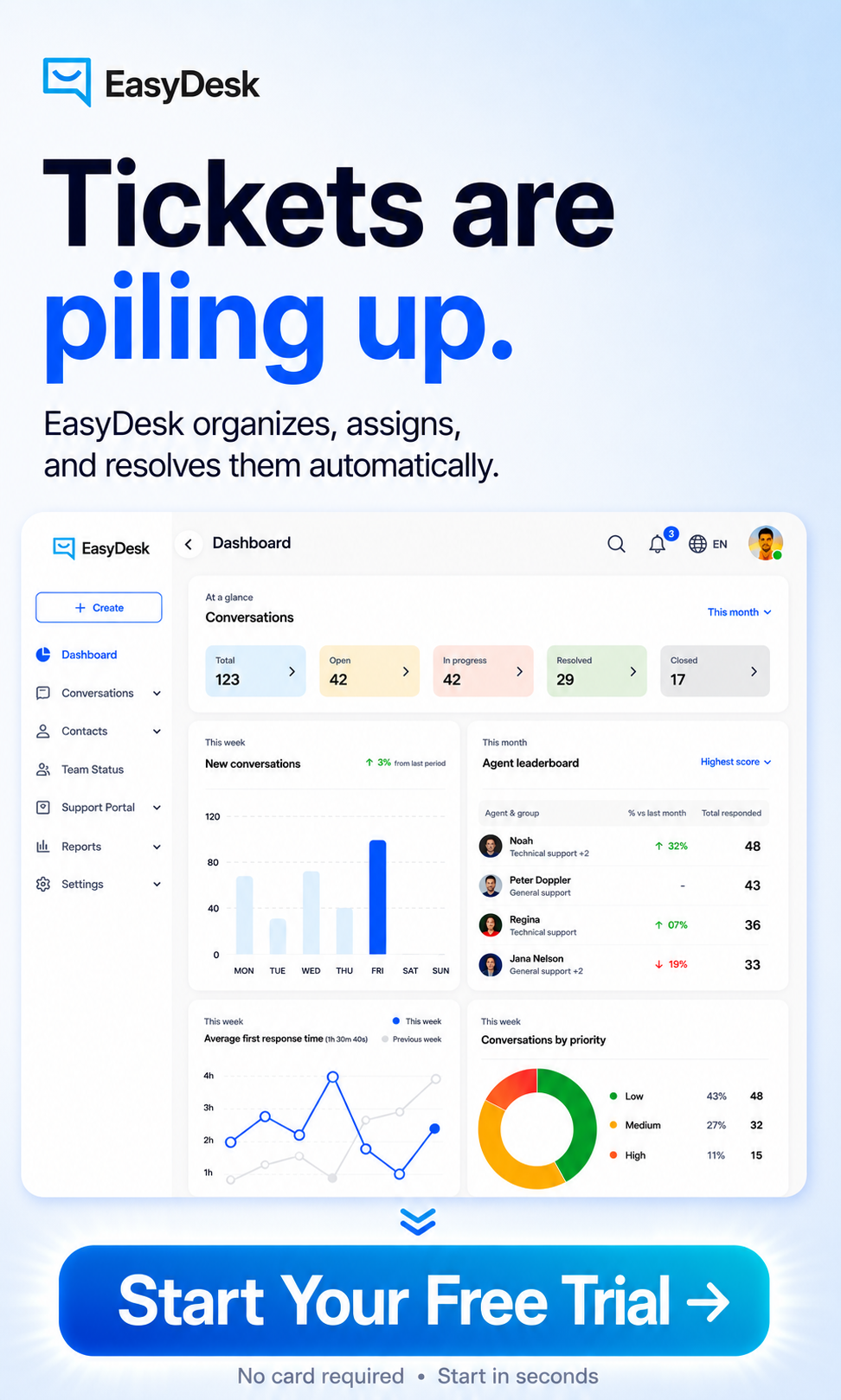
EasyDesk helps customer support teams reduce ticket backlog through automation, smart workflows, and centralized ticket management. The platform organizes incoming tickets into one unified workspace, so agents can track unresolved customer support tickets without missing important requests. As a result, teams can manage support tickets efficiently using EasyDesk. Automated ticket routing sends support tickets to the right agents faster and improves service delivery.
EasyDesk also supports SLA tracking, canned responses, AI-powered automation, and self-service options that reduce repetitive customer inquiries. It's smarter, secure customer support features let teams monitor ticket backlog metrics, average resolution time, open tickets, and backlog trends from one dashboard. Built-in workflows help support organizations prioritize tickets based on urgency and maintain a healthy ticket backlog during high ticket volume periods. Faster responses, better visibility, and automated processes help teams resolve tickets efficiently while improving customer satisfaction and overall customer experience.
FAQs
What Is Considered A Healthy Ticket Backlog?
A healthy ticket backlog means the customer support team can resolve open tickets within the normal timeframe without missing SLA goals. Yes, some unresolved tickets are normal, especially during high ticket volume periods. The problem starts when backlog volume grows faster than the team’s resolution capacity, which is where using the #1 ticketing software system for better customer support can make a measurable difference.
Can A Small Support Team Reduce Ticket Backlog Effectively?
Yes, a small service desk team can reduce ticket backlog with the right workflows and automation tools. Clear ticket prioritization, better ticket routing, and structured ticket creation and management with self-service options help agents handle more tickets daily without increasing burnout.
How Often Should Teams Review A Ticket Backlog Report?
Most support organizations track backlog reports weekly or monthly to identify trends early. Regular monitoring ticket backlog performance helps managers spot unresolved tickets open longer than expected and improve service delivery before customer experience suffers, especially when supported by comprehensive ticket automation software.
Do Self-Service Options Really Reduce Ticket Volume?
Yes, self-service options significantly reduce incoming tickets for many support organizations. Helpdesk ticketing software with knowledge bases, FAQs, and AI chatbots handle basic troubleshooting and common customer issues without agent involvement.
Why Do Old Open Tickets Hurt Customer Experience?
Old unresolved support tickets often make customers feel ignored. A support ticket with an outdated ticket open date usually creates frustration, repeat customer inquiries, and lower customer satisfaction, which is why robust SLA management with EasyDesk is so important.