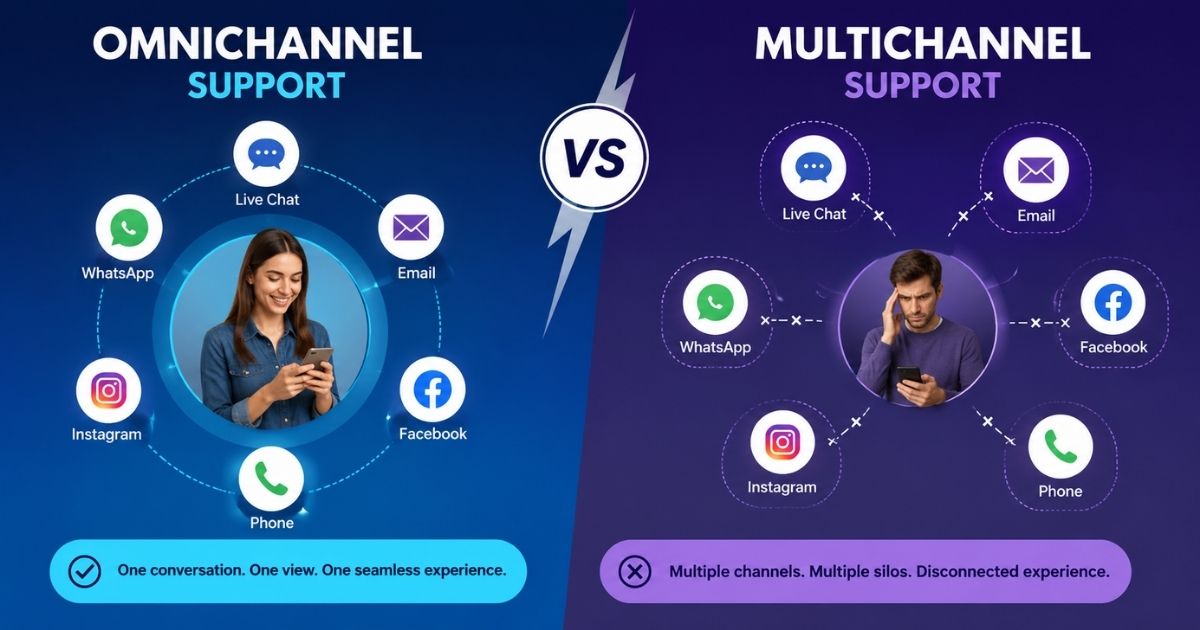
Customer support for Shopify plays a major role in customer satisfaction, retention, and long-term store growth. Modern shoppers expect fast answers, accurate order updates, and reliable support at every stage of the buying journey. Setting up an effective customer support Shopify system helps store owners manage inquiries, resolve issues quickly, and build trust with customers.
Many businesses use a help center, live chat, email support, and self-service resources to improve the customer experience. Shopify partners often recommend combining multiple support channels to reduce response times and increase efficiency. Store owners can also contact support through various Shopify support resources and the Shopify community for technical assistance.
A well-structured support strategy allows businesses to deliver better service, strengthen customer relationships, and create a more reliable support experience for every Shopify store.
What Is A Customer Support For Shopify Store
A customer support system for a Shopify store is the process, tools, and channels used to help customers before, during, and after a purchase. It allows businesses to answer questions, resolve issues, and provide a better shopping experience.
Most Shopify stores offer support through email, live chat, social media, or a help center where customers can find answers to common questions without contacting an agent. Many businesses also provide a chat option that appears in the bottom right corner of the website, allowing visitors to get assistance quickly.
Customers may contact a store to ask about orders, shipping, returns, payments, or product information. Some stores also display phone numbers and additional contact methods for urgent issues.
An effective customer support system helps businesses respond faster, improve customer satisfaction, and build trust. By combining multiple support channels and a well-organized center for information, Shopify stores can deliver a smoother experience and reduce customer frustration.
How Customer Support Impacts Shopify Store Success
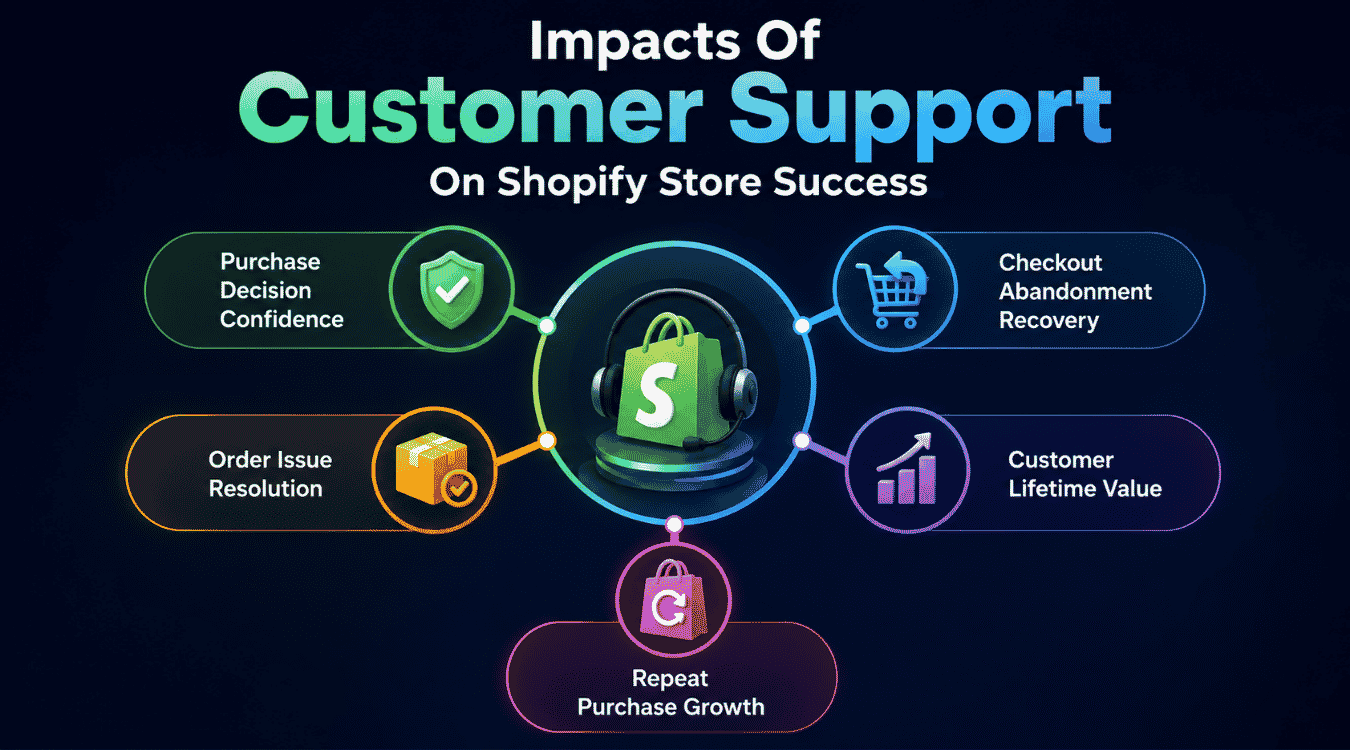
Customer support directly influences how customers perceive a Shopify store. Fast responses, reliable assistance, and effective issue resolution improve trust, increase purchases, and encourage long-term loyalty. Strong support systems help businesses grow while creating better shopping experiences.
Purchase Decision Confidence
Customer support often influences buying decisions before customers make a purchase. Many visitors have questions about products, shipping, pricing, or return policies. Quick answers help remove uncertainty and encourage purchases.
A support advisor can guide customers by providing product details, payment information, and account assistance. Live chat, contact forms, and email support allow users to talk with businesses before completing an order.
Many Shopify stores also provide billing information, shipping details, and frequently asked questions to help customers make informed decisions. When customers receive accurate answers quickly, they feel more confident about purchasing from the business.
Checkout Abandonment Recovery
Abandoned carts often occur when customers encounter confusion during checkout. Questions about shipping costs, billing issues, or payment options can cause users to leave the store.
Customer support helps recover abandoned purchases by providing immediate assistance through chat, callback requests, or email. A support team can answer questions, explain account issues, and help customers complete transactions.
When businesses actively support customers during checkout, they reduce friction and improve conversion rates. Fast responses often encourage visitors to return and complete their purchases.
Order Issue Resolution
Order problems can negatively affect customer satisfaction if they remain unresolved. Missing shipments, incorrect details, delayed deliveries, or billing concerns require immediate attention.
A support advisor can review account information, verify order details, and provide accurate answers to customer concerns. Customers appreciate clear communication and regular updates.
Support teams may also use forms, email notifications, or callback options to resolve issues efficiently. Effective order management helps businesses maintain trust and prevent negative review activity.
Customer Lifetime Value
Excellent customer support contributes to higher customer lifetime value. Customers who receive reliable assistance are more likely to continue purchasing from the same Shopify business.
Support interactions create opportunities for discussion, relationship building, and personalized service. Businesses that maintain helpful communication often encourage customers to log into their account regularly and remain engaged.
Positive experiences increase loyalty and reduce customer churn. Strong support systems help businesses maximize long-term revenue from existing customers.
Repeat Purchase Growth
Repeat purchases often depend on the quality of customer support. Customers who receive fast answers and helpful service are more likely to visit the store again.
A positive support experience encourages customers to leave a review, recommend the business, and participate in community discussion. Users who trust a brand frequently return for additional purchases.
Shopify businesses that prioritize customer support create stronger relationships with customers. Consistent communication, reliable assistance, and effective problem resolution contribute directly to repeat purchase growth and long-term business success.
How To Set Up Customer Support For Your Shopify Store
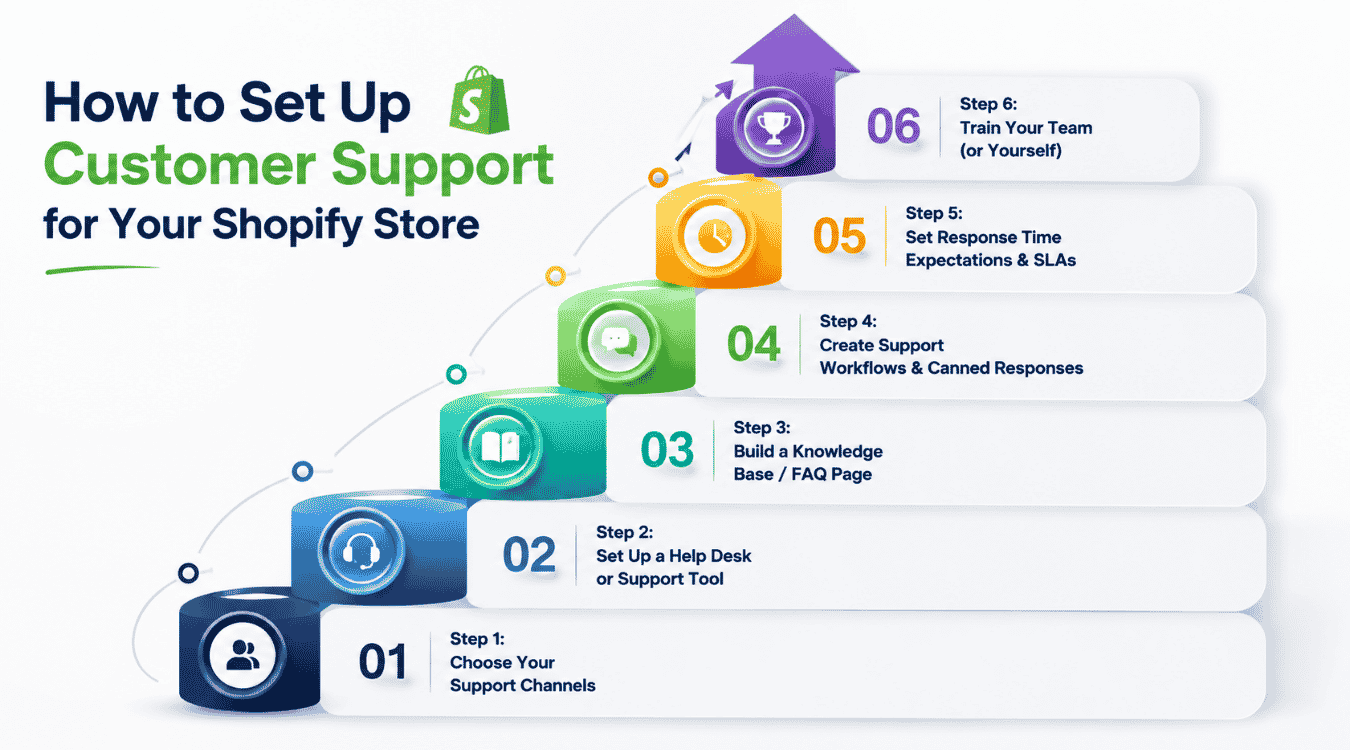
Building customer support for a Shopify store requires more than adding an email address to your website. Customers expect fast responses, clear communication, and reliable assistance throughout their buying journey. The following steps can help you create a scalable support setup that supports both customers and business growth.
Step 1: Choose Your Support Channels
Many Shopify stores make the mistake of opening every support channel at once. Email, phone, Facebook messages, live chat, SMS, and social media can quickly become difficult to manage.
Start with two or three channels that match your customers' behavior. Email remains essential for detailed inquiries, while live chat provides immediate assistance during purchases. Social channels such as Facebook can also help businesses respond to customer questions quickly.
A simple support setup may include:
- Email support
- Live chat
- Social media messages
Adding too many channels creates delays and makes responding difficult. Customers care more about receiving an answer quickly than having ten different ways to contact your business.
Review customer inquiries regularly to determine which channels deserve additional investment.
Step 2: Set Up A Help Desk Or Support Tool
As order volume increases, managing support through separate inboxes becomes challenging. Native tools may work initially, but growing businesses often struggle with scattered conversations, lost requests, and delayed responses.
A dedicated support app helps centralize communication and improve efficiency. Look for features such as:
- Shared inboxes
- Order synchronization
- Automation rules
- Customer history
- Internal notes
- Performance reports
Platforms such as EasyDesk helpdesk ticketing software help support teams manage customer conversations from one location while keeping order details accessible during every interaction.
Support managers can track inquiries, assign tickets, and maintain consistent service standards. A centralized setup also improves accountability and prevents duplicate responses.
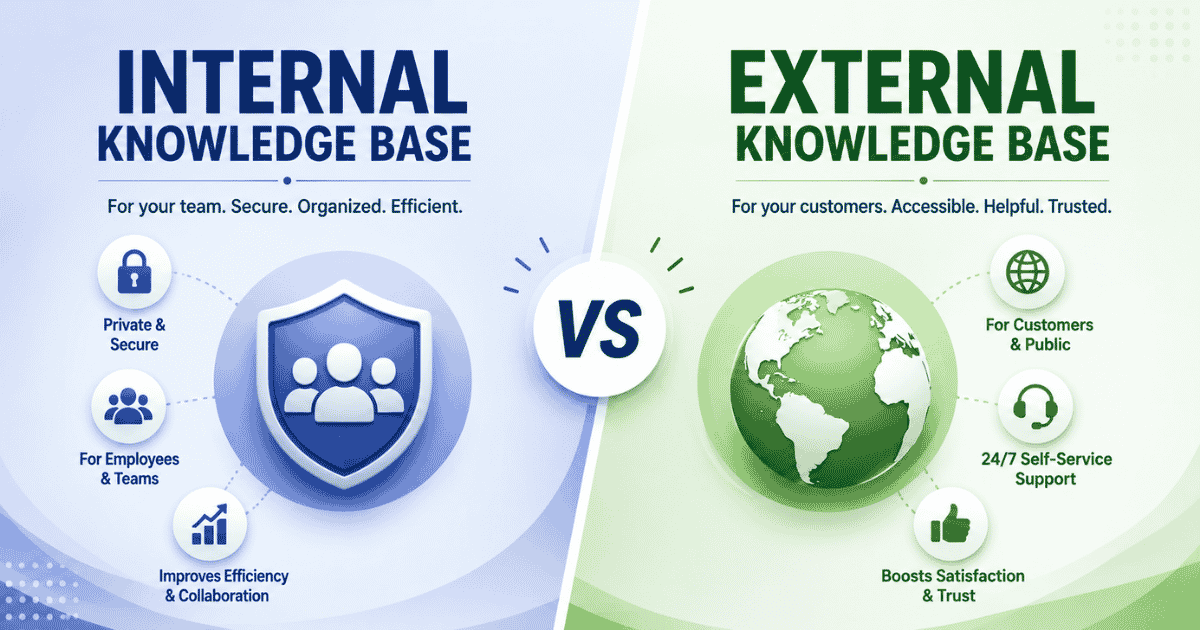
Step 3: Build A Knowledge Base Or FAQ Page
Customers often visit a support page before contacting a business. A well-structured help center allows users to find answers independently.
Common topics include:
- Shipping information
- Return policies
- Payment methods
- Subscription questions
- Password reset instructions
- Safety policies
Self-service resources reduce repetitive requests and allow support teams to focus on complex issues.
Your website should make the help page easy to locate from the navigation menu or footer. A searchable knowledge base within a smarter help desk platform can significantly reduce support volume while improving customer satisfaction.
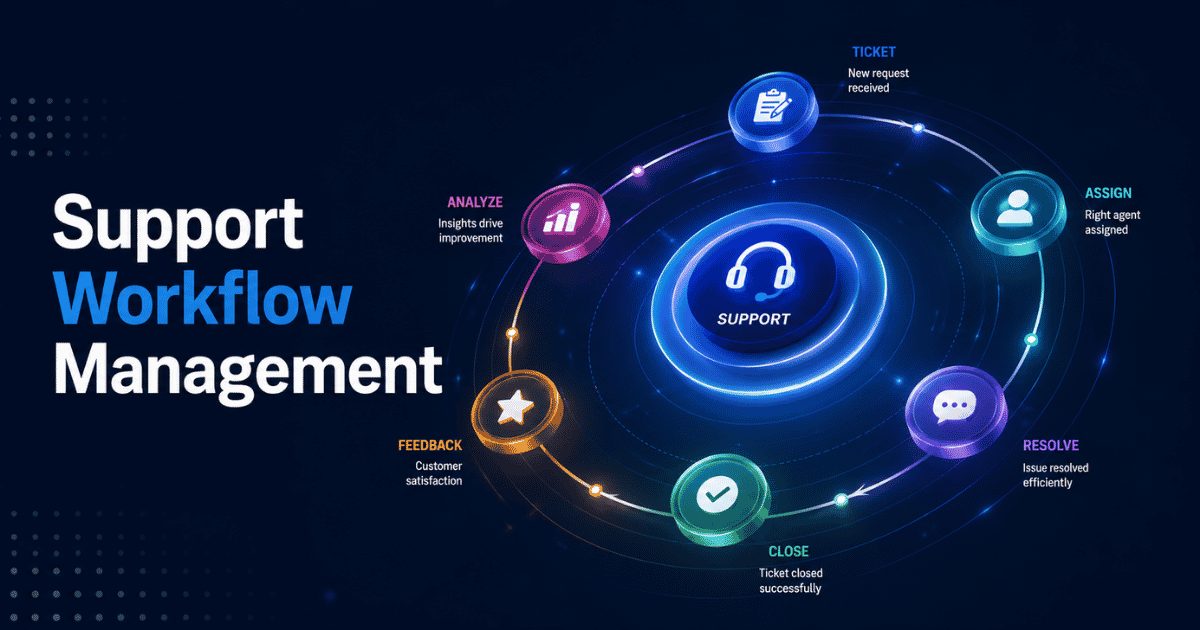
Step 4: Create Support Workflows And Canned Responses
Support workflows help businesses handle requests consistently. Templates reduce response time while maintaining quality.
Common situations that benefit from predefined responses include:
- Shipping delays
- Refund requests
- Payment issues
- Order status inquiries
- Account access problems
WISMO automation, which addresses "Where Is My Order" requests, can reduce repetitive tickets considerably and is often powered by automated ticket management software.
Internal escalation rules help determine when a support advisor should transfer a case to managers or another department. Documenting these processes and using automated workflow software for smarter support ensures every person follows the same approach.
Step 5: Set Response Time Expectations And SLAs
Customers appreciate transparency. Clear expectations reduce frustration and improve trust.
Your support page can include response schedules such as:
- Live chat: within 5 minutes
- Email: within 12 hours
- Phone callback: within 24 hours
Communicating expected response times helps customers understand when they will receive assistance.
Businesses should regularly review response reports to identify delays and improve service quality. Using SLA management tools for support teams helps meet service commitments, strengthens customer confidence, and protects brand reputation.
Step 6: Train Your Team Or Yourself
Even the best support tools cannot replace good communication. Every support interaction reflects the business.
Training should cover:
- Brand tone
- Refund discussions
- Difficult conversations
- Product knowledge
- Human and AI handoff procedures
Support advisors should know when conversation management software and automation can handle a request and when a real person should take over the discussion.
Teaching employees how to deal with disputes, respond professionally, and provide practical advice creates better customer experiences. Whether you operate alone or manage a corporate support team, consistent training remains essential for long-term success.
A strong customer support setup allows Shopify businesses to build trust, retain customers, and create lasting relationships that drive growth and repeat purchases.
Best Tools For Shopify Customer Support
The best customer support tool for Shopify depends on your store size, support volume, and customer expectations. Some stores need basic live chat, while others require automation, multichannel support, and AI assistance.
Shopify Inbox
Shopify Inbox is the simplest option for new stores. The free app provides live chat, basic automated replies, and Messenger integration directly inside Shopify.
Setup takes only a few minutes, making it a practical choice for businesses that receive a small number of customer inquiries. However, as support volume grows, many teams find themselves needing more advanced workflows, automation, and reporting.
EasyDesk
EasyDesk is a strong option for growing Shopify stores that want to manage customer conversations across multiple channels from a single workspace.
The platform combines email, live chat, Facebook, Instagram, and WhatsApp conversations in one inbox, helping teams avoid switching between multiple tools by acting as comprehensive multi-channel support software for customer service. Features such as canned responses, SLA management, CSAT surveys, automation rules, and AI assistance help support teams handle repetitive inquiries more efficiently, and EasyDesk features for smarter, secure customer support are designed to support exactly these workflows.
EasyDesk's AI assistant, Eden, can help summarize conversations and assist with common customer questions, which can save time for support teams dealing with shipping, returns, and product inquiries, especially when paired with live chat support for real-time conversations.
For Shopify merchants that prioritize faster responses, centralized communication, and affordable customer support software, the customer support platform offers a practical solution that scales with growing businesses.
Gorgias
Gorgias is one of the most established help desks for Shopify stores. Its strongest advantage is the deep integration with Shopify order data.
Support teams can access customer orders, process refunds, and manage certain order actions directly from the support interface. The platform also offers automation, AI features, and multichannel support.
The main consideration is pricing, which often increases as ticket volume grows.
Richpanel
Richpanel focuses heavily on self-service support. Customers can track orders, request returns, and resolve common issues without contacting an agent.
Businesses looking to reduce ticket volume through customer self-service may find Richpanel particularly useful.
Zendesk
Zendesk serves larger support teams that need advanced reporting, extensive integrations, and enterprise-level workflows. Although it is not built specifically for ecommerce, many Shopify businesses use Zendesk as they scale.
Which Tool Should You Choose?
- Shopify Inbox: Best for new stores with basic support needs.
- EasyDesk: Ideal for growing stores that want AI assistance, multichannel support, and affordable scalability.
- Gorgias: Suitable for stores that require deep Shopify order management.
- Richpanel: Helpful for businesses focused on self-service support.
- Zendesk: Designed for larger teams with advanced support operations.
EasyDesk helps growing Shopify stores manage customer conversations across multiple channels from a single platform. Its combination of AI assistance, automation, and shared inbox features makes it a practical solution for businesses looking to improve support efficiency as they scale.
How To Measure Customer Support Performance For Shopify Stores
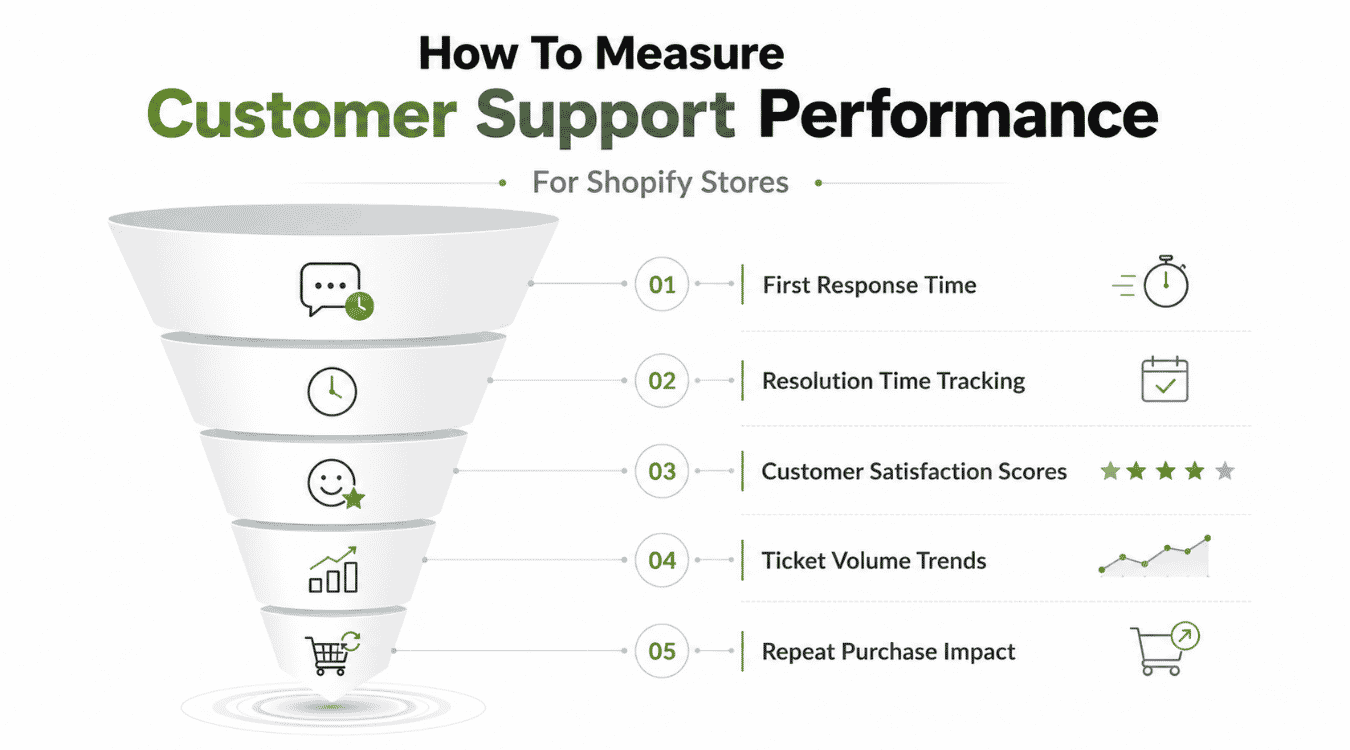
Customer support metrics help Shopify stores understand how well their team serves customers. Measuring performance, especially by tracking and optimizing average resolution time, allows businesses to identify issues, improve response quality, and increase customer satisfaction.
First Response Time
First response time measures how quickly your support team answers customer questions after a ticket is created. Fast responses show customers that your business values their time and concerns. Delayed replies often lead to frustration and may cause customers to leave before receiving an answer. Many Shopify stores set response targets to help their team stay consistent. Monitoring this metric helps managers identify staffing gaps and improve service quality. Faster responses also help reduce customer concerns before a small issue becomes a larger problem.
Resolution Time Tracking
Resolution time measures how long it takes to fully solve a customer issue from start to finish, and the right ticketing system can make that process much more organized and efficient. Some inquiries may involve payment problems, shipping delays, or fraud concerns that require additional investigation. Tracking resolution time helps businesses understand what happened during customer interactions and identify bottlenecks, especially when using structured ticket creation and management. Support teams can learn which types of issues require more resources or training. Improving resolution speed helps customers receive answers faster while reducing ticket backlogs and increasing overall support efficiency.
Customer Satisfaction Scores
Customer satisfaction scores help businesses measure how customers feel after receiving support. Short surveys sent after ticket resolution allow customers to rate their experience and provide feedback. Positive ratings indicate that the team delivered helpful answers and resolved concerns effectively. Lower scores may highlight communication issues or unresolved problems. Reviewing customer feedback regularly helps support managers improve service quality. Satisfaction scores also reveal whether customers feel valued throughout the support process and whether the business is meeting expectations.
Ticket Volume Trends
Ticket volume trends show how many support requests your team receives over time and highlight where managing support tickets efficiently using EasyDesk can prevent your team from getting overwhelmed. Sudden increases may occur after new ads, product launches, website updates, or promotional campaigns during months such as Jun or holiday seasons. Monitoring ticket trends helps managers schedule staff and allocate resources effectively, and reviewing options in a guide to the best multichannel helpdesk software can support those decisions. Understanding support demand allows businesses to prepare for busy periods and avoid delays. Reviewing volume trends also helps teams identify recurring issues that generate large numbers of inquiries and improve the customer experience by refining their multi-channel customer support strategy.
Repeat Purchase Impact
Customer support directly influences whether customers return to make additional purchases. Customers who receive quick answers and effective resolution often develop greater trust in the business. Positive support experiences encourage customers to reach the company again when questions arise instead of leaving for competitors. Businesses can compare support performance with repeat purchase data to understand the impact of customer service. Strong support teams help build loyalty, increase customer retention, and create long-term relationships that contribute to business growth.
Common Shopify Customer Support Mistakes To Avoid
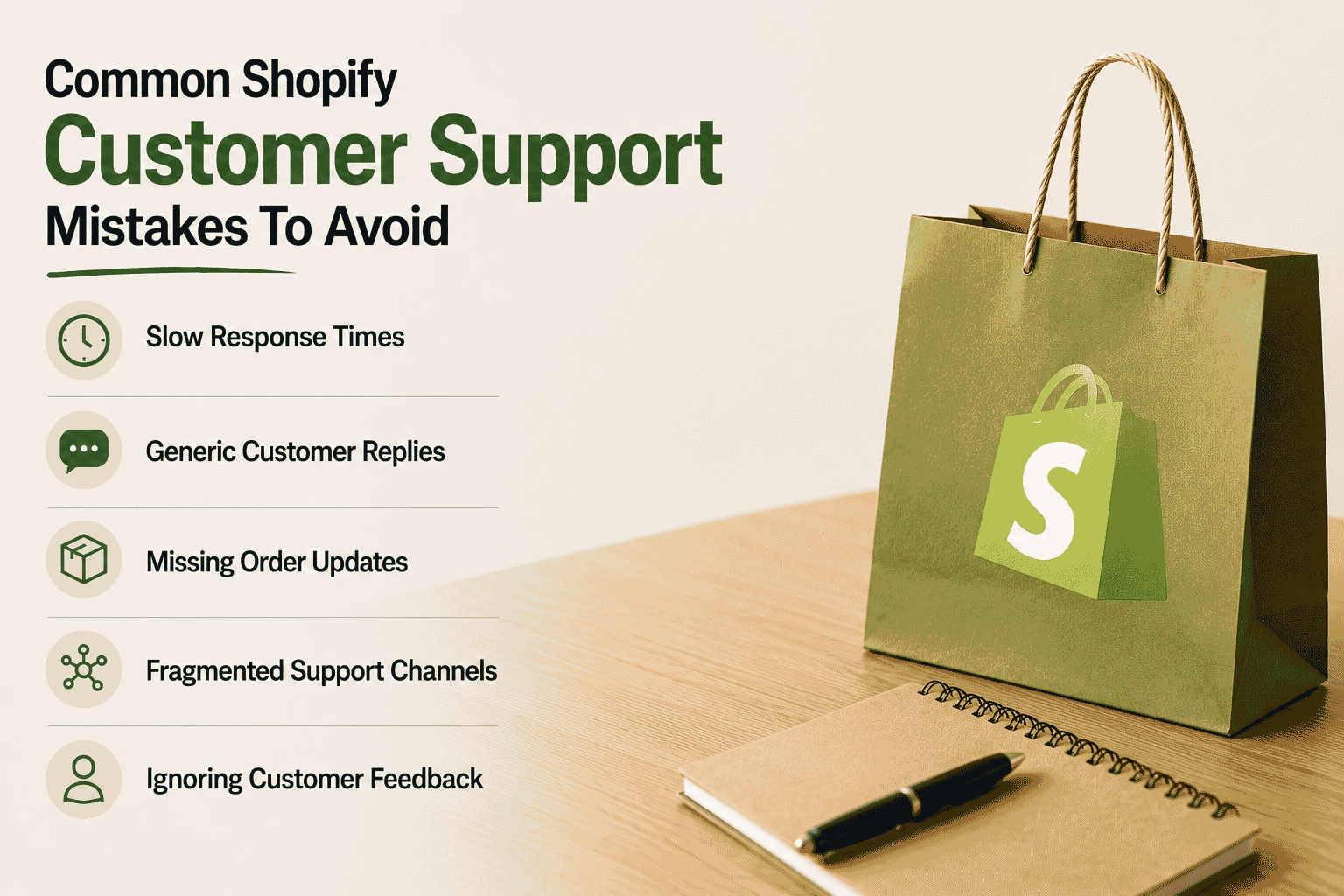
Customer support mistakes can reduce customer satisfaction and affect long-term business growth. Many Shopify stores lose customers because of poor communication, delayed responses, or inconsistent service.
Slow Response Times
Long response times remain one of the biggest customer support problems. Customers often contact a business through email or live chat, expecting quick assistance. Delayed responses can create frustration and cause customers to look elsewhere for solutions.
Support teams should establish clear response goals and follow defined steps for handling inquiries. Businesses can also check support workloads regularly to identify delays. Faster responses help build trust and improve customer satisfaction throughout the customer journey.
Generic Customer Replies
Copying the same response for every customer often creates a poor experience. Customers expect businesses to understand their specific concerns and provide relevant answers.
Support teams should select templates carefully and customize them based on the customer's issue. Personalized replies show that the business has taken the time to review the inquiry. Adding order details, customer information, or previous interactions helps provide more meaningful support and keeps communication human.
Missing Order Updates
Customers frequently contact support because they cannot find information about their orders. Missing shipping updates or delayed notifications often increase support requests.
Businesses should provide regular order updates through email and customer portals. Customers want to check their order status without contacting support every time. Clear communication helps reduce uncertainty and keeps customers informed throughout the delivery process.
Fragmented Support Channels
Managing support conversations across multiple platforms can become difficult. When teams use separate email accounts, social channels, and messaging apps, important information may be missed, making unified social media integration support and robust conversation management software increasingly important.
Businesses should choose a centralized system that allows agents to follow conversations from one location. Unified support platforms like ticketing software built for better customer support help teams stay in touch with customers and reduce duplicate responses. A connected workflow makes it easier to build consistent customer experiences, especially for remote support teams that need to stay aligned and on track.
Ignoring Customer Feedback
Customer feedback provides valuable information about support quality. Businesses that fail to collect or review feedback often miss opportunities to improve their service.
Support teams should regularly ask customers for feedback and review their comments carefully. Surveys, ratings, and follow-up messages help businesses find recurring problems and improve support processes. Listening to customers helps build stronger relationships and creates better support experiences over time.
Final Discussion
Customer support plays a major role in the success of any Shopify store. Fast responses, clear communication, and consistent service help customers feel confident throughout their buying journey. By choosing the right support channels, measuring performance, and avoiding common mistakes, businesses can create better customer experiences and increase loyalty while relying on secure, transparent customer support platforms like EasyDesk.
Even small improvements in response times or order updates, supported by multi-channel support software, can have a meaningful impact on customer satisfaction. As your store grows, investing in the right support processes and tools becomes essential. Strong customer support does more than solve problems. It helps build trust, encourages repeat purchases, and supports long-term business growth.
FAQs
What's The Best Customer Support Tool For Shopify?
The best customer support tool depends on your store size, support volume, and business needs. Shopify Inbox works well for small stores, while platforms like EasyDesk, Gorgias, and Zendesk offer advanced features such as automation, shared inboxes, reporting, and multichannel support for growing businesses.
Do Shopify Stores Need Live Chat Support?
Live chat is not mandatory, but it can significantly improve customer experience. Many customers prefer immediate answers before making a purchase. Live chat helps resolve questions quickly, reduces cart abandonment, and increases customer confidence during the buying process.
How Much Does Shopify Support Software Cost?
Customer support software pricing varies widely. Some tools offer free plans with basic features, while paid solutions may range from $20 to several hundred dollars per month. Pricing often depends on the number of agents, ticket volume, and advanced features such as automation or AI assistance.
Can Customer Support Be Automated On Shopify?
Yes, Shopify customer support can be automated. Businesses can use chatbots, automated replies, order updates, canned responses, and workflow automation to handle repetitive inquiries. Automation helps reduce response times while allowing support teams to focus on more complex customer issues.
Which Support Channels Should Shopify Stores Offer?
Most Shopify stores benefit from offering two or three support channels. Email support, live chat, and social media messaging are the most common options. The right combination depends on customer preferences, business size, and available support resources.
When Should A Shopify Store Use A Help Desk Platform?
A help desk platform becomes valuable when customer inquiries increase and multiple support channels become difficult to manage. If support requests are spread across email, chat, and social media, a help desk can centralize conversations, improve response times, and help teams deliver more consistent customer service.