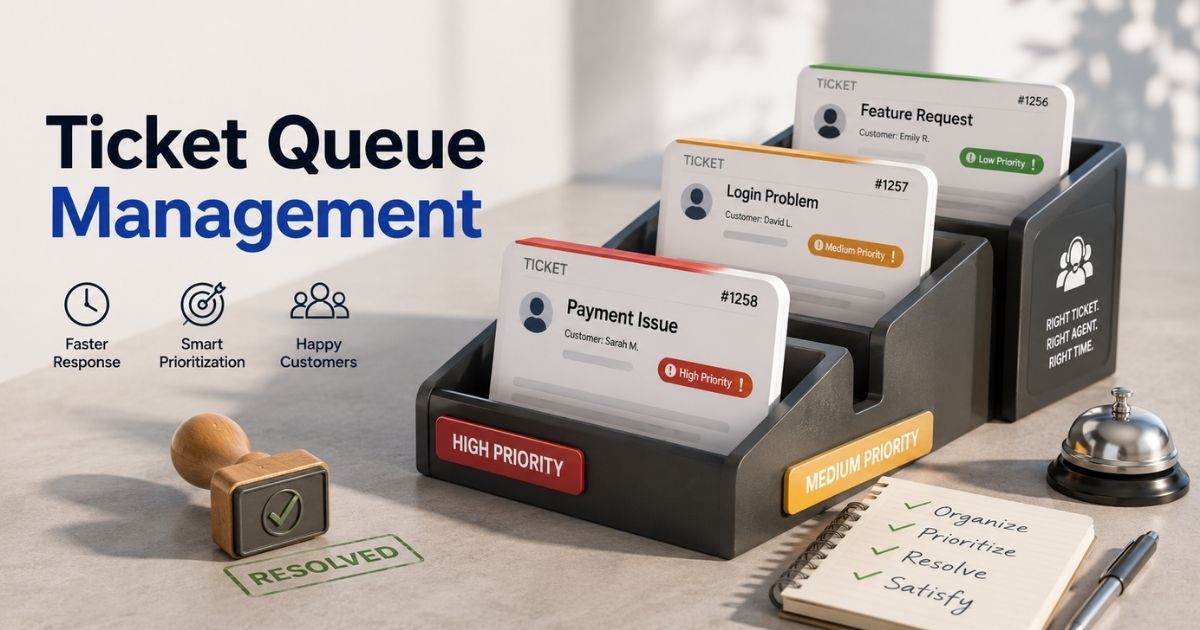
Customer support becomes chaotic when tickets pile up without a proper system. Agents miss urgent requests. Response times get slower. Customers lose patience fast. A messy queue does not just hurt productivity. It damages customer trust and support quality.
Ticket queue management helps support teams stay organized and work faster. It sorts, prioritizes, and routes tickets to the right agents at the right time. A strong process reduces delays and keeps workloads balanced across the team.
Modern support teams cannot rely on manual workflows anymore. High ticket volume needs automation, smart prioritization, and clear queue visibility. This guide covers everything you need to know about ticket queue management, from common challenges to proven strategies that improve response time, SLA performance, and customer satisfaction.
What Is Ticket Queue Management
Ticket queue management is the process of organizing, prioritizing, and routing customer requests inside a ticketing system. A good queue management system helps support agents ensure tickets reach the correct department without delays. It improves response and resolution times, service efficiency, and customer satisfaction. Effective ticket queue management also helps support teams organize queues based on ticket category, urgency, service lines, or multiple channels.
Modern queue management software does more than handle waiting lines. It tracks ticket status, customer data, and customer interactions in real time, often powered by advanced workflow automation in customer support. Many businesses now use a virtual queue management system with analytics tools, digital signage, self-service kiosks, and virtual waiting rooms to manage customer flow during peak hours.
Poor queue management creates customer frustration and hurts service performance. An effective queue management process improves operational efficiency, resource allocation, and the entire customer journey across all customer touchpoints.
How Ticket Queue Management Works Inside Modern Help Desk Systems
Modern help desk platforms use automation, routing rules, and real-time tracking to manage high ticket volume, often powered by automated workflow software. A structured ticket queue management process helps support teams reduce delays and improve customer satisfaction. Smart systems also help businesses organize queues, balance workloads, and improve service performance across multiple channels, highlighting the broader benefits of using a ticketing system.
Ticket Creation And Queue Entry
Every support request enters the ticketing system through email, live chat, social media, mobile phone apps, or self-service portals. The system collects customer data and creates a ticket with a unique ID. Ticket status, ticket category, and customer preferences also become part of the registration process.
Most businesses now handle requests from multiple channels at once. A Zendesk report found that over 70% of customers expect connected support across channels. A proper queue structure helps support staff avoid confusion and ensure tickets enter appropriate queues from the start.
Automatic Ticket Routing
Modern queue management software uses automation rules to send tickets to the correct department. The system checks keywords, issue type, customer history, and service lines before assignment. This kind of automated ticket assignment reduces manual work for support agents and improves response and resolution times.
A triage queue often handles urgent cases first. Critical issues move faster through the queuing process while low-priority tickets wait in separate queues. Gartner reports that automation can reduce service desk workload by up to 30%. Effective queue management makes all the difference during peak hours and high ticket volume periods.
Priority And SLA Management
A strong queue management system prioritizes customer requests based on urgency, SLA targets, and business impact. Billing problems, technical outages, and public service issues often move ahead of general questions. Clear communication helps customers understand expected wait times.
Poor queue management usually creates customer frustration and longer waiting lines. Modern systems use real-time data and analytics tools to identify bottlenecks before service levels drop. Many healthcare facilities and government offices also use virtual queueing systems to manage customer flow and reduce perceived waiting time inside physical queues or waiting rooms.
Agent Workload Distribution
Support teams need balanced workloads to maintain service efficiency. Modern help desk tools track agent availability, skill sets, and active ticket volume in real time. The system then distributes tasks across multiple queues to avoid overload using automated ticket management software.
Proper resource allocation improves operational efficiency and customer experience. HubSpot research shows that 93% of customers make repeat purchases after positive service interactions. Effective ticket queue management helps support agents resolve tickets faster while maintaining quality across the entire customer journey.
Tracking And Performance Analysis
Modern ticket queue management systems constantly monitor service performance. Managers use analytics dashboards to track ticket status, resolution times, queue size, and customer interactions. Data-driven insights help teams streamline operations and improve service delivery.
Many queue management systems also connect with existing systems and other business tools. Integration improves visibility across departments and customer touchpoints. Businesses can identify patterns, improve time management, and create a better customer journey through smarter queue management processes.
Common Ticket Queue Management Challenges That Slow Down Support
Support teams often struggle with overloaded queues, slow routing, and poor visibility. Small issues quickly turn into major delays when the ticket queue management process lacks structure. Common queue management problems also hurt customer satisfaction, service efficiency, and response times across multiple support channels.
Unclear Ticket Priorities
Many support teams fail to define clear ticket categories and urgency levels. As a result, low-priority issues sometimes enter the same ticket queue as critical service requests. Support agents then waste time sorting tickets manually instead of resolving customer problems.
Poor queue management often increases response and resolution times. A Salesforce report found that 78% of customers expect faster support than before. Effective ticket queue management depends on clear queue structure, proper SLA rules, and smart resource allocation from the start, along with choosing the best free helpdesk ticket system that fits your team’s needs.
High Ticket Volume During Peak Hours
Support demand can rise suddenly during product launches, outages, or seasonal campaigns. High ticket volume creates long waiting lines and overloaded support staff. Without a strong queue management system, customer frustration grows fast, especially for small teams that rely on a smart ticketing tool to keep up and need practical tips to simplify holiday support with your helpdesk app.
Many businesses now use virtual queueing and automation to manage customer flow during peak hours. Analytics tools and real-time data help teams identify bottlenecks before service performance drops. A proper triage queue also helps support teams organize queues and handle urgent cases faster.
Poor Ticket Routing
Incorrect ticket routing slows the entire queue management process. Tickets often move between multiple queues before reaching the correct department. Every transfer increases perceived waiting time and hurts the customer experience.
Modern queue management software solves this problem with automation rules and AI-based routing. The system checks customer data, ticket category, and previous customer interactions before assignment. Gartner reports that AI-powered support tools can reduce manual ticket handling by nearly 40% in large service environments.
Limited Visibility Across Channels
Many businesses struggle to manage customer requests from email, live chat, social media, and mobile phone apps together. Separate systems create gaps in communication and make ticket status harder to track. Support teams lose visibility across the entire customer journey.
Connected ticketing systems improve operational efficiency and service delivery. Integration with existing systems and other business tools helps support agents maintain clear communication across all customer touchpoints, especially when supported by robust multi-channel customer support software. Better visibility also helps businesses streamline operations and improve customer satisfaction.
Weak Performance Tracking
Some companies focus only on ticket closure numbers and ignore deeper service metrics. That creates hidden problems inside the queuing system. Slow service lines, overloaded queues, and delayed responses remain unnoticed for too long.
Strong queue management software tracks response times, resolution times, and customer interactions in real time. Managers can monitor service performance and improve time management with data-driven insights, especially when they follow workflow automation in customer support best practices. According to HubSpot, 90% of customers rate immediate responses as important when they contact support teams.
Ticket Prioritization Methods To Improve Queue Efficiency
Ticket prioritization helps support teams handle urgent issues before queues become overloaded. A structured ticket queue management process improves response times, service efficiency, and customer satisfaction. Strong prioritization rules also help support agents reduce delays and maintain better control across multiple queues.
Priority Based On Issue Severity
Support teams often rank tickets based on business impact and urgency. System outages, payment failures, and security issues usually receive the highest priority. Smaller requests move into lower service lines inside the ticket queue.
This queue management method improves service performance and reduces customer frustration. According to Zendesk, 72% of customers expect immediate service for urgent problems. Effective queue management ensures support staff focus on critical customer requests before handling less important tasks.
SLA Driven Ticket Handling
Many businesses use SLA rules inside their ticketing system to organize queues automatically. Tickets close to SLA deadlines move higher in the queue structure. This helps support teams avoid delayed response and resolution times.
Modern queue management software tracks ticket status in real time and alerts support agents before breaches happen. Real-time monitoring also improves operational efficiency during peak hours. Strong SLA management helps businesses maintain customer satisfaction across the entire customer journey.
Customer Value Prioritization
Some support teams prioritize tickets based on customer type, subscription plan, or business value. VIP clients and enterprise accounts often receive faster service through separate queues or dedicated support staff.
This strategy improves customer experience and service delivery for high-value accounts. Salesforce research shows that 88% of customers value experience as much as products or services. Proper resource allocation helps businesses balance customer expectations without slowing the overall queuing process.
Channel-Based Queue Sorting
Support requests arrive from email, live chat, social media, mobile phone apps, and self service portals. Different channels require different response speeds. Live chat tickets usually need faster replies than email requests.
Modern queue management systems organize queues by communication channel to improve time management. This method also helps support agents maintain clear communication across multiple channels. Better queue management processes reduce waiting lines and improve customer interactions across all customer touchpoints.
AI-Powered Ticket Prioritization
AI tools now play a major role in ticket queue management. Smart systems analyze customer data, ticket category, past customer interactions, and ticket volume before assignment. The system then places tickets into appropriate queues automatically.
AI-driven queue management software helps businesses identify bottlenecks and streamline operations faster. Gartner predicts that AI will automate nearly 80% of routine customer service tasks in the next few years. Businesses that use automation and fast, scalable helpdesk software often see faster resolution times and more satisfied customers.
Automation And AI In Ticket Queue Management
Automation and AI help support teams manage high ticket volume with less manual work. Modern ticket queue management systems now use smart routing, predictive analysis, and real time tracking to improve service efficiency, especially when built on a centralized cloud-based help desk platform. Faster workflows also lead to better customer satisfaction and shorter resolution times.
AI-Based Ticket Routing
AI-powered queue management software can route customer requests to the correct department within seconds. The system checks ticket category, customer data, keywords, and previous customer interactions before assignment. This reduces delays inside the ticket queue management process.
Manual routing often creates poor queue management and longer waiting lines. AI helps support agents organize queues faster and maintain clear communication across multiple channels. According to IBM, AI-driven automation can reduce support handling time by nearly 40% in large service environments.
Automatic Ticket Prioritization
Modern ticketing systems use automation to prioritize tickets based on urgency, SLA deadlines, and service impact. This type of structured ticket prioritization in customer support ensures critical cases move into appropriate queues automatically while lower-priority requests stay in separate service lines.
This process improves operational efficiency and response times during peak hours. Support staff no longer waste time sorting requests manually. Teams that turn emails into trackable tickets with the right tools further reduce confusion and delays. Zendesk reports that over 70% of customers expect fast responses during service disruptions. Effective queue management helps businesses resolve tickets faster and reduce customer frustration.
Chatbots And Self-Service Support
AI chatbots now handle a large part of customer interactions before human agents step in. Customers can check ticket status, reset passwords, or solve common issues through self service portals and virtual waiting rooms, especially when combined with a streamlined email-to-ticket system and EasyDesk live chat support for real-time conversations.
This reduces ticket volume and improves time management for support teams. Many businesses also use self-service kiosks and virtual queueing systems to manage customer flow in healthcare facilities, government offices, and public service centers. Gartner predicts that AI assistants will manage most first-level support requests within the next few years.
Predictive Queue Analysis
AI tools can analyze real-time data and predict future support demand. The system studies customer behavior, ticket volume trends, and service performance across the queuing system. Managers can then prepare support staff before queues become overloaded.
Predictive analytics also help businesses identify bottlenecks and improve resource allocation. Better planning improves service delivery and customer experience across the entire customer journey. Data-driven insights help support teams streamline operations and maintain stable response and resolution times.
Workflow Automation Across Systems
Modern queue management systems connect with existing systems and other business tools through automation. Customer updates, escalations, and notifications move automatically between platforms without manual effort, supported by robust ticket creation and management capabilities and multi channel support software for customer service.
This improves customer touchpoints and keeps the registration process organized across multiple queues. Automation also helps businesses manage customer preferences more effectively. Salesforce research shows that companies with connected support systems achieve higher customer satisfaction and better service efficiency than teams using disconnected workflows.
Best Ticket Queue Management Practices For Faster Response And Resolution
Strong ticket queue management practices help support teams reduce delays and improve service performance. A structured queue management process keeps ticket volume under control and improves customer satisfaction. Smart workflows also help businesses maintain faster response and resolution times across multiple support channels.
Clear Ticket Categories
Support teams need a well defined ticket category structure inside the ticketing system. Billing issues, technical problems, account requests, and service outages should move into separate queues. Clear categorization helps support agents organize queues faster.
Poor queue management often starts with messy queue structure. Customers face longer waiting lines when tickets enter the wrong service lines. According to HubSpot, 90% of customers expect immediate responses for support requests. Effective queue management improves customer experience and helps businesses resolve tickets without unnecessary delays.
Smart SLA Rules
SLA policies help businesses prioritize customer requests based on urgency and business impact. Modern queue management software tracks ticket status and response deadlines automatically. Critical issues move into appropriate queues before SLA breaches happen.
This process improves service efficiency and operational efficiency during peak hours. Real-time alerts also help support staff maintain clear communication with customers. Businesses that actively monitor SLA performance usually achieve better customer satisfaction and more stable service delivery across the entire customer journey.
Balanced Agent Workloads
Uneven workload distribution creates slower response times and customer frustration. Some support agents become overloaded while others handle fewer tickets. A balanced ticket queue management process helps teams improve time management and service performance.
Modern queue management systems use real-time data to track ticket volume and agent availability. Managers can identify bottlenecks early and adjust resource allocation quickly, especially when they supplement queues with live chat software for website with EasyDesk. Zendesk research shows that balanced workloads improve both employee productivity and customer interactions across multiple channels.
Automation For Routine Tasks
Automation reduces repetitive manual work inside the queuing system. The system can route tickets, update ticket status, send notifications, and escalate urgent cases automatically. Support teams save time and streamline operations more effectively with dedicated ticket automation software.
AI-based queue management software also improves customer touchpoints by reducing delays in the registration process. Many businesses now connect their ticketing system with existing systems and other business tools to improve workflow visibility, which becomes critical when dealing with common winter issues that break ticket systems. Faster automation helps support teams maintain consistent response and resolution times during high-demand periods.
Regular Queue Performance Reviews
Support teams should review queue management processes regularly to maintain service quality. Analytics tools help managers track customer data, response times, resolution times, and service efficiency in real time, all of which feed into a stronger ticket SLA management guide for faster support response. Data-driven insights reveal hidden problems before they grow larger.
Regular reviews also help businesses improve customer flow and customer experience across all support channels. Salesforce reports that 88% of customers value service quality as much as products. Effective ticket queue management depends on constant optimization, strong communication, and smarter operational decisions.
Key Metrics To Measure Ticket Queue Management Performance
Support teams need clear metrics to evaluate ticket queue management performance. Numbers help businesses identify bottlenecks, improve service efficiency, and reduce customer frustration. Strong performance tracking also helps support agents maintain faster response and resolution times across multiple support channels.
First Response Time
First response time measures how quickly support teams reply after a customer request enters the ticket queue. Fast replies improve customer satisfaction and reduce perceived waiting time during busy service periods.
Slow responses often signal poor queue management or overloaded support staff. According to HubSpot, 90% of customers expect immediate support responses. Modern queue management systems use real-time data and automation to improve time management and maintain stable response times across multiple queues.
Average Resolution Time
Resolution time tracks how long support agents take to fully resolve tickets. This metric reflects the overall efficiency of the ticket queue management process and service delivery quality.
Long resolution times often point to weak resource allocation, poor ticket routing, or inefficient queue structure. Analytics tools inside modern ticketing systems help managers identify bottlenecks faster. Focusing on metrics like average resolution time optimization alongside others helps queue management processes streamline operations and improve customer experience across the entire customer journey.
Ticket Backlog Size
Ticket backlog shows the number of unresolved customer requests waiting inside the queuing system. Large backlogs create waiting lines, overloaded service lines, and lower service performance.
High ticket volume during peak hours can quickly overwhelm support teams without proper queue management software. Zendesk reports that customers become less satisfied when support delays continue beyond expected wait times. Effective queue management helps support staff organize queues and maintain balanced workloads across appropriate queues.
SLA Compliance Rate
SLA compliance measures how often support teams meet promised response and resolution times. Strong SLA performance usually reflects effective queue management and clear communication between teams and customers.
Modern queue management systems track ticket status and SLA deadlines automatically. Real-time alerts help support agents prioritize urgent issues before breaches occur. Businesses that maintain high SLA compliance often deliver better customer interactions and stronger customer satisfaction across all customer touchpoints.
Customer Satisfaction Score
Customer satisfaction score, often called CSAT, measures how customers feel after service interactions. This metric directly reflects the quality of the customer experience and support performance, making a solid CSAT score guide for support teams essential for ongoing improvement.
Low scores usually reveal problems inside the queue management process, ticket category setup, or service efficiency. Salesforce research shows that 88% of customers value service quality as much as products. Data-driven insights from CSAT surveys help businesses improve operational efficiency, customer flow, and overall service delivery.
How To Build A Scalable Ticket Queue Management Strategy
A scalable ticket queue management strategy helps businesses handle growing customer requests without slowing support quality. Strong systems improve operational efficiency, customer satisfaction, and service delivery. A flexible queue management process also prepares support teams for future ticket volume growth across multiple channels, especially when they invest in smarter helpdesk setups for smoother support.
Create A Flexible Queue Structure
A scalable ticketing system needs a clear and flexible queue structure. Separate queues for billing, technical support, onboarding, and urgent cases help support agents organize queues more efficiently. Clear ticket category rules also reduce confusion during high ticket volume periods and should be part of any structured helpdesk implementation.
Poor queue management often creates overloaded service lines and longer waiting lines. Businesses should review queue management processes regularly as customer requests increase. Zendesk reports that companies with structured support workflows achieve faster response and resolution times than teams using basic queuing systems.
Use Automation Across Workflows
Automation helps support teams streamline operations and maintain service efficiency as workloads grow. Modern queue management software can route tickets, update ticket status, trigger escalations, and send notifications automatically, especially when it includes advanced EasyDesk features for smarter support like those in the #1 ticketing software system for best customer support.
AI-based automation also improves resource allocation during peak hours. Support staff can focus on complex customer interactions instead of repetitive tasks. Gartner predicts that AI-powered customer service tools will reduce manual support workload by more than 30% in the coming years. Effective queue management depends heavily on smart automation and faster workflows.
Connect All Support Channels
Customers now contact businesses through email, live chat, social media, mobile phone apps, and self service portals. A scalable queue management system should combine all customer touchpoints into one centralized ticket queue using robust multi channel support software for customer service.
Connected systems improve customer experience and maintain clear communication across multiple channels. Integration with existing systems and other business tools also improves operational efficiency. Businesses can track customer data and customer preferences more effectively throughout the entire customer journey, especially when they add live chat benefits for better customer experience into the mix.
Track Real-Time Performance Data
Real-time data helps businesses identify bottlenecks before support problems become larger. Analytics tools inside modern queue management systems track ticket volume, response times, SLA performance, and service delivery metrics continuously.
Support managers can adjust staffing levels and queue management processes based on live demand. Data-driven insights also improve time management and customer flow across multiple queues, especially when comparing manual vs automated ticketing approaches. According to Salesforce, high-performing support teams rely heavily on real-time analytics to improve customer satisfaction and service performance.
Prepare For Future Growth
A scalable ticket queue management strategy should support long-term business growth. Support teams need systems that can handle more customer requests, new service lines, and larger support staff without reducing quality.
Cloud-based queue management software offers better flexibility for growing businesses. Many companies also use virtual queueing, self-service kiosks, and virtual waiting rooms to manage customer flow more efficiently, often as part of broader fast & scalable helpdesk software deployments. Strong planning helps businesses maintain satisfied customers and stable service efficiency even during rapid growth periods.
How EasyDesk Eases Ticket Queue Management For Modern Support Teams
EasyDesk helps businesses simplify ticket queue management with smart automation, centralized communication, and faster ticket routing. Support teams can organize queues, track ticket status, and manage customer requests from one dashboard using cloud-based helpdesk ticketing software. The platform also improves response and resolution times across multiple channels while staying aligned with the principles outlined on the About EasyDesk secure, transparent customer support page.
EasyDesk uses automation rules, SLA tracking, filters, and tags to reduce manual work for support agents. The system helps teams assign tickets to the correct department faster and maintain better service efficiency during high ticket volume periods, positioning it as the best ticket management system for many teams. Built-in analytics tools and a dedicated SLA management system guide also help managers identify bottlenecks and improve operational efficiency with real-time data.
The platform also supports live chat, self-service workflows, and centralized customer interactions to improve customer satisfaction across the entire customer journey. Businesses can streamline operations, reduce customer frustration, and deliver faster support with a scalable EasyDesk customer support platform and choose the right plan using EasyDesk pricing and transparent support plans.
FAQs
Can Small Businesses Improve Ticket Queue Management Without A Large Support Team?
Yes. Small businesses can use queue management software, automation rules, and self-service tools to organize queues more efficiently. A structured ticketing software system helps support agents reduce ticket volume and maintain faster response and resolution times.
Does Ticket Queue Management Affect Customer Retention?
Yes. Poor queue management increases customer frustration and damages the customer experience. Faster service delivery, clear communication, and shorter waiting lines help businesses improve customer satisfaction and build long-term customer loyalty.
What Causes Tickets To Stay Too Long Inside A Queue?
Weak ticket routing, unclear ticket category rules, and overloaded support staff often create delays inside the queuing system. Businesses that fail to identify bottlenecks or balance resource allocation usually face slower service performance and growing ticket backlog, making it crucial to manage support tickets efficiently using EasyDesk.
Can Self-Service Tools Reduce Ticket Volume?
Yes. Self-service portals, AI chatbots, and knowledge bases help customers solve simple issues without contacting support agents. This improves operational efficiency and gives support teams more time for urgent customer requests, especially when combined with ticket automation to streamline support.
Why Do Businesses Need Real-Time Analytics In Queue Management?
Real-time data helps businesses track ticket status, response times, and service efficiency across multiple queues. Analytics tools also help support teams identify bottlenecks, improve time management, and make better data-driven decisions for the entire customer journey, particularly when paired with automated ticket creation workflows.



