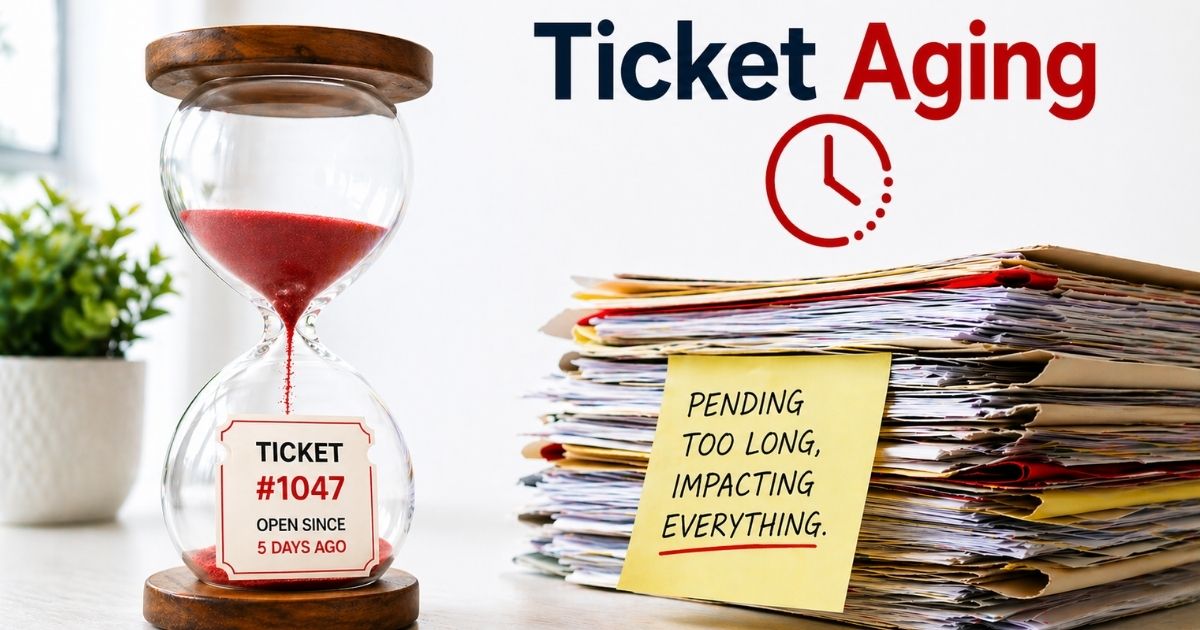
Support teams deal with dozens of tickets every day. Some get solved fast. Others sit for too long without action. Over time, those delayed tickets turn into a bigger problem. That problem is known as ticket aging. It quietly affects response time, team performance, and customer trust.
Most teams do not notice ticket aging until backlogs grow and SLAs start to fail. Customers feel ignored. Agents feel overwhelmed. Operations slow down. Small delays turn into long-term inefficiencies.
Ticket aging is not just a metric. It is a clear signal of how well your support system works. Once you understand it, you can control it. And when you control it, your entire support experience improves.
What Is Ticket Aging In Helpdesk Systems
Ticket aging refers to how long support tickets remain open in a service desk system. It shows the duration from the date a ticket is created until it reaches resolution. Aging tickets often stay in the queue due to several reasons like delay, lack of response, or unclear priority level. For example, a client request may remain open if no agent is assigned or if the issue is not marked critical.
In a typical business environment, teams track how many tickets stay active across departments. Old tickets build a backlog and affect response time. A manager may use a report or chart to determine ticket age and identify gaps. Open incidents with no action lead to worse service quality.
The first step is to track and analyze tickets. With the right system, automated vs manual ticketing, and workflow, teams can manage, fix, and resolve requests faster.
How To Calculate Ticket Aging Accurately
Ticket aging calculation shows how long tickets remain open in your system. It helps teams spot delays, manage backlog, and improve response time. A clear method with real examples makes it easier to track and fix issues.
Use Ticket Created Date And Current Status
Ticket aging starts from the created date and ends at the current status or resolution. If a ticket is still open, its age keeps increasing every hour.
For example, a client raises a request on April 1 at 10 AM. The ticket is still open on April 3 at 10 AM. The ticket age is 48 hours. Most service desk systems track this automatically. Teams that monitor this daily reduce ticket aging by over 30% and keep the queue under control.
Calculate Average Ticket Age Across All Tickets
Average ticket age gives a clear view of overall performance. You add the age of all open tickets and divide by the total number of tickets.
For example, three tickets have ages of 10 hours, 20 hours, and 30 hours. The average ticket age is 20 hours. This number shows how long tickets usually remain open. Teams that track this metric reduce backlog faster by up to 25% and improve workflow across departments.
Track Aging By Priority And SLA Targets
Ticket aging must match priority level in customer support and SLA rules. Critical incidents should have lower age compared to normal requests.
For example, a high-priority ticket must be resolved within 4 hours. If it crosses that limit, it becomes an aging ticket and risks SLA breach. Reports show that nearly 70% of SLA failures link to poor tracking. A system with clear rules helps teams act fast and resolve issues on time.
Why Ticket Aging Is Important For Customer Experience And SLA
Ticket aging plays a direct role in how customers feel about your support. Delays reduce trust and hurt SLA goals. A clear view of aging tickets helps teams act faster, improve response time, and keep service quality consistent across every request.
Delayed Tickets Reduce Customer Trust
Customers expect quick response and clear updates. When tickets remain open for long hours or days, trust drops fast. Studies show over 60% of users lose confidence after repeated delays in support response.
Old tickets signal that a team may lack proper workflow or resource allocation. A client who waits too long may stop using your services. Faster resolution builds confidence and keeps your business reputation strong.
Ticket Aging Impacts SLA Compliance
SLA defines how fast a team must respond and resolve issues. Aging tickets often lead to missed SLA targets. Reports suggest nearly 70% of SLA breaches come from unresolved open incidents and backlog buildup, which is why a clear ticket SLA management framework is essential.
A service desk must track ticket age closely. Priority level and response rules help teams stay on target. Without control, SLA failure becomes frequent and harder to fix.
Backlog Slows Down Support Efficiency
A growing backlog creates pressure on agents and managers. When too many tickets remain open, the system slows down. Teams struggle to manage tasks and lose track of important requests, which highlights the broader benefits of using a ticketing system to organize work and maintain control.
Data shows that high backlog can reduce team productivity by up to 30%. A clean queue with fewer old tickets improves speed and keeps the support process smooth and active.
Poor Ticket Flow Affects Resolution Speed
A weak workflow leads to delays at every point. Tickets may sit unassigned or move between groups without action. This increases ticket duration and slows resolution.
Automation and clear assignment rules help fix this issue. When each ticket reaches the right person fast, response time improves. Better flow ensures that critical incidents get attention without delay.
Aging Data Helps Improve Future Performance
Ticket aging data offers valuable insight. Managers can analyze reports to identify gaps in the system. Patterns in open tickets help determine where delays happen most.
Organizations that track ticket aging reduce issue resolution time by up to 25%. Proper analysis leads to better training, smarter resource use, and stronger service desk performance in the future.
Common Causes Behind High Ticket Aging
High ticket aging does not happen by chance. It builds over time due to gaps in process, system, and team coordination. When tickets remain open without action, the backlog grows and response time suffers across the entire support environment.
Lack Of Clear Priority Rules
A missing priority level creates confusion. Agents do not know which tickets need urgent action. As a result, critical incidents stay in the queue longer than expected.
Reports show nearly 65% of delayed tickets come from poor priority setup. A service desk must define clear rules for every request. Proper priority helps teams manage workload and respond faster. Without it, aging tickets continue to grow.
Unassigned Tickets In Queue
Many tickets remain open because no agent is assigned. A ticket can sit in the system for hours without ownership. This delay increases ticket age and hurts response time.
Studies suggest that unassigned tickets contribute to over 40% of backlog issues. A clear assignment process is the first step to fix this. Automation can assign tickets to the right group or person without delay.
Inefficient Workflow And Process Gaps
A weak workflow slows down the entire system. Tickets move between groups without clear action. Each step adds more hours to the duration.
Around 55% of support teams report process gaps as a major reason for aging tickets. A structured workflow helps track progress and reduce delay. Teams need defined steps to resolve incidents quickly and avoid confusion, and many rely on dedicated ticket automation software to keep those steps consistent.
Limited Team Resources And Training
A small team or lack of training leads to slow resolution. Agents may not have the right skills to solve complex issues. This creates waiting time and increases backlog.
Data shows that teams with proper training improve resolution speed by up to 30%. A well-trained agent can identify issues faster and fix them without delay, especially when they follow proven methods to cut average resolution time fast. Resource planning also plays a key role in managing ticket aging.
Poor Communication With End Users
Lack of communication creates confusion. Users may not respond to queries or provide needed details. Tickets remain open as agents wait for updates.
Nearly 50% of open incidents stay unresolved due to missing user response. A clear communication process helps avoid this issue. Regular follow-ups and updates keep tickets active and reduce aging over time.
Key Ticket Aging Metrics And How To Measure Them
Ticket aging becomes clear when you track the right metrics. Data helps you understand how many tickets remain open and why delays happen. Each metric shows a different part of your service desk performance and overall workflow health, and a dedicated SLA management system can centralize many of these insights.
Average Ticket Age
Average ticket age shows how long tickets stay open in your system. It measures the duration from the created date to the current status or resolution point. This metric helps teams identify aging tickets early.
Recent reports show that teams with lower average age improve response time by up to 25%. A manager can track this value through dashboards or reports. A high number signals backlog and process gaps that need attention.
Ticket Backlog Size
Backlog size shows how many open tickets exist at a given time. It reflects how well your team manages requests and incidents. A growing backlog often leads to higher ticket aging, which is why it is important to manage support tickets efficiently using EasyDesk.
Studies indicate that large backlogs can reduce service efficiency by nearly 30%. A service desk must track backlog daily. Clear workflow rules and automation help reduce queue pressure and improve ticket flow.
SLA Breach Rate
SLA breach rate tracks how many tickets fail to meet response or resolution targets. Aging tickets often contribute to missed SLA goals. This metric highlights where delays occur.
Around 70% of SLA failures link to poor ticket management and backlog issues. A proper system with priority rules helps reduce breach rate. Teams must monitor this metric to maintain service quality.
First Response Time
First response time measures how fast an agent replies after a ticket is created. It is a key factor in customer experience and trust. Slow response leads to higher ticket aging, so many teams rely on automated ticket management software to route and prioritize new requests instantly.
Data shows that a quick first response can improve customer satisfaction by over 33%. A service desk should track response time in hours. Automation and proper assignment help reduce delays and keep tickets active.
Resolution Time Per Ticket
Resolution time tracks how long it takes to solve a ticket completely. It includes every step from initial contact to final fix. Longer resolution increases ticket age and backlog.
Reports suggest that optimized workflows can cut resolution time by up to 40%. Teams must analyze this metric to identify bottlenecks. Better training, resource allocation, and process design help improve resolution speed, especially when combined with automated ticket assignment that balances workloads automatically.
How Ticket Aging Affects Support Team Performance
Ticket aging affects how a support team works every day. When tickets remain open for too long, pressure builds across the service desk. Delays slow response, reduce efficiency, and make it harder to manage tasks and meet SLA targets.
High Backlog Reduces Team Efficiency
A large backlog makes it hard to focus on priority tasks. Agents spend more time sorting open tickets instead of resolving them. This slows down the entire workflow.
Research shows that teams with high backlog can lose up to 30% of productivity. Old tickets stay in the queue and block new requests. A clean system helps teams work faster and stay organized.
Agent Overload Leads To More Delays
Too many tickets assigned to one agent creates overload. A person cannot handle multiple incidents at the same speed. This increases ticket duration and reduces response quality.
Data suggests that overloaded teams see a 25% drop in resolution speed. Proper distribution of tasks across a group helps reduce pressure. Balanced workload keeps tickets active and prevents aging.
Poor Visibility Affects Decision Making
Lack of clear data makes it hard for managers to act. Without proper reports or charts, teams cannot track how many tickets remain open or where delays occur.
Around 60% of service desks struggle with limited visibility in their system. A strong reporting setup helps identify issues early. Managers can use data to fix gaps and improve performance.
Slow Response Time Impacts Workflow
Delayed response affects every step of the process. Tickets sit in the queue without action. This creates a chain reaction across the entire system.
Studies show that slow response can increase ticket aging by over 35%. Quick response keeps tickets moving. Clear rules and automation help teams respond within defined hours and maintain flow.
Low Morale Affects Overall Performance
Continuous backlog and pressure affect team morale. Agents feel stressed when tickets keep piling up. This impacts how they handle requests and communicate with users.
Reports indicate that stressed teams show lower efficiency and higher error rates. A structured environment with proper training and support helps improve morale. A motivated team resolves tickets faster and delivers better service.
Best Strategies To Reduce Ticket Aging Fast
Ticket aging can grow fast if teams do not act early. A strong plan helps reduce backlog and improve response time. With the right process, tools, and team focus, tickets move faster and stay under control.
Set Clear Priority And SLA Rules
Clear priority level helps teams decide what to fix first. Critical tickets must move ahead in the queue without delay. SLA rules guide response and resolution time across the service desk.
Reports show that teams with defined SLA rules reduce ticket aging by up to 35%. A manager should review priority settings often. Proper rules help agents focus on high-value tasks and avoid confusion.
Use Automation For Ticket Assignment
Automation reduces manual effort and speeds up ticket flow. The system can assign tickets to the right group or person based on rules. This avoids delays in the queue and works best alongside ticket automation for multi‑channel support that keeps every message organized.
Data shows that automation can cut response time by nearly 40%. It also helps manage open tickets and reduces backlog. A smart workflow ensures each request reaches the correct agent without waiting, especially when you combine ticket automation software with tools that streamline customer support with ticket automation.
Monitor Backlog And Aging Reports
Regular tracking helps teams stay ahead of delays. Reports and charts show how many tickets remain open and how long they stay active. This makes issues more obvious.
Studies suggest that teams that track metrics weekly improve resolution speed by 25%. A service desk should review backlog and ticket age daily. Early action helps fix problems before they grow worse.
Improve Team Training And Resource Planning
A skilled team resolves tickets faster. Training helps agents understand the system, process, and common incidents. Better knowledge reduces waiting time and improves response.
Research shows that trained teams improve task efficiency by up to 30%. Proper resource planning also matters. Enough staff ensures tickets do not pile up in the queue.
Strengthen Workflow And Communication
A clear workflow keeps tickets moving without confusion. Each step must have a defined action and owner. This helps reduce ticket duration and improve resolution.
Good communication with users also plays a key role. Quick updates keep tickets active and prevent delays. A structured process with strong coordination helps teams solve requests faster and reduce ticket aging.
Best Practices To Prevent Ticket Aging In The Future
Ticket aging can return if teams ignore long-term discipline. A strong system, clear rules, and regular checks help keep tickets under control. Future success depends on how well your service desk prevents backlog and delays.
Build A Proactive Ticket Monitoring System
A proactive system helps track ticket age before it becomes a problem. Teams can view how many tickets remain open and spot aging tickets early. This improves response time and keeps the queue healthy, particularly when you turn emails into trackable tickets instead of relying on scattered inboxes.
Reports show that teams with real-time monitoring reduce backlog by up to 30%. A manager can use dashboards and alerts to track open incidents. Early visibility helps identify issues and take action without delay.
Standardize Workflow Across Teams
A clear workflow keeps every ticket on track. Each step must follow defined rules from request to resolution. This reduces confusion and keeps tickets active across every department.
Data suggests that standardized processes improve resolution speed by 25%. A consistent system helps agents understand their role. It also ensures that tickets do not move between groups without progress.
Use Regular Audits And Performance Reviews
Regular audits help teams find gaps in the system. Managers can review reports, charts, and ticket data to determine where delays happen. This keeps the service desk aligned with business goals.
Studies show that teams that review performance monthly reduce ticket aging by 20%. A detailed analysis helps fix weak points in workflow. Continuous review supports better decision-making.
Improve Communication With Users And Clients
Clear communication keeps tickets moving forward. Agents must stay in contact with users and clients at every step. This avoids waiting time and keeps requests active.
Nearly 50% of tickets remain open due to lack of user response. Regular updates help maintain progress. A strong communication process ensures faster resolution and better service experience.
Invest In Training And Resource Planning
A skilled team handles tickets with speed and accuracy. Training helps agents solve incidents without delay. It also improves how teams manage tasks and follow workflow rules.
Research shows that trained teams improve efficiency by up to 30%. Proper resource planning ensures enough support for growing demand. A balanced team prevents backlog and keeps ticket aging under control, and small groups often benefit from a smart ticketing tool for small teams to stay organized during busy periods.
How EasyDesk Solves Ticket Aging Issues
EasyDesk helps teams control ticket aging with a structured system and smart automation. It keeps tickets active, reduces backlog, and improves response time. Every request stays visible, organized, and easy to manage across the service desk, making it a strong option for teams that want the best customer support ticketing software.
EasyDesk brings all tickets into one shared dashboard. Teams can track how many tickets remain open and identify aging tickets fast. A manager can use reports to analyze ticket duration, status, and backlog. This clear view helps teams take action before delays grow worse and demonstrates the value of EasyDesk helpdesk ticketing software.
Automation plays a key role in reducing delay. Tickets get assigned to the right agent or group based on priority level and rules. SLA tracking ensures response and resolution stay within defined hours. Smart workflows move tickets through each process without waiting. This helps resolve incidents faster and improves overall service quality for every client, aligning with how the #1 ticketing software for better support is designed to work.
FAQs
What Is The Difference Between Ticket Aging And Ticket Backlog?
Ticket aging shows how long tickets remain open, while backlog shows how many tickets are still active. Both metrics work together. High backlog often leads to more aging tickets and slower response across the service desk.
Can Ticket Aging Affect Customer Retention?
Yes. Ticket aging can directly impact customer trust and loyalty. Studies show 33% of users may switch after one poor service experience. Delayed response and unresolved tickets reduce satisfaction and hurt long-term business value.
Is Ticket Aging Only Important For IT Service Desk Teams?
No. Ticket aging matters for any team that handles requests, including customer support, HR, and operations. Every department that manages tickets or incidents needs to track age to improve response and resolution.
How Often Should Teams Track Ticket Aging Metrics?
Teams should track ticket aging daily or weekly. Regular reports help managers identify delays, monitor open tickets, and improve workflow. Consistent tracking also helps determine trends and fix issues before backlog grows worse.
Can Automation Reduce Ticket Aging Effectively?
Yes. Automation helps assign tickets, manage queue flow, and improve response time. It reduces manual tasks and keeps tickets active. Many modern systems use automation to improve efficiency and maintain faster resolution across the support process.



